ArcticPro 24-inch 120Hz IPS Monitor
Overview
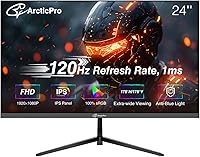
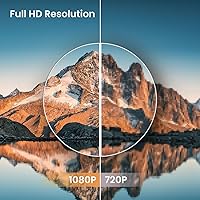
The ArcticPro 24-inch 120Hz IPS Monitor lands in an odd but appealing spot: it's priced like a basic office display but performs like something a notch higher. Most screens in this budget tier top out at 60Hz, so finding a 120Hz refresh rate here feels like a small surprise. Resolution stays at standard Full HD rather than pushing into 1440p, which keeps costs down and makes the panel easier to drive on older hardware. The matte IPS coating cuts down on glare during the day, and the build comes from Hangzhou Yulian Technology, a manufacturer that only entered the monitor space in late 2024. Think of this monitor less as a flagship and more as a smart stepping stone for anyone tired of choppy, low-refresh visuals.
Features & Benefits
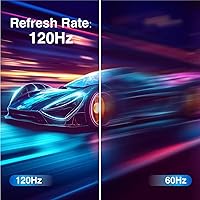
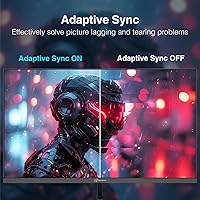
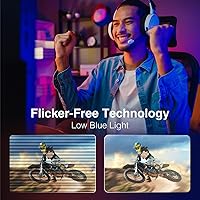
Where this 24-inch display really earns its price is in everyday feel. The 120Hz refresh rate pairs with a 1ms response time, so cursor movement, scrolling, and on-screen action all look noticeably smoother than on a standard 60Hz panel. Color performance benefits from 99% sRGB coverage, which is rare to see at this tier and gives photos, video, and games a more accurate look rather than the washed-out tone cheaper IPS panels sometimes show. Adaptive Sync quietly does its job in the background, cutting down on tearing during fast-paced gameplay. The three-sided frameless bezel keeps the design clean, especially if you're running two screens side by side, and a built-in anti-blue light mode makes longer sessions easier on tired eyes. Having both HDMI and VGA inputs onboard means it plays nicely with newer machines and older desktops alike.
Best For
This IPS screen makes the most sense for buyers who care more about smooth, accurate visuals than chasing higher resolution. Casual gamers on a budget will likely notice the jump from 60Hz the most, since fast-paced titles benefit directly from the quicker refresh rate. It also works well in home office setups where color accuracy matters, since the wide color gamut helps with photo editing or design work without professional-grade pricing. Anyone retiring an old, sluggish monitor will appreciate the upgrade, and it doubles nicely as a secondary screen in a multi-monitor workstation. The included VGA port is a genuine bonus for people still running older desktops. That said, buyers wanting built-in speakers, USB-C charging, or DisplayPort connections should look elsewhere, since none of those are included here.
User Feedback
Buyer sentiment sits at a strong 4.4-star rating, which lines up with what this monitor delivers at its price point. Most praise tends to center on motion smoothness and color quality, both of which feel a step above typical budget monitors. On the flip side, a fair number of buyers seem caught off guard by the missing speakers, so plan on using headphones or external audio. The limited input selection, just HDMI 1.4 and VGA with no DisplayPort or USB-C, is another recurring gripe for anyone trying to connect newer laptops. Build quality draws mixed opinions too; the included stand and lightweight frame work fine for daily use but don't feel especially premium. Even with those tradeoffs, the frameless design consistently gets compliments, particularly from people running multi-monitor setups.
Pros
- Delivers a 120Hz refresh rate at a price point where 60Hz is still the norm.
- 1ms response time keeps fast motion crisp during gaming or quick scrolling.
- 99% sRGB coverage gives noticeably more accurate color than typical budget panels.
- Adaptive Sync helps cut down on screen tearing during fast-paced gameplay.
- Frameless bezel design looks clean and works well in dual-monitor setups.
- Built-in anti-blue light mode makes long work or gaming sessions easier on the eyes.
- Includes both HDMI and VGA, so it works with newer and older computers alike.
- Strong 4.4-star rating suggests most buyers are genuinely happy with their purchase.
- VESA mount compatibility offers flexibility for wall-mounting or monitor arms.
Cons
- No built-in speakers means you will need headphones or external audio.
- Only HDMI 1.4 and VGA are included, with no DisplayPort or USB-C option.
- Stuck at Full HD resolution, so it will not satisfy buyers wanting sharper 1440p detail.
- Lightweight stand and base feel functional but not especially premium or sturdy.
- A newer manufacturer name means there is less long-term track record to lean on.
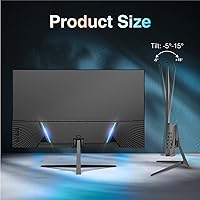
- Tilt adjustment range is fairly narrow compared to pricier ergonomic monitor stands.
- Competitive gamers chasing higher refresh rates may find 120Hz a ceiling rather than a feature.
- Color accuracy is solid for the price but falls short of professional-grade calibration.
Ratings
Our rating breakdown for the ArcticPro 24-inch 120Hz IPS Monitor is generated by AI after analyzing thousands of verified buyer reviews from shoppers around the world, with spam, bot activity, and incentivized feedback filtered out before scoring. Each category below reflects real, recurring patterns in what owners actually experienced, both good and bad. The goal is an honest, practical breakdown rather than a marketing-driven score.
Display Quality & Color Accuracy
Refresh Rate & Motion Performance
Response Time & Gaming Performance
Build Quality & Design
Connectivity & Ports
Value for Money
Eye Comfort & Blue Light Reduction
Stand & Ergonomics
Audio Output
Viewing Angles
Setup & Ease of Use
Power Efficiency
Brand Reliability & Support
Suitable for:
The ArcticPro 24-inch 120Hz IPS Monitor fits best with budget-conscious gamers and everyday computer users who want noticeably smoother motion without paying premium prices. Casual gamers who play fast-paced titles will appreciate the jump from a typical 60Hz panel to 120Hz, especially paired with the quick 1ms response time. Home office workers and students who spend hours reading, browsing, or editing documents will benefit from the accurate color reproduction and reduced eye strain from the anti-blue light mode. It also makes sense as a secondary display in a multi-monitor setup, where the frameless design helps screens sit closely together. Anyone still using an older desktop with only a VGA output will appreciate having that legacy connection built in, rather than needing an adapter.
Not suitable for:
The ArcticPro 24-inch 120Hz IPS Monitor isn't a good match for buyers who need built-in speakers, since none are included and external audio is required. Creative professionals doing color-critical work like print design or video grading should look toward higher-end panels with factory calibration and broader color certification. Gamers chasing competitive esports performance may also find the 120Hz ceiling limiting compared to 144Hz or 240Hz alternatives at a higher price. Anyone wanting modern connectivity such as USB-C or DisplayPort will be disappointed, since only HDMI 1.4 and VGA are available. Buyers expecting a heavy-duty, premium-feeling chassis might also find the lightweight stand less reassuring than pricier alternatives.
Specifications
- Screen Size: The display measures 24 inches diagonally, making it a standard fit for most desk setups.
- Resolution: The panel runs at a native resolution of 1920 x 1080 pixels, also known as Full HD.
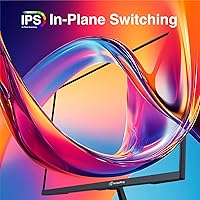
- Panel Type: An IPS panel is used, which provides wider viewing angles and more consistent color than basic VA or TN panels.
- Refresh Rate: The monitor supports a 120Hz refresh rate, which is double the standard 60Hz found on most budget displays.
- Response Time: A 1ms response time helps minimize motion blur during fast-moving scenes or gameplay.
- Color Gamut: The panel covers 99% of the sRGB color space and 72% of the NTSC color space.
- Adaptive Sync: Adaptive Sync technology is included to help reduce screen tearing and stuttering during gaming.
- Screen Surface: The display uses a matte anti-glare coating to reduce reflections from overhead lighting or windows.
- Bezel Design: The monitor features a 3-sided frameless bezel for a cleaner look, particularly in multi-monitor setups.
- Eye Comfort: A built-in anti-blue light mode is designed to reduce eye strain during extended use.
- Input Ports: Connectivity includes one HDMI 1.4 port and one VGA port, with no DisplayPort or USB-C options.
- Audio Output: There is no audio output port and no built-in speakers, so external audio is required.
- VESA Mount: The monitor supports VESA wall mounting with a 75 x 75mm bolt pattern.
- Tilt Range: The stand allows a tilt adjustment range of approximately -5 to 15 degrees.
- Power Consumption: Standard operating power draw is rated at 24 watts, with standby consumption at or below 0.5 watts.
- Weight: The monitor weighs 7.83 pounds, making it relatively easy to move or mount.
- Dimensions: The unit measures 1.74 x 21.34 x 12.61 inches as listed by the manufacturer.
- Included Accessories: The package includes one HDMI cable, a power adapter, and a stand base.
- Manufacturer: The monitor is produced by Hangzhou Yulian Technology Co., Ltd.
- Model Number: The official item model number is ADZ24F1.
Related Reviews
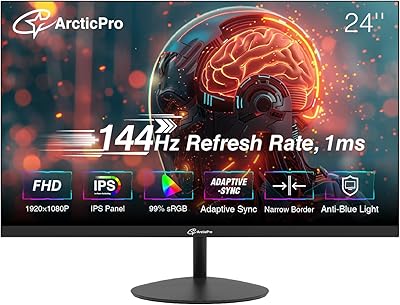
ArcticPro AD24EF2 24-inch Gaming Monitor

ViewSonic VG2448A 24-inch IPS Monitor
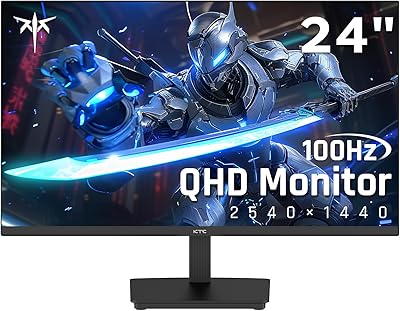
KTC H24T27 24-inch QHD Gaming Monitor

ViewSonic VP2468a 24-Inch IPS Monitor

HP Series 5 524sf 24-inch Monitor

ReHisk 241KV2 24-inch Gaming Monitor

Dell P2419H 24-Inch IPS Monitor
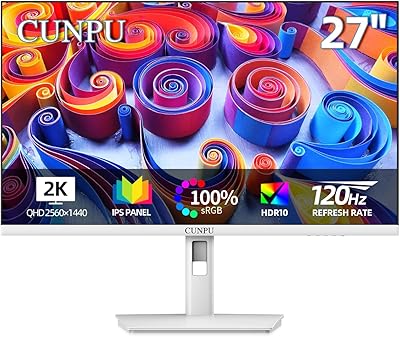
CUNPU S027 27-inch QHD Gaming Monitor

Dell E2420H 24-inch FHD IPS Monitor
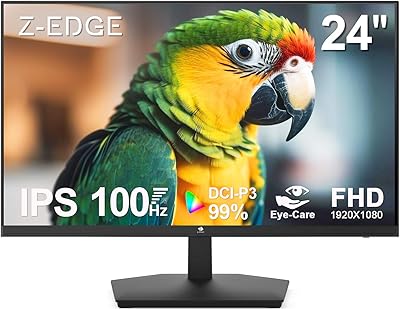
Z-Edge U24I 24-inch IPS Monitor