
Overview

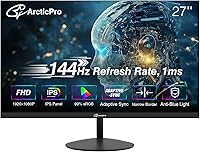
The ArcticPro AD27EF2 27-inch Gaming Monitor entered the market in early 2025 from Hangzhou Yulian Technology, positioning itself squarely in the crowded budget IPS display space. It targets casual gamers and office users who want solid specs without a hefty outlay. The 3-sided frameless design keeps the look clean and modern — genuinely appealing on a tidy desk. On paper, the numbers are compelling for the price tier: a 144Hz panel, wide color coverage, and adaptive sync all in a slim chassis. Real-world performance, though, always tells a more complete story, and there are a few nuances worth unpacking before you decide.

Features & Benefits

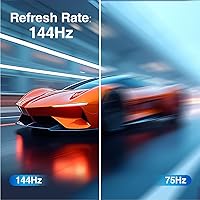
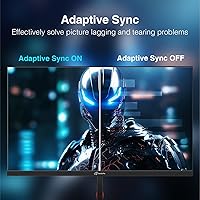
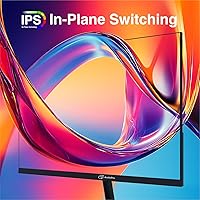
What stands out most with this ArcticPro monitor is the IPS panel paired with 110% sRGB coverage — that combination typically appears on pricier displays, so seeing it here is genuinely notable. Colors look richer and more accurate than you'd expect at this tier, which matters whether you're editing photos casually or just watching videos between gaming sessions. The 144Hz refresh rate keeps motion fluid, and the 1ms response time holds up during fast-paced gameplay. Adaptive Sync support is a practical bonus, cutting down on tearing even with mid-range GPUs. Dual inputs — HDMI 2.0 and DisplayPort 1.4 — mean connecting multiple devices is straightforward, and VESA mounting keeps desk flexibility open.

Best For

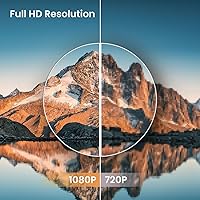
The AD27EF2 makes the most sense for first-time PC gamers stepping up from a 60Hz display — that jump to 144Hz is immediately noticeable, and it's hard to argue with the value. Students and remote workers will also find this 27-inch IPS display a comfortable daily driver, especially given the anti-blue light feature for longer sessions. If you're building a dual-monitor setup, the slim bezel profile helps screens sit together without an awkward gap drawing your eye. One group it doesn't fully serve: anyone chasing 1440p or 4K visuals. This is a 1080p panel, and at 27 inches, pixel density isn't its strongest suit.

User Feedback

Early buyers of this ArcticPro monitor tend to cluster around 4.4 stars, which is a solid result for a newly launched display. The most consistent praise centers on color vibrancy and motion smoothness — two things buyers in this segment often compromise on, and here they largely don't have to. Setup gets positive marks too, with included cables making the out-of-box experience relatively painless. Where feedback gets more mixed is stand stability; a few users found it wobbles more than expected. The lack of built-in speakers also catches some buyers off guard — worth knowing before purchase. No major reliability red flags have emerged yet, though the short market history means long-term durability data remains limited.

Pros

  • The IPS panel delivers noticeably richer colors than most displays in this price tier.
  • 144Hz refresh rate makes everyday desktop use and casual gaming feel genuinely fluid.
  • Adaptive Sync keeps screen tearing in check even with mid-range graphics cards.
  • The 3-sided frameless design looks sharp and works well in dual-monitor configurations.
  • 110% sRGB coverage is an above-average spec that punches above the typical budget-monitor standard.
  • VESA 75x75mm support gives you full flexibility to wall-mount or use a third-party arm.
  • Both HDMI 2.0 and DisplayPort 1.4 inputs mean connecting a PC and console simultaneously is easy.
  • Anti-blue light technology helps reduce eye strain during longer work or gaming sessions.
  • Setup is straightforward, with necessary cables included in the box.
  • Early buyer ratings are strong for a newly launched display from a lesser-known brand.

Cons

  • No built-in speakers — you will need external audio from day one, which is easy to overlook.
  • At 27 inches with 1080p resolution, pixel density is lower than on smaller screens running the same resolution.
  • The stand has been flagged by some users as less stable than expected for a monitor of this size.
  • Brand history is limited, making long-term reliability harder to assess than with established manufacturers.
  • No height or pivot adjustment on the included stand limits ergonomic flexibility for taller users.
  • Only one HDMI port means juggling cables if you regularly switch between multiple HDMI sources.
  • The 1080p resolution ceiling will feel restrictive for users who later upgrade to a more powerful GPU.
  • Quality control consistency is still an open question given the short time this model has been on the market.

Ratings

The ArcticPro AD27EF2 27-inch Gaming Monitor has been scored by our AI system after analyzing verified buyer reviews from global marketplaces, with spam, bot-generated, and incentivized submissions actively filtered out before any score was calculated. The ratings below reflect the honest, composite experience of real users — strengths and frustrations alike — so you get a transparent, balanced picture before committing to a purchase.

Value for Money
88%
For buyers on a tight budget, the sheer volume of specs packed into this display is hard to argue with. A 144Hz IPS panel with Adaptive Sync and wide color coverage at this price tier genuinely outpaces many rivals that ask more and deliver less. Most buyers came away feeling they got more than they paid for.
A handful of reviewers noted that minor build compromises — particularly around the stand — make the value equation feel slightly less clean than the spec sheet suggests. When stacked against a well-established brand at a similar price, some buyers felt the ArcticPro name carries less reassurance.
Image Quality
83%
The IPS panel with 110% sRGB coverage produces colors that look noticeably richer and more saturated than what budget VA or TN panels typically manage. Users watching movies and playing visually rich games consistently praised the vibrancy and the wide viewing angles that kept colors stable off-axis.
At 27 inches running 1080p, pixel density is a real limitation — fine text and intricate UI elements can look softer than on a smaller screen with the same resolution. Users who sit close to their display or do detail-sensitive work tend to notice this trade-off more acutely.
Refresh Rate & Motion
91%
The jump to 144Hz is immediately felt, especially for users upgrading from a standard 60Hz display. Everyday desktop scrolling, video playback, and casual gaming all feel noticeably smoother, and the 1ms response time keeps motion crisp without obvious ghosting in most gaming scenarios.
In very fast-paced, competitive gaming scenarios, some users noted that the motion performance does not quite match higher-end panels at the same refresh rate. It is excellent for casual and mid-level play but not the last word in competitive responsiveness.
Color Accuracy
74%
26%
Out of the box, colors are pleasing and warmer-leaning, which most casual users find appealing for gaming and streaming content. The 110% sRGB coverage means the panel has the hardware capability to reproduce a wide palette, which is a genuine advantage over most competitors in this tier.
Without factory calibration data provided by the manufacturer, color accuracy cannot be fully trusted for any work where correct hues actually matter. Users who tried basic on-screen calibration noted the controls are functional but limited, and delta-E performance is not rated or documented.
Build Quality
67%
33%
The monitor body itself feels reasonably solid for its weight class, and the slim frameless aesthetic genuinely looks premium on a desk. The 3-sided borderless design in particular impressed users who assembled dual-monitor rigs, as the gap between screens stays minimal and visually tidy.
The stand drew the most consistent criticism in user feedback — several buyers flagged that it feels less stable than expected and wobbles when the desk is bumped. The lack of height or pivot adjustment also limits ergonomic flexibility, which becomes a real issue during long work sessions.
Setup & Connectivity
86%
The out-of-box experience was rated positively by most buyers — an HDMI cable and adapter are included, meaning the display is ready to connect to most setups without an extra trip to the store. The dual-input design (HDMI 2.0 and DisplayPort 1.4) is genuinely practical for users juggling a PC and a console.
With only one HDMI port, users who regularly switch between two HDMI sources will find themselves swapping cables more than they would like. A few buyers also noted some initial confusion around getting 144Hz confirmed as active, particularly when connecting via HDMI rather than DisplayPort.
Eye Comfort
79%
21%
The anti-blue light filtering is effective enough that users who spend several hours a day at this display reported less end-of-day eye strain compared to their previous monitors. The matte screen coating also cuts down on glare in moderately lit rooms, reducing the need to constantly adjust ambient lighting.
The anti-blue light mode does shift the color temperature toward warmer tones, which some users found distracting during work tasks that require neutral color perception. There is no hardware-level flicker-free certification documented by the manufacturer, which may concern photosensitive users.
Audio
41%
59%
The presence of an audio output jack means you can route sound to external headphones or speakers directly from the monitor, which is a convenience some competing budget displays skip entirely. For users who already own a headset or desktop speakers, this port is a useful, quiet addition.
There are no built-in speakers whatsoever — a fact that catches a meaningful number of buyers off guard, particularly those coming from all-in-one setups or older monitors with integrated audio. For a desk setup that relies on the display as the audio hub, this is a firm dealbreaker that requires an additional purchase.
Ergonomics
58%
42%
The VESA 75x75mm compatibility is the saving grace here — users who invested in a monitor arm gained full control over height, tilt, and swivel, effectively solving most of the ergonomic limitations of the included stand. The display itself is light enough that repositioning it is never a chore.
Relying solely on the stock stand leaves little room for adjustment beyond basic tilt, and the fixed height will not suit taller users or those who prefer a raised viewing position. Buyers who do not plan to use a monitor arm should factor this limitation into their decision carefully.
Adaptive Sync Performance
77%
23%
Adaptive Sync works reliably within the supported frame-rate range, keeping gameplay noticeably tear-free during normal gaming sessions without requiring a high-end GPU. Budget GPU users in particular found this feature made a tangible difference in smoothness during graphically demanding moments.
The exact supported frame-rate range for the sync window is not clearly documented, and a few users noticed that tearing reappeared at very low frame rates below the sync floor. Performance also varies slightly depending on whether the connection is made via HDMI or DisplayPort.
Pixel Density
62%
38%
For users who sit at a standard arm-length distance from a 27-inch screen, 1080p is workable and the image reads as acceptably sharp in most gaming and video contexts. Content optimized for 1080p — which includes most streaming services and a large share of game libraries — fills the screen cleanly.
The pixel-per-inch count at this screen size is low enough that close-range users and anyone doing detailed image work will notice softness in fine text and small UI elements. This is not a flaw unique to the AD27EF2, but it is a genuine structural limitation of pairing 1080p with a 27-inch panel.
Bezel & Aesthetics
84%
The 3-sided frameless design looks genuinely clean in person, and the ultra-slim depth profile keeps the overall footprint unobtrusive on a desk. Users building dual or triple monitor rigs specifically highlighted how well the thin bezel lines up visually when screens are placed side by side.
The bottom chin — the one non-frameless edge — is more noticeable than some buyers expected from the product images. While it does not detract much from single-monitor setups, it is visible enough that the display does not quite achieve a truly borderless look all the way around.
Brightness & Contrast
71%
29%
In typical indoor lighting conditions, brightness levels are sufficient for comfortable viewing without pushing the backlight to its limit. The IPS panel handles mid-tone gradients cleanly, and color transitions look natural rather than washed out, which suits both productivity and entertainment use.
Peak brightness is not rated or clearly disclosed, and some users working near bright windows found the display struggling to hold up against strong ambient light despite the matte coating. IPS contrast ratios are inherently modest, so dark scenes in games and movies lack the depth that VA panel users might be accustomed to.
Long-Term Reliability
63%
37%
In the short time this display has been on the market, reported hardware failures have been limited, and most buyers who flagged issues cited cosmetic or stand-related problems rather than panel defects. Early indicators suggest the core display hardware is reasonably solid for its class.
The limited market history — launched only in early 2025 — means there is simply not enough longitudinal data to make confident claims about multi-year durability. The manufacturer is relatively unknown outside of this product line, and the support infrastructure for warranty claims has not been widely tested by buyers yet.

Suitable for:

The ArcticPro AD27EF2 27-inch Gaming Monitor is a strong fit for anyone stepping into PC gaming on a budget who wants a meaningful upgrade without overspending. First-time monitor buyers moving up from a 60Hz display will immediately feel the difference that 144Hz makes in everyday use — not just in games, but in general desktop smoothness. Students pulling long study sessions will appreciate the anti-blue light panel and the generous 27-inch screen real estate, which makes working across multiple windows noticeably more comfortable. Remote workers who need a clean, uncluttered desk setup will find the slim frameless build easy to integrate into any workspace. It also makes a practical second or third screen in a multi-monitor arrangement, where that thin bezel really earns its keep visually.

Not suitable for:

The ArcticPro AD27EF2 27-inch Gaming Monitor is not the right call for buyers who prioritize image sharpness above all else — at 1080p across a 27-inch panel, pixel density is noticeably lower than on a 24-inch display running the same resolution, and detail-oriented users will spot it. Serious competitive gamers who need the tightest possible motion handling and pro-grade color calibration should look at more established brands with a longer track record. Anyone expecting built-in speakers will be caught off guard, since there are none — external audio is a must from day one. Buyers with concerns about long-term build reliability may also want to wait, as this display only launched in early 2025 and long-term durability data is still thin. Finally, creative professionals who depend on color-accurate output for client work would be better served by a display with factory calibration and wider color space coverage.

Specifications

  • Screen Size: The display measures 27 inches diagonally, offering generous screen real estate for both productivity tasks and casual gaming.
  • Resolution: Native resolution is 1920x1080 pixels (Full HD), delivering standard 1080p output across the full panel area.
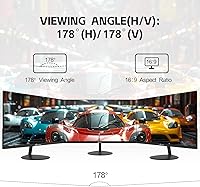
  • Panel Type: An IPS (In-Plane Switching) panel is used, providing wider viewing angles and more consistent color reproduction compared to TN alternatives.
  • Refresh Rate: The display runs at a maximum refresh rate of 144Hz, enabling smoother motion in games and general desktop use versus standard 60Hz monitors.
  • Response Time: Rated at 1ms response time, which helps reduce motion blur and ghosting during fast-moving on-screen content.
  • Color Gamut: Covers 110% of the sRGB color space and 72% of the NTSC color space, offering above-average color range for a budget IPS panel.
  • Adaptive Sync: Supports Adaptive Sync technology to reduce screen tearing and stuttering when paired with compatible AMD or NVIDIA graphics cards.
  • Inputs: Connectivity includes one HDMI 2.0 port and one DisplayPort 1.4 port, allowing simultaneous connection of two video sources.
  • Audio Output: A dedicated audio output port is present for connecting external headphones or speakers, though no internal speakers are included.
  • VESA Mount: Compatible with 75x75mm VESA mounting patterns, making it suitable for most third-party monitor arms and wall-mount brackets.
  • Anti-Blue Light: Built-in anti-blue light filtering is designed to reduce high-energy visible light exposure during extended viewing sessions.
  • Bezel Design: Features a 3-sided frameless construction with an ultra-slim profile, making it well-suited for side-by-side multi-monitor setups.
  • Aspect Ratio: Standard 16:9 widescreen aspect ratio, compatible with virtually all modern video content and gaming resolutions.
  • Surface Finish: The screen uses a matte anti-glare coating to reduce reflections in brighter ambient lighting conditions.
  • Dimensions: Physical dimensions with the stand measure 24.18 inches wide, 2.01 inches deep, and 14.29 inches tall.
  • Weight: The full unit including the stand weighs 11.18 pounds, which is typical for a 27-inch monitor in this class.
  • Power Draw: Standard operating power consumption is rated at 30W or less, with standby consumption dropping to 0.5W or below.
  • Manufacturer: Produced by Hangzhou Yulian Technology Co., Ltd, a Chinese electronics manufacturer that listed this model in March 2025.

Related Reviews
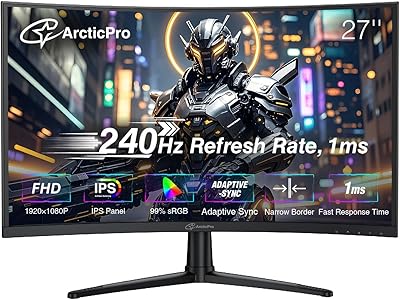
ArcticPro 27-inch 240Hz Curved Gaming Monitor
87%
94%
Performance in Gaming
90%
Display Quality
85%
Setup and Installation
88%
Visual Comfort (Low Blue Light)
91%
Design and Aesthetics
More
Skytech Gaming Moonshadow 27-inch Curved Gaming Monitor

83%
88%
Image Quality
91%
Refresh Rate Performance
86%
Adaptive-Sync
83%
VA Panel Contrast
84%
Stand & Ergonomics
More
Raywego Z270B13 27-inch Gaming Monitor
70%
88%
Value for Money
83%
Picture Quality
84%
Refresh Rate Performance
62%
Build Quality
81%
Eye Comfort
More
Sealan 27-inch Curved Gaming Monitor
82%
85%
Display Quality
90%
Ease of Setup
91%
Value for Money
87%
Performance in Gaming
83%
Color Accuracy
More
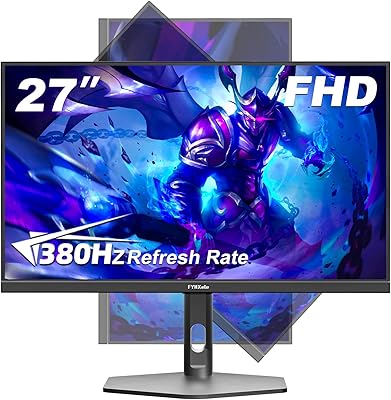
FYHXele 27-inch 380Hz Gaming Monitor
87%
91%
Display Quality
94%
Gaming Performance
88%
Build Quality
85%
Ergonomics & Adjustability
90%
Ease of Setup
More
KOORUI G2721E 27-inch Gaming Monitor
86%
91%
Gaming Performance
89%
Display Quality
87%
Build Quality
90%
Ergonomics & Adjustability
85%
HDR & Color Accuracy
More
Dell G2725D 27-inch Gaming Monitor
78%
91%
Image Sharpness
88%
Refresh Rate Performance
83%
Motion Clarity
79%
Color Accuracy
86%
AMD FreeSync
More
FYHXele 27-inch 4K Gaming Monitor
85%
93%
Display Quality
90%
Gaming Performance
89%
Color Accuracy
85%
Build Quality
78%
Ease of Setup
More
Alienware AW2723DF Gaming Monitor 27-inch
88%
95%
Display Quality
94%
Gaming Performance
92%
Color Accuracy
89%
Build Quality
91%
Ergonomics & Adjustability
More
Amazon Basics 27-inch 1080p Gaming Monitor
76%
88%
Value for Money
79%
Display Quality
91%
Refresh Rate Performance
86%
Response Time
67%
Build Quality
More

FAQ

No, it does not. The ArcticPro AD27EF2 27-inch Gaming Monitor includes an audio output port, so you can plug in headphones or external speakers, but there are no internal speakers built into the display itself. This is worth knowing before you buy if you were expecting audio out of the box.

Yes, it should work fine via the HDMI 2.0 port. Keep in mind that most current consoles output at 60Hz even at 1080p in practice, so you won't necessarily take full advantage of the 144Hz refresh rate through a console connection — but the picture will still look clean and sharp.

It depends on how close you sit and how critical you are about image sharpness. At 27 inches, 1080p pixel density is noticeably lower than on a 24-inch screen at the same resolution, so if you sit within arm's reach you may spot individual pixels on fine text. For gaming and video it tends to look fine, but detail-oriented users sometimes prefer a smaller screen size or a higher resolution for this panel size.

Yes, the AD27EF2 supports the 75x75mm VESA mounting standard, which is compatible with a wide range of third-party monitor arms and wall brackets. Just make sure any arm you buy lists 75x75mm VESA compatibility, and you should be set.

This is a common point of confusion. HDMI 2.0 can technically support 144Hz at 1080p, but whether it does depends on your specific graphics card and cable. For guaranteed 144Hz output, using the DisplayPort 1.4 connection is the more reliable choice.

The included stand offers basic tilt adjustment but does not support height, swivel, or pivot adjustments. If ergonomics matter to you — especially for long work sessions — it is worth considering a VESA-compatible monitor arm as a replacement, which the display does support.

Adaptive Sync is natively an AMD FreeSync-based technology, but many modern NVIDIA GPUs also support it through the G-Sync Compatible program. Most mid-range and current-generation NVIDIA cards will recognize and use the sync feature, though it is worth double-checking your specific GPU model to be sure.

Setup is generally straightforward. The package includes an HDMI cable and an adapter, so you can get up and running without a separate trip to the store in most cases. Buyers have generally reported the assembly process as quick and uncomplicated.

It can handle casual photo and video work reasonably well given its 110% sRGB coverage, which is better than many budget displays. That said, it lacks factory color calibration, so professionals who need precise, verified color accuracy for client work would be better served by a purpose-built content creation monitor.

This ArcticPro monitor launched in March 2025, so it is still relatively new. Early buyer ratings have settled around 4.4 stars, which is encouraging, but long-term reliability data simply does not exist yet. If you are the type who likes to wait for a product to build a larger review history before committing, that is a completely reasonable approach here.