Overview

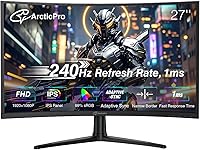
The ArcticPro AD27EF4C 27-inch Curved Gaming Monitor arrives as one of the more compelling options in the sub-$130 display space. ArcticPro is a relatively new name — the monitor only hit shelves in early 2025 — so it carries none of the legacy reputation that brands like ASUS or LG have built up. That's worth knowing upfront. Still, a curved 27-inch VA panel at this price is objectively hard to ignore. The trade-off most buyers should think about: at 1080p across 27 inches, pixel density is noticeably lower than on a 24-inch screen of the same resolution. For gaming, that rarely matters. For spreadsheets and fine text, it can.
Features & Benefits

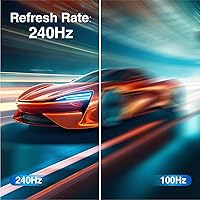
At 240Hz, this curved gaming monitor genuinely changes how fast-paced games feel, especially coming from a 60Hz or even 144Hz panel. One thing worth clarifying: the advertised 0.5ms figure refers to MPRT response time, which is a motion blur reduction metric — not the same as pixel GtG switching speed, which typically runs higher on VA panels. Adaptive Sync works across both AMD and Nvidia mid-range cards without requiring a premium certification, which is a practical win. The 4000:1 contrast ratio makes this display noticeably punchier in dark environments compared to most IPS alternatives at this price. Colors are vibrant enough for gaming and casual media, though this isn't a panel you'd bring into a color-critical workflow.

Best For

This budget 240Hz panel makes most sense for PC gamers who want high refresh rate performance without spending more on a 1440p setup — the jump in frame rate is far more impactful in competitive titles than a resolution bump. Students stepping up from a laptop display will notice an immediate, dramatic difference in both screen real estate and motion clarity. For competitive FPS players, the combination of 240Hz and Adaptive Sync is the headline story here. The slim, frameless build also works well in tight desk arrangements or side-by-side multi-monitor configs. Console players, however, should look elsewhere: over HDMI, the monitor maxes out at 120Hz, so PS5 and Xbox Series X users won't reach its refresh rate ceiling.

User Feedback

Early buyers have given the ArcticPro 27-inch display a strong 4.5-star rating, though the review count is still growing given how recently it launched. The most consistent praise centers on out-of-box color quality and how noticeably smoother the motion feels compared to any 60Hz panel. Assembly gets good marks too. On the other side, reviewers have flagged the stand's limited adjustability — tilt is the only option, no height or swivel — and the absence of built-in speakers means you'll need external audio. VA glow is a real consideration in dark-room use; it's a known trait of VA panels, not a defect. Most critiques point to ergonomics and extras rather than core display performance.

Pros

  • 240Hz refresh rate delivers genuinely smooth gameplay, especially noticeable when coming from any 60Hz display.
  • The 4000:1 contrast ratio produces deep blacks that most IPS panels at this price simply can't match.
  • Adaptive Sync works across AMD and mid-range Nvidia GPUs without requiring brand-specific certification.
  • The 3-sided frameless, ultra-slim profile keeps desk setups clean and suits multi-monitor arrangements well.
  • Out-of-box color vibrancy earns consistent praise from early buyers, with no calibration needed for gaming use.
  • DisplayPort 1.4 and HDMI 2.0 ports cover the vast majority of modern GPU configurations without adapters.
  • VESA 100x100mm mount support gives buyers flexibility to swap out the stand for an arm later.
  • Assembly is quick and straightforward — most users report being up and running within minutes.
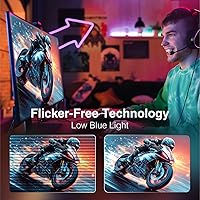
  • The built-in blue light filter is a practical inclusion for long gaming sessions or late-night use.

Cons

  • VA glow in dark rooms is a real and noticeable issue — a known panel trade-off, not a defect, but worth expecting.
  • The stand only tilts; no height adjustment or swivel means ergonomic flexibility is genuinely limited.
  • No built-in speakers make external audio an added cost that some buyers won't anticipate upfront.
  • Pixel density at 1080p across 27 inches produces softer text than smaller panels at the same resolution.
  • ArcticPro is new to the market, leaving buyers with little long-term data on reliability or warranty support.
  • Review volume is still thin given the March 2025 launch, making it harder to assess real-world durability.
  • VA dark-to-dark pixel transitions can lag behind IPS alternatives in fast-moving dark scenes, despite the MPRT spec.
  • No USB hub means this budget 240Hz panel adds zero connectivity convenience beyond its two display inputs.

Ratings

Our AI-generated scores for the ArcticPro AD27EF4C 27-inch Curved Gaming Monitor are built from a global analysis of verified buyer reviews, with spam, bot activity, and incentivized feedback actively filtered out. The result is an honest picture of where this display genuinely delivers and where real-world frustrations emerge — strengths and shortcomings weighted equally. Whether you are eyeing this curved gaming monitor for competitive play or as a first serious display upgrade, the data below reflects what buyers across multiple markets actually experienced.
Value for Money
88%
At this price tier, landing a 27-inch curved panel with a 240Hz refresh rate and a 4000:1 contrast VA display is genuinely difficult to match. Most buyers in this segment report feeling they got more than they paid for, particularly those upgrading from budget flat-panel monitors or laptop screens.
The value calculus shifts when you factor in extras that many buyers end up purchasing separately — a monitor arm for better ergonomics, external speakers, and potentially a DP cable if yours does not arrive intact. These additions can quietly chip away at the headline price advantage for some setups.
Refresh Rate Performance
91%
The jump from 60Hz to 240Hz is immediately felt in competitive titles — enemy movement tracks more smoothly and aiming feels more responsive, particularly in fast-paced FPS games. Buyers consistently describe this as one of the most impactful upgrades they have made to a PC gaming setup.
Reaching the full 240Hz requires a DisplayPort connection and a GPU capable of pushing high frame counts at 1080p, which is not a given for every budget build. Users on older hardware running over HDMI may find they rarely actually hit the panel's ceiling in more demanding titles.
Panel & Image Quality
79%
21%
The VA panel's deep contrast makes dark gaming environments and cinematic cutscenes look noticeably richer than flat IPS alternatives at this price. Out-of-box colors are vibrant enough for gaming and casual streaming, and most buyers report needing zero calibration before feeling comfortable with the image.
At 27 inches with a 1080p resolution, pixel density is lower than ideal and becomes noticeable during extended productivity work. Desktop text and fine UI elements can look softer than expected, and buyers who split time between gaming and office tasks tend to flag this most consistently.
Motion Clarity
76%
24%
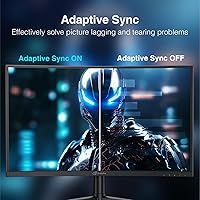
Adaptive Sync eliminates screen tearing effectively across both AMD and Nvidia mid-range setups, and the panel handles fast lateral movement in racing and shooter titles without obvious artifacts. At 240Hz, even moderately complex motion sequences remain easy to track during normal gameplay sessions.
VA panels carry an inherent limitation in dark-to-dark pixel transitions, and this display is no exception — rapid scene changes between very dark tones can show a trailing effect that IPS panels handle more cleanly. The 0.5ms MPRT figure measures blur reduction rather than raw pixel switching speed, so expectations should be calibrated accordingly.
Ergonomics & Adjustability
53%
47%
The tilt adjustment holds its angle reliably, and the VESA 100×100mm mounting pattern gives buyers a practical path to improved ergonomics via a third-party arm without extra hardware complications. For users comfortable with a fixed-height desk arrangement, the initial positioning process is at least quick and straightforward.
Tilt is the only movement the included stand offers — no height, swivel, or pivot adjustment of any kind. For taller users or anyone requiring precise monitor positioning across long daily sessions, this stand falls meaningfully short, and a monitor arm shifts from a nice-to-have to a near-necessity.
Build & Design Quality
83%
The 3-sided frameless design looks genuinely premium for the price, and the ultra-slim profile keeps desk setups visually clean whether used standalone or in a dual-monitor configuration. The chassis holds its shape and sitting angle consistently, with buyers reporting no flex or wobble issues under normal use.
The all-plastic construction, while adequate, does not inspire the same confidence as more established monitor brands at slightly higher price points. Cable management at the rear is minimal, so the clean front-facing aesthetic does not extend behind the panel in a busy desktop setup.
Color Accuracy
72%
28%
For gaming and casual content consumption — streaming shows, browsing, and YouTube — colors look vibrant and punchy straight out of the box without any tweaking. The 120% sRGB coverage means games with stylized, saturated palettes tend to render well without extra calibration effort from the buyer.
At 85% NTSC, this panel falls noticeably short for anyone who needs accurate color reproduction for photo editing, video grading, or graphic design. Creative professionals will find it clips and oversaturates in ways that make it unsuitable as a reference display for color-sensitive work.
Connectivity
74%
26%
Having both HDMI 2.0 and DisplayPort 1.4 on board covers the input needs of most modern gaming PCs, and the included DP 1.4 cable means buyers can target peak refresh rate right out of the box. The 3.5mm audio output port also adds practical flexibility for headphone and external speaker users.
The absence of a USB hub is a noticeable omission for buyers expecting modern convenience features — many competing panels at similar prices include at least USB-A passthrough ports. With only two display inputs, switching between a desktop and a second device like a laptop means physically unplugging cables each time.
Setup & Assembly
86%
Assembly is consistently praised in buyer reviews as one of the smoothest experiences in this category — the stand attaches tool-free, the panel clicks securely into place, and most users report being up and running in under ten minutes. The included cable bundle covers everything needed to get started immediately.
The on-screen display menu, while functional, carries a learning curve that some buyers find less intuitive than expected — navigating between brightness, sync settings, and color modes takes trial and error. A clearer printed guide or more logically structured menu layout would reduce friction for first-time monitor buyers.
Eye Care & Comfort
77%
23%
The built-in blue light filter mode is a practical inclusion for late-night gaming sessions or extended desktop use, and buyers who enable it report noticeably reduced eye fatigue during long hours. The matte screen coating also handles ambient glare well in brighter room environments throughout the day.
VA glow — a characteristic brightening around the corners and edges of dark screens — is noticeable in dim or fully dark rooms and cannot be eliminated through panel settings alone. Buyers who game exclusively in low-light environments consistently flag this as one of the display's most persistent real-world compromises.
Gaming Feature Set
87%
The pairing of 240Hz with Adaptive Sync creates a noticeably stable gaming experience — tearing disappears and frame-rate fluctuations stop producing jarring hitches that unsynced panels show. Competitive players in particular report that the combination gives the panel a punchy, responsive feel that punches above its price.
There are no advanced gaming-specific extras on offer — no crosshair overlay, no genre-tuned preset modes, and no black stabilizer control for improving shadow visibility in dark in-game areas. Buyers coming from monitors with richer OSD gaming toolkits may find the feature set comparatively bare.
Text & Productivity
61%
39%
For light productivity tasks — email, casual browsing, and video calls — the ArcticPro 27-inch display is workable, and the wide viewing angle means glancing off-axis does not wash out the image during shared-screen moments. The 27-inch screen size gives enough real estate for comfortable side-by-side window layouts.
Anyone spending significant time reading documents, writing code, or working with dense spreadsheet data will find the lower pixel density a daily frustration. Letters appear slightly soft at normal viewing distances, and the panel is not well-matched to productivity-heavy workflows where text sharpness and color neutrality both matter.
Audio
44%
56%
A 3.5mm audio output port is present and functions reliably, letting users route sound to headphones or external speakers without a separate sound card. For buyers who already own a headset, having the jack directly on the panel saves a small but appreciated step in cable routing.
The complete absence of built-in speakers is a genuine inconvenience for buyers expecting a self-contained display — all audio requires a separate device. For students or budget users who counted on monitor speakers to avoid extra purchases, this is a real and frustrating gap that adds to the total setup cost.
Brand Reliability
58%
42%
Early buyer sentiment toward this budget 240Hz panel has been encouraging, with a 4.5-star aggregate rating suggesting the hardware is performing well out of the box. The display has climbed quickly up Amazon's monitor rankings since launch, signaling real market traction rather than ratings from a narrow or inflated review sample.
ArcticPro has no established service history as of 2025, making long-term reliability harder to assess and warranty resolution an unknown quantity. Buyers who have had poor experiences with lesser-known import brands may find the absence of a proven support track record a difficult hurdle to move past.

Suitable for:

The ArcticPro AD27EF4C 27-inch Curved Gaming Monitor is a strong fit for PC gamers who prioritize frame rate over pixel density and want to stretch their budget as far as possible. If you're coming from a 60Hz flat panel or a laptop screen, the jump to 240Hz on a 27-inch curve will feel substantial — fast-paced games become noticeably more fluid and responsive. Students setting up a first dedicated workstation will appreciate the slim, frameless design that doesn't dominate a small desk, and the Adaptive Sync support means it plays nicely with mid-range AMD or Nvidia GPUs without needing a premium card. Competitive FPS and esports players specifically benefit here, since high refresh rate matters far more than resolution in titles like Valorant or CS2. The deep contrast from the VA panel also makes it a reasonable pick for casual movie watching in a dimmed room, where those rich blacks genuinely hold up.
Not suitable for:

Anyone who needs pixel-sharp text or reliable color accuracy in their daily workflow should look past the ArcticPro AD27EF4C 27-inch Curved Gaming Monitor. At 1080p across a 27-inch panel, the pixel density is noticeably lower than you'd get on a smaller screen at the same resolution, which shows up in text clarity during long productivity sessions. Creative professionals — photographers, video editors, or anyone doing color-sensitive work — will quickly find the 85% NTSC coverage insufficient for accurate output. Console gamers on PS5 or Xbox Series X should also skip this one: HDMI 2.0 caps the panel at 120Hz on those platforms, leaving the headline refresh rate entirely out of reach. The stand offers tilt-only adjustment, so anyone who needs height or swivel control will either accept an awkward viewing angle or add a VESA arm to their budget. Buyers who want built-in speakers should factor in the cost of external audio before committing.

Specifications

  • Screen Size: The display measures 27″ diagonally and uses a curved VA panel configuration.
  • Panel Type: VA (Vertical Alignment) panel technology provides higher native contrast than IPS panels at a comparable price point.
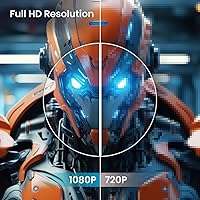
  • Resolution: Native resolution is 1920×1080 pixels (Full HD) with a 16:9 aspect ratio across the 27″ curved screen.
  • Refresh Rate: The panel operates at a native 240Hz refresh rate, designed for high-frame-rate PC gaming.
  • Response Time: Rated at 0.5ms MPRT (Moving Picture Response Time), which measures perceived motion blur reduction rather than physical pixel-level GtG switching speed.
  • Contrast Ratio: Static contrast ratio is specified at 4000:1, producing deeper blacks than most IPS alternatives in this price segment.
  • Color Coverage: Color gamut covers 120% sRGB and 85% NTSC, appropriate for gaming and casual media but not for color-critical professional workflows.
  • Sync Technology: Adaptive Sync is supported, compatible with AMD FreeSync-capable GPUs and Nvidia GPUs running in G-Sync Compatible mode.
  • Connectivity: Input ports consist of one HDMI 2.0 and one DisplayPort 1.4; no USB hub or additional ports are included.
  • Audio: A 3.5mm audio output port is present for headphones or external speakers; no built-in speakers are included.
  • VESA Mount: The panel supports a standard 100×100mm VESA wall mount pattern, compatible with most third-party monitor arms and brackets.
  • Tilt Range: Stand tilt adjustment spans approximately -5°±2° forward to +15°±2° back; no height, pivot, or swivel adjustment is available.
  • Viewing Angles: Specified horizontal and vertical viewing angles each reach 178°, maintaining acceptable image quality across wide off-axis positions.
  • Dimensions: With stand attached, the monitor measures 24.17 × 2.68 × 14.27 inches (width × depth × height).
  • Weight: Total weight with the included stand is 11.08 pounds.
  • Blue Light: A built-in blue light filter mode is available and can be enabled through the on-screen display menu.
  • Design: The monitor features a 3-sided frameless bezel design with an ultra-slim panel profile suited to multi-monitor and compact desk setups.
  • Power Draw: Rated power consumption is ≤42W during standard operation and ≤0.5W in standby mode.

Related Reviews

Skytech Gaming Moonshadow 27-inch Curved Gaming Monitor
83%
88%
Image Quality
91%
Refresh Rate Performance
86%
Adaptive-Sync
83%
VA Panel Contrast
84%
Stand & Ergonomics
More
Sealan 27-inch Curved Gaming Monitor
82%
85%
Display Quality
90%
Ease of Setup
91%
Value for Money
87%
Performance in Gaming
83%
Color Accuracy
More
GAMEPOWER F20 27-inch Curved Gaming Monitor
61%
83%
Value for Money
74%
Image Quality
69%
Gaming Performance
78%
Curve & Immersion
58%
Build Quality
More
Great Voell 27-Inch Curved Gaming Monitor
86%
91%
Value for Money
89%
Display Quality
87%
Gaming Performance
84%
Eye Comfort
80%
Build Quality
More
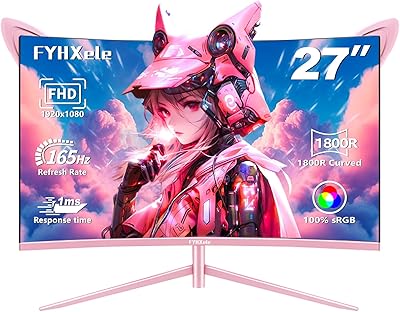
FYHXele 27-inch Curved Gaming Monitor
73%
84%
Gaming Performance
71%
Image Quality
88%
Value for Money
83%
Design & Aesthetics
62%
Build Quality
More
DJiEX Q27P28 27-inch Curved Gaming Monitor
72%
88%
Value for Money
81%
Image Quality
86%
Gaming Performance
91%
Aesthetic Design
47%
Stand & Ergonomics
More
Viewedge 27-inch Curved Gaming Monitor CS27FHUS
84%
92%
Gaming Performance
89%
Display Quality
82%
Build Quality
91%
Ease of Setup
88%
Immersion & Comfort
More
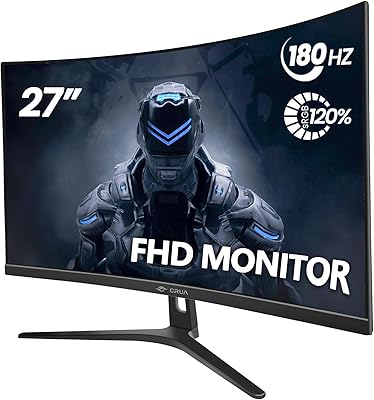
CRUA CR270C 27″ Curved Gaming Monitor
71%
83%
Value for Money
78%
Image Quality
81%
Refresh Rate Performance
86%
Panel Contrast & Blacks
67%
Build Quality
More
Samsung S39C 27-Inch Curved Gaming Monitor
75%
83%
Picture Quality & Color Accuracy
88%
Curvature & Immersion
61%
Refresh Rate & Gaming Performance
86%
Eye Comfort & Long-Session Usability
79%
Build Quality & Aesthetics
More
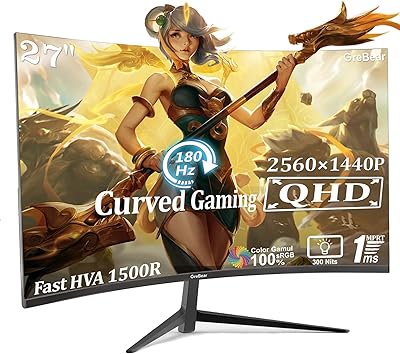
GreBear BM27QA 27-inch Curved Gaming Monitor
65%
83%
Image Quality
78%
Gaming Performance
74%
Refresh Rate Value
61%
Build Quality
44%
Ergonomics & Adjustability
More

FAQ

It will connect via HDMI, but neither current-gen console outputs a signal above 120Hz, so the panel's 240Hz refresh rate simply cannot be reached from a PS5 or Xbox Series X. You'll game at 120Hz instead, which is still a smooth experience — the 240Hz ceiling is a PC-only advantage on this display.

The 0.5ms figure refers to MPRT (Moving Picture Response Time), which measures how much perceived motion blur the panel reduces — it is not the same as the GtG pixel switching speed. The actual grey-to-grey pixel response on VA panels typically runs higher than that number suggests. In practice, fast scenes in FPS titles should look clean, but don't compare the 0.5ms MPRT spec directly to GtG response times quoted on IPS monitors, as they measure different things.

For gaming, 1080p at 27 inches is perfectly fine — the lower pixel density is rarely noticeable when you're focused on gameplay. Where it becomes more visible is in small desktop text during productivity work; up close, text won't appear as crisp as it would on a 24-inch 1080p display or a 27-inch 1440p panel. If this will be your primary work monitor as well as your gaming screen, that trade-off is worth knowing upfront.

No, Adaptive Sync is an open VESA standard and works with both AMD FreeSync-capable GPUs and most modern Nvidia cards running in G-Sync Compatible mode. You do not need a specific GPU brand to benefit from tear-free, smooth gameplay on this panel.

Yes, the panel supports a standard 100×100mm VESA mount pattern, which is compatible with the vast majority of aftermarket monitor arms and wall mounts. You will need to remove the included stand first, but the hardware is in the right place for most popular arm brands. This is also a good workaround if you need height or swivel adjustability, since the stock stand only tilts.

Unfortunately, this curved gaming monitor does not include built-in speakers. There is a 3.5mm audio output port on the unit, so you can connect headphones or a small external speaker set — you just need to supply those yourself. If getting audio directly from the monitor is a firm requirement, this panel will not cover it on its own.

The curvature is subtle enough that most users adapt to it very quickly and it does not feel disorienting during everyday tasks like browsing, document editing, or watching YouTube. The curve becomes most apparent during gaming or movies, where it gently wraps the image around your peripheral view. It is not an aggressive wrap like you would find on ultrawide curved displays.

That is a fair and reasonable concern. The ArcticPro AD27EF4C 27-inch Curved Gaming Monitor launched in early 2025, so ArcticPro does not yet have years of service history or an established warranty reputation behind it. Early buyer ratings have been strong, but the review volume is still growing. If a brand with a long and proven support track record matters to you, that is a legitimate reason to pause — but buyers comfortable with the trade-off in exchange for a strong spec-to-price ratio have generally responded well so far.
To reliably unlock 240Hz on a PC, use the DisplayPort 1.4 connection. While HDMI 2.0 has enough theoretical bandwidth for 1080p at high refresh rates, many monitors implement their peak refresh rate exclusively through DisplayPort, and it is the safest route to guaranteed 240Hz output. The good news is a DP 1.4 cable is included in the box, so you do not need to purchase one separately.

VA glow is a genuine characteristic of all VA panels, and the ArcticPro 27-inch display is no exception. In a normally lit room, it is rarely distracting. In a completely dark environment, you may notice a subtle brightening effect near the corners or edges of very dark scenes — it is inherent to the panel technology, not a manufacturing defect. If you game exclusively in pitch-black conditions and dark-scene immersion is a top priority, an OLED or high-end IPS display will handle it more cleanly, though those options come at a significantly higher price.