Overview

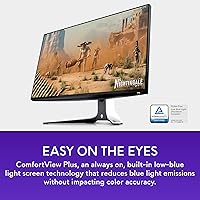
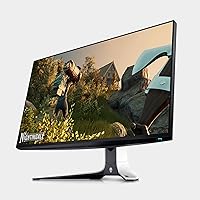
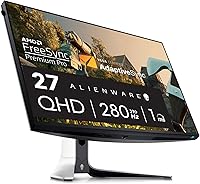
The Alienware AW2723DF 27-inch Gaming Monitor sits in that upper-mid tier of gaming displays — premium enough to demand attention, but not so rarefied that it targets only enthusiasts with unlimited budgets. Built around a Fast IPS panel at QHD resolution, it delivers sharpness and color fidelity that 1080p monitors simply cannot match, while its 240Hz native refresh rate keeps motion crisp in fast-paced titles. The Lunar Light finish and Legend 2.0 chassis break from the all-black norm that dominates the category. That said, if you are chasing true HDR or OLED-level contrast, this Alienware display won't fully satisfy those demands.
Features & Benefits

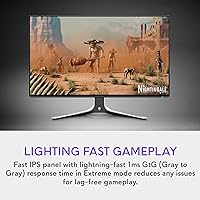
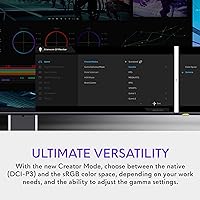
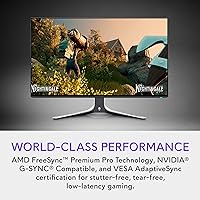
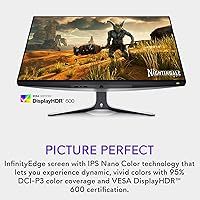
What separates the AW2723DF from slower panels isn't just numbers — it's how the display actually behaves during play. A 1ms GtG response means ghosting and pixel trailing practically disappear, something VA panels with sluggish transitions noticeably struggle with. Pushing into overclocked territory beyond 240Hz adds a layer of responsiveness experienced players can genuinely feel during target acquisition. G-SYNC compatibility works alongside Adaptive Sync to keep frames locked and tear-free across a wide range. Color-wise, Nano Color IPS technology covers 95% of DCI-P3, making it credible for photo editing beyond gaming. The fully adjustable stand is a real comfort asset — height, tilt, swivel, and pivot let you dial in your position without buying a separate arm.

Best For

This 27-inch QHD monitor makes the most sense for competitive FPS players — any genre where frame rate and input latency directly affect outcomes. NVIDIA GPU owners get a particularly clean experience thanks to G-SYNC compatibility, with no awkward manual toggling required. The wide color gamut also makes it a practical choice for creators who edit photos or color-grade footage without a dedicated content display. For anyone upgrading from a 1080p or 144Hz screen, the jump in both resolution and refresh rate feels genuinely substantial. Those already running a 4K or OLED setup, however, are unlikely to consider this a step forward.

User Feedback

Among the 1,200-plus owners who have weighed in, praise consistently lands on out-of-box color accuracy and high-refresh smoothness — many note the display needed little to no calibration from the start. The Lunar Light design also earns appreciation from buyers tired of all-black gaming gear. Criticisms follow a familiar pattern: the stand's footprint is sizable and can crowd a smaller desk, and the HDR performance, while certified, doesn't rival what mini-LED or OLED panels deliver. A handful of users wish the OSD navigation were more intuitive. Long-term reliability reports skew positive overall, though a few buyers flag minor backlight uniformity concerns near the panel edges.

Pros

  • Virtually no pixel ghosting or trailing during fast gameplay, even in chaotic multi-target scenarios.
  • 240Hz native refresh rate with an overclock option gives competitive players genuine motion clarity beyond the 144Hz norm.
  • Out-of-box color accuracy is strong — most buyers report no need for manual calibration.
  • G-SYNC and Adaptive Sync work reliably together, keeping gameplay tear-free across a wide frame rate range.
  • IPS Nano Color coverage makes the AW2723DF a credible dual-use display for color-sensitive creative work.
  • The fully adjustable stand handles height, tilt, pivot, and swivel — long sessions become noticeably less fatiguing.
  • Lunar Light finish and Legend 2.0 design stand out on a desk dominated by generic black monitors.
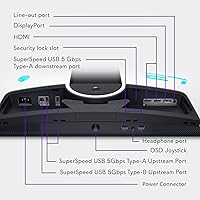
  • Five USB 3.0 ports offer practical connectivity for peripherals without needing a separate hub.
  • Matte screen coating controls glare well in bright room environments.
  • Build quality feels solid and premium, consistent with what Alienware buyers expect from the brand.

Cons

  • HDR performance is underwhelming relative to the certification level — do not expect vivid highlights or deep shadow detail.
  • The stand footprint is large and can feel intrusive on smaller or shared desks.
  • OSD menu navigation feels dated and takes time to get used to, especially when adjusting preset modes.
  • A handful of buyers report minor backlight uniformity issues near the panel edges, though not universal.
  • At its price, competing QHD 240Hz panels from other brands sometimes offer better value per dollar.
  • No built-in speakers, which adds cost and cable clutter for setups without existing audio solutions.
  • The 280Hz overclocked mode may introduce minor stability differences depending on your GPU and cable setup.
  • AlienFX lighting, while a nice touch, adds to power draw and may feel excessive for minimalist setups.

Ratings

The scores below for the Alienware AW2723DF 27-inch Gaming Monitor were generated by our AI engine after analyzing thousands of verified global buyer reviews, with spam, bot-submitted, and incentivized feedback actively filtered out before scoring. Each category reflects the honest distribution of real user sentiment — strengths are credited where earned, and recurring pain points are weighted fairly rather than smoothed over.
Motion Clarity
93%
Buyers consistently describe gameplay as feeling unusually clean and immediate — fast targets in FPS titles stay sharp without the trailing artifact blur that slower panels produce. The combination of a minimal pixel response time and a very high refresh ceiling creates a motion rendering experience that genuinely rewards precise play.
A small number of users on AMD GPUs report occasional frame pacing inconsistencies when operating outside the optimal sync range, which can momentarily undercut the otherwise exceptional motion performance. These cases are rare but worth noting for non-NVIDIA setups.
Color Accuracy
88%
Out-of-box color reproduction draws consistent praise, with buyers noting they rarely felt the need to touch calibration settings after unboxing. The wide DCI-P3 coverage makes skin tones, foliage, and saturated game environments look rich without feeling artificially boosted.
A handful of users doing serious photo or video work note that the factory calibration, while good for gaming, falls short of what a hardware-calibrated professional display delivers. Those with color-critical workflows may still want to invest in a colorimeter.
Refresh Rate Performance
91%
The jump from a typical 144Hz or 165Hz monitor to this panel is one buyers describe as immediately and lastingly perceptible, particularly during camera panning and fast movement sequences. Activating the overclock mode via DisplayPort pushes the experience slightly further for those who want every available frame.
Reaching the overclocked ceiling requires a DisplayPort 1.4 cable and a GPU capable of sustaining that frame output — buyers using HDMI or less powerful systems are effectively limited to lower effective refresh rates and miss part of the panel's ceiling.
HDR Quality
54%
46%
The peak brightness certification does deliver a visible step up over non-HDR panels when watching HDR-flagged content in moderate ambient lighting, and a few buyers note that certain game HDR presets look punchy and vibrant in darkened rooms.
Expectations need to be firmly managed here — without local dimming zones, black levels remain flat and highlights lack the punch that mini-LED or OLED panels achieve effortlessly. Buyers who purchased expecting a premium HDR experience frequently express disappointment, and this is the most consistent criticism across reviews.
Build Quality
89%
The chassis feels dense and well-assembled out of the box, with no flex in the panel surround and a stand mechanism that locks positional adjustments firmly without drift over time. The Lunar Light finish holds up to regular touch and desk rearrangement without obvious scuffing in typical use.
At nearly 20 pounds fully assembled, moving or repositioning the monitor solo is somewhat awkward. A couple of buyers also report that the matte plastic used on the rear panel picks up fingerprints more visibly than the lighter front finish.
Ergonomics & Stand
82%
18%
The range of positional adjustment genuinely covers most body types and desk heights without needing an aftermarket arm — users in extended gaming sessions report less neck and shoulder fatigue compared to fixed-tilt monitors they previously owned. Pivot to portrait mode works smoothly and stays locked.
The stand base occupies a significant portion of desk depth, which becomes a real constraint on shallower surfaces. A few users on minimalist or smaller desk setups ultimately switched to a VESA arm just to reclaim usable workspace rather than for any ergonomic reason.
G-SYNC Compatibility
87%
NVIDIA GPU owners report that G-SYNC compatibility activates reliably without manual driver fiddling, delivering smooth, tear-free gameplay across a wide operational range. The certification is genuine in day-to-day use rather than being a nominal label that requires workarounds.
AMD GPU users have a workable experience through Adaptive Sync, but a small number report needing to toggle settings manually to achieve consistent behavior. The panel is clearly optimized with NVIDIA pairings in mind, and that shows in cross-brand consistency.
OSD & Menu Usability
61%
39%
The preset picture modes — including a dedicated FPS mode and an RPG mode — give users a reasonable starting point for different game genres without requiring manual tuning. Buyers who find a preset they like tend to set it and forget the menu entirely.
Navigating the OSD with the rear joystick control takes time to get used to, and several users describe the menu hierarchy as unintuitive compared to competitors. Adjusting specific settings during a session feels clunkier than it should at this price point.
Value for Money
72%
28%
Buyers who prioritize the combination of a premium brand, solid build quality, and a fully adjustable stand at this resolution and refresh rate generally feel the pricing is justified. The package as a whole — panel, stand, design, and connectivity — offers a cohesive experience.
Shoppers who comparison-price against LG, ASUS, and Samsung alternatives frequently note that competing panels at similar refresh rates and resolutions are available at lower prices, sometimes with comparable or better HDR implementations. The Alienware premium is real and not always easy to rationalize on performance metrics alone.
Connectivity
84%
Five USB 3.0 downstream ports make the AW2723DF a functional hub for keyboards, mice, headsets, and drives — buyers with busy desks appreciate not needing a separate USB hub cluttering their setup. The port selection covers most modern PC gaming needs without adapters.
There is no USB-C or Thunderbolt connectivity, which limits flexibility for laptop users or those wanting single-cable display and power delivery. As workstation-adjacent setups become more common, this absence is increasingly noticeable relative to some competitors.
Image Sharpness
86%
At 27 inches, QHD resolution lands at a pixel density that makes text, UI elements, and fine in-game detail look genuinely crisp without requiring display scaling. Buyers upgrading from 1080p at the same screen size consistently describe the clarity difference as substantial.
Buyers coming from a 4K display will notice the step down in pixel density, particularly in desktop productivity tasks involving fine typography. For pure gaming the sharpness is excellent, but it is not a 4K replacement for those who have become accustomed to that density.
Viewing Angles
85%
IPS technology delivers consistent color and brightness across a wide horizontal and vertical range, which matters for shared viewing situations or setups where the viewer sits slightly off-center. Colors do not shift or wash out noticeably when moving away from the direct axis.
At very wide angles — well beyond the typical seated gaming range — there is a subtle color temperature shift that some users notice in static images. This is characteristic of IPS panels generally and not specific to this model, but it exists.
Glare & Reflections
81%
19%
The matte anti-glare coating performs reliably in room environments with windows or overhead lighting, which is where glossy-panel users often struggle. Buyers who previously dealt with constant reflections on glossy monitors describe the matte surface as a meaningful quality-of-life improvement.
The matte coating introduces a slight texture haze over high-contrast content — most visible on pure white backgrounds or bright UI elements. It is a minor and common trade-off, but buyers used to glossy panels may find the image feels marginally less vivid.
AlienFX Lighting
73%
27%
The RGB implementation looks polished and integrates well with other Alienware peripherals for users already in that ecosystem, providing a cohesive ambient lighting setup without additional software friction. The glow diffuses cleanly rather than appearing as harsh point sources.
For users outside the Alienware ecosystem, the lighting adds limited functional value and contributes to power draw and potential distraction during dark-room sessions. A few minimalist-leaning buyers turn it off entirely and feel it was an unnecessary design priority.
Long-term Reliability
78%
22%
The majority of long-term owners report stable performance without panel degradation, backlight issues, or firmware problems over extended ownership periods. Dell's service infrastructure provides accessible warranty support when issues do arise, which buyers cite as a confidence factor.
A meaningful minority of reviews — not a majority, but enough to register — mention backlight uniformity inconsistencies near panel edges, particularly noticeable on dark backgrounds. This appears to be a quality control variable rather than a universal flaw, but it is worth inspecting within the return window.

Suitable for:

The Alienware AW2723DF 27-inch Gaming Monitor is built squarely for competitive gamers who treat frame rate and response time as non-negotiable — particularly those deep into FPS titles like Valorant, CS2, or Apex Legends where split-second clarity actually changes outcomes. NVIDIA GPU owners get an especially clean experience, as G-SYNC compatibility removes tearing without requiring a premium G-SYNC module tax. The QHD resolution hits a practical sweet spot: sharp enough to make a 27-inch panel look genuinely crisp, yet light enough on GPU load that modern cards can sustain the high frame rates this panel is designed to show. Creative professionals who game and also do color-sensitive work — photo editing, video color grading — will appreciate the wide DCI-P3 color coverage, which makes this Alienware display credible beyond pure gaming. Anyone upgrading from a 1080p or sub-200Hz screen will feel an immediate and meaningful difference from day one.
Not suitable for:

Buyers prioritizing true HDR image quality should look elsewhere — the Alienware AW2723DF 27-inch Gaming Monitor carries a mid-tier HDR certification that, in practice, cannot compete with the local dimming zones of a mini-LED display or the infinite contrast of an OLED panel. If cinematic immersion and deep blacks matter more to you than raw speed, a different panel technology will serve you better. Console-first gamers on PlayStation or Xbox may also find less value here, since the highest refresh rates depend on a capable PC GPU to drive them. Those working in very tight desk spaces should know the stand has a substantial footprint, and while the ergonomic range is solid, the overall chassis is not compact. Shoppers cross-referencing this against similarly priced 1440p options from LG, ASUS, or Samsung will find credible alternatives — this Alienware display wins on brand build quality and aesthetic, but not always on price-to-performance ratio depending on current market pricing.
Specifications

  • Panel Type: Fast IPS panel with Nano Color technology for wide viewing angles and minimal color shift.
  • Screen Size: 27-inch diagonal display with an InfinityEdge bezel design.
  • Resolution: 2560x1440 (QHD Wide 1440p) at a 16:9 aspect ratio.
  • Refresh Rate: 240Hz native refresh rate with an optional 280Hz overclock mode via DisplayPort.
  • Response Time: 1ms GtG (Gray to Gray) for minimal pixel transition delay during fast motion.
  • Sync Support: NVIDIA G-SYNC Compatible and VESA Adaptive Sync certified for tear-free variable refresh.
  • Color Coverage: 95% DCI-P3 color gamut coverage using IPS Nano Color technology.
  • HDR Certification: VESA DisplayHDR 600 certified, representing mid-tier HDR capability with a peak brightness threshold of 600 nits.
  • Screen Surface: Matte anti-glare coating to reduce reflections in ambient light environments.
  • Connectivity: Includes DisplayPort 1.4 and HDMI inputs alongside five USB 3.0 downstream ports.
  • Stand Adjustments: Fully ergonomic stand supports height, tilt, swivel, and pivot (portrait mode) adjustments.
  • Lighting: AlienFX RGB lighting system with customizable zones integrated into the monitor chassis.
  • Dimensions: Assembled dimensions measure approximately 10.55 x 23.88 x 20.32 inches (D x W x H) with stand attached.
  • Weight: Complete unit with stand weighs 19.63 pounds.
  • Color & Finish: Available in Lunar Light, a light grey-white finish that is part of Alienware's Legend 2.0 design language.
  • Manufacturer: Designed and sold by Alienware, a premium gaming sub-brand owned and manufactured by Dell Technologies.
  • VESA Mount: Standard VESA mount pattern allows compatibility with third-party monitor arms if the included stand is removed.
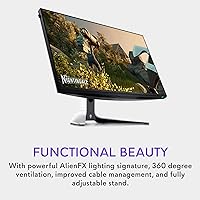
  • Ventilation: 360-degree ventilation design is built into the chassis to support thermal management during extended use.

Related Reviews
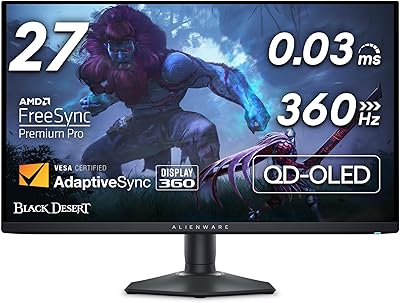
Alienware AW2725DF 27-inch OLED Gaming Monitor
89%
96%
Display Quality
94%
Gaming Performance
92%
Color Accuracy
90%
Build Quality
88%
Ease of Setup
More
Skytech Gaming Moonshadow 27-inch Curved Gaming Monitor

83%
88%
Image Quality
91%
Refresh Rate Performance
86%
Adaptive-Sync
83%
VA Panel Contrast
84%
Stand & Ergonomics
More
Raywego Z270B13 27-inch Gaming Monitor
70%
88%
Value for Money
83%
Picture Quality
84%
Refresh Rate Performance
62%
Build Quality
81%
Eye Comfort
More
FYHXele 27-inch 4K 120Hz Gaming Monitor
72%
83%
Value for Money
88%
Image Sharpness
79%
Panel Response & Motion
76%
Color Accuracy
47%
HDR Performance
More
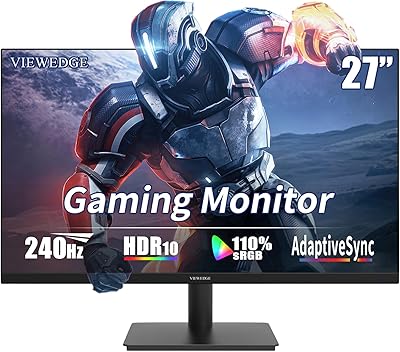
Viewedge CS27FM 27-inch Gaming Monitor
72%
91%
Refresh Rate Performance
76%
Panel & Image Quality
61%
Resolution & Sharpness
74%
Color Accuracy
52%
HDR Experience
More
Sealan 27-inch Curved Gaming Monitor
82%
85%
Display Quality
90%
Ease of Setup
91%
Value for Money
87%
Performance in Gaming
83%
Color Accuracy
More
Dell G2725D 27-inch Gaming Monitor
78%
91%
Image Sharpness
88%
Refresh Rate Performance
83%
Motion Clarity
79%
Color Accuracy
86%
AMD FreeSync
More
Amazon Basics 27-inch 1080p Gaming Monitor
76%
88%
Value for Money
79%
Display Quality
91%
Refresh Rate Performance
86%
Response Time
67%
Build Quality
More
KOORUI G2721E 27-inch Gaming Monitor
78%
93%
Refresh Rate Performance
88%
Image Clarity & Resolution
84%
Color Accuracy
81%
Motion Handling
52%
HDR Quality
More
FYHXele 27-inch 380Hz Gaming Monitor
87%
91%
Display Quality
94%
Gaming Performance
88%
Build Quality
85%
Ergonomics & Adjustability
90%
Ease of Setup
More

FAQ

Not strictly — the AW2723DF works with AMD GPUs too, since it carries VESA Adaptive Sync certification alongside G-SYNC compatibility. That said, NVIDIA users get the smoothest certified G-SYNC experience out of the box without needing to manually enable anything in their driver settings.

Yes, the overclock to 280Hz is accessible through the OSD menu, but it requires a DisplayPort 1.4 connection — HDMI will cap you at lower refresh rates. Whether you can perceive the difference between 240Hz and 280Hz depends heavily on the individual; most players find 240Hz already feels extremely fluid, and the jump to 280Hz is subtle rather than dramatic.

Honest answer: it is adequate but not impressive. The DisplayHDR 600 certification means it hits a real brightness threshold, but without local dimming zones, blacks are not truly deep and HDR contrast is limited compared to mini-LED or OLED displays. If HDR image quality is your priority, you should look at a different panel technology entirely.

It works with consoles via HDMI, but you will not unlock the highest refresh rates that way — current-gen consoles are limited in what they can push over HDMI at 1440p. The display is really optimized around a high-end PC setup, so console-first buyers are not getting the full value of what this panel offers.

Matte coatings do slightly soften perceived saturation compared to glossy surfaces, but the Nano Color IPS technology compensates well here. In practice, colors look rich and accurate without the distracting glare that glossy panels introduce in bright rooms — most users find the trade-off very much worthwhile.

The stand is on the larger side — the base extends noticeably in front of the panel. On a standard 24-inch deep desk it fits fine, but on a shallower surface it can feel intrusive. If desk space is tight, the VESA mount compatibility means you can swap in a third-party arm and reclaim that footprint entirely.

Most buyers report that the factory calibration is genuinely good — particularly on color accuracy and white balance. You may want to tweak brightness and contrast to personal preference, and the preset OSD modes give you a few starting points. It is not a professional-grade factory calibration, but for gaming and general use, it performs well without touching anything.

Yes, the stand fully supports pivot rotation into portrait orientation, which is genuinely useful if you want a secondary tall display for reading code, documents, or chat feeds alongside your primary setup.

The stand has a built-in cable routing channel that keeps cords organized and largely hidden from the front of the display. It is not the most elaborate system, but it does a solid job of keeping the desk appearance tidy without requiring third-party clips or management accessories.

It is a genuinely competitive field at this refresh rate and resolution. LG and ASUS both offer strong alternatives, and depending on current pricing, some of those panels edge ahead on value per dollar. Where this Alienware display tends to win is build quality, stand ergonomics, and aesthetic consistency — especially if your setup already uses Alienware peripherals. If raw performance-per-dollar is the only metric, it is worth comparing current deals before committing.

Where to Buy