Overview

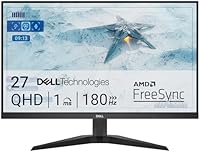
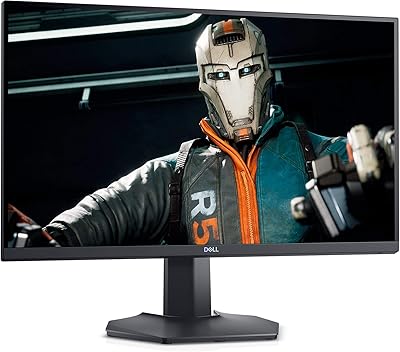
The Dell G2725D 27-inch Gaming Monitor sits comfortably in the mid-range of Dell's G-series lineup, arriving in late 2024 as a practical step up for anyone still gaming on a 1080p screen. At this price tier, you're getting a real resolution bump to QHD paired with a fast refresh rate — a combination that used to cost significantly more. The matte screen coating handles ambient light well enough for most rooms, though the stand only tilts, which is a design concession you'll notice immediately if you're used to more adjustable setups. It's honest about what it is: a performance-focused display that doesn't pretend to be a premium product.

Features & Benefits

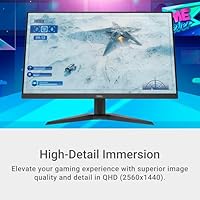
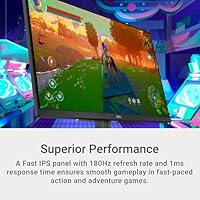
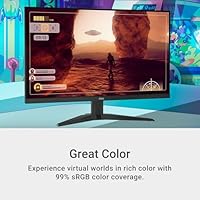
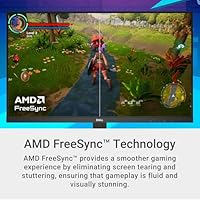
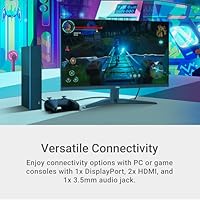
At 2560x1440, the jump in clarity over standard 1080p is immediately obvious — text looks crisper, distant objects in games are more readable, and the image just feels richer. The 180Hz refresh rate combined with AMD FreeSync keeps motion smooth even in chaotic multiplayer sessions, with the 2ms GtG response time doing its part to keep ghosting under control. Worth noting: the listing mentions both 1ms and 2ms in different places, so treat 2ms as the more conservative and realistic figure. Color coverage at 99% sRGB is genuinely good for gaming and light photo browsing, though not a substitute for a dedicated creative display. Connectivity covers one DisplayPort, dual HDMI ports, and a headphone jack — practical and fuss-free.

Best For

This Dell gaming monitor makes the most sense for PC gamers who've been on 1080p and want a meaningful upgrade without the cost or GPU demands of 4K. The two HDMI ports also make it a solid option for console players — plug in a PS5 or Xbox and you'll get a sharp, responsive image. Students pulling double duty between work and gaming will appreciate the 27-inch QHD canvas for both spreadsheets and late-night sessions. If you need height or swivel adjustment, though, look elsewhere — the tilt-only stand is a genuine limitation. Buyers chasing HDR, USB-C, or built-in speakers should also calibrate expectations; those features simply aren't part of this package.

User Feedback

With close to 5,000 ratings averaging 4.5 stars, the G2725D has earned a broadly positive reception. Buyers consistently highlight the out-of-box image quality — colors look accurate without much calibration needed, and the sharpness at 1440p draws regular compliments alongside smooth high-refresh gameplay. On the downside, the tilt-only stand frustrates users at non-standard desk heights, and the lack of built-in speakers comes up repeatedly. A handful of reviewers also flag the conflicting response time specs listed across different pages. Stacked against similarly priced alternatives from LG, AOC, and Gigabyte, most buyers still feel Dell's brand reliability and build consistency tip the value equation in its favor.

Pros

  • QHD resolution at 27 inches delivers a noticeable sharpness upgrade that makes both games and text look cleaner.
  • The 180Hz refresh rate keeps motion fluid in competitive titles where every frame matters.
  • AMD FreeSync works well to eliminate screen tearing without requiring a premium GPU ecosystem.
  • Out-of-box color accuracy is consistently praised — most buyers report not needing any calibration.
  • Dual HDMI ports make it easy to connect both a console and a PC without fuss.
  • The matte anti-glare coating handles reflections well in bright or mixed-light rooms.
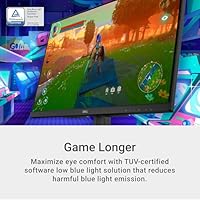
  • TUV-certified low blue light mode is a practical touch for long evening sessions.
  • At this price point, the overall build quality and Dell brand reliability stand out against lesser-known competitors.
  • The 2ms GtG response time keeps ghosting to a minimum in fast-paced games.

Cons

  • The stand only tilts — no height, swivel, or pivot adjustment, which is a real limitation for many desk setups.
  • No built-in speakers means you need external audio, adding cost or cable clutter.
  • Dell's own listing inconsistently cites both 1ms and 2ms response times, making it hard to know the accurate spec.
  • No HDR support of any kind, which is increasingly common even at this price tier among competing brands.
  • The panel type is not officially disclosed, leaving buyers to guess about viewing angle performance.
  • No USB-C connectivity, which limits compatibility with modern laptops that rely on a single cable for video and power.
  • At 13.2 pounds with a fixed-height stand, repositioning or mounting it requires extra effort or a separate VESA arm.
  • Buyers comparing against LG, AOC, or Gigabyte alternatives at this price may find better ergonomic options for similar money.

Ratings

The scores below for the Dell G2725D 27-inch Gaming Monitor were generated by AI after analyzing thousands of verified global user reviews, with spam, bot activity, and incentivized feedback actively filtered out. Each category reflects the real distribution of buyer sentiment — where this display genuinely delivers and where it falls short. Both strengths and frustrations are represented transparently so you can make a fully informed decision.

Image Sharpness
91%
Buyers upgrading from 1080p consistently describe the jump to QHD at 27 inches as immediately striking — fine textures in open-world games, cleaner UI text in productivity apps, and noticeably crisper distant details in competitive titles all get repeated praise. The pixel density hits a sweet spot at this screen size.
A small number of users coming from high-end 4K panels find the step down to 1440p underwhelming, and a few reported that without proper scaling settings in Windows, text rendering can look slightly off on first boot.
Refresh Rate Performance
88%
The 180Hz ceiling makes a real difference in fast multiplayer games — mouse tracking feels tighter, and the overall fluidity in titles like shooters and racing games draws consistent praise from competitive players. Most users report it holds up well even at sustained high frame rates.
Getting consistent 180fps at 1440p demands a capable GPU, and buyers with mid-range cards often find themselves benefiting from maybe 120 to 144fps in demanding titles rather than the headline figure. The monitor itself is not the bottleneck, but expectations need to be managed.
Motion Clarity
83%
For the vast majority of users, ghosting and motion blur are non-issues during typical fast-paced sessions. The 2ms GtG response time keeps action sequences clean, and AMD FreeSync working in tandem noticeably eliminates the tearing that plagued many buyers on their previous displays.
Dell's listing inconsistently cites both 1ms and 2ms response times, which has created confusion and mild frustration among technically minded buyers. In back-to-back testing against dedicated 1ms panels, a small number of users noticed marginally more trailing in extreme fast-motion scenarios.
Color Accuracy
79%
21%
Out-of-box color calibration is a recurring highlight — most buyers plug it in and find colors look rich and balanced without touching any settings. The 99% sRGB coverage handles everyday gaming visuals and casual photo browsing genuinely well.
Anyone stepping in from a wide-gamut or factory-calibrated display will notice this is a standard sRGB panel. Creatives working on video grading or print-accurate photo editing have flagged that the color performance, while solid for gaming, is not adequate for professional color work.
AMD FreeSync
86%
Users with AMD GPUs report that FreeSync works reliably across a wide range of frame rates, making the transition from capped 60Hz gaming feel transformative. Several NVIDIA users also confirmed successful G-Sync Compatible operation without major issues.
A handful of buyers with older or entry-level AMD GPUs noted occasional brief flicker at the low end of the FreeSync range. FreeSync performance on NVIDIA cards, while generally functional, is not officially certified, so results vary slightly by GPU model.
Ergonomics & Stand
41%
59%
The stand is sturdy and wobble-free for a monitor at this tier, and the tilt range is smooth enough that most users can find a usable angle without much effort on a standard-height desk.
Tilt is the only adjustment available, and this is the single most complained-about aspect of the G2725D across buyer reviews. Users with sit-stand desks, off-center monitor positions, or non-standard chair heights frequently report neck strain or a compromised viewing angle, with many ultimately purchasing a separate monitor arm just to use the display comfortably.
Build Quality
76%
24%
The chassis feels solid relative to the price point, and the matte plastic finish avoids the cheap, glossy look common on budget competitors. Several buyers mentioned the monitor arrived well-packaged with no damage, and the overall assembly feels more considered than some rival brands at this tier.
The bezels, while acceptably thin on three sides, feel slightly thicker than what comparable LG or Gigabyte models offer in the same range. A few users noted minor flex in the back panel when pressing firmly, though this has not translated into reported functional issues.
Connectivity
74%
26%
Having two HDMI ports is a practical win for users juggling a PC and a console — no cable swapping needed. The DisplayPort and 3.5mm audio jack cover the remaining basics without any obvious gaps for the target audience.
The absence of USB-C is an increasingly felt limitation as more laptops drop traditional video outputs. There is also no USB hub, which forces buyers with busy desks to rely entirely on their PC or a separate hub for peripheral connections.
Eye Comfort
81%
19%
The TUV-certified low blue light mode is more than a marketing badge — users who game for three or more hours in the evening consistently report less eye fatigue compared to previous displays. The matte coating also helps by cutting down on the harsh reflections that glossy panels produce under overhead lighting.
The low blue light implementation is software-based rather than hardware-level, which means it can introduce a slight warm color cast at higher filter intensities. Users who prefer color accuracy while also wanting blue light reduction will likely find the trade-off uncomfortable.
Value for Money
89%
At its price point, the combination of QHD resolution and 180Hz in a Dell-branded package is genuinely hard to fault. Buyers comparing receipts against LG, AOC, and Gigabyte alternatives consistently note that the G2725D punches above its weight on core performance specs relative to cost.
The value equation weakens slightly when you factor in the likely need for a monitor arm to compensate for the bare-bones stand. If you add that cost in, a handful of competitors at a similar total spend offer slightly better ergonomics out of the box.
Gaming Performance
87%
In practice, the combination of high refresh rate, FreeSync, and a fast response time makes this a genuinely capable gaming display. Users across competitive shooters, open-world RPGs, and sports titles report that the overall feel is smooth and responsive in a way that budget 60Hz or 75Hz panels simply cannot match.
The lack of HDR is a tangible gap for players who game on titles with strong HDR implementation. Coming from an HDR-enabled TV or a high-end monitor, the flat SDR output feels like a step back in atmospheric scenes and dark environments.
Setup & Installation
84%
Assembly is quick and tool-free — the stand snaps together in a couple of minutes, and the on-screen display menu is navigable without consulting the manual. Driver-free plug-and-play operation across Windows 10 and 11 is consistently confirmed by buyers.
The OSD button placement on the underside of the bezel is awkward to navigate by feel alone, particularly when adjusting settings in a dark room. A joystick-style OSD control, which some rivals include at this price, would be a meaningful improvement.
Audio Output
52%
48%
The 3.5mm headphone jack works reliably and passes clean audio without interference, which is appreciated by users who connect headsets directly to the monitor rather than their PC.
There are no built-in speakers at all, which is a point of friction for buyers who expected at least basic audio output for casual use or video calls. At this screen size and price, even modest 2-watt speakers are increasingly common on competing models, making their absence feel like a deliberate cost cut.
Glare & Reflections
82%
18%
The matte anti-glare coating handles window glare and overhead lighting effectively for most home setups. Users in home offices and dorm rooms with mixed lighting sources report being able to game or work without repositioning the monitor or closing blinds.
In very brightly lit environments or rooms with direct sunlight, the coating can only do so much. A small number of buyers noted a faint haze over very dark or black scenes under bright ambient lighting, which is a known characteristic of aggressive matte coatings.

Suitable for:

The Dell G2725D 27-inch Gaming Monitor is a strong fit for PC gamers who are still on a 1080p display and want a meaningful resolution upgrade without the GPU overhead or cost of jumping to 4K. At 27 inches, QHD genuinely shines — the pixel density is high enough that sharpness is noticeable in everyday use, not just in side-by-side comparisons. Console players will appreciate the dual HDMI ports, making it easy to connect a PS5 or Xbox alongside a PC without swapping cables. Students and remote workers who also game in the evenings get a capable dual-purpose screen: large enough for productivity, fast enough for competitive titles. The 180Hz refresh rate with AMD FreeSync makes a real difference in fast-paced multiplayer games, and the matte coating keeps glare manageable in typical home or dorm setups.

Not suitable for:

The Dell G2725D 27-inch Gaming Monitor is not the right call for buyers who need serious ergonomic flexibility — the stand tilts and that is genuinely all it does, so if your desk height is anything other than standard, you will likely end up adding a third-party arm just to get a comfortable viewing angle. Content creators, photographers, or video editors should look elsewhere; 99% sRGB coverage is respectable for gaming but falls short of the wide color gamut panels needed for professional color work. There is no HDR support listed, which will disappoint anyone who has experienced HDR on a TV and wants that on their desktop. Users who rely on built-in speakers for casual audio will need to budget for external ones. Finally, if your GPU is not powerful enough to consistently push above 100fps at 1440p, you will not get full value from the 180Hz panel.

Specifications

  • Screen Size: The display measures 27 inches diagonally, offering a comfortable viewing area for both gaming and productivity at typical desk distances.
  • Resolution: Native resolution is 2560x1440 (QHD), providing noticeably sharper detail than 1080p without the GPU demand of 4K.
  • Refresh Rate: Supports a maximum refresh rate of 180Hz, enabling smoother motion in fast-paced games when paired with a capable graphics card.
  • Response Time: Rated at 2ms GtG, though Dell's own listing references 1ms in some places — 2ms is the more conservative and reliable figure to plan around.
  • Panel Type: Dell has not officially disclosed the panel technology, though performance characteristics suggest an IPS or Fast IPS type display.
  • Color Coverage: Covers 99% of the sRGB color space, making it well-suited for gaming and general use, though not calibrated for professional color-critical workflows.
  • HDR Support: No HDR mode is listed or supported on this monitor.
  • Sync Technology: AMD FreeSync is supported, reducing screen tearing and stuttering when used with a compatible AMD or supported NVIDIA GPU.
  • Ports: Connectivity includes one DisplayPort, two HDMI ports, and one 3.5mm audio jack; there is no USB-C or USB hub functionality.
  • Stand Adjustment: The included stand supports tilt adjustment only; height, swivel, and pivot adjustments are not available without a third-party VESA mount.
  • VESA Compatibility: The monitor supports VESA mounting, allowing buyers to use a third-party arm or wall mount for greater positioning flexibility.
  • Screen Surface: The panel features a matte anti-glare coating that reduces reflections in brightly lit or mixed-light environments.
  • Low Blue Light: Equipped with a TUV Rheinland-certified software-based low blue light filter to help reduce eye fatigue during extended use.
  • Dimensions: The monitor measures 24.2 x 17.7 x 9.5 inches with the stand attached.
  • Weight: Total weight with stand is 13.2 pounds, which is typical for a 27-inch display in this class.
  • Audio Output: A 3.5mm headphone jack is included for direct audio output; there are no built-in speakers.
  • Aspect Ratio: Standard 16:9 widescreen aspect ratio.
  • Release Date: The monitor was first made available in September 2024.

Related Reviews
Dell S2721DGF 27-inch QHD 165Hz Gaming Monitor
86%
92%
Performance
88%
Display Quality
85%
Ergonomics
91%
Gaming Experience
87%
Color Accuracy
More
Dell S2722DGM 27-inch Curved Gaming Monitor

81%
88%
Image Clarity
91%
Refresh Rate Performance
84%
Response Time
86%
Panel Curvature & Immersion
71%
Color Accuracy
More
Skytech Gaming Moonshadow 27-inch Curved Gaming Monitor

83%
88%
Image Quality
91%
Refresh Rate Performance
86%
Adaptive-Sync
83%
VA Panel Contrast
84%
Stand & Ergonomics
More
Dell S2725QC 27-inch 4K USB-C Monitor
81%
93%
Image Clarity
88%
Color Accuracy
91%
USB-C Connectivity
86%
Refresh Rate & Smoothness
89%
Build Quality & Design
More
Dell S2722DC 27-inch Monitor
86%
91%
Display Quality
87%
Value for Money
89%
Ergonomics & Adjustability
94%
Ease of Setup
88%
Connectivity
More
Raywego Z270B13 27-inch Gaming Monitor

70%
88%
Value for Money
83%
Picture Quality
84%
Refresh Rate Performance
62%
Build Quality
81%
Eye Comfort
More
Dell S2725DS 27-inch QHD Monitor
81%
91%
Image Clarity & Resolution
88%
Eye Comfort & Low Fatigue
89%
Ergonomics & Stand Flexibility
79%
Refresh Rate & Motion Smoothness
74%
Contrast & Black Levels
More
Viewedge 27-inch Gaming Monitor 240Hz
85%
89%
Display Quality
91%
Performance (240Hz & 1ms Response)
85%
Color Accuracy
88%
Ease of Setup
92%
Value for Money
More
Sealan 27-inch Curved Gaming Monitor
82%
85%
Display Quality
90%
Ease of Setup
91%
Value for Money
87%
Performance in Gaming
83%
Color Accuracy
More
Dell P2714H 27-Inch IPS Monitor
84%
92%
Display Quality
88%
Color Accuracy
85%
Ergonomics/Adjustability
90%
Connectivity Options
80%
Build Quality
More

FAQ

Yes, both consoles connect via HDMI and the G2725D has two HDMI ports, so you could even keep a console and a PC plugged in simultaneously. Keep in mind that while the monitor supports up to 180Hz, consoles are currently capped at 120Hz over HDMI, so you will still get a smooth, responsive experience — just not the full 180Hz that a gaming PC can push.

No, the included stand only tilts. There is no height, swivel, or pivot adjustment built in. If your desk setup requires more flexibility, you will likely want to invest in a VESA-compatible monitor arm, which the display does support.

AMD FreeSync is the listed sync technology, but many modern NVIDIA GPUs support FreeSync displays through NVIDIA G-Sync Compatible mode. It is worth checking whether your specific GPU model supports this, but in practice most recent NVIDIA cards handle it without issues.

No, there are no built-in speakers. You will need to connect headphones via the 3.5mm audio jack on the monitor, or use separate desktop speakers connected to your PC or console.

This is a genuine inconsistency in Dell's own product listing. The more reliable and conservative figure is 2ms GtG, which is what most technical sources reference for this panel. In real-world gaming the difference between 1ms and 2ms is not perceptible to most users, so either way the performance is solid for competitive gaming.

Yes, quite noticeably. At 27 inches, a 1080p display starts to look a bit soft, especially in text and fine detail in games. Bumping to 1440p at the same screen size brings the pixel density up meaningfully, and most people find the difference immediately obvious when switching.

To consistently hit 180fps at 1440p in demanding titles, yes — you will want a mid-to-high-end GPU. In lighter or older games, even a mid-range card can get there. If your GPU caps out at 100fps, you will still benefit from the high refresh panel, just not at its maximum potential.

For casual photo browsing and light editing, the 99% sRGB coverage is genuinely good and most buyers report the colors look accurate without any manual calibration. That said, if color accuracy is critical for professional work, a factory-calibrated or wide-gamut panel would be a more appropriate choice.

The anti-glare coating is fairly standard for this class of monitor — it does its job well in bright rooms without causing the hazy or grainy look that more aggressive coatings sometimes produce. Image clarity is not meaningfully impacted under normal viewing conditions.

At this price range, LG, AOC, and Gigabyte all offer competitive alternatives with varying trade-offs. Some rivals offer better stand ergonomics or include USB hubs; others match or exceed the refresh rate. Where Dell tends to hold its ground is brand reliability, warranty support, and consistent build quality — factors that matter to buyers who have had mixed experiences with lesser-known brands.

Where to Buy