Overview

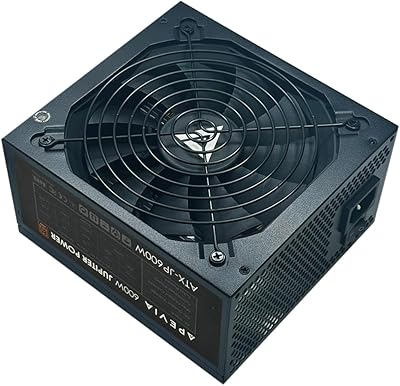
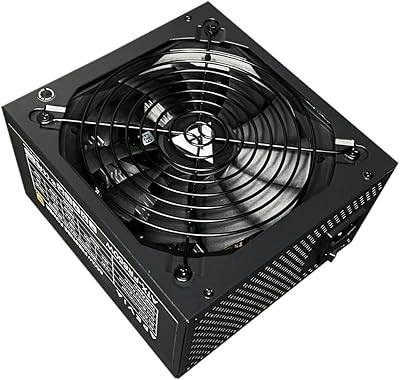
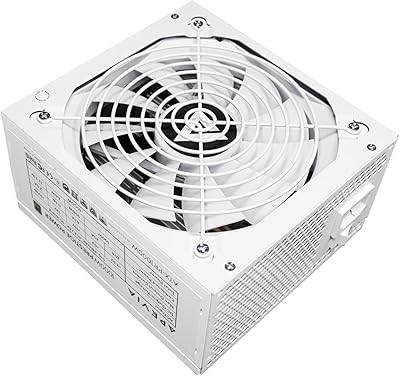
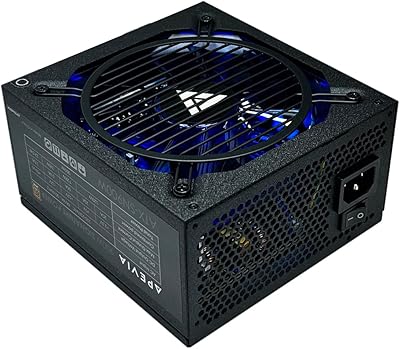
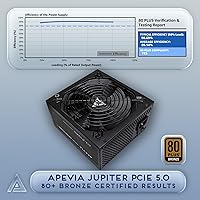
The Apevia Jupiter 1000W ATX Gaming Power Supply sits in a crowded but practical corner of the market — the budget-to-mid-range 1000W tier where builders want real wattage headroom without paying flagship prices. Apevia isn't a name that tops enthusiast tier lists; brands like Seasonic, Corsair, and EVGA consistently rank higher for build quality and long-term reliability. That said, this Apevia PSU earns its place as a reasonable starting point, particularly for builders adopting PCIe 5.0 graphics cards on a tighter budget. The 80 Plus Bronze rating means efficiency in the 82–85% range under typical loads — honest, but not exceptional compared to Gold or Platinum units.

Features & Benefits

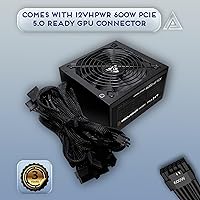
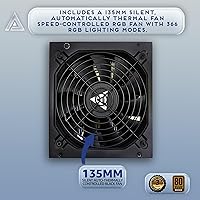
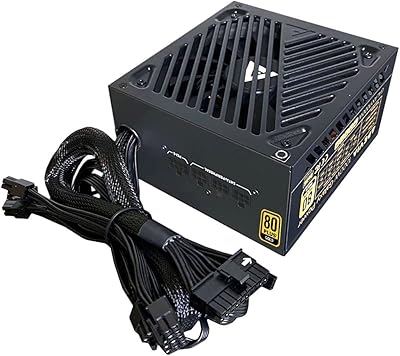
The Jupiter 1000W includes a native 12VHPWR connector, meaning you can plug a PCIe 5.0 graphics card in directly without relying on a daisy-chained adapter — that matters for peace of mind. ATX 3.0 compliance adds real value here: modern GPUs can draw power in sharp bursts, and a PSU built to handle those transients is less likely to trigger shutdowns mid-game. The DC-to-DC converter design helps keep voltages stable across rails, which benefits overall system consistency. A single 12V rail simplifies power delivery to demanding components, and the thermally controlled 135mm fan stays quiet during lighter workloads, only spinning up when things get serious.

Best For

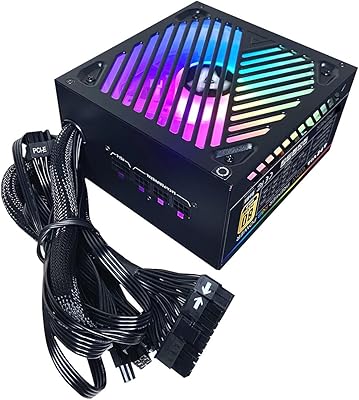
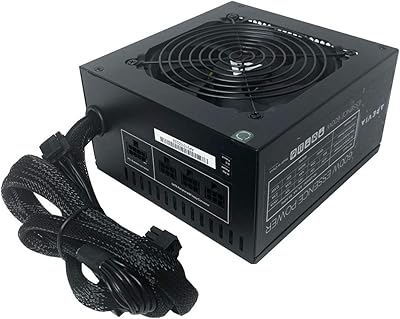
This power supply makes most sense for builders who need PCIe 5.0 compatibility but aren't ready to spend significantly more on a Gold-rated or modular unit. If you're putting together a first gaming rig with a current-gen GPU and want 1000W of headroom to avoid future bottlenecks, the Jupiter 1000W fits that role well. It also works in secondary builds or home lab machines where top efficiency isn't the priority. The wide connector selection — seven SATA ports and four peripheral connectors — makes it practical for high-peripheral setups or storage-heavy workstations. Just don't expect tidy cable management; the non-modular design is a real trade-off at this price point.

User Feedback

Buyers who've put this Apevia PSU into their builds tend to highlight the value for wattage — getting 1000W with a native 16-pin connector at this price is genuinely difficult to beat. Installation gets positive marks from beginners who appreciate how straightforward a non-modular layout can be, even if veterans find the fixed cables cluttered inside tighter cases. On the critical side, a handful of users flag concerns about long-term reliability, which isn't surprising for a brand outside the top tier — Apevia doesn't carry the warranty reputation of higher-end manufacturers. Fan noise under sustained heavy load has also been noted. Overall, satisfaction tracks well for the intended use case, provided expectations are calibrated accordingly.

Pros

  • Native 16-pin 12VHPWR connector means no sketchy adapter cables between your PSU and a PCIe 5.0 GPU.
  • ATX 3.0 compliance handles the sharp transient power spikes that modern graphics cards are known for.
  • Seven SATA connectors and four peripheral plugs make it unusually well-stocked for storage-heavy builds.
  • 1000W of capacity gives you real upgrade headroom without paying for a top-tier unit today.
  • The 135mm fan runs quietly during light to moderate workloads, which is a genuine plus for desktop use.
  • DC-to-DC converter design helps maintain stable voltages across rails under varying loads.
  • Active PFC improves power factor, which matters in regions with strict energy regulations.
  • Single 12V rail keeps power delivery simple and predictable for high-draw components.
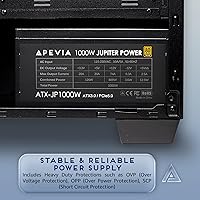
  • Basic protection suite covers the most common failure scenarios, including short circuit and overvoltage events.
  • Competitive price for the wattage and connector spec makes it accessible for builders on a strict budget.

Cons

  • Apevia does not rank well in community PSU tier lists, which raises legitimate long-term durability questions.
  • The non-modular cable harness makes clean routing a real challenge, especially in tighter cases.
  • 80 Plus Bronze efficiency trails Gold and Platinum units in running costs over months of heavy use.
  • No independent lab review data widely available, making it hard to verify ripple and voltage regulation claims.
  • Fan noise increases noticeably under sustained heavy loads, which can be disruptive in quiet environments.
  • Warranty terms and customer support reputation are weaker compared to established PSU brands.
  • Fixed cables add bulk inside the case even when connectors go unused, wasting airflow space.
  • Not a strong choice if your build will run continuously or serve as a production workstation.

Ratings

Our scores for the Apevia Jupiter 1000W ATX Gaming Power Supply are generated by AI after analyzing thousands of verified global buyer reviews, with spam, bot-submitted, and incentivized feedback actively filtered out before any scoring is applied. The ratings below reflect the honest spread of real user experiences — strengths and frustrations weighted equally — so you get a clear picture of where this power supply genuinely delivers and where it falls short for certain builds.

Value for Money
83%
Most buyers feel they got a fair deal: 1000W with a native PCIe 5.0 connector at this price bracket is genuinely hard to match. For builders on a strict budget who need modern connector support, the value proposition is one of the clearest reasons this unit keeps moving.
A meaningful portion of users note that stretching slightly further in budget lands you a Gold-rated or semi-modular unit from a more reputable brand, which can make the value argument feel less convincing over a multi-year ownership horizon.
PCIe 5.0 Compatibility
88%
Having the 16-pin 12VHPWR connector built directly into the harness — rather than relying on a bundled adapter — earns consistent praise. Builders pairing this unit with high-end current-gen GPUs appreciate not having to worry about adapter-related heat or contact issues.
A few technically informed users point out that while the connector is present, there is limited independent data confirming how well this unit sustains power delivery under the extreme transient spikes that PCIe 5.0 cards can demand during intensive workloads.
Long-term Reliability
59%
41%
A portion of buyers report their unit running without incident through a full year or more of regular gaming use, and short-term failure rates in user feedback are not dramatically elevated compared to budget competitors in the same tier.
Apevia's standing in community PSU tier lists reflects legitimate concerns about sustained reliability, and a noticeable minority of reviewers report unexpected shutdowns or unit failures after moderate use periods. For always-on or production systems, this uncertainty is a real risk.
Cable Management
51%
49%
First-time builders occasionally find the non-modular layout helpful in a narrow sense — every cable is pre-attached and ready to go without any guesswork about which cables to plug in. Installation in a spacious mid-tower is described as manageable by newer builders.
The fixed cable harness is one of the most consistent complaints across user reviews, particularly from experienced builders. Unused cables have to be stuffed somewhere inside the case, which creates clutter, restricts airflow, and makes the build look untidy regardless of effort invested.
ATX 3.0 Compliance
76%
24%
Buyers who understand what ATX 3.0 compliance actually means appreciate the added safety margin it provides during GPU workloads. The reduced risk of protection circuit trips during gaming is a meaningful benefit, especially compared to older-spec units at similar prices.
Without independent oscilloscope testing, it is difficult to confirm how well this power supply holds up to the full ATX 3.0 transient specification in practice. Some technically savvy users express skepticism about whether the real-world performance fully matches the certification claim.
Fan Noise
67%
33%
During everyday desktop tasks and light gaming sessions, the 135mm fan stays in a low-speed range that most users describe as unobtrusive. For casual users whose PC sits under a desk or in a less acoustically sensitive environment, the noise level is rarely a complaint.
Under sustained heavy load — extended gaming sessions or stress testing — the fan ramps up noticeably. Users in quiet home setups or those running open test benches specifically flag the increased noise as a drawback compared to premium units with semi-passive or quieter cooling profiles.
Connector Variety
81%
19%
Seven SATA connectors and four Molex peripherals give this unit a notably generous connector count for its price tier, which users building storage-heavy rigs or NAS-adjacent systems highlight as a genuine advantage over competing units that cut back on peripheral connectivity.
The four 6+2-pin PCIe connectors are adequate for most single-GPU builds, but users planning multi-GPU configurations with high-wattage cards may find the arrangement less flexible than expected given the total wattage on offer.
Voltage Stability
69%
31%
The DC-to-DC converter design earns cautious optimism from users who monitor their system voltages with tools like HWiNFO. Several report stable 12V readings under typical gaming loads, which is reassuring for an entry-level unit.
Without published cross-load test data or ripple measurements from a third-party lab, voltage stability claims are difficult to fully verify. Users with sensitive high-performance hardware sometimes note minor fluctuations that would be less acceptable in a premium build.
Installation Experience
78%
22%
Buyers across experience levels generally describe the physical installation as uncomplicated — standard ATX mounting, clearly labeled connectors, and a size that fits without clearance problems in most mid-tower cases make the initial setup process smooth.
The non-modular cable bundle can make positioning and routing feel cramped during installation, particularly in smaller mid-towers or cases with limited PSU shroud space. A few users mention cable stiffness as an additional irritant during routing.
Protection Suite
71%
29%
The inclusion of OVP, OPP, and SCP covers the fault scenarios most likely to occur in a typical gaming build, and buyers who experienced a component failure report that the protection circuitry did engage without taking other parts of the system down with it.
The protection suite is basic by current standards — notably absent are Over Temperature Protection and Under Voltage Protection, which are increasingly common even on competing budget units. For users pushing their system hard in warm environments, this is a meaningful gap.
Efficiency (80+ Bronze)
62%
38%
For builders using the system a few hours daily or intermittently, the efficiency difference between Bronze and Gold is small enough in absolute terms that the upfront cost savings remain a reasonable trade-off, and most casual users report no noticeable impact on electricity bills.
Power-aware buyers and those running their systems for extended daily sessions recognize that the lower efficiency ceiling results in more wasted heat and higher cumulative electricity costs compared to Gold or Platinum alternatives, potentially eroding the initial price advantage within a year.
Build & Finish Quality
63%
37%
Out of the box, the unit presents reasonably well for its price tier — the casing feels solid enough for standard installation handling, and the fan grille and finish do not immediately signal cut corners to most buyers during first impressions.
Users who handle a range of PSUs notice that the chassis and internal component feel falls noticeably short of mid-tier brands. A subset of reviewers describe the overall construction as feeling lightweight in a way that raises durability questions over a longer ownership period.
Warranty & Support
48%
52%
Buyers who have had straightforward cases report that replacement units were eventually provided, and for users whose unit works without issue, the warranty concern remains theoretical rather than practical during the ownership window.
Apevia's customer support reputation is a recurring pain point in user reviews. Response times, RMA processes, and overall support quality are frequently unfavorably compared to brands like Corsair or Seasonic, and the warranty terms themselves are less generous than what competitors offer at similar price points.

Suitable for:

The Apevia Jupiter 1000W ATX Gaming Power Supply is a practical choice for budget-conscious builders who need a high-wattage unit with modern connector support without stretching their budget to premium territory. If you're pairing a current-gen PCIe 5.0 graphics card with a mid-range build and don't want to rely on adapter cables, this power supply covers that requirement natively. First-time builders especially benefit here — the non-modular layout is actually straightforward to work with when you're learning the ropes, and 1000W gives you meaningful headroom as you upgrade components over time. It also fits well in secondary rigs, home lab machines, or storage-heavy workstations where the broad SATA and peripheral connector count matters more than squeezing out every last percentage point of efficiency.

Not suitable for:

Enthusiast builders who cross-reference PSU tier lists before every purchase will likely find the Apevia Jupiter 1000W ATX Gaming Power Supply sitting outside their comfort zone, and for good reason — Apevia does not carry the long-term reliability reputation of brands like Seasonic, be quiet!, or Corsair at similar price points. If you're running a high-end workstation, a content creation rig, or a system that stays on 24 hours a day under sustained load, the 80 Plus Bronze efficiency rating will cost you more in electricity over time compared to a Gold or Platinum unit, which may erode the upfront savings. Cable management enthusiasts and builders working inside compact mid-tower or ITX-adjacent cases will likely find the fixed, non-modular harness frustrating to route cleanly. Anyone prioritizing a strong manufacturer warranty or proven ripple suppression data from independent lab testing should look at more established options before committing.

Specifications

  • Output Wattage: This power supply delivers a continuous output of 1000W, suitable for high-draw gaming systems with modern discrete graphics cards.
  • Form Factor: Built to the standard ATX form factor, it fits the vast majority of mid-tower and full-tower PC cases on the market.
  • ATX Standard: Compliant with the ATX 3.0 specification, enabling proper handling of the brief but intense power transients produced by current-generation GPUs.
  • Efficiency Rating: Carries the 80 Plus Bronze certification, indicating roughly 82–85% efficiency under typical 20–100% load conditions at 115V.
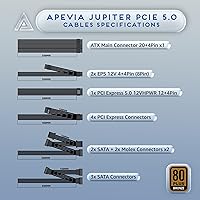
  • PCIe 5.0 Connector: Includes one native Gen 5 12VHPWR 16-pin (12+4) connector for direct compatibility with PCIe 5.0 graphics cards without requiring an adapter.
  • Rail Config: Operates on a single 12V rail, consolidating power delivery for simpler and more predictable performance under high-draw scenarios.
  • CPU Connectors: Provides two 4+4-pin (8-pin) EPS 12V connectors to support a wide range of motherboards including those with dual CPU power headers.
  • PCIe Connectors: Includes four 6+2-pin PCIe connectors for compatibility with older discrete GPUs and multi-GPU configurations.
  • SATA Connectors: Ships with seven SATA power connectors, making it practical for builds with multiple storage drives or optical devices.
  • Peripheral Connectors: Includes four 4-pin Molex peripheral connectors for powering legacy fans, drives, and other accessories.
  • Main Power: Features a 20+4-pin main motherboard connector compatible with both older 20-pin and current 24-pin ATX motherboards.
  • Cooling: Uses a single 135mm fan with automatic thermal control, adjusting fan speed in response to internal temperature rather than running at fixed speed.
  • Power Factor: Equipped with Active PFC (Power Factor Correction), which improves efficiency of AC power draw and meets compliance requirements in many regions.
  • Protections: Built-in safeguards include Over Voltage Protection (OVP), Over Power Protection (OPP), and Short Circuit Protection (SCP).
  • Dimensions: Measures 10 x 8.5 x 4 inches, which is a standard ATX PSU depth and should be verified against case PSU clearance specifications before purchase.
  • Weight: Weighs 5.5 pounds, which is typical for a non-modular unit of this wattage class.
  • Cable Design: Uses a non-modular (fixed) cable layout, meaning all cable harnesses are permanently attached and cannot be removed when unused.
  • Compliance: RoHS compliant, indicating it meets European Union restrictions on the use of certain hazardous substances in electrical equipment.

Related Reviews
Apevia ATX-GX1000W 1000W 80+ Gold Semi-Modular Gaming Power Supply
86%
91%
Power Delivery & Stability
89%
Efficiency & Energy Consumption
87%
Cooling & Noise
92%
Build Quality & Durability
90%
Cable Management & Setup
More
Apevia ATX-JP600W Jupiter 600W Power Supply
87%
89%
Performance
93%
Power Efficiency
85%
Cooling Efficiency
88%
Build Quality
87%
Cable Management
More
Apevia ATX-PR850W PCIe 5.0 Gaming Power Supply
86%
92%
Power Performance
88%
Energy Efficiency
84%
Cooling Effectiveness
90%
Modular Design & Cable Management
87%
Build Quality
More
Apevia ATX-PR1000W-WH 1000W 80+ Gold Power Supply
85%
89%
Performance Under Load
94%
Energy Efficiency
85%
Build Quality
78%
Cooling and Noise
90%
Installation and Setup
More
Apevia ATX-PM650W 650W 80+ Gold Semi-Modular Gaming Power Supply
87%
88%
Performance
85%
Ease of Installation
91%
RGB Aesthetics
90%
Cable Management
92%
Energy Efficiency
More
Apevia ATX-PR800W Prestige 800W 80+ Gold Certified Gaming Power Supply
88%
93%
Performance Under Load
96%
Power Efficiency
85%
Cooling Efficiency
91%
Compatibility with GPUs
88%
Noise Levels
More
Apevia ATX-SN900 900W Semi-Modular Power Supply
77%
88%
Value for Money
91%
Wattage Headroom
82%
Cable Management
61%
Long-Term Reliability
74%
Noise Level
More
Apevia Galaxy 650W Semi-Modular Power Supply
71%
84%
Value for Money
81%
Efficiency Rating
79%
Cable Management
63%
Build Quality
77%
Fan Noise
More
Apevia ATX-SP700 Spirit 700W ATX Power Supply
85%
93%
Power Output
88%
Build Quality
85%
Cooling Performance
90%
Value for Money
80%
Ease of Installation
More
Apevia ATX-ES600W Essence 600W ATX Semi-Modular Power Supply
85%
88%
Value for Money
84%
Performance under Load
87%
Cooling Efficiency
90%
Cable Management Ease
82%
Build Quality
More
Apevia ATX-ES700-RGB Essence 700W ATX Semi-Modular Power Supply
81%
85%
Performance & Power Output
78%
Cooling & Noise Control
82%
Build Quality
90%
Installation & Cable Management
87%
RGB Customization & Aesthetics
More

FAQ

It comes with a native Gen 5 12VHPWR 16-pin connector built right into the harness, so no adapter is needed. This is one of the more useful aspects of the Jupiter 1000W at this price point, since adapter-based setups have caused issues for some users with high-end cards.

It is fully non-modular, meaning every cable is permanently attached. You cannot remove unused cables, which can make routing messier inside smaller cases. If clean cable management is a priority for you, this is worth factoring into your decision.

For most single-GPU builds with a modern high-end card and a mid-range CPU, 1000W provides reasonable headroom. That said, you should always calculate your actual system power draw using a tool like PCPartPicker before purchasing any PSU, rather than relying solely on wattage alone.

ATX 3.0 sets tighter requirements on how a PSU responds to sudden spikes in power demand, which modern GPUs generate frequently during heavy workloads. In practice, it reduces the risk of the PSU tripping its own protection circuits or causing instability during GPU-intensive tasks. It is not a feature you will see on a spec sheet and notice day-to-day, but it matters for long-term reliability.

During lighter tasks and general desktop use, the thermally controlled fan tends to stay quiet. Under sustained heavy gaming loads, users have noted that fan noise increases noticeably. It is not the quietest unit in its class, but it is not unusually loud for a non-premium power supply either.

Brands like Corsair and EVGA generally rank higher in community PSU tier lists and typically offer stronger warranty support. The trade-off is usually price. If you can stretch your budget to a Gold-rated unit from one of those brands, it is often worth it for a primary daily-use rig. This Apevia unit is more competitive for secondary systems or builds where cost is the deciding factor.

This power supply includes Over Voltage Protection, Over Power Protection, and Short Circuit Protection. These cover the most common fault scenarios, such as a component drawing more voltage than expected or a short developing on a rail. It does not include Under Voltage Protection (UVP) or Over Temperature Protection (OTP) as explicitly listed, so keep that in mind for more demanding or always-on setups.

Bronze is adequate for intermittent gaming use, but the efficiency gap versus Gold is real over time. If your PC runs several hours daily, a Gold-rated unit will consume measurably less electricity across a year. For casual or infrequent use, the difference in running costs is minor enough that Bronze is a reasonable compromise when budget is tight.

Cable length on non-modular budget PSUs can be hit or miss in larger cases. Several users have noted that the cable reach is adequate for standard mid-tower builds but can feel tight in full-tower configurations, particularly for motherboard power headers routed behind the tray. It is worth checking the cable lengths against your specific case layout before committing.

It can work well for a first build, especially if your budget is limited and you need PCIe 5.0 support. The non-modular design actually simplifies things for beginners since every cable is pre-attached and labeled. Just be aware that you will need to tuck unused cables somewhere inside the case, which takes a little extra effort during assembly.

Where to Buy