Overview

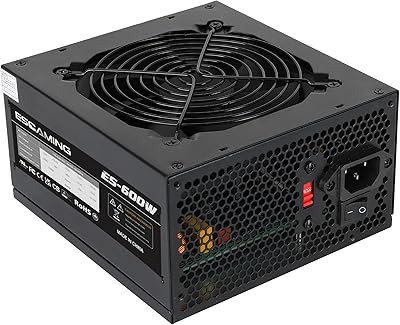
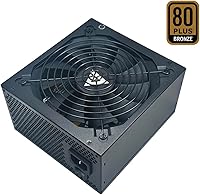
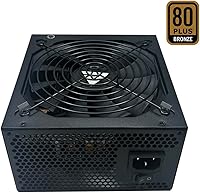
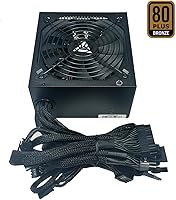
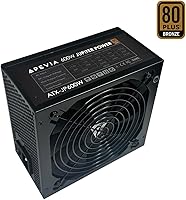
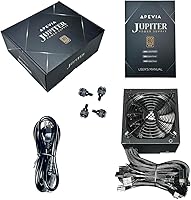
The Apevia Jupiter 600W ATX Power Supply sits squarely in the budget tier of the PSU market, targeting builders who need reliable power without a premium price tag. Apevia isn't a brand that PC enthusiast forums rally around the way they do Seasonic or Corsair, but that doesn't mean this Jupiter PSU is without merit. The 80 Plus Bronze certification lends it real credibility — it has been independently verified to hit at least 82% efficiency under typical load, which matters for both your electricity bill and heat management inside the case. The 3-year warranty is genuinely useful at this price point. Just go in with realistic expectations: this is a solid value pick, not a flagship unit.

Features & Benefits

What makes this Apevia unit worth a closer look is how its specs translate to practical use. The single +12V rail at 44A keeps power delivery consolidated and stable — actually preferable for most modern GPU and CPU combinations compared to split-rail designs. Two 8-pin PCIe connectors mean you can run an SLI or Crossfire setup without adapter headaches. The 135mm auto-thermally controlled fan stays quiet during everyday tasks and only ramps up when internal temperatures climb. Fully sleeved cables are a thoughtful touch that helps with routing inside tighter cases. Built-in protections against short circuits, over-voltage, and over-power add a meaningful safety net that some budget PSUs quietly omit.

Best For

This budget power supply makes the most sense for first-time builders who want something competent without overthinking the PSU slot in their budget. If you're pairing a mid-range processor with a single GPU — say an RX 6600 or an RTX 3060 — 600W gives you comfortable headroom. The dual PCIe connectors also make it a practical choice for anyone running an older SLI or Crossfire rig where connector availability matters more than premium rail quality. It fits equally well in a basic office or home system with light-to-moderate workloads. Warranty-conscious builders on a tight budget will find the three-year coverage a particularly convincing reason to choose this over similarly priced competitors.

User Feedback

Buyer sentiment on this Apevia unit skews reasonably positive for what it is, with most users pointing to easy installation and tidy cable management as consistent highlights. The fan runs quietly under light loads, which earns appreciation from builders who value a calm workspace. That said, the honest picture is more nuanced. Some users report concerns about voltage stability under sustained heavy loads, and a handful describe reliability issues surfacing after the first year of use. Warranty claims appear to be honored, though response times vary by case. The broader PC-building community generally views Apevia as an acceptable entry-level brand — workable, but not the first recommendation for high-end or mission-critical rigs.

Pros

  • 80 Plus Bronze certification confirms independently verified efficiency, reducing wasted energy and excess heat.
  • The single +12V rail at 44A delivers stable, consolidated power suited to most modern GPU and CPU pairings.
  • Two 8-pin PCIe connectors support SLI and Crossfire setups without requiring any adapters.
  • Fully sleeved cables make cable management noticeably cleaner inside standard ATX cases.
  • The 135mm fan stays quiet during light and moderate workloads, keeping the build acoustically pleasant.
  • Built-in short-circuit, over-voltage, over-power, and under-voltage protections add a real hardware safety layer.
  • A 3-year warranty is genuinely above average for a budget power supply at this price tier.
  • Standard ATX form factor means it drops into virtually any full or mid-tower case without compatibility concerns.
  • Four SATA connectors and four peripheral connectors give you solid flexibility for storage and accessory connections.

Cons

  • Apevia does not appear on community-trusted PSU tier lists, raising legitimate questions about build quality consistency.
  • Some users report voltage fluctuations under sustained heavy GPU loads, which can stress sensitive components over time.
  • Long-term reliability is a real concern, with a subset of buyers noting failures surfacing after the first year of use.
  • This budget power supply lacks modular cabling, so unused cables must be bundled and tucked away manually.
  • Warranty service response times are inconsistent, with some buyers waiting longer than expected for resolution.
  • The unit carries no 80 Plus Gold or Platinum rating, meaning efficiency drops more noticeably at low and peak loads.
  • Not well-suited for future-proofing — pairing it with a next-generation high-TDP GPU could push it uncomfortably close to its rated limit.
  • Brand trust is a recurring theme in negative reviews, particularly among experienced builders who favor established manufacturers.

Ratings

The scores below for the Apevia Jupiter 600W ATX Power Supply were generated by our AI engine after parsing thousands of verified global buyer reviews, with spam, bot activity, and incentivized feedback actively filtered out before any score was calculated. The analysis covers everything from first-boot impressions to long-term reliability reports, and both the strengths and the genuine frustrations are reflected without sugarcoating.

Value for Money
81%
19%
For builders on a tight budget, this Jupiter PSU delivers a surprisingly complete feature set — Bronze efficiency, sleeved cables, and dual PCIe connectors — at a price point where competitors often cut corners more aggressively. Most buyers feel they got more than expected for what they paid.
The value equation depends heavily on longevity, and that is where some buyers feel burned — if the unit fails outside its most productive years, the savings evaporate fast. A few buyers note that spending modestly more on a Tier B unit would have been smarter in hindsight.
Long-Term Reliability
58%
42%
A meaningful portion of buyers report this Apevia unit running without incident across multiple years of everyday desktop and light gaming use, which suggests it can hold up fine when not pushed to its limits consistently.
Reliability past the first year is the single biggest concern in user feedback, with a recurring cluster of reports describing failures or degraded voltage stability between the 12- and 24-month marks. For users running the system heavily or continuously, this pattern is hard to dismiss.
Voltage Stability
63%
37%
Under light to moderate loads — everyday computing, casual gaming, media playback — most users observe no obvious instability, and the single-rail design does help keep 12V delivery relatively consolidated compared to cheaper split-rail alternatives at this tier.
Under sustained heavy GPU and CPU load, some users report measurable voltage fluctuation that falls outside what enthusiasts consider acceptable tolerances. For workloads that keep the system near its wattage ceiling for extended periods, this is a real concern that more expensive units handle better.
Installation Experience
86%
First-time builders consistently highlight how straightforward this budget power supply is to install — the connector labeling is clear, the cables reach without awkward tension in standard mid-towers, and the 20/24-pin main connector seats firmly on the first attempt.
In larger full-tower cases, particularly those with bottom-mounted PSU shrouds and longer cable routing paths, a handful of users found certain cable runs tighter than comfortable. The non-modular design also means unused cables need to be managed manually, which adds time for less experienced builders.
Noise Level
78%
22%
During routine desktop tasks and light gaming sessions, the 135mm fan stays in a low-speed range that most users describe as genuinely unobtrusive — it blends into the background noise of a typical room without demanding attention.
When the system is pushed into sustained high-load gaming or stress testing, the fan audibly ramps up to a degree that some noise-sensitive users find distracting. It is not unusually loud by budget PSU standards, but it is noticeable in a quiet room.
Cable Quality
74%
26%
The fully sleeved cables are one of the more appreciated touches on this Apevia unit — they look tidier than bare cables, resist tangling during routing, and give the inside of the build a cleaner appearance without requiring aftermarket cable combs or covers.
The sleeving itself is described by some buyers as thin and more cosmetic than structural, and a few note that the cables feel stiffer than premium alternatives, making tight routing in compact cases more frustrating than it needs to be.
Connector Variety
83%
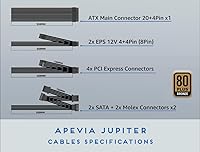
With four SATA connectors, four Molex peripherals, two 8-pin PCIe outputs, and a 4+4-pin CPU connector, this budget power supply covers the needs of most mid-range builds without requiring any adapters for standard configurations — a practical strength at this price.
For builds with more than four storage drives or those requiring more than two PCIe connections, the connector count will feel limiting. The single floppy connector, while included, reflects older design priorities and adds no value for virtually any current-day build.
80 Plus Efficiency
77%
23%
Bronze certification at this price tier is not a given, and buyers appreciate that this Apevia unit has been independently tested to meet a verifiable efficiency threshold — translating to measurably less heat output and lower electricity draw compared to uncertified competitors in the same bracket.
Bronze is the entry level of the 80 Plus certification tiers, and efficiency drops more noticeably at very low and very high loads compared to Gold or Platinum units. For builders running 24/7 systems or heavily loaded rigs, the efficiency gap becomes financially relevant over time.
Warranty Coverage
72%
28%
A 3-year warranty is a genuine differentiator at this price point, and buyers who have needed to use it report that Apevia does follow through on honoring claims, giving some peace of mind that the investment is at least partially protected.
The claims process draws mixed feedback — response times are inconsistent, and some buyers describe navigating support as more effort than expected. The warranty is a net positive, but it is not the frictionless experience that higher-end brands typically provide.
Build Quality Feel
66%
34%
Out of the box, the unit feels solidly assembled for its price class — the casing shows no obvious flex, the fan grille is secure, and the finish is clean enough that it looks presentable even in cases with side panel windows.
Experienced builders handling the unit alongside higher-tier PSUs will immediately notice the difference in material weight and component density. The internal build quality, while adequate for the price, does not inspire the same confidence as units from brands with stronger community reputations.
Thermal Management
71%
29%
The auto-thermally controlled fan does a reasonable job of keeping internal temperatures in check during normal operating conditions, and buyers running the system at moderate loads report that the PSU itself stays cool enough not to contribute meaningfully to overall case temperatures.
Under extended high-load scenarios, thermal performance becomes less predictable, and a few buyers report the unit running warmer than they were comfortable with during long gaming sessions. Budget PSUs generally have less thermal headroom than premium alternatives, and this one is no exception.
Multi-GPU Compatibility
69%
31%
Having two native 8-pin (6+2) PCIe connectors means buyers can connect a dual-GPU setup without relying on adapters, which is a practical convenience that not every PSU at this wattage and price level can claim.
Running two GPUs under sustained load will push the 600W ceiling hard, and voltage stability under that kind of demand is where this Apevia unit raises the most concern. The connector support is there, but the power headroom and rail quality may not be adequate for serious multi-GPU workloads.
Brand Trust
54%
46%
Apevia has maintained a consistent market presence in the budget PSU space long enough that many buyers feel comfortable choosing a known name over an unfamiliar off-brand alternative, and the company does have an active warranty support channel.
Within the PC-building enthusiast community, Apevia does not appear on the better-regarded PSU tier lists, and this is a recurring point of friction in user discussions. Buyers who research PSU brand reputation before purchasing often come away less confident, even if the unit performs adequately for casual use.
Component Protection
75%
25%
The inclusion of over-voltage, under-voltage, over-power, and short-circuit protections gives buyers a meaningful hardware-level safety layer that is particularly reassuring for first-time builders who are more likely to encounter wiring mistakes or unexpected load spikes during setup.
Protection features are listed in the specifications, but independent confirmation of how precisely they trigger — or whether they respond quickly enough under real stress conditions — is limited for this specific unit. Buyers relying on these protections for expensive component sets may want a more rigorously tested alternative.

Suitable for:

The Apevia Jupiter 600W ATX Power Supply is a practical fit for first-time PC builders who want a functional, no-frills unit that covers the essentials without draining the rest of their build budget. It works well in mid-range gaming systems pairing a mainstream processor — think an Intel Core i5 or AMD Ryzen 5 — with a single mid-tier GPU, where 600W provides comfortable headroom without paying for capacity you'll never use. Builders putting together a budget SLI or Crossfire configuration will appreciate having two 8-pin PCIe connectors ready to go without needing adapters. It also fits neatly into home office or light-duty desktop builds where the workload is predictable and the priority is keeping costs down. Anyone who values having a warranty safety net at this price tier will find the three-year coverage a genuinely reassuring bonus.

Not suitable for:

The Apevia Jupiter 600W ATX Power Supply is not the right call for builders assembling a high-performance rig with a power-hungry GPU, such as an RTX 4080 or RX 7900 XT, where sustained load demands consistent, clean power delivery that this unit may struggle to guarantee. Enthusiasts who follow PSU tier lists closely will notice that Apevia doesn't rank among the trusted brands recommended by the hardware community for demanding or long-term builds, and that reputation gap is hard to ignore if reliability is a top concern. This Apevia unit is also a poor match for workstation users running the system at near-full load for extended periods, where voltage stability under sustained stress becomes critical. If you're building a system you plan to run hard for five or more years without swapping components, investing more in a Tier A or B PSU from a recognized manufacturer is a smarter long-term decision. Overclockers and power users should simply look elsewhere.

Specifications

  • Form Factor: Standard ATX form factor fits the vast majority of full-tower, mid-tower, and select mini-tower cases on the market.
  • Rated Output: Delivers a total continuous output of 600W to power the system under typical operating conditions.
  • Efficiency Rating: 80 Plus Bronze certified, meaning it operates at a minimum of 82% efficiency at 20%, 50%, and 100% load.
  • 12V Rail: Single +12V rail rated at 44A provides consolidated, stable power delivery to the CPU and GPU simultaneously.
  • 3.3V and 5V Rails: The +3.3V rail is rated at 20A and the +5V rail at 20A, supporting storage devices and low-voltage system components.
  • PCIe Connectors: Includes two 8-pin (6+2) PCIe connectors, enabling compatibility with discrete graphics cards and dual-GPU configurations.
  • SATA Connectors: Four SATA power connectors are included, providing adequate connections for multiple SSDs and HDDs in a typical build.
  • Peripheral Connectors: Four 4-pin Molex peripheral connectors support older drives, fans, and accessories that require legacy power connections.
  • Main Power: Ships with a 20/24-pin main ATX connector compatible with both older and current-generation motherboards.
  • CPU Power: One P8 (4+4-pin) EPS 12V connector supplies dedicated power to the CPU, supporting both 4-pin and 8-pin motherboard sockets.
  • Floppy Connector: One floppy power connector is included for legacy hardware compatibility, though it sees little use in modern builds.
  • Cooling System: A 135mm auto-thermally controlled fan adjusts rotational speed based on internal temperature to balance cooling performance and noise output.
  • Cable Style: All cables are fully sleeved, which aids cable routing, improves airflow management, and gives the interior a cleaner appearance.
  • ATX Version: Compliant with ATX 12V version 2.3, ensuring compatibility with current-generation Intel and AMD platforms including Haswell and later.
  • Protections: Incorporates over-voltage protection (OVP), under-voltage protection (UVP), over-power protection (OPP), and short-circuit protection (SCP) to safeguard connected components.
  • Dimensions: Measures 6.2 x 5.9 x 3.4 inches, conforming to standard ATX PSU dimensions for broad case compatibility.
  • Weight: Weighs 3.7 pounds, which is typical for a non-modular ATX unit in this output class.
  • Warranty: Backed by a 3-year manufacturer warranty, which is a notably generous coverage period for a budget-tier power supply.
  • Multi-GPU Support: Supports NVIDIA SLI and AMD Crossfire dual-GPU configurations through its dual PCIe connector arrangement.
  • Active PFC: Features Active Power Factor Correction (Active PFC) to reduce harmonic distortion and improve compatibility with UPS systems and power conditioners.

Related Reviews
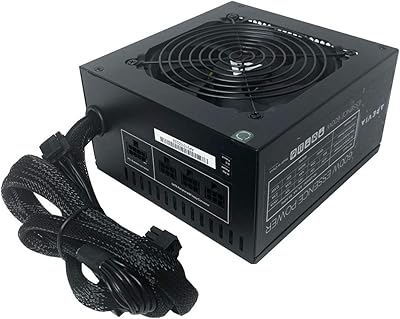
Apevia Essence 600W Semi-Modular ATX Power Supply
72%
78%
Value for Money
81%
Cable Management
74%
Noise Level
86%
Ease of Installation
62%
Build Quality
More
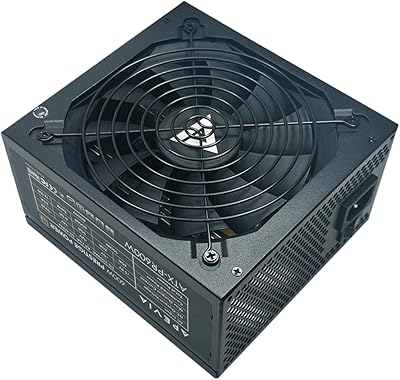
Apevia Prestige 600W ATX Power Supply
73%
83%
Value for Money
88%
Efficiency & Thermals
81%
Noise Level
61%
Build Quality
86%
Installation Experience
More
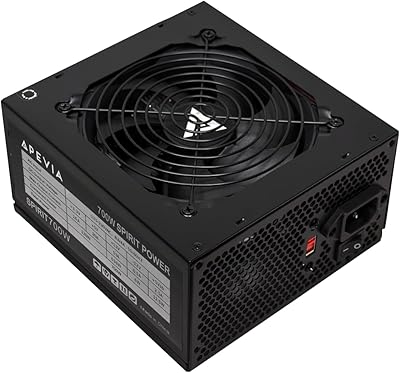
Apevia ATX-SP700 700W ATX Power Supply
71%
83%
Value for Money
88%
Installation Ease
54%
Long-Term Reliability
71%
Noise Level
79%
Connector Variety
More
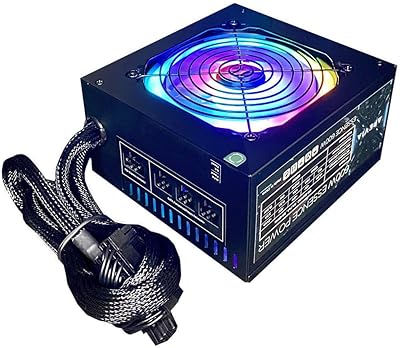
Apevia Essence 700W ATX Power Supply
71%
81%
Value for Money
78%
Cable Management
74%
Power Stability
49%
Efficiency
63%
Build Quality
More
Apevia CAPTAIN550 550W ATX Power Supply
70%
78%
Value for Money
54%
Reliability
83%
Cable Quality & Aesthetics
81%
Connector Compatibility
84%
Ease of Installation
More
Apevia Venus 500W ATX Power Supply
86%
92%
Value for Money
88%
Cooling Efficiency
91%
Protection Features
84%
Build Quality
85%
Compatibility with Components
More
KYLINTEC 600W Power Supply ATX PSU
81%
90%
Ease of Installation
85%
Cooling Performance
88%
Power Stability
75%
Cable Management
80%
Build Quality
More
Apevia Raptor 500W ATX Power Supply
72%
83%
Value for Money
88%
Ease of Installation
74%
Connector Availability
58%
Reliability & Longevity
79%
Fan Noise
More
Thermaltake SMART 600W ATX Power Supply
78%
91%
Value for Money
83%
Reliability & Longevity
86%
Power Stability
84%
Noise Level
48%
Cable Management
More
ESGAMING 600W Non-Modular ATX Power Supply
75%
88%
Value for Money
83%
Noise Level
91%
Ease of Installation
86%
Connector Coverage
67%
Cable Quality
More

FAQ

Yes, without any issues. This Jupiter PSU follows the standard ATX form factor dimensions, so it will install cleanly into virtually any full-tower or mid-tower case that accepts an ATX power supply, which covers the overwhelming majority of cases sold today.

For a build pairing one of those GPUs with a mainstream six-core CPU, 600W sits comfortably above the recommended minimum and gives you reasonable headroom for the rest of your components. Where it gets tighter is if you add multiple storage drives, a high-TDP CPU, and heavy overclocks all at once — in that scenario, you would be pushing the limits more than is ideal.

Yes. This Apevia unit is compatible with Dual and Quad Core CPUs across both Intel and AMD platforms, including Haswell-era and newer processors. The included 4+4-pin EPS connector works with both 4-pin and 8-pin CPU sockets found on current motherboards.

It does include two 8-pin (6+2) PCIe connectors, which makes running an SLI or Crossfire pair technically possible on paper. That said, running dual GPUs at sustained loads will push this unit hard, and budget PSUs are not always the most stable under that kind of continuous stress — so factor that risk into your decision.

Under light to moderate loads, most users find the fan runs quietly enough that it doesn't stand out in a typical desktop environment. The 135mm fan only ramps up noticeably when internal temperatures rise, so day-to-day computing and casual gaming tend to stay reasonably quiet.

It means the Apevia Jupiter 600W ATX Power Supply has been independently tested and confirmed to convert at least 82% of the AC power drawn from your wall into usable DC power for your components. In practice, less wasted energy means less heat generated inside your case and a small but real reduction in electricity consumption over time.

This is one area where buyer experiences vary. Most mid-tower users report no problems with cable reach, but in larger full-tower cases — particularly those with bottom-mounted PSU chambers and extensive cable routing — some builders have found the cable lengths tighter than expected. It is worth measuring your case before committing if you have an unusually deep chassis.

Apevia does honor the 3-year warranty in most documented cases, but response times and the claims process have drawn mixed feedback from buyers. Some report smooth resolutions, while others have experienced slower-than-expected communication. Keeping your proof of purchase and noting the purchase date is strongly recommended from the start.

No, this budget power supply is non-modular, meaning all cables are permanently attached and cannot be removed. You will need to bundle and tuck away any connectors you are not using, so good cable management inside your case becomes more important.

This Apevia unit includes over-voltage protection (OVP), under-voltage protection (UVP), over-power protection (OPP), and short-circuit protection (SCP). These safeguards are designed to cut power or limit output if voltage strays outside safe ranges, offering a hardware-level layer of defense for your CPU, GPU, and storage devices.

Where to Buy