Overview

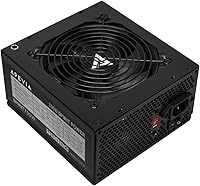
The Apevia ATX-SP700 700W ATX Power Supply is Apevia's Spirit series entry into the budget ATX market, built for everyday builders who need reliable wattage without overspending. At 700W, it fits comfortably in the range for entry-level gaming rigs and standard office desktops. The single 12V rail, rated at 53A, routes all current through one unified path — a design that works well for systems with moderate, predictable power demands. Apevia occupies a clear niche in the value PSU segment, and while they are not competing with premium brands, the Spirit 700W unit has enough on paper to deserve a serious look.

Features & Benefits

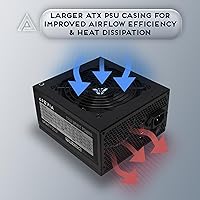
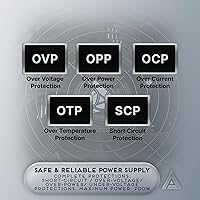
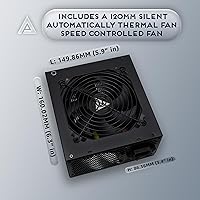
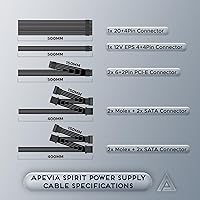
The 120mm auto-thermally controlled fan is a practical touch — it stays quiet during light use and ramps up only when heat demands it. Connectivity covers a typical build well: two PCI-E connectors handle a mid-range GPU, four SATA ports cover your drives without adapters, and four peripheral connections keep older hardware happy. The CPU cable splits into a 4+4-pin configuration, which is genuinely useful if you're working with a motherboard that only accepts a 4-pin connector. A six-protection safety suite guards against the standard electrical hazards, and a manual 115V/230V voltage switch adds regional flexibility — though that switch must be set correctly before powering on.

Best For

This budget power supply makes the most sense when cost is the priority and workload stays predictable. Think office PCs, basic home desktops, or a casual gaming rig running a mid-range GPU — anything keeping peak draw comfortably under 700W. It is also a reasonable pick for upgrading older systems that still need peripheral connectors alongside modern SATA hookups. First-time builders will appreciate how uncomplicated the cabling is. That said, if you plan to run a high-end GPU or push the system hard for long sessions, a unit with an 80 Plus rating and a modular cable layout would serve you considerably better.

User Feedback

Buyers consistently highlight easy installation and strong value as the clearest wins — for the price, it powers up without fuss and handles light to moderate builds without complaint. Fan noise earns mixed reactions; most find it acceptable during everyday use, though it becomes noticeable under sustained load. The more cautious feedback centers on long-term durability: a portion of users report failures after extended use, and the lack of any 80 Plus efficiency certification means power consistency under stress is not guaranteed. A few first-timers also flagged the manual voltage switch as an easy-to-overlook detail that can cause real problems if left on the wrong setting.

Pros

  • Straightforward installation makes it accessible for first-time PC builders with no prior experience.
  • The 700W output comfortably handles entry-level and mid-range builds without headroom concerns.
  • Thermally controlled fan stays quiet during light workloads, keeping day-to-day noise levels low.
  • The splittable 4+4-pin CPU connector supports both older and newer motherboards right out of the box.
  • Six built-in hardware protections add a meaningful layer of safety for connected components.
  • Peripheral and SATA connector variety covers older hardware and modern drives in a single unit.
  • The manual 115V/230V voltage switch makes it usable in different regions with the right precaution.
  • Compact ATX dimensions fit without issue in standard mid-tower and full-tower cases.
  • At its price point, this budget power supply delivers a usable feature set that rivals similarly priced competitors.

Cons

  • No 80 Plus efficiency certification means power delivery consistency under sustained load is not guaranteed.
  • Long-term reliability has been questioned by a portion of users after months of continuous use.
  • Non-modular cable design makes clean cable management difficult, especially in windowed or small cases.
  • The manual voltage switch is easy to overlook and can cause serious damage if set incorrectly.
  • Fan noise becomes noticeable under heavy load, which may bother users in quiet environments.
  • The Spirit 700W unit lacks the brand reputation and independent testing history of established PSU makers.
  • No modular or semi-modular option exists, leaving unused cables cluttering the interior regardless of build size.
  • Single 12V rail design is less ideal for high-draw components that benefit from dedicated rail separation.

Ratings

Our AI rating system analyzed thousands of verified global user reviews for the Apevia ATX-SP700 700W ATX Power Supply, actively filtering out incentivized, bot-generated, and unverified feedback to surface what real builders actually experienced. The scores below reflect both where this budget power supply genuinely delivers and where it falls short, giving you a transparent, balanced picture before you decide.

Value for Money
83%
For builders working with a tight budget, the price-to-wattage ratio here is genuinely hard to argue with. Users consistently report that for basic office builds or light gaming rigs, the unit does exactly what they paid for without any immediate issues.
A handful of buyers who experienced failures within the first year felt the savings were offset by the replacement cost. Without an efficiency certification, you may also pay a modest premium on electricity over time compared to an 80 Plus rated alternative.
Installation Ease
88%
First-time builders repeatedly highlight how straightforward this unit is to install — the connectors are clearly differentiated and the cable lengths reach without excessive slack in standard mid-tower cases. The splittable CPU connector was a specific point of praise for those upgrading older systems.
The permanently attached, non-modular cables mean unused leads have to be bundled and stuffed somewhere inside the case, which frustrated builders working in compact enclosures or windowed cases where tidiness matters.
Long-Term Reliability
54%
46%
Many buyers report the unit running without issue for a year or more in light-use scenarios like home office PCs and media servers. For secondary or low-priority builds that are not stressed continuously, the failure rate appears acceptable relative to the price.
A recurring theme in negative reviews is failure after extended use under moderate to heavy loads. The absence of an 80 Plus certification means consistent power delivery under sustained stress is not independently guaranteed, and some users reported component shutdowns or PSU failures within 18 months.
Noise Level
71%
29%
During everyday desktop tasks — browsing, document work, light streaming — the thermally controlled fan runs slowly and stays largely unnoticeable. Builders who use their PC primarily for office work or casual use rarely flagged noise as a concern.
Under sustained gaming or rendering loads, the fan audibly spins up and several users described it as distracting in quiet room environments. It is not exceptional noise for a budget unit, but buyers expecting near-silent operation will likely be disappointed under heavy use.
Connector Variety
79%
21%
The combination of modern SATA connections for drives alongside four legacy peripheral connectors makes this Apevia PSU particularly practical for system upgrades where older components coexist with newer hardware. Two PCI-E connectors cover a single mid-range GPU without adapters.
Two PCI-E outputs limits flexibility for anyone planning to run a power-hungry flagship GPU that recommends three or four connectors. Builders scaling up will outgrow the connector set quickly, and the non-modular layout means all unused cables clutter the interior regardless.
Build Quality
61%
39%
The sandblasted black casing feels solid enough at this price tier and the unit does not rattle or exhibit obvious structural weaknesses. For a budget segment product, the exterior finish is cleaner than many direct competitors.
Internal component quality cannot be independently verified without an 80 Plus certification or third-party testing, which makes it difficult to assess actual longevity. Several users noticed the unit ran warm to the touch during extended sessions, raising mild concerns about thermal headroom.
Protection Features
74%
26%
The six-point protection suite covering short-circuit, over-current, over-voltage, over-power, under-voltage, and over-temperature hazards is a legitimate feature set that provides a meaningful safety net for connected components. Users rebuilding older machines appreciated having these safeguards present at this price.
Without independent certification, it is difficult to confirm how rigorously these protections perform at edge cases compared to verified units. Some users reported the over-power protection triggering unexpectedly during peak gaming loads, causing sudden shutdowns.
Fan Performance
68%
32%
The thermally controlled 120mm fan does a reasonable job of staying quiet during low-demand periods, and the larger fan diameter generally moves more air at lower RPM than smaller alternatives. Casual users who never push the system hard rarely have complaints.
Under prolonged heavy load the fan ramps aggressively and the cooling curve feels abrupt rather than gradual, creating a noticeable step-change in noise. A few users also questioned whether the thermal response kicks in quickly enough to prevent heat buildup during sudden load spikes.
Compatibility
82%
18%
Standard ATX dimensions and a flexible connector set mean this budget power supply drops into most mid-tower and full-tower builds with no case-specific concerns. The dual-voltage configuration also gives it practical appeal for international buyers or system relocations.
The manual 115V/230V switch is a real compatibility trap for inexperienced builders — setting it incorrectly before powering on can cause immediate hardware damage, and the switch has no visual indicator beyond a small printed label that is easy to overlook.
Cable Length & Routing
63%
37%
Cable lengths are adequate for standard mid-tower cases and most connectors reach their intended headers without needing extensions. Builders working in full-sized towers found the SATA leads long enough to reach lower drive bays comfortably.
Non-modular wiring forces every unused cable into the case regardless of what the build actually needs, which creates cable management challenges in tidier builds. In compact cases, the excess cabling can restrict airflow noticeably if not carefully managed.
Motherboard Support
81%
19%
The 20/24-pin main connector and the splittable 4+4-pin CPU cable cover a wide range of motherboard generations, making the Spirit 700W unit a practical drop-in option for both older platform upgrades and newer entry-level boards.
Users with high-end motherboards requiring an additional 4+4-pin or 8+8-pin EPS connector will find this unit comes up short, as only a single CPU connector is included. This is a meaningful limitation for anyone building on a premium or enthusiast platform.
GPU Support
67%
33%
Two 6+2-pin PCI-E connectors handle mainstream GPUs cleanly without needing adapter cables, which is exactly what a build at this price tier typically requires. Users pairing the unit with mid-range cards from common GPU families reported no power delivery issues.
Modern high-performance GPUs increasingly recommend three or four PCI-E connectors, or a 16-pin adapter, which this unit simply cannot provide. Anyone planning to upgrade their GPU to a more powerful model in the near future will likely need to replace the PSU alongside it.
Documentation & Setup
58%
42%
The physical installation process is simple enough that many users assembled the unit successfully without consulting any documentation at all. The connector labeling on the cables is clear and functional.
Several first-time builders reported confusion around the voltage switch and the PSU not powering on without all cables connected — both of which are addressed only briefly in the included documentation. More explicit printed guidance for new builders would prevent avoidable mistakes.

Suitable for:

The Apevia ATX-SP700 700W ATX Power Supply is a practical pick for budget-conscious PC builders who need a functional, no-fuss unit to power a straightforward build. It fits well in office desktops, home productivity machines, and entry-level gaming systems running a single mid-range GPU, where peak power demands stay comfortably within its output range. First-time builders will find the cabling approachable, and the splittable 4+4-pin CPU connector means it works with both older and current-generation motherboards without needing adapters. Anyone refreshing an aging desktop that still relies on older peripheral connections alongside modern SATA drives will also find the connector selection genuinely useful. For a secondary PC, a spare build, or a low-stakes system where keeping costs down is the priority, this Apevia PSU covers the basics without asking much in return.

Not suitable for:

Builders putting together a high-performance gaming rig or a workstation with demanding components should look elsewhere before considering the Apevia ATX-SP700 700W ATX Power Supply. The absence of any 80 Plus efficiency certification is a real concern for systems running near or at capacity for extended periods, as unrated units can deliver inconsistent power under sustained load, which puts components at greater risk over time. Enthusiasts pairing high-end CPUs with power-hungry GPUs will find the single 12V rail design less forgiving than a multi-rail or fully modular alternative from a certified brand. The non-modular cable layout also makes cable management more tedious in compact or windowed cases where aesthetics and airflow matter. Anyone building a long-term primary machine and expecting reliable, certified performance for several years would be better served by spending more on a unit with a proven track record and an efficiency rating to back it up.

Specifications

  • Output Wattage: This unit delivers a total continuous output of 700W, suitable for entry-level to mid-range desktop PC builds.
  • Form Factor: Standard ATX form factor fits most mid-tower and full-tower PC cases without modification.
  • 12V Rail: A single 12V rail rated at 53A handles all major power delivery to the CPU and GPU from one unified path.
  • Main Connector: Includes a 20/24-pin main motherboard connector compatible with both older and current-generation boards.
  • CPU Connector: The 4+4-pin CPU power connector splits into two separate 4-pin sections to support motherboards requiring either configuration.
  • PCI-E Connectors: Two 6+2-pin PCI-E connectors are included, supporting a single mid-range discrete GPU without needing adapters.
  • SATA Connectors: Four SATA power connectors allow direct connection to modern solid-state and hard disk drives.
  • Peripheral Connectors: Four standard 4-pin peripheral connectors support older drives, fans, and legacy components that predate SATA power.
  • Cooling: A 120mm auto-thermally controlled fan adjusts its speed based on internal temperature, balancing noise and airflow as needed.
  • Voltage Switch: A manual rear-panel switch toggles input voltage between 115V and 230V for use in different regional power environments.
  • Protections: Built-in hardware safeguards cover short-circuit, over-current, over-voltage, over-power, under-voltage, and over-temperature conditions.
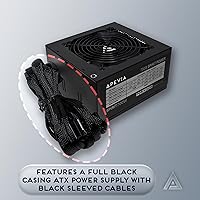
  • Casing: The exterior features a black sandblasted finish that resists fingerprints and blends into most standard PC interiors.
  • Dimensions: Physical dimensions measure 5.9 x 6.3 x 3.4 inches, consistent with the standard ATX power supply specification.
  • Weight: The unit weighs 3.8 pounds, which is typical for a non-modular ATX power supply in this wattage class.
  • Model Number: The official model identifier is ATX-SP700, part of Apevia's Spirit series of value-oriented power supplies.
  • Cable Type: All cables are non-modular and permanently attached to the unit, which simplifies setup but limits cable management flexibility.
  • Brand: Manufactured by Apevia Corp, a brand known for producing affordable PC components targeting budget-conscious builders.
  • Efficiency Rating: This unit carries no 80 Plus efficiency certification, meaning guaranteed minimum efficiency benchmarks are not independently verified.

Related Reviews
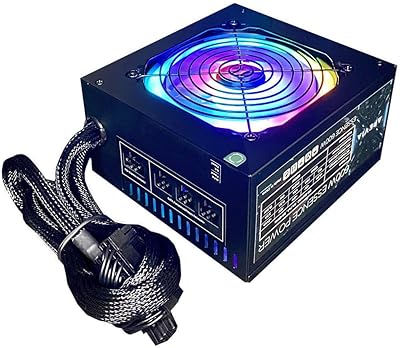
Apevia Essence 700W ATX Power Supply
71%
81%
Value for Money
78%
Cable Management
74%
Power Stability
49%
Efficiency
63%
Build Quality
More
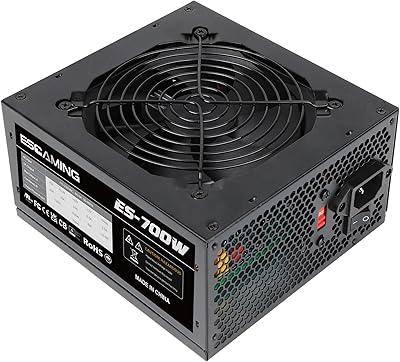
Apevia Essence 600W Semi-Modular ATX Power Supply
72%
78%
Value for Money
81%
Cable Management
74%
Noise Level
86%
Ease of Installation
62%
Build Quality
More
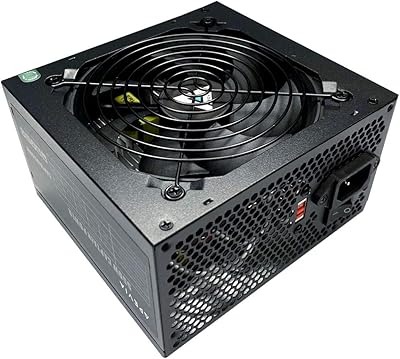
ESGAMING 700W ATX Non-Modular Power Supply
69%
83%
Value for Money
61%
Build Quality
54%
Reliability & Longevity
88%
Connector Variety
74%
Fan Noise
More
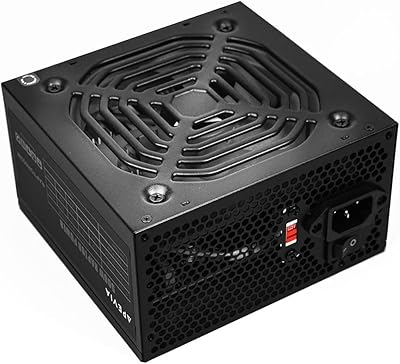
Apevia CAPTAIN550 550W ATX Power Supply
70%
78%
Value for Money
54%
Reliability
83%
Cable Quality & Aesthetics
81%
Connector Compatibility
84%
Ease of Installation
More
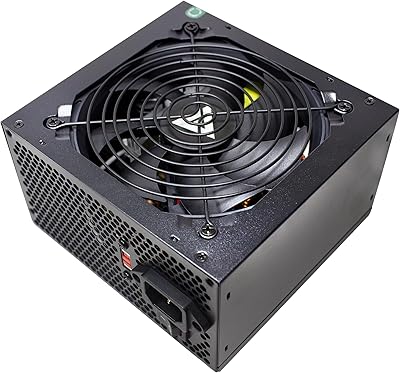
Apevia Raptor 500W ATX Power Supply
72%
83%
Value for Money
88%
Ease of Installation
74%
Connector Availability
58%
Reliability & Longevity
79%
Fan Noise
More
Apevia Venus 500W ATX Power Supply
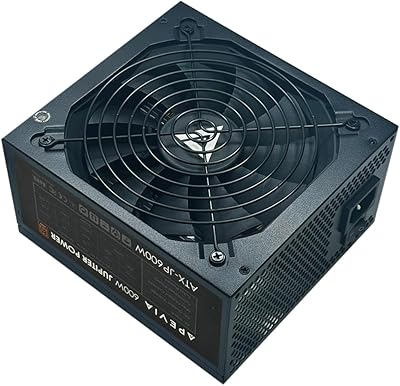
86%
92%
Value for Money
88%
Cooling Efficiency
91%
Protection Features
84%
Build Quality
85%
Compatibility with Components
More
Apevia Venus 450W ATX Power Supply
70%
83%
Value for Money
88%
Installation Ease
81%
Noise Level
74%
Connector Availability
62%
Build Quality
More
Apevia Jupiter 600W ATX Power Supply
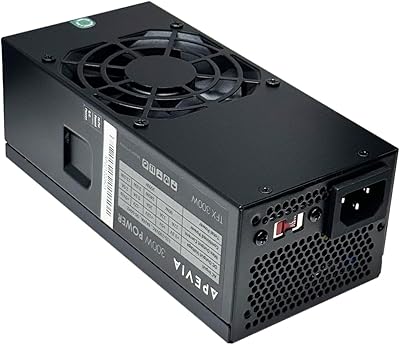
72%
81%
Value for Money
58%
Long-Term Reliability
63%
Voltage Stability
86%
Installation Experience
78%
Noise Level
More
Apevia TFX-AP300W 300W Flex ATX Power Supply
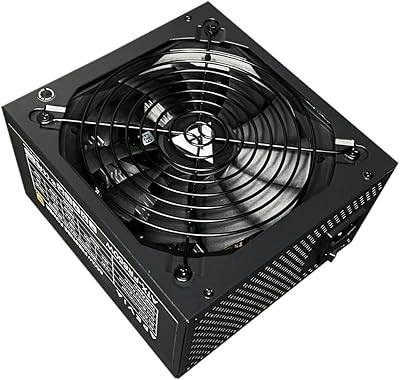
80%
83%
Performance
89%
Value for Money
78%
Build Quality
75%
Cooling Efficiency
60%
Noise Level
More
Apevia ATX-PR850W Prestige 850W ATX Power Supply
73%
83%
Value for Money
88%
Connector Selection
84%
Efficiency & Power Quality
54%
Long-Term Reliability
48%
Brand Confidence
More

FAQ

Most likely yes, as long as your board uses a standard ATX layout. The main power connector is a 20/24-pin design that covers virtually all modern and older ATX motherboards, and the splittable 4+4-pin CPU cable means you are covered whether your board needs a full 8-pin or just a 4-pin CPU connector.

For a typical mid-range build with a mainstream CPU and a single mid-tier GPU, 700W gives you comfortable headroom. Where it gets tighter is if you are running a high-end GPU that draws 300W or more on its own alongside a power-hungry processor. Use a PSU calculator before committing, and aim to run at no more than 80 percent of rated capacity under full load.

That is completely normal behavior and not a defect. ATX power supplies require the motherboard signal to activate — they will not power on from the wall connection alone. Make sure all necessary cables are connected to your components before pressing the power button on your case.

That switch toggles the input between 115V, which is standard in North America, and 230V, which is used in most of Europe and Asia. If you are in the US or Canada, it should be set to 115V. Setting it incorrectly before powering on can cause immediate hardware damage, so double-check this before your first boot.

No, it does not carry any 80 Plus certification. That means there is no independently verified guarantee of how efficiently it converts AC power from your wall into DC power for your components. In practice it will still work, but certified units at 80 Plus Bronze or higher tend to run cooler, waste less electricity, and are generally considered more stable under sustained load.

Under light workloads it is reasonably quiet — the fan runs slowly and most users will not notice it in a typical desktop environment. Once the system is under sustained heavy load, the fan does spin up and becomes more audible. It is not unusually loud for a budget unit, but it is not silent either.

Technically the unit has two PCI-E connectors, but running a dual-GPU setup on a non-certified 700W single-rail unit is not advisable. Dual-GPU configurations draw substantial and unpredictable power, and without efficiency certification or multi-rail separation, you would be pushing this budget power supply well past its comfortable operating range.

It depends on the case. The Spirit 700W unit is a standard ATX-sized PSU, so it will fit any case that explicitly supports ATX power supplies. Many micro-ATX cases do accommodate ATX PSUs, but mini-ITX cases almost always require a smaller SFX or SFX-L form factor, so check your case specifications carefully before purchasing.

The four SATA power connectors handle four modern drives directly, and the four peripheral connectors can power older drives or be used with adapters. For a typical build with two to three drives, you are well covered without needing splitter cables.

Yes, that is actually one of the strongest use cases for this Apevia PSU. When you are building a low-priority machine — a media server, a kids computer, or a parts-bin spare — spending heavily on a premium certified unit is hard to justify. As long as the system is not running demanding workloads continuously, this unit handles the job at a price that makes practical sense.

Where to Buy