Overview

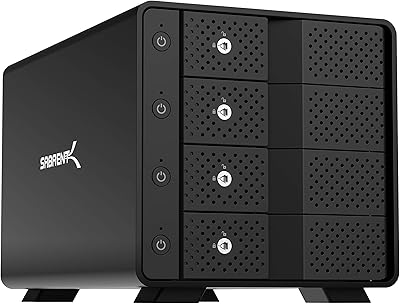
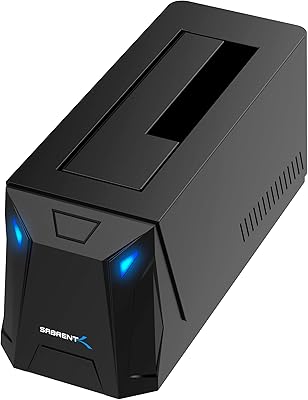
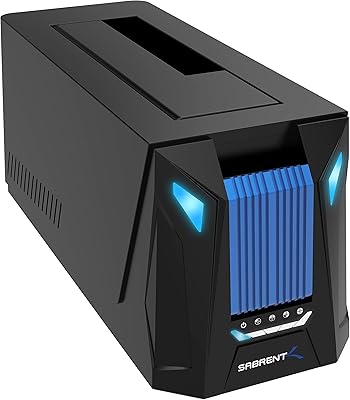
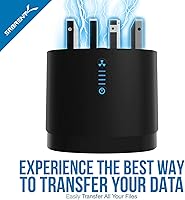
The SABRENT DS-4SSD 4-Bay 2.5″ Drive Docking Station is a no-nonsense solution for anyone managing a growing pile of 2.5-inch SATA drives and tired of juggling single-bay docks or USB adapters. At its mid-range price, this four-bay dock sits in a competitive but somewhat thin field — few rivals combine four independent bays with a built-in fan at this cost. Plug it in and your OS recognizes it instantly, no drivers needed on Windows, macOS, or Linux. One thing to know upfront: it handles 2.5-inch SATA only, so NVMe drives and 3.5-inch HDDs are out. And since all four bays share a single USB 3.0 connection, real-world speeds drop when multiple drives are active at once.
Features & Benefits

Each of the four bays handles any 2.5-inch SATA SSD or HDD up to 12.5mm thick, with a maximum of 16TB per drive — so the total theoretical storage ceiling is substantial. The tool-free magnetic cover lifts off cleanly, letting you drop drives in and pull them out without hunting for screwdrivers. It is a small thing, but when you are swapping drives regularly, you genuinely appreciate it. The USB 3.0 interface tops out at 5Gbps and works fine with older USB 2.0 ports too. The built-in cooling fan runs quietly enough to forget it is there, and the manual switch is handy if you only need the dock for short sessions. Importantly, each bay operates independently — there is no RAID mode.

Best For

This drive docking station is an obvious fit for anyone sitting on a stack of old laptop drives — photographers archiving raw files from past shoots, videographers pulling footage off retired machines, or just someone consolidating years of backup SSDs onto one desk hub. IT technicians and repair shop workers will also find the hot-swap access genuinely useful when imaging or wiping multiple drives in a single session. Mac and Linux users will appreciate the fact that nothing needs to be installed — it just works. The compact, upright build keeps the desk footprint small. If you need 3.5-inch drive support or RAID capabilities, though, this dock is simply not the right tool.

User Feedback

Long-term owners tend to highlight two things above most: reliable drive detection and the fan staying quiet enough that it never becomes a desk annoyance. For 24/7 archival or continuous backup setups, the Sabrent DS-4SSD has earned a solid reputation among users who run it around the clock. On the flip side, a few buyers have noted that the magnetic cover can feel loose over time, and occasional seating issues — where a drive is not fully recognized — have been flagged in reviews. The shared USB bandwidth is the most recurring complaint: transferring to all four bays simultaneously brings per-drive speeds down noticeably. And if you own any 15mm HDDs, those simply will not fit.

Pros

  • Four fully independent bays let you access multiple drives simultaneously without any RAID configuration needed.
  • Plug-and-play detection works reliably on Windows, macOS, and Linux without installing any drivers.
  • The tool-free magnetic cover makes swapping drives fast and genuinely effortless in day-to-day use.
  • Built-in cooling fan runs quietly enough that it blends into the background on a working desk.
  • Rated for continuous 24/7 operation, making it dependable for always-on backup or archival workflows.
  • Backward compatibility with USB 2.0 means it works even on older machines without a USB 3.0 port.
  • Compact tower footprint takes up minimal desk space for a four-bay unit.
  • The fan has a manual on/off switch, so you can silence it entirely during short-term sessions.
  • Each bay supports drives up to 16TB, giving the dock serious long-term headroom as drive capacities grow.

Cons

  • USB 3.0 bandwidth is shared across all four bays, so simultaneous transfers slow each drive down considerably.
  • No RAID support means you cannot pool drives or set up redundancy directly through the dock.
  • Limited strictly to 2.5-inch SATA drives — NVMe, M.2, and 3.5-inch drives are completely incompatible.
  • Drives thicker than 12.5mm will not fit, which rules out some older laptop HDDs that measure 15mm.
  • The magnetic cover has been reported to loosen or feel flimsy after extended use by some long-term owners.
  • Occasional drive seating issues — where a bay fails to detect a properly inserted drive — appear in a subset of user reviews.
  • A single USB cable connection means losing that cable or port takes down access to all four drives at once.
  • No USB-C or Thunderbolt option limits this drive docking station to users on older or mid-range host machines.

Ratings

The SABRENT DS-4SSD 4-Bay 2.5″ Drive Docking Station scores below are generated by AI after analyzing thousands of verified global buyer reviews, with spam, bot activity, and incentivized feedback actively filtered out. Ratings reflect real-world usage patterns across archivists, IT technicians, home office users, and power users running continuous backup workflows. Both the genuine strengths and the recurring frustrations are represented transparently so you can make a genuinely informed decision.
Plug-and-Play Setup
93%
Users across Windows, macOS, and Linux consistently report that this four-bay dock is recognized instantly without any driver installation. Photographers and archivists pulling drives from old laptops especially appreciate not having to troubleshoot software before getting to work.
A small subset of Linux users on less common distributions have noted that older kernel versions occasionally require a manual mount step. This is edge-case behavior rather than a widespread issue, but worth noting for non-mainstream setups.
Drive Compatibility
71%
29%
For users working exclusively with standard 2.5-inch SATA drives — the overwhelming majority of retired laptop HDDs and budget SSDs — compatibility is essentially universal. The 16TB-per-bay ceiling is generous enough to remain future-proof for most personal archival needs.
The hard restriction to 12.5mm thickness immediately locks out a meaningful chunk of older HDDs that measure 15mm, and anyone with NVMe or 3.5-inch drives will find this dock entirely useless. Buyers who do not check their drive specs before purchasing account for a noticeable share of negative reviews.
Transfer Performance
67%
33%
When transferring to a single active bay, speeds are solid for a USB 3.0 device and more than adequate for backup jobs or moving large photo archives. Users doing one-at-a-time transfers rarely have complaints about throughput in real-world conditions.
The shared USB 3.0 bus becomes a genuine bottleneck when all four bays are in use simultaneously — per-drive speeds can drop to USB 2.0 territory under heavy multi-drive load. Technicians running concurrent cloning jobs have flagged this as a meaningful productivity limitation.
Build Quality
79%
21%
The overall chassis feels solid and appropriately weighty for a desktop dock, with a no-nonsense black finish that blends into most workstation setups. Long-term users running the Sabrent DS-4SSD continuously for over a year report no cracking, warping, or port degradation.
The magnetic cover is the weak point — a number of users describe it feeling less secure after several months of daily drive swaps, with the magnetic hold weakening noticeably over time. It functions, but it does not inspire the same confidence as the main body.
Cooling Effectiveness
84%
The built-in fan does a commendable job keeping drives at safe operating temperatures during extended 24/7 archival or backup sessions, which is where thermal management actually matters. Users who run automated overnight backup scripts consistently report no heat-related failures.
The fan on/off toggle, while a thoughtful addition, means that users who disable it for quiet evening work sessions are leaving their drives without active cooling — a trade-off that is easy to forget during longer sessions with multiple active drives.
Noise Level
81%
19%
The fan earns genuine praise from buyers who are sensitive to desk noise — most describe it as a soft, unobtrusive hum that disappears into ambient room sound after a few minutes. Home office users running it alongside other peripherals rarely even notice it.
A minority of units appear to have fans that buzz or rattle slightly more than others, suggesting some variance in manufacturing consistency. It is not a widespread problem, but it shows up often enough in reviews to be worth mentioning.
Hot-Swap Ease
88%
The tool-free magnetic cover makes the physical act of swapping drives fast and frustration-free — lift the cover, slide the drive out, drop the next one in. Technicians who process multiple drives per day rate this as one of the dock's most practically satisfying features.
Occasionally a drive does not seat cleanly on the first attempt, requiring a removal and reseat before the bay registers it. It is an intermittent issue rather than a consistent one, but it adds a small amount of friction to an otherwise smooth workflow.
Long-Term Reliability
77%
23%
Many buyers who have used this drive docking station continuously for two or more years report that it keeps working without incident, making it credible for always-on archival or backup roles. The 24/7 rating appears to hold up in practice for the majority of long-term owners.
A portion of buyers report unit failures — particularly USB port loosening or bay detection errors — appearing between the one and two year marks. Whether this represents a product quality issue or simply high-intensity usage wear is debated among reviewers.
Value for Money
82%
18%
For users who specifically need four independent 2.5-inch SATA bays with active cooling and zero-driver setup, the price-to-feature ratio is genuinely difficult to beat in this product category. It offers more simultaneous bay access than most rivals at comparable or lower cost.
For users who discover post-purchase that their drives are incompatible — due to thickness, form factor, or interface type — the value calculation collapses entirely. The narrow compatibility window means it is excellent value only for the right buyer.
OS & Cross-Platform Support
91%
Across Windows 10 and 11, recent macOS versions, and mainstream Linux distributions, the dock behaves exactly as a well-behaved USB mass storage device should — no software, no subscriptions, no fuss. Mac users in particular express pleasant surprise at how seamlessly drives mount.
There are no companion apps or advanced features accessible through software, so users hoping for drive health monitoring, activity logging, or any management layer will need to rely entirely on third-party tools. For most buyers this is a non-issue, but power users may miss it.
Physical Footprint
86%
The upright tower design keeps the desk footprint compact relative to the number of drives it manages — users consistently note that it takes up far less horizontal space than they expected for a four-bay unit. At just over a pound, it is also easy to reposition or pack for travel.
The vertical orientation, while space-efficient, means the dock can tip if the USB cable is pulled at an angle or if a desk surface is uneven. A rubberized base helps, but a few users have mentioned it is not quite as stable as they would like.
Drive Detection Consistency
69%
31%
Under normal usage conditions — freshly formatted drives inserted into a properly powered dock — detection is fast and reliable for the large majority of users. Backup software and disk utilities pick up the drives promptly in most reported setups.
Intermittent detection failures, where a bay fails to register a drive until the unit is power-cycled, appear frequently enough in user reviews to be a known issue rather than an anomaly. It is not universal, but it is recurring enough to factor into the score.
Cable & Port Quality
74%
26%
The included USB cable is a functional length for most desktop setups and the USB port on the dock itself holds a connection firmly under normal desk use. Users who leave the cable permanently connected report no issues with intermittent disconnects during transfers.
The cable that ships with the unit has been described by some buyers as feeling thin and budget-grade relative to the dock itself. A handful of users replaced it early with a heavier aftermarket cable, suggesting it may be the reliability weak link over extended use.

Suitable for:

The SABRENT DS-4SSD 4-Bay 2.5″ Drive Docking Station is a strong match for anyone who has accumulated a collection of 2.5-inch SATA drives and needs a reliable, low-fuss way to access them all from one desk hub. Photographers and videographers archiving project files from old laptop drives will find it particularly practical — plug it in, and every drive shows up as its own independent volume with no setup required. Home and small-office users who run nightly or weekly backups across multiple drives will also get good mileage out of it, especially since it is rated for continuous 24/7 operation. IT technicians and repair professionals who clone or wipe drives regularly will appreciate how quickly bays can be swapped without tools. Mac and Linux users tend to be especially satisfied given how rarely driver-free multi-bay docks appear at this price tier.
Not suitable for:

If your drives are NVMe M.2, 3.5-inch desktop HDDs, or any 2.5-inch HDD thicker than 12.5mm, the SABRENT DS-4SSD 4-Bay 2.5″ Drive Docking Station simply will not work for you — the physical and electrical compatibility is limited to standard 2.5-inch SATA, full stop. Users hoping for RAID functionality to pool drives into a single volume or add redundancy will need to look elsewhere, as every bay operates completely independently with no hardware or software RAID of any kind. Anyone planning to run sustained, simultaneous transfers across all four bays should also temper expectations: the USB 3.0 connection is shared, so per-drive throughput drops noticeably when all slots are busy at once. It is also not a great fit for power users who need Thunderbolt or USB4 speeds for fast SSD workflows. And if physical sturdiness is a priority, a small number of users have found the magnetic cover less solid than expected over extended daily use.
Specifications

  • Model Number: The unit is officially designated DS-4SSD by SABRENT.
  • Drive Bays: This dock houses four independent bays, each operating as a separate volume with no inter-bay dependency.
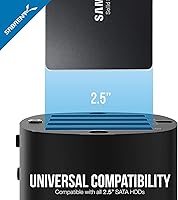
  • Drive Compatibility: Supports 2.5-inch SATA SSDs and HDDs only; NVMe, M.2, and 3.5-inch drives are not compatible.
  • Max Drive Thickness: Each bay accommodates drives up to 12.5mm thick; 15mm HDDs will not fit and are explicitly excluded.
  • Capacity Per Bay: Each individual bay supports drives up to 16TB in capacity.
  • Total Capacity: With four bays fully loaded, the dock can address up to 64TB of raw storage across all connected drives.
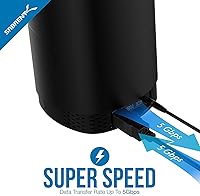
  • Interface: Connects to the host system via USB 3.0, delivering up to 5Gbps of shared throughput across all four bays.
  • USB Compatibility: Fully backward compatible with USB 2.0 and USB 1.1 host ports, though transfer speeds will be limited accordingly.
  • Drive Access: A tool-free magnetic cover allows drives to be inserted or removed without screws, adapters, or any additional hardware.
  • Cooling System: A built-in fan provides active cooling during operation and includes a manual on/off switch for noise management.
  • Operation Rating: The dock is engineered and rated for continuous 24/7 operation, suitable for always-on backup or archival environments.
  • RAID Support: No RAID modes are supported; each bay presents its drive as a fully independent volume to the host operating system.
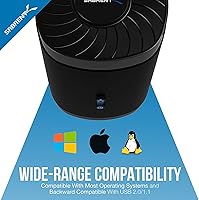
  • OS Compatibility: Works natively with Windows, macOS, and Linux without requiring any additional drivers for standard operation.
  • Dimensions: The unit measures 6.3 x 4.4 x 4.4 inches (length x width x height) in its upright tower orientation.
  • Weight: The dock weighs 1.01 pounds without drives installed, keeping the desktop footprint light and portable.
  • Color & Finish: Available in a matte black finish that blends with most desktop and workstation setups.
  • Brand & Origin: Designed and sold by SABRENT, a brand focused on connectivity and storage accessories for consumer and prosumer markets.
  • Date Available: This product has been commercially available since May 2017, indicating a mature and field-tested design.

Related Reviews

Sabrent DS-SC4B 4-Bay USB 3.2 Gen 2 Docking Station
80%
88%
Build Quality
83%
Cooling Performance
86%
Hot-Swap Reliability
74%
Transfer Speed
91%
Per-Bay Power Control
More
SABRENT DS-SC5B 5-Bay Hard Drive Docking Station
76%
88%
Build Quality
83%
Cooling Performance
61%
Noise Level
84%
Hot-Swap Usability
74%
Transfer Speed
More
ICY DOCK ToughArmor MB604SPO-B 4-Bay Enclosure
78%
91%
Build Quality
88%
SAS Compatibility
63%
Installation Experience
71%
Fan Noise
74%
Drive Compatibility
More
SABRENT DS-UCTB 10-Bay SATA Docking Station
75%
88%
Build Quality
92%
Individual Power Control
41%
Noise Level
67%
USB Bandwidth & Speed
71%
Value for Money
More
SABRENT DS-UC1B USB-C Hard Drive Docking Station
81%
88%
Plug-and-Play Reliability
79%
Transfer Speed Performance
74%
Build Quality & Materials
86%
Hot-Swap Functionality
83%
Compatibility Range
More
MAIWO M.2 NVMe 4-Bay SSD Cloner Dock
72%
88%
Offline Clone Functionality
61%
Clone Architecture Clarity
83%
Build Quality
69%
Clone Speed
81%
Compatibility Range
More
ICY DOCK ToughArmor MB998SP-B 8-Bay 2.5” SATA/SAS HDD/SSD Mobile Rack Enclosure for 5.25″ Bay
87%
91%
Performance
88%
Cooling Efficiency
89%
Build Quality
93%
Ease of Installation
72%
Noise Level
More
TerraMaster D4-320
TerraMaster D4-320
80%
93%
Ease of Setup
86%
Transfer Speed
71%
Build Quality
88%
Noise Level
82%
Thermal Management
More
Sabrent DS-UNHC USB-C Docking Station
80%
91%
Drive Compatibility
67%
Offline Clone Reliability
84%
Transfer Speed
78%
Thermal Management
72%
Build Quality
More
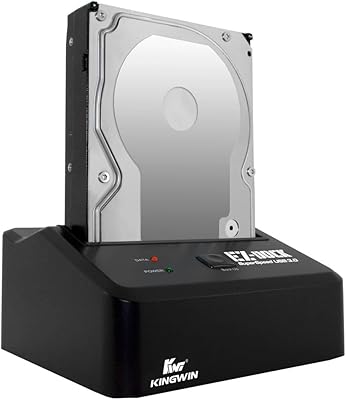
Kingwin EZD-2535U3 Hard Drive Docking Station
80%
93%
Ease of Setup
88%
Drive Compatibility
76%
Transfer Speed
81%
Build Quality
84%
Hot-Swap Functionality
More

FAQ

No, it does not. The SABRENT DS-4SSD 4-Bay 2.5″ Drive Docking Station is built exclusively for 2.5-inch SATA drives — both SSDs and traditional spinning HDDs. NVMe and M.2 drives use a completely different interface and will not be recognized or physically fit into the bays.
Unfortunately, no. The bays are designed for drives up to 12.5mm in thickness. Some older laptop hard drives measure 15mm, and those will not seat correctly. It is worth checking your drive's spec sheet or measuring it before ordering if you are unsure.

They all share a single USB 3.0 connection to the host, which has a maximum of 5Gbps total throughput. In practice, that means if you are running large transfers on all four drives simultaneously, each one gets a fraction of that bandwidth. For sequential transfers to one drive at a time, you will see much better speeds.

No, this dock does not support any form of RAID. Each bay shows up as a completely independent drive volume on your computer. If you need RAID for redundancy or drive pooling, you would need a purpose-built NAS or a dedicated RAID enclosure.

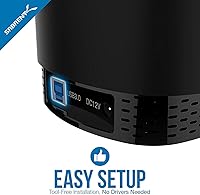
It genuinely is plug-and-play for most users. On Windows, macOS, and Linux, the dock is recognized as a standard USB storage device without any driver installation. New or unformatted drives will still need to be initialized through your OS disk management tool, but that is standard behavior for any external drive.

Most users describe it as a quiet background hum that is easy to tune out at a working desk. It is not silent, but it is not disruptive either. If you find it bothersome during quiet work sessions or late at night, there is a manual switch on the unit to turn the fan off entirely — just be mindful of heat buildup during long sessions with multiple active drives.

Yes, it is rated for continuous 24/7 operation. Users running automated overnight backups or long-term archival workflows have generally reported stable performance over extended periods. The built-in fan helps with thermal management for these kinds of always-on use cases.

It works with macOS without any additional software. Because it uses a standard USB mass storage protocol, Macs recognize the drives the same way they would any external USB drive. Linux machines also work out of the box, which makes this four-bay dock a solid cross-platform option.

A small number of users have reported occasional seating issues where a bay does not register a drive on the first attempt. The usual fix is to remove the drive, reseat it firmly, and try again. If the problem persists with a specific drive, it is worth testing that drive in another port or adapter to rule out a drive-level fault rather than a dock issue.

For occasional or weekly swaps it holds up well for most users. However, people who swap drives multiple times daily over many months have reported that the magnetic cover can start to feel less snug over time. It is functional rather than heavy-duty, so if your workflow involves very frequent drive changes, handle the cover with some care to extend its lifespan.

Where to Buy