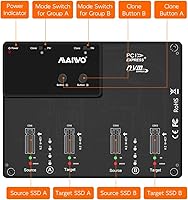
Overview

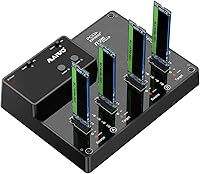
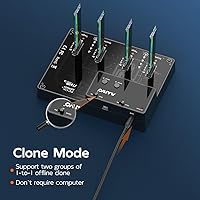
The MAIWO M.2 NVMe 4-Bay SSD Cloner Dock is a specialty tool built for a specific job — and it does that job well, provided you know exactly what you are buying. This is not a general-purpose enclosure for everyday storage access. It is built around offline NVMe cloning, letting you duplicate drives without connecting to a computer at all. The architecture supports two independent 1:1 clone pairs simultaneously — and that two-group limit is the single most misunderstood aspect of this device. Many buyers expect a one-to-three or one-to-four clone; this station simply does not work that way. The aluminum alloy housing is a clear step above budget plastic and holds up well through extended clone sessions.

Features & Benefits

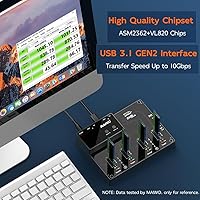
The four-bay cloning station runs on a USB 3.1 Gen 2 interface capped at 10Gbps, though actual transfer speeds will vary based on the drives installed — real-world performance is solid, not the full theoretical maximum. One genuine standout is the 22110 form factor support, which many competing docks skip entirely. The two clone groups work independently, so you can press the clone button once and walk away while two separate 1:1 backup jobs run in parallel with no PC attached. Vertical drive slots keep airflow moving during longer sessions. Setup is tool-free, hot-swap is supported natively, and the box includes a Type-C cable and a 12V 3A power adapter — no hunting for missing accessories.

Best For

This NVMe cloner dock is a strong fit for IT administrators who routinely image or duplicate NVMe drives across multiple machines, and for home lab enthusiasts migrating storage or building redundant backups without tying up a computer for hours. If you are upgrading two systems simultaneously and want to run parallel clone jobs, this is one of the few affordable options that can handle it. Keep the limits in mind, though: there is no support for SATA M.2 drives, and cloning one source to three or four separate targets is simply not something this station can do. Know the full scope of what you need before committing.

User Feedback

With a 4.1 out of 5 rating across roughly 156 reviews, this offline cloner has earned a reasonably solid reputation — but the feedback is genuinely mixed. Buyers who understood the product upfront consistently praise the offline clone workflow and the sturdy aluminum build for the price tier. Complaints tend to center on clone speed variability with high-capacity drives, and a fair number of users were caught off guard by the new drive initialization requirement: brand-new, unformatted SSDs must be initialized and partitioned before the dock recognizes them. The 1:1-only restriction also frustrates buyers who expected broader duplication flexibility. Most reviews reflect early impressions, so long-term reliability data remains thin.

Pros

  • Offline cloning works without a PC — just plug in power and press the button.
  • Two independent clone groups let you run two separate 1:1 jobs simultaneously.
  • Supports five M.2 NVMe form factors, including the often-overlooked 22110 size.
  • Aluminum alloy build feels noticeably more solid than plastic alternatives in this category.
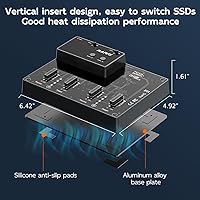
  • Vertical drive slots help manage heat during longer clone sessions passively.
  • No drivers needed — plug in and it works on most major operating systems out of the box.
  • Hot-swap support makes swapping drives between jobs quick and convenient.
  • Comes with both a Type-C cable and power adapter, so there are no missing accessories to track down.
  • Ranks in the top 50 in its category, which reflects consistent buyer demand over time.
  • The ASM2362 plus ASM2806A chipset combination delivers reliable USB 3.1 Gen 2 throughput for most NVMe drive speeds.

Cons

  • Clone speed can vary noticeably depending on drive capacity and brand, with some users reporting slower-than-expected duplication times.
  • Brand-new unformatted drives require manual initialization before the dock will recognize them — this trips up a lot of first-time buyers.
  • The 1:1-only clone limitation is easy to miss in the listing and has caused a meaningful number of returns.
  • No support for SATA M.2 drives, which limits compatibility for mixed storage environments.
  • Long-term reliability data is thin — most published reviews reflect short-term impressions rather than months of regular use.
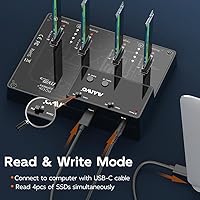
  • Only one USB output port means you cannot use this as a standard multi-drive enclosure for simultaneous PC access.
  • The included USB cable is USB 3.0, not a full USB 3.1 Gen 2 cable, which may leave a small amount of potential bandwidth untapped.
  • No LCD or progress indicator beyond basic LED status lights, making it hard to gauge clone completion on large drives.

Ratings

The scores below reflect an AI-driven analysis of verified global buyer feedback for the MAIWO M.2 NVMe 4-Bay SSD Cloner Dock, with spam, bot-submitted, and incentivized reviews actively filtered out before any scoring was applied. The four-bay cloning station earned genuine praise in several areas, but real pain points surfaced too — and both are reflected here without sugarcoating. Whether this offline cloner fits your workflow or falls short depends heavily on what you need it to do, and the breakdown below is designed to make that call easier.

Offline Clone Functionality
88%
Buyers who needed to clone NVMe drives without a computer consistently found this feature to work exactly as described. IT technicians and lab builders especially appreciated being able to queue up two simultaneous clone jobs, walk away, and return to completed backups — no software, no supervision required.
A recurring frustration was the absence of any meaningful progress indicator beyond basic LEDs, making it difficult to gauge how far along a large-drive clone job actually is. Users duplicating drives over 2TB reported the wait felt uncertain without a percentage readout or estimated time display.
Clone Architecture Clarity
61%
39%
Once buyers understood the two-group 1:1 structure, the majority found it logical and reliable. Those who came in with accurate expectations — two pairs running independently — reported a smooth experience with no unexpected behavior during standard clone operations.
This is the single biggest source of negative reviews for the four-bay cloning station. A significant portion of buyers assumed the four bays meant one source could copy to three targets simultaneously, and the product listing does not make the 1:1-only constraint obvious enough to prevent repeated confusion and returns.
Build Quality
83%
The aluminum alloy housing stands out clearly against the flimsy plastic shells common at this price point. Users noted the unit feels dense and stable on a work bench, and the finish held up well even after repeated use in busy IT environments where tools get handled frequently.
A handful of buyers flagged that the drive slots, while functional, felt slightly loose with shorter 2230 form factor drives. The overall assembly is solid, but the fit-and-finish in the slot area does not quite match the premium impression the outer housing creates.
Clone Speed
69%
31%
With high-performance NVMe drives installed on both sides of a clone pair, transfer rates were genuinely competitive and the 10Gbps interface was not the bottleneck. Users duplicating 500GB drives for workstation deployments reported fast, consistent completion times that held up across multiple sessions.
With high-capacity drives — particularly those above 2TB — clone speeds became noticeably inconsistent, and some buyers reported times that fell well short of what the 10Gbps spec implies. Drive brand and quality clearly influence real-world performance significantly, which the marketing does not adequately communicate.
Compatibility Range
81%
19%
Support for five M.2 form factors, including the longer 22110 size, is a genuine practical advantage that competing docks at similar price points frequently skip. Users working with enterprise-grade NVMe modules or high-capacity drives in the 22110 format found this dock to be one of very few accessible options.
The hard exclusion of SATA M.2 drives caught several buyers off guard, particularly those managing mixed storage environments where both NVMe and SATA M.2 modules coexist. There is no workaround — if the drive is SATA protocol, the dock will not detect it regardless of physical size.
New Drive Setup Experience
58%
42%
Buyers who understood the initialization requirement going in found the process straightforward — connect to a computer, initialize through Disk Management or Disk Utility, format, and the dock works without further issues. Experienced users saw this as a non-issue and a standard part of any new drive workflow.
For less experienced buyers, the failure to detect a brand-new unformatted drive with no clear error message was a common source of confusion and negative reviews. Several users assumed the dock was defective and attempted returns before discovering the initialization step, which is buried in supplementary documentation rather than prominently flagged.
Heat Management
76%
24%
The vertical drive slot orientation and aluminum alloy construction work together to provide reasonable passive cooling during typical clone sessions. Users running back-to-back clones on 1TB drive pairs reported the unit stayed warm but never uncomfortably hot to the touch.
Under sustained heavy workloads — particularly when cloning two pairs of high-capacity drives simultaneously over extended periods — some users noticed the dock running warmer than expected. There is no active cooling, so thermal performance under continuous professional-level workloads has a natural ceiling.
Ease of Setup
84%
Tool-free drive installation and native plug-and-play recognition across Windows, macOS, and Linux made the initial setup experience genuinely painless for the majority of buyers. Hot-swap support also meant drives could be swapped between jobs quickly without powering the unit down.
The one consistent hiccup in the setup process was the new drive initialization requirement, which affects buyers who purchase blank SSDs alongside the dock. The instruction manual could do a much better job of leading with that step rather than treating it as a footnote.
Value for Money
74%
26%
Buyers who regularly clone NVMe drives as part of their workflow found the price-to-capability ratio reasonable, especially given the aluminum build quality and the inclusion of both the cable and power adapter in the box. For niche professional use, the cost felt justified.
For casual users or those who only need to clone drives occasionally, the price point is harder to rationalize against simpler and cheaper single-pair cloners. The value equation depends almost entirely on whether the two-group simultaneous cloning workflow matches your actual use frequency.
PC-Connected Docking Use
52%
48%
When connected to a computer, the dock does allow all four drives to be accessed as external storage, which some users found useful for occasional bulk file transfers between multiple NVMe drives without mounting each one separately.
This is fundamentally a cloning device, and it shows when used as an everyday enclosure. Users who wanted to run all four drives simultaneously as persistent storage volumes reported inconsistent performance and found the single USB output port a real limitation compared to purpose-built multi-bay enclosures.
Included Accessories
78%
22%
The box includes both a Type-C cable and a 12V 3A power adapter, which means most buyers can get started immediately without hunting for additional parts. For a mid-range specialty dock, covering both accessories out of the box is a small but appreciated detail.
The included cable is USB 3.0 rated rather than a full USB 3.1 Gen 2 cable, which technically leaves potential bandwidth on the table when connecting to a host computer. It is a minor point for offline cloning, but users pushing the dock to its transfer speed limits during PC-connected use may want to swap it.
Long-Term Reliability
63%
37%
A portion of buyers with several months of regular use reported the dock continuing to perform consistently without connection issues or slot degradation. For those who use it periodically rather than daily, the durability feedback has been largely positive.
The review pool skews heavily toward early impressions, and there is genuinely limited data on how this offline cloner holds up over a year or more of regular professional use. Buyers making a long-term purchasing decision are working with less confidence than the aggregate rating alone might suggest.
Portability
71%
29%
At 1.72 pounds and with a footprint under seven inches long, this NVMe cloner dock is compact enough to move between work sites or throw in a kit bag without much hassle. Field technicians who carry it to client sites found the size manageable alongside standard tools.
The dependency on a dedicated 12V DC power adapter limits true portability — this is not something you can power from a laptop USB port or a power bank. Any deployment without access to a wall outlet requires planning ahead, which restricts spontaneous field use.

Suitable for:

The MAIWO M.2 NVMe 4-Bay SSD Cloner Dock was built for people who clone drives repeatedly and want to stop babysitting a computer while it happens. IT administrators deploying or refreshing multiple workstations will find real value here — load two pairs, press the button, and walk away while both clone jobs run independently. Home lab builders who regularly migrate NVMe storage, or anyone preparing backup drives for off-site storage, will also get solid use out of this four-bay cloning station. It handles five M.2 form factors including the longer 22110 size that many competing docks ignore entirely, making it a practical choice for users working with enterprise-grade or high-capacity NVMe modules. If your workflow involves cloning pairs of drives on a regular basis and you want to do it without a computer in the loop, this is one of the more capable options available at its price tier.

Not suitable for:

If you are expecting to clone a single source drive to three or four targets at once, the MAIWO M.2 NVMe 4-Bay SSD Cloner Dock is simply not designed for that — and no firmware update will change it. The two-group 1:1 architecture is a hard constraint, not a menu option, and buyers who miss this detail in the listing tend to be the most frustrated in the reviews. This station also does not support SATA-based M.2 drives, so if your setup mixes NVMe and SATA M.2 modules, you will need a different solution or an additional device. It is not a substitute for a permanent multi-drive enclosure either — this offline cloner is optimized for duplication tasks, not continuous read-write access as a storage hub. Anyone looking for a versatile everyday dock that also happens to clone should look elsewhere.

Specifications

  • Brand: Manufactured by MAIWO, a brand specializing in storage accessories and enclosures.
  • Drive Bays: Houses four M.2 NVMe PCIe SSD slots arranged in two independent clone groups, labeled A and B.
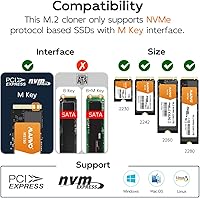
  • Form Factors: Compatible with M.2 NVMe PCIe SSDs in 2230, 2242, 2260, 2280, and 22110 sizes.
  • Interface: Connects to a host computer via USB 3.1 Gen 2 with a maximum theoretical throughput of 10Gbps.
  • Connector Type: Uses a USB 3.0 Type-C port as the primary host connection on the dock itself.
  • Chipset: Powered by an ASM2362 plus ASM2806A chipset combination to manage USB bridging and multi-drive operation.
  • Clone Mode: Supports two simultaneous 1:1 offline clone operations — one per group — with no PC connection required.
  • Max Capacity: Supports a combined total SSD capacity of up to 8TB across all four installed drives.
  • Power Input: Requires a 12V 3A DC power supply, which is included in the box.
  • Housing Material: Outer shell is constructed from aluminum alloy, providing passive heat dissipation and a more durable build than plastic alternatives.
  • Dimensions: The unit measures 6.42 inches long by 4.92 inches wide by 1.61 inches tall.
  • Weight: The dock weighs 1.72 pounds, making it reasonably portable for bench or field use.
  • Offline Cloning: Clone operations can be initiated and completed using only the DC power adapter, without any computer connection.
  • Driver Support: No additional software or drivers are needed; the dock is recognized natively by major operating systems.
  • Hot-Swap: Supports hot-swapping of drives, allowing SSDs to be inserted or removed without powering down the unit.
  • Included Accessories: Package includes one USB 3.0 Type-C cable and one 12V 3A DC power adapter.
  • User Rating: Holds a 4.1 out of 5 star average based on 156 customer ratings on Amazon.
  • Market Rank: Ranked number 45 in the Hard Drive Docking Stations category on Amazon at the time of review.

Related Reviews
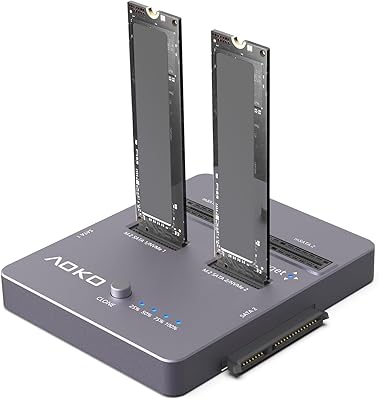
AOKO 4-in-1 M.2 NVMe Hard Drive Duplicator

76%
88%
Ease of Use
83%
Drive Compatibility
86%
Cloning Speed
74%
Offline Cloning Reliability
81%
Build Quality
More
WAVLINK Dual-Bay NVMe M.2 SSD Cloner
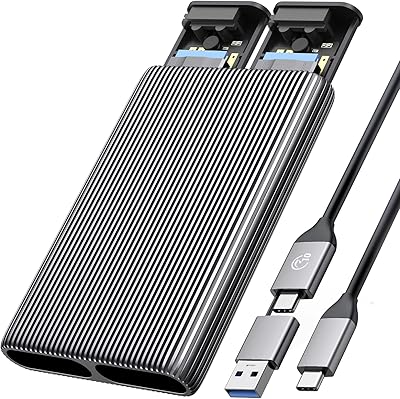
75%
83%
Offline Cloning Reliability
78%
Transfer Speed
71%
Compatibility Range
76%
Build Quality
86%
Ease of Setup
More
ORICO Dual M.2 NVMe SSD Enclosure
79%
88%
Build Quality
84%
Thermal Management
82%
Transfer Speed
71%
Drive Compatibility
91%
Ease of Installation
More
Cable Matters USB4 40Gbps M.2 NVMe Enclosure
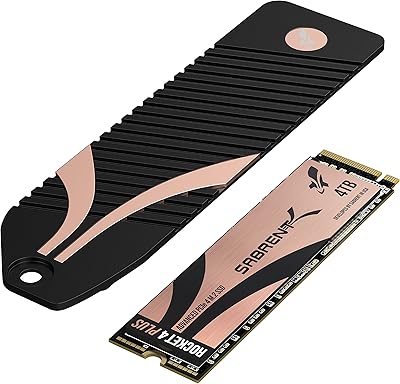
80%
88%
Data Transfer Performance
83%
Build Quality & Materials
79%
Thermal Management & Cooling
91%
Portability & Form Factor
74%
Compatibility Range
More
Sabrent Rocket 4 Plus 4TB NVMe SSD
85%
93%
Sequential Read Performance
91%
Sequential Write Performance
89%
Thermal Management
92%
Installation Experience
67%
Value for Money
More
ACASIS EC-6604 M.2 NVMe SSD Duplicator
78%
83%
Cloning Reliability
88%
Build Quality
71%
Cooling Performance
77%
Drive Compatibility
74%
Transfer Speed
More
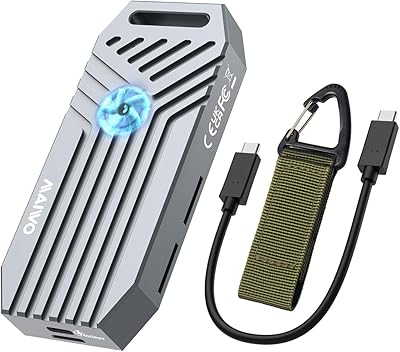
MAIWO USB4 40Gbps M.2 NVMe SSD Enclosure
80%
91%
Transfer Speed Performance
88%
Thermal Management
84%
Build Quality
67%
Fan Noise
93%
Ease of Installation
More
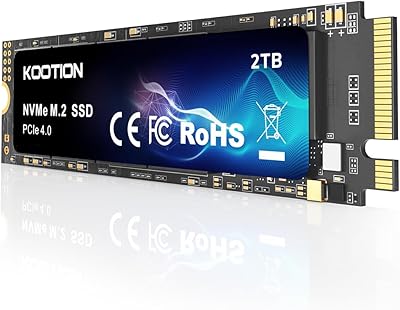
KOOTION 2TB PCIe 4.0 NVMe M.2 SSD
77%
83%
Sequential Read Speed
79%
Sequential Write Speed
88%
Value for Money
91%
Installation Experience
67%
Thermal Performance
More
RAOYI 512GB PCIe Gen4 M.2 NVMe SSD
77%
83%
Sequential Read Speed
81%
Sequential Write Speed
79%
Real-World Performance
91%
Value for Money
88%
Installation & Setup
More
Kingston 512GB KC3000 PCIe 4.0 NVMe M.2 SSD
88%
94%
Performance
88%
Ease of Installation
91%
Durability
85%
Thermal Management
93%
Gaming Performance
More

FAQ

No, and this is the most important thing to understand before buying. The MAIWO M.2 NVMe 4-Bay SSD Cloner Dock operates in two independent 1:1 pairs only. Slot 1 clones to Slot 2 in Group A, and Slot 3 clones to Slot 4 in Group B. One source to three or four destinations simultaneously is not supported.

No. That is actually one of the main reasons people choose this dock over a basic enclosure. You plug it into the wall using the included power adapter, load your drives, and hold the clone button. The process runs entirely on its own with no computer involved.

Only NVMe PCIe M.2 drives are supported. If your drives use the SATA protocol — even if they are physically M.2 in shape — this dock will not recognize them. Double-check your drive specifications before purchasing.

This is a common stumbling block. A new, unformatted drive needs to be initialized, partitioned, and formatted before most enclosures and docks will recognize it properly. Connect the drive to a computer first, use Disk Management on Windows or Disk Utility on macOS, initialize it, create a partition, and format it. After that, the four-bay cloning station should detect it without issues.

Yes. Groups A and B operate independently, so you can start a clone in each group simultaneously. Both jobs will run in parallel, which is one of the more useful features for anyone duplicating multiple drives in a single session.

It supports the 2230, 2242, 2260, 2280, and 22110 form factors. The 22110 support is worth noting specifically — that longer size is common in some enterprise and high-capacity drives, and a lot of competing docks skip it entirely.

The interface supports up to 10Gbps in theory, but real-world clone speeds depend heavily on the drives themselves. Some users report smooth, fast duplication with high-performance NVMe drives, while others note slower speeds with larger-capacity drives or off-brand SSDs. Expect solid but not always maximum throughput.

Technically the dock connects via USB and the drives are readable from a host computer, but it is designed and optimized around cloning workflows, not continuous multi-drive access. If you need a reliable everyday multi-drive enclosure for constant read-write use, a dedicated NVMe enclosure would be a better fit for that purpose.

It is a meaningful upgrade over the thin plastic shells you find on budget docks. The aluminum alloy housing feels solid, helps with passive cooling during longer clone sessions, and holds up well on a work bench. It is not heavy-duty industrial hardware, but for the price range it represents a noticeably better build quality.

No drivers are required. The offline cloner is plug-and-play on Windows, macOS, and Linux systems. For offline cloning you do not even need a computer connected at all — just the power adapter.

Where to Buy