Overview

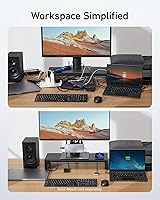
The Anker 554 USB-C KVM Docking Station is built for people who run two laptops on the same desk and are tired of swapping cables every time they switch machines. With a single button press, this KVM dock transfers control of your monitors, keyboard, and mouse from one computer to the other. It's not the cheapest option out there, but Anker's reputation for reliability carries real weight here. The compact chassis — barely the size of a thick paperback — sits unobtrusively on a desk, and the box includes two USB-C cables and a 180W power adapter, so you're ready to go out of the box. Just don't expect it to work flawlessly with every laptop and GPU combination.
Features & Benefits

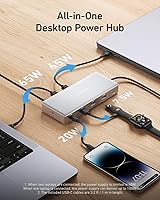
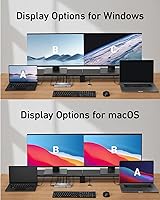
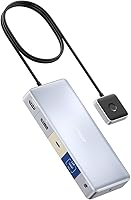
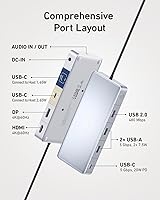
The centerpiece of this dual-laptop docking station is its one-click KVM switch, which hands off your full peripheral setup — dual monitors included — between two computers without missing a beat. Both the HDMI and DisplayPort outputs can drive 4K displays simultaneously, which is genuinely useful for anyone doing detailed design or spreadsheet work across two screens. Power Delivery tops out at 100W, which handles most MacBooks and mid-range Windows laptops comfortably; just know it may fall short if you're running a power-hungry gaming machine under heavy load. Six USB ports cover the essentials, and a 3.5mm audio jack means your headset plugs into the dock rather than hunting for a port on the laptop itself. One important caveat: the USB-C ports here do not carry video signal.

Best For

This dual-laptop docking station makes the most sense for professionals who split their day between a work-issued machine and a personal laptop — no more unplugging monitors and keyboards every hour. It handles mixed Mac and Windows setups well, so if your desk holds a MacBook Pro alongside a Lenovo or Dell, this is a strong candidate. Creatives, developers, or streamers who run a Steam Deck or iPad alongside a primary laptop will appreciate having everything centralized through one compact unit. It's also a practical pick for anyone building a home office who wants dual 4K monitors without spending on a full workstation. Where it's less suited: high-end gaming rigs that demand sustained power above 100W, or machines that rely on proprietary docking connectors.

User Feedback

The Anker 554 sits at 3.8 out of 5 stars across over 200 ratings — a score that tells an honest story. Buyers who love it point to reliable KVM switching and build quality that feels sturdy and consistent, along with Anker's customer support, which gets mentioned repeatedly as a genuine differentiator. On the flip side, a recurring thread of complaints focuses on compatibility hiccups with certain Windows laptops and specific GPU configurations, where display output simply doesn't behave as expected. A handful of users also flag that 100W isn't enough to fully charge a high-performance laptop under serious load. The 18-month warranty softens those concerns for most buyers, but it's worth stress-testing your specific hardware before fully committing to this setup.

Pros

  • One-click switching between two laptops transfers monitors, keyboard, and mouse control instantly — no cable juggling required.
  • Both HDMI and DisplayPort outputs support 4K resolution simultaneously, delivering a true dual-monitor 4K setup.
  • 100W Power Delivery charges most MacBooks and mainstream ultrabooks while the dock runs at full capacity.
  • The compact chassis takes up minimal desk space and stays firmly planted without being cumbersome.
  • Six USB ports across multiple standards handle most common peripherals without needing a secondary hub.
  • A built-in 3.5mm audio jack means your headset stays plugged into one consistent spot regardless of which laptop is active.
  • Anker's customer support and 18-month warranty are frequently cited by buyers as standout advantages over off-brand alternatives.
  • The box includes two USB-C cables and a 180W power adapter, so the out-of-pocket setup cost stays predictable.
  • Mac compatibility — especially with Apple Silicon MacBook Pros — is consistently strong with no driver installation required.
  • The dock handles mixed Mac and Windows pairings reliably, making it practical for users who cross operating systems daily.

Cons

  • Some Windows laptops, particularly those with AMD or integrated GPUs, experience inconsistent display output or recognition failures.
  • 100W Power Delivery is not sufficient to charge high-wattage gaming laptops under sustained load.
  • Only two USB-A ports is limiting for users with multiple legacy peripherals already occupying those slots.
  • No built-in Ethernet port means wired network users must carry a separate adapter.
  • No SD card slot, which is a noticeable omission for photographers or videographers using this as a creative workstation hub.
  • The included USB-C cables measure just 1 meter, which can be too short depending on desk layout and laptop placement.
  • The power brick is bulky and its cable length is not generous, complicating cable management near the dock.
  • The KVM button has a soft, low-feedback click that makes it difficult to confirm a successful switch without checking an indicator light.
  • A small but consistent group of users report display handoff glitches after the connected laptop wakes from sleep or hibernate.
  • iPad support, while advertised, behaves inconsistently depending on model and software version — it is not a reliable primary use case.

Ratings

The Anker 554 USB-C KVM Docking Station earns a nuanced scorecard built from AI analysis of verified global buyer reviews, with spam, bot-submitted, and incentivized feedback actively filtered out before scoring. Across categories ranging from switching reliability to port versatility, the ratings reflect where this dual-laptop docking station genuinely delivers and where real users have run into friction. Both the strengths and the recurring pain points are represented transparently below.

KVM Switching Reliability
83%
For most users, pressing that single button to flip control between two laptops — monitors, keyboard, mouse and all — works exactly as advertised. Professionals who bounce between a work machine and a personal laptop throughout the day consistently describe the handoff as fast and accurate, with no need to touch a cable.
A subset of Windows users report that switching occasionally fails to transfer display output cleanly, requiring a manual unplug or reboot to reset. The experience appears more consistent on Mac-to-Mac or Mac-to-PC pairings than on certain Windows-only configurations.
Dual Monitor Performance
79%
21%
Running two 4K displays simultaneously via HDMI and DisplayPort is where this dock stands out for content creators and developers who need screen real estate. Both outputs genuinely support 4K resolution at the same time, which is not a given at this price tier.
Display performance is partially dependent on the host device's GPU, and some users with integrated-graphics laptops found they could not hit 4K on both screens concurrently. The USB-C ports offer no video output path, which eliminates a potential workaround for affected users.
Power Delivery
71%
29%
At up to 100W, the charging output handles MacBook Pros and most mainstream Windows ultrabooks without issue during typical workloads like video calls, document editing, and light multitasking. Having charging and full dock functionality over a single cable keeps the desk tidy.
Users running gaming-class laptops or mobile workstations under sustained load found 100W insufficient to maintain battery charge, let alone top it up. If your machine has a 140W or higher charger as its standard, this dock will likely charge it more slowly than expected or not at all under load.
Build Quality
86%
The aluminum-accented chassis feels noticeably more solid than competing docks in a similar price bracket. At under 10 ounces, it stays planted on a desk without a rubber base slipping issue, and the port openings show tight tolerances that suggest consistent manufacturing.
The power brick is on the bulkier side and the attached cable is not particularly long, which can be awkward depending on where your power strip sits. A few buyers noted the KVM button has a slightly soft, mushy click that makes it hard to confirm the press without looking at an indicator light.
Port Selection & Variety
77%
23%
Six USB ports covering USB-A, USB-C, and USB 2.0 data means most standard desk peripherals — external drives, webcams, card readers, wired keyboards — can all live on the dock permanently. The 3.5mm audio jack is a practical touch that lets headsets plug into one consistent spot rather than chasing laptop ports.
Two USB-A ports is on the lean side for power users with multiple legacy peripherals. The USB 2.0 data port is noticeably slower for file transfers, and with no SD card slot or Ethernet port, users who need either will require additional adapters.
Compatibility (Mac)
88%
MacBook Pro users, particularly those on Apple Silicon, report very strong compatibility with minimal driver headaches. Charging, dual display, and KVM switching all tend to work reliably out of the box without any software installation on the Mac side.
iPad compatibility, while listed, is more limited in practice — display mirroring behavior can vary depending on the iPad model and iPadOS version. Users expecting iPad to behave identically to a MacBook in this setup may need to manage expectations.
Compatibility (Windows)
63%
37%
Many Windows laptop users, especially those on Lenovo ThinkPads and Dell XPS models, report solid day-to-day performance once initial setup is complete. The dock handles routine switching between a Windows machine and a Mac without persistent issues for a good portion of buyers.
Compatibility complaints disproportionately come from Windows users, particularly those with AMD graphics or older Intel Iris GPUs. Some report that display output is unreliable or that the dock is not recognized consistently after sleep or hibernate cycles.
Setup & Ease of Use
81%
19%
Included cables and the 180W adapter mean unboxing to functional takes under ten minutes for most users. There is no software to install, no driver disc to hunt down — just plug both laptops in and press the button.
Cable management around the dock can get unwieldy quickly given the number of ports and the relatively short included USB-C cables. Users with laptops on opposite sides of a monitor setup may find the 1-meter cables just barely long enough.
Audio Performance
68%
32%
Having a centralized 3.5mm audio jack on the dock means a single headset stays plugged in and switches audio context along with the rest of the peripherals. For voice calls and casual listening, most users find the audio passthrough clean and free of interference.
Audiophiles or users relying on the dock for music production will find the audio jack basic at best — there is no dedicated DAC, and a few users reported a faint electrical hum when other high-draw peripherals were active on the same hub.
Value for Money
74%
26%
For a KVM dock that genuinely handles dual 4K output and two-laptop switching under a well-known brand with an 18-month warranty, the price sits at a reasonable point for a professional home office setup. The included accessories add real value versus competitors that ship with nothing.
Users who only need a standard single-laptop dock will find better value elsewhere. The KVM functionality premium is baked into the price, so if that feature goes unused, this dock becomes an expensive way to get six USB ports and dual display output.
Thermal Management
72%
28%
Under typical workloads — dual monitors, keyboard, mouse, and a charging laptop — the dock stays warm but not alarmingly hot. Most users report no thermal throttling during standard business use, and the chassis disperses heat passively without a fan.
Under heavier sustained loads, particularly when all ports are active and 100W charging is engaged, the unit gets noticeably warm to the touch. A handful of users in warmer climates or poorly ventilated workspaces reported performance degradation during extended sessions.
Warranty & Support
89%
The 18-month warranty is longer than the industry standard for docking stations, and Anker's customer support reputation is one of the most consistently praised aspects across user reviews. Replacement and resolution processes are described as straightforward and prompt.
The warranty window, while generous, still leaves buyers exposed after the 18-month mark on what is meant to be a long-term desk fixture. A few users noted that troubleshooting compatibility issues required back-and-forth with support before a resolution was reached.
Size & Desk Footprint
84%
At roughly the size of a slim paperback book, this dual-laptop docking station takes up minimal desk real estate. It can lie flat, stand vertically, or tuck behind a monitor without dominating the workspace — a real advantage in compact home office setups.
The attached power brick adds bulk to the overall cable situation, and there is no integrated cable management solution on the dock itself. Once fully cabled up, the back of the dock can look cluttered despite the tidy chassis.
Steam Deck & Peripheral Device Support
66%
34%
For users who want to plug a Steam Deck into their existing dual-monitor desk setup and share peripherals, this dock handles the basics competently. It opens up a proper big-screen gaming or emulation experience without needing a dedicated HDMI switcher.
Steam Deck support is functional but not optimized — output resolution and refresh rate can be limited depending on dock-device handshake behavior. This is a secondary use case for the dock, and users prioritizing it as a primary gaming peripheral hub may find purpose-built alternatives more capable.

Suitable for:

The Anker 554 USB-C KVM Docking Station is purpose-built for professionals who run two USB-C laptops on the same desk and want to stop treating cable-swapping as part of their daily routine. It fits naturally into hybrid work setups where a personal MacBook and a company-issued Lenovo or Dell need to share the same monitors, keyboard, and mouse without any IT-level configuration. Developers, designers, and content creators who work across a Mac and a Windows machine will find the one-click switching genuinely useful during real workdays. It also makes sense for streamers or side-project builders who hook up a Steam Deck or iPad alongside a primary laptop and want everything centralized through one compact unit. Anyone building a home office around dual 4K monitors — but not ready to invest in a full workstation — will find this dock covers the core requirements competently. The included cables and power adapter mean the setup cost is largely contained, and Anker's 18-month warranty adds a meaningful layer of reassurance for what is a long-term desk investment.
Not suitable for:

The Anker 554 USB-C KVM Docking Station is a harder sell if your primary machine is a high-performance gaming laptop or a mobile workstation that draws significantly more than 100W under load — in those cases, the dock will charge the battery too slowly during demanding sessions, or not gain charge at all. Users who need Ethernet connectivity or an SD card slot built into the dock will need to add adapters, which chips away at the tidiness the hub promises. If you only run a single laptop and have no need for KVM switching, there are simpler, less expensive docks that offer comparable port counts without the KVM premium baked in. Windows-heavy setups — particularly machines with AMD graphics or non-standard GPU configurations — carry a real risk of display compatibility issues that may require troubleshooting or, in some cases, remain unresolved. Buyers expecting the USB-C ports to carry video output for a third display will also be disappointed, as that capability is absent by design and there is no workaround within the dock itself.

Specifications

  • Model Number: This docking station carries the official model designation A83K1, also listed under ASIN B0C532J5JW.
  • Dimensions: The unit measures 6.69 x 2.83 x 0.94 inches, keeping its footprint comparable to a slim paperback book.
  • Weight: The dock itself weighs 9.9 ounces, making it light enough to reposition on a desk without any effort.
  • KVM Capacity: Supports simultaneous connection of two USB-C host devices, switchable with a single physical button press.
  • Display Output: Provides one HDMI port and one DisplayPort output, each capable of driving a 4K display independently and simultaneously.
  • Power Delivery: Delivers up to 100W of Power Delivery through the designated USB-C charging port to power a connected laptop during use.
  • USB-A Ports: Includes two USB-A 3.0 ports for connecting standard peripherals such as external drives, mice, or keyboards.
  • USB-C Ports: Offers three USB-C ports configured for Power Delivery data transfer; none of these ports carry video output signal.
  • USB 2.0 Port: One dedicated USB 2.0 data port is available for lower-bandwidth peripherals such as card readers or input devices.
  • Total USB Ports: The dock provides six USB ports in total across USB-A, USB-C, and USB 2.0 form factors.
  • Audio: A single 3.5mm AUX jack supports both headset input and speaker output, centralizing audio connectivity at the dock.
  • Hardware Interface: All host connections use the USB Type-C standard, requiring laptops with a compatible USB-C or Thunderbolt port.
  • Included Adapter: A 180W external power brick is included in the box to supply the dock and connected devices with adequate power.
  • Included Cables: Two USB-C to USB-C cables, each measuring approximately 3.2 feet (1 meter), are included for connecting host laptops.
  • Compatible Devices: Officially compatible with MacBook Pro, iPad, Lenovo laptops, Steam Deck, and other USB-C enabled devices.
  • Warranty: Anker provides an 18-month limited warranty covering manufacturing defects, which exceeds the standard 12-month coverage common in this category.
  • Manufacturer: Designed and sold by Anker, a consumer electronics brand headquartered in Shenzhen, China, with global distribution and support.
  • Date Available: This product was first made available for purchase on July 9, 2023.

Related Reviews
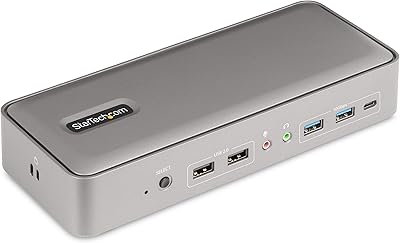
StarTech 129N-USBC-KVM-DOCK Dual-Laptop KVM Docking Station
75%
83%
KVM Switching Reliability
88%
Display Performance
51%
Setup & Driver Experience
72%
Power Delivery
81%
Build Quality
More
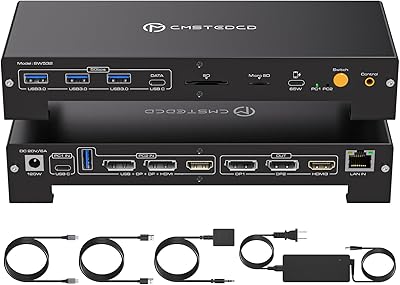
CMSTEDCD SW532 KVM Docking Station

78%
88%
KVM Switch Reliability
84%
Multi-Monitor Display Performance
67%
Laptop Compatibility
79%
Power Delivery & Charging
91%
Port Selection & Variety
More
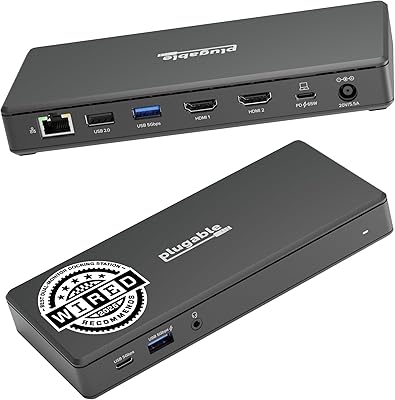
Plugable UD-3900Z
Plugable UD-3900Z
74%
88%
Dual Monitor Performance
79%
macOS Compatibility
93%
Wired Ethernet Reliability
82%
USB Port Availability
74%
Setup & Ease of Use
More
WAVLINK WL-ST334UA Dual-Bay USB 3.0 Hard Drive Docking Station

72%
83%
Offline Cloning Reliability
74%
Transfer Speed
79%
Build Quality
91%
Ease of Setup
38%
Mac Compatibility
More
StarTech USB-C / USB-A Hybrid Docking Station for MacBook Pro/Air & Windows - Triple 4K 60Hz HDMI/DP, 85W Power Delivery
83%
94%
Multi-Display Performance
89%
Charging Efficiency
80%
Compatibility with OS
91%
Data Transfer Speed
88%
Ethernet Stability
More
Targus DOCK182USZ USB-C Docking Station
76%
88%
Plug-and-Play Setup
71%
Dual Monitor Performance
79%
Cross-Platform Compatibility
84%
Power Delivery
86%
Port Selection & Variety
More
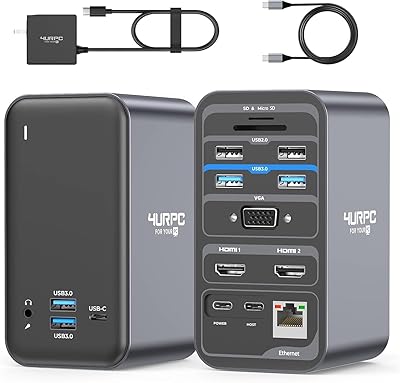
4URPC USB C Docking Station DSC05
86%
95%
Setup and Installation
92%
Port Selection and Versatility
85%
HDMI Display Support
88%
USB Connectivity and Speed
77%
Power Delivery (65W)
More
Plugable UD-MSTH2 USB-C Docking Station
77%
93%
Ease of Setup
88%
Dual Display Performance
67%
Charging Adequacy
78%
Port Selection
18%
macOS Compatibility
More
Sabrent DS-UNHC USB-C Docking Station
80%
91%
Drive Compatibility
67%
Offline Clone Reliability
84%
Transfer Speed
78%
Thermal Management
72%
Build Quality
More
Plugable UD-7400PD USB-C Docking Station
84%
91%
Performance with Multiple Displays
75%
Ease of Setup (Windows vs. macOS)
89%
Charging Power (Laptop and Device)
77%
Compatibility with macOS
85%
Ethernet Connectivity
More

FAQ

Yes, both the HDMI and DisplayPort outputs can drive a 4K display simultaneously, so a true dual-4K setup is supported. That said, the actual resolution and refresh rate you can achieve also depends on your laptop's GPU — if you're running a machine with limited integrated graphics, you may not hit 4K on both screens at once. It's worth checking your laptop's display output specs before assuming full 4K on both monitors.

No — and this is one of the most important things to know before buying. None of the USB-C ports on this dock carry a video signal. Display output is handled exclusively through the HDMI and DisplayPort connections. If you were hoping to run a third monitor via USB-C, that isn't possible with this unit.

For most MacBook Pros and mainstream Windows ultrabooks, 100W is sufficient to charge the battery during normal use. Where it falls short is with high-performance gaming laptops or mobile workstations that ship with 140W or 180W chargers — under heavy load, those machines may drain faster than the dock can replenish, or charge very slowly. Check your laptop's rated charging wattage before deciding.

Most users describe the switch as quick — monitors go dark for a second or two and then the new host's desktop appears. It's not instantaneous, but it's fast enough that it doesn't disrupt workflow. The experience is generally smoother on Mac-to-Mac or Mac-to-Windows pairings; some Windows-only setups report slightly longer or less consistent handoffs.

No software installation is required. The dock is plug-and-play for both Mac and Windows. You connect your two laptops via the included USB-C cables, plug in your peripherals, and press the button to switch. Mac users in particular report near-zero setup friction, especially on Apple Silicon machines.

Technically yes — you can plug in just one laptop and use the dock as a standard USB-C hub with dual monitor output and charging. But you'd be paying a premium for KVM switching you're not using, and there are simpler, less expensive single-laptop docks that offer the same port count. It works, but it's not the most cost-efficient way to use it.

Compatibility with AMD GPU configurations has been a recurring pain point in user feedback. Some setups work fine, while others experience unreliable display output or the dock not being recognized after the laptop wakes from sleep. There's no guaranteed fix, and it may require driver updates or specific display settings to resolve. If your machine runs AMD graphics, it's worth checking recent user reports for your specific model before purchasing.

The 3.5mm audio jack on the dock switches along with everything else when you press the KVM button, so your headset or speakers should follow the active host automatically. A small number of users note that audio output settings occasionally need to be re-selected on the newly active laptop, but this is not a universal issue and usually resolves itself.

The two included cables are each about 1 meter (roughly 3.2 feet) long, which is adequate for most setups where the dock sits near the center of the desk between two laptops. If your machines are positioned far apart or on opposite sides of a monitor arm, 1 meter may be tight. In that case, you'd need to source longer USB-C cables separately.

Anker covers this dock with an 18-month limited warranty, which is longer than the 12-month window most competing brands offer. If you encounter a defect or malfunction within that period, you contact Anker's customer support directly. The general consensus among buyers is that Anker's support team is responsive and tends to resolve issues — whether through troubleshooting guidance or replacement — without excessive back-and-forth.