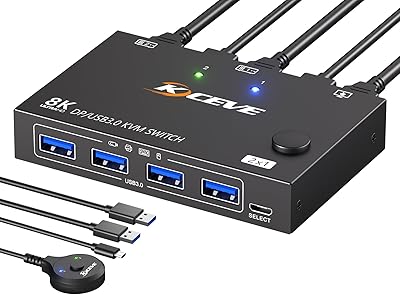
ANGEET Triple Monitor 4-Computer KVM Switch
Overview
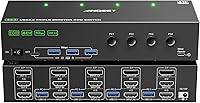
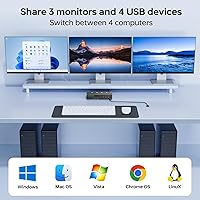
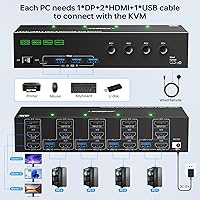
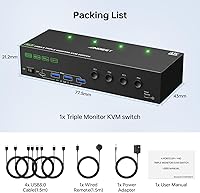
The ANGEET Triple Monitor 4-Computer KVM Switch tackles a problem anyone running multiple machines on one desk knows well — constant re-plugging, display chaos, and juggling keyboards. This 4-computer switch sits in mid-range territory, built around a mixed-port design that assigns each connected PC two HDMI outputs and one DisplayPort. One thing to flag early: each PC requires two HDMI cables, one DisplayPort cable, and one USB cable to drive all three screens. It also includes EDID simulation, a feature that separates it from budget options that scatter your windows on every switch. The box arrives with four USB cables, a wired remote, and a power adapter included.
Features & Benefits
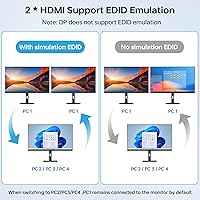
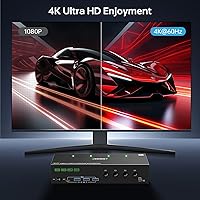
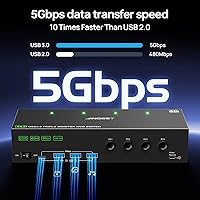
Resolution tops out at 4K at 60Hz, with 2K at 120Hz also supported — practical for photo editing, multi-window code work, or financial dashboards, though not a standout choice for competitive gaming where very high refresh rates matter. The EDID emulation is the feature that genuinely sets this apart: on both HDMI-connected displays, the switch remembers each monitor's resolution and refresh settings, keeping your windows in place when you swap between machines. Be aware, though — the DisplayPort output does not support EDID emulation, so your third screen may still rearrange. Four USB 3.0 ports at 5Gbps handle shared peripherals, and the whole thing runs driver-free on Windows, Mac, and Linux.
Best For
This triple-monitor KVM switch fits home office workers running a work machine alongside a personal desktop, where swapping inputs constantly gets tiring fast. IT staff managing several systems from one station will also appreciate having one keyboard, one mouse, and three shared displays. Developers and sysadmins in particular benefit from switching without losing window positions — that alone saves meaningful time. If each of your GPUs already outputs two HDMI ports and one DisplayPort, you are set without adapters. Users with mixed-output graphics cards should verify port availability first; adapters are supported but add a layer of setup that this 4-computer switch otherwise avoids.
User Feedback
Buyers most often highlight the stable 4K output and the convenience of not needing driver installations — out-of-box setup genuinely earns its praise here. The wired remote stands out in comments from people who mount their KVM out of arm's reach; it is a practical touch that improves daily use. On the flip side, some users report that the DisplayPort monitor reshuffles window positions after switching, catching them off guard since the product description mentions EDID without fully clarifying the DP exclusion. Others mention needing adapters for PCs that lack the required port combo. Build quality gets mostly positive marks, though the 12-month warranty feels a bit lean for hardware at this level.
Pros
- Drives three monitors across four computers from one keyboard and mouse without installing any drivers.
- EDID emulation on both HDMI outputs keeps your window layout intact after every machine switch.
- Supports 4K at 60Hz and 2K at 120Hz, covering most productivity and creative workflows comfortably.
- Four USB 3.0 ports at 5Gbps let you share a printer, external drive, or other peripherals across all connected PCs.
- The included wired remote is a practical bonus for desks where the switch lives out of easy reach.
- Works across Windows, Mac, and Linux with no driver installation required.
- Three independent circuit boards mean you can run just one or two monitors if you do not need all three outputs.
- Everything needed for basic setup arrives in the box: USB cables, remote, and power adapter included.
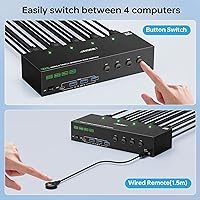
- Front-panel button and wired remote give you two switching options to suit different desk setups.
- Compact footprint at under 1.3 pounds makes it easy to tuck away or mount discreetly.
Cons
- EDID emulation does not apply to the DisplayPort output, so the third monitor may still rearrange windows on every switch.
- Each connected PC needs two HDMI ports and one DisplayPort — a combination not every GPU or laptop provides natively.
- Users without the right port mix will need adapters, adding extra cost and a potential weak point in the cable chain.
- The 12-month warranty is shorter than what competing hardware at this price tier sometimes offers.
- No support for resolutions beyond 4K at 60Hz, which rules it out for ultra-high-refresh or 8K display setups.
- The wired remote adds convenience but also adds another cable to an already cable-heavy desk arrangement.
- No USB-C input support, which may require additional adapters for modern thin-and-light laptops.
- Switching lag under heavier USB peripheral loads has been noted by some users in extended daily use.
Ratings
The scores below reflect an AI-driven analysis of verified global buyer reviews for the ANGEET Triple Monitor 4-Computer KVM Switch, with spam, bot activity, and incentivized feedback actively filtered out. Each category is scored based on patterns across real user experiences, weighing both what buyers consistently praised and the frustrations that surfaced repeatedly in daily use. Nothing has been smoothed over — the strengths and the genuine pain points are both reflected honestly.
EDID Performance
Display Quality
Setup Experience
Switching Speed
USB Hub Utility
Wired Remote
Port Compatibility
Build Quality
Multi-Monitor Flexibility
Value for Money
OS Compatibility
Peripheral Sharing
Documentation & Support
Suitable for:
The ANGEET Triple Monitor 4-Computer KVM Switch is a strong fit for anyone who regularly works across multiple machines and has grown tired of the constant peripheral shuffle. Home office professionals running a work laptop and a personal desktop simultaneously will find the single-keyboard, single-mouse setup a genuine relief across a full workday. Developers, sysadmins, and IT staff who need to monitor or control several systems at once benefit especially from the EDID emulation on the two HDMI outputs, since window layouts stay intact between switches rather than collapsing into a messy rearrangement. Small business environments where one operator needs fast access to multiple machines will also get solid value here. If your GPUs already expose two HDMI outputs and one DisplayPort per machine, this 4-computer switch slots in without adapter headaches.
Not suitable for:
The ANGEET Triple Monitor 4-Computer KVM Switch has a few real limitations worth considering before buying. Users whose PCs only output through DisplayPort or a single HDMI port will need adapters, which adds cost and potential compatibility friction the product does not fully eliminate. The EDID emulation does not cover the DisplayPort-connected monitor, so if you rely on that third screen to hold specific windows, expect to manually reposition them every time you switch machines — a minor but recurring annoyance for detail-oriented workflows. High-refresh-rate gaming setups will find this 4-computer switch underwhelming, since 4K at 60Hz is the ceiling and competitive gaming typically demands much higher frame rates. Finally, anyone expecting multi-year peace of mind from a warranty should note that the coverage period is only 12 months, which is on the shorter side for always-on hardware.
Specifications
- Computer Inputs: Supports up to 4 computers connected simultaneously, each requiring 2 HDMI and 1 DisplayPort cable connection.
- Monitor Outputs: Drives 3 monitors at once using 2 HDMI output ports and 1 DisplayPort output port per connected display set.
- Max Resolution: Supports up to 4K at 60Hz and 2K at 120Hz, with backward compatibility for lower resolutions.
- EDID Emulation: EDID simulation is active on the 2 HDMI outputs only; the DisplayPort output does not support EDID emulation.
- USB Ports: Equipped with 4 USB 3.0 ports capable of up to 5Gbps data transfer, backward compatible with USB 2.0 and 1.1 devices.
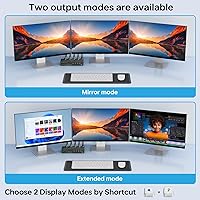
- Display Modes: Supports both extended mode (three different screens) and mirror mode (three identical screens) across all connected monitors.
- Switching Method: Computers can be switched via the front-panel button on the unit or using the included wired remote control.
- OS Compatibility: Fully compatible with Windows, Mac, Linux, and most other major operating systems without requiring any driver installation.
- Circuit Design: Features three independent internal circuit boards (A, B, and C), allowing the unit to operate with 1, 2, or all 3 monitors as needed.
- Dimensions: The unit measures 8.35 x 3.07 x 1.77 inches, making it compact enough for most desk or rack-mount setups.
- Weight: Weighs 1.28 pounds, light enough to reposition easily but substantial enough to stay stable on a desk surface.
- Power Supply: Operates at 5 volts and 2 amps via the included external power adapter; no bus-powered operation.
- Cable Requirements: Each connected PC requires 2 HDMI cables, 1 DisplayPort cable, and 1 USB cable to enable full triple-monitor output.
- In-Box Contents: Package includes the KVM unit, 4 USB 3.0 cables, 1 wired remote, 1 power adapter, and a printed user manual.
- Warranty: Covered by a 12-month manufacturer warranty, with 24-hour customer support available for product-related queries.
- Brand: Manufactured by ANGEET, with a model designation of KVM Switch 3 Monitors 4 Computers.
- Adapter Support: Compatible with a range of converters including DP-to-HDMI, Mini DP-to-DP, USB-C-to-DP, and USB-C docking stations.
- Contact Rating: Rated for 2 amps at 5 volts with a normally open contact type and plug-in terminal connections.
Related Reviews
NAWEN 4-Port HDMI KVM Switch
KCEVE 2-Monitor 4-Computer KVM Switch
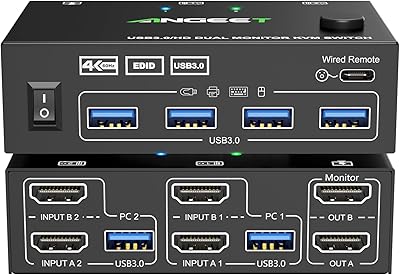
ANGEET HDMI KVM Switch 2 Monitors 2 Computers 4K@60Hz
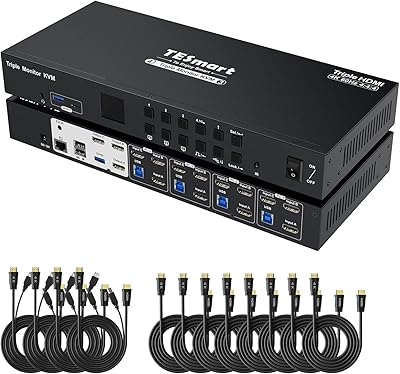
TESmart HKS403-P23 4-Port Triple Monitor KVM Switch
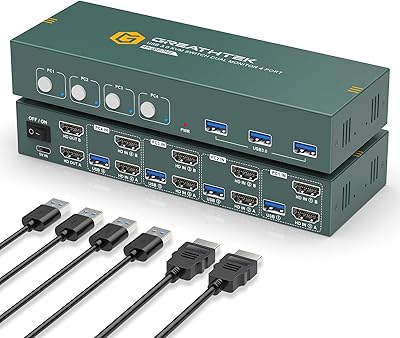
EVATEK 4-Port Dual Monitor HDMI KVM Switch
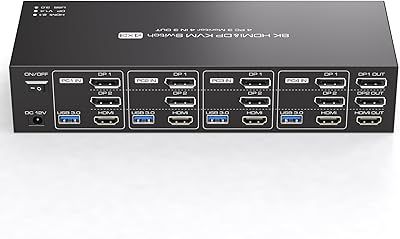
TJCXELE 4K 144Hz HDMI + DisplayPort KVM Switch for 4 Computers, 3 Monitors
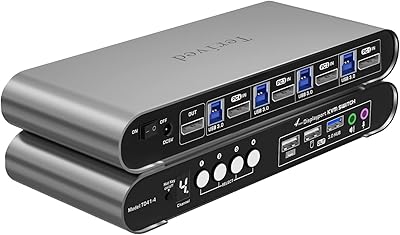
Terived 4-Port DisplayPort KVM Switch
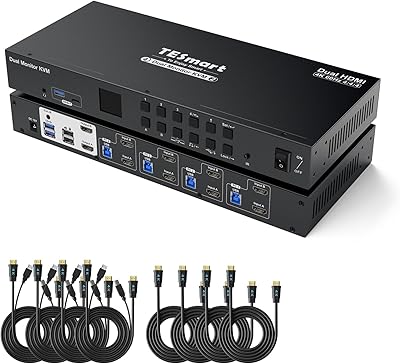
TESmart HKS402-P23 Dual Monitor KVM Switch
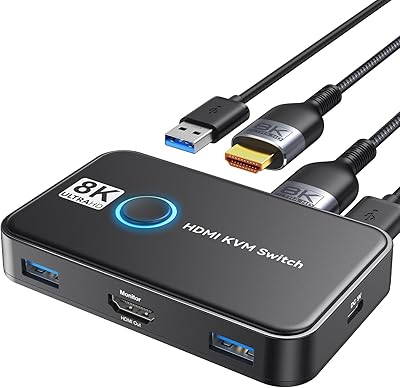
Viagkiki 2-Computer 1-Monitor KVM Switch