Overview

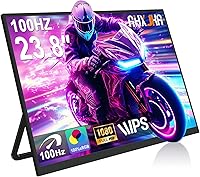
The AHXJKA S238 23.8″ Portable Monitor enters a crowded budget category with a larger-than-usual screen and an adjustable stand — two features that genuinely stand out at this price point. That said, calling a 6.24-pound display truly portable requires some qualification; this is more of a compact desk extender than something you would toss in a backpack without thinking twice. AHXJKA is a fresh name — the listing went live in April 2025 — so there is limited long-term ownership data to draw from. What we can assess are the specs, which are solid for the price without overpromising. Think of it as an entry-level workhorse, not a professional panel.

Features & Benefits

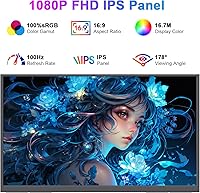
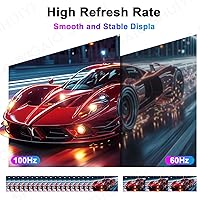
The S238 runs a Full HD IPS panel at 100Hz, which translates to smooth scrolling, decent motion handling for casual gaming, and wide 178° viewing angles that hold up when you reposition the stand. Color coverage hits 100% sRGB — genuinely useful for budget photo editing or design work — though at 250 nits of brightness, HDR mode is more of a checkbox than a true visual upgrade. Connectivity covers two USB-C ports and a Mini HDMI input, supporting MacBooks, Windows laptops, Android phones, and consoles. FreeSync compatibility is a welcome touch for gaming. Built-in speakers at 1W each are serviceable for system sounds but nothing more. VESA 75×75mm support adds mounting flexibility beyond the included stand.

Best For

This screen extender is a practical pick for remote workers and students who want a bigger working canvas without spending much. If you are bouncing between a coffee shop and a home office, the adjustable stand and wide port selection make setup quick regardless of what laptop or device you carry. Console gamers heading to a dorm or vacation rental will appreciate the HDMI input and the 100Hz panel. Creative professionals working on color-graded content can get reliable sRGB output without splurging on a premium display. It is less ideal for anyone who needs high brightness in a sunlit room, or buyers expecting a truly lightweight travel companion given the weight.

User Feedback

Early buyers of this portable monitor tend to highlight color accuracy and the stand as genuine strengths, with several noting the display looks better than the price suggests. The dual USB-C setup draws consistent praise from MacBook and Android users. On the flip side, recurring concerns include stand wobble at this screen size, and some buyers report USB-C power delivery incompatibilities with certain laptops. Brightness in well-lit rooms is a real limitation that comes up regularly. Packaging and arrival condition appear acceptable so far, though a newer brand always warrants some caution. Input lag for consoles gets mixed but generally positive marks from PS4 and PS5 owners who use it for casual gaming.

Pros

  • Full HD IPS panel with 100Hz refresh rate delivers smooth, sharp visuals well above what you would expect at this price.
  • 100% sRGB coverage makes this screen extender a capable choice for budget photo editing and color-sensitive design work.
  • Two USB-C ports plus a Mini HDMI input covers a wide range of devices without needing extra adapters.
  • FreeSync support reduces screen tearing noticeably during casual gaming sessions on compatible hardware.
  • The adjustable stand is a genuine differentiator — most monitors this size in this price range ship with fixed or flimsy supports.
  • VESA 75×75mm compatibility means you can wall-mount or arm-mount the S238 if the stand does not suit your setup.
  • Early buyers consistently praise out-of-box color accuracy, with many noting it looks better than the price implies.
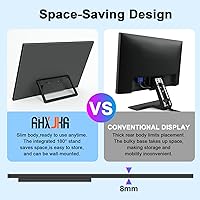
  • At just 8mm thin, the slim profile keeps the footprint manageable even on crowded desks.
  • The 12-month warranty and stated 24/7 support offer a reasonable safety net for a new brand entry.
  • Console users report acceptable input lag for casual PS4 and PS5 gaming, making it a practical dorm or travel display.

Cons

  • At 6.24 lbs, this portable monitor is noticeably heavier than compact travel-focused alternatives and will challenge small backpacks.
  • HDR support is nominal at 250 nits — do not expect any meaningful improvement over standard dynamic range content.
  • The 1W built-in speakers handle system sounds but produce thin, low-volume audio that will frustrate anyone expecting usable sound.
  • USB-C power delivery compatibility is inconsistent across devices — some laptop users report connection or charging issues worth researching before buying.
  • Stand wobble at this screen size has come up in early buyer feedback, which could be distracting on unsteady surfaces.
  • Brightness falls short in well-lit rooms or near windows, limiting its usefulness as a daytime office display without controlled lighting.
  • AHXJKA is a brand-new market entrant with no established long-term reliability track record yet, which adds some purchase risk.
  • Only one Mini HDMI port means legacy HDMI users will need an adapter, and cable availability for Mini HDMI is less convenient.
  • The 12-month warranty is standard but shorter than what more established monitor brands typically offer in this category.

Ratings

The AHXJKA S238 23.8″ Portable Monitor has been scored by our AI system after analyzing verified buyer reviews from global markets, with spam, bot-generated feedback, and incentivized reviews actively filtered out. The scores below reflect where this screen extender genuinely delivers and where real users have run into frustration — no sugar-coating, no padding. Both the standout strengths and the recurring pain points are represented transparently across every category.

Display Quality
83%
Users consistently praise the IPS panel for producing clean, accurate colors straight out of the box — a pleasant surprise at this price tier. The wide 178° viewing angles hold up well when the monitor is shared across a desk, and text clarity at 1920×1080 on a 23.8-inch screen is sharp enough for extended reading and coding sessions.
A handful of buyers note the panel can show slight backlight bleed in dark-room viewing, which is not unusual for budget IPS screens but worth knowing. Those coming from higher-end displays may also notice the brightness ceiling limits perceived contrast when ambient light increases.
Brightness & HDR
54%
46%
Indoor brightness in dim to moderate lighting is sufficient for everyday use — spreadsheets, video calls, and streaming look acceptable without eye strain in typical home office conditions. Some users report the display is comfortable for long work sessions in the evening.
At 250 nits, this screen extender falls short the moment you move near a window or work under strong overhead lighting. HDR mode is a recurring disappointment — buyers expecting the kind of dynamic range they see on modern TVs or premium laptops find almost no visible difference when HDR is toggled on, and several reviewers specifically flag this as misleading.
Color Accuracy
81%
19%
The 100% sRGB coverage is the panel's most praised technical attribute among creative users. Hobbyist photographers and graphic design students note that colors look vibrant and natural without needing manual calibration, which is genuinely uncommon at this price point.
The monitor lacks a factory calibration certificate, so unit-to-unit consistency cannot be guaranteed. A small segment of buyers doing more demanding color work report slight warm bias that required OSD adjustments before output matched their references.
Refresh Rate & Gaming
78%
22%
The 100Hz refresh rate makes a noticeable difference versus 60Hz alternatives — scrolling feels fluid, and casual gamers on PS4, PS5, and PC report smooth motion without distracting judder. FreeSync support further reduces tearing for compatible setups and is a welcome inclusion at this tier.
FreeSync only activates over USB-C with compatible AMD hardware, so console and Intel-based laptop users will not benefit from adaptive sync. A subset of PS5 users report that the monitor does not always auto-detect the console immediately on startup, requiring input source toggling.
Portability
58%
42%
The 8mm slim profile and relatively compact footprint make this screen extender easy to slide into a bag sleeve or carry under an arm between rooms or to a co-working space. The flat, sleek form factor is genuinely tidy for a 23.8-inch display.
At 6.24 lbs, daily commuting with this monitor is a legitimate burden — multiple reviewers who purchased it expecting a lightweight travel companion were caught off guard by the weight. It is better described as a relocatable desk monitor than a true on-the-go portable, and buyers comparing it to 15-inch portable panels feel the weight difference immediately.
Stand & Build
67%
33%
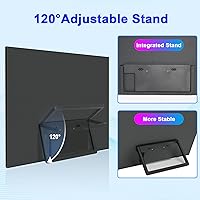
The adjustable stand is highlighted frequently as a differentiator — buyers appreciate that it offers real angle flexibility rather than the fixed-tilt kickstands common on competing budget models. Build materials feel sturdy enough for stationary desk use and the overall assembly feels intentional rather than cheap.
Wobble at this screen size is a recurring complaint, particularly on surfaces that are not completely level. The stand hinge feels adequate but not confidence-inspiring under repeated adjustment, and a few buyers report the stand loosening noticeably after several weeks of daily repositioning.
Connectivity
79%
21%
Two USB-C ports plus a Mini HDMI input cover a surprisingly wide range of devices — MacBook users, Android phone owners, and console gamers can all find a workable connection without needing a hub. The dual USB-C layout is especially appreciated by users who switch between a laptop and a phone throughout the day.
Mini HDMI is a less common cable format, and buyers without one on hand need to purchase an adapter or cable separately. USB-C power delivery compatibility is not universal — some users on specific laptop models report the monitor fails to draw power or display correctly, requiring troubleshooting or a dedicated adapter.
Audio
41%
59%
The dual built-in speakers cover the basics — system sounds, video call audio, and low-volume background music are all functional. For users who would otherwise need a separate Bluetooth speaker just to hear anything, having audio built in at all is a convenience.
Volume is low and audio quality is thin, with almost no bass and a noticeably tinny character at higher settings. Multiple reviewers are direct about this: the speakers are adequate for unmuting a video call and not much else, and anyone planning to watch movies or listen to music will want external audio within the first hour.
Ease of Setup
86%
Most buyers report a genuinely fast setup experience — plug in the USB-C cable to a compatible laptop and the monitor is recognized within seconds. The stand arrives pre-attached and requires no tools, which is appreciated by users who want to get working quickly without reading through a manual.
Users on older Windows machines or non-DisplayPort USB-C hubs occasionally hit driver or signal detection issues that require a restart or source switch to resolve. The Mini HDMI port sometimes needs a firm cable seat before the signal stabilizes, which a few buyers initially mistook for a defective unit.
Value for Money
88%
Across buyer feedback, value is the category where this portable monitor receives the most consistent praise. Getting a 23.8-inch IPS display with 100Hz, FreeSync, 100% sRGB, and a real adjustable stand at this price is difficult to argue with, and most buyers feel the product delivers more than the price tag suggests.
The value calculation shifts depending on expectations — buyers who factored in genuine portability or meaningful HDR feel slightly misled by the marketing framing. For buyers who knew exactly what they were getting, satisfaction is high; for those who read the listing casually, a few line items feel overstated.
Packaging & Arrival
72%
28%
The majority of buyers report the unit arrived well-packaged with no cosmetic damage, which matters for a newer brand still building a reliability reputation. The included accessories are neatly organized and the unboxing experience reads as considered rather than afterthought.
A small but notable number of reviewers report minor transit damage — typically to corner foam — that raised concern even when the panel itself was intact. As a newer brand, AHXJKA does not yet have the logistics track record of established names, and some buyers are watching closely for consistency.
Warranty & Support
69%
31%
The stated 12-month warranty and 24/7 customer support contact are reassuring for buyers on the fence about an unfamiliar brand. Early buyers who reached out to support report reasonably prompt responses and a cooperative attitude toward resolving issues.
Twelve months is shorter than the two or three years offered by established monitor brands in adjacent price categories. Since AHXJKA is a very new entrant, there is no long-term data on how warranty claims are actually handled at scale, which introduces a degree of uncertainty for buyers who prioritize post-purchase peace of mind.
Screen Uniformity
63%
37%
For the price range, screen uniformity is acceptable during everyday tasks — productivity work, browsing, and streaming show no severe hot spots or color shifts that most users would notice in typical use.
Critical users doing full-screen dark content or gradient-heavy design work report slight brightness inconsistency toward the lower corners, a known characteristic of budget IPS panels. It is not a dealbreaker for most buyers but will be noticeable to detail-oriented users.
OSD & Controls
71%
29%
The on-screen display menu is straightforward and easy to navigate, with settings for brightness, contrast, color temperature, and input selection accessible without a steep learning curve. Most users find what they need within a minute of first use.
The physical button placement on the rear edge of the monitor is awkward for users who have the screen positioned close to a wall, requiring them to reach behind the panel to make adjustments. A few buyers wish the controls were more tactile and easier to locate by feel alone.

Suitable for:

The AHXJKA S238 23.8″ Portable Monitor makes the most sense for people who want a noticeably larger secondary screen without spending much. Students running a laptop as their primary machine will get real productivity value from the extra display real estate, especially in dorms or shared spaces where a compact setup matters. Remote workers who alternate between home and a co-working space will appreciate the adjustable stand and the flexible port lineup — two USB-C inputs mean fewer dongles to juggle for MacBook or modern Windows laptop users. Budget-conscious creatives who need reliable sRGB color output for photo editing or light design work will find the panel punches above its price tier. Console gamers looking for a travel-friendly screen for a PS4 or PS5 setup — dorm rooms, hotel stays, a friend's place — will also find it a practical and affordable option.

Not suitable for:

Buyers expecting a genuinely ultralight, toss-it-in-your-bag travel monitor should know upfront that the S238 weighs over six pounds, which puts it in a different category from slim 15-inch portable panels designed for backpack use. Anyone working primarily in bright, sunlit offices or near windows will likely find the 250-nit brightness limiting — it is adequate in controlled lighting but struggles against ambient glare. The AHXJKA S238 23.8″ Portable Monitor is also not the right call for buyers hoping for a meaningful HDR experience; at this brightness level, HDR content will not look dramatically different from standard output. Professional video editors, photographers doing critical color grading, or anyone who relies on factory-calibrated accuracy for client work should invest in a display with verified color precision and higher brightness. Finally, buyers who prioritize long-term brand reliability and established customer support history may want to wait for more ownership data before committing, since AHXJKA only entered the market in early 2025.

Specifications

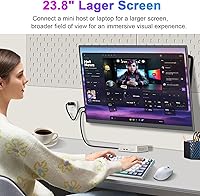
  • Screen Size: The display measures 23.8 inches diagonally, making it one of the larger options in the portable monitor category.
  • Resolution: Native resolution is 1920×1080 (Full HD), delivering sharp text and detailed images suitable for everyday productivity and casual media consumption.
  • Panel Type: An IPS panel is used, providing consistent color representation and wide 178° viewing angles both horizontally and vertically.
  • Refresh Rate: The screen runs at 100Hz, offering noticeably smoother motion than standard 60Hz displays for scrolling, video, and light gaming.
  • Brightness: Typical brightness is rated at 250 cd/m², which is adequate for indoor use in controlled lighting but limited in bright or sunlit environments.
  • Color Gamut: The panel covers 100% of the sRGB color space, making it a reliable choice for color-sensitive work at this price tier.
  • Contrast Ratio: A static contrast ratio of 2000:1 helps produce reasonably deep blacks and punchy visuals compared to lower-grade TN panels.
  • Response Time: Rated at 1ms response time, which minimizes motion blur during fast-paced content and casual gaming sessions.
  • Connectivity: The monitor includes two USB-C ports for video and data and one Mini HDMI port, covering a broad range of modern laptops, phones, and consoles.
  • HDR Support: HDR mode is supported, though practical impact is limited given the 250 cd/m² brightness ceiling — best treated as a basic implementation rather than a true HDR experience.
  • Speakers: Two built-in 1W speakers provide basic audio output for notifications and media, but are not intended as a primary listening solution.
  • Adaptive Sync: AMD FreeSync is supported, reducing screen tearing when paired with compatible graphics hardware during gaming.
  • VESA Compatibility: The monitor supports the VESA 75×75mm mounting standard, allowing use with compatible wall mounts and monitor arms.
  • Profile Thickness: The chassis measures approximately 8mm at its thinnest point, giving the unit a slim side profile despite its large screen size.
  • Dimensions: Overall dimensions are approximately 21.34 inches wide by 12.64 inches tall by 0.4 inches deep, not including the stand.
  • Weight: The unit weighs 6.24 lbs, which is heavier than compact 15-inch portable monitors and worth considering for travel use cases.
  • Power Input: The monitor operates at 5V, typically powered via USB-C connection from a host device or a compatible USB-C power adapter.
  • Aspect Ratio: Standard 16:9 widescreen aspect ratio, compatible with virtually all modern video formats and operating system display configurations.
  • VESA Mount Size: Mount hole spacing follows the 75×75mm VESA standard, compatible with a wide range of third-party monitor arms and wall brackets.
  • Warranty: AHXJKA provides a 12-month manufacturer warranty along with stated 24/7 customer support for technical and after-sales assistance.

Related Reviews
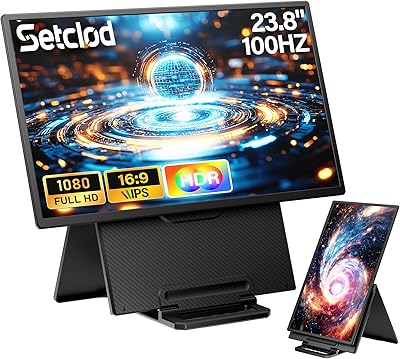
Setclod D1 23.8″ Portable Monitor
74%
91%
Screen Size & Usability
88%
Display Quality
34%
Portability & Weight
86%
Setup & Connectivity
51%
Power Requirements
More
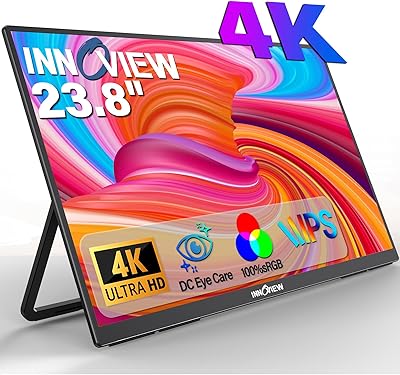
InnoView PM608 23.8-inch 4K Portable Monitor
76%
91%
Image Sharpness
88%
Color Accuracy
54%
Portability & Weight
83%
Stand & Flexibility
76%
USB-C Connectivity
More
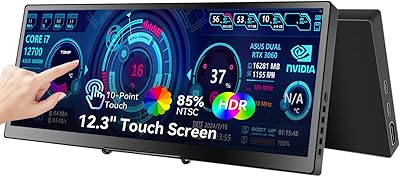
Prechen HD-123 12.3-inch Portable Touchscreen Monitor
67%
78%
Display Clarity
74%
Touch Responsiveness
61%
Connectivity Setup
88%
AIDA64 Integration
83%
Build Quality
More
VisionOwl V-Y23QH 23.8-Inch Portable Monitor
76%
88%
Image Quality
86%
Build Quality
83%
Gaming Performance
62%
Portability
58%
Brightness
More
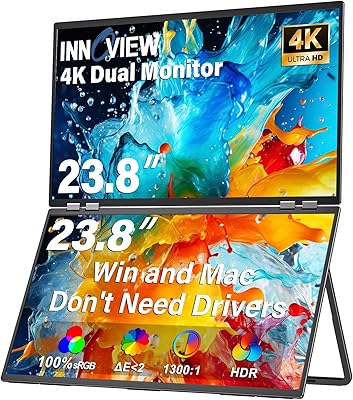
InnoView 23.8″ Dual Portable Monitor 4K
82%
91%
Display Quality
88%
Portability & Design
94%
Ease of Setup
87%
Connectivity Options
82%
Build Quality
More
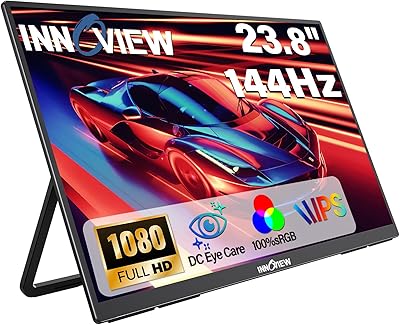
InnoView 23.8-inch 144Hz Portable Monitor
79%
88%
Display Quality
83%
Refresh Rate Performance
61%
Portability & Form Factor
86%
Stand & Ergonomics
79%
Connectivity & Compatibility
More
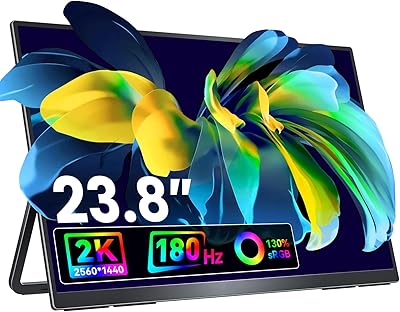
Redalf 23.8-inch 2K 180Hz Portable Monitor
86%
88%
Display Quality
92%
Portability
90%
Gaming Performance
85%
Compatibility
91%
Ease of Setup
More
ASUS BE24EQK 23.8-inch Business Monitor
76%
83%
Built-in Webcam Convenience
76%
Microphone Quality
78%
Display Image Quality
88%
Eye Comfort
81%
Value for Money
More
Dell S2425HS 23.8-inch FHD Monitor
84%
88%
Image & Color Accuracy
83%
Refresh Rate & Motion Smoothness
91%
Eye Comfort & Blue Light Reduction
93%
Ergonomics & Stand Adjustability
87%
Build Quality & Materials
More
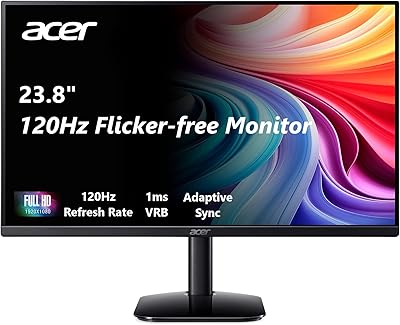
Acer KB242Y 23.8-inch IPS Monitor
75%
83%
Image Quality
88%
Refresh Rate & Smoothness
71%
Response Time
81%
Color Accuracy
58%
Brightness
More

FAQ

It depends on your MacBook model. If your MacBook supports video output over USB-C or Thunderbolt, a single USB-C cable should handle both video signal and power to the monitor simultaneously. Newer MacBook Air and Pro models from the last few years generally support this, but it is worth confirming your specific model supports DisplayPort Alt Mode over USB-C before assuming it will work plug-and-play.

Yes, the Mini HDMI port is your connection point for a PS4 or PS5 — you will just need a standard HDMI to Mini HDMI cable, which is a common and inexpensive accessory. The 100Hz panel and 1ms response time make it a reasonable option for casual console gaming, and FreeSync will not activate over HDMI with PlayStation consoles, but most players report the experience is smooth enough for everyday play.

At 6.24 lbs, this is noticeably heavier than the ultra-slim portable monitors designed specifically for backpack commuting. It is better suited as a semi-portable desk extender you transport occasionally — say, between home and an office a few times a week — rather than something you would comfortably carry every day alongside a laptop and other gear.

Honestly, not dramatically so. HDR requires high peak brightness to produce a meaningful visual difference, and at 250 nits this monitor does not have the headroom to deliver the contrast pop you see on true HDR panels. HDR mode will not hurt anything, but do not expect it to look like content on a high-end TV or premium laptop screen — it is a supported feature rather than a standout one.

Based on early buyer reports, the stand is functional and a genuine step up from fixed-angle alternatives common at this price point, but some users with larger desks or uneven surfaces have noted wobble at this screen size. If stability is critical for you — say, you type heavily or bump your desk often — pairing it with a VESA arm is a practical upgrade since the monitor supports 75×75mm mounting.

The monitor operates at 5V, so a standard USB-C charger or power bank that supports 5V output will typically power it. In many setups, the host laptop or device supplies the power through the USB-C connection without needing a separate adapter. That said, power delivery behavior can vary between devices, so if you encounter issues, try a dedicated 5V USB-C adapter before assuming the monitor is faulty.

For hobbyist photo editing, the 100% sRGB panel is a solid foundation at this price. Most buyers report color looks good straight out of the box without needing manual calibration. It is not a factory-calibrated professional display, so if you are doing client-facing print work that demands tight Delta-E accuracy, you would want something with verified calibration data — but for personal projects and casual editing it performs well above expectations for the price.

Yes, as long as your Android phone supports video output over USB-C — which many mid-range and flagship phones from the last few years do via DisplayPort Alt Mode. Simply connect your phone to one of the USB-C ports and your phone should detect the external display. Note that not all Android phones support this, so check your device specifications under display output or USB-C video capabilities first.

They work, but keep expectations in check. The two 1W speakers produce enough volume for a quiet room and are fine for background audio or video calls, but they lack bass and can sound thin at higher volumes. If you plan to watch movies or listen to music regularly, a pair of headphones or an external Bluetooth speaker will make a noticeable difference.

AHXJKA is a new entrant that only appeared on the market in early 2025, so there is not a long track record to evaluate yet. The 12-month warranty and stated customer support are reasonable safety nets, and early buyer feedback has been generally positive with no widespread reports of DOA units or poor build quality. As with any newer brand, it is reasonable to be a little cautious — read the most recent reviews before purchasing and make sure you understand the return policy through your retailer.