Overview

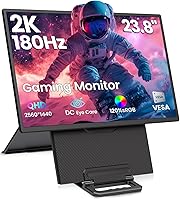
The Redalf D1 23.8″ 2K 180Hz Portable Monitor occupies an interesting middle ground — marketed as portable, yet at just over ten pounds and nearly two feet wide, it behaves more like a flexible secondary display than a true travel companion. That size distinction actually works in its favor for hybrid workers and mobile gamers who want a genuinely usable screen without hauling a full desktop setup. Redalf is a newer brand, so credibility here rests on verifiable specs rather than reputation. What stands out immediately is the magnetic detachable stand, which separates it from the sea of kickstand-based competitors. Just temper your expectations around backpack portability — this is more desk-to-desk than airport-lounge practical.
Features & Benefits

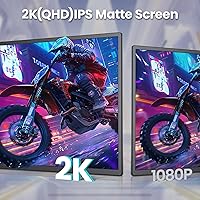
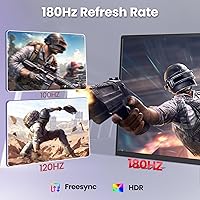
The display itself is where this portable monitor earns its keep. The IPS panel delivers sharp QHD resolution — roughly 1440p — with color coverage pushing well beyond the standard sRGB baseline, making images look genuinely rich rather than washed out. A 180Hz refresh rate paired with FreeSync keeps fast motion clean and responsive, whether you are in a tense multiplayer match or scrubbing through video edits. Connectivity is handled by two full-featured USB-C ports and a Mini-HDMI output, covering most modern laptops, phones, and consoles. The stand also rotates to portrait orientation, useful for reading long documents or coding. Built-in speakers and a headphone jack round out the package nicely.

Best For

This 23.8″ display hits a sweet spot for a fairly specific type of user. Remote and hybrid workers who regularly set up at client offices or co-working spaces will appreciate the genuine screen real estate — this is not the cramped 15-inch experience. Gamers with a PS4, PS5, or Xbox who want a dedicated screen without a full monitor arm setup will find the high refresh rate and FreeSync genuinely useful. Nintendo Switch owners should note the Switch 2 only works via HDMI, not USB-C, so plan accordingly. Content creators needing reliable color output on location will value the wide gamut coverage, and anyone managing tall dashboards will benefit from portrait mode flexibility.

User Feedback

Early buyers of the Redalf D1 consistently praise image quality — color accuracy and vibrancy get positive mentions, and most find the 1440p sharpness noticeably better than Full HD alternatives at this size. That said, weight is a recurring point of friction. Several buyers noted it is heavier than expected for something labeled portable, which is a fair criticism worth factoring into your decision. USB-C power delivery also draws mixed reports — a few users found they needed to actively manage the power connection to avoid dropped signals. Stand stability in portrait mode receives split opinions. On balance, most buyers feel the value proposition holds up given the spec sheet, though expectations around true portability should be set realistically from the start.

Pros

  • Sharp QHD resolution makes a visible difference over 1080p, especially on a 23.8-inch panel at normal viewing distance.
  • The 180Hz refresh rate keeps fast gameplay fluid and noticeably reduces motion blur during competitive sessions.
  • FreeSync support eliminates screen tearing without requiring additional software configuration.
  • Dual USB-C ports offer genuine connection flexibility for laptops, tablets, and compatible phones simultaneously.
  • Wide sRGB color coverage delivers accurate, vibrant output that holds up well for photo and video review work.
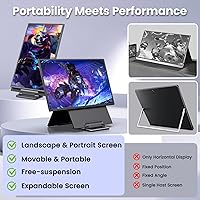
  • The magnetic detachable stand is a practical differentiator — height adjustment and portrait mode without a separate arm.
  • Built-in speakers and a headphone jack mean fewer accessories needed for casual work or entertainment setups.
  • Matte screen surface handles ambient light reasonably well, reducing glare in typical office environments.
  • Broad console compatibility covers PS4, PS5, Xbox, and Nintendo Switch via HDMI out of the box.
  • Most buyers report a straightforward plug-and-play setup with minimal driver friction across major operating systems.

Cons

  • At over ten pounds, this portable monitor is significantly heavier than most competitors in its category.
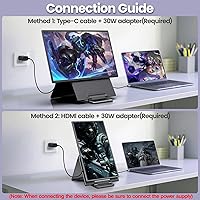
  • The mandatory power supply requirement limits true one-cable USB-C convenience that many buyers expect.
  • Redalf is a newer brand with limited long-term reliability data, which may concern risk-averse buyers.
  • Nintendo Switch 2 users are restricted to HDMI only — USB-C input is not supported on that console.
  • 300 nits of brightness is adequate indoors but can feel limiting in brighter environments or near windows.
  • Stand stability in portrait mode has drawn mixed feedback, with some users reporting minor wobble under adjustment.
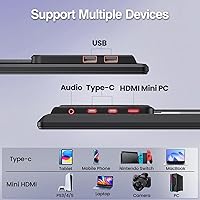
  • The Mini-HDMI port requires an adapter or specific cable that may not be included or already owned.
  • At this size and weight, fitting the display into a standard laptop bag or backpack is genuinely difficult.
  • USB-C power delivery reliability has been inconsistent for a subset of users, occasionally causing signal drops.

Ratings

The scores below reflect an AI-driven analysis of verified global buyer reviews for the Redalf D1 23.8″ 2K 180Hz Portable Monitor, with spam, bot activity, and incentivized feedback actively filtered out to ensure honest results. Ratings span both the strengths that consistently impressed real users and the friction points that caused genuine frustration — nothing is glossed over.

Image Quality
88%
Buyers frequently call out the sharpness of the QHD panel as a clear step up from the 1080p displays they replaced, especially noticeable when working with spreadsheets, detailed photos, or fast-moving game visuals. The wide color coverage earns consistent praise from photographers and video editors reviewing work on location.
A small number of users noted that HDR performance does not feel dramatically different from SDR content in practice, suggesting the HDR implementation is functional but not particularly deep. Calibration out of the box also varies slightly unit to unit based on some buyer reports.
Refresh Rate & Smoothness
91%
The 180Hz experience is a genuine highlight for competitive gamers — users switching from 60Hz panels specifically mention how much more responsive the display feels during fast-paced shooters and action titles. FreeSync support further cleans up tearing without any complicated setup required.
Hitting the full 180Hz requires a GPU capable of pushing that output over USB-C or HDMI, and some buyers discovered their older laptops could not reach the advertised ceiling without tweaking driver settings. At lower frame rates, the advantage narrows considerably.
Portability
58%
42%
For users moving between a home setup and a fixed office location a few times a week, the monitor handles that desk-to-desk workflow comfortably. The magnetic stand detaches cleanly, which does speed up packing and repositioning compared to monitors with fixed stands.
At over ten pounds, this is one of the heavier displays in the portable category, and several buyers expressed frustration that the product labeling set unrealistic expectations. Fitting it into a standard laptop backpack is not practical, and carrying it for extended periods without a dedicated bag is genuinely uncomfortable.
Stand & Ergonomics
72%
28%
The magnetic detachable mechanism is genuinely clever — height adjustment and portrait rotation in a single stand design is not common at this price tier, and users who regularly switch between landscape and portrait layouts appreciated the flexibility. Setup takes seconds once you understand the attachment system.
Portrait mode stability draws the most criticism of any physical feature, with a meaningful subset of buyers noting wobble when the display is rotated and height-adjusted simultaneously. On uneven surfaces, the stand feels less secure than a traditional fixed-arm design.
Connectivity
83%
Having two full-featured USB-C ports alongside Mini-HDMI covers a wide range of real-world devices — from MacBooks and Android phones to PS5 and Xbox consoles — without needing a hub or dock for most common setups. Most users found connecting their primary device straightforward on the first try.
The Mini-HDMI port requires a specific cable that not everyone already owns, and some buyers were caught off guard by this on arrival. USB-C power delivery reliability also drew complaints, with a subset of users experiencing occasional signal drops when running on laptop power alone without a dedicated charger.
Color Accuracy
84%
Content creators and designers working away from their main studios noted that color looked consistent and vibrant without needing significant manual calibration, which is a meaningful advantage when working to a deadline. The wide sRGB coverage holds up well for photo editing and casual graphic work.
Professional colorists or print-focused designers expecting display-grade Delta-E accuracy out of the box may find the panel requires profiling to meet their standards. It is very capable for general creative work, but it is not positioned as a color-critical reference monitor.
Brightness & Glare Handling
69%
31%
The matte coating does a solid job diffusing reflections under standard office fluorescent lighting or warm home setups, and most users working indoors reported no significant glare issues during their daily workflow. For desk use with controlled lighting, 300 nits feels adequate.
Users who work near large windows or in brightly lit environments consistently flagged the brightness ceiling as a limitation, with the image appearing washed out during peak daylight hours. Outdoor use is essentially impractical, and even bright café environments push the display close to its limits.
Built-in Audio
61%
39%
Having onboard speakers at all is a practical bonus for a display at this size — buyers using the monitor for casual video calls, YouTube, or background audio during work sessions found them serviceable enough to avoid reaching for external speakers every session.
Anyone expecting full-sounding audio from the built-in speakers will be disappointed; volume and clarity are limited, and bass is essentially absent. The speakers work as a fallback option, but most users migrated to the headphone jack or external audio fairly quickly after setup.
Setup Experience
81%
19%
The majority of buyers on Windows and macOS reported the monitor recognized and configured itself without driver installation, which is exactly what you want from a display marketed toward people moving between workspaces. Plug-in and go worked as described for most common device pairings.
A minority of users — particularly those on older systems or specific Linux builds — ran into recognition issues that required manual resolution adjustments or driver updates. USB-C behavior in particular was less predictable across all device types than the marketing implied.
Build Quality
76%
24%
The overall construction feels solid for the price tier — there is no excessive flex in the panel housing, and the matte finish resists fingerprints and minor handling marks reasonably well during repeated setup and pack-down cycles. For a newer brand, the fit and finish exceeded some buyers expectations.
A few users reported minor cosmetic inconsistencies such as uneven bezel gaps or slightly misaligned stand magnets on arrival, suggesting quality control is not yet perfectly consistent across units. The plastic housing also feels less premium than established monitor brands at a similar price.
Console Compatibility
77%
23%
PS4, PS5, and Xbox users found the HDMI connection reliable and appreciated having a dedicated display option that did not require a full desktop monitor purchase. The high refresh rate and FreeSync support gave console gaming a noticeably smoother feel compared to standard TV displays.
Nintendo Switch 2 owners face a hard limitation — USB-C is not supported on that console, and this fact is easy to overlook in the product listing. Original Switch users are fine via USB-C, but the newer model restriction affected buyers who specifically purchased this for that use case.
Value for Money
74%
26%
Buyers who contextualized the QHD resolution, 180Hz refresh rate, and flexible stand against competing portable monitors at a similar price generally felt the specification-to-cost ratio was reasonable. For users who needed both the work and gaming capability in one display, the overall package held up.
A portion of buyers felt the portability label inflated the perceived value — if you primarily need a second screen for a fixed desk, more established desktop monitor brands offer better long-term confidence at a comparable spend. The newer brand status also left some buyers uncertain about warranty support quality.
Portrait Mode Usability
66%
34%
Developers and writers who tried portrait orientation for coding or long-document editing responded positively to the concept, and the 90-degree rotation works smoothly enough in landscape-to-portrait transitions when the display is on a flat, stable surface.
The stand wobble issue is most pronounced in portrait mode, which undermines confidence in the feature for users who planned to rely on it heavily. Some buyers also noted that portrait height adjustment range is more limited than expected, making ergonomic positioning harder for taller desk setups.
Thermal Performance
79%
21%
Under extended gaming or productivity sessions, the display runs warm but not uncomfortably hot, and no buyers reported thermal throttling affecting display performance during regular use. Passive cooling appears sufficient for the workloads this monitor is designed to handle.
During prolonged high-refresh gaming over several consecutive hours, a small number of users noted the panel housing became noticeably warm to the touch at the lower center. This was not reported as a functional issue, but it did raise mild concerns for some users about long-term component longevity.

Suitable for:

The Redalf D1 23.8″ 2K 180Hz Portable Monitor is a strong fit for hybrid professionals who regularly work from multiple locations and need a dependable second screen that goes beyond what a cramped laptop display can offer. If you're the kind of person who hot-desks between a home office and a co-working space a few times a week, the size and stand flexibility here genuinely pay off. Console gamers who want a high-refresh dedicated screen for their PS4, PS5, or Xbox — without mounting a full desktop monitor — will appreciate the smooth frame handling and FreeSync support. Content creators who need color-accurate output away from their main studio will find the wide sRGB coverage reassuring for on-location work. The portrait rotation also makes it a practical choice for developers or anyone who spends long sessions reading tall documents or managing vertical layouts.
Not suitable for:

Buyers expecting a lightweight, slip-into-your-bag travel monitor will likely be disappointed — at over ten pounds and nearly two feet wide, this is not that product. If your definition of portable means something you carry through an airport or set up on a café table, this display will feel unwieldy and impractical. The Redalf D1 23.8″ 2K 180Hz Portable Monitor also requires an active power supply connection, so users hoping to run it purely off a single USB-C cable from a laptop may encounter reliability issues. Nintendo Switch 2 owners should be aware that USB-C input is not supported on that console, meaning HDMI is the only viable connection route. Anyone on a tight budget expecting a proven, brand-name display experience may also want to weigh the newer brand status against established alternatives before committing.
Specifications

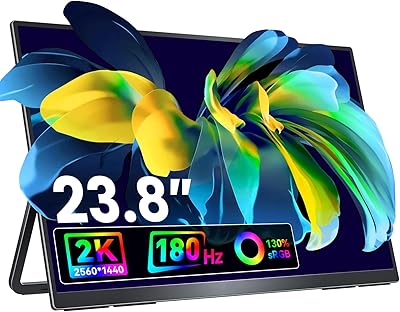
  • Screen Size: The display measures 23.8 inches diagonally, making it notably larger than most monitors marketed as portable.
  • Resolution: Native resolution is 2560×1440 QHD, delivering meaningfully sharper detail than a standard 1080p panel at this screen size.
  • Refresh Rate: The panel runs at up to 180Hz, supporting fluid motion in fast-paced gaming and smooth scrolling in productivity workflows.
  • Panel Type: An IPS panel is used, which provides consistent color accuracy and wide viewing angles compared to TN alternatives.
  • Color Gamut: Color coverage reaches 120% of the sRGB standard, enabling vibrant and accurate color reproduction for creative and general use.
  • Brightness: Peak brightness is rated at 300 nits, suitable for indoor and moderately lit environments but not ideal for direct sunlight use.
  • HDR Support: HDR is supported, allowing compatible content to display a broader range of highlights and shadow detail.
  • Adaptive Sync: AMD FreeSync is supported, synchronizing the display refresh rate with compatible GPU output to reduce screen tearing.
  • Connectivity: The monitor includes two full-featured USB-C ports and one Mini-HDMI port for broad device compatibility.
  • Audio: Built-in stereo speakers and a 3.5mm audio jack are included, removing the need for external speakers in casual use scenarios.
  • Stand Design: The stand is magnetically detachable and supports height adjustment, making it repositionable without tools.
  • Portrait Mode: The display supports a 90-degree left rotation into portrait orientation, useful for coding, document review, or vertical content.
  • Screen Surface: The matte screen coating reduces glare and surface reflections under typical office or home lighting conditions.
  • Aspect Ratio: The panel uses a standard 16:9 widescreen aspect ratio, compatible with virtually all modern content formats.
  • Weight: The unit weighs approximately 10 pounds, which is considerably heavier than most monitors described as portable or travel-friendly.
  • Dimensions: Overall dimensions are approximately 24 inches wide, 15 inches tall, and 3 inches deep when assembled with the stand.
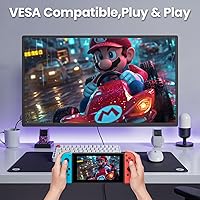
  • VESA Mounting: The monitor supports VESA mounting, allowing it to be attached to compatible monitor arms or wall mounts as an alternative to the stand.
  • Brand & Model: This display is manufactured by Redalf under the model designation D1, a newer brand focused on the portable monitor segment.

Related Reviews
VisionOwl V-Y23QH 23.8-Inch Portable Monitor
76%
88%
Image Quality
86%
Build Quality
83%
Gaming Performance
62%
Portability
58%
Brightness
More
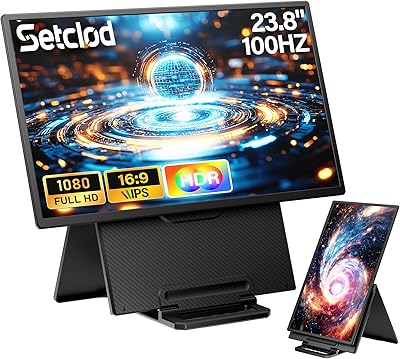
Setclod D1 23.8″ Portable Monitor
74%
91%
Screen Size & Usability
88%
Display Quality
34%
Portability & Weight
86%
Setup & Connectivity
51%
Power Requirements
More
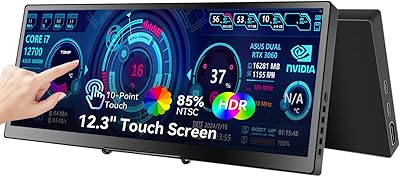
Prechen HD-123 12.3-inch Portable Touchscreen Monitor
67%
78%
Display Clarity
74%
Touch Responsiveness
61%
Connectivity Setup
88%
AIDA64 Integration
83%
Build Quality
More
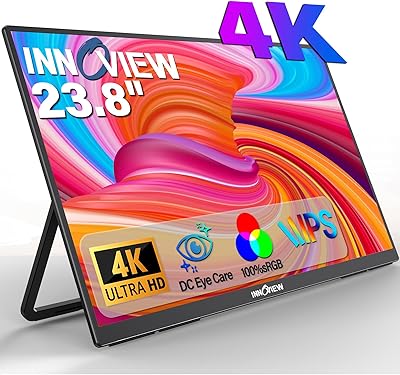
InnoView PM608 23.8-inch 4K Portable Monitor
76%
91%
Image Sharpness
88%
Color Accuracy
54%
Portability & Weight
83%
Stand & Flexibility
76%
USB-C Connectivity
More
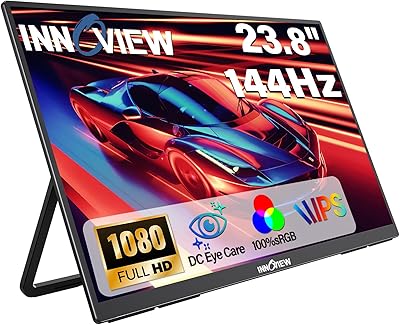
InnoView 23.8-inch 144Hz Portable Monitor
79%
88%
Display Quality
83%
Refresh Rate Performance
61%
Portability & Form Factor
86%
Stand & Ergonomics
79%
Connectivity & Compatibility
More
InnoView 23.8″ Dual Portable Monitor 4K
82%
91%
Display Quality
88%
Portability & Design
94%
Ease of Setup
87%
Connectivity Options
82%
Build Quality
More
InnoView INVPM609 23.8″ Dual Portable Monitor
79%
88%
Display Clarity
91%
Color Accuracy
74%
Build Quality
63%
Brightness
93%
Setup Experience
More
Eyoyo EM12-2K 12-inch 2K Portable Monitor
75%
88%
Image Sharpness
79%
Color Accuracy
83%
Build Quality
91%
Portability
67%
Stand & Mounting Versatility
More
Upperizon U16LS 16″ 2K Portable Monitor
74%
91%
Display Sharpness
83%
Color Accuracy
89%
Portability
78%
Refresh Rate Performance
86%
Setup & Ease of Use
More
KEEPTIME P142 14-inch Portable Monitor
75%
88%
Display Sharpness
83%
Color Accuracy
93%
Portability
86%
Connectivity
61%
Brightness & Glare
More

FAQ

You can connect via USB-C, but the listing specifically notes that a power supply must be connected for reliable operation. In practice, relying solely on your laptop's USB-C output to both power and drive the display can cause signal instability, so having a dedicated power source on hand is a good idea.

The original Switch and Switch Lite work via USB-C, but the Nintendo Switch 2 only supports HDMI input — USB-C is not compatible with that console. If you own a Switch 2, you will need a Mini-HDMI cable or adapter to connect it properly.

Honestly, it depends on your definition of portable. At just over ten pounds and nearly two feet wide, it does not fit comfortably in a standard laptop backpack. It works well for moving between a home desk and an office, but it is not designed for daily commuter or airport use.

Based on product details, the monitor ships with the necessary cables for basic setup, but buyers should verify whether a Mini-HDMI cable is included since that port type often requires a separate cable. It is worth confirming before your first setup day.

The PS5 supports up to 4K output, but this display caps at 1440p, so the console will output at the monitor's native resolution. You will get a clean, sharp image — just not 4K. The high refresh rate support will also depend on your PS5 settings and the game being played.

User feedback on this is mixed. Most people find it solid enough for standard landscape use, but portrait mode stability gets more variable reviews — a few buyers noted some wobble when adjusting height at a rotated angle. If stand rigidity is a priority, testing it on a flat, even surface is recommended.

Yes, the dual USB-C ports support connection from compatible Android phones that carry a full-featured USB-C output. iPhone users would need a compatible adapter. Screen mirroring and extended display support depend on your phone model's capabilities rather than the monitor itself.

It is adequate for a typical indoor office environment, but if your desk sits directly in front of a sunny window, you may find the image looking washed out at certain times of day. The matte coating helps reduce surface glare, which partially compensates for the moderate brightness ceiling.

Most buyers report a straightforward plug-and-play experience on both Windows and macOS without additional driver installation. A small number of users encountered minor compatibility issues, but these appear to be edge cases rather than a consistent pattern.

Yes, VESA mounting is supported, so you can attach it to any compatible monitor arm or wall mount bracket. This is actually a good option if you want a more stable setup or need to free up desk space, since the magnetic stand, while convenient, is not as rigid as a dedicated arm.