Overview

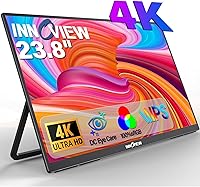
The InnoView PM608 23.8-inch 4K Portable Monitor sits in an interesting spot in the portable display market — it's significantly larger than most travel monitors, which typically top out around 15 or 16 inches, yet it still positions itself as something you can pack up and move around. That size difference is real and noticeable when you're working with it. InnoView isn't a household name like LG or ASUS, but they've built a credible presence in the portable monitor segment. At this price tier, you're paying for the combination of screen real estate, resolution, and stand flexibility — not brand recognition. Treat this as a dedicated second screen that can travel, not an ultralight daily companion.
Features & Benefits

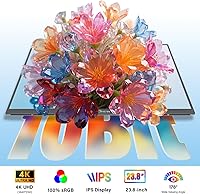
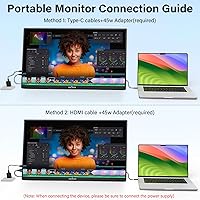
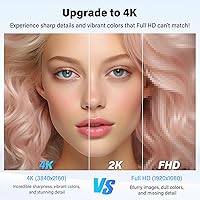
The 4K IPS panel on this 23.8-inch travel monitor is where it earns its asking price. At 3840×2160 across a 23.8-inch display, pixel density is noticeably crisp — text is sharp, fine photo detail holds up well, and the 100% sRGB coverage means colors don't look washed out or artificially pumped. For designers or photo editors reviewing work away from their studio, that color accuracy matters in a way a generic 1080p portable simply can't match. The 180-degree kickstand is genuinely flexible, supporting desk use, wall mounting, or partition hook setups. USB-C single-cable connectivity handles both power and signal from most modern laptops, while HDMI covers consoles and older hardware. The built-in speakers are modest but functional.

Best For

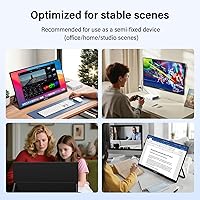
This large portable monitor makes the most sense for people who need a proper second screen but can't always work at the same desk. Remote workers and hybrid professionals bouncing between home, office, and client sites will get real mileage here. Creatives doing field work or client-facing reviews will appreciate the color fidelity that a generic 1080p panel simply can't offer. Console gamers wanting a bigger screen for Switch or PS5 sessions without buying a full TV will find the 23.8-inch panel satisfying. Students with cramped setups can wall-mount or hook it to a partition. At 7.58 lbs, though, this is not a lightweight everyday carry — pack it with intention.

User Feedback

The InnoView 4K display holds a 4.2 out of 5 average, and the most consistent praise centers on image sharpness and how much better text and photos look compared to a typical 1080p portable. Buyers also respond well to the kickstand's sturdiness and versatility in real-world setups. The recurring criticism, though, is hard to dismiss: at 7.58 lbs, this is one of the heavier options in its category, and some buyers feel the listing undersells that reality. A handful of users report minor compatibility hiccups with power delivery over USB-C on certain laptops, and the HDMI connection tends to be more reliably plug-and-play in those cases. Negative reviews skew toward unmet portability expectations rather than actual display or build quality failures.

Pros

  • Sharp, detailed 4K image quality that genuinely stands out compared to 1080p portable monitors at this size.
  • 100% sRGB color accuracy makes this large portable monitor a credible tool for color-sensitive creative work.
  • The 23.8-inch panel offers far more working space than the typical 15-inch travel display.
  • Matte screen coating handles office and outdoor glare without washing out the image.
  • USB-C single-cable setup works cleanly with most modern MacBooks and Windows laptops.
  • The 180-degree kickstand is sturdy and genuinely versatile — desk, wall-mount, and partition hook all hold up in practice.
  • HDMI connectivity makes console hookups straightforward with no adapter hassle.
  • Built-in speakers handle video calls and casual media without needing external audio gear.
  • VESA 75×75mm compatibility gives you a permanent mounting option if you want a fixed secondary display at a desk.
  • Buyers consistently praise build quality as feeling solid relative to the price tier.

Cons

  • At 7.58 lbs, this is one of the heavier portable monitors available — daily commuters will feel that weight.
  • Only one USB port limits flexibility when you need to daisy-chain accessories or displays.
  • USB-C power delivery compatibility varies across laptops, and some users report needing to switch to HDMI to resolve connection issues.
  • The 60Hz refresh rate is a ceiling — not a dealbreaker for most, but a limitation for high-refresh gaming or fast-motion video work.
  • The 23.8-inch footprint requires a meaningfully larger bag or dedicated sleeve that not all laptop bags accommodate.
  • InnoView lacks the established support infrastructure of major monitor brands, which can matter if warranty service is needed.
  • No built-in brightness or resolution adjustment buttons are reported as intuitive by all users — controls can feel fiddly.
  • At this weight and size, calling it a travel monitor oversells the portability; buyers expecting ultralight convenience will be disappointed.

Ratings

The scores below reflect an AI-driven analysis of verified global buyer reviews for the InnoView PM608 23.8-inch 4K Portable Monitor, with spam, bot activity, and incentivized feedback actively filtered out before scoring. Each category is rated on real-world user experience — not spec sheets — so both the genuine strengths and the recurring frustrations are represented transparently.

Image Sharpness
91%
Buyers consistently single out the 4K resolution as a genuine differentiator at this screen size. Designers reviewing photos on location and remote workers switching from 1080p laptops both report that text and fine detail look noticeably crisper, making extended reading and detailed creative work significantly more comfortable.
A small number of users note that without HDR support, very dark scenes in movies or games can feel flat despite the sharp pixel structure. The sharpness advantage is most apparent up close — at greater viewing distances, the gains over 1440p become harder to perceive.
Color Accuracy
88%
The 100% sRGB panel earns consistent praise from photographers and designers who use this large portable monitor for client-facing work and field reviews. Colors read as natural and consistent rather than oversaturated, which matters when you need what you see on screen to match what gets printed or published.
Without factory calibration data or a Delta E rating provided, color-critical professionals need to run their own calibration before trusting it for precision work. A few buyers also note that brightness uniformity across the panel edges is not perfectly even, which shows up in solid-color backgrounds.
Portability & Weight
54%
46%
At 23.8 inches, this display offers significantly more screen real estate than the compact travel monitors most people are used to, and some buyers appreciate the tradeoff — they wanted a real second screen, and the size delivers that convincingly. The built-in carry handle at least makes moving it around a desk or between rooms reasonably convenient.
At 7.58 lbs, this is among the heaviest options in the portable monitor category, and it's the single most common complaint in user reviews. Daily commuters who imagined slipping it into a laptop bag alongside their notebook quickly discover this requires its own bag or a very large, padded carry solution.
Stand & Flexibility
83%
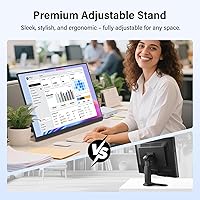
The 180-degree kickstand gets strong marks for holding its angle reliably during desk use, and the VESA 75×75mm compatibility opens up third-party arm and wall-mount options for users who want a more permanent or adjustable setup. Buyers who use it on a partition hook in shared office spaces particularly appreciate the out-of-the-box mounting flexibility.
On very smooth or glass desks, some users find the monitor shifts if nudged, since there is no rubber grip base to anchor it securely. The kickstand mechanism feels solid to most buyers, but a handful report it loosening slightly with repeated daily angle adjustments over weeks of use.
USB-C Connectivity
76%
24%
Single-cable USB-C operation — handling both video and power — works reliably for the majority of MacBook and modern Windows laptop owners, which is a genuine convenience for a setup-and-go workflow. Users who work from hotel rooms or temporary desks particularly value not needing to manage a separate power brick for the monitor.
USB-C compatibility is not universal, and a consistent subset of buyers reports power delivery issues with certain laptops that require switching to HDMI to resolve. This is not unique to this monitor, but with only one USB port available there is no fallback hub solution, leaving affected users dependent on HDMI for reliable daily use.
Build Quality
79%
21%
The chassis feels solid relative to its price tier, and most buyers describe the overall construction as reassuringly sturdy for a display that gets moved around. The slim 0.64-inch profile does not feel flimsy, and the materials hold up well against the minor bumps of regular travel between home and office.
A few users note that the rear plastic panel picks up fingerprints and light scratches more readily than expected, and the absence of a protective sleeve in the box means buyers need to source their own. The build quality impression is good but not quite premium — it reads as mid-range rather than a tier-one display brand in hand.
HDMI Compatibility
84%
Connecting gaming consoles via HDMI is reliably plug-and-play across PS5, PS4, Xbox, and the Nintendo Switch dock, with no adapter or settings changes required. Console gamers who use this 23.8-inch travel monitor as a portable gaming screen consistently report it working on first connection without fuss.
HDMI alone does not power the monitor, so users who rely on HDMI for video need to simultaneously plug in USB-C for power, adding a second cable to a setup that ideally runs on one. This is a hardware limitation, not a defect, but it undermines the single-cable convenience that USB-C users enjoy.
Glare Resistance
81%
19%
The matte anti-glare coating handles typical indoor ambient lighting and indirect window light well, making it usable in co-working spaces and home offices without constantly repositioning the screen. Buyers who specifically switched from glossy portable monitors to this one frequently mention glare reduction as an immediate quality-of-life improvement.
In direct sunlight or under intense overhead fluorescent lighting, the matte coating reduces but does not eliminate glare, and brightness levels are not high enough to fully compensate outdoors. A few users note that the coating introduces a very slight softening of the image compared to a glossy panel, which is a trade-off most find acceptable.
Built-in Speakers
58%
42%
Having speakers at all on a portable monitor of this type is genuinely useful for video calls and casual streaming where external audio is not an option. Buyers who use this large portable monitor in hotel rooms or temporary office setups appreciate not needing a separate Bluetooth speaker for background audio or online meetings.
Volume output is limited and audio quality is thin — they are clearly an ancillary feature rather than a genuine audio solution. Users expecting anything beyond basic functional sound will be underwhelmed; music and cinematic audio particularly suffer at higher volumes where distortion creeps in.
Refresh Rate
67%
33%
60Hz is entirely sufficient for the core use cases this monitor targets — productivity multitasking, document work, spreadsheets, and casual streaming all run without any perceivable motion issue. For the majority of buyers using this as a second screen for work, 60Hz never presents a practical limitation.
Gamers accustomed to 120Hz or 144Hz displays will find 60Hz a visible step down for fast-paced titles, even on a PS5 that supports higher refresh rates. This is the most significant limiting factor for buyers who want to use this 23.8-inch travel monitor for competitive or action gaming rather than casual console play.
Setup Experience
82%
18%
Most buyers report a quick and intuitive setup process — plug in USB-C or HDMI, adjust the kickstand, and the display is recognized automatically without driver installation on MacOS and Windows. The on-screen display menu for adjusting brightness and input settings is accessible and not overly buried in sub-menus.
USB-C users who encounter power delivery incompatibility issues face a less smooth experience and sometimes need to dig into display settings to force the correct resolution output. A small number of buyers also find the OSD button placement awkward to reach when the monitor is mounted on a wall or arm.
Value for Money
72%
28%
For buyers who specifically need 4K color accuracy in a portable display larger than 17 inches, the pricing is competitive against similarly specced alternatives — the combination of panel quality, stand flexibility, and connectivity is hard to replicate at a lower price point. Professionals who would otherwise rent a display for field work find it justifies the cost quickly.
Budget-conscious buyers who primarily need a second screen for general office tasks may find the 4K premium hard to justify when a 1080p or 1440p portable at a lower price covers the same productivity needs. The weight and single USB port also make the value calculation less favorable for users who prioritize portability above display quality.
Response Time
74%
26%
At 3ms, the panel handles everyday motion in video content and casual gaming without noticeable ghosting during typical use — scrolling through documents, watching video at normal speed, and casual gaming all feel clean and artifact-free for most buyers.
Under close inspection during fast-action gaming sequences, a minority of users detect faint trailing on moving objects, particularly in darker game environments. The 3ms rating reflects typical performance, but buyers with high sensitivity to motion artifacts may notice it more than the average user in gaming contexts.

Suitable for:

The InnoView PM608 23.8-inch 4K Portable Monitor is a strong fit for hybrid professionals and remote workers who rotate between locations and genuinely need a full-size second screen wherever they land. If you're a photographer or graphic designer who does client reviews outside the studio, the 100% sRGB color accuracy on a 23.8-inch panel gives you a level of color confidence that most portable monitors simply can't deliver. Console gamers who want a meaningful screen upgrade for Switch or PS5 sessions — without committing to a TV — will find the size and resolution combination satisfying and flexible thanks to HDMI connectivity. Students and freelancers working in shared spaces benefit from the kickstand's range of configurations, including wall-mount and partition hook options that let you reclaim desk space. This is the right monitor if your priority is display quality and screen size over raw portability weight.
Not suitable for:

Buyers expecting a truly lightweight travel companion should look carefully before committing — at 7.58 lbs, the InnoView PM608 23.8-inch 4K Portable Monitor is substantially heavier than the compact 15-inch and 16-inch portable monitors that dominate the travel-friendly segment. If you're commuting daily with a full laptop bag and want to slip a second screen in without noticing it, this will wear on you quickly. It also isn't well-suited as a primary workstation display; the 60Hz refresh rate and single USB port limit its ceiling for power users who need high-refresh gaming or multi-device hub functionality. Buyers who rely heavily on USB-C power delivery from lower-wattage laptop chargers may hit compatibility friction, and troubleshooting that mid-trip is a genuine frustration. If brand pedigree from a tier-one display manufacturer matters to you, InnoView's growing-but-limited market presence may also give pause.
Specifications

  • Screen Size: The display measures 23.8 inches diagonally, making it one of the larger options in the portable monitor category.
  • Resolution: The panel renders at 3840×2160 (4K UHD), delivering noticeably sharper detail than standard 1080p or 1440p portable displays at this size.
  • Panel Type: An IPS panel is used, which provides consistent color and contrast when viewed from off-center angles — useful for side-by-side working or client-facing presentations.
  • Refresh Rate: The display runs at 60Hz, which is suitable for everyday productivity, streaming, and casual gaming but below the threshold for competitive or high-refresh gaming.
  • Response Time: Rated at 3ms, the panel handles typical motion in video and casual gaming without visible ghosting under normal use conditions.
  • Color Gamut: The monitor covers 100% of the sRGB color space, providing accurate and consistent color reproduction for design, photo review, and content work.
  • Screen Surface: A matte anti-glare coating reduces reflections in bright environments, making it more practical in office, co-working, and outdoor-adjacent settings than a glossy panel.
  • Connectivity: The monitor includes one USB-C port (supporting video and power delivery) and one HDMI port, covering most modern laptops, tablets, and gaming consoles.
  • USB Ports: There is one USB port in total; this is not a hub-style monitor and does not expand your device's connectivity beyond the display itself.
  • Built-in Audio: Integrated speakers are included, providing basic stereo audio output suitable for video calls and casual media without requiring external speakers.
  • Stand Design: A 180-degree adjustable kickstand with an integrated carrying handle is built into the unit, supporting a wide range of tilt positions for desk and floor use.
  • VESA Mounting: The monitor is compatible with 75×75mm VESA wall and arm mounts, allowing permanent or adjustable third-party mounting solutions.
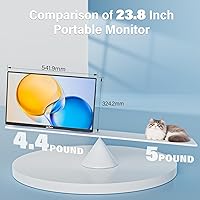
  • Weight: The unit weighs 7.58 lbs (approximately 2.2 kg for the monitor itself), which is heavier than most compact portable monitors and should be factored into portability planning.
  • Dimensions: Physical dimensions are 21 × 0.64 × 12.69 inches, giving it a slim profile but a footprint that requires a dedicated carry sleeve or larger bag.
  • Aspect Ratio: The display uses a standard 16:9 widescreen aspect ratio, compatible with virtually all video content, operating systems, and productivity layouts.
  • Hang Compatibility: The monitor supports partition hook and wall-hanging setups in addition to the built-in stand, adding flexibility for non-traditional workspace configurations.
  • Brand: Manufactured by InnoView, a brand focused on the portable monitor segment that is gaining market presence but is not affiliated with major display conglomerates.
  • Model Number: The official model identifier is US-PM608-01B, which can be referenced for warranty claims, compatibility verification, and support inquiries.

Related Reviews
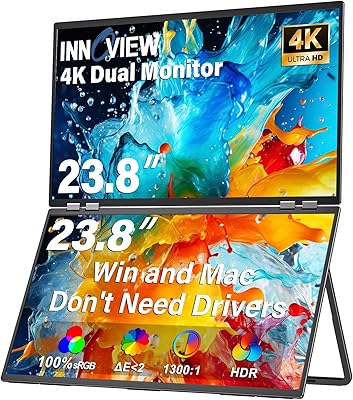
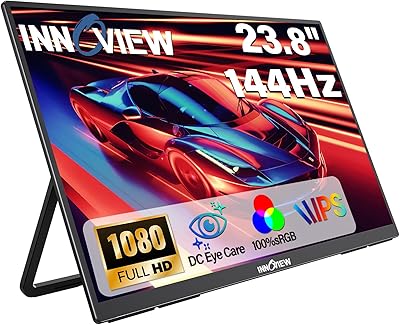
InnoView 23.8″ Dual Portable Monitor 4K
82%
91%
Display Quality
88%
Portability & Design
94%
Ease of Setup
87%
Connectivity Options
82%
Build Quality
More
VisionOwl 23.8-Inch 2K Portable Monitor
87%
94%
Gaming Performance
92%
Display Quality
88%
Portability
90%
Build Quality
81%
Setup & Installation
More
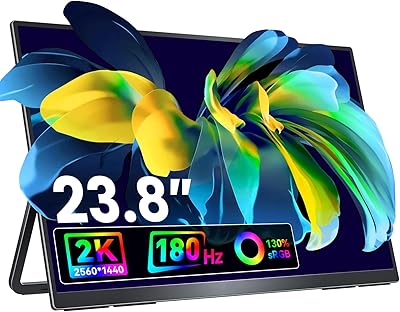
InnoView 23.8-inch 144Hz Portable Monitor
79%
88%
Display Quality
83%
Refresh Rate Performance
61%
Portability & Form Factor
86%
Stand & Ergonomics
79%
Connectivity & Compatibility
More
InnoView 14-inch OLED Portable Monitor 4K UHD
85%
92%
Display Quality
88%
Portability
90%
Color Accuracy
94%
Response Time (Gaming)
85%
Build Quality
More
Redalf 23.8-inch 2K 180Hz Portable Monitor
86%
88%
Display Quality
92%
Portability
90%
Gaming Performance
85%
Compatibility
91%
Ease of Setup
More
ViewSonic VX1655-4K-OLED 15.6-inch Portable OLED Monitor
77%
93%
Display Quality
91%
Portability
84%
USB-C Connectivity
88%
Build Quality
67%
Stand Stability
More
Setclod 23.8″ Portable Monitor
85%
87%
Display Quality
94%
Portability
92%
Ease of Setup
85%
Gaming Performance
72%
Build Quality
More
Virzen 24-inch 4K Portable Monitor
87%
91%
Display Quality
94%
Portability
89%
Ease of Setup
88%
Connectivity Options
90%
Color Accuracy
More
InnoView INVPM406 15.6-inch Portable Monitor
75%
91%
Ease of Setup
83%
Display Clarity
78%
Portability & Build
62%
USB-C Compatibility
88%
Value for Money
More
Magedok 14-Inch 4K Portable Monitor
85%
93%
Display Quality
88%
Portability
90%
Ease of Setup
91%
Color Accuracy
58%
Sound Quality
More

FAQ

Yes, in most cases a single USB-C cable handles both the video signal and power delivery to the monitor from a modern MacBook. That said, whether your MacBook can also charge through the same cable simultaneously depends on your laptop's power output, so check your specific model's specs before assuming fully cable-free operation.

At 7.58 lbs, this is noticeably heavier than the compact 15-inch portable monitors most people are used to. It won't fit in a standard laptop sleeve, and many regular laptop backpacks will feel the strain. You'll want either a dedicated bag with a separate compartment or a padded carry sleeve sized for a display around 21 inches wide. Plan your carry setup before you commit.

Yes. The HDMI port makes console connections straightforward — plug in a standard HDMI cable and it works with PS5, PS4, Xbox, and the Nintendo Switch dock without any adapters. The Switch in handheld mode can also connect via USB-C if your cable supports video output.

It is, especially if you're coming from a 1080p monitor at the same size. Text rendering is significantly sharper, and fine photo or design detail holds up well at close viewing distances. At normal desk distance, the improvement is real but not dramatic for general browsing — where it pays off most is in detailed image work or reading dense text for long periods.

Yes, it supports VESA 75×75mm mounting, which is a common standard. Most desk arms and wall mounts in that size range will be compatible. Just make sure the arm you choose supports the weight — at 7.58 lbs, it's on the heavier side for a portable display and some lighter arms may struggle.

Based on buyer feedback, the kickstand is generally sturdy and holds its angle reliably under normal desk use. A few users noted that on very smooth surfaces the monitor can shift if nudged, so using it on a non-slip mat or textured desk surface helps.

It's a reasonable option for review and approval work on location, thanks to the 100% sRGB coverage and IPS panel. That said, professional colorists who need DCI-P3 or a calibrated HDR workflow should look at purpose-built color monitors. For a portable color reference display, it holds up well — just calibrate it with a colorimeter if accuracy is critical to your work.

Switch to HDMI. Several buyers report that HDMI is the more reliable fallback when USB-C power delivery causes issues, and the image quality over HDMI is identical. You'll need to power the monitor separately in that case, so check whether it draws power from the USB-C port independently when HDMI is carrying the signal.

The monitor includes an integrated carrying handle as part of the kickstand design, but a dedicated padded sleeve is not included in the standard package. Given the size — 21 inches wide — you will likely need to source a separate sleeve or case to protect it during transport.

The matte screen coating does a solid job of cutting down reflections compared to glossy displays, so working near a window is manageable. It won't fully eliminate glare in very harsh direct sunlight, but for typical office lighting or co-working environments it handles ambient light better than most glossy portable displays in this category.