

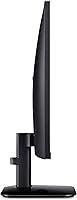
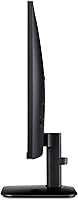
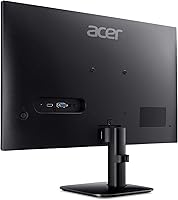
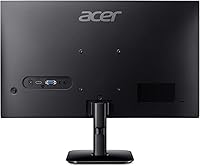
Overview

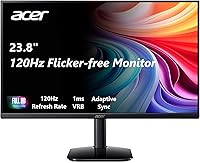
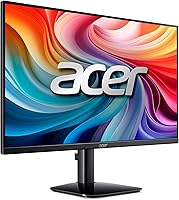
The Acer KB242Y 23.8-inch IPS Monitor sits in a crowded budget category but manages to stand out in a few meaningful ways. At this price tier, getting a 120Hz refresh rate on an IPS panel is genuinely uncommon — most displays in this range either cap at 60Hz or push you toward a TN panel to hit higher speeds. The zero-frame design looks cleaner on a desk than you would expect for the money, and the 99% sRGB coverage makes it a reasonable option if you do occasional photo editing or color-sensitive work. Dual connectivity via HDMI and VGA keeps it compatible with a wide range of machines, old and new.

Features & Benefits

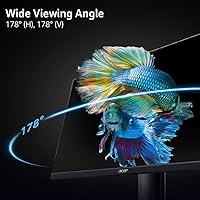
The IPS panel is probably the biggest reason to pick this Acer display over cheaper alternatives. TN panels at this price tend to wash out badly when you are not sitting dead center, while the KB242Y holds color and contrast across a much wider viewing angle — useful if you share a screen or often work off-axis. The 120Hz refresh combined with FreeSync support keeps scrolling and casual gaming noticeably fluid without requiring a high-end GPU. It is worth knowing that the 1ms spec refers to VRB backlight strobing, not native gray-to-gray pixel response — real-world motion is smooth, but it is a different feel from a dedicated fast-response gaming panel.

Best For

This 23.8-inch monitor makes the most sense for people who want a capable, no-fuss display without a big investment. College students setting up a first workstation, remote workers adding a second screen, and anyone still running older hardware with a VGA output will all find it practical. The slim bezels make it a solid pick for dual-monitor setups, since the gap between screens stays minimal. It also works well for first-timers moving up from 60Hz — that jump feels genuinely noticeable for everyday tasks, not just gaming. Competitive gaming or bright sun-drenched rooms, however, are where it starts to show its limits.

User Feedback

Buyers generally come away satisfied with the KB242Y's image quality straight out of the box — colors look accurate without much tinkering, which people who hate calibrating menus tend to appreciate. The plug-and-play setup gets consistent praise too, with most users reporting they were up and running within minutes. On the downside, stand stability comes up more than once; it is functional but wobbles noticeably if you type firmly or bump the desk. The most common gripe is brightness — at 250 nits, this Acer display can look dim in rooms with strong natural light, though in a shaded or office-lit space it is rarely an issue.

Pros

  • IPS panel delivers consistent, accurate color even when viewed from the side — a genuine step up from budget TN screens.
  • The 120Hz refresh rate at this price point is uncommon and makes everyday scrolling and casual gaming feel noticeably smoother.
  • FreeSync support reduces screen tearing effectively without requiring a high-end graphics card.
  • 99% sRGB coverage means colors look accurate out of the box, with minimal calibration needed.
  • Zero-frame bezels keep the look clean and make side-by-side dual-monitor arrangements much tidier.
  • Both HDMI and VGA ports are included, making it compatible with a wide range of older and newer devices.
  • Setup is genuinely plug-and-play — most buyers report being up and running in just a few minutes.
  • The matte anti-glare surface cuts down on reflections in moderately lit rooms without washing out colors.
  • At its price tier, the image quality-to-cost ratio is hard to argue with for daily productivity use.

Cons

  • At 250 nits, brightness is too low for use near windows or in sunlit rooms — it can look noticeably dim.
  • The stand wobbles with firm keystrokes or accidental desk bumps, which becomes irritating during long work sessions.
  • No height adjustment or pivot means ergonomic positioning is limited to basic tilt only.
  • The 1ms response is VRB-based, not native gray-to-gray, which can mislead buyers expecting true fast-panel performance.
  • Competitive or high-frame-rate gaming above 120fps is not where this Acer display excels — it is a casual panel.
  • No USB hub or built-in speakers means additional clutter on the desk for users who need those extras.
  • Color volume outside the sRGB range is limited, making it a poor match for HDR or professional video work.
  • The plastic build feels budget-grade up close, and the base in particular does not inspire confidence over time.

Ratings

The scores below reflect our AI-powered analysis of verified global user reviews for the Acer KB242Y 23.8-inch IPS Monitor, with spam, bot-generated, and incentivized feedback actively filtered out before any scoring was applied. Each category was weighted against real-world usage patterns — from home office setups to casual gaming rigs — so the numbers reflect how actual buyers experience this display day to day, not just how it reads on a spec sheet. Both the highlights and the honest shortcomings are baked into every score.

Image Quality
83%
For the price, the IPS panel produces genuinely pleasing images — colors look vibrant and consistent whether you are watching a movie, editing a photo for a personal project, or just browsing. The 99% sRGB coverage means whites look clean and reds do not bleed into orange, which is something budget TN panels routinely get wrong.
The panel cannot escape its entry-level roots entirely — contrast ratio is fairly average, and blacks in a dark room look more like dark gray than deep black. Users who watch a lot of films in low-light conditions tend to notice this fairly quickly.
Refresh Rate & Smoothness
88%
At 120Hz, everyday interactions feel noticeably more fluid than on a standard 60Hz display — scrolling through long documents, dragging browser tabs, and casual gaming all benefit from the higher frame rate. First-time upgraders from 60Hz panels almost universally report that going back feels impossible after a week.
The 120Hz ceiling does mean competitive gamers chasing 144Hz or 165Hz will feel this display is holding them back. It is also worth noting that the refresh rate sometimes needs to be manually enabled in display settings, which catches some buyers off guard on first setup.
Response Time
71%
29%
For everyday work tasks and casual gaming at moderate speeds, motion looks clean and free of obvious smearing. Buyers playing platformers, RPGs, or slower-paced shooters generally report the display handles motion well enough that it does not interfere with their experience.
The 1ms figure is based on VRB backlight strobing, not native gray-to-gray pixel transition — a distinction that matters in fast games. Buyers who expected true fast-pixel performance based on the spec were often disappointed when comparing it directly against a dedicated gaming monitor.
Color Accuracy
81%
19%
Out of the box, the KB242Y is reasonably well-calibrated for a budget panel — color accuracy is consistent enough that most users doing light photo editing or color grading for personal projects do not feel compelled to run calibration software right away. Skin tones and natural greens look particularly natural.
Factory calibration varies slightly between units, and some buyers received panels with a noticeable warm or cool tint that required manual correction. The display also does not cover DCI-P3 or Adobe RGB, which limits its usefulness for professional creative work where wider gamut coverage is expected.
Brightness
58%
42%
In a typical home office or bedroom with controlled indoor lighting, 250 nits is workable and comfortable for extended use. The matte anti-glare coating helps reduce reflections enough that the lower brightness does not feel as limiting in shaded or artificially lit environments.
In any room with natural sunlight or strong overhead lighting, 250 nits falls short — the image can look washed out and reading fine text becomes genuinely uncomfortable. This is one of the most frequently cited frustrations among buyers who placed the monitor near a window.
Viewing Angles
84%
The IPS panel holds color and contrast well when viewed from the side, which is a tangible advantage for shared screens or setups where you are not always sitting directly centered. Users who watch content with someone sitting next to them or slightly off-axis report the image stays consistent rather than shifting color as it would on a TN panel.
At very wide angles — beyond roughly 45 degrees — there is a slight brightness falloff that more sensitive users will notice. It is not dramatic, but it is there, and it keeps this panel from matching the off-axis performance of pricier IPS alternatives.
Build Quality
63%
37%
The monitor looks cleaner and more modern than most displays at this price bracket, largely thanks to the slim bezels and a reasonably tidy rear shell. For users who prioritize aesthetics on their desk, it presents itself better than its price suggests.
The plastic construction feels lightweight in a hollow rather than premium way, and the stand in particular feels wobbly under any real physical stress. Several buyers reported that the base flexes when typing firmly, which becomes a minor but persistent annoyance during long work sessions.
Stand & Ergonomics
52%
48%
The tilt function works smoothly and covers a reasonable range for basic desk positioning. Buyers with a straightforward single-monitor setup on a flat desk who do not need height adjustments find the stand perfectly adequate for daily use.
Beyond tilt, there is nothing — no height adjustment, no swivel, no pivot. For users who need the screen raised, lowered, or rotated to portrait mode, the stand forces them to either use a separate arm or prop the monitor up with something, which is a common complaint at this category of product.
Connectivity
79%
21%
Having both HDMI and VGA ports in the same budget monitor is genuinely useful and stands out in a market where many alternatives have dropped VGA entirely. It makes the display immediately compatible with a wide range of machines, from brand-new laptops to older office desktop towers, without needing a separate adapter.
There is no USB hub, no DisplayPort, and no audio output — just the two video ports. Buyers who wanted to route desktop audio through the monitor or connect multiple devices easily found the connectivity options too bare for their setup.
FreeSync Performance
77%
23%
For AMD GPU users, the Adaptive-Sync integration works reliably within its supported variable refresh rate range, noticeably reducing tearing in games without requiring expensive hardware. Casual gamers who paired this display with a mid-range AMD card reported smooth, stutter-free results in moderately demanding titles.
Nvidia users face some uncertainty since G-Sync Compatible support is not officially certified on this model, and results vary depending on driver version and GPU generation. The variable refresh rate range is also not the widest, so the benefits taper off at very low frame rates.
Setup Experience
91%
Buyers across the board praised how fast and painless the initial setup is — unbox, attach the stand, plug in the cable, and the display powers on and is recognized immediately. There is very little in the way of confusing menus or driver installations to navigate before you can start using it.
The one consistent catch is that 120Hz does not activate automatically and requires a manual change in the operating system display settings. It is a minor step, but buyers who did not know to look for it spent time wondering why their new 120Hz monitor felt no different from their old 60Hz one.
Value for Money
86%
Compared to what else is available at this price point, the combination of an IPS panel, 120Hz refresh, and 99% sRGB coverage is hard to beat. Buyers who researched alternatives before purchasing consistently noted that getting all three of those features together in one monitor at this tier is genuinely uncommon.
The brightness and stand limitations do chip away at the perceived value for buyers who end up needing a monitor arm or want to use it in a bright room — those additions push the effective cost higher than the initial price suggests. Users in challenging lighting environments may feel they needed to spend more from the start.
Gaming Performance
69%
31%
For casual gaming — platformers, adventure titles, RPGs, slower-paced shooters, and simulation games — the KB242Y holds up well and makes a noticeable difference over a 60Hz screen. FreeSync helps keep things smooth, and the image quality is more enjoyable than a comparable TN gaming panel.
Competitive or fast-twitch gaming is where the cracks show — the VRB-based response time, the 120Hz ceiling, and the absence of a true fast-pixel panel mean that serious FPS or racing game players will feel constrained. This is a casual gaming display, and buyers who approached it as anything more than that were often left wanting.
Eye Comfort
74%
26%
The matte screen coating meaningfully cuts down on eye strain during long work sessions by reducing reflections from nearby light sources. Users working six to eight hours daily in typical office lighting generally found the display comfortable without needing to crank brightness settings.
There is no mention of flicker-free certification at all brightness levels, and the VRB backlight strobing — while reducing motion blur — introduces some screen flicker that sensitive users can find fatiguing over extended gaming sessions. Buyers who are prone to headaches from flicker should check this carefully before committing.

Suitable for:

The Acer KB242Y 23.8-inch IPS Monitor is a strong fit for anyone who needs a dependable everyday display without overcomplicating the budget. College students setting up their first proper workstation will get a lot of mileage from the color accuracy and smooth refresh rate for both studying and unwinding with games after class. Remote workers who spend long hours reading documents, video calling, or managing spreadsheets benefit from the IPS panel's wider viewing angles, which make the screen easier on the eyes compared to cheaper TN alternatives. People building a dual-monitor setup on a tight budget will appreciate the nearly borderless frame, since it keeps the visual gap between screens tight and clean. It also makes practical sense for anyone still running older hardware, given the rare inclusion of a VGA port alongside HDMI.

Not suitable for:

The Acer KB242Y 23.8-inch IPS Monitor is not the right call for buyers who work in brightly lit environments or near large windows, since 250 nits of peak brightness simply cannot compete with strong ambient light. Serious or competitive gamers who rely on the fastest possible pixel response will find this panel underwhelming — the 1ms spec applies to backlight strobing rather than native pixel transitions, which is a meaningful distinction in fast-paced titles. Those needing ergonomic flexibility beyond basic tilt, such as height adjustment or pivot rotation, will need to budget for a separate monitor arm since the stand is quite limited. Content creators who require wide color gamut coverage beyond sRGB, such as DCI-P3 for video work, should look elsewhere. And anyone hoping to run resolutions above 1080p will need a different display entirely.

Specifications

  • Screen Size: The display measures 23.8 inches diagonally, offering a practical amount of screen real estate without dominating a standard desk.
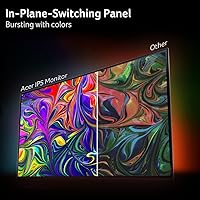
  • Panel Type: An IPS (In-Plane Switching) panel is used, providing wider viewing angles and more consistent color reproduction than entry-level TN alternatives.
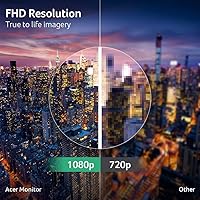
  • Resolution: The native resolution is 1920x1080 Full HD, delivering sharp and clear visuals for everyday productivity and media consumption at this screen size.
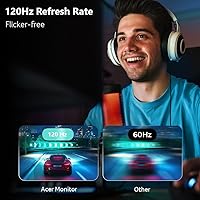
  • Refresh Rate: The KB242Y supports a refresh rate of up to 120Hz, which produces noticeably smoother motion compared to standard 60Hz displays.
  • Response Time: The rated 1ms response time is based on VRB (Visual Response Boost) backlight strobing technology, not native gray-to-gray pixel transition speed.
  • Brightness: Peak brightness is rated at 250 nits, which is adequate for dimmer indoor environments but may feel insufficient in rooms with strong natural light.
  • Color Coverage: The panel covers 99% of the sRGB color space, making colors look accurate and well-saturated for general creative work and content consumption.
  • Aspect Ratio: The display uses a standard 16:9 widescreen aspect ratio, compatible with virtually all video formats and operating system interfaces.
  • Screen Surface: A matte anti-glare coating is applied to the panel surface, reducing reflections in typical indoor lighting conditions.
  • Connectivity: The monitor includes one HDMI port and one VGA port, covering both modern and legacy device connections without requiring an adapter in most setups.
  • Sync Technology: Adaptive-Sync support makes this display compatible with AMD FreeSync, reducing screen tearing during gaming without requiring premium GPU hardware.
  • Bezel Design: Zero-frame (borderless) bezels on three sides minimize the visual border around the screen, making it particularly suitable for dual-monitor arrangements.
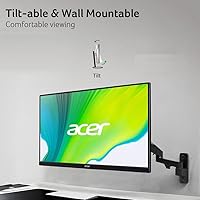
  • Ergonomics: The included stand supports tilt adjustment only; there is no height adjustment, swivel, or pivot function built into the base.
  • Dimensions: The monitor measures approximately 21.21 x 16.7 x 4.53 inches with the stand attached, fitting comfortably on most standard desks.
  • Weight: The full unit including the stand weighs 7.72 pounds, making it easy to reposition or transport if needed.
  • VESA Compatibility: The monitor supports VESA mounting, allowing users to attach a third-party monitor arm for improved ergonomic positioning beyond what the stock stand offers.
  • Pixel Pitch: The pixel pitch is 0.275mm, which at 23.8 inches produces a pixel density that keeps text and fine details looking crisp at normal viewing distances.

Related Reviews
Futuzen 23.8-inch 1080p 100Hz IPS Monitor
85%
92%
Value for Money
88%
Display Quality
89%
Ease of Setup
84%
Build Quality
80%
Performance for Gaming
More
Acer SB242Y EBI 23.8″ IPS Monitor
75%
91%
Value for Money
86%
Image Quality
83%
Refresh Rate & Smoothness
88%
Design & Aesthetics
41%
Ergonomics & Adjustability
More
Dell S2425HS 23.8-inch FHD Monitor
84%
88%
Image & Color Accuracy
83%
Refresh Rate & Motion Smoothness
91%
Eye Comfort & Blue Light Reduction
93%
Ergonomics & Stand Adjustability
87%
Build Quality & Materials
More
Acer SB272 27-inch FHD IPS Monitor
74%
91%
Value for Money
83%
Image Quality
54%
Brightness
78%
Refresh Rate & Smoothness
43%
Stand & Ergonomics
More
VisionOwl V-Y23QH 23.8-Inch Portable Monitor
76%
88%
Image Quality
86%
Build Quality
83%
Gaming Performance
62%
Portability
58%
Brightness
More
HP V241ib 23.8″ FHD Monitor
77%
81%
Image Quality
78%
Color Accuracy
84%
Eye Comfort
52%
Ergonomics
74%
Build Quality
More
HP 24mh 23.8-inch IPS Monitor
79%
83%
Image Clarity
81%
Color Accuracy
88%
Ergonomics & Stand
71%
Refresh Rate & Motion
63%
Brightness & Glare Handling
More
Acer V196L Bb 19-inch IPS Monitor
83%
85%
Display Quality
92%
Value for Money
90%
Ease of Setup
88%
Energy Efficiency
80%
Build Quality
More
Dell SE2425H 24-Inch Full HD Monitor
77%
91%
Value for Money
93%
Eye Comfort
84%
Image Quality
47%
Ergonomics
83%
Build Quality
More
HP Series 5 524sw 23.8-inch FHD Monitor
76%
88%
Image Clarity
91%
Eye Comfort
79%
Color Accuracy
67%
Brightness & Visibility
83%
Refresh Rate & Motion
More

FAQ

It does not always default to 120Hz out of the box. You will likely need to go into your display settings — on Windows, open Display Settings, click Advanced Display, and set the refresh rate to 120Hz manually. It is a quick fix, but worth knowing upfront so you are not accidentally running it at 60Hz without realizing it.

Yes, the KB242Y includes a VGA port specifically for this reason. It is one of the few monitors at this price that still carries both HDMI and VGA, so you can connect older desktop towers or office machines without hunting down an adapter.

It is a bit of both, honestly. The 1ms figure refers to VRB — a backlight strobing technique that reduces perceived blur rather than measuring how fast individual pixels actually switch colors. In practice, motion looks smooth for everyday use and casual gaming, but it is not the same as a true 1ms gray-to-gray panel you would find on a dedicated gaming monitor.

This is one area where the display struggles. At 250 nits, it is fine in a typical office or bedroom setup, but if you have a south-facing window or strong overhead lighting pointing at the screen, it can look washed out or dim. A matte surface helps a little with glare, but it cannot fully compensate for low brightness in sun-drenched spaces.

It depends on your Nvidia card and driver version. Nvidia has supported many FreeSync-certified displays through its G-Sync Compatible program for several years now, so there is a reasonable chance it will work, but it is not officially guaranteed on this specific model. AMD GPU users will have full Adaptive-Sync compatibility without any extra steps.

It is functional but not particularly rigid. If you are a light typist on a stable desk, you probably will not notice much. But if you type firmly or bump your desk occasionally, the screen does wobble a bit. Users who find it annoying tend to swap in a budget monitor arm, which also solves the lack of height adjustment.

Yes, the display is VESA mount compatible, so removing the stand and attaching a third-party arm is straightforward. This is actually a popular choice since it gives you height, tilt, and swivel flexibility that the stock stand simply does not offer.

For casual photo editing — organizing shots, basic retouching, color corrections for personal projects — it holds up reasonably well thanks to 99% sRGB coverage. Colors look accurate without heavy manual calibration. That said, if you are editing for print or professional clients and need consistent results across devices, you would want a monitor with factory calibration and hardware profiling support, which this one does not offer.

Very easy. Most buyers report it as a genuine plug-and-play experience — connect the cable, power it on, and it works. The on-screen menu is simple to navigate, and unless you need to change the refresh rate or tweak brightness, there is very little to configure.

For most people, yes — the jump from 60Hz to 120Hz is immediately noticeable, especially while scrolling web pages, moving windows around, and playing any moderately fast game. You do not need to be a gamer to appreciate it; everyday desktop use just feels more fluid. If your current monitor is an older 1080p TN panel, the switch to an IPS screen at this refresh rate will likely feel like a meaningful improvement on two fronts at once.

Where to Buy