
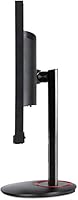
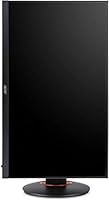
Overview

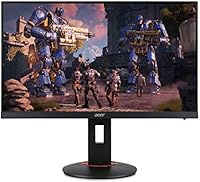
The Acer XF270H 27″ Gaming Monitor is a straightforward display built for gamers who want fast performance without chasing the latest panel technology. It runs a TN panel at Full HD resolution, which tells you everything about its priorities: speed first, color fidelity second. At 144Hz with a 1ms response time, it competes well in the reflexes department. That said, buyers expecting IPS-level color richness or wide viewing angles will be disappointed. This is a monitor purpose-built for competitive play, not creative work or cinematic viewing. Know what you need, and this Acer gaming monitor makes a compelling case for itself.

Features & Benefits

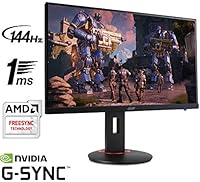
The XF270H runs at a 144Hz refresh rate and pairs it with both AMD FreeSync and NVIDIA G-Sync compatibility, covering a wide range of graphics cards with no tearing or stutter. The 1ms response time is real-world fast; in titles like CS2 or Valorant, motion stays crisp rather than smeared. A zero-frame bezel keeps things tidy, especially useful if you are building a dual-monitor setup. Connectivity is practical: one DisplayPort 1.2 and two HDMI 2.0 ports handle most PC and console hookups simultaneously. The built-in 2W speakers exist, but they are barely worth mentioning — use headphones. VESA 100x100mm support rounds things out for buyers who want a monitor arm.

Best For

This 27-inch TN display hits a sweet spot for competitive FPS gamers who care more about reaction speed than visual richness. If you play Apex Legends, Warzone, or any shooter where frames matter, it delivers where it counts. It also suits anyone running a mid-range GPU — FreeSync and G-Sync compatibility mean you are not locked into one ecosystem. Thin bezels make multi-monitor builds look clean and intentional. If you game on both PC and console, two HDMI ports save you constant cable swapping. Color-sensitive work like photo editing or video grading is a different story — this is not the right tool for that.

User Feedback

With nearly 700 ratings averaging 4.6 out of 5, this Acer gaming monitor clearly connects with its target audience. The most consistent praise is for the jump from 60Hz — buyers describe it as immediately noticeable and hard to go back from. On the downside, the TN viewing angles draw regular complaints; tilt off-axis and colors shift fast. The stock stand offers tilt only — no height or swivel adjustment — which frustrates users at non-standard desk heights. A fair share of buyers also flag that 1080p at 27 inches can look soft at close range. Not a dealbreaker for gaming, but worth setting your expectations before purchase.

Pros

  • 144Hz refresh rate delivers genuinely smooth gameplay that is immediately noticeable in fast-paced titles.
  • Both AMD FreeSync and NVIDIA G-Sync compatibility means no tearing regardless of which GPU brand you run.
  • 1ms response time keeps motion sharp and ghosting minimal during high-speed action.
  • Zero-frame bezels make dual or triple monitor arrangements look clean and intentional.
  • Two HDMI 2.0 ports let you keep a PC and a console connected at the same time without swapping cables.
  • VESA 100x100mm support makes it easy to pair with a third-party monitor arm for better ergonomics.
  • Setup is straightforward — adaptive sync is recognized plug-and-play on most modern systems.
  • A strong user rating from a large pool of verified buyers suggests consistent quality at this tier.

Cons

  • TN panel color accuracy is noticeably weaker than IPS alternatives available at similar price points.
  • Vertical viewing angles are narrow — colors and contrast shift if you are not directly centered on the screen.
  • The included stand only tilts, with no height adjustment or swivel, limiting ergonomic flexibility out of the box.
  • 1080p resolution across a 27-inch screen results in lower pixel density that some users find soft at close range.
  • Built-in speakers are barely functional — they cover emergency use at best and should not factor into your purchase decision.
  • No USB hub or convenience ports on the monitor itself, which is increasingly common at this price level.
  • The physical design is utilitarian with no meaningful aesthetic touches for users who care about desk setup appearance.

Ratings

The Acer XF270H 27″ Gaming Monitor has been scored across 12 performance categories by our AI rating system, which processed verified buyer reviews from global markets while actively filtering out incentivized, bot-generated, and outlier feedback. Scores reflect the honest consensus of real-world users — competitive gamers, first-time upgraders, and hybrid PC-console setups alike. Both the standout strengths and the recurring frustrations are factored in transparently, so the numbers tell the full story.

Refresh Rate Performance
93%
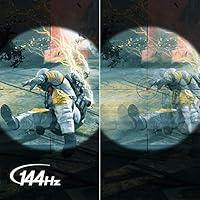
Buyers who moved to the XF270H from a 60Hz screen consistently describe the 144Hz experience as transformative for competitive play. In fast shooters like Valorant or CS2, the additional smoothness is not subtle — it is immediately obvious and hard to give up once you have experienced it.
The 144Hz cap, while excellent for 1080p gaming, leaves some enthusiasts wanting given that 165Hz and 240Hz panels are now available at comparable price points. Users chasing the absolute highest frame rates may find the ceiling limiting over time.
Response Time
91%
The 1ms GtG response time on this TN panel is a genuine competitive advantage, keeping ghosting and motion blur tightly controlled during rapid on-screen movement. Players in reaction-dependent genres notice that cursor and character movement tracks crisply without the trailing effect common on slower panels.
While 1ms is accurate for TN panel technology, buyers switching from marketed IPS response times may find the real-world difference less dramatic than expected, since IPS panels have also improved considerably in recent years.
Adaptive Sync
89%
Dual compatibility with AMD FreeSync and NVIDIA G-Sync is one of the most practical decisions Acer made with this monitor. Users report plug-and-play activation on both GPU ecosystems with minimal configuration, making tearing and stutter a non-issue across a wide range of mid-range graphics cards.
G-Sync Compatible certification requires a DisplayPort connection to function — users who default to HDMI for convenience may miss out on the feature without realizing why. A clearer setup guide in the box would help less experienced buyers avoid this.
Color Accuracy
54%
46%
For pure gaming purposes where color accuracy is secondary to speed, the XF270H holds its own at a basic level. Colors in well-lit game environments look acceptable during casual play, and most competitive gamers report no meaningful impact on their experience.
TN panels are objectively limited in color reproduction compared to IPS or VA alternatives, and at 27 inches that limitation shows more clearly than it would on a smaller screen. Users who do any photo work, video editing, or watch HDR content will find the color volume noticeably flat and the white balance inconsistent at wider viewing angles.
Viewing Angles
47%
53%
Straight-on, the panel looks sharp and consistent for a solo viewer in a fixed seated position, which is the primary use case for competitive gaming. Users who sit directly centered report no issues during extended sessions.
Vertical viewing angle degradation is a known TN weakness, and the XF270H is no exception. Tilting the screen even slightly off-axis causes visible color shift and contrast loss, which becomes particularly noticeable on desks where monitor height is not perfectly calibrated to eye level.
Build Quality
74%
26%
The overall chassis feels solid without any notable flexing around the panel edges or back plate. The zero-frame bezel is well-executed for the price tier, and buyers building multi-monitor setups appreciate how cleanly two units sit side by side.
The plastic finish on the stand base attracts scratches over time and feels less premium than the monitor itself. Several users also noted the stand wobbles slightly when adjusting the tilt, which is not ideal for setups near high-traffic desks.
Stand Ergonomics
41%
59%
The stand is stable enough for everyday use on a flat desk, and the tilt range covers the basic adjustment most single-monitor users need. Assembly is tool-free and straightforward out of the box.
Tilt-only adjustment is a real frustration for buyers who need height control, swivel, or pivot — none of which are available on the stock stand. Users who share a desk or work at non-standard heights almost universally recommend budgeting for a VESA monitor arm as a practical necessity.
Connectivity
82%
18%
Having two HDMI 2.0 ports alongside a DisplayPort 1.2 input is a thoughtful setup for real-world use. Console and PC users especially benefit from keeping both devices permanently connected and switching inputs without unplugging anything.
There is no USB hub built into the monitor, which is an increasingly common addition at this price level. Buyers with multiple peripherals or who use USB-A accessories at their desk will still need a separate hub or rely entirely on their PC ports.
Image Sharpness
62%
38%
At normal gaming distances of around 2.5 to 3 feet, the Full HD image looks clean and focused in most game environments. Text and UI elements in games are rendered clearly enough for everyday competitive use.
At 27 inches, 1080p delivers a pixel density of roughly 82 PPI, which is noticeably lower than on a 24-inch panel at the same resolution. Users who sit closer than average, or who have previously used a 1440p display, frequently describe the image as soft — particularly in desktop applications and text-heavy game menus.
Setup Experience
86%
The physical setup is fast and genuinely simple — most buyers report having the monitor running in under 20 minutes from unboxing. Adaptive sync recognition on both AMD and NVIDIA platforms requires minimal manual configuration compared to older FreeSync monitors.
The included documentation is sparse, and first-time monitor buyers may not immediately understand that 144Hz must be manually enabled in Windows display settings — it does not activate automatically. G-Sync via DisplayPort also requires a specific step in the NVIDIA Control Panel that is not flagged anywhere in the box.
Built-in Audio
31%
69%
The two built-in 2W speakers serve their function as an emergency fallback — if you need audio briefly without any other hardware available, they produce intelligible sound at low volume. They are present, and that is the most honest compliment available.
At 2 watts per channel, the speakers lack volume, bass, and clarity for any serious use. Competitive gaming, music, and even casual movie watching all expose how thin the audio output is. This is not a monitor to buy for its audio, and no reviewer has suggested otherwise.
Value for Money
68%
32%
For buyers whose primary goal is 144Hz gaming with adaptive sync compatibility across GPU brands, the XF270H delivers the core experience at a price point that does not require a premium panel. The dual sync support in particular represents genuine value since it eliminates the need to match monitor brand to GPU brand.
The price positions it in a range where IPS 144Hz panels have become increasingly accessible, making the TN trade-offs harder to justify for buyers who are not strictly prioritizing response time above all else. Shoppers willing to spend a comparable amount can find alternatives that add color accuracy without sacrificing much in refresh rate performance.

Suitable for:

The Acer XF270H 27″ Gaming Monitor is a natural fit for competitive gamers who treat frame rate and response time as non-negotiable, and are willing to trade color depth for raw speed. If your library leans toward fast-paced shooters, battle royale titles, or any multiplayer game where split-second reactions decide outcomes, the 144Hz refresh rate and 1ms response time are exactly what you need. It also works well for players running mid-range AMD or NVIDIA GPUs, since the dual FreeSync and G-Sync compatibility removes the usual ecosystem lock-in. First-time upgraders coming from a 60Hz screen will notice the difference almost instantly. The zero-frame design and dual HDMI inputs make it a practical choice for multi-monitor desks or hybrid PC-and-console setups where clean cable management and flexible connectivity both matter.

Not suitable for:

The Acer XF270H 27″ Gaming Monitor is the wrong call for anyone who needs accurate, consistent colors across wide viewing angles. TN panels simply do not deliver what IPS or VA screens can in that department, and at a 27-inch screen size, the limitations show more clearly than they would on a smaller display. Creative professionals doing photo editing, color grading, or graphic design should look elsewhere entirely. The 1080p resolution at 27 inches is also a real consideration — sitting close to the screen, pixel density can feel noticeably lower than on a 24-inch 1080p panel, and users who have been on a 1440p display may find the step down jarring. The stand offers tilt adjustment only, so buyers with specific ergonomic needs who do not plan on buying a separate monitor arm may find the setup frustrating over long sessions.

Specifications

  • Screen Size: The display measures 27 inches diagonally, offering a wide viewing area suited to desktop gaming setups.
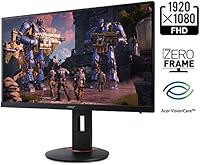
  • Resolution: Native resolution is 1920x1080 Full HD, delivering standard 1080p output across the full panel.
  • Panel Type: Uses a TN (Twisted Nematic) panel, which prioritizes fast pixel response over color volume and viewing angle performance.
  • Refresh Rate: Supports a maximum refresh rate of 144Hz, enabling significantly smoother motion than standard 60Hz displays.
  • Response Time: Rated at 1ms (GtG) response time, minimizing motion blur and ghosting during fast-paced gameplay.
  • Adaptive Sync: Compatible with both AMD FreeSync and NVIDIA G-Sync, reducing screen tearing without requiring a specific GPU brand.
  • Ports: Connectivity includes one DisplayPort 1.2 and two HDMI 2.0 inputs, supporting simultaneous connection of multiple devices.
  • VESA Mount: Supports the 100x100mm VESA standard, making it compatible with most third-party monitor arms and wall mounts.
  • Speakers: Includes two built-in speakers rated at 2 watts each, providing basic audio output without external hardware.
  • Aspect Ratio: Features a standard 16:9 widescreen aspect ratio, consistent with the vast majority of modern games and media content.
  • Bezel Design: Constructed with a zero-frame (borderless) bezel on three sides, making multi-monitor configurations look cleaner and more cohesive.
  • Dimensions: Physical footprint measures 24.17 inches wide, 15.63 inches tall, and 9.64 inches deep with the stand attached.
  • Weight: The complete unit with stand weighs 17.68 pounds, which is typical for a 27-inch monitor in this category.
  • Color: Available in black, with a matte plastic finish across the chassis and stand base.
  • Operating System: Designed for use with Windows-based systems, though display functionality is OS-agnostic via standard video inputs.
  • Availability: This monitor was first made available in August 2018 and has not been discontinued by the manufacturer as of the latest listing data.

Related Reviews
Acer Nitro VG271U 27-inch Gaming Monitor
75%
91%
Image Clarity
83%
Color Accuracy
88%
Gaming Performance
86%
FreeSync Implementation
58%
HDR Quality
More
Acer Predator X27U 27″ OLED Gaming Monitor
84%
94%
Image Quality
91%
Refresh Rate & Motion
89%
Color Accuracy
86%
Connectivity
82%
Ergonomics & Stand
More
Acer Nitro ED270R 27″ Curved Gaming Monitor
73%
91%
Value for Money
88%
Immersion & Curvature
79%
Picture Quality
89%
Refresh Rate & Smoothness
84%
Adaptive Sync (FreeSync)
More
Acer Nitro KG273 27-inch Gaming Monitor
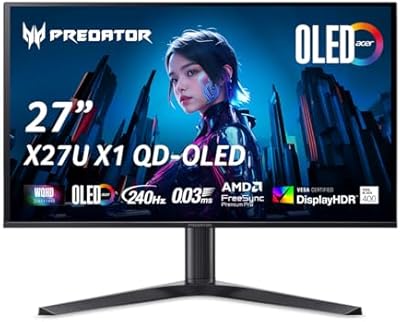
85%
88%
Display Quality
91%
Performance in Fast-Paced Games
85%
Ergonomics and Adjustability
83%
Build Quality
92%
Value for Money
More
Acer Nitro EDA270U 27″ Curved Gaming Monitor
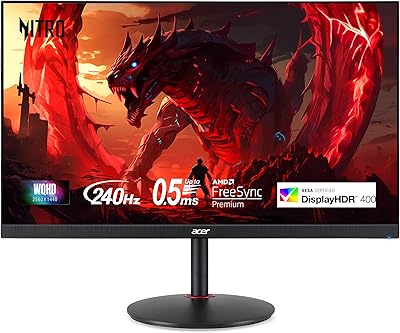
75%
91%
Image Clarity & Resolution
88%
Refresh Rate & Motion Performance
86%
AMD FreeSync Premium
58%
HDR Performance
63%
Color Accuracy & Out-of-Box Calibration
More
Acer Nitro VG270K 27-inch 4K Gaming Monitor
76%
91%
Image Clarity
88%
Color Accuracy
86%
Motion Performance
83%
Refresh Rate Flexibility
61%
HDR Performance
More
Acer XV272U 27″ WQHD 240Hz Gaming Monitor
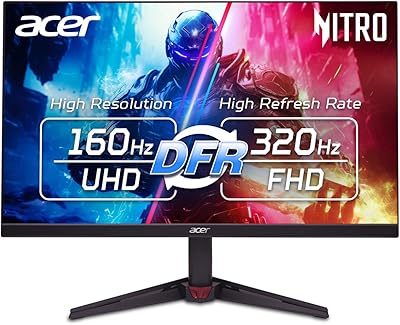
78%
88%
Image Clarity & Resolution
91%
Refresh Rate & Motion Smoothness
86%
Response Time & Input Lag
84%
AMD FreeSync Premium Performance
89%
Ergonomics & Stand Adjustability
More
Acer Predator XB273K V5 27″ Gaming Monitor
80%
91%
Image Clarity
88%
Refresh Rate Flexibility
93%
Console Compatibility
86%
Motion Performance
52%
HDR Quality
More
Acer Nitro XZ270 Xbmiipx 27-inch Curved Gaming Monitor
84%
92%
Gaming Performance
89%
Display Quality
86%
Ergonomics
93%
Response Time
85%
Value for Money
More
Acer Nitro KG271U 27-inch IPS Gaming Monitor
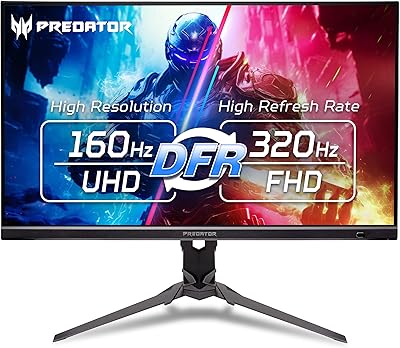
74%
88%
Image Quality
91%
Refresh Rate Performance
83%
Response Time
82%
Color Accuracy
86%
Adaptive Sync
More

FAQ

It works with both. The XF270H is certified G-Sync Compatible, which means NVIDIA GPU owners can enable adaptive sync through the NVIDIA Control Panel. You will need to connect via DisplayPort rather than HDMI to get G-Sync to activate, so make sure you are using the right cable.

This is a fair concern and worth thinking through before you buy. At typical gaming distances of 2 to 3 feet, most people find 1080p on 27 inches acceptable for fast-paced games where you are focused on motion rather than fine detail. That said, if you sit close or have used a 1440p display before, the pixel density drop is noticeable. It is a trade-off that comes with the territory at this screen size and resolution combination.

Yes, and this is one of the more practical aspects of the design. With two HDMI 2.0 ports, you can keep a console plugged in alongside your PC without constantly swapping cables. Note that console adaptive sync support depends on the console generation and game, but the display itself handles the connections without issue.

The included stand only tilts — there is no height adjustment, swivel, or pivot built in. If your desk setup requires a specific monitor height, you will likely want to invest in a VESA-compatible monitor arm, which this display supports at the standard 100x100mm pattern.

For AMD FreeSync, it typically activates automatically when connected via DisplayPort or HDMI 2.0 to a compatible GPU — just enable it in your AMD Radeon settings. For NVIDIA G-Sync, connect via DisplayPort and turn it on in the NVIDIA Control Panel under the display settings. Most users report the process is straightforward with no driver issues.

Honestly, they are there if you need them in a pinch — nothing more. Two watts per channel produces thin, low-volume audio that lacks bass and clarity. For any serious gaming or media use, a headset or external speakers will make a significant difference. Do not factor the speakers into your purchase decision.

It handles movies and streaming fine in terms of size and refresh rate, but the TN panel's limited color range and narrow vertical viewing angles mean the picture quality will not match what you would get from an IPS display at a similar size. If the monitor is going to serve double duty as a media screen for multiple viewers, TN is a real limitation.

To hit 144Hz, you need to use the DisplayPort 1.2 connection — HDMI 2.0 supports up to 144Hz at 1080p as well on this model, but DisplayPort is the more reliable path for maximum refresh rate. Make sure your GPU has a matching output port and use a quality cable rated for the bandwidth.

Most users have it running within 15 to 20 minutes. Attaching the stand, connecting the video cable, and adjusting display settings in Windows is quick. Enabling adaptive sync adds a few extra steps through your GPU software, but nothing complicated.

The bezel is very thin on three sides, which is what manufacturers call zero-frame — but there is still a small physical panel border beneath the plastic edge, typically a few millimeters. In practice it looks clean and tight, and works well for side-by-side dual monitor setups, but calling it truly borderless is a slight stretch common to most monitors in this category.

Where to Buy