Overview

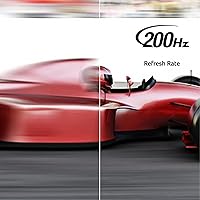
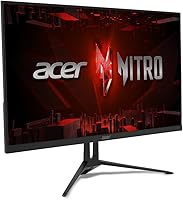
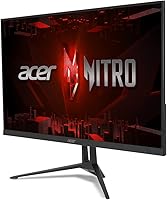
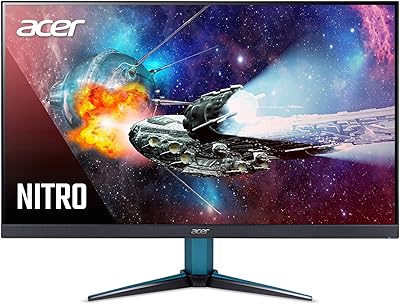
The Acer Nitro KG273 27-inch Gaming Monitor is a solid option for gamers seeking a reliable, high-performance display. This Full HD monitor boasts an IPS panel for rich colors and wide viewing angles. Its zero-frame design ensures a sleek, modern look that maximizes screen real estate. With a 200Hz refresh rate and an ultra-fast 0.1ms response time, this monitor is built for fluid gameplay, ensuring smooth transitions during even the most intense action. Whether you're playing the latest titles or watching fast-moving content, this monitor offers a seamless experience.
Features & Benefits

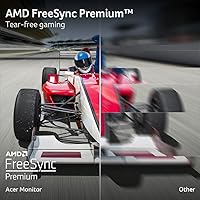
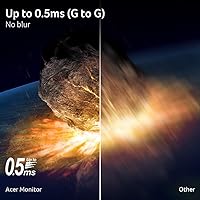
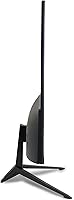
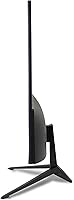
Packed with features, this 27-inch monitor delivers Full HD resolution for clear, vibrant images. The 200Hz refresh rate and 0.1ms response time make it ideal for fast-paced games, reducing motion blur and input lag. With AMD FreeSync Premium, it eliminates screen tearing, ensuring a smooth visual experience. Additionally, the tilt adjustment (from -2° to 13°) provides ergonomic flexibility, while its VESA compatibility allows for easy wall mounting. The combination of these features makes this display a great choice for both performance and comfort.

Best For

The Nitro KG273 is best suited for gamers who prioritize high-speed performance and smooth visuals. Whether you're into competitive gaming or immersive single-player experiences, this monitor's 200Hz refresh rate and low response time cater to both. It's also a solid choice for users seeking budget-friendly gaming options without compromising quality. The tilt adjustment and VESA mounting options make it versatile for casual gamers and streamers looking for an adaptable setup. It's a great option for those who need a responsive and reliable display without breaking the bank.

User Feedback

Users have consistently praised the Nitro KG273 for its smooth performance and clarity during fast gaming sessions. Many appreciate the easy setup and ergonomic tilt features, which make it comfortable for extended use. However, some note that while the colors are vibrant, the monitor may not be the best choice for professional content creators due to its limited color accuracy. Overall, this monitor is well-regarded by budget-conscious gamers looking for a dependable, high-performance display that delivers great value for money.

Pros

  • The 200Hz refresh rate and 0.1ms response time provide smooth and fluid visuals, ideal for fast-paced gaming.
  • AMD FreeSync Premium effectively reduces screen tearing and stuttering, enhancing the overall gaming experience.
  • The 27-inch Full HD display offers clear and detailed images, making it a solid choice for both gaming and casual use.
  • Easy to set up, with users praising the monitor's quick installation and intuitive controls.
  • The adjustable tilt (-2° to 13°) offers ergonomic comfort, allowing users to find the best viewing angle.
  • VESA compatibility allows for flexible wall mounting, saving desk space and providing better setup options.

Cons

  • Some users find the color accuracy lacking, which may be a concern for professionals working on content creation.
  • The plastic build feels somewhat cheap compared to more premium models, leading to mixed feedback on durability.
  • The monitor's brightness may not be sufficient for very bright rooms or outdoor use.
  • There is no built-in speaker system, which could be a downside for users who prefer an all-in-one solution.
  • The design may not appeal to those looking for a more premium or sleek aesthetic.
  • While suitable for gaming, the monitor's color reproduction is not ideal for high-end graphic design or video editing tasks.

Ratings

After analyzing verified user feedback across multiple languages and platforms, we gathered insights for the Acer Nitro KG273 27-inch Gaming Monitor. Only authentic reviews were considered, with spam, bots, and exaggerated feedback filtered out. This balanced summary reflects both the strengths and weaknesses noted by users worldwide, giving a comprehensive view of the monitor's performance and user experience.

Display Quality
88%
Many users praise the Full HD resolution and IPS panel, highlighting how vibrant and clear the visuals are. The colors are crisp, and the sharpness ensures an immersive experience, especially during action-packed games. Gamers love the wide viewing angles, making this display versatile for group sessions.
Some users point out that while the display quality is generally good, it could be better in terms of color accuracy. Professionals working with design or content creation may find it lacking in precision, especially when compared to higher-end monitors built for color-critical tasks.
Performance in Fast-Paced Games
91%
This device stands out for its 200Hz refresh rate and 0.1ms response time, providing ultra-smooth gameplay. Gamers rave about the responsiveness and fluidity, which makes it ideal for competitive and fast-paced titles like shooters and racing games. The screen’s ability to keep up with rapid movements is frequently highlighted.
A small subset of users report occasional screen tearing despite the FreeSync feature. While the monitor performs exceptionally well, some note that occasional frame drops in certain games may still be noticeable, especially at the highest settings.
Ergonomics and Adjustability
85%
The adjustable tilt function (-2° to 13°) is a favorite feature, allowing users to set up the monitor at an optimal viewing angle. Many appreciate the flexibility it provides, improving comfort during long gaming sessions. Additionally, its VESA compatibility makes wall mounting a breeze, saving desk space.
While most find the tilt adjustment sufficient, some wish the range was slightly broader for a more customizable setup. Additionally, there are occasional mentions of the monitor feeling a bit too lightweight, which can make it prone to wobbling if not set up carefully.
Build Quality
83%
Overall, users are satisfied with the build quality for the price point. The monitor feels solid, with a sleek, modern design that fits well into most setups. The minimal bezel is a standout feature, giving it an attractive, almost bezel-less appearance.
However, a few buyers express concerns about the plastic construction, which can feel somewhat flimsy compared to premium models. Some have noted that while the design is attractive, the monitor could benefit from a sturdier stand for more stability.
Value for Money
92%
For the features offered, this monitor offers exceptional value. With its 200Hz refresh rate, FreeSync Premium support, and solid build quality, users feel they are getting a high-performance gaming monitor at an affordable price. Many reviewers specifically recommend it to budget-conscious gamers who don’t want to sacrifice quality.
A few users argue that while it’s great value for the price, some trade-offs are expected, particularly in areas like color accuracy and premium build. However, considering its price point, most buyers agree it’s still a great deal.
Color Accuracy
72%
28%
For casual gaming and general use, many users find the color quality adequate. The display looks good for most entertainment purposes, providing vibrant and eye-catching visuals. It’s more than suitable for casual gamers looking for an enjoyable viewing experience.
However, professional designers and content creators may find the color accuracy lacking. Users in creative fields mention that the monitor struggles with precise color representation, which may affect their workflow when editing photos or videos.
Setup and Installation
89%
Setting up the Nitro KG273 is straightforward, with users praising how easy it is to get started. The monitor comes with a well-organized stand and offers clear instructions, so even first-time buyers report a hassle-free installation. Plugging in the cables and adjusting settings is quick and simple.
A few users note that the setup could be more streamlined if additional mounting options or more ports were included. Some report challenges when trying to adjust the tilt to their preferred angle, as it can feel slightly stiff at first.
Smoothness and Fluidity
93%
This device excels at providing smooth, fluid motion thanks to its high refresh rate and quick response time. Players consistently mention how it enhances their gaming experience, particularly in fast-paced genres. The AMD FreeSync Premium support further minimizes screen tearing and stuttering, ensuring a near-perfect gaming experience.
While the smoothness is highly praised, some users mention that it’s not always perfect in demanding games, with occasional slight stutter or ghosting. These issues are often attributed to higher graphical settings or software-related limitations, but still worth noting for some buyers.
Connectivity and Ports
80%
20%
The monitor offers essential ports for most gaming setups, including Display Port 1.2 and HDMI 2.0, which are easy to access and set up. Users appreciate the flexibility these ports provide, allowing them to connect multiple devices at once without needing adapters.
However, a few users feel that the limited port selection could be restrictive for some setups, especially for those with multiple gaming consoles or streaming devices. Some wished for more options like USB hubs or additional HDMI ports.
Customer Support
75%
25%
The majority of users report that Acer’s customer support is responsive, with quick follow-ups to inquiries. Many praise the team’s ability to handle minor issues effectively, such as warranty claims or troubleshooting steps for setup problems.
On the downside, some users report long wait times for certain inquiries, and there are occasional complaints about getting generic responses. A small group of customers also noted that their issues weren’t resolved as quickly as they hoped, leading to frustration.
Long-Term Durability
79%
21%
Users generally find the monitor durable for its price point, with many stating it holds up well during daily use. It remains functional and responsive even after months of use, with minimal signs of wear.
However, a few buyers have mentioned that the stand or plastic casing starts showing wear after extended use. Some also pointed out that the monitor's overall build could be more rugged to withstand heavy handling, especially in gaming tournaments or high-intensity use cases.
Size and Space Efficiency
87%
The 27-inch screen is ideal for gamers who want a balance between a large display and desk space efficiency. Users highlight that the monitor fits comfortably on desks without overwhelming the space, making it a great choice for both large and smaller setups.
A few users feel the 27-inch screen is slightly too large for their workspaces, especially in smaller rooms or tight corners. For those looking for a more compact setup, the size may feel a bit cumbersome.

Suitable for:

The Acer Nitro KG273 27-inch Gaming Monitor is an excellent choice for gamers who prioritize smooth, fast-paced gameplay at a budget-friendly price. With its 200Hz refresh rate and 0.1ms response time, this monitor offers ultra-responsive visuals, making it ideal for competitive gamers, especially those who enjoy action-packed genres like first-person shooters or racing games. Casual gamers and streamers will also appreciate its ease of setup and ergonomic features, such as adjustable tilt and VESA compatibility for flexible placement. This monitor is a great option for users who want high performance without breaking the bank, such as students or those just getting into gaming but not wanting to spend a fortune on a high-end display.
Not suitable for:

While the Acer Nitro KG273 excels in performance and affordability, it may not be the best fit for professionals or users with specific needs outside gaming. Content creators who require high color accuracy for tasks like photo or video editing might find the color reproduction lacking compared to more specialized monitors. Additionally, while the monitor is solid for gaming, those who prioritize premium build quality or a more refined design may be disappointed, as some users have reported concerns about the plastic construction and overall sturdiness. If you're looking for a monitor to handle both gaming and professional work like graphic design, you may want to explore options that offer better color precision and build quality.

Specifications

  • Screen Size: 27-inch display provides a large, immersive viewing experience for gaming and multimedia.
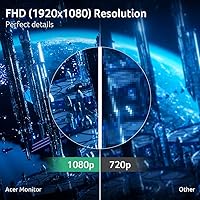
  • Resolution: Full HD (1920 x 1080) resolution delivers clear, sharp images with good detail.
  • Panel Type: IPS (In-Plane Switching) panel offers wide viewing angles and better color accuracy.
  • Refresh Rate: 200Hz refresh rate ensures ultra-smooth motion and fluid gameplay in fast-paced games.
  • Response Time: 0.1ms GTG (Gray-to-Gray) response time minimizes motion blur for fast action scenes.
  • AMD FreeSync: Supports AMD FreeSync Premium technology to reduce screen tearing and stuttering during gameplay.
  • Tilt Adjustment: Adjustable tilt from -2° to 13° for customizable ergonomic comfort during use.
  • VESA Compatibility: VESA-compatible with a 75mm x 75mm mounting pattern for easy wall or arm mounting.
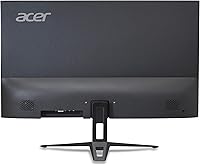
  • Ports: Includes 1 x DisplayPort 1.2 and 1 x HDMI 2.0 for versatile connectivity options.
  • Aspect Ratio: 16:9 aspect ratio provides a wide, cinematic viewing area for gaming and media consumption.
  • Color: Black color finish offers a sleek, modern look that fits most setups.
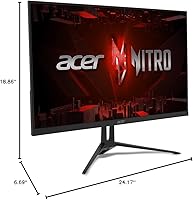
  • Dimensions: Dimensions of 24.2 x 17.5 x 8.3 inches (without stand) make it easy to fit into most workspaces.
  • Weight: Weighs approximately 8.6 kg (without stand), making it relatively easy to move and set up.
  • Power Consumption: Energy-efficient design with typical power consumption of around 28W during use.
  • Wall Mountable: Supports wall mounting with VESA compatibility, allowing flexible setup options.
  • Brightness: Offers a peak brightness of up to 250 nits for adequate visibility in most lighting conditions.
  • Color Accuracy: Provides decent color accuracy, though not ideal for professional photo or video editing.
  • Viewing Angle: Wide 178° viewing angles, ensuring clear visibility from different positions.
  • Connectivity: Compatible with a variety of devices, including PCs, gaming consoles, and laptops, via DisplayPort or HDMI.

FAQ

The Acer Nitro KG273 features a 27-inch Full HD IPS display, offering vibrant colors and wide viewing angles. It supports AMD FreeSync Premium to minimize screen tearing, and has a high 200Hz refresh rate with a fast 0.1ms response time, making it ideal for fast-paced gaming. Additionally, it boasts a sleek zero-frame design and ergonomic tilt adjustment for comfortable viewing.

Setting up this monitor is straightforward. Simply connect it to your PC or gaming console using the included HDMI or DisplayPort cables. Adjust the tilt to your preferred angle (-2° to 13°) for comfort, and you can mount it on the wall using its VESA compatibility. Once plugged in, use the on-screen display (OSD) menu to adjust brightness, contrast, and other settings.

Yes, this monitor supports AMD FreeSync Premium, which helps reduce screen tearing and stuttering during fast-paced gaming. If you're using an AMD graphics card, you'll experience smoother gameplay with minimal input lag. However, it’s important to ensure your graphics card supports FreeSync for optimal performance.

Yes, this monitor is VESA compatible with a 75mm x 75mm mount pattern. This allows you to easily mount it on a wall or use a compatible arm for a cleaner, more flexible setup. This is particularly useful if you want to save desk space or optimize your viewing position.

This monitor is ideal for gamers who need high-speed performance with its 200Hz refresh rate and 0.1ms response time. It's also a great choice for casual gamers, streamers, or anyone seeking smooth, tear-free visuals during fast action. Its budget-friendly price point makes it a strong option for users who want a high-quality gaming display without breaking the bank.

No, the Acer Nitro KG273 does not come with built-in speakers. If you need sound, you'll need to use external speakers or headphones. While some users prefer an all-in-one solution, external audio equipment will generally offer better sound quality for gaming or media consumption.

Yes, you can adjust the color settings through the on-screen display (OSD) menu. However, some users have noted that the color accuracy isn't as high as more expensive models, which could be a consideration for professional content creators or graphic designers who need precise color reproduction.

If you experience screen flickering or tearing, make sure AMD FreeSync is enabled in both your monitor's settings and your graphics card's software. Also, ensure your graphics card supports FreeSync and that you're using the correct DisplayPort or HDMI cable. If issues persist, try adjusting the refresh rate or response time settings to see if that resolves the problem.

The Acer Nitro KG273 is built with a plastic frame, and while it’s sturdy enough for regular use, it may not feel as premium or durable as more expensive models with metal construction. Users have mentioned that it’s solid for everyday gaming but may not withstand heavy bumps or long-term, high-intensity use in more demanding environments.

While the Acer Nitro KG273 excels for gaming, it may not be the best choice for professional content creation, particularly for color-sensitive tasks. The color accuracy is good for casual gaming and general use, but it may not meet the high standards required by graphic designers or video editors. If color fidelity is critical for your work, you may want to consider a more color-accurate monitor.