Overview
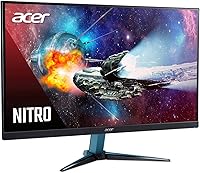
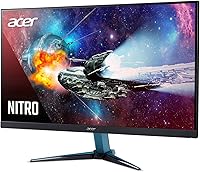
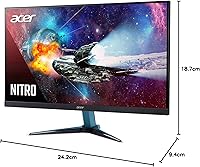
The Acer Nitro VG271U 27-inch Gaming Monitor sits in a competitive sweet spot — solid enough to satisfy serious gamers, priced to not demand a significant premium. Acer’s Nitro line has earned a reputation for dependable performance without the flagship markup of their Predator range, and this 27-inch IPS gaming monitor upholds that tradition. The IPS panel is a meaningful choice here: compared to TN alternatives common at similar price points, you get noticeably better color reproduction and much wider viewing angles right out of the box. The zero-frame design looks clean in any desk setup. Just know going in — this is a strong everyday performer, not a top-tier enthusiast display.
Features & Benefits
At 27 inches, the jump from 1080p to WQHD 1440p resolution is immediately obvious — text is sharper, game environments reveal more detail, and individual pixels stop pulling your attention. The 144Hz refresh rate paired with AMD FreeSync keeps motion fluid and tear-free, which matters most in fast-paced titles. One thing worth clarifying: the 1ms rating refers to VRB (Visual Response Boost), not grey-to-grey — a real distinction, since VRB involves backlight strobing rather than raw panel speed. The DisplayHDR 400 certification is entry-level; it adds some brightness headroom without replicating a true HDR experience. Connectivity is practical: two HDMI 2.0 ports, a DisplayPort 1.2 input, and DCI-P3 color coverage that also benefits creative and media use.
Best For
The Nitro VG271U is a natural fit for PC gamers making the jump from 1080p — the resolution difference on a 27-inch screen is substantial enough to justify the upgrade on its own. AMD GPU owners get a genuine advantage here, since FreeSync works natively without workarounds. The slim bezel makes this Acer Nitro display a smart pick for multi-monitor setups, keeping the visual gap between screens minimal. It also holds up well as an all-day work monitor; the wide viewing angles and color accuracy are genuinely comfortable across long sessions. One caveat: if you need height or pivot adjustment, budget for a VESA arm — the included stand only tilts.
User Feedback
Buyers consistently rate this Acer Nitro display highly, with most pointing to out-of-the-box image quality and smooth gaming performance as the standout strengths. Long-term owners report it holds up reliably — no widespread complaints about panel degradation or firmware instability have emerged over time. That said, two criticisms keep resurfacing: the built-in speakers are genuinely underwhelming and most buyers simply ignore them, while the tilt-only stand frustrates anyone wanting ergonomic flexibility. A portion of users have flagged minor backlight bleed, which appears to vary between individual units. On HDR, the consensus is measured — the effect is noticeable in bright scenes but modest overall, exactly what an HDR 400 panel realistically delivers.
Pros
- The resolution jump to 1440p on a 27-inch IPS screen is immediately visible and genuinely improves daily use.
- 144Hz refresh rate keeps fast-paced games fluid without requiring a top-tier GPU to drive it.
- AMD FreeSync works reliably, eliminating screen tearing in compatible setups without added configuration.
- IPS panel delivers accurate, vibrant color out of the box — little to no manual calibration needed for most users.
- Thin bezels make it one of the cleaner options for multi-monitor desk builds in this price range.
- DCI-P3 color coverage gives light creative work and media consumption a noticeable quality boost.
- Two HDMI 2.0 ports add flexibility for connecting a second device like a console alongside a PC.
- VESA mount compatibility means upgrading to a quality arm is straightforward and affordable.
- Long-term owners report consistent build reliability with no widespread firmware or hardware failure issues.
- Ships with an HDMI cable included — a small but appreciated detail that cuts setup friction.
Cons
- The tilt-only stand is a genuine ergonomic shortcoming; most buyers will need a VESA arm for comfortable positioning.
- Built-in speakers are barely functional at 2 watts — treat them as absent and plan for external audio.
- DisplayHDR 400 certification sounds impressive but delivers a modest real-world HDR effect; don't expect dramatic impact.
- The 1ms response spec uses VRB backlight strobing, not native grey-to-grey speed, which can mislead buyers comparing panels.
- Some units have shown inconsistent backlight bleed, and quality control appears to vary between production batches.
- No USB hub on the monitor means one less convenience feature that competitors at similar price points sometimes include.
- G-Sync compatibility is not guaranteed, so NVIDIA users may not get adaptive sync benefits without testing their specific setup.
- At 350 cd/m² native brightness, the panel can struggle in very bright or sunlit rooms compared to higher-nit alternatives.
Ratings
The scores below were generated by our AI after analyzing thousands of verified owner reviews for the Acer Nitro VG271U 27-inch Gaming Monitor worldwide, with spam, bot-submitted, and incentivized feedback actively filtered out before scoring. Each category reflects the honest balance of praise and frustration real buyers have expressed over years of ownership, not just impressions from the first week out of the box. Strengths are recognized where they are genuinely earned, and recurring pain points are scored accordingly without being softened.
Image Clarity
Color Accuracy
Gaming Performance
FreeSync Implementation
HDR Quality
Ergonomics & Stand
Build Quality
Connectivity
Built-in Audio
Backlight Uniformity
Setup Experience
Value for Money
Multi-Monitor Suitability
Long-Term Reliability
Suitable for:
The Acer Nitro VG271U 27-inch Gaming Monitor is built for PC gamers who are ready to leave 1080p behind but aren't prepared to spend flagship prices to do it. At 27 inches, the step up to 1440p resolution is substantial enough that you'll notice the difference immediately in both games and everyday desktop use. AMD GPU owners in particular get a lot of value here, since FreeSync works natively and without the compatibility headaches that can come with third-party sync solutions. The thin bezel also makes it a natural choice for anyone running a dual or triple-monitor arrangement, where visual continuity between screens actually matters. It handles home office work just as comfortably as gaming sessions, thanks to the wide viewing angles and reasonable color accuracy that IPS panels bring at this tier.
Not suitable for:
Buyers who care deeply about ergonomics should know upfront that the Nitro VG271U's included stand offers tilt adjustment only — there's no height, swivel, or pivot, which is a real limitation for anyone planning long daily work sessions. If you're drawn to HDR content and expecting a meaningful high-dynamic-range experience, this monitor will underwhelm; DisplayHDR 400 is an entry-level certification and the effect, while present, is modest compared to panels in the HDR 600 or HDR 1000 tier. Competitive esports players chasing the absolute lowest input lag might also find more purpose-built options with faster native grey-to-grey response times, since the 1ms spec here reflects VRB mode rather than the panel's true pixel transition speed. NVIDIA GPU users can still use this display, but they won't get the full benefit of adaptive sync without G-Sync compatibility, which is not guaranteed on this model. And if you listen to audio through your monitor, the integrated 2-watt speakers are not a serious option — budget for external audio from the start.
Specifications
- Panel Type: This monitor uses an IPS (In-Plane Switching) panel, which provides consistent color accuracy and wide viewing angles compared to TN alternatives at this price tier.
- Screen Size: The active display area measures 27 inches diagonally, offering a comfortable viewing surface for both gaming and productivity work.
- Resolution: Native resolution is 2560x1440 (WQHD), delivering noticeably sharper detail than 1080p at this screen size without requiring an ultra-high-end GPU to drive.
- Refresh Rate: The panel runs at up to 144Hz, allowing significantly smoother motion in fast-paced games compared to standard 60Hz displays.
- Response Time: Rated at 1ms using VRB (Visual Response Boost) mode, which involves backlight strobing rather than representing the panel's native grey-to-grey pixel transition speed.
- Brightness: Native brightness is 350 cd/m², with a peak of 400 cd/m² available in HDR mode for compatible content.
- HDR Support: Certified under VESA DisplayHDR 400, which is an entry-level HDR standard offering some improvement in bright-scene rendering but not comparable to HDR 600 or higher tiers.
- Sync Technology: AMD Radeon FreeSync is supported natively, synchronizing the display refresh rate with compatible AMD GPU frame output to reduce tearing and stutter.
- Color Gamut: The panel covers the DCI-P3 color space, providing richer, more saturated color reproduction that benefits media consumption and light creative tasks alongside gaming.
- Viewing Angles: Horizontal and vertical viewing angles both reach 178 degrees, meaning color and brightness remain consistent even when viewing from off-center positions.
- Connectivity: Port selection includes two HDMI 2.0 inputs and one DisplayPort 1.2 input, with an HDMI cable included in the box.
- Audio Output: A 3.5mm audio output jack is available for connecting headphones or external speakers, supplementing the integrated stereo speakers.
- Speakers: Two integrated stereo speakers deliver 2 watts each, suitable only for basic system audio and not recommended as a primary listening solution.
- Bezel Design: The monitor features a zero-frame (thin-border) bezel design on three sides, reducing the visual gap between screens in multi-monitor configurations.
- VESA Mount: The display is VESA mount compatible, allowing the factory stand to be removed and replaced with a third-party monitor arm or wall mount.
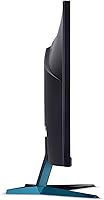
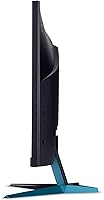
- Stand Adjustment: The included stand supports tilt adjustment only; height, swivel, and pivot adjustments are not available without a separate VESA-compatible arm.
- Dimensions: With the stand attached, the monitor measures 24.2 x 9.4 x 18.7 inches (L x W x H), making it well-suited for standard desk depths.
- Weight: The assembled unit weighs approximately 11.71 pounds, which is typical for a 27-inch monitor with an integrated stand.
- Aspect Ratio: The display uses a standard 16:9 widescreen aspect ratio, ensuring full compatibility with virtually all games, video content, and operating system interfaces.
- Availability Date: This model was first made available in January 2019 and has accumulated a substantial base of long-term owner feedback since its launch.
Related Reviews
Acer Nitro KG273 27-inch Gaming Monitor
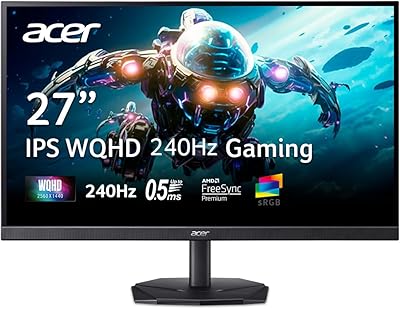
Acer Nitro KG271U 27-inch IPS Gaming Monitor
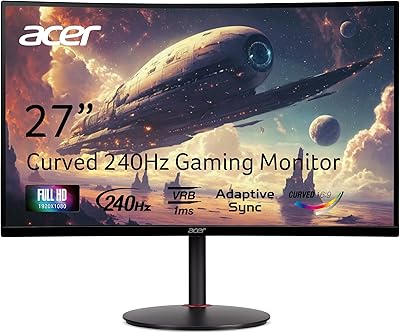
Acer Nitro XZ270 27-inch Curved Gaming Monitor
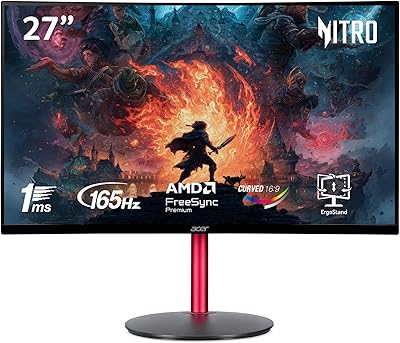
Acer Nitro ED270R 27″ Curved Gaming Monitor
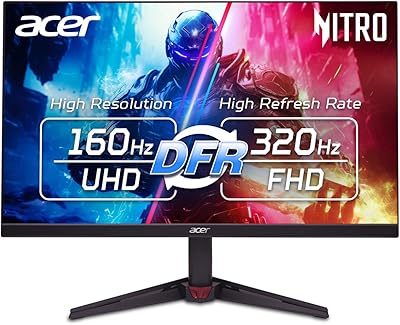
Acer Nitro VG270K 27-inch 4K Gaming Monitor

Acer Nitro KG251Q 24.5-inch Gaming Monitor
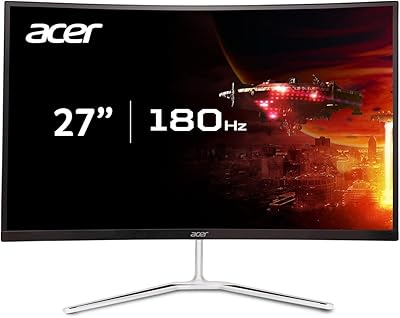
Acer Nitro EDA270U 27″ Curved Gaming Monitor
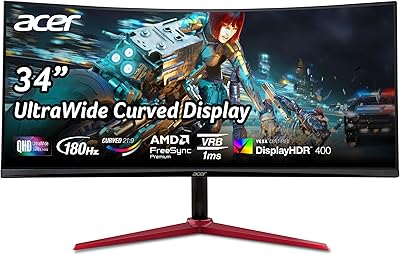
Acer Nitro XZ342CU 34″ Curved Gaming Monitor
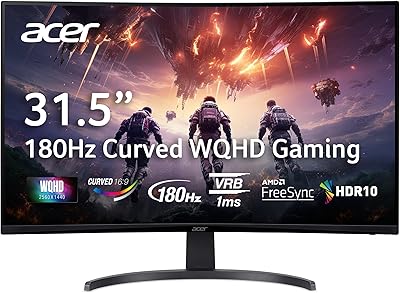
Acer Nitro EDA323QU 31.5-inch Curved Gaming Monitor