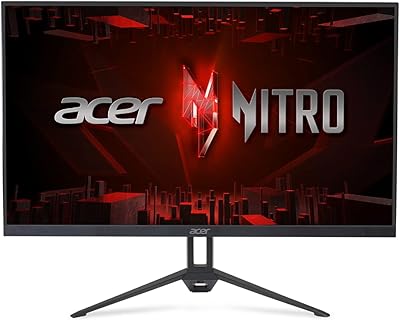
Acer XV272U 27″ WQHD 240Hz Gaming Monitor


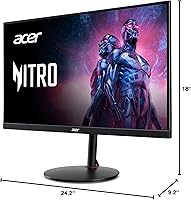
Overview
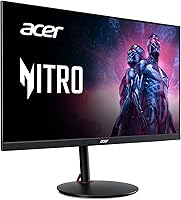
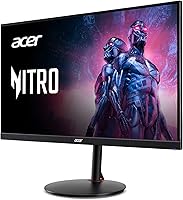
The Acer XV272U 27″ WQHD 240Hz Gaming Monitor sits in a competitive sweet spot where high refresh rate meets genuine resolution, and it holds its own well. At 27 inches, 1440p looks noticeably sharper than 1080p, and the IPS panel keeps colors and viewing angles honest in ways TN alternatives simply cannot match at this refresh tier. The ergo stand is a genuine surprise for the price: sturdy, fully adjustable, not an afterthought. If you want a capable workhorse for competitive gaming, this Acer gaming monitor delivers. Just don't expect professional color-grading accuracy — that was never the point.
Features & Benefits
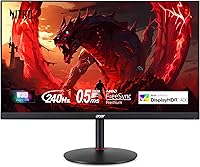
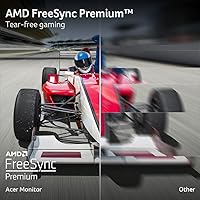
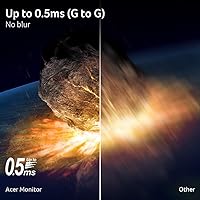
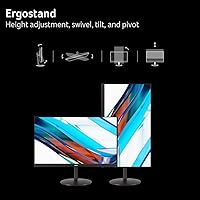
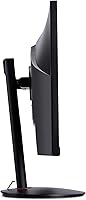
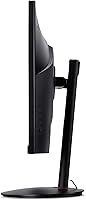
The refresh rate story depends on your cable. 240Hz requires DisplayPort — connect via HDMI and you're capped at 144Hz, which matters if you're chasing every competitive edge. AMD FreeSync Premium keeps screen tearing out of the picture, and the 0.5ms GtG response means fast scenes stay crisp rather than ghosted. At 27 inches, the 1440p IPS panel is genuinely pleasant: text is sharp, colors feel natural, and wide viewing angles mean the image holds up when you shift position. The stand covers tilt, swivel, height, and pivot — rare at this price. Two built-in speakers are present, though treat them as emergency backup, not a listening setup.
Best For
The XV272U lands squarely in the hands of PC gamers ready to step up from 1080p without stretching into flagship territory. Competitive FPS players get a lot here — the high refresh rate and fast response work together in titles where split-second reactions count. It also suits mixed-use desks: one DisplayPort from a gaming rig, one HDMI from a console, and you're covered without a switcher. The adjustable stand makes it easier to fit snug multi-monitor arrangements or share across different sitting positions. AMD GPU owners will appreciate native FreeSync support without paying a premium for G-Sync compatibility.
User Feedback
Across nearly 600 ratings, this 27″ 1440p display holds a 4.1-star average — a solid signal that most buyers come away satisfied. Image clarity and motion smoothness are the most praised qualities, and the stand's build quality consistently surprises people expecting something flimsy at this price. The recurring frustration is the glossy screen coating, which picks up reflections aggressively in bright rooms — not a dealbreaker, but a real concern if your desk faces a window. Some buyers needed minor color calibration out of the box, and several flagged the DisplayPort requirement for full 240Hz in their setup notes. The built-in speakers draw polite indifference, nothing more.
Pros
- 1440p at 27 inches delivers a sharp, pixel-dense image that is a clear step above 1080p.
- 240Hz refresh rate keeps fast-paced gameplay fluid and genuinely responsive via DisplayPort.
- The IPS panel holds color and contrast across wide viewing angles, unlike TN alternatives at this tier.
- AMD FreeSync Premium eliminates screen tearing across a wide frame rate range without extra cost.
- The fully articulating stand — with height, pivot, swivel, and tilt — is rare at this price point.
- Includes both DisplayPort and HDMI cables in the box, so most buyers are ready to go immediately.
- Solid build quality; the chassis and stand feel sturdier than competing monitors at similar prices.
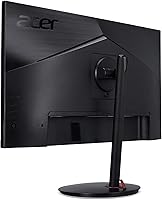
- VESA 100x100mm support makes it easy to swap to a wall arm or desk mount down the road.
- Dual HDMI ports plus DisplayPort allow a PC and console to stay connected simultaneously.
- Out-of-box color accuracy is good enough for gaming and general use without immediate calibration.
Cons
- The glossy panel coating creates persistent reflections in bright or naturally lit rooms.
- Full 240Hz is only available via DisplayPort — HDMI users are capped at 144Hz, which surprises many buyers post-purchase.
- No USB hub means no quick-access ports for mice, keyboards, or thumb drives on the monitor itself.
- Built-in speakers are barely adequate for basic alerts and far too weak for game audio or music.
- Minor color and gamma adjustments are often needed out of the box for users with calibrated expectations.
- Overdrive at maximum settings introduces visible pixel overshoot artifacts that require manual tuning.
- Nvidia GPU users may experience inconsistent adaptive sync behavior due to the lack of G-Sync certification.
- The OSD button layout feels dated and requires more button presses than joystick-controlled competitors.
- A small but documented portion of early buyers encountered dead pixels or backlight issues within the first months.
- Replacing the stand with a VESA arm requires tools and a few minutes of disassembly — it is not a quick swap.
Ratings
The Acer XV272U 27″ WQHD 240Hz Gaming Monitor was scored by our AI system after analyzing verified buyer reviews from multiple global markets, with spam, bot-submitted, and incentivized feedback actively filtered out before any scoring was applied. The ratings below reflect the full picture — where this display genuinely excels and where real buyers have run into friction. No category was softened to favor the brand.
Image Clarity & Resolution
Refresh Rate & Motion Smoothness
Response Time & Input Lag
AMD FreeSync Premium Performance
Ergonomics & Stand Adjustability
Color Accuracy & Out-of-Box Calibration
Panel Coating & Glare Handling
Build Quality & Materials
Connectivity & Port Selection
Built-In Speakers
Setup & Initial Configuration
Value for Money
OSD Menu & Controls
VESA Mount Compatibility
Long-Term Reliability
Suitable for:
The Acer XV272U 27″ WQHD 240Hz Gaming Monitor is built for PC gamers who have outgrown 1080p and want a meaningful visual upgrade without crossing into flagship pricing territory. Competitive FPS and esports players will find the 240Hz refresh rate particularly useful — the kind of fluidity that actually influences reaction time in fast-paced multiplayer titles. Buyers running AMD GPUs get native FreeSync Premium support, which means tear-free performance without paying extra for G-Sync certification. The fully adjustable stand — covering tilt, height, swivel, and pivot — makes it a strong fit for multi-monitor setups or shared desks where positioning needs to shift regularly. It also handles hybrid setups cleanly: a gaming PC through DisplayPort and a console through one of the two HDMI ports, no switcher required. If your current monitor is a 1080p display at 24 or 27 inches, the jump to 1440p on this panel will feel immediately and genuinely worthwhile.
Not suitable for:
Buyers who do color-critical work — photo editing, video grading, or digital illustration — should look elsewhere; the XV272U was designed around gaming performance, not Delta-E accuracy or wide color gamut coverage. The glossy screen coating is a real problem for anyone with a desk that faces a window or sits under bright overhead lighting, and no display setting will fix that. Nvidia GPU owners should be aware that this monitor lacks official G-Sync compatibility, so adaptive sync behavior on green-team hardware is inconsistent at best. Users who want a USB hub built into the display for quick peripheral access will also be disappointed — the port selection is serviceable but lean. Those who rely on monitor speakers for daily audio — video calls, music, ambient sound — will find the 2W built-ins fall well short of useful. Simply put, the Acer XV272U 27″ WQHD 240Hz Gaming Monitor is a focused gaming tool, and buyers expecting it to double as a professional workstation display or a multimedia hub will find the compromises hard to ignore.
Specifications
- Panel Type: IPS (In-Plane Switching) panel technology provides consistent color and contrast across wide horizontal and vertical viewing angles.
- Screen Size: 27-inch diagonal display area, measured from corner to corner of the active screen surface.
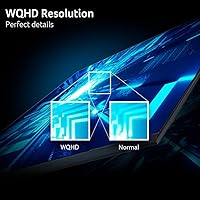
- Resolution: 2560 x 1440 (WQHD) native resolution delivers approximately 108 pixels per inch at 27 inches.
- Refresh Rate: 240Hz maximum refresh rate via DisplayPort 1.4; capped at 144Hz when connected through HDMI 2.0.
- Response Time: Up to 0.5ms GtG (Gray-to-Gray) at the fastest overdrive setting, with 1ms GtG available at a moderate overdrive level.
- Sync Technology: AMD FreeSync Premium adaptive sync reduces screen tearing and stuttering across a dynamic frame rate range.
- Pixel Pitch: Each pixel measures 0.233mm, contributing to the sharpness visible at typical desktop viewing distances.
- Screen Surface: Glossy panel coating enhances color vibrancy in controlled lighting but creates noticeable reflections in bright or windowed rooms.
- Ports: Connectivity includes one DisplayPort 1.4, two HDMI 2.0 inputs, and one 3.5mm audio output jack; no USB hub is present.
- Included Cables: One DisplayPort cable and one HDMI cable are included in the box, covering the two primary connection types.
- Built-in Speakers: Two 2-watt integrated speakers provide basic audio output suitable for system sounds and low-demand listening situations.
- Stand Adjustments: The ergonomic stand supports tilt from -5° to +15°, height adjustment up to 4.7″, 360° swivel, and 90° portrait pivot.
- VESA Compatibility: Standard 100x100mm VESA mounting pattern allows use with most third-party monitor arms and wall mount brackets.
- Aspect Ratio: 16:9 widescreen aspect ratio, consistent with standard HD and WQHD content formats.
- Dimensions: Assembled unit measures 24.2 inches wide, 18 inches tall, and 9.2 inches deep including the stand base.
- Weight: Complete unit with stand weighs 11.51 pounds, making single-person desk placement straightforward.
- Power Input: Rated at 240 volts; the monitor uses an internal power supply with a standard AC power cable connection.
- Color: Matte black finish across the bezel, stand arm, and rear housing with a thin-border front frame design.
Related Reviews
Acer Nitro VG271U 27-inch Gaming Monitor
Acer Nitro EDA270U 27″ Curved Gaming Monitor
Acer Nitro KG271U 27-inch IPS Gaming Monitor
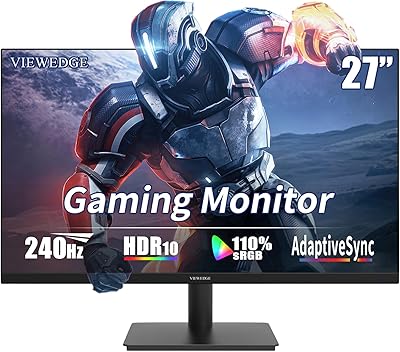
Viewedge CS27FM 27-inch Gaming Monitor
OMEN X 27” 240Hz Gaming Monitor
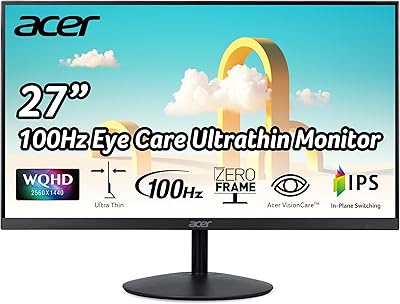
Acer SB272U 27″ IPS Monitor
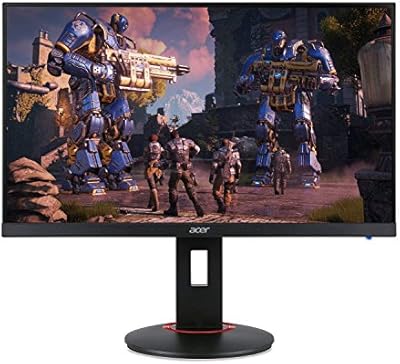
Acer XF270H 27″ Gaming Monitor
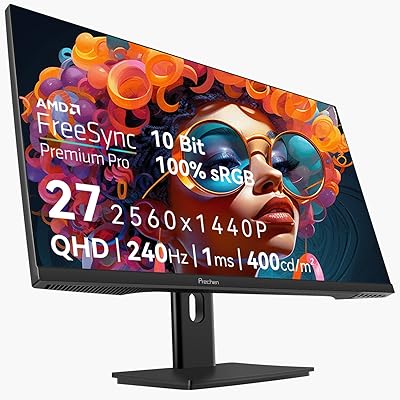
Prechen HD-270 27-inch QHD Gaming Monitor
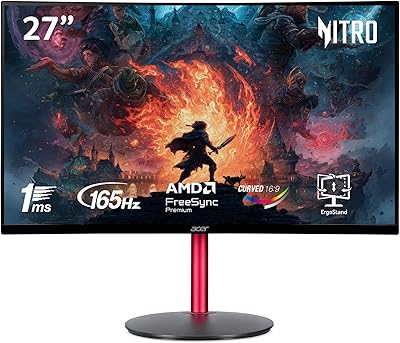
Acer Nitro ED270R 27″ Curved Gaming Monitor