Overview

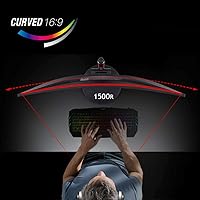
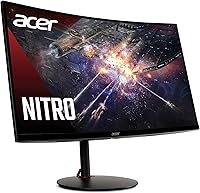
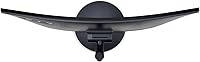
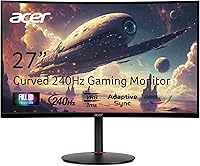
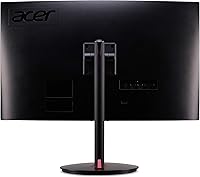
The Acer Nitro XZ270 27-inch Curved Gaming Monitor sits squarely in the mid-range segment, targeting PC gamers who want genuine speed and immersion without spending flagship money. Built around a 1500R VA panel, it wraps the screen around your field of view in a way flat monitors simply cannot match at this price. The curve feels substantial at 27 inches — not gimmicky. It isn't trying to compete with high-end IPS or OLED displays, but it carves out a confident position for gamers who want smooth, responsive gameplay backed by decent image depth and a sturdy, adjustable stand.
Features & Benefits

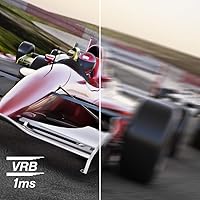
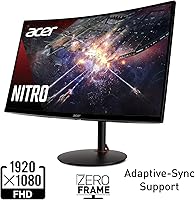
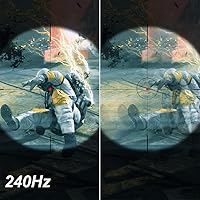
At 240Hz refresh rate, the difference during fast-paced play is immediately obvious — cursor tracking feels tighter, and fast-moving objects leave far less blur than you'd see on a 144Hz screen. The 1ms VRB spec is worth clarifying: it refers to Visual Response Boost, a backlight strobing technique, not the panel's native pixel transition speed. In practice it reduces perceived motion blur noticeably. Adaptive-Sync keeps tearing at bay across both AMD and Nvidia setups. The zero-frame bezel suits multi-monitor rigs nicely, and the ergonomic range — tilt, 4.7-inch height adjustment, full swivel — lets you dial in positioning properly. Built-in speakers work in a pinch, nothing more.

Best For

This curved gaming monitor makes the most sense for competitive FPS players who are still on 60Hz or 144Hz and want a meaningful upgrade without stretching their budget to its limit. If your GPU is a mid-range card that handles strong 1080p framerates but would struggle at 1440p, this is a natural fit. The dual HDMI 2.0 inputs are genuinely useful for anyone splitting time between a PC and a console. The 1500R curve rewards single-screen setups; the immersive effect at this size is more pronounced than most expect. Content creators needing pixel-perfect sharpness, however, should look elsewhere.

User Feedback

Owners of the Nitro XZ270 consistently highlight value for the price and confirm that the step up to 240Hz feels like a real difference once you've spent time with it. Long-term users report consistent color performance over months of regular use. The most repeated criticism involves sharpness — 1080p across 27 inches can appear soft in desktop use and web browsing, even if fast-paced gaming tends to mask it. Some buyers also find the OSD controls fiddly, and a few note minor stand flex. Overall consensus leans clearly positive: this Acer display punches above its weight for pure gaming performance at the price.

Pros

  • 240Hz refresh rate delivers genuinely smoother motion in fast-paced games compared to 144Hz screens.
  • The 1500R curve adds real immersion at 27 inches without needing an ultrawide panel.
  • Adaptive-Sync works across both AMD and Nvidia GPUs, keeping options open.
  • VA panel produces deeper blacks than TN alternatives at this price point.
  • Solid ergonomic range — height, tilt, and swivel — makes long sessions more comfortable.
  • Zero-frame bezel keeps the look clean and works well in dual-monitor setups.
  • Dual HDMI 2.0 ports let you connect a PC and a console simultaneously.
  • Matte screen surface handles reflections well in typical room lighting conditions.
  • Long-term owners report consistent color and panel reliability over extended use.
  • Strong value for a 240Hz curved display at this price tier.

Cons

  • 1080p resolution at 27 inches looks noticeably soft during desktop use and web browsing.
  • VRB backlight strobing cannot run simultaneously with Adaptive-Sync, so you have to choose one.
  • OSD button layout feels fiddly and takes time to get used to for menu navigation.
  • Some users report minor flex in the stand under light pressure or desk vibrations.
  • Built-in 2W speakers are barely adequate — a headset or external speakers are essentially required.
  • No USB hub on the monitor, which limits desk cable management options.
  • VA panel response time can show ghosting in certain dark-to-dark pixel transitions.
  • Not bright enough to look vibrant in very well-lit or sunlit room environments.
  • No HDR certification despite the panel being capable of decent contrast ratios.
  • Pixel density at this size may disappoint anyone upgrading from a smaller 1080p screen.

Ratings

The scores below for the Acer Nitro XZ270 27-inch Curved Gaming Monitor were generated by our AI rating engine after analyzing thousands of verified owner reviews from global marketplaces, with spam, bot submissions, and incentivized feedback actively filtered out. Each category score reflects the full spread of real buyer experiences — not just the highlights — so both the genuine strengths and the recurring frustrations are represented transparently.
Refresh Rate Performance
93%
Owners who upgraded from 60Hz or 144Hz panels consistently describe the move to 240Hz as one of the most impactful changes they have made to their gaming setup. Fast-paced shooters and racing games in particular feel noticeably more responsive, with cursor tracking and on-screen motion appearing sharper and more controlled during intense sessions.
To actually sustain framerates near 240fps, your GPU needs to be capable at 1080p, which limits the full benefit to players with mid-to-high-end hardware. Users with older cards report that the high refresh rate ceiling goes largely unused, making the premium feel less justified in their specific situation.
Motion Clarity
78%
22%
With VRB enabled, perceived blur during fast lateral movement drops considerably compared to leaving it off, and many competitive players find this makes a real difference in tracking enemies across the screen. The VA panel handles fast-moving content better than most people expect at this price point.
VRB and Adaptive-Sync cannot run together, forcing users to pick one or the other depending on the game they are playing. Some owners also note that dark-to-dark pixel transitions can produce faint ghosting trails on VA panels, which is most visible in darker game environments.
Image Quality
76%
24%
The VA panel produces noticeably deeper blacks than TN alternatives, which makes darker game environments look more atmospheric and less washed out. Color saturation is strong enough for gaming and casual media consumption, and the matte coating keeps the image readable without harsh reflections in typical indoor lighting.
This is not a color-accurate panel by any professional standard, and users who do photo editing or video work on the side find the color representation unreliable. Brightness levels are adequate for dim rooms but can feel flat in brighter environments, which limits its versatility as an all-purpose display.
Resolution Sharpness
58%
42%
During active gameplay at typical desk distances, most users report that 1080p at this size is more than acceptable — the high framerate tends to draw attention away from pixel density, and fast-paced gaming simply does not expose the limitations the way static content does.
At 27 inches, the 1080p resolution produces a pixel density that a significant portion of buyers find noticeably soft in daily desktop use, text rendering, and web browsing. Users who sit closer than 70cm to their monitor, or who split time between gaming and productivity work, report this as a persistent frustration that does not go away over time.
Curvature & Immersion
84%
The 1500R curve is subtle enough not to distort geometry in strategy or productivity use, while still pulling the edges of the screen into peripheral vision during gaming in a way that genuinely enhances immersion for single-monitor setups. Owners who game in darker rooms report that the curve makes the display feel considerably larger than its physical dimensions suggest.
Some users note that the curve becomes less beneficial — or mildly distracting — when the monitor is used at wider viewing angles, such as when a second person watches from the side. A handful of owners also feel the 1500R radius is not tight enough to deliver the full curved-screen effect they anticipated.
Build Quality
81%
19%
The overall construction feels solid for the price tier, with a base that handles everyday desk use without any concerning flex or creaking. Most long-term owners report no structural degradation over many months of daily use, which speaks well to the durability Acer has delivered here.
A recurring complaint involves minor wobble in the stand when the desk surface vibrates — typing hard or nudging the desk can cause the screen to sway briefly. The plastic finish on the stand also picks up light scratches over time and does not feel as premium as the monitor's price might suggest.
Ergonomics
83%
The 4.7-inch height adjustment range and wide swivel make it genuinely easy to dial in a comfortable position for extended gaming or work sessions, which users with adjustable desks or non-standard chair heights particularly appreciate. The tilt range is broad enough that finding a comfortable angle rarely requires compromise.
The stand does not support pivot rotation into portrait mode, which frustrates users who prefer vertical orientation for coding or reading. A small number of buyers also find the stand attachment mechanism slightly fiddly during initial assembly, though it is a one-time inconvenience.
Connectivity
79%
21%
Having two HDMI 2.0 ports is a practical advantage for anyone running a PC and a console from the same screen, eliminating the need to swap cables when switching between devices. The included HDMI cable means the monitor is genuinely ready to use immediately out of the box.
There is no USB hub built into the monitor, which is an increasingly common feature on competing panels at this price and its absence is felt on cable-managed desks. Only one DisplayPort is available, so users with multi-source PC setups may find the input selection limiting.
OSD & Controls
61%
39%
The on-screen menu covers all the essential settings — brightness, contrast, refresh rate switching, VRB toggle — and once you learn the button layout, navigating to frequently used options becomes reasonably quick. Most users adapt to the control scheme within the first week of use.
The rear-mounted OSD buttons are the most consistently criticized aspect of the physical design, with many buyers describing them as stiff, poorly labeled, and easy to confuse in low-light conditions. Switching between input sources or adjusting settings mid-session can feel needlessly cumbersome compared to joystick-based OSD controls found on competing monitors.
Adaptive-Sync Implementation
82%
18%
Adaptive-Sync works reliably across a wide GPU range, and users running both AMD and Nvidia cards report smooth, tear-free gameplay when framerates sit within the supported variable refresh window. The lack of brand lock-in is a genuine practical benefit that gives buyers flexibility when upgrading their GPU later.
The effective VRR range on this panel is not as wide as on some competing monitors, meaning users whose framerates drop significantly below the lower threshold of the sync range will still experience occasional tearing. A few Nvidia users also note that activating G-Sync Compatible mode requires a manual step in the driver settings that is not immediately obvious.
Audio
37%
63%
The built-in speakers are sufficient for system notification sounds and low-volume background audio when no other option is available, and their presence at least avoids the need to scramble for any audio output during initial setup.
Two watts per channel is genuinely not enough for any meaningful gaming or media listening experience, and audio quality at higher volumes becomes thin and distorted quickly. Virtually every owner who comments on audio recommends ignoring the built-in speakers entirely and budgeting for a headset or external speakers from day one.
Value for Money
88%
Across all verified feedback, value is the category where this curved gaming monitor earns the most consistent praise — buyers who compare it against competing 240Hz displays at the same price tier repeatedly conclude that the Nitro XZ270 offers more for the money than most alternatives. The combination of high refresh rate, adjustable stand, and Adaptive-Sync at this price is difficult to match.
The value proposition weakens if your primary use extends beyond gaming, since the 1080p resolution and limited color accuracy reduce its usefulness as an all-purpose display. Buyers who later discover that their workload demands sharper text or more accurate color report feeling like they would have been better served spending more upfront.
Setup Experience
85%
Most owners describe unboxing and assembly as quick and painless, with the stand snapping together without tools and the included cable meaning they were up and running within minutes. The monitor arrives well-protected and users rarely report cosmetic damage or dead pixels out of the box.
The initial calibration process can take some patience, since the out-of-box color and brightness settings are not optimized and require several OSD adjustments to reach a comfortable baseline. Users unfamiliar with monitor calibration may leave performance on the table by sticking with defaults.
Long-term Reliability
86%
Owners who have used the Nitro XZ270 for a year or more frequently report that color consistency and panel uniformity hold up well without the backlight bleed or color shift issues that affect some competing VA monitors over time. The overall reliability track record in long-term reviews is reassuringly consistent.
A small but notable percentage of buyers report early panel defects or backlight uniformity issues that required warranty claims within the first few months. Response times from Acer support receive mixed reviews, with some users reporting smooth replacements and others describing drawn-out processes.

Suitable for:

The Acer Nitro XZ270 27-inch Curved Gaming Monitor is a strong match for PC gamers who play fast-paced titles — shooters, racing games, fighting games — where a high refresh rate makes a tangible difference in responsiveness. If you are currently on a 60Hz or 144Hz flat monitor and your GPU comfortably pushes high 1080p framerates, the jump to 240Hz on this curved panel will feel like a genuine step forward. The 1500R VA panel also appeals to single-monitor setups where you want some immersion without committing to an ultrawide, and the broad ergonomic adjustment range makes it comfortable for long gaming sessions. Console players who want a secondary PC monitor will appreciate having two HDMI inputs ready to go. It also suits anyone who wants Adaptive-Sync tear-free performance without being locked into one GPU brand.
Not suitable for:

Buyers who prioritize image sharpness for desktop work, photo editing, or video production will likely find the Nitro XZ270 frustrating in daily use — 1080p spread across 27 inches is noticeably soft up close, and the VA panel is not color-accurate enough for professional creative work. Gamers who have moved on to 1440p or 4K will feel like they are stepping backward in visual detail, regardless of how smooth the motion is. If you rely on your monitor for watching films or consuming high-resolution content, the resolution ceiling will become a recurring annoyance. The built-in speakers are too limited to serve as a real audio solution, so buyers hoping to skip a separate speaker or headset purchase will be disappointed. Those who prefer IPS-level brightness and color vibrancy will also find the VA panel underwhelming in well-lit rooms.

Specifications

  • Panel Type: This monitor uses a VA (Vertical Alignment) panel, which offers stronger contrast and deeper blacks compared to TN panels at a similar price.
  • Screen Size: The viewable screen measures 27 inches diagonally, providing a wide field of view suited to both gaming and general desktop use.
  • Resolution: Native resolution is 1920x1080 (Full HD), delivering standard 1080p output across the 16:9 aspect ratio display.
  • Refresh Rate: The panel supports a maximum refresh rate of 240Hz, allowing up to 240 frames per second to be displayed for smoother motion in fast-paced content.
  • Response Time: Rated at 1ms VRB (Visual Response Boost), which uses backlight strobing to reduce perceived motion blur rather than reflecting native pixel transition speed.
  • Curvature: The screen features a 1500R curvature radius, meaning the panel curves to match a circle with a 1500mm radius for a moderately immersive viewing angle.
  • Adaptive Sync: Adaptive-Sync technology is supported and is compatible with AMD FreeSync-enabled GPUs to reduce screen tearing and stuttering during gameplay.
  • Ports: Connectivity includes one DisplayPort 1.2 and two HDMI 2.0 inputs; an HDMI cable is included in the box.
  • Speakers: Two built-in stereo speakers rated at 2 watts each provide basic audio output without requiring external hardware.
  • Tilt Range: The stand supports a tilt adjustment range of -5° to +25°, allowing the screen angle to be set for comfortable viewing from a seated position.
  • Height Adjustment: Stand height can be raised or lowered by up to 4.7 inches, accommodating a range of desk heights and seating positions.
  • Swivel Range: The monitor swivels up to 180° in both directions, making it easy to reposition the screen or share the display with someone beside you.
  • Pixel Pitch: The pixel pitch measures 0.3114mm, which reflects the physical spacing between pixels at this screen size and resolution combination.
  • Screen Surface: The display uses a matte anti-glare coating to reduce reflections from ambient light sources in typical indoor environments.
  • Aspect Ratio: The screen has a standard 16:9 widescreen aspect ratio, compatible with virtually all modern gaming and media content.
  • Dimensions: With the stand attached, the monitor measures approximately 7.7 x 24 x 17 inches (depth x width x height).
  • Weight: The full unit including the stand weighs approximately 7.3 pounds, making it manageable for a single person to set up or reposition.
  • Voltage: The monitor accepts a wide input voltage range of 100–240 volts, making it compatible with power standards in most countries worldwide.
  • VESA Mount: The monitor is VESA mount compatible, allowing it to be attached to third-party monitor arms or wall mounts if the included stand is removed.
  • Release Date: This model was first made available in January 2021 and remains an actively sold mid-range gaming monitor in Acer's Nitro lineup.

Related Reviews

Acer Nitro ED270R 27″ Curved Gaming Monitor
73%
91%
Value for Money
88%
Immersion & Curvature
79%
Picture Quality
89%
Refresh Rate & Smoothness
84%
Adaptive Sync (FreeSync)
More
Acer Nitro KG273 27-inch Gaming Monitor
85%
88%
Display Quality
91%
Performance in Fast-Paced Games
85%
Ergonomics and Adjustability
83%
Build Quality
92%
Value for Money
More
Acer Nitro EDA270U 27″ Curved Gaming Monitor
75%
91%
Image Clarity & Resolution
88%
Refresh Rate & Motion Performance
86%
AMD FreeSync Premium
58%
HDR Performance
63%
Color Accuracy & Out-of-Box Calibration
More
Acer Nitro XZ342CU 34″ Curved Gaming Monitor
78%
86%
Image Quality
88%
Refresh Rate Performance
91%
Ultrawide Immersion
54%
HDR Performance
83%
Build Quality
More
Acer Nitro KG271U 27-inch IPS Gaming Monitor
74%
88%
Image Quality
91%
Refresh Rate Performance
83%
Response Time
82%
Color Accuracy
86%
Adaptive Sync
More
Acer Nitro EDA320Q 31.5″ Curved Gaming Monitor
71%
91%
Value for Money
74%
Image Quality
78%
Gaming Performance
84%
Curvature & Immersion
43%
Ergonomics & Adjustability
More
Acer Nitro EDA323QU 31.5-inch Curved Gaming Monitor
74%
89%
Value for Money
87%
Image Sharpness
84%
Refresh Rate Performance
82%
AMD FreeSync
41%
Stand Ergonomics
More
Skytech Gaming Moonshadow 27-inch Curved Gaming Monitor
83%
88%
Image Quality
91%
Refresh Rate Performance
86%
Adaptive-Sync
83%
VA Panel Contrast
84%
Stand & Ergonomics
More
Sealan 27-inch Curved Gaming Monitor
82%
85%
Display Quality
90%
Ease of Setup
91%
Value for Money
87%
Performance in Gaming
83%
Color Accuracy
More
GAMEPOWER F20 27-inch Curved Gaming Monitor
61%
83%
Value for Money
74%
Image Quality
69%
Gaming Performance
78%
Curve & Immersion
58%
Build Quality
More

FAQ

Adaptive-Sync is based on the VESA open standard, which Nvidia has supported through its G-Sync Compatible program for several years now. The Nitro XZ270 works with both AMD and Nvidia cards for tear-free gaming, though you may want to verify G-Sync Compatible status in your Nvidia control panel to enable it properly.

HDMI 2.0 has enough bandwidth to support 1080p at 240Hz, so you can technically reach the full refresh rate over either connection. That said, DisplayPort is generally the more reliable choice for high-refresh gaming, so if your GPU has an available DisplayPort output, use that first.

This is genuinely the most divisive question about this monitor. Sitting at a typical gaming distance of 60–80cm, most people find it perfectly fine during gameplay. The issue tends to show up more in desktop use — reading text, browsing, or looking at static UI elements — where the lower pixel density is more noticeable. If your primary use is gaming, it holds up well; if you spend a lot of time doing office work on the same screen, it might bother you.

VRB stands for Visual Response Boost, and it works by strobing the backlight rapidly to reduce the perception of motion blur — it is not a measurement of how fast individual pixels physically change color. The native pixel transition time on a VA panel at this price is typically in the 4–8ms range depending on the transition. VRB and Adaptive-Sync cannot be used at the same time, so you will need to decide which feature matters more to you.

Yes, both consoles connect via HDMI 2.0, and this monitor has two HDMI 2.0 ports. Keep in mind that current-gen consoles output at up to 120fps at 1080p, so you will not hit 240fps, but the display will handle 120Hz console output without any issue.

They are functional for basic system sounds or background audio at low volume, but that is about as far as it goes. Two watts per channel will not fill a room, and the audio quality is thin. If sound matters to you at all, budget for a headset or a small speaker setup alongside this monitor.

It does not carry an official HDR certification. The VA panel produces decent contrast ratios that can give the impression of richer darks, but there is no HDR10 or DisplayHDR badge here. Do not buy it expecting HDR performance — it is a standard SDR display.

Setup is straightforward — the stand clicks into the base and attaches to the monitor without tools in most cases. The included HDMI cable means you can be up and running within a few minutes of opening the box. The OSD menu navigation using the rear buttons takes a little getting used to, but basic settings like brightness and refresh rate are accessible without much digging.

The stand is solid enough for typical use, but a small number of owners have noted minor flex if the desk itself vibrates — for example, if you type heavily or have a standing desk that shifts slightly. It is not a structural problem, just something to be aware of if you are particularly sensitive to screen movement. If it bothers you, the VESA mounting option lets you move to a third-party arm.

The stand does not support pivot rotation to portrait mode, so you cannot flip the screen to a vertical orientation using the included hardware. If portrait mode matters to your setup, you would need a compatible VESA arm that supports rotation.