Overview

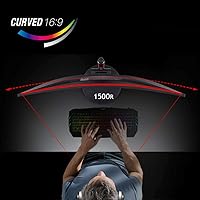
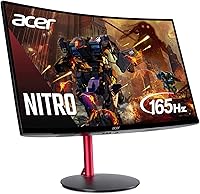
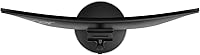
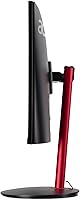
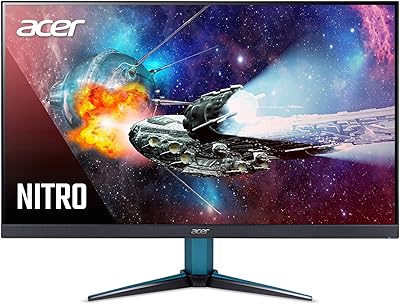
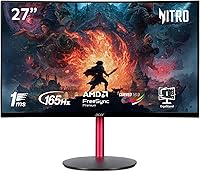
The Acer Nitro ED270R 27″ Curved Gaming Monitor sits in a comfortable spot within Acer's Nitro lineup — capable enough for mid-level PC gamers, yet priced well below the monitors that dominate enthusiast forums. The 1500R curvature is the defining physical feature: it wraps the image around your field of view in a way a flat 27-inch panel simply cannot replicate, making open-world and racing titles feel noticeably more enveloping. The VA panel brings deeper contrast than you would typically get from IPS screens at a comparable price, translating to richer dark scenes without washed-out blacks. The near-borderless ZeroFrame design keeps things clean on a desk, especially if you plan to add a second screen alongside it.
Features & Benefits

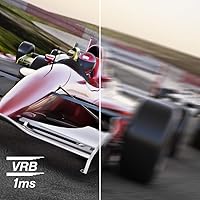
At 165Hz with FreeSync Premium, fast-paced games run without the tearing or stuttering that lower-end panels regularly produce — AMD GPU owners in particular will notice the difference the moment adaptive sync kicks in. The 1ms VRB response time is worth clarifying: VRB uses backlight strobing to reduce perceived motion blur rather than measuring raw pixel transition speed, so it works best during fast action sequences rather than general desktop use. Port options are genuinely practical — one DisplayPort 1.4 and two HDMI 2.0 inputs let you keep a PC and a console connected simultaneously without unplugging anything. The built-in 2-watt speakers handle system sounds adequately, but anyone serious about audio should budget for a headset or external solution.

Best For

This curved Acer monitor makes the most sense for PC gamers upgrading from a flat 24-inch display who want greater immersion without stepping into a 1440p price tier. Console players will appreciate the dual HDMI 2.0 inputs, covering current-gen hardware running at 1080p. It also works well as a dual-purpose desk setup for students or remote workers who game in the evenings — the matte surface cuts reflections during daylight hours, and the curve keeps late-night sessions comfortable. If you gravitate toward darker games like horror or stealth titles, VA panel contrast will serve you better than IPS. That said, if color accuracy for creative or photo work matters, IPS alternatives are genuinely worth comparing.

User Feedback

With a 4.6-star average across nearly 2,800 ratings, the Nitro ED270R earns consistent praise for its value and visual impact — buyers regularly note that the curve and color depth exceeded expectations at this price point. Easy out-of-box setup is another recurring positive, with most users describing a straightforward plug-and-play experience. That said, two complaints surface reliably: some units exhibit backlight bleed along the panel edges, a known VA panel trait that becomes more visible in dark rooms. The more practical frustration is the stand — tilt is the only adjustment available, which makes finding a comfortable eye-level position difficult for taller users or anyone working with a non-standard desk height. Worth knowing before committing.

Pros

  • The 1500R curved panel creates genuine immersion that flat monitors in the same price range simply cannot match.
  • 165Hz refresh rate keeps fast-paced games fluid and responsive without requiring a high-end GPU to notice the difference.
  • AMD FreeSync Premium eliminates screen tearing effectively for players on compatible AMD graphics cards.
  • VA panel delivers deep blacks and strong contrast, making dark game environments look richer than on typical IPS alternatives.
  • Two HDMI 2.0 ports allow a PC and a console to stay connected simultaneously with no cable swapping.
  • The ZeroFrame bezel design looks clean and modern, fitting naturally into minimal desk setups or side-by-side dual-monitor arrangements.
  • Setup is straightforward — most buyers report a plug-and-play experience with no driver headaches out of the box.
  • The matte screen surface reduces reflections meaningfully during daytime use, making it a practical all-day display.
  • At this price point, the overall build quality and feature set represent strong value for an entry-level curved gaming monitor.

Cons

  • At 250 nits, brightness is noticeably limited in well-lit rooms or spaces with natural light nearby.
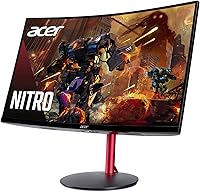
  • The stand only tilts — no height adjustment, swivel, or pivot — which creates real ergonomic problems for many users.
  • Backlight bleed along panel edges is a recurring complaint and is more visible in dark scenes or late-night gaming.
  • VRB response time uses backlight strobing, which some users find uncomfortable or perceive as slight flickering at lower brightness settings.
  • Built-in speakers are too underpowered for any serious audio use and should be considered a last-resort fallback only.
  • The 1080p resolution on a 27-inch screen produces a lower pixel density than ideal, and text can look softer than on a smaller or higher-resolution display.
  • Nvidia GPU owners get limited FreeSync compatibility and will not benefit from adaptive sync without G-Sync Compatible validation.
  • No USB hub or built-in KVM functionality, which limits convenience for multi-device desk setups.

Ratings

The scores below for the Acer Nitro ED270R 27″ Curved Gaming Monitor were generated by our AI system after analyzing thousands of verified global buyer reviews, with spam, bot activity, and incentivized feedback actively filtered out before scoring. Each category reflects the honest distribution of real user sentiment — not a marketing summary — so both the genuine strengths and the recurring frustrations are weighted into every number you see here.

Value for Money
91%
Buyers consistently flag this as one of the strongest aspects of the purchase — getting a curved VA panel with a 165Hz refresh rate and FreeSync Premium at this price bracket genuinely surprises people who expected to compromise more. Many users upgrading from older flat monitors describe it as punching well above its price tier.
A small segment of buyers who compared it against similarly priced IPS alternatives felt the VA panel's color accuracy trade-off made the value calculation less clear-cut for mixed productivity and gaming use. The tilt-only stand also feels like a corner cut that is more noticeable at this price than at a lower one.
Immersion & Curvature
88%
The 1500R curve receives genuine praise from users who game in darker, dedicated setups — titles with wide open environments or cockpit-style perspectives feel noticeably more enveloping than on flat panels of the same size. Users frequently mention that the curve encouraged longer, more comfortable sessions.
A handful of users who primarily use the display for desktop productivity or text-heavy work noted that the curve introduces minor distortion at the extreme edges when viewing straight horizontal lines. It is a small group, but worth knowing if your use splits more toward work than gaming.
Picture Quality
79%
21%
The VA panel's contrast depth draws strong praise for dark-scene gaming — horror, stealth, and space titles look notably richer than on IPS panels in the same price range, with blacks that genuinely read as black rather than dark grey. Colors are described as vibrant and punchy out of the box.
Brightness tops out at 250 nits, which multiple verified buyers flag as a real limitation in daylight or naturally lit rooms where the image can look washed out. Color accuracy also trails IPS at this price, which matters to anyone doing photo work or content creation alongside gaming.
Refresh Rate & Smoothness
89%
At 165Hz the difference compared to a 60Hz display is immediately obvious in fast games — combat sequences, high-speed driving titles, and FPS gameplay all feel more fluid and responsive in ways that buyers describe as hard to go back from. The experience holds up well even when frame rates run below the maximum.
The VRB response time method, which uses backlight strobing to reduce blur, introduces a subtle flickering effect that a small number of light-sensitive users find uncomfortable at lower brightness settings. It is not universal, but users who are sensitive to strobe-based backlight implementations should be aware before purchasing.
Adaptive Sync (FreeSync)
84%
AMD Radeon GPU users report clean, effective tear elimination across the full refresh rate range with FreeSync Premium active, and the experience is described as noticeably better than running without adaptive sync on older panels. Several buyers specifically mention that it worked correctly out of the box without any manual configuration.
Nvidia users face a less certain experience — while many report success enabling G-Sync Compatible mode through the Nvidia Control Panel, results are not guaranteed and some users encountered limited or inconsistent sync behavior depending on their GPU generation. This is a platform-level limitation rather than a flaw in the monitor itself, but it is a real consideration.
Build Quality
72%
28%
The ZeroFrame bezel is well-received visually, and the physical panel itself feels solid with no reported flex or wobble during normal use. Users assembling the monitor describe the process as quick and straightforward, with the stand snapping into place without tools.
The plastic finish on the stand and rear housing feels noticeably budget-grade compared to the screen quality, and a few buyers described creaking or slight instability when adjusting tilt. At this price this is understandable, but it does leave the overall package feeling slightly uneven in material quality.
Stand & Ergonomics
47%
53%
Assembly is fast and the stand holds the panel steady during regular seated use without wobble, which buyers with compact or fixed desk setups appreciate since they are not adjusting the monitor position frequently.
The stand offers tilt adjustment only — no height, swivel, or pivot — and this is one of the most consistently raised complaints across verified reviews, particularly from taller users or those with multi-monitor arrangements. Many buyers ultimately purchased a separate monitor arm to compensate, which adds cost and inconvenience that should have been addressed at the factory level.
Connectivity
83%
Having two HDMI 2.0 ports alongside a DisplayPort 1.4 input is genuinely useful for buyers who run a PC and a console side by side, and several reviewers specifically called out the dual HDMI setup as a deciding factor in choosing this display over single-input alternatives.
There is no USB hub or audio pass-through built into the panel, which limits desk cable management options for users with multiple peripherals. Buyers who expected a more integrated connectivity experience noted this as a missed convenience at this screen size and price.
Backlight Uniformity
58%
42%
Many buyers report no visible uniformity issues under normal gaming conditions, and for users who primarily play in well-lit rooms or with mixed-color content on screen, the panel performs acceptably without drawing attention to edge inconsistencies.
VA panels carry an inherent risk of backlight bleed, and the Nitro ED270R is no exception — a notable portion of verified reviews mention visible glow or bleed along the panel edges, most apparent during dark scenes or when displaying solid black screens in a dim room. It appears to vary between units, but it is frequent enough to flag as a genuine lottery-style risk for buyers sensitive to this issue.
Setup & Out-of-Box Experience
92%
Ease of setup is one of the most consistently praised aspects across buyer reviews — the monitor arrives well-packaged, assembles in minutes without tools, and most users report a clean plug-and-play experience with correct resolution and refresh rate detected automatically by their system.
A small number of users had to manually navigate OSD settings to unlock the full 165Hz refresh rate, which was not immediately obvious from the included documentation. The OSD controls themselves are described as functional but slightly unintuitive to navigate compared to competitors.
Audio (Built-in Speakers)
38%
62%
The built-in speakers handle basic system notification sounds and background audio well enough for users who occasionally step away from a headset, and their presence means the monitor works as a standalone all-in-one unit in casual or office contexts.
For any real gaming or media use, the 2-watt speakers fall short — volume is limited, bass is essentially absent, and the audio quality is described by most buyers as thin and unremarkable. Nearly every reviewer who mentions the speakers either ignores them entirely or actively recommends external audio regardless of budget.
Brightness & Visibility
61%
39%
In controlled lighting environments like a darkened gaming room or an office with indirect artificial lighting, the 250-nit output looks clean and comfortable, with no complaints about eye fatigue during extended evening sessions.
In bright rooms, near windows, or anywhere with direct ambient light, 250 nits is a tangible limitation that regularly surfaces in buyer feedback as a source of disappointment. Users in sunlit home offices or bright living rooms consistently recommend looking at higher-brightness alternatives before committing.
Motion Clarity
77%
23%
At 165Hz the Nitro ED270R handles fast-action sequences well for its price tier — competitive shooters and racing games show clean motion with minimal ghosting when VRB is active, and buyers coming from 60Hz panels describe the improvement as dramatic even in everyday desktop use.
The VRB strobing method, while effective at reducing blur, is not as clean as the MPRT measurements found on premium IPS gaming panels, and some users noticed residual ghosting on high-contrast moving objects particularly in slower or cinematic game sequences where the blur reduction is more visible.
Pixel Density
63%
37%
For gaming at typical desk distances the 1080p resolution on a 27-inch panel looks sufficiently detailed, and the curved VA image processing helps maintain a sense of depth that partially compensates for the lower pixel density compared to 1440p alternatives.
Text rendering and fine UI elements are noticeably softer at native 1080p on a 27-inch screen compared to the same resolution on a 24-inch panel, and buyers who split time between gaming and text-heavy productivity work sometimes describe the softness as a persistent background irritation rather than a dealbreaker.

Suitable for:

The Acer Nitro ED270R 27″ Curved Gaming Monitor is a strong fit for casual to mid-level PC gamers who want a meaningful upgrade in screen size and immersion without spending significantly more. If you're coming from a flat 24-inch panel, the 1500R curve and extra screen real estate make a noticeable difference in how engrossing open-world, racing, or action titles feel during longer sessions. Console players with a PS5 or Xbox will appreciate having two HDMI 2.0 ports ready to go, keeping multiple devices connected without juggling cables. The matte surface also makes this 27-inch gaming display a reasonable all-day monitor for students or hybrid workers who switch between productivity tasks and evening gaming — it handles mixed lighting without excessive glare. Anyone who games primarily in darker environments or favors titles with heavy shadow detail will find that the VA panel's contrast depth genuinely rewards them compared to IPS screens in the same price range.
Not suitable for:

The Acer Nitro ED270R 27″ Curved Gaming Monitor is not the right choice for buyers who sit in brightly lit rooms or near windows, as the 250-nit brightness ceiling can leave the image looking flat and washed out in those conditions. Competitive or esports-focused players who prioritize pixel-perfect motion clarity may also find that VRB-based response time, while effective at reducing blur, does not fully substitute for a true fast IPS or TN panel in head-to-head reaction scenarios. Creative professionals — photographers, video editors, or designers — should look elsewhere entirely, since VA panels trade color volume and accuracy for contrast, and this display lacks factory calibration or wide color gamut coverage. The stand is another real limitation: tilt is the only physical adjustment available, which means taller users or anyone with an ergonomic desk setup will likely need a separate monitor arm to avoid neck and eye strain over long sessions. If backlight uniformity is a priority for your use case, be aware that VA panels at this price point carry a higher-than-average risk of visible bleed along the edges in dark scenes.
Specifications

  • Panel Type: This monitor uses a VA (Vertical Alignment) panel, which delivers higher native contrast ratios and deeper blacks compared to IPS panels at a similar price point.
  • Screen Size: The display measures 27 inches diagonally, offering a meaningful step up in screen presence from the 24-inch monitors that most entry-level gamers start with.
  • Resolution: Native resolution is 1920x1080 Full HD, spread across a 27-inch surface at a 16:9 aspect ratio.
  • Refresh Rate: The panel supports a maximum refresh rate of 165Hz, enabling noticeably smoother motion in fast-paced games compared to standard 60Hz or 75Hz displays.
  • Response Time: Rated at 1ms using VRB (Visual Response Boost), which reduces perceived motion blur through backlight strobing rather than measuring raw pixel transition speed.
  • Curvature: The screen has a 1500R curvature radius, meaning the panel is curved to match a circle with a 1500mm radius, wrapping moderately around the viewer's field of vision.
  • Brightness: Maximum brightness is rated at 250 nits, which is adequate for dim or controlled lighting environments but may appear flat in brightly lit or sunlit rooms.
  • Adaptive Sync: AMD FreeSync Premium is supported, providing tear-free adaptive sync for compatible AMD Radeon GPU users across the full refresh rate range.
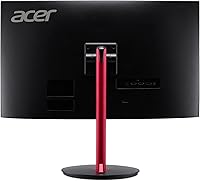
  • Connectivity: The monitor includes one DisplayPort 1.4 and two HDMI 2.0 inputs, allowing simultaneous connection of a PC and a gaming console without swapping cables.
  • Built-in Audio: Two integrated 2-watt speakers are included for basic system audio; they are functional for casual use but are not designed for immersive or high-fidelity sound.
  • Stand Adjustment: The included stand supports tilt adjustment only, with no height, swivel, or pivot functionality provided out of the box.
  • Surface Finish: The screen uses a matte anti-glare coating that reduces reflections from ambient light sources during daytime or mixed-lighting use.
  • Bezel Design: ZeroFrame construction minimizes the border around the active screen area, creating a cleaner visual edge and making side-by-side dual-monitor setups look more cohesive.
  • Dimensions: The monitor measures approximately 24.06 inches wide, 17.56 inches tall, and 7.72 inches deep with the stand attached.
  • Weight: The complete unit with stand weighs 8.6 pounds, which is typical for a 27-inch curved monitor and manageable for single-person setup.
  • VESA Compatibility: The monitor supports standard VESA mounting, allowing users to attach a third-party monitor arm if the included stand's limited adjustability is insufficient.
  • Color Gamut: The VA panel covers the standard sRGB color space, suitable for general gaming and everyday content consumption but not calibrated for professional color work.
  • Power Input: The display operates at 27 volts and includes a standard AC power adapter compatible with typical home and office outlets.

Related Reviews
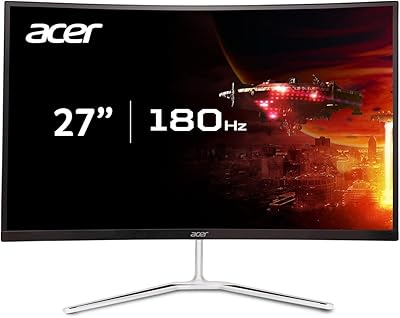
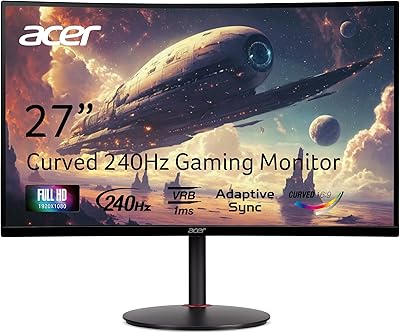
Acer Nitro EDA270U 27″ Curved Gaming Monitor
75%
91%
Image Clarity & Resolution
88%
Refresh Rate & Motion Performance
86%
AMD FreeSync Premium
58%
HDR Performance
63%
Color Accuracy & Out-of-Box Calibration
More
Acer Nitro XZ270 Xbmiipx 27-inch Curved Gaming Monitor
84%
92%
Gaming Performance
89%
Display Quality
86%
Ergonomics
93%
Response Time
85%
Value for Money
More
Acer Nitro KG273 27-inch Gaming Monitor
85%
88%
Display Quality
91%
Performance in Fast-Paced Games
85%
Ergonomics and Adjustability
83%
Build Quality
92%
Value for Money
More
Acer Nitro VG271U 27-inch Gaming Monitor
75%
91%
Image Clarity
83%
Color Accuracy
88%
Gaming Performance
86%
FreeSync Implementation
58%
HDR Quality
More
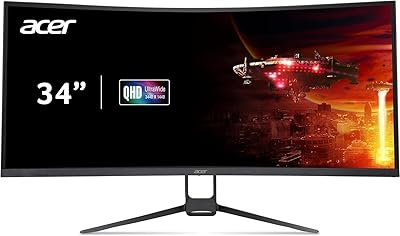
Acer Nitro EDA343CUR 34″ Curved Gaming Monitor
83%
94%
Display Quality
91%
Gaming Performance
72%
Build Quality
85%
Ease of Setup
80%
Ergonomics & Adjustability
More
Acer Nitro VG270K 27-inch 4K Gaming Monitor
76%
91%
Image Clarity
88%
Color Accuracy
86%
Motion Performance
83%
Refresh Rate Flexibility
61%
HDR Performance
More
Acer Nitro XZ342CU 34-inch Curved Gaming Monitor
84%
92%
Gaming Performance
90%
Display Quality
88%
Build Quality
85%
Ergonomics and Adjustability
80%
Connectivity Options
More
Acer Nitro EDA323QU 31.5-inch Curved Gaming Monitor
74%
89%
Value for Money
87%
Image Sharpness
84%
Refresh Rate Performance
82%
AMD FreeSync
41%
Stand Ergonomics
More
Acer Nitro ED240Q Sbiip 23.6″ Curved Gaming Monitor
80%
88%
Display Quality
91%
Performance in Fast-Paced Games
70%
Build Quality
80%
Ease of Setup
94%
Price-to-Performance Ratio
More
Acer Nitro EDA320Q 31.5″ Curved Gaming Monitor
71%
91%
Value for Money
74%
Image Quality
78%
Gaming Performance
84%
Curvature & Immersion
43%
Ergonomics & Adjustability
More

FAQ

FreeSync Premium is natively designed for AMD Radeon GPUs, but many Nvidia GTX 10-series and newer cards support G-Sync Compatible mode, which can activate adaptive sync on FreeSync monitors. You would need to enable it manually in the Nvidia Control Panel. That said, official G-Sync certification is not guaranteed, so results can vary slightly by GPU model.

Yes, the two HDMI 2.0 ports make it straightforward to connect current-gen consoles. Keep in mind that both the PS5 and Xbox Series X output at 1080p on this display since the monitor does not support 4K, but 1080p at up to 120Hz is achievable depending on the game and console settings.

The 1500R curve is moderate rather than aggressive — it is noticeably curved compared to a flat panel but does not distort text or cause discomfort during regular work tasks like browsing, writing, or spreadsheets. Most users who spend time on both work and gaming find it comfortable across both uses.

Yes, the monitor is VESA mount compatible, so you can remove the included stand and attach a standard monitor arm for full height, tilt, and swivel control. If you plan to use this display for long sessions, a monitor arm is genuinely worth the extra investment given the stand's limitations.

VA panels as a category carry a higher risk of backlight bleed than IPS, and some buyers of the Nitro ED270R have reported visible bleed along the edges, particularly in dark scenes or when viewing solid black screens. It varies unit to unit — some buyers notice nothing, while others find it distracting in dark rooms. If backlight uniformity is critical for your use case, this is a known risk to factor in.

Honestly, 250 nits is on the lower end for a room with direct or indirect natural light. If your desk faces a window or you game during daylight hours in a bright room, the image can look washed out at peak brightness. For dim rooms or evening gaming, it is perfectly fine — but for bright environments, a monitor rated at 300 nits or higher would serve you better.

Acer typically includes an HDMI cable and power cable in the box, though the exact cable contents can vary by retail package. It is always worth checking your specific listing, but most buyers report a smooth out-of-box setup without needing to hunt for additional cables immediately.

The difference is quite noticeable when you sit at a normal desk distance of roughly 2 to 3 feet from the screen. The 1500R curve brings the edges slightly closer to your eyes, which reduces the head movement needed to scan the full screen and gives the image a more enveloping feel, particularly in wide game environments. On a 27-inch panel specifically, the effect is meaningful without feeling gimmicky.

They work well enough for system notification sounds or background audio when you do not want to deal with a headset, but for actual gaming or music, they fall short in volume and bass response. Most gamers will want to use headphones or a dedicated speaker setup — treat the built-in speakers as a convenience fallback rather than a real audio solution.

You do not need to hit 165fps to benefit from the higher refresh rate. Even running at 100 to 130fps will feel smoother than a 60Hz display, and FreeSync Premium ensures the image stays tear-free across the supported range. The 165Hz ceiling gives you headroom as your hardware improves over time, making it a sensible long-term choice even if your current GPU cannot max it out today.

Where to Buy