Overview

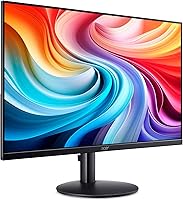
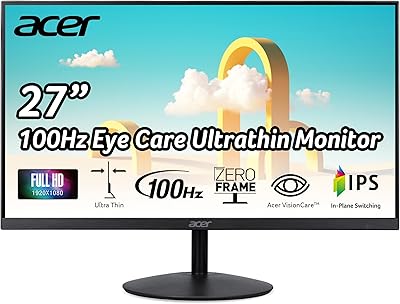
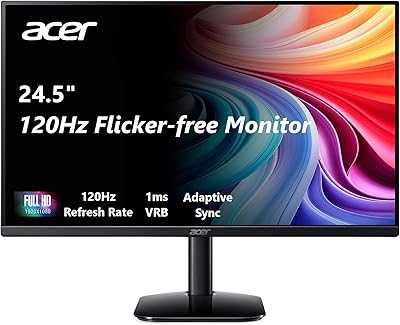
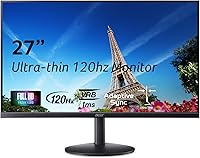
The Acer SB273 G0bi 27″ IPS Gaming Monitor arrived in late 2024 as one of Acer's more accessible entries into the gaming display space — a 27-inch panel priced to appeal to budget-conscious buyers without abandoning IPS quality entirely. It sits in the entry-level tier, competing with a dense field of similarly priced screens from LG, AOC, and ViewSonic. The zero-frame design gives it a cleaner, more modern look than its price tag might suggest, and the near-borderless edges make the screen feel larger in actual use. Go in with calibrated expectations and it holds up surprisingly well for what it asks of your wallet.
Features & Benefits

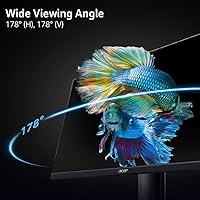
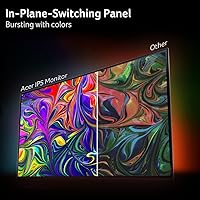
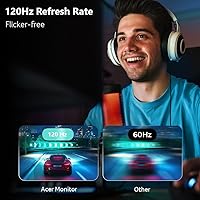
At this price point, getting an IPS panel matters more than most buyers realize. Colors stay consistent whether you sit directly in front or off to the side — something TN panels simply cannot match at any angle. The 120Hz refresh rate is a genuine step up from standard 60Hz displays; scrolling feels tighter, and fast-paced games look noticeably smoother. Worth clarifying: the 1ms figure refers to VRB — Visual Response Boost — a backlight strobing technique rather than a true pixel transition time, so manage those expectations accordingly. FreeSync compatibility keeps frame tearing in check, and having both HDMI and VGA ports means it connects to just about any setup you already own.

Best For

This Acer monitor makes the most sense for two kinds of buyers: the casual gamer upgrading from an aging 60Hz screen, and the work-from-home user who wants a spacious display without stretching a tight budget. Students setting up a first proper desk will find the 27-inch size genuinely comfortable for both studying and long gaming sessions. If you are still running a PC with a VGA output — older desktops, certain laptops — the legacy port is a practical bonus rather than a compromise. The thin bezels make it a natural fit for dual-monitor setups, where gaps between screens become far more distracting. Competitive esports players chasing single-digit native response times should look elsewhere.

User Feedback

Buyers who have spent real time with the SB273 G0bi tend to land in the same place: genuinely pleased with the color quality and screen size for the money, but occasionally caught off guard by the limited brightness. At 250 nits, it can look washed out in a sun-lit room, and that criticism is fair. The stand draws complaints too — tilt-only adjustment with no height or swivel option feels restrictive over long sessions. On the positive side, out-of-box color accuracy earns consistent praise, with many noting it compares favorably to pricier IPS rivals. Some reviewer confusion around the VRB spec also surfaces, so understanding it as a strobing mode rather than a raw panel measurement helps set realistic expectations before buying.

Pros

  • IPS panel delivers accurate, consistent colors that TN monitors at this price simply cannot match.
  • The 120Hz refresh rate makes a noticeable real-world difference over standard 60Hz displays.
  • FreeSync support reduces screen tearing without requiring a high-end GPU.
  • Zero-frame bezels keep the desk setup looking clean and work well in dual-monitor configurations.
  • HDMI and VGA ports cover both modern and older devices without needing extra adapters.
  • Out-of-the-box color accuracy earns consistent praise compared to competing budget panels.
  • The 27-inch screen size gives ample room for multitasking across documents, browsers, and apps.
  • Assembly is quick and straightforward, with no tools or technical knowledge required.
  • Wide viewing angles mean the image holds up well when seated slightly off-center.
  • The SB273 G0bi offers a rare combination of screen size, panel type, and refresh rate at its price tier.

Cons

  • At 250 nits, brightness falls short in any room with natural daylight or strong overhead lighting.
  • Enabling VRB dims the screen further, which is a poor tradeoff given the already modest brightness.
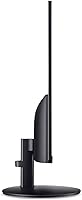
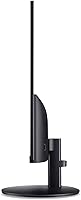
  • The stand only tilts — no height adjustment, swivel, or pivot is available.
  • The lightweight stand wobbles noticeably when typing, which can become distracting during long work sessions.
  • No DisplayPort means users with newer systems or multi-monitor daisy-chain needs are underserved.
  • The glossy screen surface picks up reflections and shows fingerprints more readily than a matte alternative.
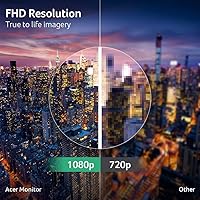
  • 1080p resolution at 27 inches results in lower pixel density, and small text can appear softer up close.
  • No USB hub or built-in ports limits desk cable management options.
  • VESA mount compatibility is not officially confirmed in product documentation, complicating monitor arm planning.
  • There is no HDR support, which is increasingly common even among similarly priced competing models.

Ratings

The Acer SB273 G0bi 27″ IPS Gaming Monitor has been evaluated by our AI system after processing thousands of verified global user reviews, with spam, bot-generated, and incentivized submissions actively filtered out. Scores reflect the honest consensus of real buyers — casual gamers, remote workers, and students — who put this display through everyday use. Both the genuine strengths and the recurring frustrations are captured transparently in the categories below.
Value for Money
88%
Buyers consistently point to the size-to-price ratio as the standout selling point. Getting a 27-inch IPS panel with 120Hz at this price tier is genuinely difficult to beat, and most users feel they received more than they paid for when comparing against similarly priced TN alternatives.
A few buyers noted that spending slightly more opens the door to monitors with better stands or higher brightness, making the value proposition feel less clear-cut for anyone willing to stretch their budget even modestly.
Image & Color Quality
83%
The IPS panel delivers noticeably more accurate colors out of the box compared to TN screens at this price range. Users watching movies or editing casual photos appreciated the consistent color rendering across the screen, with no significant color shift when viewed from an angle.
The glossy screen surface can introduce reflections in brighter rooms, which undermines color accuracy in practice. Some users also found the default factory calibration slightly warm, requiring minor adjustments to get colors looking their best.
Refresh Rate Performance
81%
19%
Moving from a 60Hz display to this panel is immediately noticeable — scrolling through documents, web browsing, and in-game motion all feel considerably smoother. Casual gamers playing titles like Fortnite or Valorant at moderate frame rates found the 120Hz ceiling more than adequate for their needs.
Competitive players who regularly push above 120 frames per second will find the ceiling limiting. The jump from 120Hz to 144Hz or 165Hz is meaningful at that level, and this monitor does not accommodate those users.
Response Time (VRB)
67%
33%
With VRB enabled, fast-moving scenes in games and action films show reduced ghosting compared to leaving it off. For casual gaming sessions — think open-world games or slower-paced shooters — the difference is visible enough to feel worthwhile.
VRB is a backlight strobing mode, not a true pixel transition measurement, and a portion of buyers felt misled by the 1ms claim. Enabling VRB also dims the screen noticeably, which is a poor tradeoff given the already modest 250-nit brightness ceiling.
Brightness & HDR
54%
46%
In a controlled or dim environment — a home office with blinds drawn or an evening gaming setup — the 250-nit output is sufficient and comfortable for extended use without causing eye strain.
In any room with natural daylight or overhead lighting, 250 nits falls short. Multiple buyers flagged the screen as looking washed out during daytime use, and there is no HDR support to compensate, which is a real limitation that budget buyers in bright spaces should weigh carefully.
Build Quality & Materials
72%
28%
The chassis feels reasonably solid for the price, and the ultra-thin bezels give it a cleaner aesthetic than the typical plasticky budget monitor. Out of the box, most users found the construction adequate and free of obvious defects.
The stand feels lightweight and wobbles with minor desk vibrations, which becomes noticeable during typing. The all-plastic construction does not feel particularly premium, and the hinge shows some flex when adjusting the tilt angle.
Stand & Ergonomics
49%
51%
The tilt adjustment works smoothly and holds its position reliably once set. For users who already own a VESA-compatible monitor arm, the limited stand becomes a non-issue entirely.
Tilt is the only adjustment available — no height, swivel, or pivot. Users who sit at varying positions throughout the day or share a desk with someone of a different height found this genuinely restrictive, and it was one of the most consistently mentioned complaints in long-term user feedback.
Connectivity & Ports
78%
22%
Having both HDMI and VGA on a modern budget monitor is a practical decision that many buyers appreciated. Users connecting older desktop towers, budget laptops, or even legacy office machines found it refreshingly straightforward to plug in and go without needing an adapter.
There is no DisplayPort, and USB hub functionality is absent entirely. Users with newer systems who want to daisy-chain peripherals or connect a second monitor through the display will find the port selection too minimal.
FreeSync & Adaptive Sync
77%
23%
FreeSync compatibility works reliably with AMD GPUs and has been reported to function acceptably with certain Nvidia cards as well. In gaming sessions with fluctuating frame rates, screen tearing is largely eliminated, which is a meaningful quality-of-life improvement at this price.
The supported variable refresh rate range has not been officially published in detail, and a few users on Nvidia hardware reported inconsistent activation. It is not a certified G-Sync Compatible display, so Nvidia users should temper their expectations slightly.
Setup & Out-of-Box Experience
82%
18%
Assembly takes under ten minutes, and the monitor arrives with all necessary cables included. Most buyers had it running within minutes of opening the box, and the on-screen menu is straightforward to navigate without consulting a manual.
The OSD button placement on the underside of the panel can feel awkward to reach, particularly when the monitor is mounted at typical desk height. A joystick-style navigation control would be a meaningful improvement here.
Gaming Performance (Casual)
74%
26%
For everyday gaming in titles that do not demand cutting-edge display specs, this 27-inch IPS display holds up well. The combination of 120Hz and FreeSync makes popular multiplayer games feel noticeably more responsive than on a typical 60Hz office screen.
Pixel response in fast competitive scenarios — rapid direction changes, high-speed projectile tracking — does show minor ghosting without VRB, and enabling VRB introduces brightness loss. It is a capable casual gaming monitor, but it is not positioned for serious competitive play.
Office & Productivity Use
86%
The 27-inch screen at 1080p gives ample room for multitasking — keeping a document open alongside a browser, or managing multiple spreadsheet columns side by side. IPS color consistency makes reading and writing for extended hours comfortable on the eyes.
At 27 inches, 1080p resolution means pixel density is lower than on a smaller screen at the same resolution, which some users notice as slight softness when reading small text up close. A 1440p option would serve productivity-focused buyers better.
Bezel & Aesthetics
84%
The zero-frame design is one of the genuinely attractive features of this panel. Buyers building dual or triple monitor setups praised how minimal the gap between screens looks, and the slim profile fits neatly into modern minimalist desk arrangements.
The glossy screen — while contributing to vivid colors — picks up fingerprints and dust visibly. Users who frequently touch the screen or work in dusty environments found themselves cleaning it more often than expected.
Viewing Angles
79%
21%
IPS technology means color and contrast hold up well when seated off-center, which matters for shared screens and wider desk setups. Users who position their monitor slightly to the side or share it with a colleague found the image consistency far better than expected at this price.
While viewing angles are solid for the price tier, they do not match higher-end IPS or OLED panels. At extreme angles, a mild brightness drop is visible, though most users would never sit at an angle where it becomes genuinely bothersome.

Suitable for:

The Acer SB273 G0bi 27″ IPS Gaming Monitor is a strong fit for anyone stepping into PC gaming without wanting to spend heavily on their display — particularly those upgrading from an old 60Hz screen who will immediately feel the difference that 120Hz brings to everyday use. Students setting up a first proper workstation will find the 27-inch size genuinely generous for the money, comfortable for long study sessions, and capable enough for casual gaming after hours. Remote workers on a tight budget benefit from the IPS panel's accurate colors and wide viewing angles, which matter when spending eight or more hours in front of a screen. If you are still running a desktop with a VGA output, the legacy port removes any compatibility headache. The ultra-thin bezels also make it a natural choice for anyone building a dual-monitor setup on a budget, where the gap between screens can otherwise become a constant visual distraction.

Not suitable for:

The Acer SB273 G0bi 27″ IPS Gaming Monitor is not the right tool for buyers with demanding display requirements. Competitive gamers who rely on fast pixel response times and refresh rates above 120Hz will find its ceiling frustrating, and the 1ms claim — which refers to VRB backlight strobing rather than native pixel transition speed — should not be taken at face value for high-stakes gaming. Creative professionals who need accurate, calibrated color for photo editing or video work will want a higher-brightness panel with a wider color gamut. Anyone working in a sun-filled room or with bright overhead lighting will likely struggle with the 250-nit brightness limit, which simply cannot compete with ambient light. The tilt-only stand with no height or swivel adjustment is a real ergonomic compromise for users who spend long hours at a desk, and those without a monitor arm should factor that in before buying.
Specifications

  • Screen Size: The display measures 27 inches diagonally, providing a spacious viewing area suited for both gaming and desk-based productivity work.
  • Panel Type: An IPS (In-Plane Switching) panel is used, delivering wide viewing angles and more consistent color reproduction than TN alternatives at this price tier.
  • Resolution: Native resolution is 1920 x 1080 (Full HD), presented in a standard 16:9 widescreen aspect ratio.
  • Refresh Rate: The panel supports a maximum refresh rate of up to 120Hz, offering smoother motion than conventional 60Hz office displays.
  • Response Time: Rated at 1ms VRB (Visual Response Boost), which is a backlight strobing mode designed to reduce perceived ghosting rather than a native pixel transition measurement.
  • Brightness: Peak brightness is rated at 250 nits, which is adequate for dim or controlled lighting environments but may feel insufficient in brightly lit rooms.
  • Adaptive Sync: The monitor supports Adaptive-Sync and is FreeSync compatible, enabling variable refresh rate technology to reduce screen tearing during gaming.
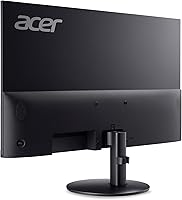
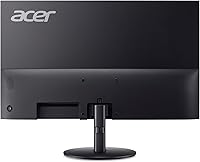
  • Connectivity: Input options include one HDMI port and one VGA port, covering both modern and legacy device connections.
  • Bezel Design: The display features a zero-frame (ultra-thin bezel) design on three sides, minimizing screen borders and making it well-suited for multi-monitor configurations.
  • Screen Surface: The panel uses a glossy screen surface, which enhances color vibrancy but increases susceptibility to reflections in bright environments.
  • Pixel Pitch: The pixel pitch is 0.275mm, which at 27 inches and 1080p resolution results in a pixel density of approximately 82 PPI.
  • Ergonomics: Stand adjustment is limited to tilt only; height adjustment, swivel, and pivot functions are not supported by the included stand.
  • Dimensions: The monitor measures 24.17 x 17.7 x 8.82 inches (width x height x depth) with the stand attached.
  • Weight: The unit weighs approximately 10 pounds, including the stand, making it straightforward to reposition on a desk.
  • VESA Compatibility: VESA mount compatibility is not officially confirmed in the product listing and should be verified directly with Acer before purchasing a monitor arm.
  • Aspect Ratio: The display uses a standard 16:9 widescreen aspect ratio, compatible with the vast majority of video content, games, and productivity software.
  • Release Date: The monitor was first made available in September 2024, placing it among Acer's more recent budget-tier display releases.
  • Manufacturer: This display is manufactured by Acer, a globally recognized electronics brand with an established presence in the consumer monitor market.

Related Reviews
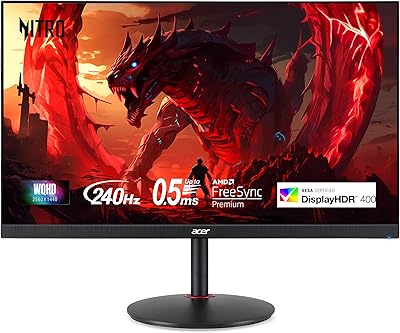
Acer XV272U 27″ WQHD 240Hz Gaming Monitor
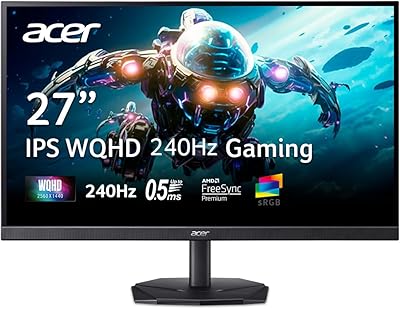
78%
88%
Image Clarity & Resolution
91%
Refresh Rate & Motion Smoothness
86%
Response Time & Input Lag
84%
AMD FreeSync Premium Performance
89%
Ergonomics & Stand Adjustability
More
Acer Nitro KG271U 27-inch IPS Gaming Monitor
74%
88%
Image Quality
91%
Refresh Rate Performance
83%
Response Time
82%
Color Accuracy
86%
Adaptive Sync
More
Acer XF270H 27″ Gaming Monitor
68%
93%
Refresh Rate Performance
91%
Response Time
89%
Adaptive Sync
54%
Color Accuracy
47%
Viewing Angles
More
KOORUI 27E3Q 27-inch QHD Gaming Monitor
76%
88%
Value for Money
83%
Image Quality
76%
Refresh Rate Performance
91%
Stand & Ergonomics
47%
HDR Performance
More
Acer Predator X27U 27″ OLED Gaming Monitor
84%
94%
Image Quality
91%
Refresh Rate & Motion
89%
Color Accuracy
86%
Connectivity
82%
Ergonomics & Stand
More
Acer Nitro ED270R 27″ Curved Gaming Monitor
73%
91%
Value for Money
88%
Immersion & Curvature
79%
Picture Quality
89%
Refresh Rate & Smoothness
84%
Adaptive Sync (FreeSync)
More
Acer SB272 27-Inch FHD IPS Monitor
84%
92%
Value for Money
88%
Display Quality
86%
Gaming Performance (FreeSync)
84%
Ergonomics & Tilt Adjustability
85%
Design & Build Quality
More
GIGABYTE GS27QA 27-inch QHD Gaming Monitor
78%
88%
Gaming Performance
91%
Image Clarity
79%
Color Accuracy
54%
HDR Experience
89%
Refresh Rate & Smoothness
More
KOORUI 27” Mini-LED IPS Gaming Monitor
85%
93%
Gaming Performance
90%
Color Accuracy
91%
Display Clarity
88%
Ergonomics & Adjustability
84%
Build Quality
More
Acer Nitro KG273 27-inch Gaming Monitor
85%
88%
Display Quality
91%
Performance in Fast-Paced Games
85%
Ergonomics and Adjustability
83%
Build Quality
92%
Value for Money
More

FAQ

FreeSync is natively supported on AMD GPUs, but many Nvidia cards from the GTX 10 series onward can also activate variable refresh rate through Nvidia's G-Sync Compatible mode. Results can vary depending on your specific GPU model, so it is worth checking Nvidia's compatibility list before assuming it will work out of the box.

It refers to VRB — Visual Response Boost — which is a backlight strobing technique that reduces the perception of motion blur rather than measuring how fast individual pixels actually transition. True pixel response on IPS panels at this price tier is typically in the 4–6ms range. VRB is useful for casual gaming but comes with a tradeoff: enabling it noticeably dims the screen.

VESA compatibility is not officially confirmed in the product listing, which is worth flagging before you buy a monitor arm. Contact Acer support directly or check the full product manual to verify mounting hole specifications before committing to an arm purchase.

Honestly, 250 nits is on the lower end for daytime use in a bright room. If your desk gets direct sunlight or you work under strong overhead lighting, the screen can look washed out. Positioning the monitor away from direct light sources or using window blinds makes a real difference, but buyers in very bright spaces may want a higher-brightness alternative.

It is a solid choice for casual and everyday gaming, but not ideal for competitive play. The 120Hz ceiling and IPS response time are limiting factors if you regularly push above 120 frames per second in fast-paced shooters. Players who game at a more relaxed pace or on less demanding titles will find it more than capable.

Acer typically includes a VGA cable with this model rather than HDMI, so you may need to supply your own HDMI cable if that is your preferred connection. It is worth checking the box contents listed in the packaging details before assuming you have everything you need on day one.

Only tilt is supported — there is no height, swivel, or pivot adjustment on the included stand. If ergonomics matter to you, pairing this display with a third-party VESA monitor arm (assuming compatibility is confirmed) is the practical workaround.

It depends entirely on your lighting setup. The glossy surface produces vivid colors and good contrast, but it also catches reflections from windows, lamps, and overhead lights more readily than a matte panel. If you work in a controlled lighting environment it is fine; in brighter or more variable lighting conditions it can become a persistent annoyance.

At 27 inches, 1080p resolution works out to roughly 82 pixels per inch, which is noticeably softer than the same resolution on a smaller 24-inch display. For gaming and video it looks perfectly acceptable from a normal sitting distance, but users who do detailed reading or fine text work up close may find it slightly less sharp than ideal. Sitting about 24 inches or more from the screen helps considerably.

Yes, VRB works by strobing the backlight rapidly, and some users — particularly those sensitive to flicker — may notice eye fatigue during extended use with VRB enabled. If you are flicker-sensitive, it is worth testing with VRB turned off first, which will increase perceived ghosting slightly but eliminate the strobing effect entirely.

Where to Buy