Overview

The KOORUI 27E3Q 27-inch QHD Gaming Monitor sits in a sweet spot for buyers who want a meaningful step up from 1080p without spending flagship money. KOORUI is a younger brand, but this QHD gaming display punches above its weight in a few key areas — particularly the IPS panel, which delivers noticeably better color accuracy and wider viewing angles than TN alternatives at similar prices. What really sets it apart at this tier is the fully adjustable stand, a feature many competitors quietly drop to cut costs. Think of this as a solid entry-to-mid gaming monitor — strong where it counts, with some realistic limitations worth knowing about.

Features & Benefits

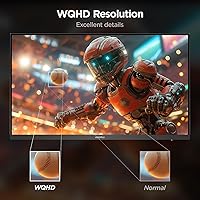
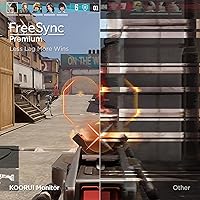
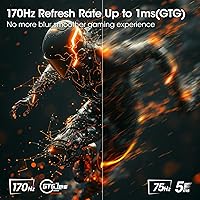
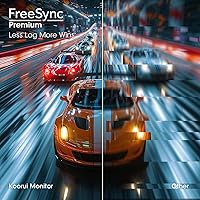
At 2560x1440 on a 27-inch IPS panel, the jump in sharpness compared to 1080p is immediately obvious — text is crisp, textures in games look more defined, and the extra screen real estate genuinely helps with productivity too. The 170Hz refresh rate is technically an overclock from the panel's native spec, but in practice most systems handle it without issue and the difference in motion clarity is real. FreeSync Premium and G-Sync compatibility cover both AMD and Nvidia users, so GPU brand is not a concern. Connectivity is practical with two HDMI 2.0 inputs and a DisplayPort 1.4 port. Setup is refreshingly quick — the snap-on base takes only minutes.

Best For

This KOORUI monitor makes the most sense for PC gamers ready to leave 1080p behind but not yet committed to a 4K setup — 1440p at 27 inches hits a sweet spot that is noticeably sharper without demanding a top-tier GPU. If you run a dual console-and-PC setup, the two HDMI inputs are a genuine convenience. Home office users will appreciate the stand's full range of adjustability, since being able to raise, tilt, or pivot a monitor throughout the day matters more than most people realize until they have had it. Students and casual gamers who need one display for both spreadsheets and gaming sessions will find this a comfortable, capable choice.

User Feedback

Owners of the 27E3Q tend to highlight two things right away: stand quality and the image straight out of the box. For a monitor at this price, color accuracy gets genuine praise — not just relative to cost, but on its own terms for everyday use. The snap-on assembly earns consistent compliments for being painless. On the flip side, HDR400 has real limits; it is a basic HDR certification, and buyers expecting a dramatic HDR experience will likely be underwhelmed. A few users also note that the bundled cables are serviceable but not great, and an aftermarket DisplayPort cable is worth picking up. Overall sentiment skews positive, with most complaints being minor rather than deal-breaking.

Pros

  • The IPS panel delivers noticeably better color and viewing angles than TN monitors at a comparable price.
  • QHD 1440p resolution is a sharp, meaningful step up from 1080p on a 27-inch screen.
  • The fully adjustable stand — with height, tilt, swivel, and portrait pivot — is rare at this price tier.
  • FreeSync Premium and G-Sync compatibility means both AMD and Nvidia GPU owners are covered.
  • Two HDMI 2.0 inputs make this a practical pick for dual console-and-PC setups.
  • The snap-on base assembly is genuinely quick and tool-free, taking only a few minutes.
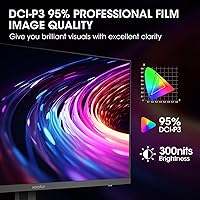
  • Out-of-box color calibration is solid for a gaming monitor, requiring little to no adjustment for most users.
  • A 3-year limited warranty with lifetime technical support is reassuring for a budget-tier brand.
  • VESA mount compatibility gives you the option to ditch the stand entirely for an arm setup.
  • The 27E3Q handles both daily productivity tasks and gaming sessions without feeling like a compromise either way.

Cons

  • The 170Hz refresh rate is an overclock, not a native spec, so performance consistency can vary by system.
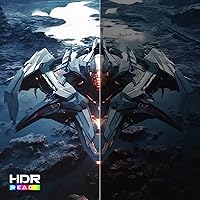
  • HDR400 support is basic and will disappoint anyone expecting a dramatic HDR visual improvement.
  • Bundled cables are serviceable but low quality — plan to buy a better DisplayPort cable separately.
  • The 1ms figure is MPRT, not GtG, which is a different measurement and can be misleading for comparisons.
  • KOORUI is still a relatively young brand, and long-term reliability data is more limited than established names.
  • No USB hub built into the monitor, which is a convenience some competitors include at this price.
  • The swivel range is somewhat narrow at -5 to +20 degrees, which may not suit all desk configurations.
  • Peak brightness may fall short in very bright room environments compared to higher-specified panels.

Ratings

The KOORUI 27E3Q 27-inch QHD Gaming Monitor has been evaluated using AI-driven analysis of verified global buyer reviews, with spam, bot-generated, and incentivized feedback actively filtered out to ensure the scores reflect genuine ownership experiences. The ratings below cover everything from panel performance and stand ergonomics to cable quality and long-term reliability, capturing both what buyers genuinely love and where the display falls short. Every score — high or low — is grounded in patterns observed across real user feedback worldwide.

Value for Money
88%
Most buyers feel they got more monitor than they paid for, particularly given the IPS panel, QHD resolution, and ergonomic stand all landing in the same package. Compared to competing displays at a similar price that cut corners on the stand or use TN panels, the 27E3Q consistently strikes buyers as an honest deal.
A small segment of buyers who compared it directly against slightly pricier alternatives felt the gap in build refinement and factory calibration was noticeable enough to warrant spending more. For buyers with a flexible budget, the value equation is strong but not unbeatable.
Image Quality
83%
The QHD IPS panel draws consistent praise for delivering crisp, well-saturated visuals that hold up across both gaming and everyday desktop use. Buyers coming from 1080p setups frequently comment on how immediately noticeable the jump in sharpness is, especially in detailed open-world games and productivity tasks with fine text.
Color accuracy is solid out of the box but not at a level that satisfies photography or design professionals. A portion of reviewers noted the panel does not reach its rated brightness evenly, with slight dimming toward the edges observed under closer scrutiny.
Refresh Rate Performance
76%
24%
At 144Hz and even the overclocked 170Hz, motion in fast-paced games feels noticeably smoother compared to 60Hz panels, and most buyers reported the overclock running without stuttering on mid-range and higher GPUs paired via DisplayPort.
The 170Hz is an overclock, and a meaningful number of users encountered instability or had to dial back to 144Hz depending on their GPU or cable quality. This is not a dealbreaker, but it is a real caveat that distinguishes this from monitors with a native 170Hz or 165Hz rating.
Stand & Ergonomics
91%
The fully adjustable stand is consistently one of the most praised aspects of this display — height adjustment, tilt, swivel, and portrait pivot together form a package that buyers rarely expect at this price point. Home office users especially highlight the difference it makes during long working sessions compared to fixed-tilt stands.
The swivel range is somewhat narrower than ideal at -5 to +20 degrees, which can feel limiting if you need to angle the screen significantly for a corner desk or multi-monitor arrangement. A handful of users also noted minor wobble in the stand when seated on vibration-prone desks.
HDR Performance
47%
53%
HDR400 certification does technically enable HDR content playback, and a small number of buyers noted a modest boost in contrast when watching HDR-enabled streaming content in a dark room. It is not nothing, but it is close.
The vast majority of informed buyers and reviewers agree that HDR400 delivers a disappointingly marginal visual improvement. There is no local dimming, peak brightness is limited, and anyone who has used a proper HDR display will immediately notice how flat the HDR experience feels on this panel. This is the most common point of criticism across user feedback.
Connectivity
81%
19%
Having two HDMI 2.0 ports alongside a DisplayPort 1.4 input is a practical layout that suits the mixed-use audience this monitor targets — PC gamers and console users can both stay plugged in without swapping cables. The inclusion of an audio output jack adds a small but appreciated touch for headphone users.
There is no USB hub of any kind, which is a convenience omission that some competing monitors at this price level have started to include. Buyers who expected to use the monitor as a desk hub for peripherals will need a separate solution.
Response Time
73%
27%
In real gaming use, motion feels controlled and ghosting is minimal during typical fast-paced play, which is the practical outcome most buyers care about. For casual to mid-level competitive gaming, the 1ms MPRT rating translates to a clean enough motion experience.
The 1ms figure is MPRT, not GtG — a distinction that technically-minded buyers rightfully flag, as the two measurements are not directly comparable. In side-by-side testing against monitors with low GtG response times, some buyers noticed residual ghosting in very fast motion sequences.
Out-of-Box Calibration
78%
22%
A notable portion of buyers were pleased to find that colors looked accurate and balanced without needing to dig into monitor settings or use calibration software. For gaming and general media consumption, the default profile is competent and does not skew heavily warm or cool.
Buyers with color-critical workflows found the factory calibration acceptable but not precise enough to rely on professionally. Delta-E levels are not specified by the manufacturer, and some users noted slight inconsistencies in white balance depending on the content displayed.
Build Quality
74%
26%
The overall construction feels solid for the price category — the stand mechanism in particular is firm and does not feel flimsy when adjusting height or pivot. The monitor housing has a clean, understated aesthetic that fits most desk setups without clashing.
The plastics used in the panel housing feel noticeably budget-grade up close, with a finish that attracts fingerprints and minor scratches more readily than premium monitor bezels. A few buyers reported very minor backlight bleed in the corners, though most considered it within acceptable limits for the price.
Setup & Assembly
93%
The snap-on base is one of the most consistently praised elements of the unboxing experience — buyers across dozens of reviews highlighted how refreshingly quick and fuss-free the assembly process was compared to screw-dependent stands. Most users had the monitor fully set up and running within five minutes of opening the box.
The quick-start guide is minimal, and a small number of buyers who were less familiar with monitor setup found the snap mechanism slightly confusing on first attempt. No screwdriver is needed, which is the point, but clearer visual instructions in the guide would help.
Included Accessories
54%
46%
A DisplayPort cable is included, which at least means buyers can achieve the full 170Hz connection on day one without an additional purchase if they are connecting to a PC. A power cable and adapter are also in the box and functional.
The included cables are noticeably basic in quality — several buyers specifically flagged the DisplayPort cable as a weak link when trying to maintain a stable 170Hz signal. No HDMI cable is included despite the monitor having two HDMI ports, which is a common frustration given that console users are a clear target audience.
Glare & Reflections
71%
29%
The matte screen coating handles typical indoor lighting reasonably well, and buyers using the monitor in standard office or gaming room environments rarely reported reflections as a significant issue during extended sessions.
In brighter rooms or near windows, the anti-glare coating is not strong enough to fully suppress reflections, and the 400-nit peak brightness does not give enough overhead to overpower ambient light. Buyers working in bright spaces may find this a frustrating limitation.
Warranty & Support
82%
18%
A 3-year limited warranty with a 12-month replacement service and lifetime technical support is a reassuring offer from a younger brand trying to build buyer confidence. Buyers who contacted support for accessory issues or early panel defects generally reported responsive and cooperative customer service.
KOORUI does not yet have the established service network or regional repair centers that major brands offer, so warranty servicing may involve shipping logistics that longer-tenured brands handle more smoothly. Long-term brand reliability over a 3-year ownership horizon is still an open question for many buyers.

Suitable for:

The KOORUI 27E3Q 27-inch QHD Gaming Monitor is a strong fit for PC gamers who are ready to move past 1080p but are not yet looking to spend flagship-tier money on a 4K setup — the 1440p resolution on a 27-inch IPS panel is a meaningful visual upgrade that does not demand a top-end GPU to drive well. If you run a mixed console and PC desk setup, the two HDMI 2.0 inputs make switching between devices genuinely convenient without an external switch. Home office users who also game will get a lot of mileage out of the fully adjustable stand, since being able to raise, tilt, swivel, or even pivot to portrait mode throughout a long workday is a comfort feature that cheaper monitors routinely skip. Students and casual gamers who need one display that handles both productivity and gaming without compromise will find this a capable and practical choice. Budget-conscious buyers who specifically want a monitor with a proper ergonomic stand — rather than a fixed-tilt plastic base — will find real value here compared to alternatives at a similar price point.

Not suitable for:

Buyers chasing a true high-refresh-rate competitive gaming experience should know upfront that the 170Hz figure on this display is achieved via overclock, which means stability can vary depending on your system and GPU, and it is not the same as a monitor rated natively at that speed. The KOORUI 27E3Q 27-inch QHD Gaming Monitor is also not the right call for anyone who prioritizes HDR as a meaningful visual feature — HDR400 is an entry-level certification that produces only modest improvements in brightness and contrast, and it should not be compared to proper HDR monitors with full-array local dimming. Professional creatives who need precise, factory-calibrated color accuracy for photo editing or design work will likely want a purpose-built display rather than a gaming-focused IPS panel. If you need a large-screen experience, 27 inches has its limits, and buyers accustomed to 32-inch or ultrawide displays may find the screen real estate feels constrained. Finally, anyone expecting a premium cable kit in the box will be mildly disappointed — the included cables are basic and a better DisplayPort cable is worth buying separately.

Specifications

  • Panel Type: The display uses an IPS (In-Plane Switching) panel, which provides wider viewing angles and more consistent color reproduction compared to TN alternatives.
  • Screen Size: The visible screen area measures 27 inches diagonally, making it a comfortable size for both gaming and productivity at typical desk distances.
  • Resolution: Native resolution is 2560x1440 pixels (QHD), delivering noticeably sharper detail than 1080p on a 27-inch screen.
  • Refresh Rate: The panel runs at up to 170Hz via overclock from its base specification, providing smoother motion during fast-paced gameplay when paired with a capable GPU.
  • Response Time: Rated at 1ms MPRT (Moving Picture Response Time), which measures perceived motion blur reduction rather than the pixel transition GtG measurement.
  • HDR Support: Supports HDR400 format, an entry-level HDR certification that offers modest improvements to brightness and contrast over standard dynamic range.
  • Sync Technology: Compatible with both AMD FreeSync Premium and Nvidia G-Sync, enabling variable refresh rate (VRR) support across major GPU brands to reduce screen tearing.
  • Connectivity: The monitor includes two HDMI 2.0 ports, one DisplayPort 1.4, and one 3.5mm audio output jack for flexible device connection.
  • Height Adjustment: The stand offers a 110mm vertical lift range, allowing users to raise or lower the screen to a comfortable eye-level position.
  • Tilt Range: Screen tilt is adjustable from -15 degrees (forward) to +15 degrees (backward) to accommodate different seating and desk heights.
  • Swivel Range: The stand swivels from -5 degrees to +20 degrees horizontally, offering limited but useful left-right rotation for angled desk placements.
  • Pivot Rotation: The monitor supports a full 90-degree rotation into portrait (vertical) mode, useful for reading long documents or coding with vertical layouts.
  • VESA Compatibility: The display is VESA mount compatible, allowing the stand to be removed and the panel attached to a third-party monitor arm or wall mount.
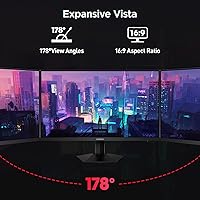
  • Aspect Ratio: Standard 16:9 widescreen aspect ratio, consistent with most gaming content, streaming platforms, and productivity software layouts.
  • Brightness: Peak brightness is rated at 400 nits, which is adequate for indoor use but may struggle in very bright or sunlit environments.
  • Stand Assembly: The base bracket uses a tool-free snap-on design that requires no screws and can be fully assembled in under three minutes.
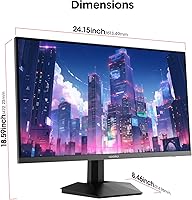
  • Dimensions: The monitor measures approximately 3.29 x 24.15 x 14.22 inches (depth x width x height) with the stand attached.
  • Warranty: KOORUI provides a 3-year limited warranty, a 30-day money-back period, a 12-month replacement service, and lifetime technical support from the order date.

Related Reviews
memzuoix 27-inch QHD 165Hz Gaming Monitor
70%
88%
Image Clarity
84%
Refresh Rate Performance
91%
Value for Money
82%
Adaptive Sync (FreeSync/G-Sync)
77%
Color Accuracy
More
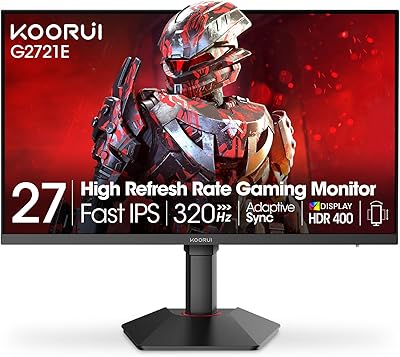
KOORUI G2721E 27-inch Gaming Monitor
78%
93%
Refresh Rate Performance
88%
Image Clarity & Resolution
84%
Color Accuracy
81%
Motion Handling
52%
HDR Quality
More
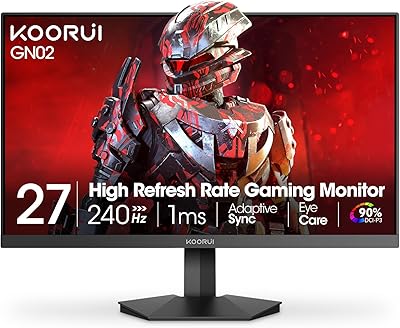
KOORUI GN02 27-inch 240Hz Gaming Monitor
87%
91%
Gaming Performance
89%
Display Quality
88%
Color Accuracy
93%
Response Time
85%
Ergonomics and Design
More
KOORUI G2711P 27″ Gaming Monitor
79%
93%
Refresh Rate Performance
88%
Panel Color Quality
91%
Motion Clarity
89%
Value for Money
61%
Resolution & Sharpness
More
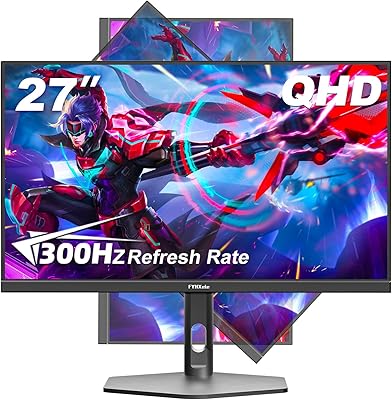
FYHXele 27-inch 300Hz QHD Gaming Monitor
79%
91%
Refresh Rate Performance
88%
Image Sharpness
74%
Color Accuracy
51%
HDR Quality
86%
Response Time & Motion Clarity
More
Gawfolk GF270L 27-inch QHD Gaming Monitor
74%
88%
Image Clarity
83%
Gaming Performance
74%
Color Accuracy
79%
Motion Handling
81%
Refresh Rate & Sync
More
Dell S2722DGM 27-inch Curved Gaming Monitor
81%
88%
Image Clarity
91%
Refresh Rate Performance
84%
Response Time
86%
Panel Curvature & Immersion
71%
Color Accuracy
More
INFIEVO 27-Inch QHD 165Hz Gaming Monitor
76%
88%
Image Clarity
91%
Refresh Rate & Smoothness
93%
Ergonomic Stand
94%
Value for Money
52%
HDR Performance
More
HP OMEN 27q QHD Gaming Monitor
79%
88%
Image Clarity
91%
Refresh Rate Performance
84%
Color Accuracy
61%
Brightness & HDR
57%
Glare & Reflections
More
Samsung Odyssey G50D 27-Inch Gaming Monitor
81%
88%
Image Clarity
91%
Refresh Rate Performance
86%
Response Time & Motion Handling
84%
Color Accuracy
58%
HDR Performance
More

FAQ

The 170Hz is an overclock above the panel's native refresh rate, which is worth knowing upfront. Most users report it runs without issue on modern Nvidia and AMD GPUs, but stability can depend on your specific hardware and the cable you use — a quality DisplayPort 1.4 cable is the recommended connection for hitting that top refresh rate. If you run into instability, dropping to 144Hz is a perfectly viable fallback that most people would not notice in practice.

Honestly, only in a limited sense. HDR400 is the lowest tier of HDR certification, and it does not produce the dramatic contrast and brightness jumps you might associate with HDR on a high-end TV or premium monitor. It is better than nothing, but if HDR performance is a priority for you, this display is not the right choice — you would want to look at monitors with at least HDR600 and local dimming support.

Yes, and this is actually one of the more practical strengths of this display. The two HDMI 2.0 ports let you plug in a console and a PC simultaneously and switch between them using the monitor's input menu. Just keep in mind that HDMI 2.0 caps out at 144Hz for 1440p, so you would need the DisplayPort connection to reach 170Hz on your PC.

Genuinely better than most. A lot of monitors at this price point come with stands that only tilt, which means you are stuck adjusting your chair or desk to compensate. The 27E3Q gives you height adjustment, tilt, swivel, and portrait mode rotation — a combination you usually only see on more expensive office or productivity monitors. If you spend long hours at a desk, that flexibility makes a real difference.

The box includes a DisplayPort cable, a power cord, and a power adapter. HDMI cables are not included, so if you need to connect a console or second device via HDMI, you will need to supply your own. Several buyers also recommend replacing the included DisplayPort cable with a higher-quality one if you plan to run the display at 170Hz consistently.

It works with both consoles via HDMI, yes. However, current-generation consoles output at 4K or 1080p natively, and the KOORUI 27E3Q 27-inch QHD Gaming Monitor will scale that signal to its 1440p resolution. The PS5 does support 1440p output in its system settings, so you can get a native resolution match there. Xbox Series X also added 1440p support, making it a solid pairing for either console.

Very straightforward. The snap-on base design means no screws are needed — you click the stand column into the base and attach it to the monitor, and the whole process takes a few minutes at most. The quick-start guide is clear enough that most people do not need to look anything up online.

Yes, the monitor is G-Sync Compatible, which means Nvidia GPUs can use variable refresh rate through the monitor's FreeSync Premium implementation. You do need to enable G-Sync Compatible mode in the Nvidia Control Panel rather than it activating automatically, but once configured it works well and effectively eliminates screen tearing.

You can — the stand supports a full 90-degree pivot rotation, so flipping to portrait orientation is straightforward. Portrait mode works well for reading long documents, looking at code files, or browsing vertically-oriented content. You will need to rotate the display output in your operating system settings to match, which takes about thirty seconds in Windows display settings.

KOORUI offers a 3-year limited warranty, a 30-day money-back window, and a 12-month replacement service, which is competitive for a brand at this price point. They also advertise lifetime technical support. As a younger brand, they do not have the decades-long track record of established monitor makers, but user reports on their customer service response have generally been positive, particularly for early issues like missing accessories or panel defects.

Where to Buy