


Overview
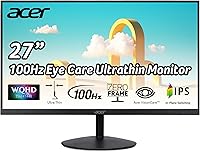
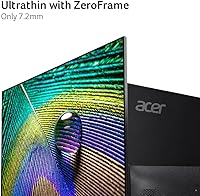
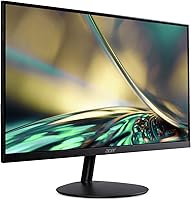
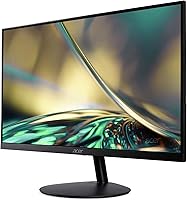
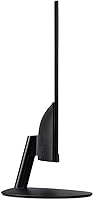
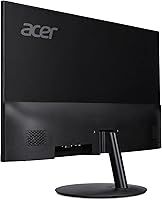
The Acer SB272U 27″ IPS Monitor sits in a practical sweet spot for buyers who want a meaningful resolution upgrade without spending a lot. At this price tier, getting a QHD panel with an IPS screen and a near-frameless design is genuinely good value. The slim profile makes it look more expensive than it is, which matters if you care about your desk setup. Ergonomically, it tilts between -5° and 15° and supports VESA 75x75mm mounting, so a monitor arm is a viable option if the stock stand falls short. Gaming credentials are present but modest — this is an entry-level capable display, not a high-refresh-rate powerhouse.
Features & Benefits
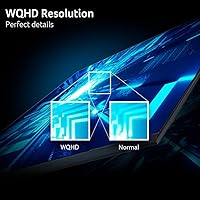
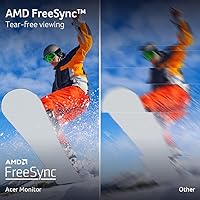
Jumping from 1080p to QHD 2560x1440 on a 27-inch panel makes a real difference — text is sharper, images look more detailed, and you get noticeably more room for multitasking. The IPS panel keeps colors consistent whether you're sitting directly in front or slightly off to the side, which is useful for color-sensitive work or shared viewing. AMD FreeSync helps prevent tearing and stuttering on mid-range AMD graphics cards without extra cost or configuration. The 100Hz refresh rate is a step above the typical 60Hz office monitor, though dedicated competitive gamers will want more. Dual HDMI 2.0 ports plus a DisplayPort input make hooking up multiple devices easy, and the low blue light mode is genuinely worth enabling during long sessions.
Best For
This Acer QHD display makes the most sense for remote workers and students who are tired of 1080p but aren't ready to pay flagship monitor prices. It suits minimalist desk setups well — the borderless look is clean and unobtrusive. Casual gamers with AMD-based builds will appreciate FreeSync running without fuss. That said, if you need height adjustment, pivot, or swivel, the stand will frustrate you — it only tilts. For those users, pairing it with a monitor arm is worth factoring into the budget. Productivity-focused buyers who primarily do office work, browsing, and light creative tasks will find it a solid, honest upgrade over an aging 1080p screen.
User Feedback
Owners of the SB272U consistently highlight the image clarity jump from their previous 1080p screens as the standout win — many say it was immediately obvious straight out of the box. The borderless design earns steady compliments for fitting well on modern desks. On the critical side, 250-nit brightness comes up frequently as a real limitation; users with bright windows nearby report the screen can look washed out in direct daylight. Stand ergonomics draw the most consistent complaints — the tilt-only design lacks height and pivot control, which bothers anyone working at a non-standard desk height. Build quality is generally seen as reasonable for the price, and most buyers found colors acceptable without manual calibration.
Pros
- The resolution upgrade from 1080p is immediately obvious — text is crisper and images look far more detailed
- IPS panel delivers consistent, accurate colors whether you are sitting dead center or slightly off to the side
- AMD FreeSync works reliably without extra setup, reducing tearing during gameplay on compatible GPUs
- Two HDMI ports plus a DisplayPort input make it easy to connect a PC, laptop, and console simultaneously
- The zero-frame design looks noticeably more polished than typical budget monitors in its class
- Low blue light mode helps reduce eye fatigue during long work-from-home or study sessions
- VESA 75x75mm compatibility means a quality monitor arm can replace the basic stock stand
- Matte screen surface handles reflections well in most indoor lighting conditions
- At this price point, QHD on a 27-inch IPS panel represents genuinely strong value for everyday use
Cons
- Stand only tilts — no height adjustment, swivel, or pivot, which causes ergonomic issues at non-standard desk heights
- 250-nit brightness is underwhelming in bright rooms or near windows with direct sunlight
- 100Hz is the performance ceiling, leaving competitive gamers underserved if fast-paced titles are a priority
- No USB hub built in, so desk cable management can become messy with multiple peripherals
- Speakers are absent entirely, requiring external audio solutions for any sound output
- Out-of-box color accuracy may need minor calibration for users doing color-sensitive work
- Build quality feels adequate rather than solid — some users notice flex in the stand base
- The included HDMI cable is a nice touch, but no DisplayPort cable is included in the box
Ratings
Our AI-generated scores for the Acer SB272U 27″ IPS Monitor were produced by analyzing thousands of verified global user reviews, with spam, bot activity, and incentivized feedback actively filtered out before scoring. Each category reflects a balanced synthesis of real buyer experiences — strengths and frustrations weighted equally — so you can make a genuinely informed decision. The ratings below cover everything from image quality to ergonomics, giving you a complete picture of where this 27-inch IPS screen excels and where it falls short.
Image Clarity
Value for Money
Color Accuracy
Brightness
Gaming Performance
Stand & Ergonomics
Build Quality
Connectivity
Eye Comfort
Setup & Installation
Desk Aesthetics
Matte Coating Quality
Suitable for:
The Acer SB272U 27″ IPS Monitor is a strong pick for anyone who spends long hours at a desk and wants noticeably sharper visuals without a premium price tag. Remote workers and home office users will appreciate the jump to QHD resolution — spreadsheets, documents, and browser tabs all become easier to read, and the extra screen real estate helps with side-by-side multitasking. Students who split time between coursework and casual gaming get a genuinely versatile display that handles both without compromise. If you have an AMD GPU in your build, FreeSync works out of the box and helps keep gameplay smooth even on a mid-range graphics card. The clean, borderless aesthetic also makes this Acer QHD display a natural fit for minimalist or dual-monitor setups where visual clutter on the desk matters.
Not suitable for:
The Acer SB272U 27″ IPS Monitor has real limitations that will frustrate certain buyers, and it is worth being upfront about them. Competitive gamers who rely on fast reaction times and play titles where every frame counts will find 100Hz a ceiling, not a comfort zone — there are better options at higher refresh rates if gaming is your primary use case. The stand is a genuine sticking point: it only tilts, with no height, swivel, or pivot adjustment, which becomes uncomfortable quickly if your desk height does not align with the default position. At 250 nits of peak brightness, the SB272U can look washed out in rooms with strong natural light or near uncovered windows, so it is not ideal for bright, sun-facing workspaces. Content creators who need accurate color output for professional photo or video editing should also look elsewhere, since this screen is not factory calibrated to a professional color standard.
Specifications
- Screen Size: The display measures 27 inches diagonally, offering ample workspace for multitasking and productivity without requiring an oversized desk footprint.
- Resolution: Native resolution is 2560x1440 QHD, delivering roughly 1.77 times more pixels than a standard 1080p panel at the same screen size.
- Panel Type: Uses an IPS (In-Plane Switching) panel, which provides accurate color reproduction and consistent image quality when viewed from off-center angles.
- Refresh Rate: Runs at a native 100Hz refresh rate, producing noticeably smoother motion than standard 60Hz monitors during everyday use and light gaming.
- Response Time: Rated at 1ms VRB (Visual Response Boost), a motion blur reduction mode rather than a traditional gray-to-gray pixel transition measurement.
- Brightness: Peak brightness is rated at 250 nits, which is adequate for typical indoor lighting but may appear dim in brightly lit or sun-facing environments.
- Aspect Ratio: Standard 16:9 widescreen aspect ratio, compatible with virtually all modern content, games, and operating system interfaces without letterboxing.
- Screen Surface: Matte anti-glare coating helps minimize reflections from ambient light sources, reducing eye strain during extended work sessions.
- Sync Technology: Supports AMD FreeSync, which synchronizes the display refresh rate with compatible AMD GPU output to reduce screen tearing and stuttering.
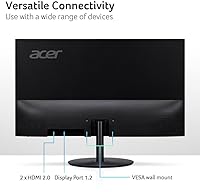
- Ports: Connectivity includes one DisplayPort 1.2, two HDMI 2.0 inputs, and one 3.5mm audio output jack for connecting external speakers or headphones.
- Ergonomics: The stand supports tilt adjustment between -5° and +15° only; there is no height, swivel, or pivot adjustment available on the stock stand.
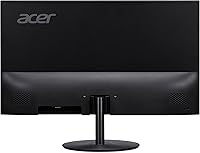
- VESA Mount: The rear of the display is VESA 75x75mm compliant, allowing removal of the stock stand in favor of a third-party monitor arm or wall mount.
- Low Blue Light: Includes a certified Low Blue Light mode that reduces blue light emission, designed to lessen eye fatigue during prolonged screen exposure.
- Frame Design: Features a zero-frame, ultrathin bezel on three sides, giving the display a clean, modern appearance well-suited to multi-monitor arrangements.
- Pixel Pitch: Pixel pitch measures 0.233mm, contributing to the sharp, detailed image clarity that distinguishes QHD from lower-resolution panels at this screen size.
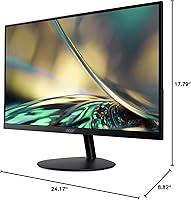
- Dimensions: The monitor measures approximately 24.17 inches wide, 17.79 inches tall, and 8.82 inches deep with the stand attached.
- Weight: Total weight with stand is 8.64 pounds, making it manageable for a single person to position and reposition on a desk without assistance.
- In-Box Cables: An HDMI cable is included in the box; a DisplayPort cable is not included and must be sourced separately if that connection is preferred.
Related Reviews
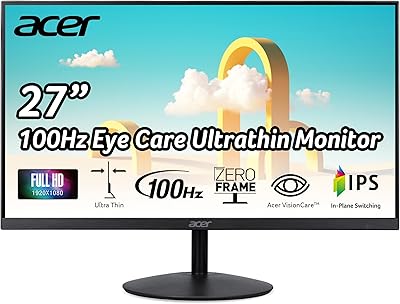
Acer SB272 27-inch FHD IPS Monitor
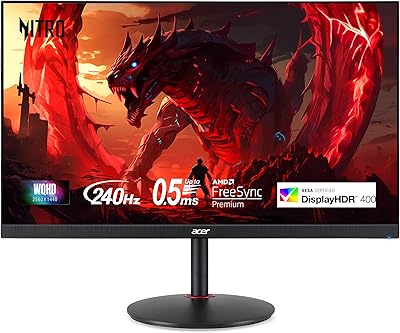
Acer XV272U 27″ WQHD 240Hz Gaming Monitor
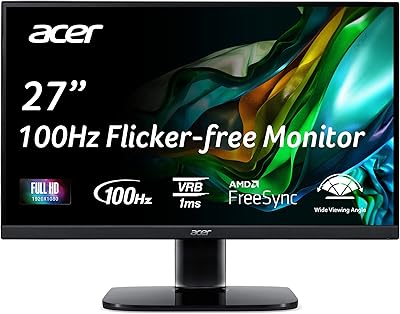
Acer KB272 EBI 27-inch IPS Monitor
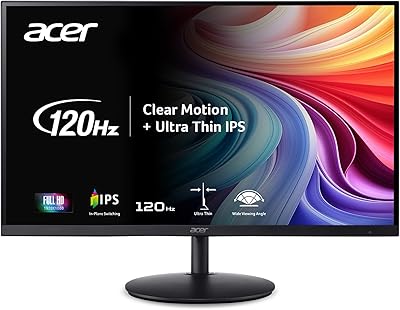
Acer SH272 27-inch IPS Full HD Monitor
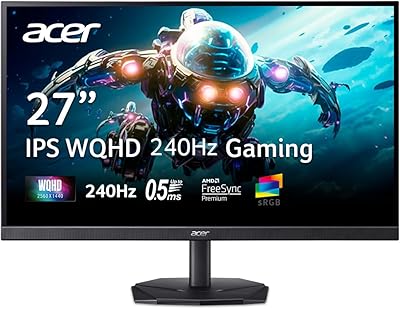
Acer Nitro KG271U 27-inch IPS Gaming Monitor

Gigastone LM-27FF51 27-Inch IPS Monitor
Acer SB273 G0bi 27″ IPS Gaming Monitor
KOORUI 27E3Q 27-inch QHD Gaming Monitor
Acer XF270H 27″ Gaming Monitor
