Acer KB272 EBI 27-inch IPS Monitor

Overview
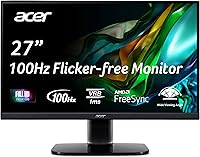
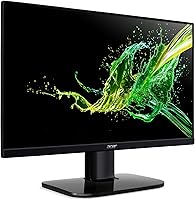
The Acer KB272 EBI 27-inch IPS Monitor launched in April 2023 and has quietly earned a strong foothold in the budget monitor space, sitting among the top 400 computer monitors on Amazon with over 1,700 ratings averaging 4.6 stars. That kind of consistent buyer satisfaction is hard to dismiss. The zero-frame design gives it a cleaner, more modern look than you would typically expect at this price tier — it does not scream budget when sitting on your desk. It is a straightforward, practical screen that performs reasonably well for home office use and casual gaming without asking for premium-tier spending.
Features & Benefits
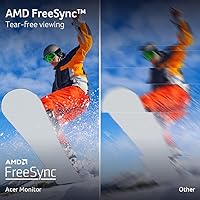
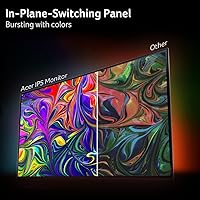
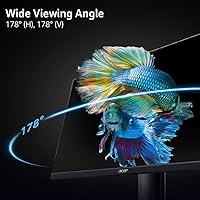
The IPS panel is the real selling point here. Unlike TN screens at comparable prices, colors stay accurate and consistent whether you are sitting directly in front or off to the side — a genuine advantage for anyone sharing a screen or doing light photo work. The 100Hz refresh rate over HDMI makes scrolling and on-screen motion noticeably smoother than a standard 60Hz display, and AMD FreeSync reduces screen tearing during gaming regardless of your GPU brand. The 1ms VRB response time keeps motion blur manageable, the Low Blue Light mode earns its keep during long work sessions, and VESA compatibility means you are not locked into the basic tilt-only stand forever.
Best For
This Acer monitor makes the most sense for work-from-home setups where a large, comfortable screen is the priority and the budget is real. The 27-inch size and IPS color consistency make it a capable daily driver for spreadsheets, writing, or video calls. Students building a first desktop workstation will appreciate how much usable screen they get without serious spending. It also fits naturally as a secondary display in a dual-monitor arrangement, since the IPS colors pair well with most primary screens. Casual gamers wanting a step up from 60Hz without a significant investment will find it delivers — just do not expect it to perform like a dedicated gaming display.
User Feedback
Buyers regularly call out the picture quality and color vibrancy as genuine surprises for the price, with many saying it looks better out of the box than anticipated. The included HDMI cable and painless setup also get repeated praise — minor conveniences, but they add up. The criticism tends to land on two fronts: the 250-nit brightness is a real limitation in sunlit rooms, with some users finding it washes out noticeably near windows, and the stand offers tilt but nothing else, leaving those who want height or swivel adjustments frustrated. Despite these tradeoffs, most owners rate the overall IPS quality above similarly priced alternatives they considered.
Pros
- IPS panel produces accurate, consistent colors that hold up well from wide viewing angles.
- The 27-inch screen size gives home office and student setups a genuinely spacious working area.
- AMD FreeSync works across a broad range of GPUs, reducing screen tearing without brand lock-in.
- 100Hz refresh rate makes everyday scrolling and casual gaming noticeably smoother than 60Hz screens.
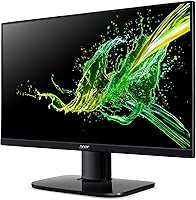
- Zero-frame design looks modern and clean, punching above its price tier aesthetically.
- Low Blue Light mode is a practical aid for anyone logging long hours in front of the screen.
- VESA 100x100mm compatibility means upgrading to a monitor arm is straightforward and affordable.
- Setup is quick and uncomplicated, with an HDMI cable included right in the box.
- Over 1,700 buyers rate the KB272 EBI highly, giving it a credible real-world track record.
- The VGA port is a handy fallback for connecting older hardware that lacks HDMI output.
Cons
- 250-nit brightness is noticeably dim in sunlit rooms and near bright windows.
- The stand offers tilt only — no height adjustment, swivel, or pivot out of the box.
- 1080p resolution starts to show its limits on a 27-inch panel for pixel-sensitive users.
- Only one HDMI port makes switching between multiple devices inconvenient without a separate switch.
- Not suitable for competitive gaming where higher refresh rates and faster panel response truly matter.
- The base and stand feel lightweight and can wobble slightly on uneven surfaces.
- No built-in speakers means an external audio solution is needed for any sound output.
- Brightness and contrast levels may require manual calibration to get the best out of the IPS panel.
Ratings
The scores below for the Acer KB272 EBI 27-inch IPS Monitor were generated by our AI review engine after analyzing verified global buyer feedback, actively filtering out incentivized reviews, duplicate submissions, and bot-generated ratings. Every category reflects the real distribution of praise and frustration found across thousands of genuine user experiences. Where this 27-inch IPS display earns strong marks, the data backs it up — and where it falls short, we do not soften the verdict.
Image Quality
Brightness & Contrast
Refresh Rate & Smoothness
AMD FreeSync Performance
Response Time
Ergonomics & Adjustability
Build Quality
Connectivity
Eye Comfort
Setup & Out-of-Box Experience
Value for Money
Gaming Suitability
Color Accuracy
Noise & Heat
Compatibility
Suitable for:
The Acer KB272 EBI 27-inch IPS Monitor is a strong fit for anyone who needs a reliable, large-screen daily driver without stretching their budget thin. Work-from-home professionals will appreciate the roomy 27-inch IPS panel for multitasking across documents, video calls, and browser tabs, and the Low Blue Light mode is a genuine help during long hours at the desk. Students setting up their first proper workstation get a lot of usable screen real estate for the money, and the included HDMI cable means there is one less thing to buy on day one. Casual gamers who want smoother visuals than a basic 60Hz display — without paying for a dedicated gaming screen — will find the 100Hz refresh rate and AMD FreeSync combination delivers a noticeable improvement. It also works well as a secondary monitor in a dual-display setup, where its accurate IPS colors complement most primary screens without looking out of place.
Not suitable for:
The Acer KB272 EBI 27-inch IPS Monitor has real limitations that certain buyers should think carefully about before purchasing. At 250 nits of brightness, this 27-inch IPS display simply struggles in bright environments — if your workspace has large windows or direct sunlight, you will likely find the image washes out at peak daylight hours. Competitive or serious gamers will hit the ceiling quickly; 1080p at 100Hz is a reasonable entry point, but anyone chasing high frame rates in fast-paced titles or expecting the responsiveness of a proper gaming panel should look elsewhere. The stand only tilts, with no height adjustment, swivel, or pivot — so buyers who care about ergonomic positioning will either need to budget for a VESA arm or accept a fixed viewing angle. The single HDMI 1.4 port also means this is not the right pick for users who regularly switch between multiple devices or need DisplayPort connectivity.
Specifications
- Panel Type: This monitor uses an IPS (In-Plane Switching) panel, which provides accurate color reproduction and consistent image quality across wide viewing angles.
- Screen Size: The display measures 27 inches diagonally, offering a spacious working area suitable for multitasking, content consumption, and casual gaming.
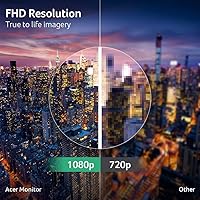
- Resolution: Native resolution is 1920x1080 Full HD, delivering a sharp and clear image across the entire 27-inch surface at a pixel pitch of 0.311mm.
- Refresh Rate: The panel supports up to 100Hz when connected via the HDMI port, providing noticeably smoother motion than standard 60Hz displays.
- Response Time: Rated at 1ms VRB (Visual Response Boost), which helps reduce motion blur during fast-moving content and casual gaming sessions.
- Brightness: Maximum brightness is rated at 250 nits, which is adequate for moderately lit rooms but may appear dim in environments with strong ambient light or direct sunlight.
- AMD FreeSync: The monitor supports AMD FreeSync technology, which synchronizes the display refresh rate with a compatible GPU to reduce screen tearing and stuttering.
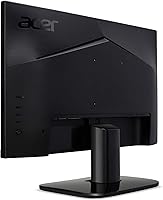
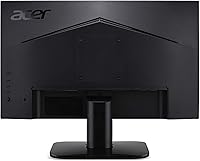
- Ports: Connectivity includes one HDMI 1.4 port and one VGA port; an HDMI cable is included in the box.
- VESA Mounting: The monitor is VESA-compliant with a 100x100mm mounting pattern, allowing it to be mounted on a compatible wall bracket or monitor arm.
- Ergonomics: The stand supports tilt adjustment ranging from -5° to +15°, but does not offer height, swivel, or pivot adjustments.
- Aspect Ratio: The display uses a standard 16:9 widescreen aspect ratio, compatible with virtually all modern content formats and operating systems.
- Eye Care: The monitor carries a Low Blue Light certification, which reduces high-energy blue light emission to help minimize eye strain during extended use.
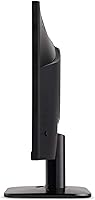
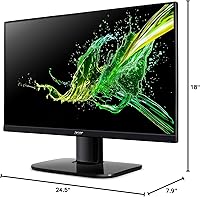
- Design: The KB272 EBI features a zero-frame (borderless) panel design on three sides, giving it a clean, modern appearance that suits multi-monitor setups.
- Dimensions: With the stand attached, the monitor measures 7.9 x 24.5 x 18 inches (D x W x H), fitting comfortably on most standard desks.
- Weight: The complete unit including the stand weighs 11.86 pounds, making it straightforward to reposition or mount without assistance.
- Color: The monitor is available in black, with a matte finish on the rear housing and a glossy screen surface on the front panel.
- Availability: The product was first listed in April 2023 and has since accumulated a strong sales ranking within the computer monitors category on Amazon.
Related Reviews
Acer SB272 27-inch FHD IPS Monitor
Acer Nitro KG271U 27-inch IPS Gaming Monitor

Gigastone LM-27FF51 27-Inch IPS Monitor
Acer SB273 G0bi 27″ IPS Gaming Monitor

Dell P2714H 27-inch IPS Monitor
CUNPU S027 27-inch QHD Gaming Monitor
Acer Nitro KG273 27-inch Gaming Monitor
GIGABYTE GS27QA 27-inch QHD Gaming Monitor
Acer V196L Bb 19-inch IPS Monitor