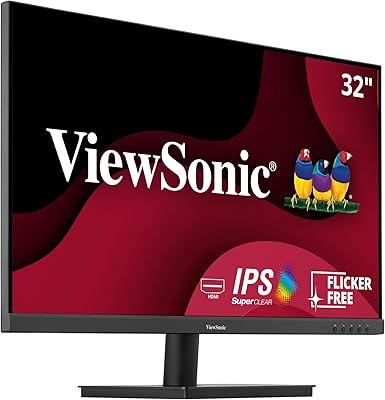
Acer SB230 23-inch Full HD IPS Monitor




Overview
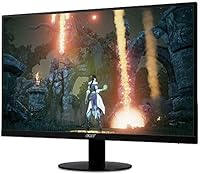
The Acer SB230 23-inch Full HD IPS Monitor arrived in late 2018 as a no-frills option for anyone who needed a solid everyday screen without spending much. What makes it stand out at this price point is the choice of an IPS panel over the cheaper TN alternative — a decision that pays off in noticeably better color consistency and wider viewing angles. The ultra-thin zero-frame bezel gives it a cleaner look than most budget displays, which helps in tight desk setups. AMD FreeSync is a welcome bonus. That said, this is a productivity screen first; don't expect professional-grade color accuracy or high-end gaming performance.
Features & Benefits
The SB230's 1920x1080 IPS display handles everyday tasks well — text stays sharp, colors look consistent from off-angles, and the glossy finish adds some pop to images. The 75Hz refresh rate combined with AMD FreeSync does take the edge off screen tearing when you're playing something light, though this isn't a panel built for fast-paced competitive gaming. One spec worth clarifying: the advertised 1ms figure refers to VRB motion blur reduction, not native pixel response — a distinction that matters if you're comparing it to monitors with true 1ms gray-to-gray performance. Connectivity covers both HDMI and VGA, which is genuinely useful for older hardware. Brightness at 250 nits works fine indoors but can feel limiting near a window.
Best For
This 23-inch IPS screen makes most sense for students and remote workers who want a reliable, sharp display without overcommitting on budget. It also works well as a secondary monitor in a dual-screen setup — the near-borderless frame keeps things visually tidy side by side. Anyone stepping up from an older machine with only a VGA output will appreciate that the port is still there, which isn't guaranteed on newer budget monitors. Casual gamers who just want a bit of smoothness while browsing or playing indie titles will find the FreeSync plus 75Hz combination more than adequate. It's not the right pick for graphic designers, video editors, or anyone who needs ergonomic flexibility from their stand.
User Feedback
Across more than 2,100 ratings and a 4.6-star average, this Acer monitor earns consistent praise for image quality relative to what it costs — buyers frequently highlight how much better colors look compared to similarly priced TN screens. Setup gets high marks too: plug in, power on, done. The recurring criticism is the stand's limited adjustability — tilt is all you get, with no height raise or pivot. That's a real issue for anyone who cares about ergonomics. Backlight bleed at the corners has come up in a handful of longer-term reviews, and the 250-nit ceiling can feel underwhelming in brighter environments. None of these are deal-breakers for the intended audience, but they're worth knowing before you buy.
Pros
- IPS panel delivers noticeably better color consistency and viewing angles than comparably priced TN monitors.
- The zero-frame bezel design looks clean and makes side-by-side dual-monitor setups much more practical.
- AMD FreeSync at 75Hz effectively reduces screen tearing for casual and light gaming without any extra cost.
- Both HDMI and VGA ports are included, covering modern laptops and older desktop hardware alike.
- Setup is genuinely quick — most users are up and running within minutes of unboxing.
- At under five pounds, the SB230 is easy to move, reposition, or pack up if needed.
- Strong long-term satisfaction is backed by a 4.6-star average across more than 2,100 real buyer reviews.
- The slim profile keeps desk clutter minimal and fits comfortably on smaller work surfaces.
Cons
- The stand only tilts — no height raise, swivel, or pivot means ergonomic flexibility is essentially zero.
- 250-nit brightness struggles in sunlit rooms or spaces with overhead lighting directly hitting the screen.
- A glossy surface finish increases glare in bright environments, compounding the brightness limitation.
- Some long-term owners have reported backlight bleed at the corners, which is a known panel quality risk.
- The 1ms spec is a VRB motion blur reduction figure, not native gray-to-gray response — potentially misleading for comparison shoppers.
- No USB hub or built-in speakers means extra accessories are needed for a fully featured desk setup.
- 75Hz refresh rate is adequate for casual use but falls short for anyone interested in smoother, high-frame-rate gaming.
- The glossy screen surface tends to collect fingerprints and smudges, requiring more frequent cleaning than a matte alternative.
Ratings
The scores below for the Acer SB230 23-inch Full HD IPS Monitor were generated by our AI system after analyzing thousands of verified global buyer reviews, with spam, incentivized submissions, and bot activity actively filtered out. Every category reflects what real users consistently reported — strengths and shortcomings alike — so you get an honest picture before committing to a purchase. No score has been inflated to flatter the product, and no legitimate criticism has been softened.
Image Quality
Color Accuracy
Brightness & Glare
Refresh Rate & Smoothness
Gaming Performance
Stand & Ergonomics
Build Quality & Design
Connectivity
Setup & Ease of Use
Multi-Monitor Suitability
Value for Money
Backlight Uniformity
Response Time (Real-World)
Suitable for:
The Acer SB230 23-inch Full HD IPS Monitor is a strong fit for students, home office workers, and anyone who needs a dependable everyday display without stretching their budget. The IPS panel makes a real difference for people who spend long hours reading documents, browsing, or working in spreadsheets — colors stay consistent and comfortable even from off-center viewing angles. Remote workers setting up a dual-monitor workspace will appreciate the slim, near-borderless bezel, which keeps two screens sitting side by side without an awkward visual gap. It also suits users holding onto older hardware, since the included VGA port means you don't need an adapter just to get connected. Casual gamers who play at a relaxed pace will find the 75Hz refresh and FreeSync combination more than adequate for a smooth, tear-free experience on a tight budget.
Not suitable for:
The Acer SB230 23-inch Full HD IPS Monitor has clear limits that make it the wrong choice for certain buyers, and it's worth being direct about them. Graphic designers, photographers, or video editors who rely on accurate color representation should look elsewhere — 250 nits of brightness and a glossy panel without factory calibration won't cut it for professional color work. Anyone who needs ergonomic flexibility will run into frustration quickly: the stand offers tilt only, with no height adjustment or pivot, which is a genuine problem for people managing back or neck issues. Competitive or fast-paced gamers should also skip it; the 1ms figure refers to a motion blur reduction mode rather than true native pixel response, and 75Hz simply isn't enough for twitch-heavy titles. If your desk is near a window or in a well-lit room, the lower brightness ceiling may leave the screen feeling washed out during the day.
Specifications
- Screen Size: The display measures 23 inches diagonally, providing a comfortable viewing area for everyday desk use.
- Resolution: Native resolution is 1920x1080 Full HD, delivering clear and sharp visuals for productivity and general media consumption.
- Panel Type: An IPS (In-Plane Switching) panel is used, offering wider viewing angles and more consistent color reproduction than TN alternatives.
- Refresh Rate: The panel runs at a 75Hz refresh rate, providing moderately smoother motion than standard 60Hz displays.
- Response Time: The advertised 1ms response time refers to VRB (Visual Response Boost) mode, which is a motion blur reduction feature rather than native gray-to-gray pixel response.
- Brightness: Maximum brightness is rated at 250 nits, which is suitable for typical indoor environments but may feel insufficient in brightly lit rooms.
- Aspect Ratio: The display uses a standard 16:9 widescreen aspect ratio, compatible with all common content formats and desktop layouts.
- Connectivity: Input options include one HDMI port, one VGA port, and one 3.5mm audio output jack for headphones or external speakers.
- AMD FreeSync: The monitor supports AMD FreeSync over HDMI, which reduces screen tearing and stuttering when paired with a compatible AMD GPU.
- Bezel Design: A zero-frame ultra-thin bezel surrounds the panel on all sides, making it particularly suited for multi-monitor arrangements.
- Stand Adjustment: The included stand supports tilt adjustment only; height raise, swivel, and pivot functions are not available on the stock stand.
- Surface Finish: The screen uses a glossy surface treatment, which enhances color vibrancy but increases reflectivity under direct or ambient lighting.
- Dimensions: The monitor measures 20.91 inches wide, 15.83 inches tall, and 8.35 inches deep with the stand attached.
- Weight: Total weight including the stand is 4.88 pounds, making it easy to reposition or transport between workspaces.
- Color: The monitor is finished in black, with a clean and understated appearance that suits most desk setups.
- VESA Compatibility: The SB230 supports VESA mount patterns, allowing users to replace the stock stand with a third-party arm for better ergonomic positioning.
Related Reviews
Acer K243Y 24-inch Full HD IPS Monitor
Acer SB220Q 21.5-inch IPS Monitor
Acer SB242Y EBI 23.8″ IPS Monitor
Acer EZ321Q wi 31.5″ IPS Monitor
Dell S2721HS 27-inch Full HD IPS Monitor
ASUS VA27ECPSN 27-inch Docking Monitor
Acer SH272 27-inch IPS Full HD Monitor
ASUS VZ279HE 27-inch IPS Monitor
Acer KB272 EBI 27-inch IPS Monitor