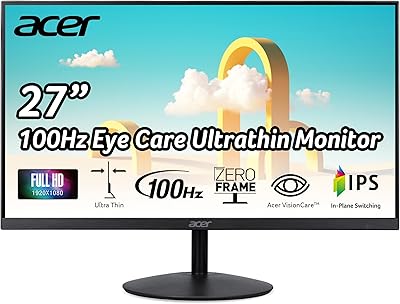
Acer EZ321Q wi 31.5″ IPS Monitor
Overview
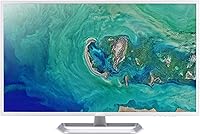
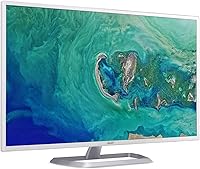
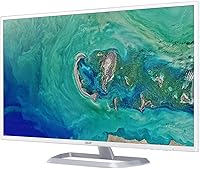
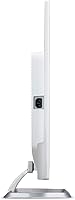
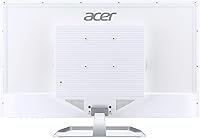
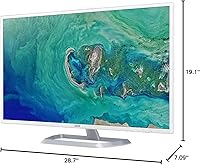
The Acer EZ321Q wi 31.5″ IPS Monitor arrived in late 2019 and has quietly built a loyal following among home and office users who want a large screen without breaking the bank. What sets it apart visually is its white and silver chassis — a rare sight in a category where black rectangles dominate every desk. That alone makes it worth a second look for anyone building a clean, modern workspace. This is not a monitor aimed at competitive gamers or color-critical professionals. It is an honest everyday display that does its job well and keeps the asking price firmly in accessible territory.
Features & Benefits
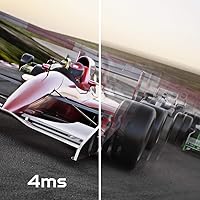
The IPS panel delivers wide viewing angles and colors that stay consistent whether you are sitting straight-on or glancing from the side. At 31.5 inches, a 1920x1080 resolution handles documents, video calls, and casual streaming just fine, though pixel density is lower than on smaller Full HD screens — text can look slightly soft if you sit very close. The 60Hz refresh rate and 4ms response time are perfectly adequate for productivity use. Connectivity covers an HDMI 1.4 port and a VGA input, with the cable included, and Acer VisionCare features help reduce eye fatigue during long work sessions.
Best For
This Acer monitor clicks for a specific kind of buyer. Home office workers who feel cramped on a smaller screen will immediately appreciate the step up in workspace without the price jump of a QHD or 4K panel. It also works well as a first dedicated monitor for students who have been making do with a laptop display. The screen is large enough to serve as a secondary display, pairing naturally in a dual-monitor setup. The white finish suits minimalist or light-colored desk environments especially well. Just do not expect it to satisfy a serious gamer or a photo editor who needs precise, calibrated color accuracy.
User Feedback
With a 4.6-star average across close to 2,900 ratings, buyers have been consistently satisfied with what this 31.5-inch IPS screen delivers. Recurring praise centers on the generous screen size for the price, pleasant color rendering for everyday tasks, and the clean look the white frame brings to a workspace. On the critical side, some users sitting close notice that 1080p at this diagonal lacks the sharpness they hoped for — a legitimate trade-off worth weighing. The stand offers tilt adjustment only, which frustrates buyers expecting height control. Long-term durability feedback is generally encouraging, with many reporting reliable performance well past the one-year mark.
Pros
- A 31.5-inch IPS panel delivers genuinely spacious screen real estate at a price that undercuts most larger-format competitors.
- Wide viewing angles mean colors and brightness stay consistent whether you are centered or glancing from the side.
- The white and silver design is a rare and practical choice for buyers tired of black monitors on every desk.
- Acer VisionCare features make extended work sessions noticeably more comfortable by reducing flicker and blue light output.
- Both HDMI and VGA ports are included, along with a VGA cable, covering modern and legacy devices out of the box.
- Setup is fast and tool-free, with the stand snapping into place in under a minute.
- The EZ321Q wi has maintained a 4.6-star average across nearly 2,900 verified ratings, signaling consistent satisfaction over time.
- Build quality holds up well with extended daily use, with very few long-term reports of panel degradation or backlight issues.
- The large screen size makes it well-suited for multi-window productivity without the cost of a premium resolution upgrade.
- At this price tier, the IPS color rendering is genuinely above expectations for everyday document work and video streaming.
Cons
- 1080p resolution across 31.5 inches produces visibly soft text for users who sit less than 60 centimeters from the screen.
- The stand offers tilt only — no height adjustment, swivel, or pivot, which is a real ergonomic limitation at this size.
- No built-in speakers, which catches some buyers off guard when connecting via HDMI and expecting audio output.
- The glossy screen surface creates persistent glare in rooms with overhead lighting or nearby windows.
- Only two ports total — HDMI and VGA — with no DisplayPort, USB hub, or audio jack for more complex setups.
- The 60Hz refresh rate and lack of adaptive sync make it a frustrating experience for anything beyond casual, slow-paced gaming.
- OSD control buttons on the underside of the bezel are unmarked, creating an unnecessary learning curve during initial setup.
- Maximum brightness can feel insufficient in brighter rooms, particularly when combined with the reflective glossy panel.
- No VESA mount compatibility is confirmed in the product listing, limiting options for users who prefer an arm mount over the stock stand.
- Black depth and shadow detail are mediocre, making dark film scenes and nighttime game environments look flat.
Ratings
The Acer EZ321Q wi 31.5″ IPS Monitor has accumulated a strong body of verified buyer feedback across global markets, and our AI rating system has analyzed that data — actively filtering out incentivized, bot-generated, and spam reviews — to produce the scores below. Each category reflects the real distribution of praise and frustration that everyday users have reported, from home office setups to student desks. Nothing here is sugar-coated: where the monitor earns its reputation, the scores reflect that, and where it falls short, those gaps are called out plainly.
Screen Size Value
Image & Color Accuracy
Pixel Sharpness & Clarity
Ergonomics & Stand Adjustability
Design & Aesthetics
Connectivity & Port Selection
Eye Comfort & Long-Session Usability
Refresh Rate & Motion Handling
Build Quality & Durability
Setup & Out-of-Box Experience
Brightness & Contrast
Value for Money
Audio (No Built-in Speakers)
Suitable for:
The Acer EZ321Q wi 31.5″ IPS Monitor is a strong fit for home office workers who spend long hours in front of a screen and want the breathing room of a large display without committing to the premium pricing of QHD or 4K panels. Students setting up their first real desk workstation will find the screen size alone transformative compared to working off a laptop display, and the white and silver finish slots neatly into the kind of clean, minimal setups that younger buyers tend to gravitate toward. It works especially well as a secondary monitor in a dual-display arrangement, where its wide viewing angles and consistent IPS color make side-by-side use genuinely comfortable throughout the day. Households looking for a shared family PC screen will also find it a practical choice — the neutral design does not clash with most room aesthetics, and the inclusion of a VGA cable means it can connect to older desktop computers without any additional expense. Anyone who prioritizes raw screen real estate over pixel-perfect sharpness will feel right at home with the EZ321Q wi.
Not suitable for:
The Acer EZ321Q wi 31.5″ IPS Monitor is a poor match for anyone who sits close to their screen and does sustained text-heavy or detail-oriented work, because 1080p spread across 31.5 inches produces a noticeably lower pixel density that makes fonts and fine details look softer than on a smaller Full HD panel. Competitive or even casual gamers will quickly find the 60Hz refresh rate limiting, and the lack of adaptive sync support means screen tearing is a real possibility in faster-paced titles. Graphic designers, photo editors, or anyone who needs color-accurate output should look elsewhere — this is not a professionally calibrated display, and its glossy screen surface adds unwanted glare in brighter working environments. Users who need ergonomic flexibility will also be frustrated by the tilt-only stand, as there is no height adjustment, swivel, or pivot functionality, which is a meaningful limitation on a screen this size. Finally, buyers who need a feature-rich connectivity setup — multiple HDMI ports, DisplayPort, a USB hub, or built-in speakers — will find the port selection here too sparse to meet those needs.
Specifications
- Screen Size: The display measures 31.5 inches diagonally, providing a wide working area well-suited to multi-window productivity and media consumption.
- Resolution: Native resolution is 1920x1080 Full HD, delivering standard high-definition clarity across a 16:9 aspect ratio panel.
- Panel Type: An IPS (In-Plane Switching) panel is used, offering wide viewing angles and consistent color reproduction compared to TN alternatives.
- Refresh Rate: The monitor operates at a 60Hz refresh rate, appropriate for everyday office tasks, web browsing, and HD video playback.
- Response Time: Rated response time is 4ms, which handles general productivity and casual media use without significant ghosting under normal conditions.
- Aspect Ratio: The screen uses a standard 16:9 widescreen aspect ratio, compatible with the vast majority of modern content formats and operating systems.
- Screen Surface: The panel features a glossy screen surface, which enhances color vibrancy but can produce reflections in brightly lit environments.
- Connectivity: The monitor includes one HDMI 1.4 port and one VGA port, with a VGA cable included in the box for immediate use.
- Eye Care: Acer VisionCare technologies are built in, incorporating flicker reduction and blue light filter modes to reduce eye fatigue during extended sessions.
- Color & Finish: The chassis is finished in white and silver, a deliberate departure from the matte black that dominates this product category.
- Dimensions: The monitor measures 28.7 inches wide, 19.1 inches tall, and 7.09 inches deep with the stand attached.
- Weight: The unit weighs 18.36 pounds fully assembled with the stand, which is typical for a display of this size and build tier.
- Stand Adjustment: The included stand supports tilt adjustment only; there is no height, swivel, or pivot functionality built into the base.
- VESA Mounting: VESA mount compatibility is not confirmed in the official product listing, so buyers intending to use a monitor arm should verify before purchasing.
- Speakers: There are no built-in speakers; audio must be routed through a separate device or external speakers connected to the source hardware.
- Voltage: The monitor is rated at 240 volts, and buyers in regions with different standard voltages should confirm compatibility with local power infrastructure.
- Model Series: This display belongs to the EZ321Q wi series within Acer's entry-level monitor lineup, first made available in November 2019.
Related Reviews
Acer SB322QU 31.5″ WQHD IPS Monitor
Acer SB322QK 31.5″ 4K UHD Monitor
Acer SB220Q 21.5-inch IPS Monitor
Acer Nitro EDA323QU 31.5-inch Curved Gaming Monitor
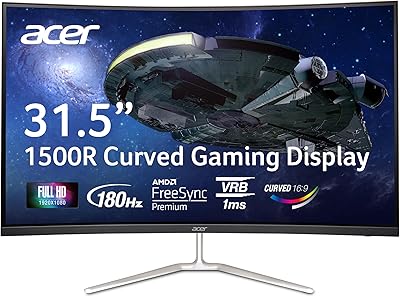
Acer Nitro EDA320Q 31.5″ Curved Gaming Monitor
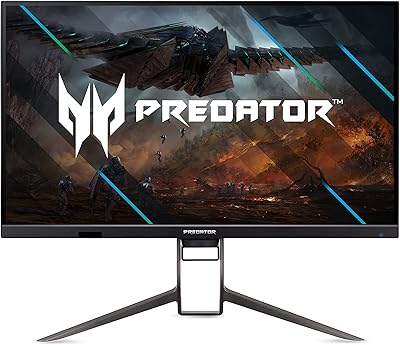
Acer Predator XB323QK 31.5″ 4K Gaming Monitor
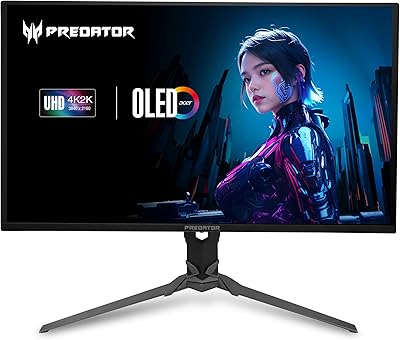
Acer Predator X32 31.5-inch 4K UHD OLED Gaming Monitor
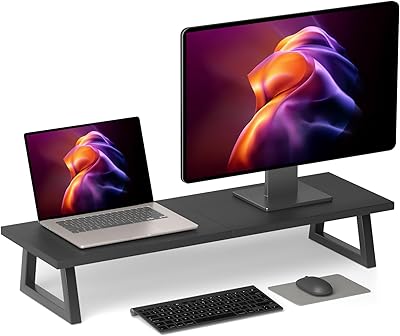
TEAMIX 31.5-inch Dual Monitor Stand Riser
Acer K202Q bi 19.5-inch Monitor