Overview

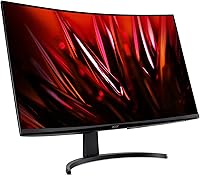
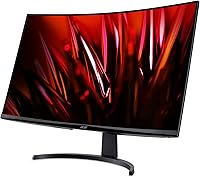
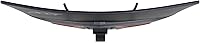
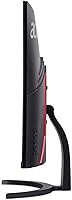
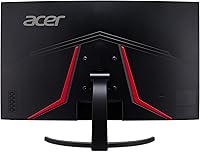
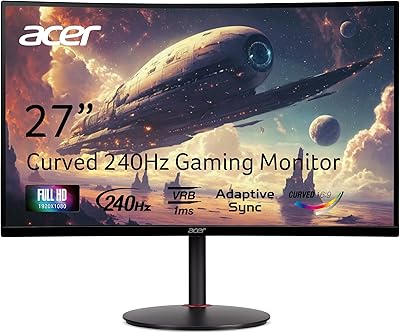
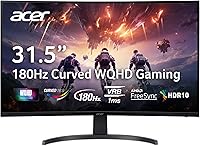
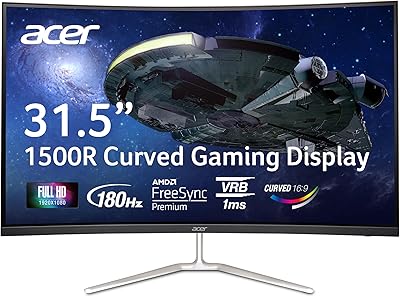
The Acer Nitro EDA323QU 31.5-inch Curved Gaming Monitor arrived in mid-2024 as a practical answer to a common dilemma: how do you get noticeably sharper visuals and a bigger screen without spending a fortune? At its price, it sits squarely in the value tier of the 1440p market, offering a 1500R curved panel that wraps your field of view without the aggressive bend of tighter curves. The zero-frame design is a genuine plus for anyone running two screens side by side. Coming from a 1080p monitor, the jump in pixel density alone is noticeable — text is crisper, game environments show more detail, and the larger canvas makes productivity work feel less cramped.
Features & Benefits

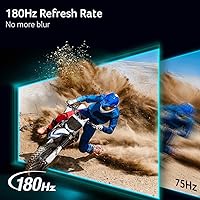
The 180Hz refresh rate is where this Acer Nitro curved monitor punches above its class. You don't need a high-end GPU to hit those frame rates at 1440p — a mid-range card handles it comfortably — and when you do, fast-paced shooters and racing titles look noticeably cleaner. AMD FreeSync keeps things smooth across a wide range, and it works well enough on compatible Nvidia hardware too. One DisplayPort 1.4 and two HDMI 2.0 inputs cover most setups, handy if you're switching between a PC and a console. One thing worth knowing: the 1ms figure describes a motion blur reduction mode, not a native gray-to-gray measurement — useful, but not identical to a true GTG spec.

Best For

The 31.5-inch Nitro display hits a sweet spot for gamers who have outgrown 1080p but aren't ready to invest in a 4K setup — or the GPU horsepower that requires. The dual HDMI inputs make it easy to keep a console and a PC connected simultaneously without fumbling with cables. It also works well as a do-it-all desk monitor: large enough for productivity and media, curved enough to feel genuinely immersive during evening gaming sessions. Anyone building a dual-monitor workstation will appreciate the near bezel-less edges. Where it falls short: buyers wanting height adjustment, portrait rotation, or color accuracy for photo editing will need to look elsewhere.

User Feedback

Most buyers single out image sharpness and screen size as the biggest wins — the step up from a 24-inch 1080p display to this curved 1440p screen is significant enough that it comes up repeatedly. The flip side: the stand draws consistent complaints. It only tilts, with no height or swivel adjustment, and several users note it feels a bit wobbly once assembled. Color accuracy out of the box also divides people — some find it perfectly usable, others need to adjust settings before feeling satisfied. A handful of reviews flag minor backlight bleed near the corners, which is common at this price tier and rarely distracting during active gameplay.

Pros

  • 1440p resolution delivers a noticeable sharpness upgrade over 1080p without requiring a top-tier GPU to drive it.
  • The 180Hz refresh rate keeps fast-paced gameplay fluid, and most mid-range cards can reach it at this resolution.
  • AMD FreeSync works reliably and is broadly compatible, including with many Nvidia graphics cards.
  • Two HDMI inputs make it easy to keep a console and a PC connected at the same time.
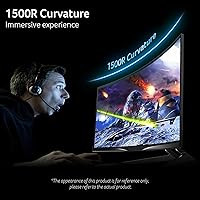
  • The 1500R curve adds real immersion on a screen this size without feeling uncomfortably aggressive.
  • Matte panel coating handles glare well in mixed or bright-light environments.
  • The slim bezel design is genuinely useful for side-by-side dual-monitor configurations.
  • At its price point, the combination of size, resolution, and refresh rate is hard to match.
  • Setup is straightforward, and most buyers report it works well right out of the box for gaming.

Cons

  • The stand has no height adjustment or swivel, which is a meaningful ergonomic limitation for longer sessions.
  • Stand rigidity is a recurring complaint — some units wobble more than expected once assembled.
  • Color accuracy out of the box often needs manual adjustment before it looks truly dialed in.
  • The 1ms response spec is a VRB motion blur reduction mode, not a native gray-to-gray measurement — a distinction that matters for competitive players.
  • No built-in speakers, USB hub, or extra quality-of-life features that some competing monitors include.
  • Backlight bleed near corners has been flagged by a consistent minority of buyers.
  • The 31.5-inch Nitro display requires a fairly deep desk to sit at a genuinely comfortable viewing distance.
  • Limited tilt range may not suit users whose desk height falls outside a fairly narrow sweet spot.

Ratings

Our AI rating system analyzed thousands of verified global purchases of the Acer Nitro EDA323QU 31.5-inch Curved Gaming Monitor, actively filtering out incentivized reviews and bot activity to surface what real buyers actually experience. The scores below reflect a balanced picture — the genuine strengths that make this display stand out at its price tier, as well as the persistent pain points that buyers consistently flag. Nothing has been softened or inflated.

Value for Money
89%
Among buyers upgrading from a 24-inch 1080p setup, the consensus is that this Acer Nitro curved monitor delivers a lot of screen for the price. The combination of a large curved panel, 1440p resolution, and a high refresh rate at this cost is genuinely difficult to beat in the current market.
A few buyers feel the value calculation shifts if you factor in the need for a monitor arm — the included stand's limitations push some users toward an extra purchase they hadn't budgeted for, which slightly dents the overall cost equation.
Image Sharpness
87%
The step up from 1080p is immediately obvious to nearly everyone who switches. Text is noticeably crisper, in-game environments show real added detail, and the 1440p resolution on a 31.5-inch panel strikes a density that feels sharp without requiring any scaling tricks on Windows.
Out of the box, some users feel the image needs brightness and contrast adjustments before it truly shines. Color accuracy is competent rather than impressive, and those coming from a high-end IPS panel may find the overall picture quality a touch flat until manually tuned.
Refresh Rate Performance
84%
At everyday gaming frame rates, the high refresh rate translates into noticeably smoother motion — fast-paced shooters and racing games feel more fluid compared to a standard 60Hz display. Users with mid-range GPUs are particularly happy, since hitting high frame counts at 1440p is very achievable without a flagship card.
The gap between the advertised ceiling and what most users actually reach in demanding AAA titles is real. A handful of buyers expected silky-smooth visuals in every scenario and were surprised to find that GPU limitations, not the monitor, are the actual bottleneck once settings are pushed.
AMD FreeSync
82%
18%
FreeSync is broadly effective on this panel, keeping gameplay free of visible tearing across a wide range of frame rates. Nvidia GPU owners report it also works reliably after a quick toggle in the control panel, making it broadly compatible rather than locked to AMD hardware only.
There is a narrow effective range reported by a subset of users — at very low frame rates, some residual stuttering creeps back in. It is not a major issue during normal gameplay, but buyers expecting flawless adaptive sync across all conditions may notice its limits.
Stand Ergonomics
41%
59%
The stand holds the panel securely enough for stationary desk setups where you set it and leave it. If your desk happens to place the screen at exactly the right height, the tilt adjustment covers most fine-tuning needs adequately.
No height adjustment, no swivel, and no pivot is a meaningful shortcoming on a monitor this size. Users who spend long hours at their desk consistently flag neck and eye strain caused by the fixed height, and the stand has a wobble problem that multiple buyers note independently — bumping the desk sends the screen rocking noticeably.
Build Quality
63%
37%
The overall aesthetic is clean and understated, fitting neatly into most desk setups without looking cheap. The panel housing itself feels reasonably solid and shows no major flex when handled carefully during setup.
The stand base and neck feel noticeably lighter and less substantial than the panel they support, which contributes to the wobble issue many buyers describe. A small but consistent group of reviews also mention cosmetic scuffs or minor marks on units received, suggesting packaging or assembly quality control is inconsistent.
Glare Resistance
81%
19%
The matte coating does a genuine job of keeping reflections in check during daytime gaming sessions near windows. Users in bright offices or rooms with overhead lighting consistently praise this as one of the monitor's unsung strengths compared to glossy alternatives at a similar price.
The matte finish slightly softens the perceived vibrancy of the image compared to a glossy screen, which a minority of buyers notice, particularly when watching high-contrast HDR content. It is a trade-off that most gamers accept happily, but those prioritizing punchy color may notice the difference.
Color Accuracy
61%
39%
For gaming and casual media consumption, the colors land in a range that most users describe as pleasing and punchy enough after a few OSD tweaks. Watching movies and playing visually rich games feels satisfying without any glaring color shifts across the screen.
This is not the right display for anyone who needs calibrated accuracy for creative work. Out of the box, color temperature and gamma drift enough that photo editing or video grading on this screen would require serious calibration — and even then, the panel's inherent limitations at this price point cap how far you can go.
Connectivity
78%
22%
Having two HDMI inputs alongside a DisplayPort is a practical advantage that console-plus-PC users genuinely appreciate. Switching between a gaming PC on DisplayPort and a PlayStation or Xbox on HDMI is quick and keeps your desk free of cable-swapping hassle.
There is no USB hub, no headphone pass-through, and no additional quality-of-life ports. For a gaming monitor in 2024, this is a fairly minimal I/O set, and anyone expecting a more connected hub-style experience will be disappointed.
Response Time
67%
33%
In fast-paced gameplay, the motion blur reduction mode does its job — rapid scene transitions and quick camera movements look clean without obvious smearing or trailing artifacts under normal gaming conditions.
The 1ms claim requires context: it reflects a VRB backlight-strobing mode rather than a native pixel transition speed, and the two are not equivalent. Competitive players who have used true fast-response TN or modern IPS panels may notice that the actual pixel transitions are not as razor-sharp as the spec number implies.
Setup & Assembly
77%
23%
Assembly is straightforward and takes most buyers less than ten minutes with no tools required. The monitor arrives with the basic cables needed to get started, and the OSD menu is intuitive enough to navigate without needing the manual.
The stand snaps together in a way that a few buyers find fiddly, and some report that the cable routing through the neck is tighter than expected. Nothing is difficult, but the assembly experience is not as polished as higher-end brands at double the price.
Multi-Monitor Suitability
83%
The near bezel-less design is well-executed for a monitor at this price, and buyers running two of these side by side report that the gap between screens is minimal enough to feel genuinely cohesive rather than interrupted.
The lack of a height-adjustable stand makes aligning two monitors to the same height more dependent on desk luck than thoughtful design. Users who want precise alignment across a dual setup almost universally end up buying monitor arms, adding to the total cost.
Immersion & Curvature
79%
21%
The 1500R curve is widely appreciated by users coming from a flat monitor — it adds a sense of depth and wrap that makes long gaming sessions feel more engaging, particularly in open-world or driving games where peripheral content matters.
A small contingent of users find any curvature distracting for productivity tasks involving straight lines or document layouts, and the 1500R radius is visible enough that it is not entirely ignorable during non-gaming use. Flat-monitor purists may want to sit with a curved display before committing.
Brightness & HDR
58%
42%
In a moderately lit room, the brightness output is adequate for comfortable everyday use, and the matte coating helps the image hold up even when ambient light levels rise during the day.
The monitor does not deliver a meaningful HDR experience — peak brightness is too limited to produce the high-contrast highlights that proper HDR requires. Users who bought expecting a genuine HDR upgrade were almost universally disappointed, and this is best treated as an SDR display only.

Suitable for:

The Acer Nitro EDA323QU 31.5-inch Curved Gaming Monitor is a strong fit for PC gamers who are ready to leave 1080p behind but aren't willing to spend big on a 4K display or the GPU required to drive one. The jump to 1440p at this screen size is genuinely meaningful — in-game environments look richer, text is noticeably sharper, and the curved panel adds a sense of depth that flat monitors at this size simply don't match. Hybrid users who split time between a gaming PC and a console will appreciate having two HDMI ports readily available, making input-switching painless. The slim bezel also makes it a natural candidate for a dual-monitor desk setup, where the near-seamless edges keep things looking tidy. Anyone building a versatile workstation on a careful budget — using the screen for everything from late-night gaming to daytime spreadsheets — will find it covers a wide range of daily needs without compromise.
Not suitable for:

Buyers who spend long hours at a desk and care about ergonomics should approach this Acer Nitro curved monitor with caution, because the stand only tilts — there is no height adjustment, swivel, or pivot, which becomes a real issue if your desk setup isn't already at the right level. Color-critical work like photo editing or graphic design is also not a strong use case here; the panel's color accuracy out of the box is acceptable for gaming but falls short of what a content creator needs, and even after calibration it won't match a purpose-built IPS or OLED display. Competitive players who prioritize the absolute fastest response times should note that the 1ms figure refers to a motion blur reduction mode rather than a native pixel transition speed, so real-world performance, while solid, may not satisfy those chasing every millisecond. Users who need USB hub functionality, built-in speakers, or a KVM switch will also find the feature set fairly bare. Finally, anyone in a space-constrained setup should be aware that 31.5 inches is a genuinely large footprint — it demands a deep desk to sit at a comfortable viewing distance.

Specifications

  • Screen Size: The panel measures 31.5″ diagonally, offering a large viewing area well-suited for both gaming and general desktop use.
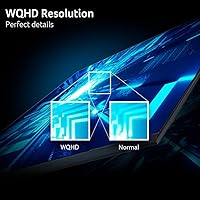
  • Resolution: Native resolution is 2560 x 1440 (WQHD), delivering noticeably sharper detail than a standard 1080p display at this screen size.
  • Aspect Ratio: The screen uses a 16:9 widescreen aspect ratio, which is standard for gaming, streaming, and most productivity applications.
  • Panel Curvature: A 1500R curve wraps the display gently around the viewer's natural field of vision, reducing the need to shift focus across a flat surface.
  • Refresh Rate: The monitor supports a maximum refresh rate of 180Hz, enabling smoother motion rendering in fast-paced games when the GPU can supply sufficient frames.
  • Response Time: The listed 1ms figure refers to VRB (Visual Response Boost), a motion blur reduction mode rather than a native gray-to-gray pixel transition measurement.
  • Sync Technology: AMD FreeSync is supported, synchronizing the display's refresh rate with the GPU's output to reduce screen tearing and stutter during gameplay.
  • Panel Surface: The screen uses a matte anti-glare coating that diffuses ambient light and reduces distracting reflections in mixed or brightly lit rooms.
  • Connectivity: The monitor includes one DisplayPort 1.4 and two HDMI 2.0 inputs, allowing simultaneous connection of a PC and up to two additional devices.
  • Ergonomics: Stand adjustment is limited to tilt, with a range of -5 to +20 degrees; there is no height adjustment, swivel, or pivot functionality.
  • Design: The ZeroFrame (near bezel-less) design minimizes the border around the active display area, making it practical for side-by-side multi-monitor arrangements.
  • Dimensions: The monitor measures approximately 27.93 x 20.27 x 7.84 inches with the stand attached, requiring a desk with adequate depth for comfortable viewing distance.
  • Weight: The complete unit with stand weighs approximately 16.22 pounds, which is typical for a curved display of this size and panel type.
  • Color: The monitor is available in black with a finish consistent with the broader Acer Nitro gaming line aesthetic.
  • VESA Mount: The monitor is VESA mount compatible, allowing users to replace the included stand with a third-party arm for improved ergonomic flexibility.
  • Series: This display belongs to Acer's Nitro line, which targets value-conscious gamers seeking higher refresh rates and resolutions without premium pricing.
  • Release Date: The monitor became available in mid-2024, making it a relatively recent entry in the crowded mid-range curved gaming monitor segment.
  • Model Number: The official model identifier is UM.JE0AA.307, which can be used to verify compatibility, warranty status, and official documentation with Acer support.

Related Reviews
Acer Nitro EDA320Q 31.5″ Curved Gaming Monitor

71%
91%
Value for Money
74%
Image Quality
78%
Gaming Performance
84%
Curvature & Immersion
43%
Ergonomics & Adjustability
More
Acer Nitro XZ342CU 34-inch Curved Gaming Monitor
84%
92%
Gaming Performance
90%
Display Quality
88%
Build Quality
85%
Ergonomics and Adjustability
80%
Connectivity Options
More
Acer Nitro KG251Q 24.5-inch Gaming Monitor
83%
91%
Value for Money
89%
Gaming Performance
83%
Display Quality
75%
Build Quality
94%
Ease of Setup
More
Acer Nitro XZ270 Xbmiipx 27-inch Curved Gaming Monitor
84%
92%
Gaming Performance
89%
Display Quality
86%
Ergonomics
93%
Response Time
85%
Value for Money
More
AOPEN 32HC1QUR 31.5-inch Curved WQHD Gaming Monitor
84%
89%
Gaming Performance
91%
Visual Quality
88%
Refresh Rate
80%
Build Quality
84%
Eye Comfort
More
Acer Predator X32 31.5-inch 4K UHD OLED Gaming Monitor
85%
94%
Display Quality
91%
Gaming Performance (Response Time & Refresh Rate)
93%
Color Accuracy & Vibrancy
88%
Ergonomics & Adjustability
89%
Build Quality
More
Acer Nitro EDA343CUR 34″ Curved Gaming Monitor
83%
94%
Display Quality
91%
Gaming Performance
72%
Build Quality
85%
Ease of Setup
80%
Ergonomics & Adjustability
More
Acer Nitro KG273 27-inch Gaming Monitor
85%
88%
Display Quality
91%
Performance in Fast-Paced Games
85%
Ergonomics and Adjustability
83%
Build Quality
92%
Value for Money
More
AOPEN 32HC5QR 31.5″ Curved Gaming Monitor
87%
85%
Display Quality
89%
Gaming Performance
80%
Build Quality
92%
Ease of Setup
87%
Immersive Experience
More
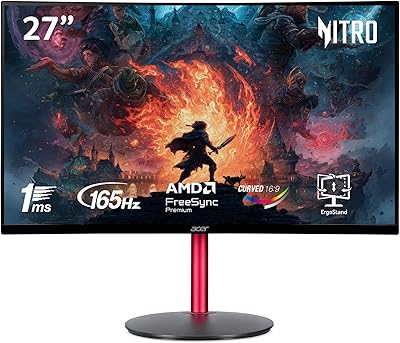
Acer Nitro ED270R 27″ Curved Gaming Monitor
73%
91%
Value for Money
88%
Immersion & Curvature
79%
Picture Quality
89%
Refresh Rate & Smoothness
84%
Adaptive Sync (FreeSync)
More

FAQ

FreeSync works natively with AMD graphics cards, but Nvidia has supported it on most of their cards since the GTX 10 series under the G-Sync Compatible label. In practice, most users with a mid-range Nvidia GPU report it works fine, though you may need to enable it manually in the Nvidia control panel.

Not exactly. The 1ms spec refers to VRB, which is a backlight-strobing technique that reduces perceived motion blur rather than measuring how fast individual pixels actually switch. It is genuinely useful for keeping fast movement looking clean, but it is not the same as a 1ms GTG measurement you might see on a high-end IPS or TN panel.

Yes, the 31.5-inch Nitro display is VESA compatible, so swapping out the stock stand for a third-party arm is straightforward. This is actually a popular upgrade given that the included stand lacks height and swivel adjustment.

The 1500R curve is gentle enough that most people find it comfortable for mixed use. It is not as aggressive as tighter curves like 1000R, so text and straight lines don't look noticeably distorted. That said, if you do a lot of precision work where straight lines matter visually, a flat monitor might suit you better.

It depends on the game and your GPU. In less demanding titles or esports games, a mid-range card can comfortably hit or exceed 180 frames per second at 1440p. In graphically intensive AAA games, you will likely run at lower frame counts, but FreeSync keeps the experience smooth even then.

No, this monitor does not include built-in speakers. You will need external speakers or headphones for audio, which is standard for gaming monitors in this price range.

A meaningful number of buyers have reported minor backlight bleed, particularly in the corners. This is fairly common for curved VA-type panels at this price point. For gaming and video it is rarely noticeable, but if you frequently use the monitor for dark-room viewing with black backgrounds, it may be more apparent.

It is usable for gaming from the start, but a fair number of users mention tweaking brightness and color settings to get it looking its best. If you need accurate color for photo or video work, this curved 1440p screen is not the right tool — but for gaming and general use, a quick manual calibration gets it to a solid place.

Yes, the two HDMI 2.0 ports make this easy. You can keep your PC plugged into the DisplayPort and a console into one of the HDMI inputs, then switch between them using the monitor's input menu. It is one of the more practical features for hybrid setups.

The most common fix is mounting the monitor on a VESA-compatible arm, which eliminates the stand entirely and gives you full control over height, tilt, and swivel. A good quality arm in the budget range solves the stability complaint completely and is well worth considering if desk ergonomics matter to you.