

Overview
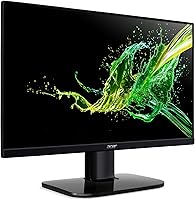
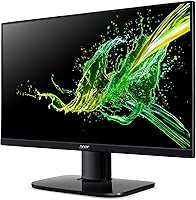
The Acer KC242Y Hbi 23.8″ FHD Monitor is Acer's straightforward answer to a common need: a reliable, no-frills display for home offices, everyday computing, and casual gaming without a steep price tag. Launched in early 2023, it sits firmly in the entry-level tier — a 1080p panel that knows its lane and mostly stays in it. What gives it a visual edge over similarly priced rivals is the zero-frame design, which looks noticeably cleaner on a desk. It is not a premium IPS or OLED screen, and buyers should approach it with that in mind. Over 1,000 ratings averaging 4.6 stars suggest it delivers on its modest promises for most people.
Features & Benefits
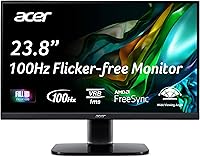
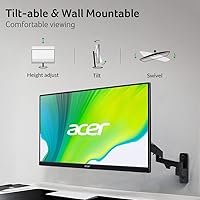
The KC242Y runs at 100Hz via HDMI, a genuine improvement over the 60Hz panels that still dominate this price bracket — scrolling, video, and light gaming all feel appreciably smoother. AMD FreeSync is on board, so AMD GPU owners get tear-free output at no extra complexity. Worth clarifying: the 1ms rating here is VRB (Visual Response Boost), not gray-to-gray, which means it works by reducing backlight during transitions rather than being a true 1ms pixel response. It still cuts motion blur effectively for casual use. The low blue light filter is a practical addition for long work days, and VESA 100x100mm support lets you swap the basic tilt stand for a proper monitor arm.
Best For
This 24-inch Acer is a natural fit for students and remote workers who want a dependable daily display without obsessing over specs. The slim bezel pays off in dual-monitor setups, keeping the overall look cohesive. Entry-level PC gamers will get real value from the 100Hz and FreeSync pairing — this is not a dedicated gaming panel, but it handles casual titles without complaint. Anyone upgrading from an older 60Hz or VGA-only monitor will notice a clear, practical improvement. Just be aware the stand is tilt-only with no height or pivot adjustment, so if ergonomics are a priority, budget for a monitor arm from the start.
User Feedback
Most buyers are impressed by the image quality and color for what this Acer monitor costs — the picture holds up well for everyday tasks, and many feel it outperforms expectations at this tier. The setup experience earns consistent praise: plug-and-play simple, with an HDMI cable included in the box. Recurring criticisms are worth taking seriously, though. The glossy panel can wash out badly near windows or in bright rooms, and the 250-nit brightness does not leave much headroom. The tilt-only stand frustrates users who expected more ergonomic range. A handful of buyers also flagged the stand stability as just adequate. Overall satisfaction remains high, but the light and glare limitations are real factors to weigh before buying.
Pros
- 100Hz refresh rate delivers noticeably smoother scrolling and video playback compared to standard 60Hz monitors.
- AMD FreeSync eliminates screen tearing for AMD GPU users at no additional setup cost.
- Zero-frame bezel design looks clean on a desk and works well in side-by-side dual-monitor configurations.
- An HDMI cable is included in the box, so most buyers can get up and running immediately.
- VESA 100x100mm compatibility means you can swap the basic stand for a monitor arm whenever you are ready.
- The low blue light filter is a practical, easy-to-enable feature for long work or study sessions.
- Setup is genuinely plug-and-play — buyers consistently report being up and running within minutes.
- Image clarity and color quality earn strong praise from users given the price bracket this monitor sits in.
- The VGA port extends compatibility to older desktops and laptops that lack HDMI output.
- At under 7 pounds, the KC242Y is light enough to reposition or transport without hassle.
Cons
- The stand offers tilt only — no height adjustment, swivel, or pivot, which limits ergonomic flexibility significantly.
- Glossy screen surface causes noticeable glare in bright rooms or near windows, reducing usability in many home setups.
- 250-nit peak brightness is low for a modern panel and can feel washed out in well-lit environments.
- The 1ms rating is VRB, not gray-to-gray — a meaningful distinction that buyers should understand before purchasing.
- Only one HDMI port is available, so users with multiple source devices will need a switch or hub.
- Stand stability has been flagged by some buyers as just adequate, with minor wobble during typing.
- No USB hub or USB-C port limits connectivity for users with modern peripherals or laptops.
- Color accuracy is not calibrated out of the box, making it a poor fit for any color-critical creative work.
- The 1080p resolution may feel limiting on a 24-inch panel for users accustomed to higher-density displays.
Ratings
The scores below reflect an AI-driven analysis of thousands of verified global buyer reviews for the Acer KC242Y Hbi 23.8″ FHD Monitor, with spam, bot activity, and incentivized feedback actively filtered out to ensure the results represent genuine user experiences. Every category captures what real buyers praised and where they ran into friction, without glossing over the trade-offs. The result is a transparent, balanced picture of what this 24-inch Acer actually delivers day to day.
Value for Money
Image Clarity
Refresh Rate Performance
Response Time
Build Quality
Ergonomics
Connectivity
Glare & Screen Surface
Brightness
Eye Comfort
Setup & Out-of-Box Experience
Gaming Suitability
Multi-Monitor Compatibility
Stand Quality
Suitable for:
The Acer KC242Y Hbi 23.8″ FHD Monitor is a strong match for budget-conscious buyers who need a dependable everyday display without paying for specs they will rarely use. Students setting up their first proper workstation will find it more than capable for research, writing, streaming, and light multitasking. Remote workers who spend long hours at a desk will appreciate the low blue light filter, and the zero-frame design makes it an easy choice for anyone building a dual-monitor setup on a tight budget. Entry-level PC gamers with an AMD graphics card get a real bonus in FreeSync and 100Hz — not a dedicated gaming panel, but a noticeable step up from a standard 60Hz screen. Anyone still using an older VGA-only or low-refresh-rate monitor will feel an immediate, practical difference after switching to the KC242Y.
Not suitable for:
The Acer KC242Y Hbi 23.8″ FHD Monitor is the wrong choice for buyers who need serious ergonomic adjustability — the stand tilts but offers no height, swivel, or pivot movement, which matters a lot for anyone spending eight or more hours at a desk. Competitive or enthusiast gamers will quickly outgrow its 100Hz ceiling and VRB-based response time; panels with true high refresh rates and native fast pixel response exist at only a modest price premium. The glossy screen surface is a genuine problem in bright rooms or spaces with windows behind or beside the user — glare is not subtle here. Professionals doing color-sensitive work such as photo editing or graphic design should look elsewhere, as this display is not color-calibrated and brightness tops out at a modest 250 nits. If you need USB-C connectivity, a built-in USB hub, or more than one HDMI input, this monitor will fall short without an adapter or dock.
Specifications
- Screen Size: The display measures 23.8 inches diagonally, offering a practical viewing area suited to standard desk setups.
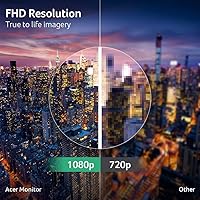
- Resolution: Native resolution is 1920x1080 (Full HD), delivering a pixel pitch of 0.275mm across the 16:9 panel.
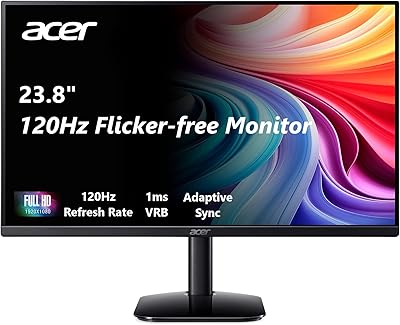
- Refresh Rate: The panel runs at up to 100Hz when connected via the HDMI port, providing smoother motion than standard 60Hz displays.
- Response Time: Rated at 1ms VRB (Visual Response Boost), which reduces perceived motion blur by modulating the backlight rather than measuring true pixel transition speed.
- Brightness: Peak brightness is rated at 250 nits, which is adequate for dim-to-moderate lighting conditions but can feel limiting in bright rooms.
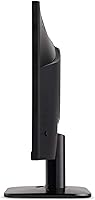
- Panel Style: The monitor uses a zero-frame (borderless) design that minimizes the visible bezel on three sides, making it well-suited to multi-monitor arrangements.
- Screen Surface: The panel features a glossy screen coating, which can produce noticeable reflections under bright ambient lighting or near windows.
- AMD FreeSync: AMD FreeSync adaptive sync technology is supported, reducing screen tearing and stuttering for users with compatible AMD graphics cards.
- Low Blue Light: A built-in low blue light filter is available to reduce eye strain during extended viewing sessions.
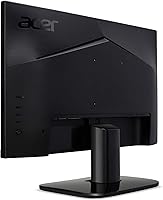
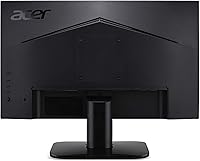
- Ports: Connectivity includes one HDMI 1.4 port and one VGA port; an HDMI cable is included in the packaging.
- VESA Mount: The monitor is VESA-compatible at the standard 100x100mm pattern, allowing installation on third-party monitor arms or wall mounts.
- Tilt Range: The included stand supports tilt adjustment from -5° to +15° but offers no height, swivel, or pivot movement.
- Aspect Ratio: The display uses a standard 16:9 widescreen aspect ratio, compatible with virtually all modern media and software interfaces.
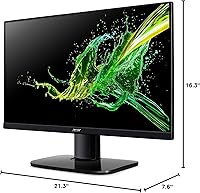
- Dimensions: The monitor measures 21.3 inches wide, 16.3 inches tall, and 7.6 inches deep with the stand attached.
- Weight: Total unit weight with stand is 6.8 pounds, making repositioning straightforward for most users.
- Color: The monitor is finished in black across the frame, stand, and rear housing.
- Voltage: The unit operates at 240 volts; buyers in regions using lower voltage standards should verify compatibility or use an appropriate adapter.
- Model Series: This monitor belongs to Acer's KC series entry-level lineup, identified by the model designation KC242Y Hbi.
- Release Date: The monitor was first made available in February 2023, positioning it among Acer's more recent entry-level offerings.
- Ratings: As of available data, the monitor holds a 4.6-star average rating across more than 1,000 verified buyer reviews on Amazon.
Related Reviews
Acer KB242Y 23.8-inch IPS Monitor
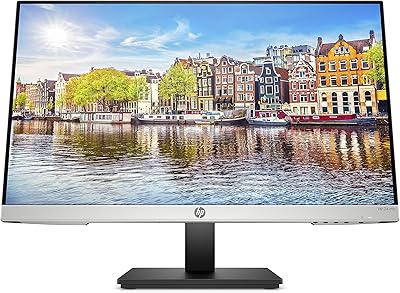
HP 24mh 23.8-inch IPS Monitor
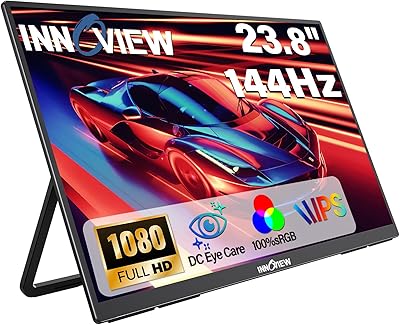
InnoView 23.8-inch 144Hz Portable Monitor
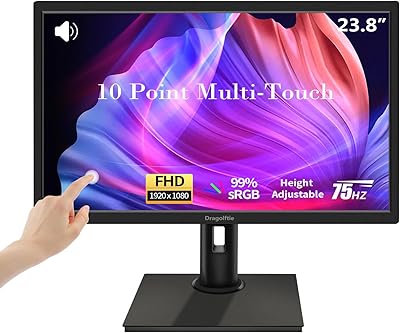
Dragolftie FHD-238 23.8-inch Touchscreen Monitor
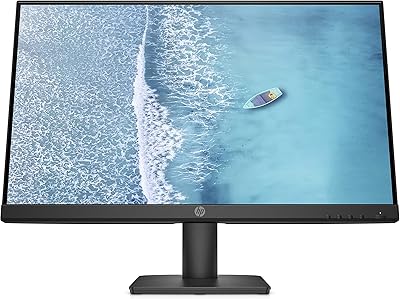
BenQ GW2491 24-Inch IPS Monitor
HP Series 5 524sw 23.8-inch FHD Monitor
Dell SE2425H 24-Inch Full HD Monitor
Acer Nitro XFA243Y 23.8-inch Gaming Monitor