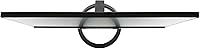
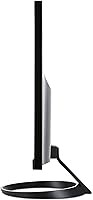
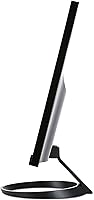
Overview
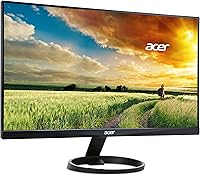
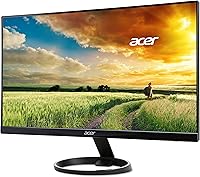
The Acer R240HY 23.8-inch Full HD VA Monitor is a straightforward, budget-conscious display built for everyday desktop tasks — nothing more, nothing less. VA panel technology sits in an interesting middle ground: it offers noticeably deeper blacks and stronger contrast ratios than TN panels, without quite reaching the color accuracy ceiling of IPS. What makes this Acer VA monitor stand out practically is its triple connectivity — HDMI, DVI, and VGA — making it compatible with everything from a modern laptop to a decade-old office desktop. Going in with the right expectations matters here. This is a no-frills workhorse designed for reliability and value, not for color-critical design work or competitive gaming.
Features & Benefits
The VA panel contrast is probably the R240HY's biggest practical advantage at this price point — dark scenes in movies look notably richer than what you would get from a similarly priced TN display. The 1920x1080 resolution spread across 23.8 inches hits a comfortable pixel density that keeps text sharp without needing any scaling on most operating systems. Response time sits at 4ms, which handles spreadsheets, video calls, and casual streaming without issue, though fast-paced competitive gamers may occasionally notice ghosting in dark scenes. The built-in dual 1.5W speakers are honestly fine for background audio or a video call — just don't expect them to replace a proper speaker setup. A tilt range of -5° to 15° allows basic angle adjustment, though the stand options stop there.
Best For
This 23.8-inch display is a natural fit for home office setups where reliability and easy installation matter more than pixel-perfect color reproduction. Students will appreciate the generous screen area for multi-window studying or streaming lectures without spending heavily. The triple-input design makes the R240HY especially practical for schools or small offices still running older hardware — plug in a legacy desktop via VGA, or connect a newer machine over HDMI, and you are ready to go immediately. If you enjoy watching movies or TV on your desk monitor, the VA panel's contrast advantage makes it more satisfying than budget TN alternatives. Just don't count on it for serious photo editing or any workflow where precise color accuracy is non-negotiable.
User Feedback
Most owners of this Acer VA monitor come away genuinely satisfied, particularly given what they paid. Easy out-of-box setup and solid image quality for everyday tasks are the two things buyers mention most consistently. That said, there are recurring gripes worth knowing about. The stand draws the most complaints — tilt-only adjustment means taller users often find themselves compromising on posture without an aftermarket VESA arm. A handful of buyers note that while colors look fine for general use, this 23.8-inch display is not calibrated to a standard suited for design or photography work. The built-in speakers get a pass for convenience but not for quality. Build quality is generally described as solid plastic — acceptable for the price, if not especially refined.
Pros
- VA panel delivers noticeably richer contrast and deeper blacks than most TN monitors in this price range.
- Triple connectivity — HDMI, DVI, and VGA — makes the R240HY compatible with a wide range of old and new systems.
- 1920x1080 on a 23.8-inch screen is a comfortable, sharp pixel density for everyday work and reading.
- Setup is consistently described by owners as fast and hassle-free, right out of the box.
- Built-in speakers handle video calls and background audio without needing a separate device.
- A VGA cable is included in the box, which is a practical bonus for users with legacy machines.
- The glossy screen surface tends to produce vivid, punchy colors in well-lit rooms.
- Compact footprint and manageable weight make it easy to position on smaller desks.
- Strong overall satisfaction among buyers relative to the asking price for this category.
Cons
- Stand offers tilt only — no height adjustment, swivel, or pivot, which limits ergonomic flexibility.
- VA ghosting in fast, dark scenes makes this 23.8-inch display a weak choice for competitive gaming.
- Color accuracy is not suited for professional photo editing or any color-critical design work.
- 250-nit brightness can feel underwhelming in brightly lit rooms or near windows.
- The glossy screen surface picks up glare and reflections more than a matte-finish panel would.
- Built-in speakers are functional at best — noticeably thin audio quality for music or film.
- 60Hz refresh rate offers no headroom for smoother motion, even for casual gaming.
- Plastic build quality, while acceptable, feels noticeably budget-grade up close.
- No USB hub or modern convenience ports, which limits desk cable management options.
Ratings
Our AI-generated scores for the Acer R240HY 23.8-inch Full HD VA Monitor were produced by analyzing thousands of verified global buyer reviews, with spam, bot activity, and incentivized feedback actively filtered out before scoring. Every category reflects the full picture — what real owners consistently praised and where they ran into genuine frustrations. The result is a transparent, balanced breakdown designed to help you decide whether this display fits your actual needs.
Value for Money
Image Quality
Contrast & Blacks
Ergonomics & Stand
Connectivity
Setup & Ease of Use
Build Quality
Color Accuracy
Gaming Performance
Built-in Speakers
Glare & Reflections
Viewing Angles
Brightness & Visibility
Packaging & Unboxing
Suitable for:
The Acer R240HY 23.8-inch Full HD VA Monitor is a genuinely smart pick for anyone who needs a dependable, full-sized screen without stretching their budget. Home office workers setting up a primary desk display or adding a second monitor will find the setup process quick and the image quality more than adequate for documents, video calls, and general browsing. Students gain a lot of usable screen real estate for the money — comfortably large enough for side-by-side windows while studying or streaming. The triple-input design (HDMI, DVI, and VGA) also makes this Acer VA monitor an unusually practical choice for schools, small businesses, or anyone still running older desktop hardware that lacks modern display outputs. Casual movie watchers will notice that the VA panel handles dark scenes better than cheaper TN alternatives, giving evening viewing a noticeably more satisfying look.
Not suitable for:
The Acer R240HY 23.8-inch Full HD VA Monitor has clear boundaries, and knowing them upfront will save you frustration. If you do any serious photo editing, graphic design, or color-sensitive work, this display is not calibrated to a professional color standard and you will likely find the color reproduction lacking compared to a proper IPS panel. Competitive or fast-paced gamers should also look elsewhere — a 60Hz refresh rate and the mild ghosting that VA panels can exhibit in dark, fast-moving scenes make the R240HY a poor fit for that use case. The stand is genuinely limiting for taller users or anyone who needs to fine-tune their monitor height, as it offers only basic tilt with no height adjustment or swivel; without a VESA arm, ergonomic flexibility is minimal. If high-quality audio output matters to you at your desk, the built-in speakers will disappoint — they are there for convenience, not performance.
Specifications
- Screen Size: The display measures 23.8 inches diagonally, offering a comfortable viewing area for everyday desktop use without dominating a standard desk.
- Panel Type: Uses VA (Vertical Alignment) technology, which produces deeper blacks and higher native contrast than TN panels at a comparable price point.
- Resolution: Renders at 1920x1080 Full HD, providing a clean, sharp image well-suited to documents, web browsing, and standard video content.
- Refresh Rate: Operates at a standard 60Hz refresh rate, appropriate for office tasks, media consumption, and casual use.
- Response Time: Rated at 4ms response time, which handles everyday computing smoothly, though some ghosting may be visible during fast-paced dark-scene gaming.
- Brightness: Maximum brightness is rated at 250 nits, which is adequate for indoor use but may feel limited in rooms with strong ambient light or direct sunlight nearby.
- Pixel Pitch: Pixel pitch is 0.275mm, resulting in a pixel density that keeps text and UI elements legible and reasonably sharp at normal viewing distances.
- Aspect Ratio: Standard 16:9 widescreen aspect ratio, compatible with virtually all modern video formats and operating system display configurations.
- Screen Surface: Features a glossy screen surface that enhances color vibrancy but is more prone to reflections compared to matte-finish panels.
- Connectivity: Offers three signal inputs — one HDMI, one DVI, and one VGA — allowing connection to a wide range of modern and legacy computers simultaneously.
- Included Cable: A VGA cable is included in the box, making it ready to use out of the box with older desktop systems that lack HDMI or DVI outputs.
- Built-in Audio: Equipped with two 1.5W integrated speakers that are sufficient for video calls and casual audio, but are not a substitute for a dedicated speaker setup.
- Tilt Adjustment: The stand supports tilt adjustment ranging from -5° to 15°, providing basic screen angle control with no height, swivel, or pivot functionality.
- VESA Support: The monitor supports VESA mounting, allowing users to replace the included stand with a third-party monitor arm for improved ergonomic flexibility.
- Dimensions (Stand): With the stand attached, the monitor measures 21.26 x 7.78 x 16.06 inches (L x W x H), fitting comfortably on most standard desks.
- Dimensions (No Stand): Without the stand, the panel measures 21.26 x 1.48 x 12.88 inches, relevant for wall-mount or custom arm installations.
- Weight: The complete unit with stand weighs 7.4 pounds, making it straightforward to reposition or move between workspaces without assistance.
- Power Input: Operates on standard AC power with a built-in power supply, so no external power brick is required.
- Release Date: This model was first made available in August 2017 and has not been discontinued by Acer as of the latest product data.
- Manufacturer: Designed and sold by Acer Computer, a globally established brand with a broad network of product support and warranty services.
Related Reviews
AOPEN 24SA2Y 23.8″ Full HD VA Monitor
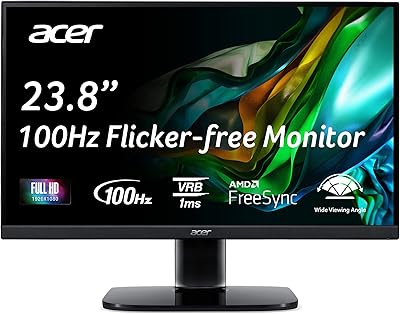
Acer KC242Y Hbi 23.8″ FHD Monitor
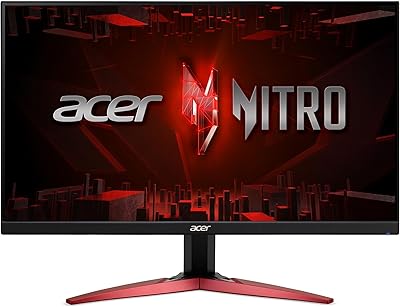
Acer Nitro KG241Y 23.8″ Full HD Gaming Monitor
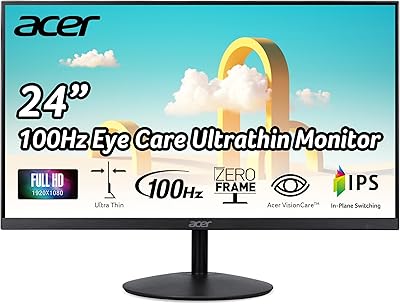
Acer SB242Y EBI 23.8″ IPS Monitor
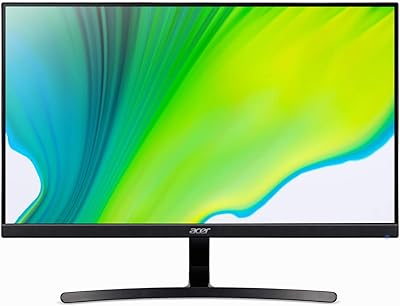
Acer K243Y 24-inch Full HD IPS Monitor
Acer SB230 23-inch Full HD IPS Monitor
Lenovo ThinkVision S24e-20 23.8″ Full HD Monitor
ASUS VA24ECPSN 24-inch Docking Monitor
Acer SB220Q 21.5-inch IPS Monitor