


Overview
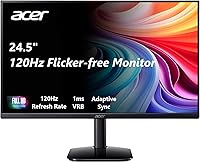
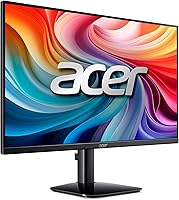
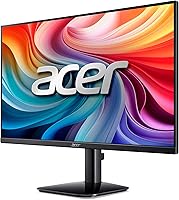
The Acer KB252Q G0bi 24.5″ IPS Monitor arrived on the scene in August 2024 and quickly climbed to a top-ten spot in computer monitors — not by accident. This is an entry-level display that knows exactly what it is: a solid everyday screen priced for people who need reliable performance without stretching their budget. The zero-frame design is a genuine practical advantage, especially if you're building a dual-monitor workstation where chunky bezels create visual gaps. An HDMI cable is included in the box, which is a small touch that saves an extra trip to the store. Expectations should be set accordingly — this is not a high-end panel, but it punches well for what it costs.
Features & Benefits
The 99% sRGB color coverage on this Acer IPS monitor translates to accurate, natural-looking colors in everyday use — spreadsheets, browser tabs, and video calls all look clean and balanced. The 120Hz refresh rate makes a noticeable difference over a standard 60Hz panel, and while Acer markets a 1ms response time, it's worth knowing that figure refers to VRB (Visual Response Boost), a backlight strobing technique — not native pixel response. Actual pixel response is closer to 4–5ms, which is still respectable for this price tier. FreeSync support works well with AMD GPUs and reduces screen tearing, though it is not G-Sync certified. The HDMI and VGA ports are a welcome inclusion for users juggling older and newer hardware, and VESA mounting opens the door to aftermarket arms for better ergonomics.
Best For
This 24.5-inch display is a natural fit for students and remote workers who want a generous screen size at a price that doesn't require justification. Entry-level gamers will appreciate stepping up from 60Hz — the jump to 120Hz is genuinely perceptible in fast-paced titles, even if competitive players will eventually want more. The near-borderless frame makes it one of the better budget choices for a side-by-side dual-monitor arrangement, since the gap between screens stays tight. Anyone still running a PC with VGA output gets an easy plug-in without adapters. And for home office use, the IPS color accuracy makes a real difference in how documents, presentations, and video conference feeds actually look day to day.
User Feedback
With a 4.5-star average across nearly 1,400 ratings, the KB252Q G0bi has earned its bestseller status honestly. Buyers frequently highlight how sharp and vibrant the image looks right out of the box, and most report that setup takes under ten minutes with no driver fuss. On the critical side, the stand draws consistent complaints — it wobbles more than expected and offers no height adjustment, which frustrates anyone trying to dial in a comfortable viewing angle. A fair number of reviewers in bright offices flag the glossy panel as a glare problem when sunlight hits the screen. Packaging and shipping reviews are largely positive, with few reports of damage on arrival — a reasonable baseline that budget monitors don't always meet.
Pros
- IPS panel delivers accurate, natural-looking colors that hold up well for everyday work and casual creative tasks.
- The 120Hz refresh rate offers a noticeably smoother visual experience than standard 60Hz screens at a comparable price.
- 99% sRGB coverage is rare at this price tier, making color-sensitive work like presentations and photo browsing look clean.
- Zero-frame design keeps desk setups looking tidy and works particularly well in side-by-side dual-monitor arrangements.
- Both HDMI and VGA ports are included, so older PCs connect without needing extra adapters.
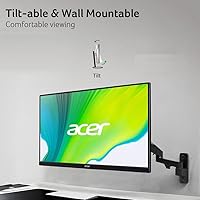
- VESA 100x100mm compatibility means buyers can swap the basic stand for a monitor arm without any hassle.
- FreeSync support reduces screen tearing noticeably for AMD GPU users during gaming and video playback.
- An HDMI cable ships in the box — a small convenience that budget monitors often skip entirely.
- Nearly 1,400 buyer ratings average 4.5 stars, signaling broad real-world satisfaction across different use cases.
- Setup is quick and straightforward, with most buyers reporting the KB252Q G0bi is ready to use within minutes.
Cons
- At 250 nits, brightness falls short in well-lit rooms or offices with direct sunlight exposure.
- The glossy screen surface creates noticeable glare when light sources are positioned behind or beside the desk.
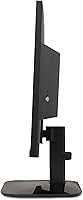
- The included stand has no height adjustment, making it hard to dial in a comfortable eye-level position.
- Multiple buyers report the stand feels wobbly, which is distracting in setups where the desk gets any vibration.
- The marketed 1ms response time refers to VRB backlight strobing, not native pixel response — actual performance sits closer to 4–5ms.
- No G-Sync certification limits adaptive sync benefits for NVIDIA GPU owners.
- Only one HDMI port is available, which can be restrictive for users with multiple HDMI source devices.
- The 1080p resolution on a 24.5-inch panel sits at a lower pixel density than QHD alternatives now available at similar price points.
- No built-in speakers, headphone jack, or USB hub means additional cables and peripherals for users expecting a fuller feature set.
Ratings
The scores below were generated by AI after analyzing thousands of verified global user reviews for the Acer KB252Q G0bi 24.5″ IPS Monitor, with spam, bot activity, and incentivized feedback actively filtered out before scoring. Every category reflects what real buyers consistently experienced across diverse setups and use cases — not just what the specification sheet advertises. Both the genuine strengths and the recurring pain points are represented here with full transparency.
Image Quality
Color Accuracy
Refresh Rate & Gaming
Response Time
Brightness
Build Quality
Stand & Ergonomics
Connectivity
Value for Money
Setup & Ease of Use
Design & Aesthetics
Glare & Reflections
Multi-Monitor Use
Out-of-Box Experience
Suitable for:
The Acer KB252Q G0bi 24.5″ IPS Monitor is an ideal fit for students, remote workers, and budget-conscious home office users who want a large, color-accurate screen without overspending. The IPS panel's 99% sRGB coverage makes it genuinely capable for everyday tasks like document editing, video calls, and light creative work where colors need to look true-to-life. Casual gamers upgrading from a 60Hz display will notice a real improvement in motion smoothness thanks to the 120Hz refresh rate, and FreeSync users with AMD GPUs will benefit from reduced screen tearing. The near-borderless frame makes this 24.5-inch display a particularly smart pick for anyone building a dual-monitor setup, since the gap between screens stays visually tight. Users on older machines with VGA-only outputs also get a plug-and-play connection without needing a separate adapter.
Not suitable for:
The Acer KB252Q G0bi 24.5″ IPS Monitor is a poor fit for anyone working in a bright, sun-facing room — at 250 nits, the screen can wash out under strong ambient light, and the glossy surface compounds the problem by adding glare. Professional content creators who require wide color gamut coverage, high resolution, or precise monitor calibration should look elsewhere, as this panel is tuned for general use, not specialized creative workflows. Competitive gamers who need the absolute lowest input lag will find the advertised 1ms figure misleading — it describes a backlight strobing mode, not native pixel response, and serious esports setups demand better. NVIDIA GPU owners looking for G-Sync adaptive sync support will be disappointed, since the monitor only supports FreeSync. The stock stand's lack of height adjustment and reported wobble also make it a frustrating long-term ergonomic choice for anyone spending full workdays in front of a screen.
Specifications
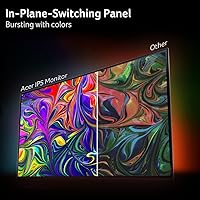
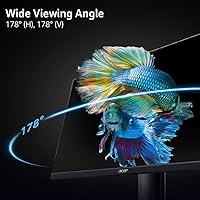
- Panel Type: This monitor uses an IPS (In-Plane Switching) panel, which delivers wider viewing angles and more consistent color accuracy than TN-based alternatives at the same price tier.
- Screen Size: The display measures 24.5 inches diagonally, providing a generously sized viewing area well suited for productivity tasks and casual gaming.
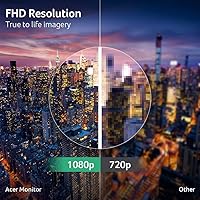
- Resolution: Native resolution is 1920x1080 Full HD, producing a standard 1080p image across the 16:9 panel.
- Refresh Rate: The panel supports a maximum refresh rate of 120Hz, offering noticeably smoother motion than standard 60Hz displays in both games and video content.
- Response Time: The advertised 1ms figure is achieved via VRB (Visual Response Boost), a backlight strobing mode; native pixel response is realistically closer to 4–5ms.
- Brightness: Peak brightness is rated at 250 nits, which performs adequately in dim to moderately lit rooms but may wash out in environments with strong ambient or natural light.
- Color Coverage: The panel covers 99% of the sRGB color space, producing natural and accurate colors suitable for document work, video calls, and general content consumption.
- Aspect Ratio: The screen uses a standard 16:9 widescreen aspect ratio, compatible with the vast majority of media formats and operating systems without letterboxing.
- Connectivity: Input options include one HDMI 1.4 port and one VGA port; an HDMI cable is included in the box.
- Adaptive Sync: The monitor supports FreeSync (Adaptive-Sync) over HDMI, enabling variable refresh rates with compatible AMD graphics cards to reduce screen tearing during gameplay.
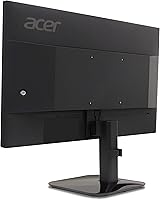
- VESA Mount: The display is VESA 100x100mm compliant, making it fully compatible with the vast majority of aftermarket monitor arms and wall mount brackets.
- Tilt Range: The included stand supports a tilt range of -5° to 25°, but offers no height, swivel, or pivot adjustment.
- Screen Surface: The panel features a glossy screen surface, which enhances perceived color vibrancy in controlled lighting but increases reflectivity under bright or direct light sources.
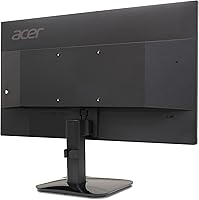
- Frame Design: A zero-frame (borderless) design minimizes visible bezels on three sides of the panel, making it a practical choice for side-by-side dual-monitor arrangements.
- Weight: With the stand attached, the monitor weighs approximately 8.63 pounds (3.91 kg).
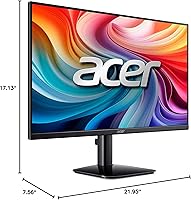
- Dimensions: With the stand, overall dimensions are 21.95 inches wide, 17.13 inches tall, and 7.56 inches deep.
Related Reviews

Acer Nitro KG251Q 24.5-inch Gaming Monitor
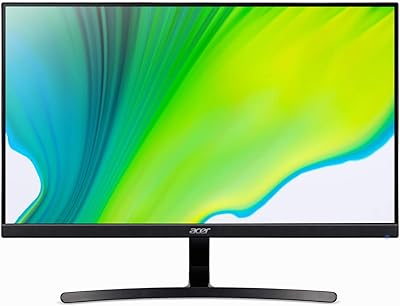
Acer K243Y 24-inch Full HD IPS Monitor
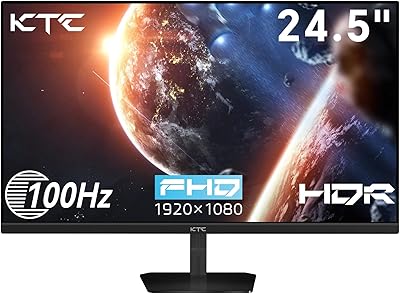
KTC H25B7 24.5-inch IPS Monitor
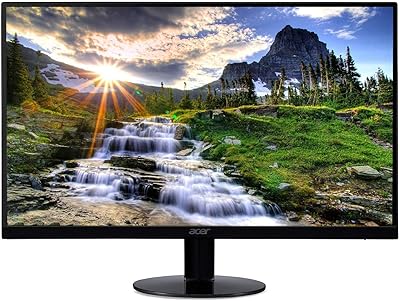
Acer SB220Q 21.5-inch IPS Monitor
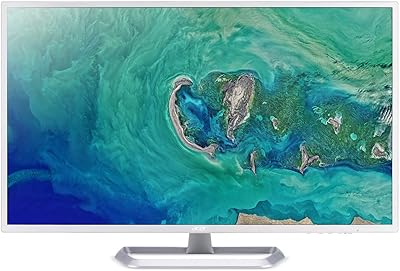
Acer EZ321Q wi 31.5″ IPS Monitor
Acer SB273 G0bi 27″ IPS Gaming Monitor

CRUA CR245ZB 24.5″ Gaming Monitor
Acer KB242Y 23.8-inch IPS Monitor
ViewSonic VA2456-MHD 24-inch IPS Monitor
