
Overview
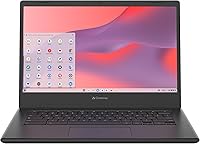
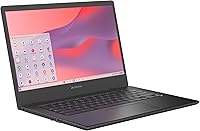
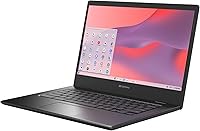
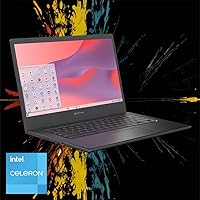
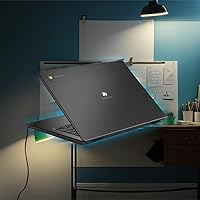
The Acer Chromebook 314 14″ Laptop arrived in April 2025 as a straightforward, no-frills option aimed squarely at students, casual home users, and anyone ready to step away from Windows upkeep. Chrome OS is the real draw here — the machine boots in under ten seconds, handles updates quietly in the background, and ties neatly into Google's entire app ecosystem without any setup fuss. The 14-inch Full HD display is genuinely better than what you'd typically find at this price tier. Just go in with clear expectations: this Chromebook is built for everyday computing tasks, not heavy multitasking or demanding creative work.
Features & Benefits
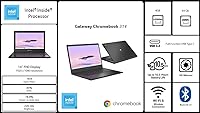
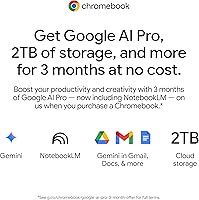
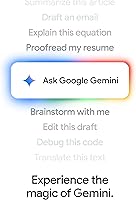
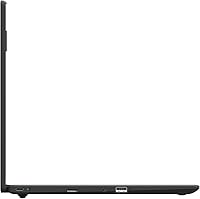
The Intel Celeron N4500 dual-core processor handles the basics without complaint — Google Docs, video calls, YouTube, and casual browsing all run comfortably. Push past eight or ten tabs simultaneously and you'll start feeling the 4GB RAM ceiling, so this isn't a machine for power multitaskers. The 64GB of storage sounds tight on paper, but Chrome OS leans hard on Google Drive, so local space is less of an issue than it would be on Windows. Connectivity covers Wi-Fi 5, Bluetooth, two USB 3.0 ports, and a memory card slot. The real standout is the Titan C2 security chip — hardware-level protection that most Windows rivals at this price simply don't offer. The included Google AI Pro trial adds short-term cloud value worth using.
Best For
The Gateway Chromebook 314 hits its sweet spot with students and educators who spend most of their day inside Google Classroom, Docs, and Slides. It suits seniors and remote workers equally well — anyone whose computing rarely extends beyond email, video streaming, and the occasional call. Families wanting a low-maintenance secondary machine will appreciate the zero-antivirus, zero-drama setup. One practical caveat: internet connectivity matters here. Chrome OS is cloud-first by design, so if you regularly work offline, that's worth weighing. If your workflow lives mostly online and you're not dependent on Windows-specific software, this Acer 14-inch Chromebook makes a pragmatic, sensible pick.
User Feedback
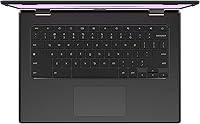
Buyers regularly call out the display as a pleasant surprise — the Full HD panel looks sharper than expected, and the slim, under-3.5-pound build earns consistent praise from students carrying it between classes. Keyboard feel and trackpad accuracy draw generally positive responses, nothing extraordinary, but comfortable for daily use. The most common criticism centers on the 4GB RAM limit; users who push the tab count high start noticing real slowdowns. Storage also triggers occasional frustration from buyers who weren't fully prepared for Chrome OS's cloud-first philosophy and wanted more local headroom. That said, overall satisfaction skews positive when buyers understand upfront what this machine is — and isn't — designed to do.
Pros
- Full HD display looks noticeably sharper than most competing laptops at this price point.
- Boots up in under ten seconds and stays snappy for everyday web-based tasks.
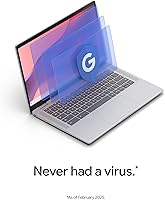
- The Titan C2 security chip delivers hardware-level protection that budget Windows rivals rarely include.
- At just 3.31 pounds, this Chromebook is easy to carry between classes or rooms without fatigue.
- Chrome OS handles all updates automatically — no manual patching or antivirus subscriptions needed.
- Deep Google Workspace integration makes it genuinely productive for students and remote workers.
- The included Google AI Pro trial with 2TB of cloud storage adds meaningful short-term value.
- Memory card slot and two USB 3.0 ports cover most basic connectivity needs without dongles.
- Keyboard feel and trackpad are comfortable for sustained typing sessions throughout the school day.
- Setup is minimal — unbox, sign into a Google account, and you are ready to work.
Cons
- 4GB of onboard RAM cannot be upgraded and causes real slowdowns with heavy tab use.
- 64GB of local storage fills faster than expected if users save files directly to the device.
- Offline functionality is limited — many core features depend on a stable internet connection.
- The Celeron N4500 processor struggles noticeably when pushed beyond basic multitasking.
- No compatibility with Windows desktop software, which is a hard stop for many professional users.
- The Google AI Pro trial is only three months — ongoing value depends on whether users pay after.
- Wi-Fi 5 is solid but not Wi-Fi 6, which may matter in congested network environments.
- The matte Star Black finish picks up smudges easily and shows wear over time.
- No USB-C charging or Thunderbolt port limits future accessory and docking options.
- Android app support via Google Play is functional but inconsistency across apps can be frustrating.
Ratings
Our AI scoring system analyzed verified global user reviews for the Acer Chromebook 314 14″ Laptop, actively filtering out incentivized submissions and bot activity to surface what real buyers actually experienced. The scores below reflect a balanced synthesis of genuine praise and recurring frustrations across thousands of documented interactions. Where this Chromebook earns strong marks and where it falls short are both represented transparently.
Value for Money
Display Quality
Performance
RAM & Multitasking
Storage
Build Quality
Keyboard & Trackpad
Boot & Wake Speed
Security
Software Ecosystem
Portability
Connectivity
Setup & Ease of Use
Offline Usability
Suitable for:
The Acer Chromebook 314 14″ Laptop is a strong fit for students from middle school through college who spend the bulk of their day inside Google Classroom, Docs, and Slides — the Chrome OS environment is essentially built around that workflow. It also works well for seniors or remote workers whose daily computing means checking email, watching videos, and joining the occasional video call; nothing about the setup is intimidating, and the machine handles those tasks without fuss. Parents looking for a second household laptop that kids can use for homework without the maintenance headaches of Windows will find this Chromebook a practical, low-drama choice. The hardware-level security built into the device is a genuine plus for anyone who has ever wrestled with Windows malware scares. If your life already runs on Google services, picking this up feels less like adapting to new software and more like just having access to those tools on a proper keyboard.
Not suitable for:
The Acer Chromebook 314 14″ Laptop is not the right call for anyone who relies on Windows-specific software — Adobe Premiere, full Microsoft Office desktop apps, or specialized professional tools simply don't run here, and no amount of workarounds fully replaces them. Creative professionals, video editors, or developers will hit the ceiling of the Celeron N4500 processor and 4GB of RAM quickly; this hardware was not built for intensive workloads. Heavy multitaskers who routinely keep fifteen or twenty browser tabs open alongside streaming and chat apps will find performance noticeably sluggish. Anyone who works frequently offline should also think carefully — Chrome OS leans on cloud connectivity by design, and the 64GB of local storage fills up faster than most users expect. Gamers looking for anything beyond very light Android titles via the Play Store will want to look elsewhere entirely.
Specifications
- Processor: Intel Celeron N4500 dual-core processor clocked at 1.1GHz base with a burst speed of up to 2.8GHz.
- RAM: 4GB LPDDR4X memory is soldered onboard and cannot be upgraded after purchase.
- Storage: 64GB eMMC flash storage is built in, with no traditional hard drive bay or SSD slot available.
- Display: 14-inch Full HD IPS-type ComfyView panel with a native resolution of 1920x1080 pixels and an anti-glare coating.
- Graphics: Intel UHD integrated graphics are shared with system memory and handle everyday video playback and web content without dedicated VRAM.
- Operating System: Chrome OS comes pre-installed, providing automatic background updates, built-in virus protection, and native Google app integration.
- Security Chip: The Titan C2 security chip delivers hardware-level encryption and verified boot protection independent of software.
- Wireless: Wi-Fi 5 (802.11ac) dual-band wireless and Bluetooth are both built in with no external adapter required.
- Ports: Two USB 3.0 Type-A ports and one memory card slot are included; there is no USB-C or Thunderbolt port on this model.
- Optical Drive: No optical drive is included, and no external ODD support is referenced in the official specifications.
- Weight: The laptop weighs 3.31 pounds, making it light enough for daily carry in a standard backpack or tote.
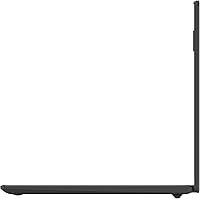
- Dimensions: The chassis measures 12.85 inches long by 9 inches deep by 0.74 inches thin when closed.
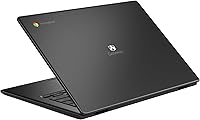
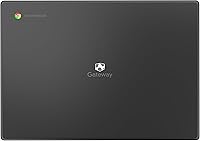
- Color / Finish: The machine ships in a Star Black finish with a matte plastic lid and base.
- Cloud Storage Trial: A 3-month Google AI Pro subscription is included, bundling 2TB of Google One cloud storage and access to NotebookLM at no additional cost during the trial period.
- Availability: This model was first listed for sale in April 2025 and is a current-generation entry in the Chromebook 314 lineup.
Related Reviews
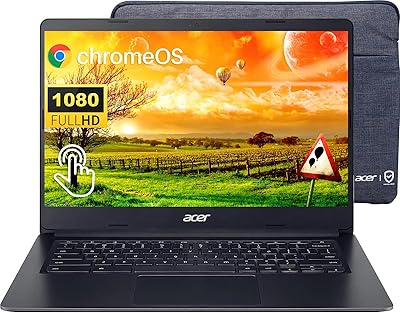
Acer Chromebook 314 14″ Laptop
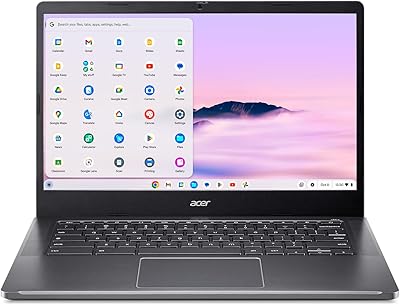
Acer Chromebook Plus 514 CB514-4HT

ASUS Chromebook CM14 (CM1402CM2A-DS44)
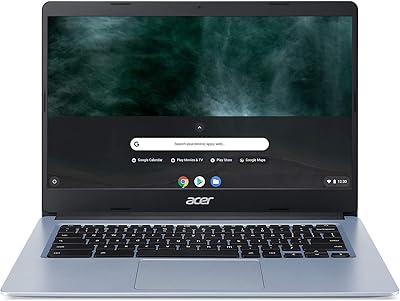
Acer Chromebook 314 14-inch Touchscreen Laptop

Acer Chromebook 315 15.6-inch Laptop

HP Chromebook 14a 14-inch Laptop
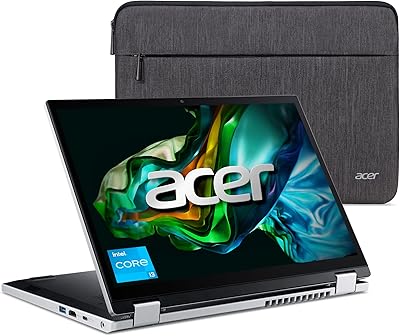
Acer Aspire 3 Spin 14 (A3SP14-31PT)
Acer Swift Go 14 Intel Evo Laptop
ASUS Chromebook Flip CX1 14″ 8GB/128GB