Overview

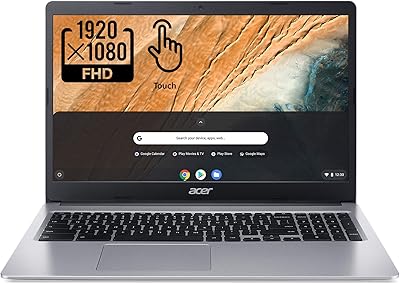
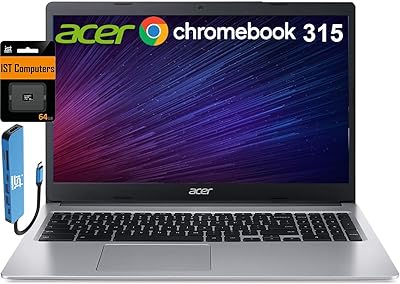
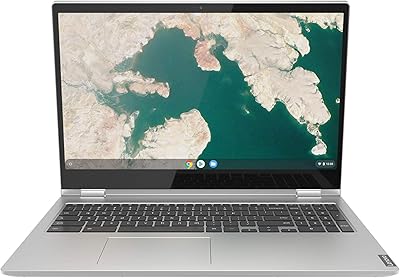
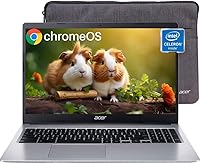
The Acer Chromebook 315 15.6-inch Laptop sits in a crowded budget tier, but its screen size alone makes it stand out from smaller, similarly priced competitors. This is not a machine built for heavy lifting — no video editing, no Windows-only software, no demanding local applications. What it does well is handle the everyday: browsing, streaming, Google Docs, and video calls. Powered by an Intel Celeron N4020 and 4GB of RAM, the Acer 315 handles these tasks competently, though you will notice some hesitation when juggling many open tabs at once. Walk in with realistic expectations and you will likely be satisfied.

Features & Benefits

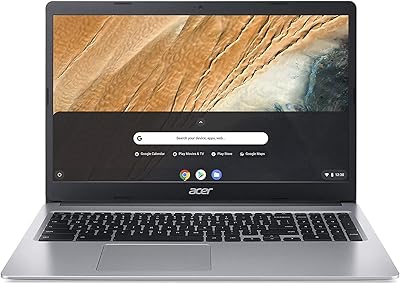
The 15.6-inch anti-glare display is one of this Chromebook's strongest practical advantages, keeping reflections manageable under office lighting or near windows — genuinely useful during long browsing sessions. An integrated numeric keypad is a thoughtful addition for anyone who regularly works with numbers or spreadsheets. Battery life is rated at 12.5 hours, and while real-world use will likely land closer to 8–10 hours depending on brightness and workload, that is still enough to clear a full school or work day comfortably. Four USB ports — two USB-C and two USB-A — plus 64GB of local storage round out a surprisingly practical connectivity package for the price.

Best For

This budget laptop makes the most sense for students, seniors, and casual home users whose daily computing happens almost entirely inside a browser. If your workflow revolves around Google Docs, Sheets, Gmail, and YouTube, Chrome OS handles all of it without fuss. It also works well as a shared household device or a secondary machine you simply do not want to worry about maintaining. The firm boundary here: anyone dependent on Windows-only software or heavier local applications should look elsewhere. For everyone else in that light-use bracket, the Acer 315 delivers dependable, low-maintenance computing at a price that is genuinely hard to argue with.

User Feedback

Buyers consistently praise the generous screen size and all-day battery endurance — two areas where this Chromebook clearly delivers relative to its price. Keyboard comfort earns mostly positive marks for extended typing sessions, though trackpad responsiveness draws more mixed opinions. The sharpest recurring criticism targets the 1366x768 resolution: on a 15.6-inch panel, pixel density is noticeably low, and images can appear soft compared to higher-resolution alternatives. Several buyers also flag 4GB of RAM as a real bottleneck once multiple tabs accumulate. Build quality is described as acceptable overall, though a handful of users mention the hinge feels less solid than expected for heavy daily use.

Pros

  • The large 15.6-inch screen is genuinely rare at this price point and makes extended reading and browsing far more comfortable.
  • Anti-glare coating reduces eye strain noticeably in bright rooms or near windows.
  • Battery life comfortably carries most users through a full school or work day on a single charge.
  • Four USB ports — a mix of USB-C and USB-A — means fewer dongle headaches than competing budget devices.
  • Chrome OS requires almost no maintenance, making this Chromebook ideal for users who just want a device that works.
  • The built-in numeric keypad is a practical bonus for students and anyone who regularly handles spreadsheets or data entry.
  • At 3.59 pounds, it is light enough to carry between classes or rooms without much effort.
  • 64GB of local storage is modest but workable when paired with Google Drive for cloud overflow.
  • Setup is fast and straightforward, with no lengthy software installations or driver updates to manage.

Cons

  • The 1366x768 resolution looks noticeably soft and dated on a screen this size — a real daily irritant for detail-conscious users.
  • 4GB of RAM becomes a genuine bottleneck once you have more than six or eight browser tabs running at once.
  • The Celeron N4020 processor handles basic tasks fine but hesitates with anything more demanding, including some Android apps.
  • Chrome OS locks out all Windows software, which is a hard dealbreaker for anyone with specific application dependencies.
  • 64GB of eMMC storage fills up faster than expected if you store media or large files locally rather than in the cloud.
  • Build quality is functional but plastic-heavy, and some users report the hinge feels less robust after extended daily use.
  • Trackpad responsiveness has drawn mixed reactions, with some buyers finding it less precise than expected.
  • No cellular connectivity option means you are entirely dependent on Wi-Fi availability away from home or school.

Ratings

The scores below for the Acer Chromebook 315 15.6-inch Laptop were generated by our AI system after analyzing thousands of verified global buyer reviews, with spam, bot-submitted, and incentivized feedback actively filtered out before scoring. Each category reflects the honest consensus of real owners — strengths are credited where earned, and recurring pain points are scored accordingly without being softened. The result is a transparent, balanced picture of where this budget laptop genuinely delivers and where it falls short.

Value for Money
83%
For the price, buyers consistently feel they are getting more machine than expected, particularly given the large screen and capable port selection. Users who needed a reliable browser-based device and were not expecting a Windows powerhouse tend to rate the overall value highly.
Those who pushed the hardware harder — or who needed offline software support — often felt the limitations undercut the deal. A small but vocal group of buyers felt a slightly higher investment in a competing model would have been worth it.
Battery Life
79%
21%
A large share of owners report getting through a full school or workday without needing to plug in, which is a meaningful advantage for students and remote workers. For light browsing and document tasks at moderate brightness, real-world results land comfortably in the 8 to 10 hour range.
The manufacturer's 12.5-hour claim rarely holds in practice once Wi-Fi, screen brightness, and active apps are factored in. A subset of buyers who used the machine more intensively — video calls combined with multiple tabs — reported noticeably shorter endurance closer to 6 or 7 hours.
Display Size & Usability
81%
19%
The 15.6-inch screen is consistently one of the most praised aspects, especially among users coming from smaller 11 or 13-inch Chromebooks. Seniors and students doing extended reading or spreadsheet work appreciate having the extra screen real estate without paying a premium for it.
The anti-glare coating helps in bright rooms, but the large panel also makes the chassis less compact for backpack carrying. A few users noted that the screen bezel, while slim, gives the overall device a slightly dated aesthetic compared to newer thin-and-light designs.
Display Sharpness
51%
49%
For basic web browsing, standard-definition video, and text documents, the display is functional and serviceable. Users who are not pixel-sensitive or who are coming from older, lower-resolution screens tend not to flag resolution as an issue in their feedback.
The 1366x768 resolution spread across 15.6 inches produces a noticeably soft image, and this is the single most repeated criticism across buyer reviews. Users who stream HD content, view photos, or have used a modern full-HD laptop find the picture quality a clear step behind what is now standard in the broader market.
Performance
58%
42%
For the core use cases this machine targets — loading web pages, running Google Docs, joining a Meet call — the Celeron N4020 handles the job without major hiccups. Buyers who stick to one or two tasks at a time consistently describe the experience as smooth enough for daily light use.
Once more than six or eight browser tabs are open simultaneously, or when a Play Store app is running alongside other tasks, the 4GB RAM constraint becomes obvious through tab reloading and slight lag. Users who expected Windows-laptop-level responsiveness were often disappointed by the processor's limited ceiling.
Keyboard & Typing Experience
74%
26%
The full-size layout with an integrated numeric keypad earns consistent praise from users who do data entry, accounting work, or extended document writing. Key travel feels adequate for long typing sessions, and most buyers describe the keyboard as one of the more pleasant aspects of the hardware.
A smaller segment of buyers found the key feedback slightly shallow compared to more expensive alternatives. The numeric keypad, while useful, does compress the main keyboard layout slightly on a 15.6-inch chassis, which some touch-typists noticed during adjustment.
Trackpad Responsiveness
62%
38%
For basic navigation — clicking links, scrolling pages, opening apps — the trackpad gets the job done without requiring an external mouse. Casual users and students who are not power users rarely flag it as a significant problem in day-to-day tasks.
Precision and consistency draw mixed feedback, with a meaningful portion of buyers noting that multi-finger gestures can feel imprecise or laggy. Those coming from MacBooks or premium Windows laptops find the trackpad experience noticeably inferior and often recommend pairing the machine with an external mouse.
Build Quality
63%
37%
The overall chassis feels solid enough for standard desktop or desk-to-couch use, and most buyers who treat it as a home or classroom device report no structural issues over time. The slim 0.8-inch profile gives it a reasonably polished appearance for the price tier.
The all-plastic construction is the dominant material throughout, and it shows under close inspection or heavy handling. The hinge in particular has drawn repeated comments about feeling less robust than expected, with a handful of long-term owners noting that it loosens with sustained daily use.
Portability
69%
31%
At 3.59 pounds and just 0.8 inches thick, the Acer 315 is manageable for commuting between classrooms or rooms within a home. The slim profile means it slides into most laptop sleeves without issue.
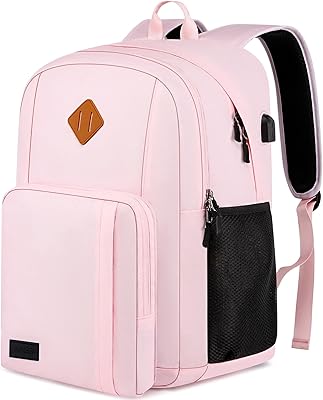
Compared to 13-inch Chromebooks in the same price range, this machine is noticeably larger and heavier as a daily carry item. Students who walk long distances between classes with a loaded backpack often find the size more burdensome than the weight figure alone suggests.
Port Selection
86%
Having four USB ports — two USB-C 3.1 and two USB-A 3.1 — on a budget laptop is genuinely appreciated by buyers who connect external drives, mice, or monitors without relying on a separate hub. The mix of port types makes it compatible with both modern and legacy accessories.
There is no dedicated HDMI port, so connecting to an external monitor or projector requires a USB-C adapter. A small number of buyers also noted the absence of a microSD slot as a missed opportunity for simple, low-cost storage expansion.
Software & Chrome OS Experience
77%
23%
Users who embrace the Chrome OS philosophy — cloud-first, low-maintenance, automatically updated — report a consistently clean and frustration-free experience. For Google Workspace power users, the tight integration feels like a genuine advantage rather than a compromise.
Buyers who were not fully aware of Chrome OS limitations before purchasing occasionally feel let down when they discover Windows software is incompatible. The Android app ecosystem partially fills the gap, but app quality and screen optimization remain inconsistent across titles.
Setup & Ease of Use
88%
Out-of-the-box setup takes only a few minutes with a Google account, and Chrome OS's automatic update system means users almost never have to think about maintenance. Seniors and first-time laptop users specifically praise how approachable the whole experience is from day one.
Users who are accustomed to Windows or macOS occasionally find Chrome OS's file management and offline capabilities disorienting at first. The learning curve is short but real, particularly for those who rely on a local file folder structure rather than cloud-based storage.
Wi-Fi & Connectivity
73%
27%
The 802.11ac wireless performs reliably for typical household and school network environments, and Bluetooth pairing for headphones or mice works without hassle. Most users report stable connections for video calls and streaming without needing to troubleshoot.
The 802.11ac standard is a generation behind the newer Wi-Fi 6 now appearing in competing devices, which can matter in congested network environments like shared apartments or large school buildings. A small number of buyers in weak-signal areas report inconsistent connection stability.
Storage Practicality
61%
39%
For users who store most of their work in Google Drive and keep only essentials locally, 64GB is workable and Chrome OS itself is lean enough to leave a reasonable amount of free space. Students using primarily web-based tools rarely bump into storage limits.
Power users, media consumers, and anyone who downloads files locally will find 64GB fills up faster than expected, and the eMMC storage cannot be upgraded after purchase. The absence of a microSD slot means the only practical expansion path is a USB drive, which adds clutter.

Suitable for:

The Acer Chromebook 315 15.6-inch Laptop is a strong fit for anyone whose daily computing needs revolve around a web browser and Google's suite of apps. Students at the middle school, high school, or community college level will find it dependable for writing papers, attending video lectures, and collaborating on shared documents without the overhead of maintaining a full Windows environment. Seniors or non-technical users who mostly check email, browse news, and video chat with family will appreciate how little this machine demands of them — Chrome OS stays updated automatically and largely stays out of the way. It also serves well as a secondary household device parked on the kitchen counter or shared among family members for casual tasks. Remote workers whose entire workflow runs through a browser — think customer support tools, project management apps, or cloud-based communications — will find the large screen and long battery life genuinely practical day to day.

Not suitable for:

Buyers with more demanding requirements will run into the limits of this budget laptop fairly quickly. Anyone who relies on Windows-only software — whether that is specialized business tools, Adobe's desktop suite, or legacy industry applications — will find Chrome OS simply cannot help them. The Celeron N4020 processor and 4GB of RAM are adequate for light tasks but noticeably sluggish when more than a handful of browser tabs are open simultaneously, which rules out heavy multitaskers. The 1366x768 screen resolution, spread across a 15.6-inch panel, produces a noticeably soft image that will frustrate users accustomed to sharper displays — photo editors, designers, or even casual movie watchers with a good reference point will likely find it underwhelming. Students or professionals who need to run locally installed software, work with large files, or handle any kind of media production should invest in a more capable machine.

Specifications

  • Screen Size: The display measures 15.6 inches diagonally, making it one of the larger screens available in the budget Chromebook category.
  • Resolution: Native resolution is 1366x768 pixels, which is standard HD but noticeably soft when spread across a 15.6-inch panel.
  • Display Feature: The screen includes an anti-glare coating that reduces reflections and eye strain during use in well-lit rooms or near windows.
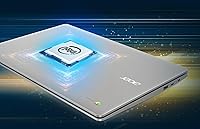
  • Processor: Powered by an Intel Celeron N4020 dual-core processor with a base clock speed that boosts up to 2.8GHz for light workloads.
  • RAM: Equipped with 4GB of LPDDR4 RAM, which is sufficient for basic browsing and document work but can feel constrained with heavy multitasking.
  • Storage: Includes 64GB of eMMC internal storage, which is adequate for Chrome OS and essential files when used alongside Google Drive cloud storage.
  • Operating System: Runs Chrome OS, Google's browser-centric operating system that receives automatic updates and supports Android apps via the Google Play Store.
  • Battery Life: Manufacturer-rated battery life is up to 12.5 hours, though real-world usage at moderate brightness typically yields 8 to 10 hours.
  • Graphics: Uses integrated Intel UHD Graphics 600, suitable for video playback and light visual tasks but not capable of running graphic-intensive applications.
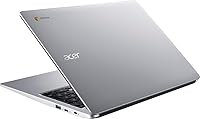
  • Ports: Connectivity includes 2x USB-C 3.1, 2x USB-A 3.1, and 1x 3.5mm headphone jack, offering a well-rounded port selection for this price range.
  • Wireless: Supports 802.11ac Wi-Fi for reliable dual-band wireless connectivity, along with Bluetooth for pairing peripherals such as headphones or a mouse.
  • Keyboard: Full-size keyboard includes an integrated numeric keypad, a practical addition for users who frequently work with numbers or spreadsheets.
  • Weight: The laptop weighs 3.59 pounds, which is on the heavier side for daily carrying but reasonable given the larger 15.6-inch chassis.
  • Dimensions: Physical footprint measures 14.42 x 9.86 x 0.8 inches, keeping the profile slim despite the large screen size.
  • Color: Available in Silver, with a plastic chassis construction typical of budget-tier laptops in this category.
  • Webcam: Includes a built-in webcam positioned above the display, suitable for video calls and virtual class participation.
  • Audio: Features a 3.5mm headphone jack for wired audio output; no discrete speaker specifications are listed by the manufacturer.
  • Power: Powered by a built-in rechargeable lithium-ion battery; charges via one of the included USB-C ports.

Related Reviews

Acer Chromebook 315 15.6″ Laptop, AMD A12-9720P, 4GB RAM, 32GB eMMC, Chrome OS
80%
88%
Value for Money
92%
Battery Life
84%
Performance for Everyday Tasks
90%
Portability
65%
Display Quality
More
Acer Chromebook Plus 515 15.6-inch
84%
94%
Display Quality
88%
Battery Life
86%
Performance (Intel Core i3)
83%
Usability & Ergonomics
89%
Connectivity (Wi-Fi 6E)
More
Acer Chromebook 315 15.6″ Laptop
72%
88%
Battery Life
83%
Display Quality
61%
Performance
57%
RAM & Multitasking
54%
Storage
More
Acer Chromebook 315 15.6-inch Laptop
68%
83%
Value for Money
81%
Display Quality
79%
Battery Life
58%
Performance
51%
RAM & Memory
More
HP 15.6-inch Laptop 15-ef0021nr, Ryzen 3 3200U, 8GB RAM, 256GB SSD
82%
92%
Value for Money
85%
Performance
83%
Build Quality
89%
Portability
81%
Battery Life
More
Acer Chromebook 15 CB3-532-C42P, Intel Celeron N3060, 15.6″, 4GB RAM, 16GB eMMC

82%
90%
Value for Money
85%
Performance for Everyday Tasks
92%
Battery Life
87%
Portability
80%
Display Quality
More
Dell Inspiron 3593 15.6-inch Laptop
68%
74%
Everyday Performance
81%
SSD Speed & Storage
52%
Display Quality
63%
Battery Life
57%
Build Quality
More
Vonxury 15.6 Inch Laptop Backpack
87%
92%
Value for Money
89%
Comfort & Ergonomics
88%
Durability & Build Quality
85%
Water Resistance
90%
Storage Capacity & Organization
More
Bluboon 15.6 Inch Laptop Backpack
84%
89%
Organization & Storage
84%
Comfort & Ergonomics
90%
Portability & Weight
78%
USB Charging Port Convenience
85%
Laptop Protection
More
Liokesa 15.6-Inch Laptop Backpack
86%
89%
Value for Money
87%
Comfort and Ergonomics
84%
Durability and Build Quality
92%
Storage and Organization
90%
Water Resistance
More

FAQ

No, Chrome OS does not run Windows software. However, you can use Microsoft 365 through a web browser or download the Microsoft Office Android apps via the Google Play Store, which covers most everyday document, spreadsheet, and presentation needs.

It is a solid fit for most students at that level. It handles Google Docs, Classroom, Meet, and YouTube without any trouble. Just keep in mind that if a class requires specific Windows-only software, this machine will not cover it.

The 12.5-hour figure is the manufacturer's rating under controlled conditions. In real-world use with Wi-Fi on and screen at a comfortable brightness, most users land between 8 and 10 hours, which is still plenty for a full school or work day without hunting for an outlet.

Yes, to a degree. Some apps like Google Docs support offline editing, and locally stored files are always accessible. That said, Chrome OS is genuinely designed around being connected, so offline functionality is more limited compared to a traditional Windows laptop.

Yes, the Google Play Store is supported on this Chromebook, so you can install Android apps for things like note-taking, media playback, and light productivity. Just note that not every Android app is optimized for a laptop screen, and performance will vary by app.

It can. Four gigabytes of RAM is workable for casual browsing with a handful of tabs, but if you tend to keep 10 or more tabs running alongside a video call or a Play Store app, you may notice slowdowns or tabs reloading when you switch back to them.

Most buyers find the keyboard comfortable for extended use — the keys have reasonable travel and the layout is intuitive. The numeric keypad is a genuinely useful bonus for anyone who works with numbers. Feedback on the trackpad is more mixed, with some users finding it less precise than expected.

It is acceptable for casual streaming, but if you are used to a full HD or higher-resolution display, the 1366x768 resolution will look noticeably softer on a screen this size. For YouTube videos and basic content, it is fine; for anything where image quality matters to you, it may be a drawback.

The chassis is plastic, which is standard for this price range. It feels sturdy enough for everyday handling, but a handful of buyers have noted that the hinge feels less solid with heavy daily use over time. Using a protective sleeve or case is a sensible precaution if it will be carried around regularly.

The 64GB eMMC storage is not user-upgradeable, and there is no SD card slot listed for this model. The practical workaround is Google Drive, which integrates tightly with Chrome OS and provides cloud-based overflow storage for documents, photos, and other files you do not need locally.

Where to Buy