Overview
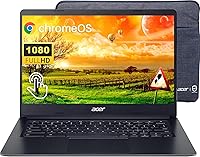
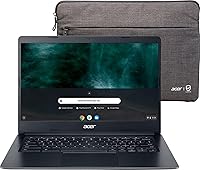
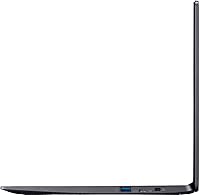
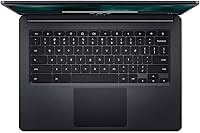
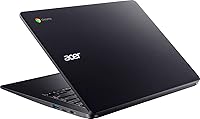
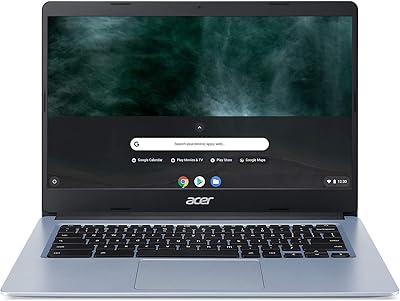
The Acer Chromebook 314 14″ Laptop is a straightforward, no-frills machine aimed squarely at students, light users, and anyone curious about stepping away from Windows. What stands out immediately is the 14-inch Full HD touchscreen — a feature you rarely find at this price point. Chrome OS keeps things lean: it boots fast, updates automatically, and stays secure without needing antivirus software. The whole package weighs just over 3 lbs, which makes tossing it in a backpack feel effortless. Just keep expectations realistic — this Chromebook is built for everyday tasks, and it handles them well, not for pushing creative workloads or running desktop software.
Features & Benefits
The 14-inch IPS display with its matte anti-glare coating is genuinely pleasant to use in bright rooms — no squinting, no distracting reflections. The Intel Celeron N4020 handles web browsing, video streaming, and Google Docs without complaint, though you'll notice the ceiling if you open a dozen tabs simultaneously. Four gigabytes of RAM and 64GB of eMMC storage are comfortable for Chrome OS, but buyers coming from Windows should know those numbers mean something different here — most data lives in the cloud. Battery life is rated at 12.5 hours; real-world use typically lands between 8 and 10 hours depending on screen brightness, which is still solid for a full school or work day.
Best For
This budget laptop makes the most sense for students and light users — middle school through college — who need something reliable for assignments, research, and video calls without added complexity. Seniors and remote workers who live inside Gmail, Google Meet, and YouTube will find it more than capable. It also works well as a shared household device or a secondary machine for occasional use. The deeper you are already invested in Google's ecosystem, the more this Chromebook clicks. That said, if you need to run Windows applications, edit video locally, or store large files on the device itself, this is not the right fit — Chrome OS simply operates on different assumptions.
User Feedback
Buyers consistently praise the display quality and battery stamina as highlights that outperform expectations at this price tier. The touchscreen responsiveness also gets positive mentions — it's responsive enough that people actually use it rather than defaulting to the trackpad. On the critical side, users running multiple apps simultaneously report that 4GB of RAM becomes a bottleneck, and the 64GB local storage fills up faster than expected if you download apps from the Play Store. Some reviewers flag a slight flex in the lid under pressure — the plastic chassis is light but not rigid. Overall, most buyers feel the value holds up well for the intended workload.
Pros
- The 14-inch Full HD IPS touchscreen delivers crisp, clear visuals with an anti-glare coating that holds up well in bright environments.
- Battery life comfortably gets through a full school or work day on a single charge.
- At just over 3 lbs, this Chromebook is genuinely easy to carry around without fatigue.
- Chrome OS boots up fast, stays secure automatically, and never needs antivirus software or manual updates.
- The matte touchscreen is responsive and actually useful day-to-day, not just a spec-sheet checkbox.
- Four USB 3.0 ports is a generous lineup that reduces the need for dongles or hubs.
- Wi-Fi 5 with MU-MIMO keeps the connection stable even in crowded networks like dorms or co-working spaces.
- For anyone living in Google Workspace, the experience feels fluid and well-integrated out of the box.
- The price makes it a low-risk investment for a secondary device or a first laptop for younger students.
Cons
- 4GB of RAM becomes a noticeable bottleneck when running multiple apps or more than eight browser tabs at once.
- 64GB of eMMC storage fills up faster than expected, especially once Android apps enter the picture.
- The Intel Celeron N4020 processor has a clear performance ceiling that shows under any sustained workload.
- The plastic lid has a slight flex under pressure, which raises mild durability concerns over time.
- Chrome OS app compatibility remains a genuine limitation — not all Android apps are optimized for laptop use.
- No Windows software support means buyers with specific application needs are locked out entirely.
- eMMC storage is slower and less upgradeable than a traditional SSD, with no expansion slot available.
- Integrated Intel UHD Graphics rules out any meaningful video editing or light gaming beyond casual browser titles.
- Cloud-dependent workflows become a frustration in areas with spotty or limited internet access.
Ratings
The Acer Chromebook 314 14″ Laptop has been scored by our AI system after analyzing thousands of verified global user reviews, with spam, bot activity, and incentivized feedback actively filtered out. The scores below reflect what real buyers consistently praised and where they ran into genuine frustrations — nothing is glossed over. From students logging long school days to seniors making their first switch to a cloud-based device, both the strengths and the trade-offs are represented honestly.
Value for Money
Display Quality
Battery Life
Performance
Touchscreen Responsiveness
Build Quality
Keyboard & Trackpad
Portability
Storage Adequacy
Software & OS Experience
Connectivity
Display Size & Usability
Setup & Ease of Use
Suitable for:
The Acer Chromebook 314 14″ Laptop was clearly designed with a specific type of user in mind, and for that user it genuinely delivers. Students from middle school through college will appreciate the combination of a sharp touchscreen display, all-day battery, and a lightweight build that holds up through back-to-back classes. Remote workers or retirees who spend most of their computer time inside Gmail, Google Docs, YouTube, or video conferencing tools will find this Chromebook more than capable for their daily routine. It also makes an excellent shared household device — the kind of laptop you leave on the kitchen counter for quick tasks without worrying about it slowing down or getting cluttered with junk software. Anyone already embedded in Google's ecosystem, from Drive to Meet to Photos, will feel right at home from day one, since Chrome OS is essentially built around those services.
Not suitable for:
The Acer Chromebook 314 14″ Laptop is a poor match for buyers who need a traditional desktop-style computing experience. If your workflow depends on Windows-only software — whether that's Adobe Premiere, QuickBooks, or even specific school-issued programs — Chrome OS simply cannot run them natively, and no amount of workarounds fully bridges that gap. The 4GB of RAM also becomes a real constraint for power users who routinely juggle many browser tabs, Android apps, and streaming simultaneously; expect slowdowns in those scenarios. Local storage is tight at 64GB, which feels even smaller once Android apps start occupying space, so users who prefer to keep files and media on-device rather than in the cloud will quickly find themselves managing storage anxiety. Creative professionals, gamers, and anyone accustomed to a high-performance Windows or Mac machine should look elsewhere.
Specifications
- Screen Size: Features a 14-inch IPS panel with a Full HD resolution of 1920 x 1080 pixels.
- Display Type: IPS LCD with a matte anti-glare coating, supporting 10-finger multi-touch input.
- Processor: Powered by an Intel Celeron N4020 dual-core processor with a maximum clock speed of 2.8GHz.
- RAM: Equipped with 4GB of LPDDR4 system memory, soldered to the motherboard and not user-upgradeable.
- Storage: Includes 64GB of eMMC internal storage, which is faster than a traditional hard drive but slower than a modern SSD.
- Operating System: Runs Chrome OS, Google's cloud-first operating system with built-in security, automatic updates, and Google Play Store access.
- Graphics: Uses integrated Intel UHD Graphics, which shares system memory and is suited only for light display tasks.
- Battery Life: Rated at up to 12.5 hours on a single charge under standard usage conditions.
- Weight: Weighs 3.31 lbs, making it among the lighter options in the 14-inch laptop category.
- Dimensions: Measures 12.81 x 9.13 x 0.78 inches, giving it a slim and compact profile for a 14-inch device.
- Wi-Fi: Supports Wi-Fi 5 (802.11ac) with 2x2 MU-MIMO technology for stable performance on shared networks.
- Bluetooth: Includes Bluetooth connectivity for pairing wireless peripherals such as headphones, mice, and keyboards.
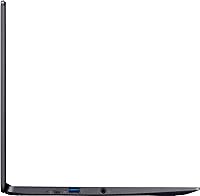
- USB Ports: Comes with four USB 3.0 ports, providing ample connectivity without requiring a hub for most users.
- Webcam: Includes a built-in HD webcam positioned above the display, suitable for video calls and remote learning.
- Release Date: First made available for purchase in September 2023.
Related Reviews
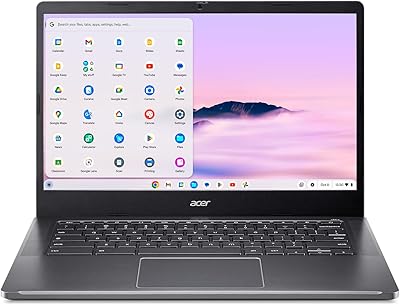
Acer Chromebook Plus 514 CB514-4HT
Acer Chromebook 314 14-inch Touchscreen Laptop

Acer Chromebook 315 15.6-inch Laptop

ASUS Chromebook CM14 (CM1402CM2A-DS44)
Acer Chromebook 314 14″ Laptop

HP Chromebook 14a 14-inch Laptop
ASUS Chromebook Flip CX1 14″ 8GB/128GB
Acer Swift Go 14 Intel Evo Laptop
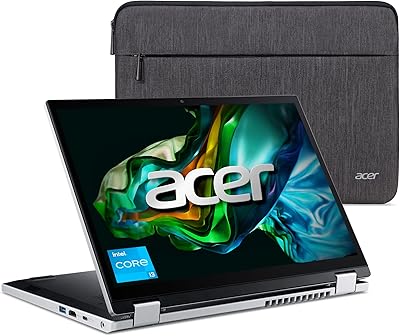
Acer Aspire 3 Spin 14 (A3SP14-31PT)