Acer Aspire 3 Spin 14 (A3SP14-31PT)


Overview
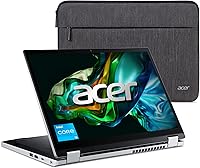
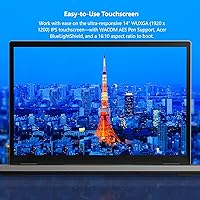
The Acer Aspire 3 Spin 14 (A3SP14-31PT) is a budget-conscious 2-in-1 convertible built for students and everyday home users who want flexibility without a steep price tag. The 14″ WUXGA IPS touchscreen with its 16:10 aspect ratio genuinely punches above its weight — sharper and taller than the typical display at this price. At 18.9mm thin and 3.4 lbs, this convertible Acer is easy to carry all day. One thing to flag early: it ships with Windows 11 in S mode, which restricts installs to the Microsoft Store only. Switching to full Windows is free and quick, but many buyers don't realize the limitation until after unboxing.
Features & Benefits
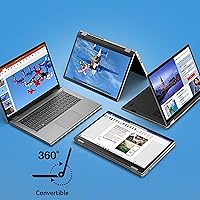
The 360° convertible hinge is the headline feature — it lets you flip between laptop, tent, stand, and tablet modes depending on the task at hand. Wacom AES pen support is a welcome addition for students who want to annotate PDFs or sketch ideas, though the pen costs extra and is not included. Connectivity is surprisingly well-rounded at this price: Wi-Fi 6, HDMI 2.1, a full USB-C port, and three USB-A ports handle most real-world setups. The honest caveat is 128GB of storage, which fills up fast once Windows updates and a few apps settle in — budgeting for cloud storage or a microSD card from the start is strongly advisable.
Best For
This budget 2-in-1 hits a practical sweet spot for high school and college students who need a portable device for note-taking, research, and video calls without stretching their budget. Remote learners and hybrid workers will appreciate the capable webcam and solid Wi-Fi 6 performance. Casual home users managing email, light document work, or streaming video will find the Aspire 3 Spin 14 more than adequate for daily tasks. Keep expectations calibrated, though: the Intel Core i3-N305 handles light multitasking comfortably but is not built for video editing, gaming, or anything computationally demanding. If raw processing power is the priority, look elsewhere.
User Feedback
Buyers frequently praise the display quality and overall build feel, both of which tend to exceed expectations at this price point. The keyboard also earns consistent positive remarks for comfort during longer typing sessions. On the flip side, storage complaints come up repeatedly — 128GB gets consumed quickly in real-world use, and that frustration is well-documented. The S mode restriction catches some buyers off guard, though most report that switching to full Windows is straightforward. A handful of users mention the machine runs noticeably warm under sustained load, with fan noise becoming audible during heavier tasks. Hinge durability looks solid in early long-term reports, and pen feedback is mixed given the added purchase cost.
Pros
- The 14″ WUXGA IPS display with a 16:10 aspect ratio looks noticeably sharper than competing screens at this price.
- A true 360° hinge lets you flip between laptop, tent, stand, and tablet modes without any compromise in build rigidity.
- Wi-Fi 6 and HDMI 2.1 offer connectivity well beyond what most budget convertibles provide.
- At 3.4 lbs and under 19mm thin, this budget 2-in-1 is easy to carry in a backpack all day without fatigue.
- The AI-powered webcam noise cancellation holds up well in shared or noisy remote-work environments.
- 8GB of LPDDR5 RAM keeps everyday multitasking smooth for browsing, streaming, and document work.
- USB-C charging support reduces cable clutter and makes it easier to travel with a single charger.
- The keyboard earns strong marks for comfort during extended typing sessions, which matters for students.
- Wacom AES pen compatibility is a genuine value-add for note-takers and light sketchers at this tier.
Cons
- 128GB of onboard storage fills up quickly — plan for cloud storage or an external drive from day one.
- Windows 11 ships in S mode, which blocks non-Store app installs and catches many buyers off guard.
- The stylus pen is not included despite pen support being a key selling point in the marketing.
- Outdoor usability suffers — screen brightness is not high enough for comfortable use in direct sunlight.
- Under sustained workloads, fan noise becomes noticeable and the chassis surface warms up significantly.
- The 720p webcam degrades noticeably in low-light conditions, producing grainy footage on video calls.
- Battery life drops faster than expected during video streaming or when screen brightness is turned up.
- The all-plastic chassis, while acceptable for the price, shows cosmetic wear after several months of regular use.
Ratings
The scores below reflect an AI-driven analysis of verified global buyer reviews for the Acer Aspire 3 Spin 14 (A3SP14-31PT), with spam, bot-generated, and incentivized feedback actively filtered out before scoring. This convertible Acer draws a wide range of opinions — students, remote learners, and budget-focused home users all weigh in — and both the genuine strengths and the recurring frustrations are reflected honestly in every category score.
Display Quality
Convertible Versatility
Value for Money
Storage Capacity
Performance (Daily Tasks)
Keyboard & Typing Experience
Webcam & Video Call Quality
Portability & Build
Hinge Durability
Stylus & Pen Experience
Connectivity & Ports
Thermal Management & Fan Noise
Software & OS Experience
Battery Life
Suitable for:
The Acer Aspire 3 Spin 14 (A3SP14-31PT) is a strong fit for students — high school through college — who need a portable, flexible device that handles note-taking, research, and video calls without a large budget commitment. The 360° hinge and touch display make it genuinely useful in classroom settings, whether propped in tent mode for watching lecture recordings or flipped into tablet mode for annotating PDFs. Remote learners and hybrid workers on a tight budget will find the Wi-Fi 6 connectivity and AI-enhanced webcam more capable than the price suggests. Casual home users who spend their time on email, light document editing, and streaming will rarely push this machine beyond its comfort zone — and for them, it delivers a pleasant, low-friction experience. Anyone who has been wanting a touchscreen convertible but refused to pay mid-range prices will find this budget 2-in-1 hits a genuinely satisfying middle ground between price and capability.
Not suitable for:
If your daily workload involves video editing, graphic design, data-heavy applications, or anything that demands sustained processing muscle, the Aspire 3 Spin 14 will frustrate you — the i3-N305 is an efficiency chip, not a performance chip, and it shows under pressure. Power users who routinely run multiple resource-heavy applications simultaneously should look at a higher-spec machine before committing here. The 128GB SSD is also a hard limitation for anyone who works with large local files, installs many applications, or simply dislikes managing storage — it fills up faster than most buyers anticipate. Creative professionals considering this convertible Acer for illustration or design work should also know that the pen is sold separately, and even with it, the combination is not in the same league as dedicated pen-tablet devices. Finally, buyers expecting a full, unrestricted Windows 11 experience right out of the box should be aware that S mode is the default — it is easy to switch off, but if that friction matters, it is worth factoring in before purchase.
Specifications
- Display: 14″ IPS touchscreen with 1920x1200 WUXGA resolution and a 16:10 aspect ratio, offering wider vertical space than standard widescreen panels.
- Processor: Intel Core i3-N305 efficiency processor with up to 3.8GHz clock speed and 8 cores, optimized for sustained light workloads rather than peak performance bursts.
- RAM: 8GB LPDDR5 RAM soldered to the motherboard, providing sufficient headroom for everyday multitasking including browsing, documents, and video calls.
- Storage: 128GB NVMe SSD delivers fast boot and file access speeds, though usable capacity shrinks considerably after Windows and system files are accounted for.
- Graphics: Intel UHD Graphics integrated into the processor handles standard display output, video streaming, and light image tasks but is not suited for GPU-intensive workloads.
- Operating System: Windows 11 Home ships in S mode by default, restricting app installs to the Microsoft Store until the user manually and freely switches to standard Windows 11 Home.
- Form Factor: 360° convertible hinge allows the device to be used in laptop, tent, stand, and tablet modes, with a chassis measuring 12.59 x 8.97 x 0.74 inches.
- Weight: The unit weighs 3.4 lbs (approximately 1.54 kg), making it practical for daily carry in a school bag or work tote.
- Pen Support: Wacom AES stylus input is supported natively, though the compatible pen is sold separately and is not included in the box.
- Webcam: 720p HD webcam equipped with Acer Temporal Noise Reduction (TNR) and PurifiedVoice AI noise cancellation for cleaner video call audio and image quality.
- Wi-Fi: Wi-Fi 6 (802.11ax) wireless connectivity delivers faster speeds and better performance in congested network environments compared to older Wi-Fi 5 devices.
- Bluetooth: Bluetooth is included for connecting wireless peripherals such as mice, keyboards, and headphones without occupying a USB port.
- Video Output: HDMI 2.1 port supports connection to external monitors or displays at higher resolutions and refresh rates than the previous HDMI 1.4 standard.
- USB Ports: Three USB 3.0 Type-A ports and one full-function USB Type-C port are available, with the USB-C port supporting device charging.
- Display Ratio: The 16:10 aspect ratio provides roughly 11% more vertical screen space than a standard 16:9 panel of equivalent diagonal size.
- Thickness: At 18.9mm (approximately 0.74 inches) at its thickest point, the chassis is slim enough to slip easily into most laptop sleeves and slim backpack compartments.
- Color & Material: Available in a Silver colorway with a primarily plastic chassis construction that keeps weight low while maintaining an acceptable level of everyday rigidity.
- Power: The device is powered by a built-in rechargeable lithium-ion battery and supports charging via the included AC adapter as well as the USB-C port.
Related Reviews
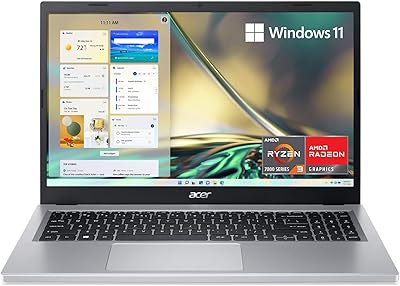
Acer Aspire 3 A315-24P-R7VH 15.6-inch
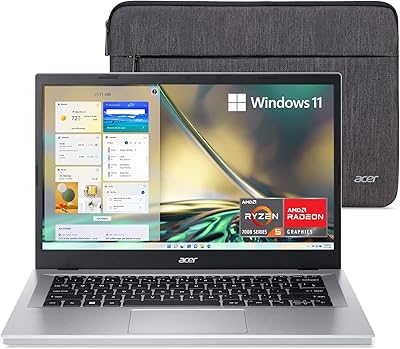
Acer Aspire 3 A314-23P-R3QA Laptop
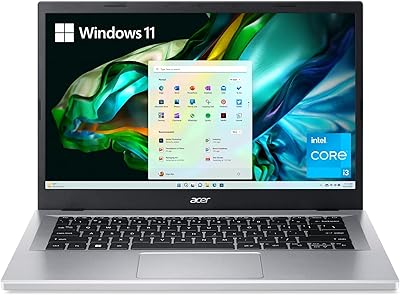
Acer Aspire 3 A314-36P-35UU 14-inch Laptop
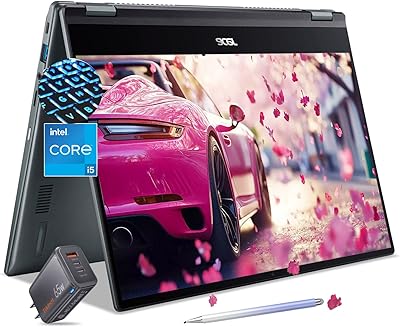
Acer Chromebook Spin 514 i5-1334U 8GB 512GB SSD 14-inch
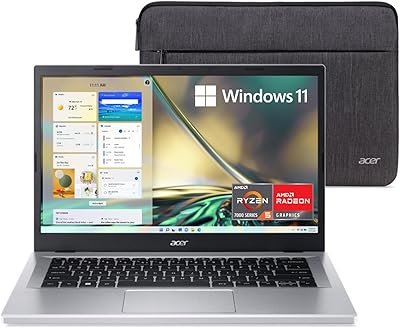
Acer Aspire 3 A315-24PT-R0UX 15.6″ Laptop 16GB 512GB SSD
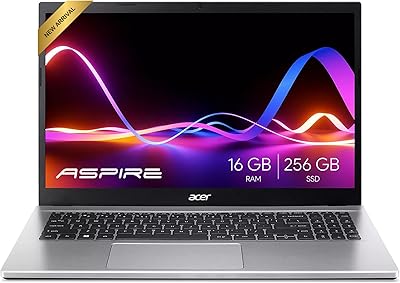
Acer Aspire 3 Ryzen 3 7330U 15.6″ 256GB
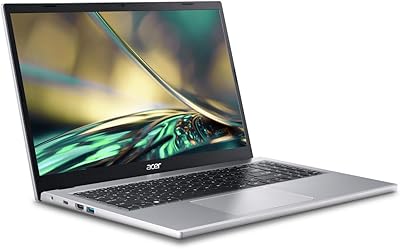
Acer Aspire 3 A315-44P-R7GS 15.6″ Ryzen 7 5700U 16GB 512GB SSD
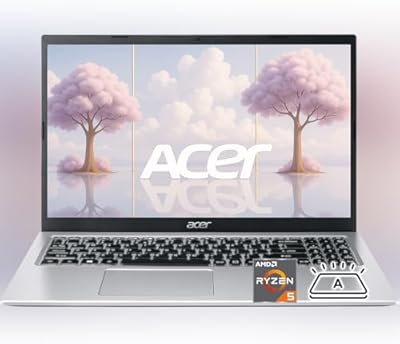
Acer Aspire 3 Laptop | AMD Ryzen 5 7430U | 64GB RAM | 1TB SSD | 15.6″ FHD