






Overview

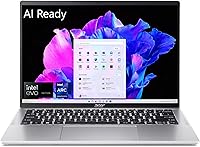
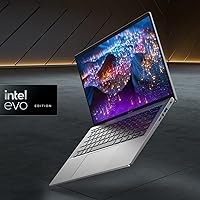
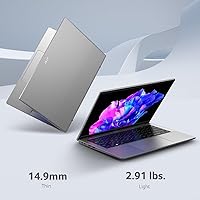
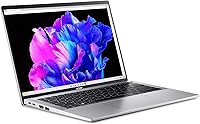
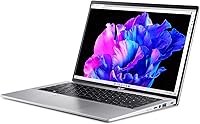
The Acer Swift Go 14 Intel Evo Laptop sits in a sweet spot that is genuinely hard to find: mid-range pricing paired with a processor and display quality you would expect to pay more for. The Intel Evo certification is not just a sticker — it signals that this thin-and-light has passed real-world benchmarks for responsiveness, battery life, and connectivity. At 2.91 pounds and just 0.59 inches thick, tossing it into a bag barely registers. The 14-inch WUXGA touchscreen is a rarity at this price, offering noticeably more vertical space than the standard 1080p crowd. Just do not expect a powerhouse for gaming or serious video production — this is a capable all-rounder, not a specialist machine.

Features & Benefits

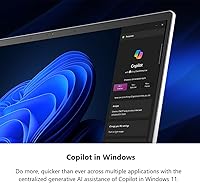
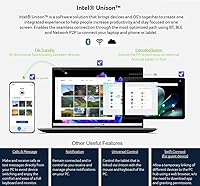
The Core Ultra 7 155H processor handles demanding multitasking — think 20-plus browser tabs, video calls, and background syncing — without the lag spikes you would notice on older hardware. The built-in AI engine accelerates Windows Copilot tasks and real-time background removal tools, which genuinely reduces day-to-day friction. Intel ARC graphics cover photo editing and light video work well enough, but render-heavy or gaming workloads will hit a ceiling fast. The 16GB of LPDDR5X RAM is plenty for most users, though it is soldered on — no upgrades later. Storage is a snappy PCIe Gen 4 SSD, and Wi-Fi 6E keeps connections stable even on congested public networks.

Best For

This Intel Evo laptop is a natural fit for remote workers and commuters who need something light and dependable five days a week. Students in design, business, or communications programs will appreciate the touch display for annotation and the processor headroom for juggling multiple demanding apps. Frequent travelers benefit from Wi-Fi 6E support and a battery that comfortably carries most workdays, though real-world runtime varies with brightness and load. It is also a practical entry point for anyone curious about AI-assisted tools in Windows 11. Skip it if you need discrete graphics, plan to game seriously, or regularly export large video files — there are better-suited options at a comparable price.

User Feedback

Owners of this thin-and-light consistently praise the display color accuracy and the keyboard, which has better travel than most laptops in this tier. SSD speed gets frequent mentions too — cold boots and app launches feel noticeably snappy in daily use. On the flip side, a meaningful number of buyers flag fan noise during sustained loads as a genuine annoyance in quiet environments. The non-upgradeable RAM is another friction point, particularly for users who expected to expand memory later. Touchscreen reactions are split — some find it useful for note-taking, others consider it unnecessary. A handful of reviews also mention pre-installed software bloat and a port layout that leans too heavily on USB-A over USB-C.

Pros

  • The 14-inch WUXGA touch display offers genuinely accurate colors and extra vertical screen space rare at this price.
  • At 2.91 pounds and 0.59 inches thick, this Intel Evo laptop disappears in a bag for daily commutes.
  • The Core Ultra 7 processor handles heavy multitasking — dozens of tabs, video calls, background apps — without slowdowns.
  • PCIe Gen 4 SSD speeds make boot times and app launches noticeably fast in real daily use.
  • Wi-Fi 6E support keeps connections stable and quick even on crowded public or shared networks.
  • Intel Evo certification means the machine has cleared meaningful real-world benchmarks, not just spec-sheet targets.
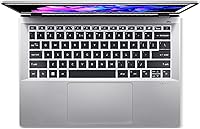
  • The backlit keyboard receives consistent praise for comfortable travel and solid typing feel.
  • Fingerprint reader works reliably for quick, passwordless logins throughout the day.
  • AI-powered Windows 11 features run smoothly thanks to the dedicated on-chip NPU.
  • Real-world battery life comfortably covers most full workdays under moderate use.

Cons

  • RAM is soldered onboard — 16GB is the ceiling with no upgrade path available after purchase.
  • Fan noise becomes noticeable and distracting during sustained processor-heavy workloads.
  • Intel ARC graphics hit a hard ceiling on anything beyond light creative work or casual media.
  • Pre-installed software bloat adds unnecessary clutter that requires manual cleanup out of the box.
  • Port selection skews heavily toward USB-A, leaving users who rely on USB-C peripherals scrambling for adapters.
  • Thermal management under extended heavy loads has drawn complaints from a consistent portion of owners.
  • The touchscreen, while a nice bonus, adds cost that buyers focused purely on performance may not value.
  • Actual battery life under mixed or bright-display conditions falls noticeably short of the 12.5-hour advertised figure.
  • No discrete GPU option means this thin-and-light cannot grow with users whose workloads become more demanding.
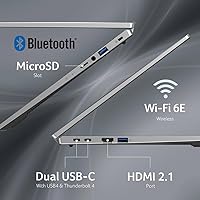
  • microSD card reader is the only built-in storage expansion, which feels limiting for media-heavy users.

Ratings

The scores below reflect an AI-driven analysis of verified global user reviews for the Acer Swift Go 14 Intel Evo Laptop, with spam, bot activity, and incentivized feedback actively filtered out before scoring. Each category is rated independently, so both the genuine strengths and the recurring frustrations come through without being averaged away. If real buyers had something consistent to say — good or bad — it is reflected here.

Display Quality
89%
The 14″ WUXGA IPS panel earns consistent praise for its color accuracy and extra vertical screen real estate compared to standard 1080p panels. Buyers doing photo editing, slide design, or extended reading sessions repeatedly call it one of the best screens they have used at this price tier.
A portion of users note that outdoor visibility can be a challenge in direct sunlight, and a few mention wishing the peak brightness were higher for use near windows. These are minor complaints, but worth knowing if you frequently work in bright environments.
Performance
86%
Day-to-day productivity tasks — large spreadsheets, video calls, multitab browsing, light code compilation — run without any perceptible lag thanks to the Core Ultra 7 processor. Users upgrading from older mid-range laptops consistently describe the speed difference as immediately noticeable.
Sustained workloads like long video exports or heavy batch processing cause the processor to throttle noticeably over time, which frustrates users who push the machine harder than its thin-and-light design was optimized for. It is a capable processor in a chassis that limits how long it can sustain peak output.
Portability
92%
At 2.91 pounds and just over half an inch thick, this Intel Evo laptop is one of the easier daily carries in its class. Commuters and students who haul a bag all day repeatedly highlight the weight as a genuine practical advantage over bulkier alternatives they previously owned.
The slim profile means there is very little flex room for heat dissipation under load, and a small number of users note the bottom of the chassis gets warm during extended sessions on a lap. It is a design trade-off inherent to ultra-slim builds rather than a unique flaw.
Battery Life
74%
26%
Under light to moderate use — documents, email, streaming at medium brightness — most users report getting through a full workday comfortably on a single charge. The USB-C charging support is a practical bonus that lets travelers consolidate chargers.
The manufacturer claims 12.5 hours, but real-world reports cluster between 7 and 9 hours under mixed workloads, which is a meaningful gap from expectations. Users running video calls back-to-back or keeping brightness high find themselves reaching for a charger by early afternoon.
Keyboard & Typing
83%
The backlit keyboard receives above-average marks for key travel and tactile feedback, which is not a given on laptops this slim. Writers and coders who log long typing sessions report noticeably less fatigue compared to shallower keyboards on competing thin-and-lights.
Some users with larger hands find the layout slightly cramped, and a handful of reviewers mention the trackpad occasionally misregisters palm input during intensive typing. Neither issue is widespread, but both surface often enough in user feedback to be worth flagging.
Build Quality
78%
22%
The aluminum-finish lid gives this thin-and-light a solid first impression that feels more premium than its price suggests. The chassis does not flex noticeably under normal handling, and the hinge mechanism draws consistent praise for feeling sturdy over repeated open-and-close cycles.
The base and keyboard deck are plastic rather than full metal, which some users notice after extended daily handling. A few reviewers mention the lid picking up light scratches more readily than expected, suggesting the finish is less durable than it appears.
Thermal Management
61%
39%
During everyday tasks — browsing, writing, casual streaming — thermals are well controlled and the surface temperature stays comfortable. The cooling system is adequate for the workloads this laptop was clearly designed around.
Under sustained processor stress, fan noise becomes a frequent and legitimate complaint. Multiple users working in quiet offices or shared spaces mention the fan ramp-up as distracting, and some report the chassis getting noticeably warm on the bottom during extended demanding sessions.
Display Touchscreen
71%
29%
For users who actively use touch input — annotating PDFs, navigating presentations, or using stylus-style accessories — the responsive touchscreen adds real utility without compromising the display quality. Students in particular appreciate it for quick note markup.
A significant portion of buyers consider the touchscreen an unused feature they paid for. It also attracts smudges faster than a standard non-touch glass panel, which some users find frustrating on a display this color-accurate.
Graphics Capability
58%
42%
For everyday visual tasks — photo browsing, light Photoshop work, 4K video playback, and casual creative apps — the Intel ARC integrated graphics perform reliably without stuttering. Users who stay within these boundaries rarely complain about graphical performance.
Anything beyond light creative work or media consumption exposes the hard limits of integrated graphics quickly. Reviewers who attempted gaming or GPU-accelerated rendering were consistently disappointed, and a few expressed frustration that marketing language around ARC graphics raised expectations the hardware could not meet.
RAM & Memory
63%
37%
16GB of LPDDR5X is genuinely sufficient for the multitasking workloads most productivity users throw at it — multiple browser sessions, office apps, communication tools, and light creative software all run without noticeable memory pressure.
The soldered RAM is a recurring and pointed complaint, especially from users who assumed they could upgrade later. For buyers planning to keep this machine three or more years, the inability to expand memory is a real long-term concern that several reviewers wished they had caught before purchasing.
Connectivity & Ports
66%
34%
Four USB 3.0 ports cover most peripheral needs without requiring a hub, and the Wi-Fi 6E chipset is a standout feature that delivers noticeably faster and more stable wireless connections in congested environments like co-working spaces and hotels.
The absence of Thunderbolt or a sufficient USB-C selection frustrates users who have migrated their peripheral ecosystem to USB-C. Several reviewers specifically mention needing to carry a dongle for monitors or newer accessories, which undermines the appeal of a supposedly streamlined ultraportable.
Software & Bloatware
59%
41%
Windows 11 Home runs well on this hardware, and Copilot integration works as advertised for users who want to experiment with AI-assisted productivity tools right out of the box. The core OS experience is clean once setup is complete.
Pre-installed Acer utilities and third-party trial software are a consistent source of frustration in early reviews. Multiple buyers report spending time removing unwanted apps before feeling the machine was truly ready to use, which is a poor first impression for a laptop at this price.
Value for Money
77%
23%
For buyers whose needs align with what this thin-and-light actually does well, the overall package — display, processor, build, and portability — represents strong value in its tier. Most satisfied owners describe it as punching above its price in key areas.
Buyers who discover the RAM is non-upgradeable after purchase, or who expected more from the graphics or battery, tend to feel the value proposition is weaker in hindsight. Expectation management is a significant factor in how users rate this machine's value.
Webcam & Audio
68%
32%
The webcam produces adequate image quality for standard video calls, and the microphone captures voice clearly enough that most remote workers report no complaints from colleagues during meetings. It handles the basics reliably.
Neither the webcam nor the speakers impress beyond basic functional use. Users who care about audio quality for media or music find the stereo output thin and lacking low-end presence, and the camera resolution is average rather than competitive compared to higher-end alternatives.

Suitable for:

The Acer Swift Go 14 Intel Evo Laptop is built for people who spend most of their day in productivity tools, video calls, and browser-heavy workflows — and need a machine that keeps up without weighing them down. Remote workers and hybrid commuters will appreciate the sub-3-pound build and a battery that realistically covers a full workday without hunting for an outlet. Students in business, design, or communications programs get a genuine bonus with the 14-inch touch display and color-accurate screen, which holds its own for light photo editing and visual presentations. Frequent travelers benefit from Wi-Fi 6E support, which cuts through congested airport and hotel networks far better than older wireless standards. If you are curious about AI-assisted tools in Windows 11 — background removal, Copilot integration, real-time suggestions — this thin-and-light has the hardware to run them without feeling sluggish.

Not suitable for:

The Acer Swift Go 14 Intel Evo Laptop has real boundaries, and being upfront about them will save some buyers a headache. Serious gamers should walk away — Intel ARC integrated graphics simply cannot handle modern titles at playable settings, and there is no discrete GPU option here. Video editors working with 4K timelines or heavy color grading will also feel the ceiling quickly, both in rendering speed and graphics headroom. The 16GB of RAM is soldered directly to the board, which means buyers who plan to upgrade memory down the road are out of luck — what you buy is what you keep. Buyers who rely on a wide variety of peripherals may also find the port selection limiting, as the layout leans heavily on USB-A without offering enough USB-C flexibility. If your workload regularly pushes hardware hard and sustained performance under load matters to you, the fan noise and thermal behavior reported by multiple owners is worth factoring in before committing.

Specifications

  • Processor: Intel Core Ultra 7 155H with 16 cores, 22 threads, and a built-in AI Boost NPU for accelerated AI workloads.
  • Graphics: Intel ARC integrated graphics, suitable for light creative tasks, media playback, and everyday visual work.
  • Display: 14″ WUXGA IPS touchscreen at 1920×1200 resolution with 100% sRGB color coverage for accurate color reproduction.
  • RAM: 16GB LPDDR5X memory soldered directly to the motherboard, with no option for post-purchase upgrades.
  • Storage: 512GB PCIe Gen 4 NVMe SSD delivering fast read and write speeds for quick boot times and responsive file access.
  • Battery Life: Manufacturer-rated at up to 12.5 hours; real-world endurance typically ranges from 7 to 10 hours depending on brightness and workload.
  • Operating System: Windows 11 Home pre-installed, with Copilot integration and AI-assisted productivity features enabled out of the box.
  • Weight: 2.91 pounds, making it a practical choice for daily commutes and travel bags where pack weight matters.
  • Dimensions: 12.32 × 8.58 × 0.59 inches, fitting comfortably in standard laptop sleeves and backpack compartments.
  • Wireless: Killer Wi-Fi 6E AX1675 with dual-stream MU-MIMO support across 2.4GHz, 5GHz, and 6GHz bands, plus Bluetooth 5.3.
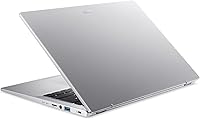
  • Ports: Four USB 3.0 ports and a microSD card reader; no Thunderbolt or dedicated USB4 port is included.
  • Certification: Intel Evo Edition certified, confirming the system meets verified thresholds for responsiveness, battery life, and connectivity quality.
  • Keyboard: Full-size backlit keyboard with dedicated function row, designed for comfortable extended typing sessions.
  • Security: Fingerprint reader integrated into the chassis for quick biometric login without requiring a PIN or password.
  • Color: Available in Silver with an aluminum-finish lid that gives it a clean, professional appearance.
  • Audio: Stereo speakers with DTS Audio tuning provide adequate sound for calls and casual media consumption.
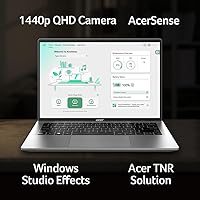
  • Webcam: Built-in HD webcam positioned above the display, suitable for standard video conferencing and remote meetings.
  • Power Adapter: Ships with a compact charging adapter; USB-C charging is supported, allowing use of third-party PD chargers while traveling.

Related Reviews
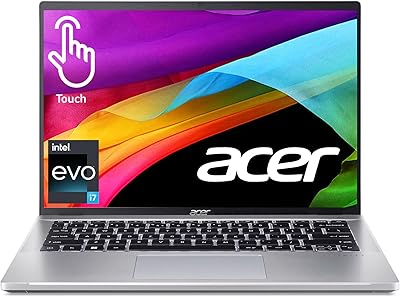
Acer Swift Go 14 – Intel Core i7-1355U, 16GB RAM, 512GB SSD
84%
91%
Portability
88%
Display Quality
89%
Battery Life
84%
Build Quality
85%
Performance (General Use)
More
Acer Swift X 14 RTX 4060 Laptop
75%
93%
Display Quality
88%
GPU Performance
91%
Portability
61%
Thermal Management
58%
Battery Life
More
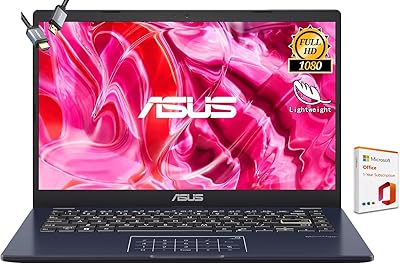
ASUS Vivobook Go 14-inch Laptop
67%
81%
Value for Money
47%
Performance
74%
Battery Life
88%
Portability
69%
Display Quality
More
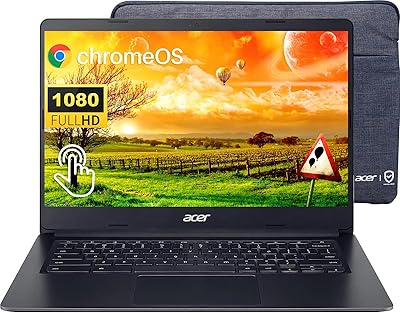
Acer Chromebook 314 14″ Laptop
78%
88%
Value for Money
84%
Display Quality
81%
Battery Life
62%
Performance
79%
Touchscreen Responsiveness
More
Acer Chromebook Plus 514 CB514-4HT
79%
83%
Everyday Performance
86%
Display Quality
78%
Touchscreen Responsiveness
81%
Battery Life
77%
Build Quality & Design
More
HP 14 Celeron 14-inch Touchscreen Laptop

68%
74%
Value for Money
52%
Performance
43%
Storage Adequacy
91%
Portability
61%
Display Quality
More
Dell Inspiron 14 5440 Laptop
76%
88%
Display Quality
74%
Performance
61%
RAM & Multitasking
82%
Build Quality
67%
Battery Life
More
Dell 14 Plus Laptop DB14250-14-inch 2.5K, Intel Core Ultra 7, 16GB RAM, 1TB SSD
85%
91%
Performance
94%
Display Quality
85%
Battery Life
88%
Build Quality
86%
Keyboard Usability
More
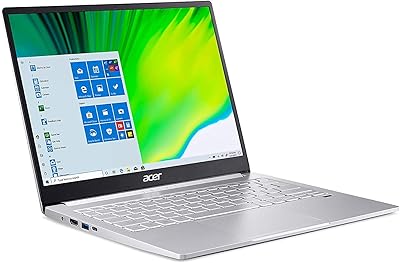
Acer Swift 3 SF316-51-740H Laptop
86%
91%
Performance
89%
Display Quality
94%
Portability
88%
Build Quality
72%
Battery Life
More
Acer Aspire 3 Spin 14 (A3SP14-31PT)
74%
88%
Display Quality
83%
Convertible Versatility
91%
Value for Money
47%
Storage Capacity
74%
Performance (Daily Tasks)
More

FAQ

Unfortunately, no. The 16GB of LPDDR5X memory is soldered directly onto the motherboard, so what comes in the box is the maximum you will ever have. If you think you might need more than 16GB down the road, this is a genuine dealbreaker worth considering before you buy.

The official spec claims up to 12.5 hours, but real-world use typically lands closer to 7 to 10 hours depending on screen brightness and what you are running. Light tasks like writing and web browsing push toward the higher end, while video calls or anything processor-intensive will drain it faster. It covers most full workdays, but heavy users may want a charger on hand.

It depends on your workflow. Users who annotate documents, sketch quick diagrams, or prefer tapping through apps tend to like it. Others who live primarily in keyboard-and-mouse mode find they rarely use it. It does not add significant weight or reduce display quality, so it is more of a bonus than a burden either way.

Not in any meaningful way. The Intel ARC integrated graphics are built for productivity and light media, not gaming. Older or less demanding titles might run at reduced settings, but modern games will struggle. If gaming is a priority, you need a machine with a dedicated discrete GPU.

This is one of the more consistent complaints from owners. During sustained workloads — long video exports, large compilation tasks, extended processor stress — the fan ramps up noticeably. In a quiet office or library setting, it becomes distracting. For typical productivity use it stays reasonably quiet, but do not expect silent operation under pressure.

Yes, it ships with a handful of Acer-branded utilities and some third-party trial apps pre-installed. None of it is harmful, but it adds clutter. Most users spend 20 to 30 minutes uninstalling what they do not need right after setup, which is fairly standard for Windows laptops in this category.

Yes, this thin-and-light supports USB-C charging, which is handy for travelers who already carry a USB-C power bank or multi-port charger. It ships with its own compact adapter, but the USB-C flexibility means one less dedicated cable if you are trying to minimize what you carry.

For casual to intermediate photo editing, it holds up well. The 100% sRGB coverage and IPS panel mean colors look accurate and consistent across the screen. It is not a professional-grade display calibrated for print production, but for social media content, presentations, and everyday visual work it is genuinely one of the better screens you will find at this price.

If you are in a crowded environment — a coffee shop, a conference, an apartment building with dozens of competing networks — Wi-Fi 6E helps by operating on the less congested 6GHz band. You get more stable connections and less interference compared to older Wi-Fi standards. At home on a modern router it is also noticeably snappier for large file transfers and streaming.

For most college students, this Intel Evo laptop hits a practical sweet spot. It is light enough to carry all day, the display is comfortable for long reading and writing sessions, and the processor handles the typical mix of research, video calls, and creative assignments without issue. Students in engineering or computer science running simulation or compilation workloads might eventually want more, but for the majority of programs it is a solid, well-rounded choice.

Where to Buy