Overview

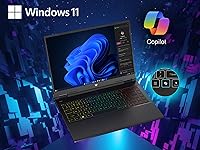
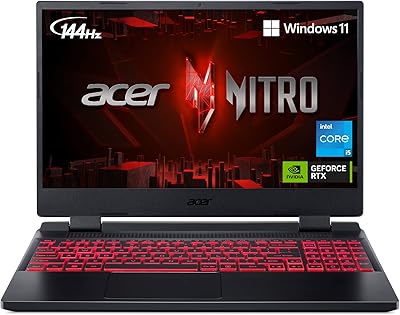
The Acer Predator Helios Neo 14 Gaming Laptop is one of the few machines that packs genuine high-end gaming hardware into a chassis you can actually carry without groaning. At 4.19 pounds, it occupies an interesting middle ground — more portable than a typical 15.6-inch gaming slab, yet far more capable than most ultrabooks that only flirt with gaming credentials. The 14.5-inch 16:10 display is an unusual and smart choice, giving you noticeably more vertical screen space than the standard widescreen competition. Paired with an RTX 4070 and Intel Core Ultra 9 185H, this compact gaming machine competes squarely with the ASUS ROG Zephyrus G14 and Razer Blade 14, though at a premium price the value equation deserves a genuinely honest look.

Features & Benefits

The 3072×1920 IPS panel is where the Helios Neo 14 makes its strongest first impression — 100% sRGB coverage means colors hold up for photo editing and video work, not just gaming. At 165Hz with G-SYNC, fast-paced games feel sharp and stutter-free. The RTX 4070, combined with DLSS 3.5 frame generation, can push demanding titles well past comfortable framerates at native resolution — Cyberpunk 2077 becomes genuinely playable at high settings where weaker hardware chokes. The Core Ultra 9 185H handles multi-threaded workloads efficiently thanks to its hybrid architecture, and the liquid metal cooling keeps temperatures reasonable during sustained sessions, though expect the fans to ramp up noticeably when things get intense.

Best For

This Predator laptop suits student-to-professional crossover users well — people who spend mornings in spreadsheets or editing timelines and evenings running ranked queues. If a 15.6-inch machine feels too bulky, the compact form factor here genuinely splits the difference without sacrificing serious GPU headroom. Competitive multiplayer players benefit from the 165Hz refresh rate in titles where reaction time matters, while content creators appreciate the color-accurate panel for grading work. That said, if all-day battery life tops your priority list, look elsewhere — heavy gaming will drain this machine quickly. The 16GB of RAM is workable today, but power users running multiple demanding apps alongside gaming may feel the squeeze sooner than expected.

User Feedback

Buyers frequently praise the display quality and solid chassis construction, with many noting the build feels more premium than anticipated at this tier. On the downside, fan noise under load is a recurring complaint — this machine is not quiet when working hard, which some find distracting during late-night sessions. Battery life off the charger consistently disappoints, often lasting just a couple of hours under real gaming conditions. A handful of users have flagged quirks with Acer's PredatorSense utility, including occasional software instability. A few buyers also reported minor quality-control inconsistencies at delivery. Against similarly priced rivals, most agree the raw performance holds up well, but the overall software experience still needs meaningful polish to match the hardware ambition.

Pros

  • The 14.5-inch 165Hz G-SYNC display delivers sharp, tear-free visuals that hold up for both gaming and color-sensitive creative work.
  • RTX 4070 with DLSS 3.5 frame generation pushes demanding titles to comfortable framerates that weaker laptop GPUs simply cannot match.
  • At just over 4 pounds, this compact gaming machine is genuinely portable compared to most high-performance gaming laptops.
  • The 16:10 aspect ratio gives noticeably more vertical screen space — a small detail that makes a real difference during long work sessions.
  • Liquid metal thermal compound and dual AeroBlade fans keep sustained performance stable during extended gaming without immediate throttling.
  • Wi-Fi 6E support provides a meaningful low-latency advantage for competitive online gaming over congested 5GHz networks.
  • The Core Ultra 9 185H handles multi-threaded creative workloads with efficiency gains over previous-generation Intel chips.
  • 1TB PCIe Gen 4 SSD storage is fast and spacious enough for a solid library of modern games without constant management.
  • The three-microphone beamforming setup produces noticeably cleaner voice pickup for team communication and casual streaming.
  • Build quality feels solid and premium, with a chassis rigidity that inspires confidence during daily transport.

Cons

  • Fan noise under heavy gaming load is consistently loud and can be distracting in quiet environments.
  • Battery life during gaming sessions is short — expect to stay near an outlet for any serious play.
  • 16GB of RAM is adequate now but may become a bottleneck as AAA titles and multitasking demands continue to grow.
  • PredatorSense software has drawn complaints about instability and a clunky interface that undercuts an otherwise capable machine.
  • Some buyers reported quality-control inconsistencies at the time of delivery, suggesting inspection upon arrival is worthwhile.
  • Thermal performance holds well initially but sustained all-out workloads can push temperatures into uncomfortable territory over time.
  • The premium price puts this Predator laptop in direct competition with brands that offer stronger software ecosystems and longer warranty reputations.
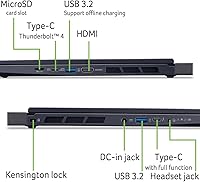
  • Port selection, while functional, lacks Thunderbolt 4 support, which limits connectivity options for power users with high-bandwidth peripherals.
  • The charger is bulky and adds meaningful weight to a travel bag, partially offsetting the laptop's portability advantage.
  • No webcam shutter or dedicated privacy features, which is a minor but noticeable omission at this price point.

Ratings

Our AI rating engine analyzed thousands of verified global purchases of the Acer Predator Helios Neo 14 Gaming Laptop, actively filtering out incentivized, duplicate, and bot-generated submissions to surface what real buyers consistently experience. The scores below reflect an honest composite of praise and frustration across every major category, weighted by how frequently each theme appeared in legitimate feedback. Both the standout strengths and the genuine pain points are represented without softening either side.

Gaming Performance
91%
The RTX 4070 and Core Ultra 9 pairing handles virtually every modern title at high or ultra settings without breaking a sweat, and DLSS 3.5 frame generation pushes framerates well beyond what the raw hardware alone would suggest. Buyers running titles like Cyberpunk 2077, Hogwarts Legacy, and Call of Duty consistently report smooth, responsive gameplay right out of the box.
A small number of users noted occasional framerate dips during extremely long sessions, likely tied to thermal limits being reached after 60-plus minutes of maximum load. Performance in turbo mode is strong, but sustaining peak output requires staying plugged in and accepting elevated fan noise throughout.
Display Quality
93%
The 3072×1920 IPS panel with 100% sRGB coverage is one of the most consistent praise points across all buyer feedback — colors look rich and accurate without needing calibration, and the 16:10 aspect ratio gives noticeably more usable vertical space than standard widescreen displays. G-SYNC at 165Hz makes fast-paced competitive games feel fluid and sharp in a way that cheaper panels simply cannot replicate.
A handful of users pointed out that the high pixel density, while visually impressive, can cause scaling quirks in older applications and some games that do not fully support non-standard resolutions. Outdoor visibility is limited, as the panel brightness is adequate indoors but struggles in direct sunlight environments.
Thermal Management
74%
26%
The liquid metal thermal compound and AeroBlade 3D dual-fan setup genuinely prevents hard throttling during typical gaming sessions lasting 30 to 45 minutes, keeping the CPU and GPU temperatures within reasonable bounds for a chassis this compact. Most users found that the system maintained stable performance across casual to moderately demanding workloads without needing manual fan curve adjustments.
Extended all-out gaming sessions — think multi-hour ranked play or running CPU and GPU benchmarks back-to-back — do push temperatures into territory where minor throttling becomes noticeable. The exhaust area above the keyboard gets uncomfortably warm during sustained peak loads, which some users found distracting during long desktop sessions.
Battery Life
43%
57%
In very light-use scenarios — web browsing, note-taking in class, or watching videos at reduced brightness — the battery can last a few hours without the charger, which is at least functional for short gaps between outlets. Some users appreciated the battery saver mode in Windows for extending unplugged productivity time during commutes.
Under any real gaming load, battery life drops sharply, often to under two hours, making this essentially a plugged-in machine for its core use case. Multiple buyers specifically warned that the bundled power brick is large and adds meaningful carry weight, which undercuts some of the portability benefit the compact chassis offers.
Build Quality
84%
The chassis feels more premium than many buyers expected at first handling — the lid resists flex under pressure, the hinge mechanism opens smoothly, and the overall structural rigidity inspires confidence for daily transport in a backpack. Several users compared the build favorably to competitors at a similar price point, noting it does not feel plasticky or hollow.
Some buyers reported minor quality-control inconsistencies, including slightly uneven gaps around the display bezel or trackpad on a subset of units received. While not a widespread defect, it is common enough in feedback to suggest that inspecting the unit carefully upon delivery is a worthwhile step.
Fan Noise
52%
48%
In balanced or quiet mode, the Helios Neo 14 stays reasonably unobtrusive during light tasks — browsing, streaming, or document work rarely triggers aggressive fan ramp-up, making it tolerable in a library or shared workspace during low-demand use.
Switch to a demanding game or push the CPU hard and the fans become loud enough to be distracting without headphones, which is the most frequently repeated complaint across buyer reviews. For users who game in shared living spaces late at night, this is a genuine daily frustration rather than an occasional nuisance.
Portability
78%
22%
At just over four pounds, this compact gaming machine is genuinely lighter than most comparable RTX 4070 laptops and fits comfortably in a standard backpack without dominating the bag. Students and professionals who move between locations report that the size and weight feel manageable for daily transport.
The power adapter required for gaming is bulky and heavy relative to the laptop itself, and forgetting it means severely limited usable time — effectively making total travel weight higher than the laptop spec suggests. The 0.77-inch thickness, while not thick by gaming standards, is still noticeably chunkier than ultrabook-style alternatives.
Value for Money
69%
31%
For buyers who prioritize raw gaming and display performance above everything else, the hardware on offer at this price tier is genuinely competitive — the combination of a high-res 165Hz panel with an RTX 4070 is not easy to find in a sub-15-inch form factor. Many users felt the out-of-box gaming experience justified the premium over mid-range alternatives.
Against established rivals like the ASUS ROG Zephyrus G14 or Razer Blade 14, the value proposition gets harder to defend when factoring in software polish, battery performance, and long-term reliability reputation. Some buyers felt the overall package — particularly the software experience — did not fully match the price expectation.
Keyboard & Trackpad
76%
24%
The backlit keyboard earns consistent praise for having a satisfying key travel depth and tactile response that holds up well during both extended typing sessions and gaming, with per-key RGB adding useful visual customization for gamers who use specific key bindings. Most users found it comfortable for hours of continuous use.
The trackpad, while functional for general navigation, is described as average rather than exceptional — precision during fast movements is occasionally inconsistent, and a small number of users reported accidental cursor jumps during intensive typing. Serious users will want an external mouse for gaming regardless.
Software Experience
58%
42%
PredatorSense provides a centralized hub for switching performance profiles, adjusting fan speeds, and managing RGB lighting, which is genuinely useful for quickly toggling between quiet mode for class and turbo mode for gaming without diving into system settings manually.
Buyer complaints about PredatorSense are frequent and specific — crashes, slow loading, and occasional unresponsiveness after Windows updates are recurring themes. The bloatware pre-installed alongside the OS also drew criticism, with many users recommending a clean Windows reinstall as an early first step after unboxing.
Connectivity
72%
28%
Wi-Fi 6E via the Killer AX1675 adapter delivers noticeably stable low-latency connections during competitive online sessions, and Bluetooth 5.3 handles wireless peripherals — headsets, controllers, and keyboards — without the pairing headaches some older Bluetooth standards created.
The absence of Thunderbolt 4 is a tangible limitation for power users who rely on high-bandwidth docks or external GPU enclosures, and the port count, while adequate, leaves little room for expansion without a hub. A dedicated SD card slot rather than microSD would have been more practical for content creators.
Audio Quality
67%
33%
The speaker output is loud enough for casual gaming and media consumption in a bedroom, and DTS:X Ultra processing adds some spatial dimension that makes positional audio in games more useful than on most laptop speakers in this class. The Purified Voice 2.0 microphone array performs well for voice calls and Discord use.
Bass response is limited, as expected from a thin chassis with minimal speaker real estate, and at maximum volume some users noticed distortion in music with heavy low-end content. Most serious gamers default to headphones immediately, making the speaker quality a secondary concern but a missed opportunity for the asking price.
CPU Performance
88%
The Core Ultra 9 185H handles multi-threaded workloads — video exports, large compilation tasks, and creative software — with a responsiveness that noticeably outpaces previous-generation Intel H-series chips, particularly in sustained workloads where the hybrid architecture distributes load more intelligently. Professionals doubling this machine for productivity work alongside gaming reported strong satisfaction.
In CPU-limited gaming scenarios, the performance advantage over slightly cheaper Core i7 configurations is measurable but not dramatic enough to justify prioritizing it as a primary purchase criterion. A few users also noted that peak CPU performance is only fully realized in turbo mode, which comes at the cost of significantly louder fan operation.
RAM Adequacy
66%
34%
For the current generation of gaming titles and everyday productivity multitasking, 16GB of LPDDR5X is sufficient and fast enough that users running a handful of applications alongside a game rarely encounter memory-related slowdowns under normal conditions.
Buyers running memory-intensive workflows — large Premiere Pro projects, multiple virtual machines, or next-generation AAA titles with aggressive VRAM overflow to system RAM — are already bumping against the ceiling. As game memory requirements trend upward, 16GB is likely to feel limiting within the next two to three years without an upgrade.
Out-of-Box Setup
71%
29%
Most users reported that the Helios Neo 14 was ready for gaming within 15 to 20 minutes of unboxing — drivers were current, Windows setup was straightforward, and the initial performance profile in PredatorSense was functional enough to jump into games immediately without manual tuning.
The pre-installed bloatware is more intrusive than buyers at this price tier expect, and several users specifically flagged trial software and unnecessary Acer utilities slowing the initial boot experience. Doing a clean OS reinstall early on is a common recommendation in the buyer community, which should not be necessary for a premium product.

Suitable for:

The Acer Predator Helios Neo 14 Gaming Laptop was clearly built for a specific kind of buyer: someone who wants genuine high-end gaming performance but refuses to lug around a 6-pound behemoth every day. College students who move between dorms, libraries, and coffee shops will appreciate the sub-4.5-pound chassis that still handles demanding titles at high framerates without compromise. Professionals who split their time between video editing, creative work, and evening gaming sessions get real value from the color-accurate 16:10 display and the Core Ultra 9's strong multi-threaded throughput. Competitive multiplayer gamers — the type who actually notice the difference between 80Hz and 165Hz — will find the G-SYNC panel genuinely impactful in fast-paced titles. Content creators working in sRGB color spaces can trust the display for grading and review work, making this a rare gaming laptop that pulls double duty without embarrassing itself in professional contexts.

Not suitable for:

The Acer Predator Helios Neo 14 Gaming Laptop is a poor fit for anyone who needs to work unplugged for extended stretches — battery life under real gaming conditions is short, and even moderate workloads will have you reaching for the charger well before the day ends. Users who game in quiet environments, like shared apartments or late-night home setups, should know the fans get loud under sustained load and there is no getting around that. If ultra-thin aesthetics or near-silent operation are non-negotiable, this Predator laptop will disappoint despite its relatively compact frame. Buyers running memory-intensive workflows — think 3D rendering, large Premiere Pro timelines, or heavy virtual machine use alongside gaming — may find 16GB of LPDDR5X feeling tight sooner than expected, and upgrading RAM on a soldered configuration is not always straightforward. Finally, shoppers who are particularly software-sensitive should be aware that PredatorSense, Acer's control utility, has drawn mixed feedback and may require patience to configure reliably.

Specifications

  • Display: 14.5-inch WQXGA+ IPS panel with a 3072×1920 resolution, 165Hz refresh rate, 100% sRGB color gamut, and a 16:10 aspect ratio.
  • Sync Technology: NVIDIA G-SYNC with Advanced Optimus support for adaptive, tear-free rendering across both integrated and dedicated GPU modes.
  • Processor: Intel Core Ultra 9 185H with 16 cores (6 performance, 8 efficient, 2 low-power efficient) running at a 2.3GHz base clock frequency.
  • Graphics: NVIDIA GeForce RTX 4070 Laptop GPU with 8GB GDDR6 dedicated VRAM and support for DLSS 3.5 including frame generation.
  • Memory: 16GB LPDDR5X RAM in a SODIMM configuration, providing fast bandwidth suited to modern gaming and multi-threaded workloads.
  • Storage: 1TB PCIe Gen 4 NVMe SSD offering high sequential read and write speeds with ample capacity for a modern game library.
  • Cooling System: 5th Generation AeroBlade 3D dual-fan system with vector heat pipes and liquid metal thermal grease applied to the processor for sustained thermal management.
  • Wireless: Killer Wi-Fi 6E AX1675 supporting 2.4GHz, 5GHz, and 6GHz bands with 2×2 MU-MIMO, plus Bluetooth 5.3 with LE Audio support.
  • Audio: Purified Voice 2.0 system featuring a three-microphone beamforming array paired with DTS:X Ultra spatial audio processing.
  • Ports: Four USB 3.0 Type-A ports and a microSD card reader are included for peripheral and media connectivity.
  • Operating System: Ships with Windows 11 Home pre-installed, with a dedicated Copilot Key for quick access to the built-in AI assistant.
  • Dimensions: The chassis measures 12.76 × 10.05 × 0.77 inches, keeping the footprint compact relative to most gaming laptops at this performance tier.
  • Weight: The laptop body weighs 4.19 pounds, offering a reasonable balance between portability and the thermal headroom required for high-end components.
  • Keyboard: Backlit keyboard with per-key RGB lighting, configurable through the PredatorSense software utility.
  • Battery: One lithium-ion battery pack is included and pre-installed; runtime under gaming conditions is limited, requiring regular access to the AC adapter.
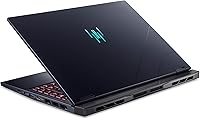
  • Color Option: Available in Abyssal Black, with a matte finish on the lid and palm rest designed to resist fingerprint smudging during daily use.
  • Optical Drive: No optical drive is included, consistent with the slim-profile design philosophy of modern high-performance gaming laptops.
  • Processor Cores: The Core Ultra 9 185H features 16 total processor cores using Intel's hybrid architecture for simultaneous efficiency and peak performance scaling.

Related Reviews
Acer Predator Triton Neo 16 Gaming Creator Laptop
83%
91%
Performance
94%
Display Quality
68%
Portability
89%
Thermal Management
77%
Battery Life
More
Acer Predator Helios 300 Gaming Laptop i7-12700H, 16GB RAM, 512GB SSD, RTX 3060
83%
94%
Gaming Performance
92%
Display Quality
88%
Build Quality
75%
Thermals
68%
Portability
More
Acer Aspire 3 Spin 14 (A3SP14-31PT)
74%
88%
Display Quality
83%
Convertible Versatility
91%
Value for Money
47%
Storage Capacity
74%
Performance (Daily Tasks)
More
Acer Swift Go 14 Intel Evo Laptop
86%
89%
Performance
94%
Display Quality
92%
Portability
75%
Battery Life
88%
Build Quality
More
Acer Predator X27U 27″ OLED Gaming Monitor
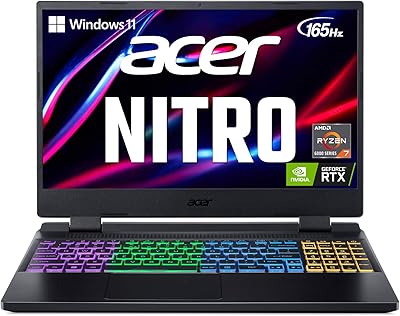
84%
94%
Image Quality
91%
Refresh Rate & Motion
89%
Color Accuracy
86%
Connectivity
82%
Ergonomics & Stand
More
Acer Nitro 5 AN515-58-527S Gaming Laptop
83%
93%
Performance for Gaming
89%
Display Quality
72%
Portability/Weight
75%
Battery Life
83%
Thermals/Cooling
More
Acer Nitro 5 AN515-55-59KS Gaming Laptop
80%
89%
Gaming Performance
91%
Display Quality (144Hz)
82%
Battery Life (General Use)
72%
Battery Life (Gaming)
80%
Build Quality
More
Acer Nitro 16 AN16-41-R148 Gaming Laptop
84%
94%
Gaming Performance
88%
Cooling Efficiency
91%
Display Quality
84%
Build Quality
72%
Battery Life
More
Acer Nitro 5 AN515-46-R0EQ Gaming Laptop
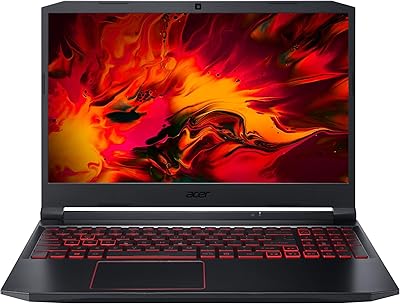
83%
91%
Performance
88%
Display Quality
85%
Cooling System
60%
Battery Life
89%
Value for Money
More
Acer Predator Z57 57-inch Curved Gaming Monitor
81%
94%
Display Quality
90%
Gaming Performance
92%
Color Accuracy
76%
Build Quality
88%
Ease of Setup
More

FAQ

Noticeably loud, especially during demanding titles or extended sessions at high settings. The dual-fan system does its job thermally, but in a quiet room you will hear it clearly. Using headphones largely masks it, but if near-silent operation matters to you, this machine will be a regular source of frustration.

The Helios Neo 14 uses SODIMM slots rather than soldered memory, which is good news — it means RAM upgrades are physically possible. That said, always verify slot availability and supported speeds before purchasing aftermarket memory, and opening the chassis will likely void your warranty, so factor that in before proceeding.

For light productivity work like browsing, document editing, or video calls, you can reasonably expect somewhere in the range of three to five hours depending on display brightness and background processes. The moment you push the GPU for gaming, that window drops significantly, so treat this as a plugged-in machine by default.

Yes, genuinely so — more than most gaming laptops at this size. The 100% sRGB panel holds up well for color grading, and the Core Ultra 9 handles export workloads in Premiere Pro or DaVinci Resolve with solid throughput. Just keep in mind that 16GB of RAM can feel tight if you run large multi-stream timelines alongside other apps simultaneously.

Yes, this compact gaming machine can drive external displays through its available video outputs. For high-resolution or high-refresh external monitors, check the specific port configuration — HDMI 2.1 and USB-C DisplayPort support vary by exact regional SKU, so confirm the output specs for your intended external display before purchasing.

PredatorSense is Acer's bundled control software for managing performance profiles, fan curves, lighting, and some system monitoring. It is useful for switching between power modes quickly, but user feedback on its reliability is mixed — some find it intuitive, others report occasional crashes or sluggish response. It is not strictly required to use the laptop, but skipping it means losing easy access to fan and performance controls.

DLSS 3.5 uses AI-driven upscaling combined with frame generation to produce additional frames between rendered frames, which can significantly boost perceived smoothness in supported titles. In something like Cyberpunk 2077 at high ray-tracing settings, it can effectively double playable framerates compared to running without it. The catch is that not every game supports DLSS, and frame generation can occasionally introduce minor visual artifacts in fast-motion scenes, though most players find the trade-off more than acceptable.

Most buyers describe the chassis as sturdier than they expected — the lid resists flex reasonably well and the overall construction feels intentional rather than hollow. At just over four pounds it is genuinely portable for a machine with these internals. A good sleeve or padded bag is still strongly recommended for daily commuting, as no gaming laptop chassis is truly ruggedized.

The keyboard deck and palm rest stay reasonably comfortable during moderate workloads, but the area above the keyboard near the exhaust vents can get warm during sustained high-load gaming. The liquid metal thermal solution on the CPU helps prevent hard throttling in most scenarios, though pushing maximum settings continuously for hours will eventually have the system finding its thermal ceiling.

Both are strong compact gaming laptops, but they prioritize slightly different things. The Zephyrus G14 has historically edged ahead on battery life and tends to run quieter, while this Predator laptop offers a larger and higher-resolution display with that useful 16:10 aspect ratio. GPU performance is broadly competitive between configurations, so the decision often comes down to whether you value display real estate and raw gaming output over quieter, more battery-efficient operation.

Where to Buy