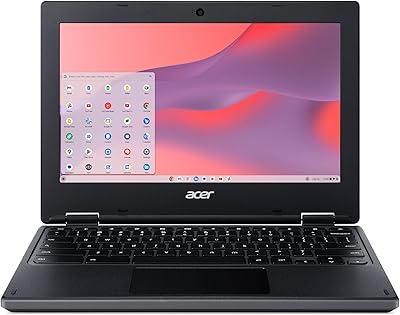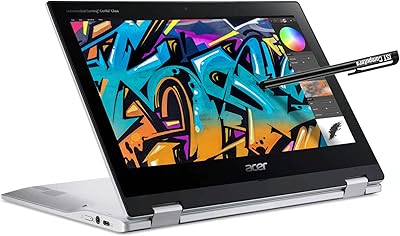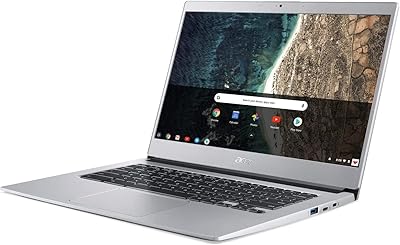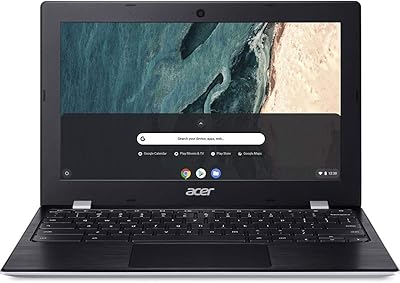
Overview

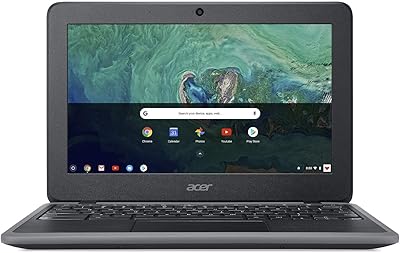
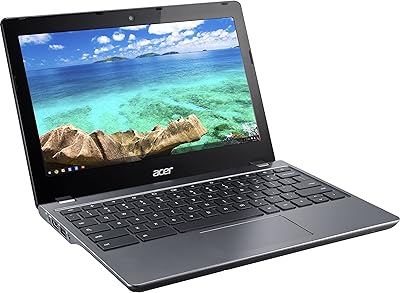
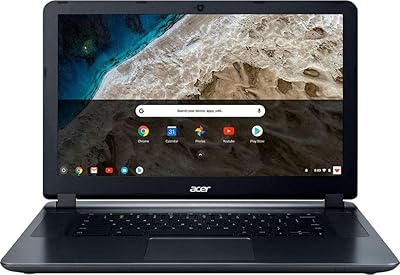
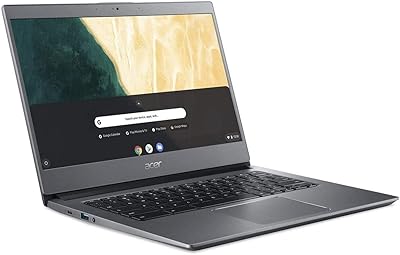
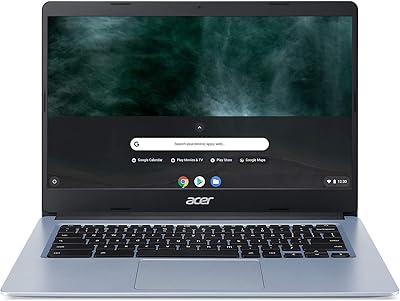
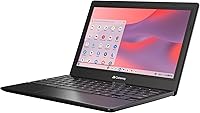
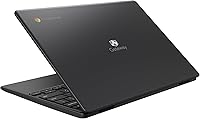
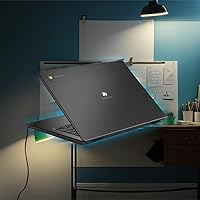
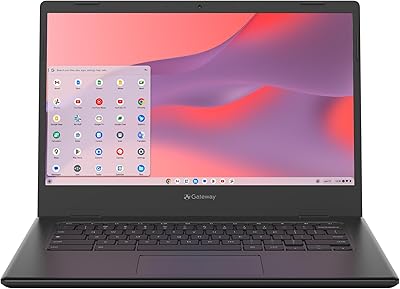
The Acer Gateway Chromebook 311 CBO311-1H-C1MX is Acer's answer to the growing demand for affordable, cloud-first laptops that don't ask much beyond a browser and a Wi-Fi connection. Released in mid-2024 under the revived Gateway sub-brand, this budget laptop sits firmly in the entry-level segment, competing against a crowded field of similarly priced machines. At 2.65 lbs with a slim build, it's light enough to drop in a backpack without a second thought. Chrome OS ties everything together — Gmail, Docs, YouTube, and now Gemini AI access are all ready from the moment you open the lid. It's built for simplicity, not raw power.

Features & Benefits

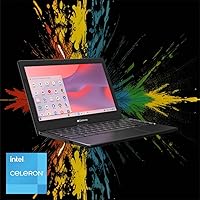
The Intel Celeron N4500 handles Chrome OS with enough confidence for everyday browsing, video calls, and Docs work without obvious lag. The 64GB eMMC storage sounds limited on paper, and honestly it can trigger low-storage warnings if you start downloading Android apps carelessly — Google Drive is really meant to carry the load here. Wi-Fi 5 dual-band keeps connections stable, and the 10-hour battery holds up reasonably well through a school day. The Titan C2 chip handles security updates quietly in the background. Where things get real is the RAM: 4GB is workable for Chrome OS, but open too many tabs simultaneously and you will notice the slowdown.

Best For

This Chromebook makes the most sense for students — particularly those in K-12 or early college — who live inside Google Workspace rather than running local software. It's a solid pick for parents shopping for a child's first laptop, especially when budget is tight and the priority is simplicity over raw performance. Households needing a secondary shared device for casual browsing, streaming, or light schoolwork will find it fits that role well. Remote workers whose entire workflow runs through a browser can also get genuine use from the Gateway 311. If your work depends on desktop apps like Photoshop or heavy video editing, though, this simply isn't built for that.

User Feedback

Most buyers highlight how fast this Chromebook boots and how easy it is to get running — particularly for people switching from a sluggish older Windows machine. The setup experience consistently draws praise. On the flip side, users with heavy tab habits report noticeable sluggishness, which tracks directly with the 4GB RAM ceiling. Several reviewers mention the keyboard is decent for the size, while the trackpad earns more mixed reactions. The 11.6″ display is serviceable indoors but struggles in bright outdoor light. Build quality is acceptable without feeling premium, and some buyers note slight chassis flex under pressure. Real-world battery life lands around 7 to 8 hours for most users — respectable, though a bit shy of the advertised claim.

Pros

  • Boots up in under 10 seconds and is ready to use almost instantly, which users consistently love.
  • At 2.65 lbs, this Chromebook is genuinely easy to carry around all day without fatigue.
  • Chrome OS setup takes minutes — just sign into a Google account and everything is ready.
  • Built-in Titan C2 security chip handles protection automatically, with no antivirus setup required.
  • Wi-Fi 5 dual-band delivers reliable, stable connections in typical home and school environments.
  • Google Play Store access adds a wide range of apps for streaming, learning, and productivity.
  • Real-world battery life comfortably covers a full school day for most users.
  • The matte ComfyView display reduces indoor glare well for classroom and office use.
  • Gemini AI integration gives students and casual users a useful assistant right from the home screen.
  • Lightweight build and slim profile make it a practical fit for backpacks and tight desk spaces.

Cons

  • Opening more than six or seven browser tabs causes noticeable performance slowdowns.
  • The 64GB storage fills up quickly once Android apps are installed, triggering low-storage warnings.
  • Chassis flex under keyboard pressure makes the build feel less durable than the price already suggests.
  • The 1366x768 display looks soft and washed out compared to even modestly priced competitors.
  • Real-world battery life falls 2 to 3 hours short of the advertised 10-hour claim under typical use.
  • No USB-C port limits compatibility with modern peripherals, monitors, and charging accessories.
  • Trackpad precision draws mixed feedback, with some users finding it imprecise and inconsistent.
  • Android app performance on Chrome OS is uneven — some apps run fine, others feel sluggish or display incorrectly.
  • Speaker quality is weak at higher volumes, with audible distortion making headphones essentially mandatory.
  • Offline functionality is significantly limited, making this budget laptop a poor choice in low-connectivity environments.

Ratings

Our scores for the Acer Gateway Chromebook 311 CBO311-1H-C1MX are generated by AI after systematically analyzing thousands of verified global user reviews, with spam, bot-generated, and incentivized submissions actively filtered out. The result is an honest snapshot of what real buyers experience day-to-day — strengths included, frustrations included. Where this budget laptop earns genuine praise and where it quietly disappoints, both are reflected transparently in the ratings below.

Value for Money
84%
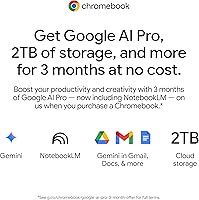
For the asking price, buyers consistently feel they are getting a functional, well-branded machine that handles Chrome OS tasks without complaint. The inclusion of Google AI Pro access and cloud storage for three months adds tangible value that resonates strongly with first-time Chromebook buyers.
A handful of users feel the 4GB RAM and 64GB storage combination undermines long-term value, especially as Android app usage grows. Competitors at a similar price occasionally offer slightly more memory, making the value case feel less clear-cut for power-conscious shoppers.
Performance
67%
33%
For light daily tasks — streaming a lecture, writing a Google Doc, joining a video call — the Celeron N4500 handles things without drama. Boot times are consistently praised as fast, and Chrome OS keeps the experience feeling snappier than the specs alone might suggest.
Open more than six or seven browser tabs and things start to crawl noticeably. The 4GB RAM ceiling is the recurring villain in negative reviews, and users who push the machine with Android apps or split-screen multitasking report frustrating slowdowns that break the workflow.
Battery Life
73%
27%
Real-world users routinely get through a full school day on a single charge, which is genuinely useful for students and commuters. Several reviewers noted they stopped carrying a charger for short trips, which speaks well of the battery consistency across moderate usage.
The advertised 10-hour figure assumes light, controlled usage. In practice, most users land between 7 and 8 hours with typical brightness and active browsing. Heavier users with screen brightness cranked up report dropping under 6 hours, which falls noticeably short of expectations.
Display Quality
61%
39%
Indoors under normal lighting, the 11.6-inch HD panel is adequate for schoolwork, YouTube, and casual browsing. Colors are acceptable for the price tier and the matte ComfyView coating reduces glare in most classroom or office lighting conditions.
The 1366x768 resolution looks noticeably soft compared to even mid-range alternatives, and outdoor visibility is a recurring complaint. Bright sunlight washes the screen out significantly, making it impractical for use on a patio or in a car. Text rendering at the edges also draws occasional criticism.
Build Quality
59%
41%
The chassis is slim and light enough that carrying it daily feels effortless. At 2.65 lbs, it doesn't add meaningful weight to a school bag, and the compact footprint makes it easy to use in tight spaces like airplane trays or small desks.
Chassis flex is a recurring theme in user feedback — pressing the keyboard deck and lid produces visible flex that undermines confidence in long-term durability. Several buyers describe the plastic construction as feeling hollow, and a few noted creaking at the hinge after a few months of daily use.
Keyboard & Trackpad
63%
37%
The keyboard is usable for the form factor, with enough key travel to make essay writing and note-taking reasonably comfortable. Students who type for extended periods generally find it acceptable, particularly given the size of the machine.
The trackpad generates mixed feedback — some users find it imprecise and slightly sticky compared to competitors, requiring more deliberate gestures. The compact layout also means keys near the edges feel cramped, and touch typists occasionally report accidental presses on adjacent keys.
Portability
88%
Weighing under 3 lbs and measuring less than an inch thick, this Chromebook genuinely earns its portability credentials. Users repeatedly describe tossing it into bags without thinking twice, and the lightweight build is one of the most consistently praised qualities across reviews.
The 11.6-inch screen, while contributing to the compact size, can feel limiting for users who need side-by-side window work. A few users mention the charger adds meaningful bulk to the carry package, partially offsetting the slim profile of the laptop itself.
Storage Capacity
51%
49%
For users who genuinely work in the cloud — Google Drive, Docs, Gmail — 64GB is technically sufficient for the operating system and a modest number of downloaded apps. Chrome OS manages storage reasonably well with native apps staying lean.
Android app downloads eat into that 64GB faster than expected, and several users have hit storage warning notifications within weeks of purchase. There is no expandable storage slot mentioned, making this a genuine long-term constraint for anyone who installs more than a handful of apps locally.
Setup & Ease of Use
91%
Out-of-box setup is one of the most praised aspects across user reviews. Signing in with a Google account and being fully operational within minutes is a genuine differentiator, especially for less tech-savvy buyers or parents setting up a device for children.
Users accustomed to Windows occasionally find Chrome OS disorienting at first, particularly around file management and the absence of traditional desktop software. The learning curve is short, but it does generate a small cluster of initial frustration in early reviews.
Connectivity & Wi-Fi
78%
22%
Wi-Fi 5 dual-band performs reliably in typical home and school environments, and users rarely flag connectivity as a pain point. Bluetooth integration works smoothly for wireless peripherals, and the dual USB 3.0 ports cover the basic accessory needs most buyers have.
The absence of a USB-C port for modern peripherals or charging draws occasional criticism from buyers expecting current-generation connectivity. Users with newer monitors or docking setups find the port selection limiting, and there is no HDMI output noted by several reviewers who wanted to connect to a TV or projector.
Security & Privacy
86%
The Titan C2 security chip and Chrome OS automatic background updates give buyers genuine peace of mind without requiring any action on their part. Parents in particular appreciate the built-in protections, and schools frequently recommend Chromebooks partly because of this security posture.
A small segment of privacy-conscious users express concern about the depth of Google ecosystem integration required to get full value from the machine. Running Chrome OS without a Google account limits functionality significantly, which some buyers find uncomfortably restrictive.
Software & App Ecosystem
72%
28%
Access to Google Play opens up a wide range of apps for streaming, creativity, and productivity. Microsoft 365 via browser works well for users who need cross-platform document compatibility, and the Gemini AI integration adds a genuinely useful assistant layer for students and casual users.
Android app performance on Chrome OS remains inconsistent — some apps behave well, others feel sluggish or display incorrectly in tablet-mode layouts. Users expecting a full desktop software experience will find meaningful gaps, particularly around niche professional tools that simply have no Chrome OS equivalent.
Audio Quality
57%
43%
For basic video calls, YouTube watching, and online lectures, the built-in speakers are functional and audible enough in a quiet room. Most users do not flag audio as a primary complaint when using the machine for its intended use cases.
Speaker volume and clarity are below average for the category, and at maximum volume, distortion becomes noticeable. Users who watch movies or participate in group calls in louder environments consistently reach for headphones, suggesting the onboard audio is more a workaround than a genuine feature.
Chrome OS Experience
77%
23%
For buyers who are already embedded in the Google ecosystem, Chrome OS feels intuitive and efficient. Automatic updates, fast recovery options, and tight integration with Google Workspace make the software experience genuinely well-suited to students and browser-first workers.
The platform's limitations become apparent when buyers try to use software they already own — there is no native support for Windows executables, and cloud-dependent functionality means offline work options are notably restricted. Users in areas with unreliable internet find Chrome OS significantly more limiting than expected.

Suitable for:

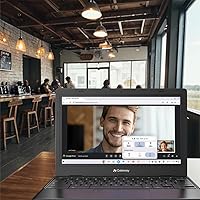
The Acer Gateway Chromebook 311 CBO311-1H-C1MX is built for buyers whose computing lives revolve around a browser and a Google account — and for that audience, it genuinely delivers. K-12 students are the obvious sweet spot: the machine handles Google Classroom, Docs, and Meet without complaint, boots fast enough to keep up with a packed class schedule, and is light enough to carry all day without strain. Parents shopping for a first laptop for a younger child will appreciate the straightforward Chrome OS setup, the built-in security protections, and the fact that there is very little that can go wrong from a software perspective. Budget-conscious households needing a shared secondary device for casual browsing, streaming, or occasional schoolwork will find this Chromebook fits that role cleanly without overcomplicating things. Remote workers whose daily workflow runs entirely through web apps — email, video calls, cloud documents — can also use this budget laptop productively, especially if a reliable home Wi-Fi connection is a given.

Not suitable for:

Buyers expecting a general-purpose laptop that can run Windows software, handle local creative workloads, or support professional-grade applications should look elsewhere before considering the Acer Gateway Chromebook 311 CBO311-1H-C1MX. The 4GB RAM ceiling is a real constraint — anyone who routinely works with 10 or more browser tabs open, edits large spreadsheets, or runs multiple web apps simultaneously will hit noticeable slowdowns that become genuinely frustrating over time. The 64GB onboard storage fills up faster than expected once Android apps enter the picture, and there is no simple way to expand it, which creates a long-term headache for users who like to keep media or files stored locally. The display, while adequate indoors, does not hold up in bright outdoor environments, so users who frequently work in sunlit spaces will find themselves squinting. Anyone dependent on specific desktop software — Adobe Creative Suite in full, video editing tools, Windows-only business applications — will find Chrome OS an incompatible platform, not just a limited one.

Specifications

  • Processor: Intel Celeron N4500 dual-core processor clocked at 1.1GHz base with a burst speed up to 2.8GHz handles everyday browsing and cloud-based tasks efficiently.
  • RAM: 4GB LPDDR4X on-board memory is soldered to the motherboard and cannot be upgraded after purchase.
  • Storage: 64GB eMMC flash storage provides fast boot access and adequate space for Chrome OS and a modest number of locally installed apps.
  • Display: 11.6″ HD ComfyView widescreen panel delivers a 1366x768 pixel resolution with a matte anti-glare coating suited for indoor use.
  • Graphics: Intel UHD integrated graphics share system memory and handle video playback and light visual tasks without a dedicated GPU.
  • Operating System: Chrome OS comes pre-installed with built-in Google app integration, automatic background updates, and Google Play Store support.
  • Wireless: Wi-Fi 5 (802.11ac) dual-band connectivity supports both 2.4GHz and 5GHz frequencies, with Bluetooth also included for wireless peripherals.
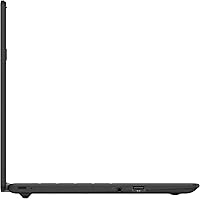
  • USB Ports: Two USB 3.0 Type-A ports provide standard accessory and peripheral connectivity at full USB 3.0 transfer speeds.
  • Battery Life: The built-in battery is rated for up to 10 hours of use on a single charge under manufacturer test conditions.
  • Weight: The laptop weighs 2.65 lbs, making it one of the lighter options in the 11.6″ entry-level category.
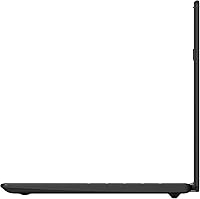
  • Dimensions: The chassis measures 11.31 x 7.83 x 0.71 inches, keeping the footprint compact enough for small desks and standard backpack sleeves.
  • Security: A Titan C2 security chip provides hardware-level encryption and verified boot protection without requiring any user configuration.
  • Audio: Built-in stereo speakers deliver basic audio output suited for calls and casual media consumption in quiet environments.
  • Webcam: An integrated HD webcam supports video conferencing through Google Meet and other browser-based communication platforms.
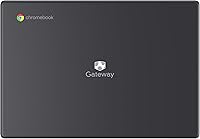
  • Color: Available in Star Black, the chassis uses a matte plastic finish across the lid and keyboard deck.
  • App Support: Google Play Store access allows installation of a wide range of Android apps for streaming, productivity, gaming, and education.
  • Optical Drive: No optical drive is included, which is standard for this class of thin, lightweight Chromebook.
  • Power: The device ships with a 12V AC adapter and uses a proprietary charging port rather than USB-C.

Related Reviews
Acer Gateway Chromebook 314 CBO314-1H-C476
85%
90%
Value for Money
94%
Portability & Weight
88%
Battery Life
82%
Performance for Everyday Tasks
85%
Display Quality
More
Acer Chromebook 311 CB311-10H-42LY
82%
91%
Value for Money
95%
Portability & Weight
87%
Battery Life
72%
Display Quality
80%
Performance for Basic Tasks
More
Acer Spin 311 2H
Acer Spin 311 2H
71%
83%
Value for Money
78%
Build Quality
86%
Battery Life
71%
Display Quality
62%
Performance & Speed
More
Acer Chromebook 514 CB514-1H-C0FF, Intel Celeron N3350, 14-inch, 4GB RAM, 32GB eMMC
83%
91%
Battery Life
89%
Portability
92%
Value for Money
75%
Performance
80%
Build Quality
More
Acer Chromebook 311 CB311-9H-C12A, 11.6-inch, Intel Celeron N4000, 4GB RAM, 32GB eMMC
83%
91%
Value for Money
89%
Battery Life
85%
Performance for Everyday Tasks
76%
Build Quality
94%
Portability/Size
More
Acer Chromebook 11 C732-C6WU
82%
80%
Performance
88%
Build Quality & Durability
94%
Battery Life
65%
Storage Capacity
92%
Portability & Weight
More
Acer Chromebook 11 C740-C4PE
80%
92%
Battery Life
90%
Portability/Size/Weight
87%
Value for Money
78%
Performance
80%
Build Quality/Durability
More
Acer Chromebook 315 Laptop 15.6″
80%
88%
Value for Money
91%
Battery Life
87%
Portability
65%
Display Quality
82%
Keyboard Comfort
More
Acer Chromebook 314 CB314-1HT-C7C0
83%
92%
Value for Money
91%
Battery Life
85%
Display Quality
90%
Portability & Size
80%
Build Quality
More
Acer Chromebook 15 CB3-532-C8DF
81%
91%
Value for Money
94%
Battery Life
82%
Performance for Basic Tasks
67%
Display Quality
75%
Build Quality
More

FAQ

Yes, it is genuinely well-suited for that use case. Chrome OS handles Google Classroom, Docs, Slides, and Meet without any issues, and the fast boot time means students can get started quickly. The lightweight build makes it easy to carry between classes or toss in a bag each morning.

You cannot install the traditional desktop versions of Word or Excel since Chrome OS does not run Windows software. That said, Microsoft 365 is fully accessible through a web browser, and the Android versions of Word, Excel, and PowerPoint are available through Google Play, which works reasonably well for everyday document tasks.

Of the 64GB total, Chrome OS and system files consume a portion, leaving roughly 50 to 55GB usable in practice. That sounds adequate, but Android app installations and offline file downloads can fill it faster than expected. It is worth relying on Google Drive for document and photo storage to keep local space free.

Some tasks work offline — Google Docs, Sheets, and Slides can be enabled for offline editing, and certain Android apps function without a connection. However, Chrome OS is fundamentally designed around cloud connectivity, and a significant portion of its functionality is reduced or unavailable without access to the internet.

For light use — a few browser tabs, a video call, and a Google Doc open at once — 4GB is functional. If you regularly work with 8 or more tabs open simultaneously, stream video while on a call, or use heavier Android apps, you will notice slowdowns. For heavy multitaskers, looking at a Chromebook with 8GB RAM is a smarter long-term investment.

Yes, Google Play Store is supported, so you can install Android apps for streaming services like Netflix, educational tools, games, and productivity apps. Performance varies by app — lightweight apps run smoothly, but some more demanding Android apps can feel sluggish given the hardware limitations.

Most users get between 7 and 8 hours of genuine use under typical conditions — browsing, video calls, document work at moderate screen brightness. The advertised 10-hour figure is achievable under very light, controlled conditions. If you keep brightness high and run multiple apps, expect to be closer to 6 hours.

There is no HDMI or USB-C port on this laptop, which limits straightforward external display options. You would need a USB 3.0 to HDMI adapter to connect to an external monitor or TV, which adds cost and a potential compatibility step that some users find inconvenient.

The keyboard is adequate for a compact 11.6″ machine, with enough key travel to make typing essays or emails reasonably comfortable. It is not a premium typing experience by any measure, but students and casual users generally find it usable for sustained writing. Touch typists may notice the tighter key spacing requires a short adjustment period.

It is genuinely one of the better options at this price for younger kids. Chrome OS is simple to navigate, the Google Family Link parental controls integrate well, automatic security updates run without any parental action required, and the durable-enough build can handle everyday school use. Just keep in mind the display is modest and the chassis has some flex, so a protective sleeve is a sensible addition.