


Overview

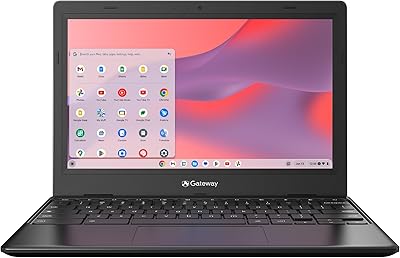
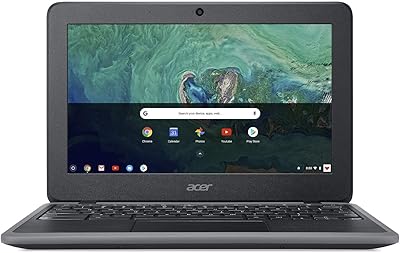
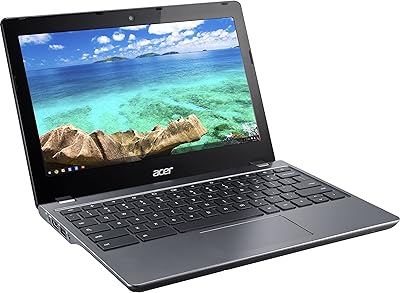
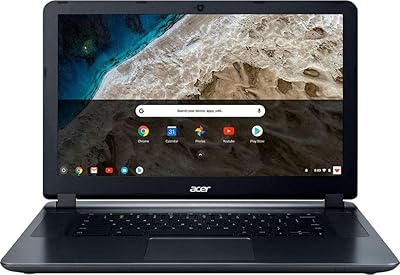
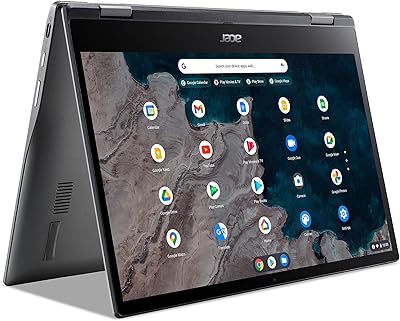
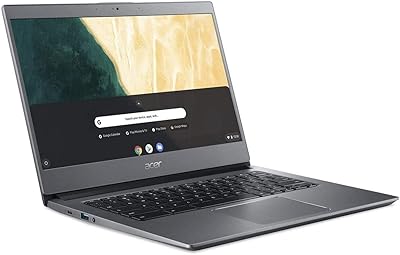
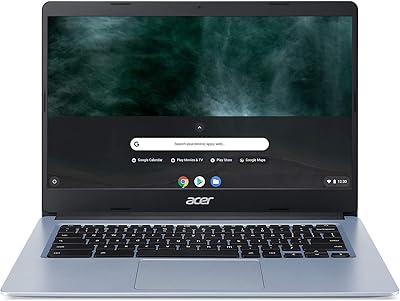
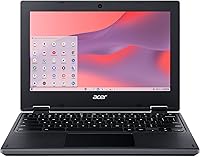
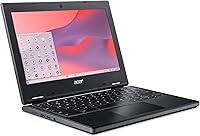
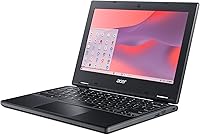
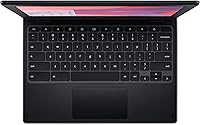
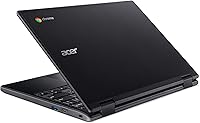
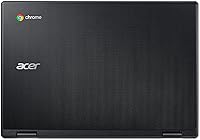
The Acer Chromebook 311 CB311-10H-42LY is a budget-friendly and compact laptop, designed for users who need a simple, portable device for everyday tasks. With its 11.6-inch HD display, it provides decent clarity for basic web browsing and office work. Powered by an AMD A4 processor and 4GB of RAM, this Chromebook handles routine tasks like email, document editing, and online browsing with ease. Ideal for users who value portability and long battery life, this Chromebook is lightweight and easy to carry, making it perfect for students and travelers alike.

Features & Benefits

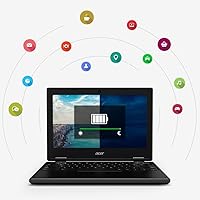
This Chromebook features an 11.6-inch HD display, offering a good viewing experience for light media consumption and productivity tasks. With 64GB of eMMC storage, it has enough space for essential files and apps, though it may be limiting for users with larger storage needs. The device boasts up to 10 hours of battery life, making it perfect for all-day use without frequent recharges. Additionally, it supports Wi-Fi 5 and Bluetooth 4.2 for reliable connectivity, while Chrome OS ensures smooth updates and built-in virus protection.

Best For

The Acer Chromebook 311 CB311-10H-42LY is ideal for students or anyone seeking a budget-friendly laptop for basic tasks such as web browsing, document editing, and light productivity. It's also great for travelers who need a lightweight and portable device with long-lasting battery life. Those who rely heavily on Google apps like Google Drive and Docs will benefit from the seamless integration of Chrome OS. However, it's not meant for intensive tasks like video editing or gaming, as it’s designed primarily for everyday use.

User Feedback

Users generally appreciate this Chromebook for its portability and solid battery performance. Many praise its responsiveness for everyday tasks such as web browsing, email, and document editing. However, some users note that the 64GB storage can be limiting, especially for those with larger file storage needs. While the screen resolution is sufficient for casual use, a few have mentioned that it falls short for high-quality video streaming or gaming. Overall, the laptop’s simplicity and affordable price make it a solid choice for its intended use.

Pros

  • This Chromebook offers excellent portability with a lightweight design, ideal for on-the-go use.
  • The 10-hour battery life ensures all-day use without needing to recharge frequently.
  • 4GB of RAM and an AMD A4 processor are sufficient for basic tasks like web browsing and email.
  • The 11.6-inch HD display provides good clarity for casual browsing and media consumption.
  • Seamless integration with Google apps makes it a great choice for users already in the Google ecosystem.
  • Affordable price point makes it a budget-friendly option for students and those needing a simple device.

Cons

  • 64GB eMMC storage can feel limiting for users who need to store large files or media locally.
  • The screen resolution (1366 x 768) may not meet the needs of those who prioritize higher-quality visuals.
  • Not powerful enough for demanding tasks like video editing or gaming.
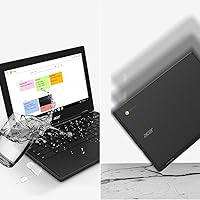
  • Some users may find the overall build quality to be lightweight, potentially making it less durable.
  • The Wi-Fi 5 standard may feel outdated for users who require faster internet connectivity.
  • Limited upgrade options, especially for storage, might be a drawback for power users.

Ratings

After analyzing verified reviews from multiple platforms and languages worldwide, we gathered a balanced view of the Acer Chromebook 311 CB311-10H-42LY based on authentic user experiences. The feedback reflects both the strengths and challenges users face with this device. Spam, bot, incentivized, and exaggerated reviews have been filtered out to ensure the results are based on high-quality, genuine input from actual users across various countries and use cases.

Value for Money
91%
Many users find this Chromebook an excellent choice for its affordability, especially considering its practical performance for everyday tasks. The combination of a reasonable price and essential features, like the battery life and portability, makes it a strong option for budget-conscious buyers looking for a basic laptop experience.
Some users feel that the device's low price comes with compromises, such as the limited storage capacity and less powerful performance for demanding tasks. While it suits basic computing needs, users who expect more advanced functionality might find it lacking for heavy multitasking or media storage.
Portability & Weight
95%
The lightweight design of this device is widely appreciated, particularly by travelers and students. Weighing just 2.87 pounds, it’s easy to carry around for on-the-go use. Its compact size and slim profile make it a perfect choice for anyone needing a portable device that doesn't sacrifice convenience for everyday tasks.
A few users noted that the small size, while great for portability, might feel cramped during extended use, especially for tasks like typing or working on spreadsheets. For those who prefer larger screens or a more expansive keyboard, this device may feel limiting over time.
Battery Life
87%
Users report solid battery performance, with up to 10 hours of use on a single charge. This makes it ideal for long workdays, travel, or school, where charging opportunities might be limited. The extended battery life ensures that the device remains functional throughout the day without the constant need for recharging.
While most users are satisfied with the battery, some have found that the battery drains faster when running more intensive applications or when using Wi-Fi and Bluetooth simultaneously. As a result, heavy users may need to charge it more frequently than the 10-hour claim suggests.
Display Quality
72%
28%
The 11.6-inch HD display offers decent clarity for everyday browsing and casual media viewing, especially for a budget device. Users appreciate its sharpness for basic tasks, making it a good fit for students and professionals who prioritize portability and functionality over ultra-high definition displays.
However, the screen resolution and brightness are not exceptional, especially for video streaming or gaming. Several users pointed out that the display feels underwhelming when watching high-definition content or using the device outdoors under bright light conditions.
Performance for Basic Tasks
80%
20%
For simple tasks like web browsing, document editing, and light media consumption, this Chromebook performs well. The AMD A4 processor and 4GB of RAM provide a smooth experience for most users looking for a no-frills device for day-to-day use, especially in a lightweight and cost-effective package.
When it comes to heavier multitasking or running more demanding applications, users reported some sluggishness. The device may struggle with more complex tasks like large document processing or streaming multiple high-definition videos at once, which can be a limitation for those with higher performance expectations.
Storage Capacity
65%
35%
For users focused on cloud storage and online work, the 64GB eMMC storage offers just enough space for essential files and applications. Many users find the combination of Chrome OS and cloud integration more than adequate for everyday computing, minimizing the need for larger storage.
The limited storage capacity can be a significant issue for those who plan to store large files, photos, or videos locally. Several users have complained that 64GB feels restrictive, especially for students or professionals who need to store more content on the device itself.
Connectivity & Ports
78%
22%
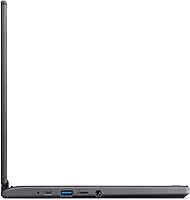
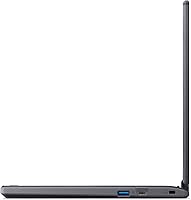
The device comes with essential connectivity options, including USB 3.1 ports, a USB-C port, and a microSD card reader, providing enough flexibility for connecting external devices and expanding storage. The inclusion of Wi-Fi 5 and Bluetooth 4.2 ensures solid online performance and peripheral compatibility.
While adequate for most needs, the Chromebook lacks the latest connectivity standards like Wi-Fi 6 and has only limited USB ports. Some users feel that these older connectivity options may hinder future-proofing, especially for those who rely on higher-speed internet or multiple USB devices.
Build Quality
82%
18%
The build quality of this Chromebook is solid for its price range. The plastic construction feels sturdy enough for regular use, and the compact form factor contributes to a durable, travel-ready design. The sleek, minimalist look adds to its overall appeal as a practical, budget-friendly device.
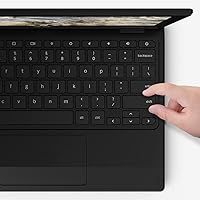
A few users have pointed out that the plastic body, while durable, can feel cheap compared to metal or higher-end devices. Some users also reported minor flexing in the chassis when pressing the keyboard or carrying the device in a bag, indicating that the overall build could be more robust.
Usability & Interface
85%
Chrome OS provides a clean, user-friendly interface that’s easy to navigate, especially for users familiar with Google’s ecosystem. The simplicity of the operating system makes it accessible to beginners, while still providing a solid experience for more tech-savvy users who rely on Google apps.
Some users find Chrome OS limited compared to full-fledged desktop operating systems like Windows or macOS. Certain applications are not supported, and users who are used to more robust software might feel constrained when using the device for tasks outside web browsing and light productivity.
Software Experience
90%
Users enjoy the seamless integration of Google apps and automatic updates provided by Chrome OS. The software runs smoothly on this Chromebook, offering a stable, secure experience with easy access to cloud storage, document editing, and email services. Most reviewers highlight the simplicity and reliability of the operating system.
However, the reliance on cloud-based apps and services means that users without a consistent internet connection may face limitations. While offline mode for Google apps helps, certain tasks still require internet access, which can be inconvenient for users who are frequently offline.
Customer Support
75%
25%
Several users have mentioned that customer support is generally responsive, particularly when it comes to handling basic troubleshooting and warranty claims. The process for warranty service is straightforward and typically does not involve complicated steps, which adds convenience for buyers.
Despite this, some users reported slower-than-expected response times for more complex issues. A few mentioned that troubleshooting beyond basic questions could take longer than anticipated, leading to frustration for those requiring faster resolutions.
Long-Term Value
80%
20%
Considering its affordable price, this Chromebook offers significant long-term value for users who need a device for simple tasks. It provides essential features like solid battery life and portability, making it a good investment for those who prioritize budget-friendly options over high-end performance.
However, some users are concerned about the longevity of the device, especially with its limited storage and performance for more demanding tasks. Buyers who expect to use it for several years might find that its capabilities decline as software and storage needs increase over time.

Suitable for:

The Acer Chromebook 311 CB311-10H-42LY is an excellent choice for users who prioritize portability and affordability. Students with limited budgets or those who need a lightweight device for browsing, email, and document editing will appreciate its compact design and long battery life. Travelers and commuters will also find this laptop ideal due to its slim profile and extended battery, making it easy to carry and use throughout the day without the need for frequent recharging. Additionally, anyone deeply integrated into the Google ecosystem will benefit from the seamless integration of Google apps and cloud-based features, which make it a convenient option for everyday tasks.

Not suitable for:

This Chromebook may not be the right choice for users who require more storage or power for heavy computing tasks. Its 64GB eMMC storage can quickly feel restrictive, especially for those who need to store large files or media locally. Additionally, while it performs well for basic tasks, it struggles with more demanding applications such as video editing, gaming, or multitasking with resource-intensive programs. Professionals or users who need a more powerful machine for such tasks should look for a higher-end model with better specs. Its 11.6-inch display, while functional for casual use, may not satisfy those who require sharper visuals or a larger screen for work-related tasks or media consumption.

Specifications

  • Processor: Equipped with an AMD A4-9120C processor, designed for basic computing tasks and light productivity.
  • Memory: 4GB DDR4 RAM provides enough memory for smooth performance with everyday tasks such as web browsing and document editing.
  • Storage: 64GB eMMC storage offers adequate space for essential files and apps, with the option to expand via microSD card.
  • Display: The 11.6-inch HD display (1366 x 768) offers clear visuals for casual browsing and media consumption.
  • Battery: Up to 10 hours of battery life for all-day use without the need for frequent recharging.
  • Operating System: Runs on Chrome OS, which is optimized for web-based tasks and seamlessly integrates with Google apps.
  • Graphics: Powered by AMD Radeon R4 graphics, suitable for light multimedia tasks but not intended for gaming or video editing.
  • Wi-Fi: Supports Wi-Fi 5 (802.11ac) for fast and reliable wireless internet connections.
  • Bluetooth: Bluetooth 4.2 connectivity allows you to pair with a wide range of peripherals and devices.
  • Ports: Includes 2 x USB 3.1 ports, 1 x USB-C port, and a microSD card reader for versatile connectivity options.
  • Weight: Weighs 2.87 pounds, making it lightweight and portable for easy carrying and use on the go.
  • Dimensions: Measures 11.65 x 8.11 x 0.93 inches, offering a compact and space-saving design.
  • Color: Available in a sleek black color, providing a simple and professional appearance.
  • Camera: Equipped with a front-facing webcam for video calls and basic imaging needs.
  • Microphone: Built-in microphone for clear audio during video chats and voice commands.
  • Security: Includes built-in virus protection and automatic updates to ensure a secure and hassle-free experience.
  • Audio: Stereo speakers deliver adequate sound for casual use like video calls and media playback.
  • Expansion: Supports external storage expansion via the microSD card reader for additional file storage.
  • Software: Pre-installed with Google Chrome OS and integrates well with Google services like Drive and Docs.

Related Reviews
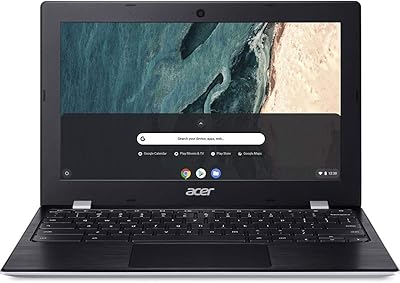
Acer Chromebook 311 CB311-9H-C12A, 11.6-inch, Intel Celeron N4000, 4GB RAM, 32GB eMMC
83%
91%
Value for Money
89%
Battery Life
85%
Performance for Everyday Tasks
76%
Build Quality
94%
Portability/Size
More
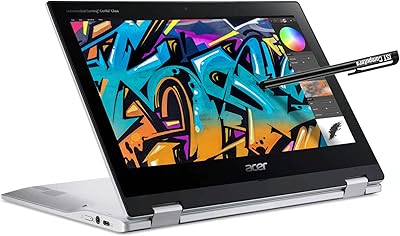
Acer Gateway Chromebook 311 CBO311-1H-C1MX
72%
84%
Value for Money
67%
Performance
73%
Battery Life
61%
Display Quality
59%
Build Quality
More
Acer Spin 311 2H
Acer Spin 311 2H
71%
83%
Value for Money
78%
Build Quality
86%
Battery Life
71%
Display Quality
62%
Performance & Speed
More
Acer Chromebook 11 C732-C6WU
82%
80%
Performance
88%
Build Quality & Durability
94%
Battery Life
65%
Storage Capacity
92%
Portability & Weight
More
Acer Chromebook 11 C740-C4PE
80%
92%
Battery Life
90%
Portability/Size/Weight
87%
Value for Money
78%
Performance
80%
Build Quality/Durability
More
Acer Chromebook 315 Laptop 15.6″
80%
88%
Value for Money
91%
Battery Life
87%
Portability
65%
Display Quality
82%
Keyboard Comfort
More
Acer Chromebook 314 CB314-1HT-C7C0
83%
92%
Value for Money
91%
Battery Life
85%
Display Quality
90%
Portability & Size
80%
Build Quality
More
Acer Chromebook Spin 513 (4GB/64GB)
74%
84%
Battery Life
67%
Performance & Speed
81%
Display Quality
76%
Build Quality & Design
78%
Touchscreen Responsiveness
More
Acer Chromebook 714 CB714-1WT-3447
83%
91%
Build quality & materials
83%
Performance (everyday use)
89%
Battery life
86%
Display clarity & color
88%
Keyboard & typing comfort
More
Acer Chromebook 15 CB3-532-C8DF
81%
91%
Value for Money
94%
Battery Life
82%
Performance for Basic Tasks
67%
Display Quality
75%
Build Quality
More

FAQ

This Chromebook is ideal for basic tasks like web browsing, email, and light productivity, making it a great choice for students, travelers, or anyone needing a simple and portable device for everyday use.

The Chromebook has 64GB of eMMC storage, which is decent for basic tasks and essential files. However, it's not ideal for users who need to store large amounts of media. You can expand storage via the microSD card reader for additional space.

This Chromebook is not designed for intensive tasks like gaming or video editing. It has an AMD A4 processor and 4GB RAM, which are sufficient for basic functions but not for demanding applications.

The Acer Chromebook 311 offers up to 10 hours of battery life, which is great for all-day use without needing frequent recharges. This makes it an excellent choice for students and commuters who need long-lasting power.

This Chromebook comes with 2 USB 3.1 ports, 1 USB-C port, and a microSD card reader, providing sufficient connectivity options for peripherals and file storage.

Yes, the Chromebook can support external monitors via its USB-C port, which can also be used for charging or data transfer. However, it might not be the best option for users who need high-resolution or multiple display setups.

This device runs on Chrome OS, which is designed for web-based tasks and integrates seamlessly with Google apps like Gmail, Google Docs, and Drive.

Compared to other budget laptops, the Acer Chromebook 311 stands out for its portability, long battery life, and seamless integration with Google services. However, its storage capacity and performance may not be enough for users with more demanding needs.

The 11.6-inch HD display is adequate for casual media consumption, but it may not be sharp or vibrant enough for users who prioritize high-quality visuals, especially for video streaming or multimedia-heavy tasks.

To keep your Chromebook in good condition, regularly clean the screen and keyboard with a soft, lint-free cloth. Avoid using harsh cleaning chemicals. Additionally, make sure to perform system updates and back up important data to Google Drive or an external storage device.