Overview

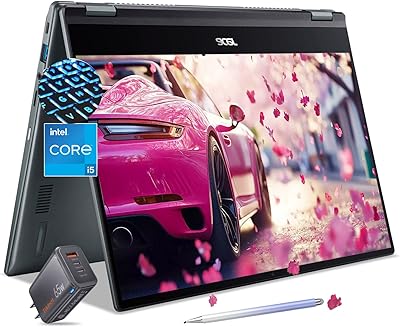
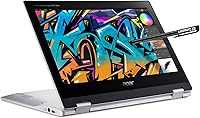
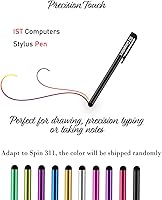
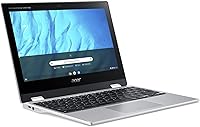
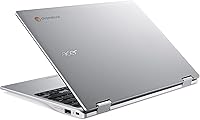
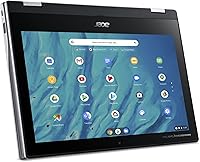
The Acer Spin 311 2H is a compact, budget-conscious 2-in-1 Chromebook designed with students and home users squarely in mind. At just 2 lbs, it slips into a backpack without a second thought, and the 11.6″ IPS touchscreen paired with a full 360-degree hinge means you can switch between laptop, tent, stand, or tablet mode depending on what the moment calls for. Chrome OS keeps things fast and secure without the overhead of a traditional desktop operating system, making it a practical pick for anyone living inside Google's ecosystem. A capacitive stylus pen is included in the box — a small but welcome addition for annotation-heavy coursework.

Features & Benefits

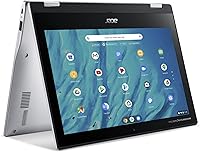
The 360-degree flip hinge is one of the more practical features here — tent mode works well propped on a desk during video calls, while tablet mode with the stylus makes annotating PDFs or sketching diagrams feel natural. The Celeron N4000 handles Google Meet, YouTube, and a handful of open tabs without complaint; just don't expect it to juggle fifteen extensions and a slideshow simultaneously. Storage is modest at 64GB, but paired with Google Drive it rarely becomes a bottleneck for web-first users. The USB-C port handles both charging and external display output, and the rated 13-hour battery holds up well through a typical school day.

Best For

This Chromebook is built for a specific kind of user — and it knows it. K-12 students attending remote classes, college learners working primarily through Google Classroom or Canvas, and parents hunting for an affordable secondary device will find it hits the mark reliably. It also suits light creative work: the included stylus makes quick annotations, mind maps, or rough sketches accessible without buying anything extra. If your daily workflow revolves around a browser, Docs, Sheets, and the occasional Zoom call, this 2-in-1 covers all of it without friction. Power users or anyone running Windows-dependent software should look elsewhere — but that was never the audience here.

User Feedback

Buyers consistently praise the build quality and hinge durability — for a budget device, it feels more solid than expected. Screen clarity and battery life receive strong positive mentions, with many noting it easily lasts a full school day unplugged. The criticisms are predictable: 4GB of RAM starts to show its limits when multiple tabs and apps compete for resources, and the processor won't win any speed contests. A few users found the bundled stylus underwhelming compared to premium alternatives. Those switching from Windows also note an adjustment period with Chrome OS. Overall, most buyers feel value for money is strong, particularly for light, education-focused use.

Pros

  • All-day battery life holds up in real school environments, consistently lasting through classes without a charger.
  • The 360-degree hinge makes switching between laptop, tent, and tablet modes genuinely practical for different settings.
  • At 2 lbs, this Chromebook is light enough that students barely notice it in a bag.
  • Chrome OS keeps the device fast, secure, and updated automatically with minimal maintenance required.
  • A capacitive stylus is included in the box — useful for PDF annotation without any extra cost.
  • The IPS display offers wide viewing angles, making shared screen moments in class or at home comfortable.
  • Build quality feels sturdy for the price, with a hinge that handles regular daily flipping without wobbling.
  • USB-C port handles both charging and external display output, which cuts down on adapter clutter.

Cons

  • Four gigabytes of RAM creates a noticeable bottleneck when multiple tabs and apps compete for resources.
  • The bundled stylus lacks pressure sensitivity, making it underwhelming for anything beyond basic annotation.
  • Local storage fills up faster than expected for users who prefer keeping files offline rather than in the cloud.
  • The 1366x768 resolution looks soft and dated compared to full HD displays available on competing devices.
  • Only two ports total — USB-C and USB-A — limits connectivity when charging and using accessories simultaneously.
  • Built-in speakers distort at higher volumes and lack bass, making shared listening impractical.
  • Webcam performance drops noticeably in low-light conditions, which affects video call quality after dark.
  • Windows switchers often face a real adjustment period with Chrome OS that can take a week or two to overcome.

Ratings

The Acer Spin 311 2H earned its ratings through AI-powered analysis of verified global buyer reviews, with spam, bot-submitted, and incentivized feedback actively filtered out before scoring. The result is an honest, data-driven snapshot of how real students, parents, and everyday users actually experience this 2-in-1 Chromebook — strengths and frustrations included. Every score below reflects the full range of feedback, not just the highlights.

Value for Money
83%
For a 2-in-1 with a touchscreen, stylus, and long battery life, most buyers feel the price is well-justified — particularly for education use. Parents buying a first school laptop frequently call it a smart spend that doesn't feel like a compromise.
A handful of users with prior Windows laptop experience feel the hardware ceiling becomes obvious within months, making the value calculus less clear for anyone expecting longevity beyond a couple of school years.
Build Quality
78%
22%
The chassis feels more solid than the budget price tag suggests, and the hinge in particular draws consistent praise for its rigidity and smooth action. Many students report daily backpack use without visible wear after months of handling.
The plastic body does pick up scratches over time, and a few users noted creaking near the hinge area after extended flip-mode use. It holds up well for careful users but may not survive rough treatment in younger students' bags.
Battery Life
86%
The 13-hour rated battery translates well into real-world use — most buyers report lasting a full school day on a single charge with screen brightness at moderate levels. For students moving between classes without access to outlets, this is a genuine advantage.
Heavy use cases like continuous video streaming or sustained video calling can bring that number down closer to 8 to 9 hours. A small number of users noted battery capacity degrading noticeably after the first year of daily charging cycles.
Display Quality
71%
29%
The IPS panel delivers wide viewing angles that hold up well in tent or stand mode when sharing content with others. Colors are acceptably accurate for everyday schoolwork and streaming, and glare is manageable in most indoor settings.
The 1366x768 resolution is the main sticking point — text and images look noticeably softer compared to full HD displays, which some users find tiring during long reading sessions. Outdoor visibility in bright sunlight is limited.
Performance & Speed
62%
38%
For core Chrome OS tasks — browsing, Google Docs, Meet calls, and YouTube — the Celeron N4000 keeps things moving without frustrating lag. Boot times are quick, and for a web-first workflow it rarely stutters.
Open more than eight or nine browser tabs simultaneously and things slow down in a tangible way. The 4GB RAM ceiling is the real bottleneck here; users who run Google Classroom alongside music, a video, and a shared Doc will notice the strain regularly.
Keyboard & Typing Experience
73%
27%
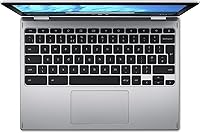
Key travel is adequate for a device this thin, and the layout feels standard enough that most users adapt quickly. Students who spend long stretches typing essays or notes report the keyboard is comfortable for medium-length sessions.
The keyboard flexes slightly under firm typing pressure, and the trackpad, while functional, lacks the smooth precision of mid-range Windows laptops. Some users find the click feedback a bit shallow and imprecise for fast navigation.
Touchscreen Responsiveness
76%
24%
Touch input registers accurately across the screen in both laptop and tablet modes. Scrolling through web pages and tapping app icons in tablet mode feels natural, and the display handles multi-touch gestures without notable drift.
At 11.6 inches the screen real estate is tight for tablet-mode use, making on-screen keyboards and touch navigation feel slightly cramped. A few users noted occasional missed inputs near the screen edges.
Stylus Quality
58%
42%
Having a stylus included at no extra cost is appreciated, particularly for students annotating PDFs or sketching rough diagrams. For casual note-taking and basic markup tasks it gets the job done without any additional purchase.
The capacitive stylus lacks pressure sensitivity and feels noticeably imprecise compared to active EMR styluses on pricier devices. Users hoping to do detailed handwriting or illustration work will find it frustrating, and several describe it as more of a bonus accessory than a real creative tool.
Portability
89%
At 2 lbs and under three-quarters of an inch thick, this 2-in-1 is genuinely easy to carry all day. Students who commute between multiple classes or carry their bag across campus consistently cite the lightweight form factor as one of the most appreciated practical benefits.
The 11.6-inch screen, while great for portability, can feel cramped when multitasking or viewing detailed content for extended periods. A few users wish the device were available in a 13-inch format without sacrificing the weight advantage.
Hinge & Multi-Mode Flexibility
77%
23%
The 360-degree hinge is smooth and holds its position firmly in tent and stand modes — it doesn't flop or wobble when the screen is propped up for a video. Switching between modes takes seconds and feels intuitive after minimal practice.
Some longer-term users reported the hinge becoming slightly looser after a year or more of frequent flipping between modes. It still functions, but the initial firmness diminishes, which can be noticeable during stand-mode use on an uneven surface.
Chrome OS Experience
74%
26%
For users already embedded in Google's ecosystem — Docs, Drive, Meet, Classroom — Chrome OS feels natural and efficient. The OS stays updated automatically and runs lean, which helps the modest hardware perform well above what its specs might suggest on Windows.
Users switching from Windows frequently describe a learning curve that takes one to two weeks to feel comfortable. The absence of traditional desktop software like Microsoft Office or Adobe apps is a real limitation for users who rely on those tools professionally or academically.
Storage Capacity
61%
39%
For cloud-first users, 64GB of local eMMC storage is workable — Google Drive integration means most files live online anyway, and the eMMC provides fast read speeds for local app access. Students who stream rather than download rarely hit the cap.
Users who prefer keeping files locally, or who download videos and large project files for offline access, will find 64GB fills up faster than expected. There is no microSD card slot on this model, leaving Google Drive as the only practical expansion path.
Webcam Quality
59%
41%
The webcam is functional for standard video calls on Meet or Zoom — it handles well-lit indoor environments adequately and produces acceptable image quality for classroom interactions and remote check-ins.
In lower light conditions, image quality degrades noticeably with increased grain and color inaccuracy. Users who participate in frequent professional or academic video sessions may find the webcam underwhelming compared to even modestly priced standalone alternatives.
Connectivity & Ports
69%
31%
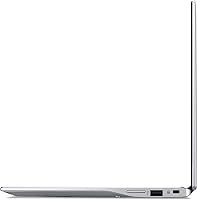
The USB-C port covering both charging and display output is a practical inclusion, and having a USB-A 2.0 port alongside it means standard accessories like flash drives and wired mice connect without adapters. Bluetooth 4.2 pairs reliably with headphones and keyboards.
Only two ports total is limiting — if you're charging via USB-C and plugging in a flash drive simultaneously, you've used up everything available. The absence of a full-size USB 3.0 port and any card reader slot is a tangible compromise at this form factor.
Audio Quality
54%
46%
Built-in speakers are sufficient for casual YouTube viewing or listening to a lecture in a quiet room. Volume output is adequate for personal use in low-noise environments, and the 3.5mm combo jack works reliably with standard headphones.
At higher volumes the speakers distort and lack any real bass presence, making shared listening or classroom projection impractical. Most users report defaulting to headphones for anything beyond background listening, which limits the usefulness of the built-in audio significantly.

Suitable for:

The Acer Spin 311 2H is purpose-built for students and families who need a reliable, no-fuss device for school and home without stretching the budget. K-12 students attending hybrid or fully remote classes will find it hits every practical requirement — Google Classroom, Meet, Docs, and YouTube all run without issue, and the 13-hour battery means a full day of lessons without hunting for an outlet. College students who live inside Google Workspace will feel right at home, particularly those who appreciate having a touchscreen and stylus for annotating lecture slides or sketching rough diagrams. Parents looking for a secondary household computer for kids — something durable enough for daily backpack use but affordable enough that a drop doesn't cause a crisis — will find this 2-in-1 fits that role well. It also works nicely for light home users who primarily browse, stream, and video call, and who have no dependency on Windows-specific software.

Not suitable for:

This 2-in-1 is a focused tool, and buyers with broader expectations will likely run into frustration quickly. Anyone who relies on Windows-native applications — think Adobe Creative Suite, Microsoft Office installed locally, specialized academic software, or PC gaming — will find Chrome OS a hard wall rather than a minor inconvenience. The Celeron N4000 processor and 4GB of RAM are honest enough for a single-focus workflow, but users who habitually run ten or more browser tabs, stream music in the background, and share a screen simultaneously will feel the strain regularly. The 1366x768 display, while decent for casual use, will disappoint anyone accustomed to full HD screens, especially during long reading or coding sessions. Professionals needing a primary work machine, content creators who edit video or do detailed illustration, and power users with heavier multitasking demands should look well beyond this price tier and this device.

Specifications

  • Display: 11.6″ IPS LED-backlit touchscreen with a 1366x768 pixel resolution and a 16:9 aspect ratio.
  • Processor: Intel Celeron N4000 dual-core processor clocked at up to 2.0GHz with burst capability.
  • RAM: 4GB LPDDR4X onboard memory soldered to the motherboard and not user-upgradeable.
  • Storage: 64GB eMMC internal storage with fast read speeds suited to Chrome OS app loading and local file access.
  • Operating System: Chrome OS, maintained with automatic background updates and backed by Google's built-in security architecture.
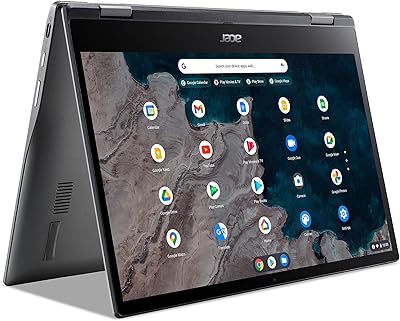
  • Hinge Design: 360-degree flip hinge enables four distinct usage modes: laptop, tent, stand, and tablet.
  • Stylus: Capacitive stylus pen included in the box, compatible with the touchscreen for annotation and basic sketching.
  • Battery Life: Rated at up to 13 hours of mixed-use battery life on a single full charge.
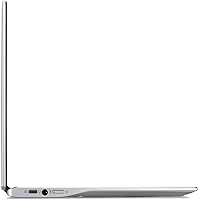
  • Ports: One USB-C 3.1 Gen 1 port with DisplayPort and charging support, plus one USB 2.0 Type-A port.
  • Audio Jack: One 3.5mm combo jack supporting both headphone output and microphone input.
  • Wireless: 802.11ac (Wi-Fi 5) dual-band wireless connectivity with Bluetooth 4.2 support.
  • Webcam: Built-in HD webcam positioned above the display for video calls and online meetings.
  • Graphics: ARM Mali-G72 MP3 integrated graphics handling standard video playback and light visual tasks.
  • Dimensions: Device measures 11.42 x 8.11 x 0.74 inches (LxWxH) when closed in laptop configuration.
  • Weight: Complete unit weighs approximately 2 lbs, making it one of the lighter options in its class.
  • Color: Available in Pure Silver finish with a plastic chassis and textured lid surface.
  • Security Slot: Kensington Lock slot included on the chassis for physical security in shared or classroom environments.
  • Memory Slot: No user-accessible RAM slot or microSD card slot; storage expansion relies on cloud or USB peripherals.
  • Optical Drive: No optical drive included; media access is handled entirely through digital downloads and streaming.
  • Power Input: Charges via the USB-C port, accepting standard USB-C power delivery chargers rated at compatible wattage.

Related Reviews
Acer Chromebook 311 CB311-10H-42LY
82%
91%
Value for Money
95%
Portability & Weight
87%
Battery Life
72%
Display Quality
80%
Performance for Basic Tasks
More
Acer Chromebook Spin 513 (4GB/64GB)
74%
84%
Battery Life
67%
Performance & Speed
81%
Display Quality
76%
Build Quality & Design
78%
Touchscreen Responsiveness
More
Acer Chromebook Spin 714 CP714-1WN-53M9
77%
88%
Build Quality
86%
Display Quality
83%
Performance & Speed
71%
Battery Life
84%
Keyboard & Typing Experience
More
Acer Gateway Chromebook 311 CBO311-1H-C1MX
72%
84%
Value for Money
67%
Performance
73%
Battery Life
61%
Display Quality
59%
Build Quality
More
Acer Aspire 3 Spin 14 (A3SP14-31PT)
74%
88%
Display Quality
83%
Convertible Versatility
91%
Value for Money
47%
Storage Capacity
74%
Performance (Daily Tasks)
More
Acer Chromebook Spin 514 i5-1334U 8GB 512GB SSD 14-inch
86%
88%
Performance
92%
Battery Life
85%
Build Quality
87%
Display Quality
91%
Portability
More
Acer Chromebook Spin 713 2-in-1, Intel Core i5-10210U, 8GB RAM, 128GB SSD
84%
85%
Performance
90%
Build Quality
94%
Portability/Weight
88%
Battery Life
80%
Display Quality
More
Acer Chromebook 311 CB311-9H-C12A, 11.6-inch, Intel Celeron N4000, 4GB RAM, 32GB eMMC
83%
91%
Value for Money
89%
Battery Life
85%
Performance for Everyday Tasks
76%
Build Quality
94%
Portability/Size
More
Acer RE100 1TB SSD
Acer RE100 1TB SSD
84%
91%
Performance
89%
Read Speed
88%
Installation Ease
80%
Reliability
85%
Storage Capacity
More
Acer Ergonomic Vertical Wireless Mouse
80%
92%
Ergonomics & Comfort
88%
Battery Life
85%
Build Quality
90%
Wireless Connectivity
80%
DPI Adjustability
More

FAQ

Not the traditional desktop versions, no. Chrome OS does not run standard Windows software. That said, you can use Microsoft 365 through a browser or download the Android versions of Word, Excel, and PowerPoint from the Google Play Store — they work reasonably well for everyday documents and spreadsheets, though heavy formatting work is better handled on a Windows machine.

Unfortunately, no. The 4GB of RAM is soldered directly onto the motherboard, which means it cannot be upgraded after purchase. What you buy is what you get for the life of the device, so it is worth being honest with yourself upfront about how heavily you plan to multitask.

It works for basic annotation — tapping, circling, underlining — but it is a capacitive stylus rather than an active EMR pen, so it has no pressure sensitivity and the tip is relatively broad. For quick PDF markups or rough sketches it is fine, but students expecting the precision of a Wacom or Microsoft Surface Pen will be disappointed. Think of it as a useful bonus accessory rather than a serious creative tool.

Yes, for standard video calls it performs well. The Celeron N4000 handles a single Meet or Zoom session smoothly, and the 13-hour battery means you can sit through a full day of virtual classes without reaching for a charger. Just avoid running heavy background tasks simultaneously, as that is where the 4GB RAM limit starts to show.

The main trade-off is the operating system. A similarly priced Windows laptop may offer more software compatibility, but Chrome OS on this 2-in-1 tends to feel faster and more responsive on the same modest hardware because it is a leaner system. If your workflow is browser-based and Google-centric, this device often feels snappier day-to-day than a budget Windows machine with similar specs.

Yes, both services run well through the Chrome browser or their respective Android apps from the Play Store. The IPS screen handles streaming content at acceptable quality for personal viewing, and the battery life is strong enough for several episodes in a sitting. The built-in speakers are thin at higher volumes, so headphones are recommended for a better experience.

It depends on how you work. If you store most of your files in Google Drive and stream rather than download media, 64GB is manageable. If you prefer keeping everything locally — offline videos, large project files, downloaded apps — it fills up faster than you might expect. There is no microSD slot, so Google Drive or a USB drive are your only expansion options.

In the short to medium term, the hinge feels solid and holds its position well across all four modes. Some users have noted it becomes marginally looser after a year or more of frequent flipping, but it continues to function. For a student switching between laptop and tablet mode a few times a day, it holds up well for the price.

It works offline for a number of tasks — Google Docs, Sheets, and Slides all have offline modes you can enable in advance, and many Android apps function without a connection. That said, Chrome OS is clearly designed with an internet connection in mind, and you will notice the experience becomes more limited the longer you are without Wi-Fi.

For most secondary school use cases, yes — Google Classroom, research, essay writing, video calls, and presentations are all handled without issue. The lightweight build and long battery make it practical for school days, and Chrome OS is low-maintenance enough that parents do not need to worry about malware or constant software updates. Just make sure the school does not require any Windows-specific software before committing to the purchase.