
Overview
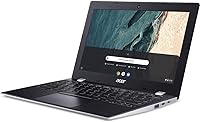
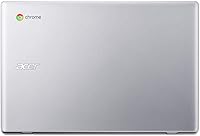
The Acer Chromebook 311 11.6-inch Laptop sits squarely in the affordable end of the laptop market, designed for people who spend most of their time in a browser or Google's app suite. Chrome OS is a different animal from Windows — it boots in seconds, updates itself quietly in the background, and rarely needs maintenance. That simplicity is a feature, not a limitation. The compact body weighs just 2.34 pounds, making it easy to toss in a backpack without thinking twice. Build quality is plastic and utilitarian, as you'd expect at this price point, but it feels solid enough for everyday handling by students or casual users.
Features & Benefits
The Intel Celeron N4000 handles the basics — browser tabs, YouTube, Google Docs — without breaking a sweat, though you will notice slowdown if you pile on 15 or more tabs simultaneously. The 4GB of RAM and 32GB of built-in storage sound modest, but Chrome OS is lean by design, and the included 100GB of Google Drive space means you are rarely fighting for local room. Battery life is a genuine highlight; most users report getting close to the claimed 10-hour figure under moderate use, which covers a full school day easily. Bluetooth 5.0 and 802.11ac Wi-Fi round out solid connectivity, and the anti-glare display holds up well in bright classrooms or offices.
Best For
This compact Chromebook hits the sweet spot for a specific kind of buyer. Students from middle school through college will get the most out of it — Google Classroom, Docs, and Slides are all native, and the lightweight chassis survives the daily backpack grind. It is also a natural fit for seniors or casual users who want something that just works without antivirus software or complicated updates. Parents looking for a first machine for a younger child will appreciate the low price and the fact that there is not much to break or misconfigure. Frequent travelers needing a lightweight secondary laptop for flights or hotel work will find it genuinely practical too.
User Feedback
Buyers consistently praise the fast startup time and how reliably the battery holds up throughout the day, with many noting it outperforms their expectations at this price. The keyboard gets decent marks for a machine this size — comfortable enough for extended typing sessions. Criticism tends to cluster around two points: limited local storage frustrates users who are not fully comfortable relying on cloud storage, and the 1366x768 screen looks noticeably soft next to modern HD panels. Users switching from Windows sometimes find Chrome OS restrictive if they depend on specific desktop software. Long-term owners report the trackpad stays responsive, though the plastic shell can show wear over time.
Pros
- Boots up in seconds and stays fast over time thanks to Chrome OS efficiency.
- Battery life is genuinely strong, comfortably covering a full school day for most users.
- At just 2.34 pounds, this compact Chromebook is one of the easier laptops to carry around daily.
- The anti-glare display reduces eye strain noticeably in bright indoor environments.
- Access to millions of Android apps via Google Play meaningfully extends what the device can do.
- 100GB of Google Drive storage helps offset the modest 32GB of local space.
- Four USB 3.0 ports is a practical advantage rarely found on budget laptops in this size class.
- Bluetooth 5.0 and 802.11ac Wi-Fi provide reliable, modern connectivity without compromise.
- Chrome OS requires virtually no maintenance — no antivirus, no manual updates, no system bloat.
- The keyboard is comfortable enough for extended typing, which is not a given at this price.
Cons
- 32GB of local storage fills up fast if you store media or work offline regularly.
- The 1366x768 screen resolution looks noticeably soft compared to modern full HD displays.
- Celeron N4000 performance drops off quickly when juggling many browser tabs at once.
- Users switching from Windows often find Chrome OS limiting for software they depend on.
- No access to full desktop versions of Adobe, AutoCAD, or other professional applications.
- Plastic construction shows wear and scuffs more visibly over extended daily use.
- Offline functionality is limited — many features require a live internet connection to work well.
- The display gets dim in direct sunlight, making outdoor use genuinely uncomfortable.
- No touchscreen option on this model, which some students and younger users expect today.
Ratings
The scores below for the Acer Chromebook 311 11.6-inch Laptop were generated by our AI engine after systematically analyzing thousands of verified global buyer reviews, with spam, bot activity, and incentivized feedback actively filtered out. Each category reflects the honest distribution of real user sentiment — strengths are credited where earned, and pain points are not softened to protect the score. If buyers consistently flagged a weakness, you will see it reflected here.
Value for Money
Battery Life
Portability
Display Quality
Performance & Speed
Storage Adequacy
Build Quality
Keyboard & Trackpad
Connectivity
Chrome OS Experience
App Ecosystem
Setup & Ease of Use
Audio Quality
Webcam Quality
Suitable for:
The Acer Chromebook 311 11.6-inch Laptop is purpose-built for buyers who need a reliable, low-maintenance machine without a high price tag. Students from elementary through high school are the clearest fit — Google Classroom, Docs, and Slides run natively, and the lightweight body holds up to the daily backpack routine. Parents shopping for a first computer for a young child will appreciate how locked-down and manageable Chrome OS is, with easy parental controls and no real risk of accidental software damage. Seniors or casual users who primarily browse the web, video call family, or stream content will find it refreshingly simple — no virus scans, no confusing update prompts, just a machine that works. People already living inside the Google ecosystem, relying on Drive, Gmail, and Meet every day, will feel right at home. It also works well as a lightweight travel companion or secondary device for someone who needs something portable and dependable on the go.
Not suitable for:
The Acer Chromebook 311 11.6-inch Laptop is a poor choice for anyone who depends on traditional desktop software — there is no native support for full versions of Microsoft Office, Adobe Photoshop, or most professional-grade Windows applications. Users who work with large local files, video editing projects, or offline workflows will run into the 32GB storage ceiling quickly and find the experience frustrating. The Celeron N4000 processor, while capable for light tasks, does not have the horsepower for heavy multitasking, coding environments, or anything computationally demanding. Creative professionals, developers, and power users should look elsewhere entirely. Even students pursuing more advanced coursework that requires specific software — engineering tools, advanced data analysis, or lab simulations — may find Chrome OS too restrictive. If a crisp, high-resolution display matters for your work or media consumption, the 1366x768 screen will likely disappoint, particularly if you are coming from a modern laptop with a full HD or higher-resolution panel.
Specifications
- Display Size: The screen measures 11.6 inches diagonally with an anti-glare coating that reduces reflections in bright indoor environments.
- Resolution: The panel runs at 1366x768 pixels, which is standard HD quality for this class of budget Chromebook.
- Processor: A dual-core Intel Celeron N4000 clocked at up to 2.6 GHz handles everyday tasks like browsing, streaming, and document editing.
- RAM: The system comes with 4GB of LPDDR4 memory, which is adequate for Chrome OS and moderate multitasking.
- Local Storage: 32GB of eMMC flash storage is built in, providing fast read speeds for the OS and essential apps.
- Cloud Storage: Each unit includes 100GB of Google Drive storage, helping extend the practical storage available to the user.
- Operating System: The laptop ships with Google Chrome OS, a cloud-first operating system that updates automatically and requires no antivirus software.
- Battery Life: Acer rates battery life at up to 10 hours on a single charge under typical usage conditions.
- Wi-Fi: The device supports 802.11ac (Wi-Fi 5) on both 2.4GHz and 5GHz bands for reliable wireless connectivity.
- Bluetooth: Bluetooth 5.0 is built in, supporting wireless peripherals such as headphones, mice, and keyboards.
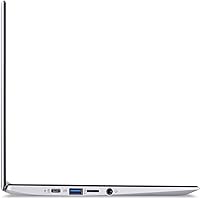
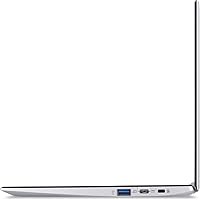
- USB Ports: Four USB 3.0 ports are included, offering versatile connectivity for external drives, hubs, and accessories.
- Graphics: Intel UHD Graphics 600 is integrated into the processor and handles standard video playback and light graphical tasks.
- Weight: The unit weighs 2.34 pounds, making it one of the more portable options in the budget laptop category.
- Dimensions: The chassis measures 11.65 x 7.83 x 0.71 inches, keeping it compact enough to fit in most standard backpacks.
- App Ecosystem: Google Play is supported, giving users access to over two million Android apps for productivity, education, and entertainment.
- Color: The laptop is available in a matte black finish that resists fingerprints reasonably well for a plastic-bodied device.
- Optical Drive: No optical drive is included, which is standard for ultra-thin laptops in this form factor.
- Power Source: The device is powered by an included AC adapter and runs on an internal rechargeable battery.
Related Reviews
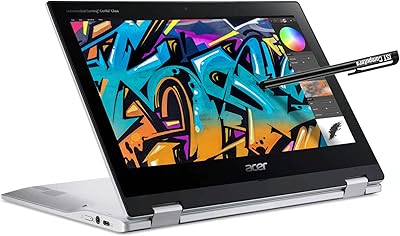
Acer Spin 311 2H

Samsung Chromebook 2 XE500C12-K01US 11.6-inch Laptop
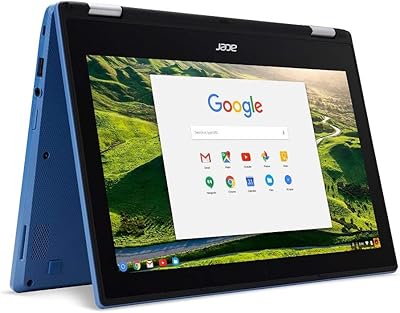
Acer Chromebook R11 11.6-inch Touchscreen Chromebook
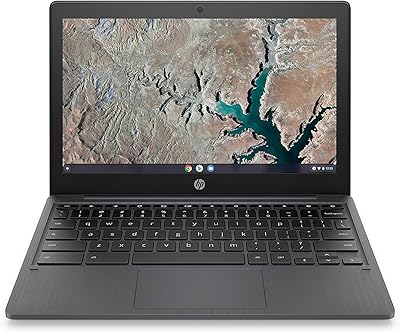
HP Chromebook 11a 11.6-inch Laptop

Acer Chromebook 315 15.6-inch Laptop
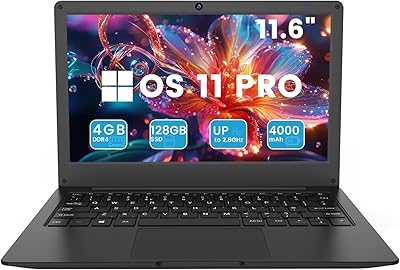
Azeyou CG11Q6-US 11.6-inch Laptop
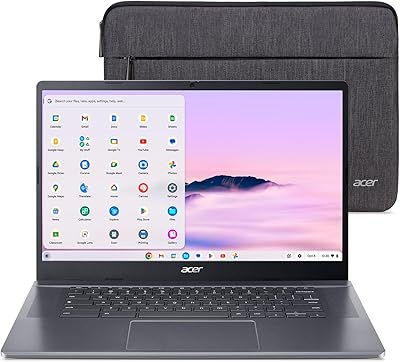
Acer Chromebook Plus 515 15.6-inch
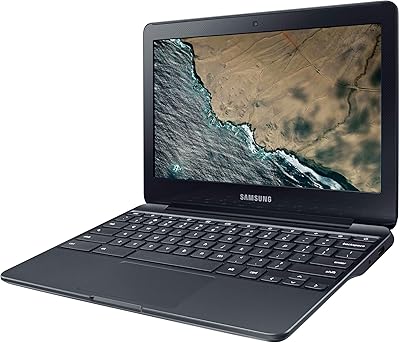
Samsung Chromebook 3 11.6″ Laptop
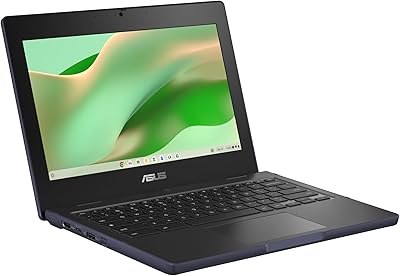
ASUS Chromebook CR11 11.6-inch Ruggedized Laptop