

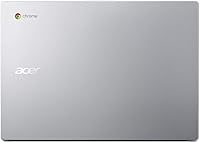
Overview
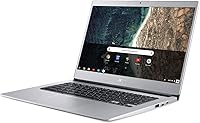
The Acer Chromebook 514 14-inch Laptop is a straightforward, no-fuss machine built around Google's ecosystem for users who live primarily in a browser. Released in late 2018, it is worth acknowledging upfront that this is not cutting-edge hardware — but for students, casual home users, and anyone needing a lightweight second device, it still holds its own. At just 3.09 pounds and 0.67 inches thin, portability is a genuine strength here, not just marketing copy. Chrome OS keeps things simple: fast boots, automatic updates, built-in security. If you need Windows apps or heavy multitasking, look elsewhere. But for everyday web-based tasks, this Chromebook delivers exactly what it promises.
Features & Benefits
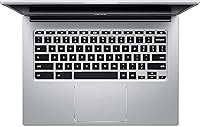
The 14-inch IPS display is one of the CB514's biggest selling points — full 1920x1080 resolution means text stays sharp and videos look clean, which is not a given at this price tier. The Intel Celeron N3350 paired with 4GB of RAM handles Google Docs, YouTube, and video calls without complaint, though opening a dozen browser tabs simultaneously will push its limits noticeably. Storage is tight at 32GB, but the bundled 100GB of Google Drive space softens that considerably for anyone comfortable working in the cloud. The backlit keyboard is a standout addition — genuinely useful for students or late-night workers. Battery life hovers around 8 to 10 hours in real-world use, short of the 12-hour claim but still solid for a full day.
Best For
This 14-inch Chrome laptop hits a sweet spot for K–12 and college students who spend most of their day inside Google Workspace — Docs, Sheets, Meet, and Classroom are all right at home here. It also works well as a household shared device: Chrome OS requires almost no maintenance, updates happen in the background, and getting back into it after months of disuse is painless. Older adults or first-time laptop owners will appreciate how uncomplicated the experience is. That said, skip it if your work depends on Windows-only software, if you regularly work without internet access, or if you tend to keep 20-plus tabs open at once. It is a focused tool, not a flexible workhorse.
User Feedback
Owners of the Acer CB514 consistently praise its screen clarity and brightness — for a budget machine, the display genuinely impresses buyers who expected considerably less. The keyboard comfort comes up repeatedly, particularly among students who type for long stretches. On the flip side, the 4GB RAM ceiling is a real sore point for anyone who multitasks heavily, with noticeable slowdowns when juggling several apps simultaneously. Some buyers mention occasional Wi-Fi drops, and a handful of longer-term owners have flagged hinge loosening over time. Switching from Windows trips people up initially, though most report adjusting within a week or two. Two to three years in, the machine generally still performs adequately for light daily tasks.
Pros
- The full HD IPS display delivers sharp, clear visuals that punch well above expectations for the price tier.
- At 3.09 pounds and under an inch thin, this Chromebook travels light without feeling cheap or flimsy.
- Chrome OS boots in seconds and stays responsive over time without the slowdowns common to older Windows machines.
- The backlit keyboard is a rare and genuinely useful feature at this price point, appreciated by students and late-night users alike.
- Battery life comfortably gets most users through a full school or workday on a single charge.
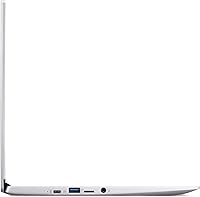
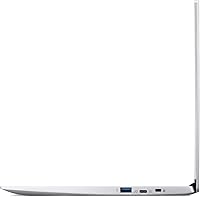
- Four USB 3.0 ports offer more wired connectivity than most competing Chromebooks in this category.
- Built-in virus protection and automatic background updates mean virtually zero maintenance headaches.
- Access to the Google Play Store meaningfully expands the app library beyond basic web tools.
- The 100GB of Google Drive storage included takes the sting out of the modest local storage capacity.
- Long-term owners report the machine still handles everyday tasks reliably after two to three years of regular use.
Cons
- Four gigabytes of RAM becomes a real bottleneck when more than six or seven browser tabs are open at once.
- Thirty-two gigabytes of local storage fills up quickly for users who download files, apps, or media regularly.
- The 802.11a/b/g Wi-Fi standard is outdated and lacks 802.11n or AC support, which can limit connection speeds on modern routers.
- Some owners have reported hinge loosening after extended daily use, which raises questions about long-term build durability.
- Occasional Wi-Fi drops appear with enough frequency in user reviews to be worth noting before buying.
- Users switching from Windows face a genuine adjustment period — some never fully warm to Chrome OS's constraints.
- The Celeron N3350 processor shows its age when running demanding Android apps alongside active browser sessions.
- Real-world battery performance often falls short of the advertised 12-hour figure under moderate-to-heavy usage.
- No dedicated microSD slot limits easy, low-cost local storage expansion options.
- As a 2018 device, it may be approaching the end of Google's guaranteed automatic OS update support window.
Ratings
Our AI rating system analyzed thousands of verified global buyer reviews for the Acer Chromebook 514 14-inch Laptop, actively filtering out incentivized, duplicate, and bot-generated feedback to surface what real users genuinely experience. Scores reflect both the consistent praise and the recurring frustrations reported across long-term owners, students, and first-time Chromebook users. Nothing has been smoothed over — where this machine earns its keep, the scores show it, and where it falls short, that is reflected just as honestly.
Display Quality
Performance
Battery Life
Keyboard & Typing
Build & Portability
Storage & Local Space
Wi-Fi & Connectivity
Chrome OS Experience
Value for Money
Audio Quality
Setup & Ease of Use
Long-term Reliability
Android App Support
Suitable for:
The Acer Chromebook 514 14-inch Laptop is a genuinely smart pick for anyone whose daily computing revolves around a browser and Google's suite of tools. Students from middle school through college will find it handles Google Docs, Slides, Meet, and Classroom without breaking a sweat, and the backlit keyboard makes late-night study sessions far more practical. It is equally well-suited to parents searching for a low-maintenance shared family device — Chrome OS stays updated automatically, resists malware without much user effort, and is simple enough for all ages to navigate. Older adults or first-time laptop owners who feel intimidated by complex operating systems often take to it quickly, appreciating how little can go wrong day-to-day. For remote workers who need a lightweight, grab-and-go machine purely for email, video calls, and light document editing, the slim build and all-day battery make it easy to recommend.
Not suitable for:
The Acer Chromebook 514 14-inch Laptop has real boundaries that some buyers discover too late. Anyone who relies on Windows-specific software — whether that is Adobe Photoshop, specialized business applications, or PC gaming — will find Chrome OS simply cannot fill that gap, regardless of how well the hardware performs. The 4GB of RAM and Celeron processor are adequate for focused tasks but struggle noticeably when users push the machine with multiple demanding tabs, video editing tools, or heavy Android apps running simultaneously. Professionals who frequently work offline will also run into friction, since the experience is genuinely optimized around a live internet connection. With just 32GB of local storage, users who keep large media libraries or download-heavy workflows locally will hit the ceiling fast. Finally, buyers looking for a primary laptop to last five or more years with room to grow should consider something with more headroom; this machine was designed for constrained, specific use rather than versatility.
Specifications
- Display Size: The screen measures 14 inches diagonally with a Full HD IPS LED-backlit panel running at 1920x1080 pixel resolution.
- Display Type: IPS technology provides wider viewing angles and more consistent color accuracy compared to standard TN panels common at this price tier.
- Processor: An Intel Celeron N3350 dual-core chip clocks up to 2.4GHz, handling everyday browsing, video streaming, and light productivity tasks adequately.
- RAM: 4GB of LPDDR4 DDR4 memory runs at 2400MHz and is soldered to the board, meaning it cannot be upgraded after purchase.
- Storage: 32GB of eMMC flash storage is built in for local files, apps, and offline content, with no traditional hard drive bay available.
- Cloud Storage: 100GB of Google Drive space is included, providing automatic cloud backup for documents, photos, and files when connected to the internet.
- Operating System: Chrome OS comes pre-installed, offering a streamlined, browser-centric experience with built-in Google account integration and automatic background security updates.
- Battery Life: Acer rates battery endurance at up to 12 hours, though real-world use typically yields 8 to 10 hours depending on screen brightness and workload.
- Keyboard: A full-size backlit keyboard is included, allowing comfortable typing in low-light environments — an uncommon feature in this price bracket.
- Ports: Four USB 3.0 ports are available for connecting peripherals, external drives, and accessories without needing a hub for most standard setups.
- Wireless: Wi-Fi connectivity supports 802.11a, 802.11b, and 802.11g standards, which is functional but does not include the faster 802.11n or 802.11ac protocols.
- Graphics: Intel HD Graphics 500 handles integrated display output and light media playback; it is not suited for gaming or GPU-accelerated creative applications.
- App Support: The Google Play Store is accessible, giving users the ability to install a wide range of Android apps beyond what is available through the Chrome browser alone.
- Weight: The unit weighs 3.09 pounds, making it light enough for daily carry in a backpack or tote without noticeable fatigue.
- Dimensions: Physical dimensions measure 12.72 x 9.13 x 0.67 inches, resulting in a slim, compact footprint that fits most standard laptop sleeves and bags.
- Color: The chassis is finished in gray, with a clean, understated design that avoids the plasticky appearance common to many budget laptops.
- Processor Brand: Intel manufactures the chipset, with the integrated graphics and processor sharing the same N3350 silicon package built on a 14nm architecture.
- Power Source: The device is powered by a built-in lithium metal battery and ships with an AC adapter rated at 240 volts for international compatibility.
Related Reviews
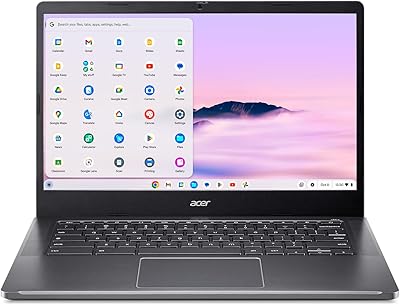
Acer Chromebook Plus 514 CB514-4HT
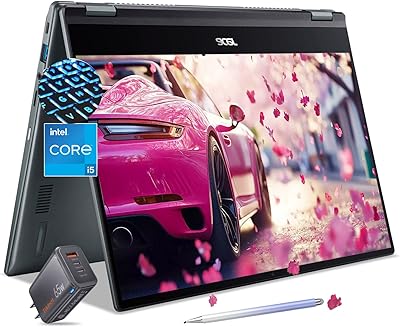
Acer Chromebook Spin 514 i5-1334U 8GB 512GB SSD 14-inch

ASUS Chromebook CM14 (CM1402CM2A-DS44)

HP Chromebook 14a 14-inch Laptop

HP Chromebook 14 AMD A4 Laptop
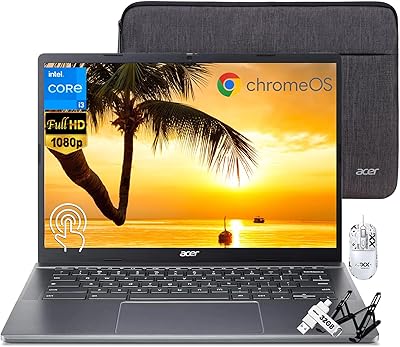
Acer Chromebook Plus 514 14″ Touchscreen Laptop
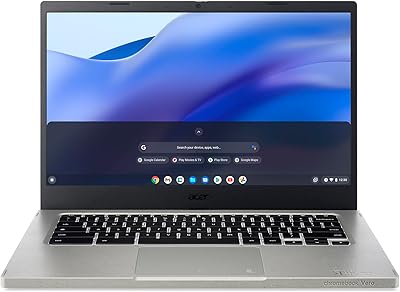
Acer Vero 514 14″ Chromebook
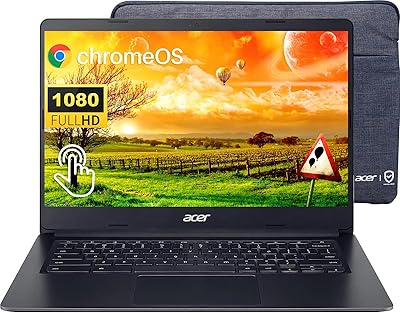
Acer Chromebook 314 14″ Laptop

HP Chromebook Plus x360 14-inch 2-in-1 Laptop
