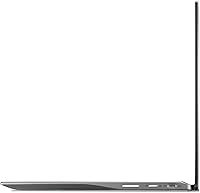
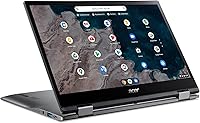
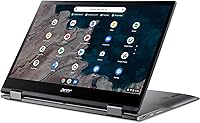
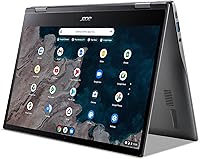
Overview

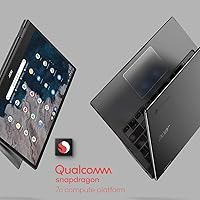
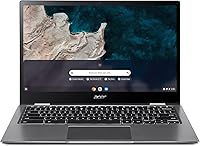
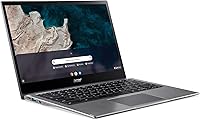
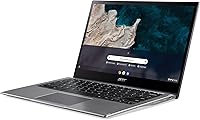
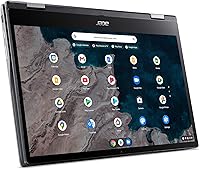
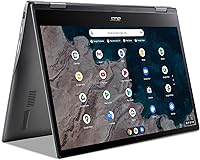
The Acer Chromebook Spin 513 (4GB/64GB) enters the budget 2-in-1 space with a few genuine points of distinction. Unlike most affordable Chromebooks that lean on older Intel Celeron chips, this one runs on Qualcomm's Snapdragon 7c — an ARM-based processor that brings a fanless, quiet build and solid energy efficiency. The 360-degree hinge and Gorilla Glass touchscreen give it a more capable feel than the price might suggest. That said, Chrome OS keeps things grounded: this is a machine built for browsing, Google apps, and light productivity. Set your expectations accordingly and it delivers well.
Features & Benefits

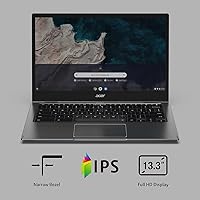
The 13.3-inch FHD IPS display is genuinely pleasant for everyday use — colors are accurate enough for streaming and video calls, and the Gorilla Glass adds reassuring scratch resistance. The Snapdragon 7c keeps things moving without a fan, so the Spin 513 runs completely silent. Where buyers need to be realistic is with 4GB of RAM and 64GB of storage: Chrome OS handles both efficiently, but heavy multitasking or Android app use will hit limits. Battery life lands somewhere between 10 and 13 hours in real mixed-use conditions — comfortably all-day capable for most people. The backlit keyboard and convertible modes round out a thoughtfully built package.

Best For

This convertible Chromebook is a natural fit for students and younger users who live inside Google Workspace, YouTube, and light app use throughout the school day. Its 2.65-pound weight and long battery life also make it appealing for commuters who need something reliable but don't want to lug around a heavier machine. Families looking for an affordable second device will find it handles casual browsing and video streaming without complaint. If you're already tied into the Google ecosystem, the experience feels cohesive. Those who need Windows software, heavy multitasking, or Android app depth, however, should look elsewhere.

User Feedback

Buyers consistently highlight portability and battery longevity as the Spin 513's strongest real-world traits, with many noting it easily gets through a full school or work day. The display earns quiet praise for its clarity at this price point. On the downside, users running multiple browser tabs alongside Android apps notice the RAM constraint fairly quickly. Some also report that the keyboard feels a touch shallow for extended writing sessions. A handful of buyers have flagged minor out-of-box setup issues, though these appear infrequent. Overall, most find the value proposition solid when expectations are aligned with what a budget Chromebook is actually built to do.

Pros

  • Genuinely all-day battery life that holds up through a full school or work day without a charger.
  • The fanless Snapdragon 7c runs completely silent — ideal for libraries, classrooms, and quiet offices.
  • FHD IPS display looks sharp and vibrant for streaming, video calls, and everyday reading at this price tier.
  • Corning Gorilla Glass on the touchscreen adds real scratch resistance that cheaper Chromebooks skip.
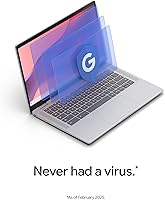
  • Chrome OS stays fast and clutter-free — no bloatware, no slow update reboots, no virus concerns.
  • At 2.65 pounds, this Chromebook is easy to carry all day without back or shoulder fatigue.
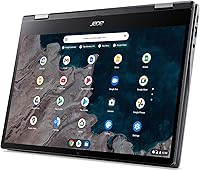
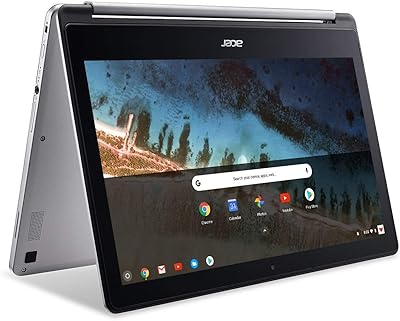
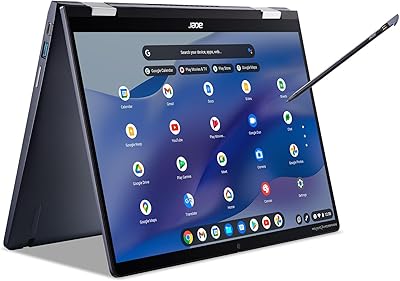
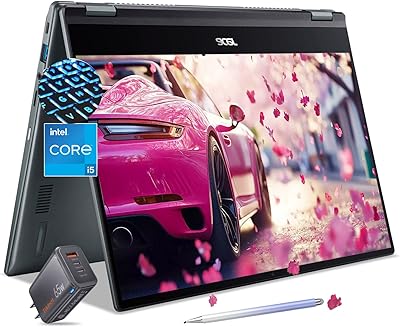
  • The 360-degree hinge makes tent and presentation modes genuinely useful in tight spaces like planes or lecture halls.
  • Built-in Titan C2 security chip provides hardware-level protection that most budget laptops do not offer.
  • Setup takes minutes — log in with a Google account and everything is ready to go immediately.
  • Three USB 3.0 ports give you practical connectivity without needing a hub for most everyday tasks.

Cons

  • 4GB of RAM creates noticeable slowdowns when running multiple tabs alongside Android apps simultaneously.
  • 64GB of non-expandable storage fills up faster than most buyers anticipate, with no SD card slot to compensate.
  • ARM architecture causes compatibility issues with a meaningful number of Android and Linux apps built for x86.
  • The keyboard has shallow key travel that becomes tiring during long writing or typing sessions.
  • Screen glare in bright or outdoor environments is a recurring frustration that the display brightness cannot fully overcome.
  • The Spin 513 cannot run Windows applications — a hard wall for anyone with x86 software dependencies.
  • Webcam quality deteriorates quickly in low-light conditions, making it unreliable for evening video calls.
  • Hinge precision and chassis rigidity have drawn complaints from users after several months of heavy convertible use.
  • Speaker output is thin and weak — headphones or an external speaker are effectively required for shared media.
  • A subset of buyers reported minor out-of-box defects and found Acer support response times inconsistent.

Ratings

The scores below for the Acer Chromebook Spin 513 (4GB/64GB) were generated by our AI engine after analyzing thousands of verified global user reviews, with spam, bot-submitted, and incentivized feedback actively filtered out. Each category reflects the honest distribution of real buyer experiences — strengths and frustrations alike — so you get a clear picture before committing to a purchase.
Battery Life
84%
Most buyers report getting through a full school or work day without reaching for a charger, which is the real test. The ARM-based Snapdragon 7c is genuinely efficient, and users on light-to-moderate workloads — browsing, Google Docs, video calls — consistently land in the 9 to 11 hour range.
The advertised 13.5-hour figure is optimistic for anyone doing more than passive reading. Push the brightness up, stream video for a few hours, or run several Android apps in parallel and that ceiling drops noticeably. A handful of users also noted battery degradation appearing faster than expected after a year of daily use.
Performance & Speed
67%
33%
For its core use case — browsing, Google Workspace, YouTube, and light Android apps — the Spin 513 keeps up without obvious lag. The fanless Snapdragon 7c runs completely silent and starts from sleep almost instantly, which students and commuters appreciate during back-to-back class or meeting transitions.
Open more than six or seven browser tabs alongside an Android app and things start to stutter. The 4GB RAM ceiling becomes the bottleneck well before the processor does, and users who tried to use it as a primary homework machine for heavier research workflows found it frustrating. It is not built for multitasking ambition.
Display Quality
81%
19%
The 13.3-inch FHD IPS panel consistently earns compliments for its sharpness and color accuracy at this price tier. Watching lectures, Netflix, or YouTube looks genuinely good, and the 1920x1080 resolution keeps text crisp enough that extended reading sessions are comfortable.
Glare is a recurring complaint in outdoor or brightly lit environments. The panel is not particularly bright at maximum settings, so working near a window on a sunny day can be a real struggle. A few users also noted that viewing angles, while acceptable, fall short of what you would find on a higher-end IPS display.
Build Quality & Design
76%
24%
The Gorilla Glass touchscreen gives the display a sturdy, premium feel that stands out at this price point. The chassis is slim and light at 2.65 pounds, and buyers who carry it daily in a bag appreciate that it does not feel flimsy or plasticky in hand.
The hinge, while functional, has drawn some comments about feeling less precise after several months of heavy convertible use. The overall chassis is plastic, and the lid flexes more than buyers upgrading from a metal-bodied machine would prefer. It is durable enough for careful everyday use, but not ruggedized.
Touchscreen Responsiveness
78%
22%
Touch input is accurate and responsive for standard tasks — navigating Chrome OS, scrolling through documents, or sketching rough notes in tablet mode all feel fluid. Students who use it in tent mode during presentations find the touch interaction natural and reliable.
Some users noted that palm rejection in tablet mode is inconsistent, occasionally registering accidental inputs while writing. The experience is also less polished with Android apps that were not designed for touch-first interaction, which limits how often most users bother switching out of laptop mode.
Keyboard & Typing Experience
63%
37%
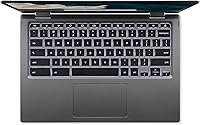
The backlit keyboard is a legitimate plus for students studying in dim dorm rooms or libraries, and the key layout is clean with no obvious cramping. For short bursts of note-taking or email, it gets the job done without complaints.
Key travel is shallow and the feedback is on the mushy side — anyone who types for extended stretches, like writing long essays, finds it tiring. Several buyers compared it unfavorably to the keyboards on similarly priced HP and Lenovo Chromebooks. It is functional rather than enjoyable.
Trackpad Quality
69%
31%
The trackpad is smooth and tracks accurately for typical navigation tasks — scrolling through documents, clicking links, and two-finger gestures all work consistently. Chrome OS trackpad tuning has matured well, and most users do not feel the need to plug in a mouse for everyday work.
The surface area is on the smaller side, which becomes noticeable during tasks that require precise cursor placement. A few users reported occasional double-click misfires and inconsistent click registration at the lower corners, which gets irritating during longer sessions.
Portability & Weight
88%
At 2.65 pounds and just over half an inch thick, this is one of the lighter options in the 13-inch Chromebook category. Commuters and students carrying it between classes or tossing it in a backpack alongside books consistently highlight how little they notice its presence by day's end.
The slim profile means the power brick is a separate consideration — a few users wished for USB-C charging compatibility with their existing laptop chargers. The compact dimensions are a strength overall, but the narrower port placement can make simultaneous USB connections feel a little crowded.
Storage Capacity
54%
46%
For users who lean on Google Drive and stream most of their media, 64GB of eMMC storage is workable. Chrome OS is lean enough that the base system overhead does not eat much into that allowance, leaving reasonable room for offline files and a handful of Android apps.
This is one of the more consistent frustrations in user feedback. Buyers who download apps, cache music or video offline, or store any meaningful number of photos locally hit the wall quickly. Chrome OS does not support expanding storage via SD card on this model, so what you buy is what you get — permanently.
App Compatibility (Android & Linux)
58%
42%
Popular Android apps like Google Keep, Spotify, and Netflix run without issue, and most productivity staples from the Play Store work reliably in laptop mode. For users who stick to Google-ecosystem apps and well-supported Android titles, compatibility rarely becomes a problem.
The ARM architecture creates friction with a meaningful subset of Android and Linux apps that were built for x86 processors. Users who tried to run certain creative, coding, or productivity tools found them either unavailable, unstable, or noticeably slower. It is not a dealbreaker for light users, but it deserves a transparent mention before buying.
Value for Money
82%
18%
Among buyers who understood what they were purchasing, the value perception is strong. A Gorilla Glass touchscreen, FHD display, 360-degree hinge, backlit keyboard, and all-day battery in a sub-300 dollar package is difficult to match. Most users feel they got more than they paid for on the hardware side.
The value equation shifts if your needs outgrow Chrome OS or the hardware ceiling. Buyers who later wished they had spent a little more for 8GB of RAM or a higher-storage configuration feel the limitations more acutely over time. The low entry price is appealing, but it can also attract buyers who would have been better served by a different device.
Software & Chrome OS Experience
79%
21%
Chrome OS is genuinely fast and stays that way — automatic background updates, near-instant wake from sleep, and a clean interface free of bloatware make the day-to-day experience refreshingly uncomplicated. Users switching from older Windows laptops frequently mention how much they appreciate not dealing with slow boot times or forced restarts.
Chrome OS has hard limits that frustrate buyers expecting a traditional laptop experience. No native Microsoft Office desktop apps, limited offline capability for some workflows, and a dependency on internet connectivity all surface as complaints. Users who need to run Windows-only software will find no workaround here.
Security & Privacy
91%
The combination of Chrome OS sandboxing, verified boot, and the hardware Titan C2 security chip gives this machine a genuinely strong security posture. Parents buying it for school-aged kids, and professionals handling sensitive documents in public spaces, appreciate that it runs with essentially zero virus exposure.
The tight security model is a double-edged sword for more technically inclined users. Sideloading apps outside the Play Store or running unapproved Linux environments requires workarounds that can void certain protections. Most buyers will never encounter this, but it is worth noting for anyone who likes tinkering.
Webcam & Audio Quality
61%
39%
The webcam handles basic video calls in Google Meet or Zoom adequately in well-lit conditions, which covers the core use case for most students attending virtual classes. Built-in speaker volume is sufficient for personal listening in quiet environments.
In anything less than ideal lighting — a dimly lit bedroom, a classroom with fluorescent backlight — video quality drops off quickly and looks grainy. The speakers are thin and tinny with almost no low-end, meaning group video calls or media consumption benefits noticeably from headphones or an external speaker.
Setup & Out-of-Box Experience
74%
26%
Most buyers are up and running within minutes of opening the box. Chrome OS setup is minimal — log in with a Google account and your apps, bookmarks, and settings are already there. The process is genuinely approachable for non-technical users and younger students setting it up independently.
A small but notable portion of reviews mention out-of-box issues — primarily units arriving with minor cosmetic defects or connectivity hiccups during initial setup. These cases do not appear systematic, but Acer customer support responsiveness drew mixed feedback from those who did encounter problems.

Suitable for:

The Acer Chromebook Spin 513 (4GB/64GB) is built for buyers whose daily computing lives revolve around a browser and Google's app ecosystem. Students from middle school through college will find it a capable companion for Google Docs, Classroom, Meet, and general research — especially given its all-day battery life and light carry weight. Parents shopping for a first laptop for a child will appreciate the strong security posture, low maintenance overhead of Chrome OS, and the Gorilla Glass display that holds up better than bare plastic to everyday knocks. Commuters and travelers who want something slim and reliable for email, light document work, and streaming during a long transit day will get real value from the fanless, quiet build and consistent battery performance. Anyone already living in Google's ecosystem — Drive, Photos, Gmail, YouTube — will feel right at home without any learning curve.
Not suitable for:

The Acer Chromebook Spin 513 (4GB/64GB) is not the right call for anyone whose workflow depends on Windows software, professional creative tools, or heavy multitasking. If you regularly run applications like Adobe Photoshop, Visual Studio, or any specialized industry software, Chrome OS simply cannot accommodate that — there is no workaround. The 4GB of RAM becomes a genuine ceiling for users who habitually keep many browser tabs open alongside Android apps, and the 64GB of non-expandable storage will feel cramped for anyone who downloads media, apps, or large files locally. The ARM-based Snapdragon 7c also creates occasional friction with Android apps and Linux tools that were designed for x86 architecture, so developers or power users hoping to run a broader software library will hit unexpected compatibility walls. If your expectations lean toward a full laptop replacement rather than a lightweight companion device, the Spin 513 will likely leave you frustrated within the first few weeks.
Specifications

  • Display Size: The screen measures 13.3″ diagonally with a full HD IPS panel and Corning Gorilla Glass touch surface.
  • Resolution: The display outputs at 1920 x 1080 pixels, delivering sharp, clear visuals for everyday browsing and media.
  • Processor: Powered by a Qualcomm Snapdragon 7c octa-core chip clocked at 2.4 GHz, built on an ARM architecture with no active cooling fan.
  • RAM: Equipped with 4GB of LPDDR4X memory running at 2400 MHz, soldered to the board and not user-upgradeable.
  • Storage: Includes 64GB of eMMC flash storage, which is fixed and cannot be expanded via SD card or external drive replacement.
  • Operating System: Ships with Chrome OS, Google's cloud-oriented operating system, with support for Chrome browser extensions and Android apps via Google Play.
  • Battery Life: Acer rates battery endurance at up to 13.5 hours; real-world mixed use typically yields between 9 and 11 hours depending on brightness and workload.
  • Hinge Design: Features a 360-degree rotating hinge that allows laptop, tent, stand, and tablet usage modes.
  • Weight: The unit weighs 2.65 pounds, making it one of the lighter options in the 13-inch 2-in-1 Chromebook category.
  • Dimensions: The chassis measures 12.2 x 8.24 x 0.61 inches, providing a slim and compact footprint suitable for most standard laptop bags.
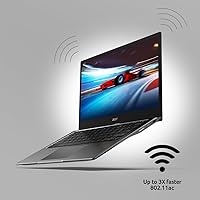
  • Wireless: Supports Wi-Fi 5 (802.11ac) for wireless connectivity; Bluetooth version is not officially specified in the product listing.
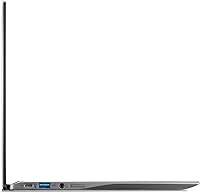
  • USB Ports: Includes three USB 3.0 ports, providing practical wired connectivity for peripherals, drives, and accessories without a hub.
  • Keyboard: Full-size keyboard with backlit keys, allowing comfortable typing in low-light environments such as evening study sessions or flights.
  • Security Chip: Integrated Titan C2 hardware security chip works alongside Chrome OS verified boot to protect against firmware and low-level software attacks.
  • Graphics: Graphics processing is handled by the integrated Qualcomm Snapdragon 7c GPU, suitable for standard video playback and light visual tasks.
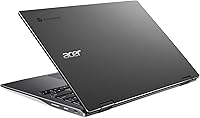
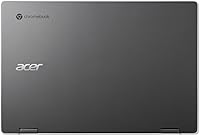
  • Color: Available in Steel Gray, with a matte plastic chassis finish on the lid and base.
  • Optical Drive: No optical drive is included, consistent with the slim form factor and Chrome OS design philosophy.
  • Power Source: Powered by a built-in lithium-ion battery with a 12-volt rated power adapter included in the box.
  • Release Date: This model was first made available for purchase in February 2021, positioning it as a first-generation Snapdragon 7c Chromebook.
  • Model Number: The official Acer model number is NX.AA5AA.004, with the product variant designated R841T-S4ZG.

Related Reviews
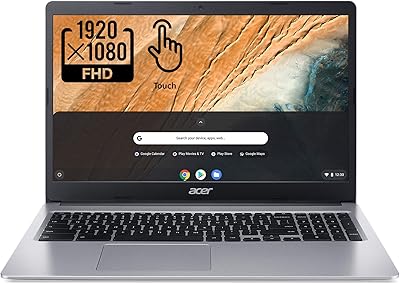
Acer Chromebook 315 15.6″, Intel Celeron N4020, 4GB RAM, 64GB eMMC
82%
91%
Value for Money
95%
Portability & Weight
92%
Battery Life
87%
Display Quality
83%
Performance for Basic Tasks
More
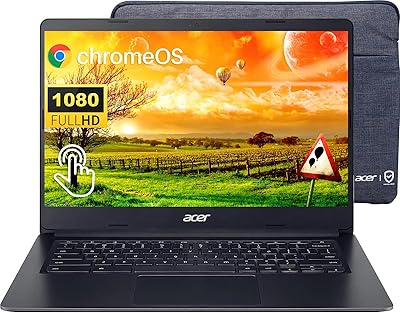
Acer Chromebook 314 Laptop 2023, 14″ FHD Touchscreen, Intel Celeron N4020, 4GB RAM, 64GB eMMC
81%
92%
Value for Money
89%
Portability
88%
Battery Life
80%
Performance for Light Tasks
75%
Display Quality
More
Acer Chromebook R 13 Convertible CB5-312T-K40U, 13.3-inch, 64GB eMMC, 4GB RAM
80%
91%
Portability & Weight
89%
Battery Life
88%
Display Quality
80%
Performance for Basic Tasks
60%
Storage Capacity
More
Acer Chromebook Spin 714 CP714-1WN-53M9
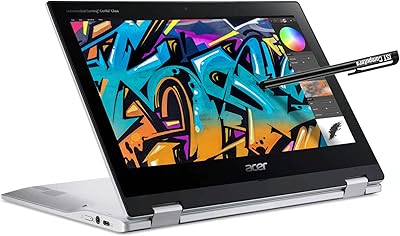
77%
88%
Build Quality
86%
Display Quality
83%
Performance & Speed
71%
Battery Life
84%
Keyboard & Typing Experience
More
Acer Spin 311 2H
Acer Spin 311 2H
71%
83%
Value for Money
78%
Build Quality
86%
Battery Life
71%
Display Quality
62%
Performance & Speed
More
Acer Chromebook Spin 514 i5-1334U 8GB 512GB SSD 14-inch
86%
88%
Performance
92%
Battery Life
85%
Build Quality
87%
Display Quality
91%
Portability
More
ASUS Chromebook CX1 14″, Intel Celeron N3350, 64GB eMMC, 4GB RAM
81%
91%
Battery Life
93%
Portability/Size/Weight
87%
Build Quality/Durability
84%
Display Quality
82%
Performance for Everyday Tasks
More
Samsung Chromebook Plus V2 64GB
74%
88%
Portability & Build Quality
83%
Display Quality
91%
Built-in Stylus
67%
Performance for Everyday Tasks
74%
Chrome OS Experience
More
Lenovo Chromebook 14 (Kompanio 520, 4GB, 64GB)
82%
91%
Display Clarity
94%
Battery Longevity
88%
Portability & Weight
86%
Touchscreen Responsiveness
74%
Processor Efficiency
More
Samsung Chromebook 4+ 15.6″, Intel Celeron N4000, 4GB RAM, 64GB eMMC
79%
89%
Value for Money
82%
Display Quality
90%
Battery Life
88%
Portability
85%
Ease of Use
More

FAQ

Not the full desktop versions, no. The Spin 513 runs Chrome OS, which means you can use Microsoft 365 through a web browser or via the Android app from Google Play. The web version handles most everyday tasks well, but if you rely heavily on advanced Excel macros or complex Word formatting, the experience may feel limited compared to the full Windows desktop app.

Neither the RAM nor the storage can be upgraded on this machine. The 4GB of memory is soldered directly to the motherboard, and the 64GB eMMC storage is also fixed. What you buy is what you get for the life of the device, so it is worth thinking carefully about whether that storage ceiling works for your use case before purchasing.

The Snapdragon 7c is an ARM-based chip, which gives it a notable advantage in thermal efficiency — this machine runs completely fanless and silent, with no vents needed. For Chrome OS browsing and Google apps, it performs comparably to a mid-tier Intel Celeron. The tradeoff is that ARM architecture occasionally creates compatibility issues with certain Android apps or Linux tools that were built specifically for x86 processors.

Acer does not include a stylus in the box, and there is no dedicated pen silo on the device. The touchscreen does respond to passive capacitive styluses, but active EMR pen support is not officially specified for this model. If precise stylus input for drawing or note-taking is important to you, it would be worth confirming compatibility before buying a third-party pen.

You can absolutely use the Spin 513 offline for many tasks — Google Docs, Sheets, and Slides all have offline modes when enabled, and certain Android apps work without a connection too. That said, Chrome OS is designed with cloud connectivity in mind, so some features and apps will be limited or unavailable without Wi-Fi. Setting up offline access ahead of time, rather than assuming it works automatically, is the smart move.

In honest real-world terms, most users land between 9 and 11 hours under mixed use — browsing, video calls, and a few Android apps at moderate screen brightness. The 13.5-hour figure is achievable under light, controlled conditions like document editing with the screen dimmed. It is still excellent battery life for the category, but plan around 10 hours rather than 13 to avoid surprises.

For most college students, yes — particularly those whose coursework centers around Google Workspace, web research, and video streaming. The light weight, long battery, and durable Gorilla Glass display make it a practical daily carry. The caveats are the 4GB of RAM, which can slow down with many tabs open, and the 64GB storage, which fills up faster than you might expect if you download a lot of content locally.

No, and this is a firm limitation rather than a workaround situation. Chrome OS does not support Windows installation, and there is no official way to run native Windows applications on this hardware. If any part of your workflow depends on Windows-only software, this convertible Chromebook is genuinely not the right device for you.

Out of the box the hinge feels solid and rotates smoothly through all four use modes. Some users who frequently switch between laptop and tablet mode have noted the hinge loosening slightly after six months to a year of heavy daily use, though this is not universal. For standard school or office use where you are not constantly flipping modes throughout the day, most buyers find the hinge holds up reliably.

Glare is one of the more common criticisms of the Spin 513 display. The IPS panel is glossy by nature, and the maximum brightness level is not high enough to fully overcome direct sunlight or strong window light behind you. For indoor use it is perfectly comfortable, but if you regularly work outdoors or in very bright spaces, a matte-screen Chromebook might serve you better.