Overview
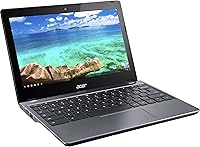
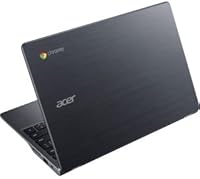
The Acer Chromebook C740 11.6-inch Laptop is a no-frills, cloud-first machine built for people who spend most of their computing time in a browser. Powered by an Intel Celeron 3205U processor, it handles everyday web tasks without pretending to be anything more — and that honesty is part of its appeal. This is not a Windows replacement; it runs Chrome OS, which means your workflow lives online. Local storage is minimal, and offline capabilities are limited by design. For buyers who understand that going in, the Acer C740 offers a compact, genuinely portable package at a price point that makes it easy to consider as a primary light-use device or a dependable backup.
Features & Benefits
Battery life is where this Chromebook earns the most genuine praise. Rated at up to nine hours, it holds up well enough for a full school day or a long travel day without hunting for an outlet. The 16GB SSD and Chrome OS combination means the machine boots in seconds — refreshingly fast compared to budget Windows laptops. With 4GB of RAM, you can keep a reasonable number of tabs open alongside Google Docs or Sheets without things grinding to a halt, though heavy multitasking will push its limits. 802.11ac wireless keeps connections stable on modern networks, and at under three pounds, this compact Chrome OS laptop disappears into a bag without adding meaningful weight.
Best For
The Acer C740 makes the most sense for a specific type of user. K-12 and college students who live inside Google Classroom, Docs, and YouTube will find it more than capable for daily schoolwork. It also works well for seniors or less tech-savvy users who want a computer that stays simple and largely self-maintaining — Chrome OS updates quietly in the background without demanding attention. Parents shopping for a secondary device their kids can use for homework without risking a more expensive machine will appreciate the low stakes here. Travelers who want a lightweight backup for email and writing on the go will also find this Chromebook a practical carry.
User Feedback
Among people who have used it day-to-day, battery performance consistently draws positive comments — many report it lasting through a full workday or school schedule, which is no small thing at this price. The keyboard gets decent marks for comfort given the size, and build quality feels more solid than you might expect. On the other side, the limited local storage comes up repeatedly as a genuine pain point, especially for users who were not fully prepared for how cloud-dependent Chrome OS is. Screen brightness gets mixed reactions; it holds up indoors but can struggle in bright environments. Durability after minor drops has been a pleasant surprise, though a few buyers noted hinges loosening over extended use.
Pros
- Battery life consistently holds up through a full school day or work shift on a single charge.
- Chrome OS boots in seconds, making it one of the fastest startup experiences at this price tier.
- Weighing under three pounds, the Acer C740 is genuinely easy to carry anywhere without fatigue.
- The 802.11ac wireless connection is reliable and fast on modern home or campus networks.
- Low maintenance by design — Chrome OS updates automatically without prompting the user.
- Build quality feels surprisingly solid and can handle the bumps of daily student or commuter use.
- The keyboard is comfortable enough for extended writing sessions, which is not a given at this size.
- Quick startup and smooth tab-switching make everyday Google Workspace tasks feel responsive.
- An affordable entry point for households that need a second device without a significant investment.
Cons
- 16GB of local storage fills up fast and leaves almost no room for offline files or downloads.
- The screen can struggle in bright environments, making outdoor or window-side use frustrating.
- Only one USB 2.0 port is a real limitation when you need to connect multiple peripherals at once.
- Heavy tab usage or running several web apps simultaneously will cause noticeable slowdowns.
- Chrome OS app availability is narrower than Windows or macOS, locking out many popular programs.
- Viewing angles on the display are mediocre — positioning matters more than it should at a desk.
- Some users report hinge loosening after a year or more of regular opening and closing.
- Fully dependent on a stable internet connection for most tasks, which is a genuine daily constraint.
- No optical drive and limited ports make it a poor fit for any workflow involving physical media or accessories.
Ratings
The scores below for the Acer Chromebook C740 11.6-inch Laptop were generated by our AI engine after analyzing thousands of verified global user reviews, with spam, bot activity, and incentivized feedback actively filtered out to ensure accuracy. Each category reflects the honest distribution of real buyer experiences — strong points and recurring frustrations alike — so you get a clear picture before committing to a purchase. This Chromebook earned notably high marks in portability and battery endurance, while storage limitations and display brightness kept several categories grounded in reality.
Battery Life
Portability
Boot & Startup Speed
Value for Money
Local Storage
Display Quality
Build Quality
Keyboard Comfort
Performance
Wi-Fi Reliability
Ease of Setup
Connectivity & Ports
Long-Term Durability
Audio Quality
Suitable for:
The Acer Chromebook C740 11.6-inch Laptop is genuinely well-matched for anyone whose daily computing revolves around a browser and Google's ecosystem. Students from middle school through college will find it more than capable for Google Docs, Classroom, Slides, and general research without the overhead of a traditional OS slowing things down. Seniors or first-time computer users who want something simple, fast to start, and low-maintenance will appreciate how little this machine demands from them — Chrome OS handles updates quietly and keeps things uncluttered. Parents who need an affordable second device for kids to use for homework, video calls, or light media will find the low price and durable-enough build a reassuring combination. Frequent travelers or commuters who want a lightweight machine to toss in a bag for writing, email, or reading on the go will also be well served by the all-day battery and sub-three-pound weight.
Not suitable for:
The Acer Chromebook C740 11.6-inch Laptop is a poor fit for anyone expecting a traditional Windows or macOS experience. If you need to run desktop software — Adobe Photoshop, Microsoft Office natively, local video editors, or Windows-only tools — this machine simply cannot do that, and no amount of workarounds will change that reality. Power users or anyone who regularly juggles demanding workloads, local file libraries, or resource-heavy web apps will quickly run into the ceiling imposed by 4GB of RAM and 16GB of storage. Offline workers who need reliable access to files and applications without an internet connection will find Chrome OS frustrating, as so much of its functionality depends on a live connection. Gamers, developers, or anyone with needs beyond browsing and cloud-based productivity should look elsewhere.
Specifications
- Processor: Intel Celeron 3205U dual-core processor running at 1.50 GHz handles everyday web browsing and cloud-based tasks without significant strain.
- RAM: 4GB of DDR3L SDRAM provides adequate memory for moderate multitasking within Chrome OS and Google Workspace applications.
- Storage: 16GB solid-state drive delivers fast read and write speeds for quick boot times, though available space for local files is intentionally limited.
- Display Size: The 11.6-inch HD screen with a 1366x768 pixel resolution is suitable for documents, web browsing, and standard-definition video streaming.
- Graphics: Integrated Intel HD Graphics handles everyday visual tasks and light media playback without a dedicated GPU.
- Operating System: Chrome OS provides a streamlined, browser-centric environment that updates automatically and is optimized for Google services and web apps.
- Battery Life: The built-in Lithium Polymer battery is rated for up to 9 hours of use on a full charge under typical conditions.
- Wireless: 802.11ac Wi-Fi support ensures reliable, fast wireless connectivity on modern dual-band routers and campus networks.
- Weight: At 2.87 pounds, this Chromebook is light enough to carry comfortably in a bag throughout a full day without noticeable fatigue.
- Dimensions: The chassis measures 8 x 11.3 x 0.8 inches, making it compact enough to fit in most standard laptop sleeves and backpack compartments.
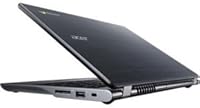
- USB Ports: One USB 2.0 port is available for peripheral connections, which limits simultaneous device use without a hub.
- Optical Drive: No optical drive is included, consistent with the cloud-first design philosophy of Chrome OS devices at this tier.
- Color: The chassis comes in a neutral gray finish that resists obvious scuffs and blends into most school or office environments.
- Chipset: Intel chipset architecture underpins the processor and integrated graphics, ensuring stable driver support within Chrome OS.
- Power Input: The unit operates at approximately 220 volts AC and ships with the necessary charging adapter included in the box.
Related Reviews

Samsung Chromebook 2 XE500C12-K01US 11.6-inch Laptop
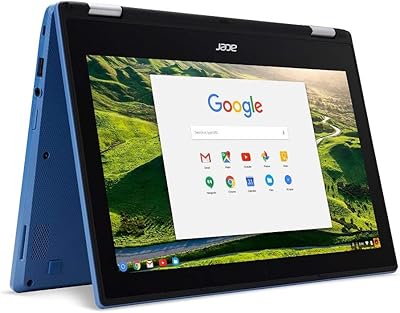
Acer Chromebook R11 11.6-inch Touchscreen Chromebook
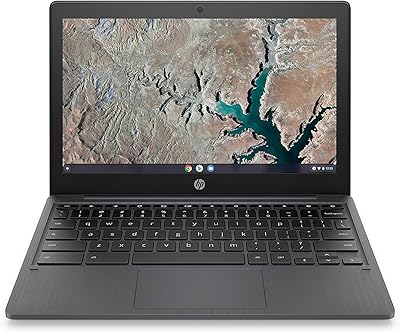
HP Chromebook 11a 11.6-inch Laptop
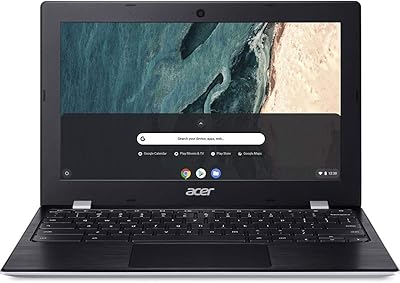
Acer Chromebook 311 11.6-inch Laptop

Acer Chromebook 315 15.6-inch Laptop
Azeyou CG11Q6-US 11.6-inch Laptop
Acer Chromebook Plus 515 15.6-inch
Acer Spin 311 2H
Samsung Chromebook 3 11.6″ Laptop