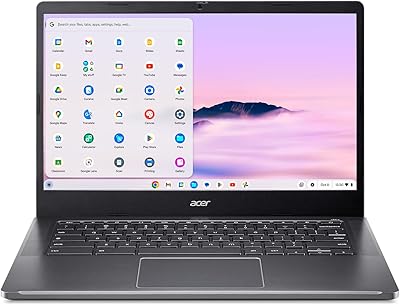
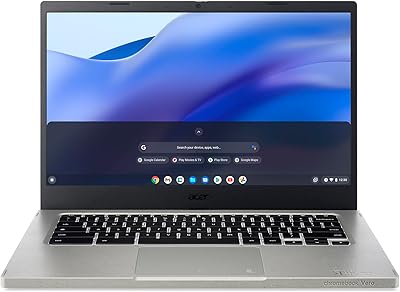
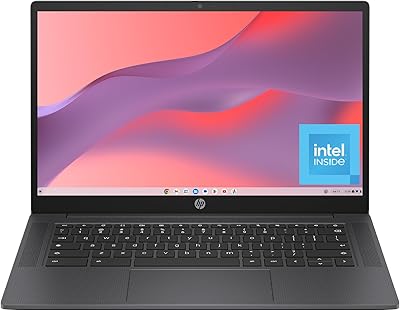
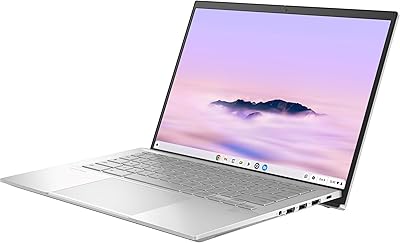
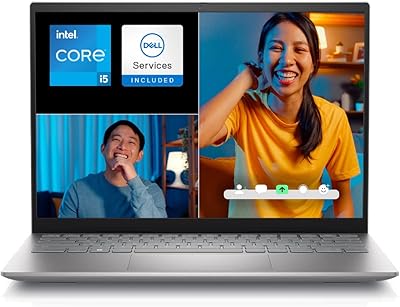
Acer Chromebook Spin 514 i5-1334U 8GB 512GB SSD 14-inch
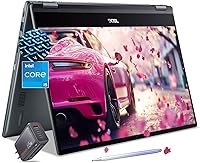
Acer Chromebook Spin 514 i5-1334U 8GB 512GB SSD 14-inch — image 1
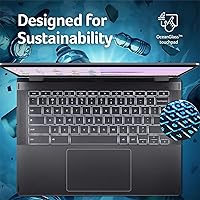
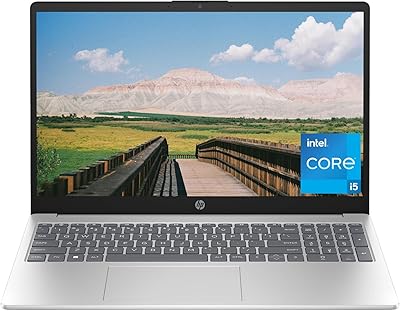
Acer Chromebook Spin 514 i5-1334U 8GB 512GB SSD 14-inch — image 2
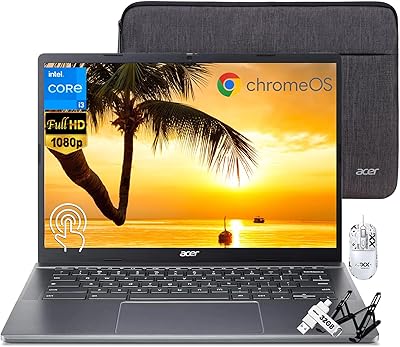
Acer Chromebook Spin 514 i5-1334U 8GB 512GB SSD 14-inch — image 3
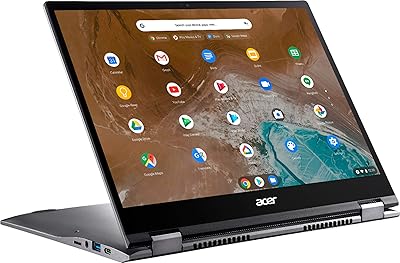
Acer Chromebook Spin 514 i5-1334U 8GB 512GB SSD 14-inch — image 4
Acer Chromebook Spin 514 i5-1334U 8GB 512GB SSD 14-inch — image 5
Acer Chromebook Spin 514 i5-1334U 8GB 512GB SSD 14-inch — image 6

Acer Chromebook Spin 514 i5-1334U 8GB 512GB SSD 14-inch — image 7
Acer Chromebook Spin 514 i5-1334U 8GB 512GB SSD 14-inch — image 8
86%

Overview

The Acer Chromebook Spin 514 i5-1334U 8GB 512GB SSD 14-inch offers a versatile 2-in-1 design that transforms from a laptop to a tablet with a simple flip. This sleek Chromebook features a 14-inch Full HD IPS touchscreen that delivers crisp and vibrant visuals, making it perfect for both work and entertainment. Powered by the Intel Core i5-1334U processor, this device provides smooth multitasking with 8GB of RAM and a 512GB SSD for fast boot times and reliable performance. Running Chrome OS, it integrates cloud backups and built-in security features, making it ideal for everyday use.

Features & Benefits

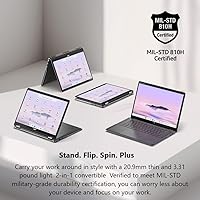
The Acer Chromebook Spin 514 stands out with its 360° flip design, allowing you to seamlessly switch between laptop and tablet modes. Its long-lasting battery (up to 13 hours) ensures you can work or stream without constantly searching for a charger. With a backlit keyboard, you can easily type in any lighting, while its lightweight build (just 3.31 pounds) makes it highly portable. The combination of SSD storage and an Intel Core i5 processor delivers fast boot times, quick load speeds, and responsive performance, making multitasking and web browsing a breeze.

Best For

This 2-in-1 Chromebook is ideal for students, educators, and professionals who need a reliable, portable laptop for both work and play. Its lightweight design and long battery life make it a perfect companion for those on the go. Light gamers can also enjoy casual gaming on Chrome OS, while those seeking a secure, cloud-based laptop will appreciate the integration of Google services and constant updates. The flexibility of the 14-inch touchscreen and 360° flip makes it perfect for productivity or entertainment in any setting.

User Feedback

Users generally praise the Acer Chromebook Spin 514 for its fast performance and smooth multitasking, with many noting how quickly it handles everyday tasks. The 2-in-1 design, coupled with the touchscreen, is a favorite for those who value flexibility in a laptop. However, some users have expressed a desire for more RAM or larger storage options for heavy users or power multitaskers. Despite this, the long battery life and responsive design remain standout features, with many users highlighting how it keeps them productive throughout the day.

Pros

  • The 2-in-1 convertible design provides great flexibility for both laptop and tablet use.
  • The 14-inch Full HD touchscreen offers clear visuals for browsing, streaming, and everyday tasks.
  • Battery life of up to 13 hours is ideal for long work or study sessions without needing a charge.
  • The Intel Core i5 processor ensures smooth multitasking and responsive performance for everyday tasks.
  • Lightweight at just 3.31 pounds, making it easy to carry around for on-the-go use.
  • The backlit keyboard enhances typing comfort in low-light environments, which is great for late-night work or study sessions.

Cons

  • The integrated Intel UHD graphics may struggle with more demanding tasks like gaming or video editing.
  • Some users find that 8GB of RAM isn't enough for heavy multitasking or running multiple apps at once.
  • The storage capacity of 512GB may not be sufficient for users with large files or extensive media collections.
  • Chrome OS can be limiting for those who rely on specific software or programs not available on the platform.
  • The 2-in-1 design can feel less sturdy compared to traditional clamshell laptops, especially in tablet mode.
  • While the performance is solid for most users, power users might find the device lacking for more intensive tasks.

Ratings

The Acer Chromebook Spin 514 i5-1334U 8GB 512GB SSD 14-inch has garnered mostly positive feedback from verified users worldwide, with input from multiple platforms and languages. After filtering out spam, bot-generated, and off-topic reviews, the scores reflect the authentic experiences of users who appreciate its solid performance and portability. Both strengths and pain points are captured, offering a well-rounded view of this device's capabilities.

Performance
88%
Many users commend the responsive performance of this laptop, especially with its Intel Core i5 processor, which handles multitasking and everyday tasks smoothly. The 8GB of RAM and 512GB SSD further ensure fast access to apps and files, making it an efficient performer for daily use, whether at home or in the office.
Some users point out that while the laptop performs well for basic tasks, it may struggle with more demanding applications. For power users, the 8GB RAM and integrated graphics may not offer the level of performance needed for intensive programs or gaming.
Battery Life
92%
The long battery life of up to 13 hours is frequently highlighted by users as one of this device's strongest features. Whether traveling, working remotely, or studying, the extended runtime makes it a reliable companion throughout the day, reducing the need for constant recharging.
However, some users mention that heavy use, such as gaming or running resource-intensive apps, can drain the battery faster than expected. While the 13-hour battery life is ideal for most situations, it's not as robust under more demanding conditions.
Build Quality
85%
The convertible design feels solid, and the 360° flip feature allows users to seamlessly switch between laptop and tablet modes. The sleek, lightweight build makes this device easy to carry around, making it a practical choice for users on the go.
A few users have expressed concerns about the plastic construction, which feels less premium compared to metal alternatives. Though functional, the build quality might not feel as durable for those looking for a more robust device.
Display Quality
87%
The 14-inch Full HD IPS touchscreen provides crisp, vibrant visuals, making it suitable for both work and entertainment. The screen is praised for its color accuracy and clarity, ideal for browsing, watching videos, or casual gaming.
Some users find the screen brightness a bit lacking when using the device outdoors or in bright lighting. While it's clear indoors, reflections and glare can make it challenging to use in direct sunlight or well-lit environments.
Portability
91%
Weighing just 3.31 pounds, this laptop is easy to carry around, making it an excellent choice for students and professionals who need a portable device. Its slim design and 2-in-1 functionality make it a flexible option for those who need both a laptop and a tablet on the go.
While its light weight is a benefit for portability, some users note that it may feel a bit flimsy in terms of overall sturdiness. Though compact, it might not be the most rugged option for those needing a device that can withstand rough handling.
Touchscreen Responsiveness
89%
The touchscreen is highly responsive, and users appreciate its accuracy when navigating through apps and browsing. The 14-inch size strikes a good balance between usability and ease of interaction, making it great for casual use and productivity tasks.
A few users report occasional glitches in touchscreen performance, especially when using multiple touch gestures at once. While generally responsive, it may not always perform as smoothly as higher-end devices under heavy use.
Keyboard Comfort
80%
20%
The backlit keyboard is a welcome feature, especially for working in low-light environments. Users find the keys to be comfortable and responsive for typing, which enhances the overall productivity experience.
Some users find the key travel to be shallow, which can cause discomfort during extended typing sessions. The overall typing experience may not be as satisfying for those used to laptops with deeper, more tactile keyboards.
Software Experience (Chrome OS)
86%
Chrome OS offers a streamlined, secure user experience, with seamless integration of cloud storage and web apps. The operating system is simple to use, making it a great option for students and anyone seeking a straightforward, easy-to-navigate interface.
A few users mention that Chrome OS lacks certain functionalities found in more traditional operating systems like Windows or macOS. This limitation might not suit users who rely on specific software that isn't available or optimized for Chrome OS.
Connectivity
83%
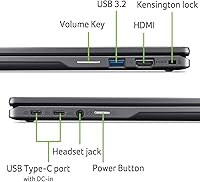
With two USB Type-C ports, HDMI output, and Wi-Fi 6 support, this device offers solid connectivity options. The inclusion of these ports makes it easy to connect external monitors, devices, and accessories, enhancing versatility in various settings.
Some users wish for more USB-A ports, as the reliance on USB-C can be limiting for those who still use older peripherals. Additionally, connectivity may not be as robust in areas with weaker Wi-Fi signals, despite the Wi-Fi 6 standard.
Value for Money
90%
Considering the combination of performance, portability, and long battery life, many users feel this device offers strong value for the price. It is well-suited for students, professionals, and anyone seeking an affordable, versatile laptop for everyday tasks.
However, some users feel that the storage capacity may not be sufficient for power users, particularly those who need to store large files or run multiple programs simultaneously. Additionally, a few buyers feel the overall build quality doesn't match the price point.
Storage Capacity
82%
18%
With 512GB of SSD storage, users have plenty of space for documents, media files, and apps. The SSD offers fast read/write speeds, ensuring quick boot times and smooth performance even when accessing larger files.
Some users express concern that the 512GB storage may not be enough for those with larger file storage needs, especially for media-heavy users. While the SSD is fast, users with extensive collections of photos, videos, or games may find the storage insufficient.
Graphics Performance
78%
22%
While the integrated Intel UHD graphics are sufficient for everyday tasks like browsing, watching videos, and light gaming, they provide decent performance for casual use and standard productivity apps.
Graphics performance falls short for users looking to do more demanding tasks like gaming or video editing. The lack of a dedicated GPU limits the ability to handle graphics-intensive programs smoothly.

Suitable for:

The Acer Chromebook Spin 514 i5-1334U 8GB 512GB SSD 14-inch is an excellent choice for students, educators, and professionals who need a portable, versatile device for both work and entertainment. Its 2-in-1 design makes it ideal for those who want the flexibility of a tablet and a laptop in one device, particularly useful for presentations or reading digital textbooks. The long-lasting battery life of up to 13 hours makes it perfect for people who need a reliable device for all-day use, whether at school, work, or on the go. Casual users who prioritize security, cloud storage, and ease of use will also find this Chromebook to be a solid, cost-effective option for everyday tasks such as browsing, streaming, and document editing.

Not suitable for:

However, the Acer Chromebook Spin 514 may not be the best fit for power users or those requiring heavy computing performance. While its Intel Core i5 processor and 8GB of RAM are adequate for general tasks, users who need to run resource-intensive applications, such as video editing software or high-end games, might find it lacking. The integrated Intel UHD graphics may also limit the device’s suitability for more demanding tasks. Additionally, while the 512GB SSD provides ample storage for many users, those with large media libraries or extensive file storage needs may quickly run out of space. Users accustomed to Windows or macOS may find Chrome OS’s limitations in software options a drawback, especially for specialized programs.

Specifications

  • Display: 14-inch Full HD IPS touchscreen display with 1920 x 1080 resolution for clear and vibrant visuals.
  • Processor: Intel Core i5-1334U processor for smooth multitasking and efficient performance.
  • Memory: 8GB of RAM for responsive and lag-free multitasking during daily use.
  • Storage: 512GB SSD provides fast data access and ample storage for files and applications.
  • Battery Life: Up to 13 hours of battery life, making it ideal for long hours of work or study without frequent charging.
  • Operating System: Chrome OS with built-in security features, automatic updates, and cloud storage integration.
  • Weight: Weighs 3.31 pounds, making it lightweight and portable for on-the-go use.
  • Design: 360° flip convertible design allows the laptop to be used in both tablet and laptop modes.
  • Keyboard: Backlit keyboard for comfortable typing in low-light environments.
  • Graphics: Integrated Intel UHD graphics for basic media consumption and light gaming.
  • Webcam: 1080p Full HD webcam for clear video calls and online meetings.
  • Ports: Includes two USB Type-C ports, one HDMI port, and a headphone jack for flexible connectivity.
  • Wi-Fi: Supports 802.11ax Wi-Fi for fast and stable wireless internet connections.
  • Audio: Stereo speakers with high-definition audio for a clear sound experience during media playback.
  • Security: Includes built-in security features such as secure boot and automatic updates to protect against threats.
  • Camera: Front-facing 1080p webcam for crisp video calls and content creation.
  • Bluetooth: Supports Bluetooth 5.0 for connecting wireless peripherals such as headphones and mice.
  • Expansion: Supports external storage via USB Type-C or HDMI for additional device connectivity.
  • Form Factor: Convertible 2-in-1 design, offering the flexibility of both a laptop and tablet in one device.

FAQ

The Acer Chromebook Spin 514 i5-1334U 8GB 512GB SSD 14-inch is a convertible 2-in-1 laptop with a touchscreen. It features a 14-inch Full HD IPS display, an Intel Core i5-1334U processor, 8GB of RAM, and 512GB of SSD storage. It runs on Chrome OS and offers up to 13 hours of battery life.

This laptop features a 360° flip design, allowing you to switch between a traditional laptop mode and a tablet mode. The touchscreen enables easy interaction in tablet mode, while the keyboard and trackpad are available in laptop mode for productivity tasks.

This device is suitable for light gaming, particularly for casual games available on Chrome OS. However, with integrated Intel UHD graphics, it is not designed for heavy gaming or resource-intensive titles, so hardcore gamers may find it lacking in performance.

The Acer Chromebook Spin 514 offers impressive battery life, lasting up to 13 hours on a full charge under typical usage. This makes it a great option for students or professionals who need a device that can last through long working or study sessions without frequent recharging.

The RAM and storage on this Chromebook are not user-upgradable. It comes with 8GB of RAM and a 512GB SSD, which should suffice for most users, but those needing more power or storage might want to look into external storage options or a different model.

Yes, this Chromebook is well-suited for productivity tasks such as word processing, spreadsheets, and browsing. The Core i5 processor, combined with 8GB of RAM and SSD storage, ensures smooth performance for typical office tasks and web-based applications.

This device includes two USB Type-C ports, an HDMI port, and a 1080p FHD webcam. The USB Type-C ports are useful for fast data transfer, charging, and connecting external devices, while the HDMI port allows you to connect to external displays.

Yes, the Acer Chromebook Spin 514 features a backlit keyboard, making it easy to type in low-light environments. This is especially useful for late-night work or study sessions.

The 14-inch display of this laptop has a Full HD resolution of 1920 x 1080 pixels. The IPS technology ensures good color accuracy and wide viewing angles, making it a solid choice for watching videos or working with visuals.

Yes, this Chromebook supports Android apps via the Google Play Store. You can download and use many Android apps alongside web-based applications, giving you access to a wide range of tools and entertainment options.