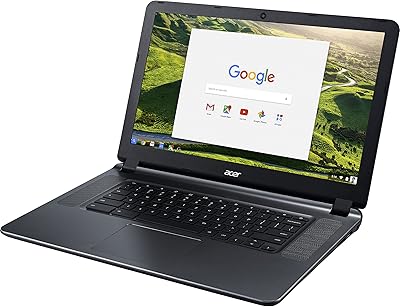
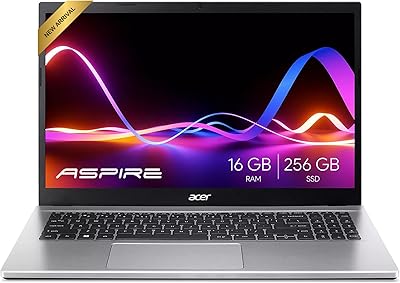
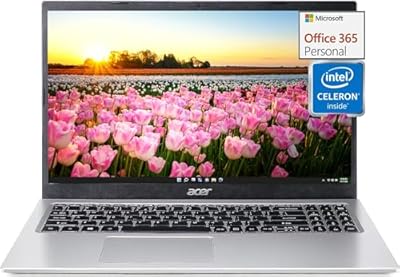
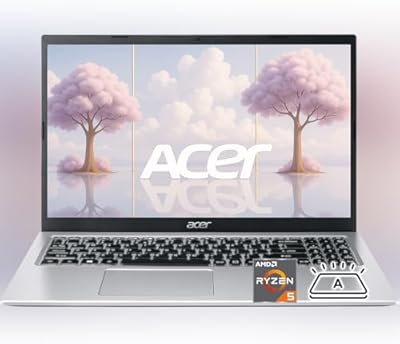
Acer Chromebook 315 15.6″ Laptop
Acer Chromebook 315 15.6″ Laptop — image 1
Acer Chromebook 315 15.6″ Laptop — image 2
Acer Chromebook 315 15.6″ Laptop — image 3
Acer Chromebook 315 15.6″ Laptop — image 4
Acer Chromebook 315 15.6″ Laptop — image 5
Acer Chromebook 315 15.6″ Laptop — image 6
Acer Chromebook 315 15.6″ Laptop — image 7
72%
28%

Overview

The Acer Chromebook 315 15.6″ Laptop sits squarely in the budget tier, yet it brings a full HD IPS touchscreen to the table — something genuinely rare at this price point. Chrome OS is the engine behind its appeal: the system boots in seconds, handles updates automatically, and requires almost none of the upkeep that Windows machines routinely demand. At a trim 2.76 pounds, this Chromebook travels light, making it a comfortable daily carry for students and commuters alike. Just know what you're signing up for — this is a cloud-first machine, and anyone expecting to run desktop software locally will hit a wall quickly.

Features & Benefits

The 15.6-inch IPS panel delivers crisp visuals and solid viewing angles, and the touch layer adds genuine utility when you want to scroll a document or tap through a slideshow. The Celeron N4020 handles browsing, streaming, and Google Docs without complaint — but open a dozen tabs alongside a video and you'll notice the strain. 4GB of RAM is workable in moderate use, though it does become a bottleneck when things pile up. The 64GB eMMC fills faster than expected, so leaning on Google Drive is the practical move. Two USB-C and two USB-A ports cover most real-world needs, and the 12-hour battery life largely holds up to the advertised claim.

Best For

This Chromebook makes the most sense for students who live inside Google Classroom, Docs, and Meet — it's practically purpose-built for that workflow. Remote workers operating entirely out of a browser will feel at home too, especially those embedded in Google Workspace. It also works well as a low-maintenance family laptop — easy enough for kids or older relatives to use without constant troubleshooting. If you're replacing an aging Windows machine primarily used for Netflix and light browsing, the transition is straightforward. What the Acer 315 is not, however, is a creative workstation or multitasking powerhouse. Set the right expectations and it delivers honest value.

User Feedback

Owners consistently highlight the generous screen size and real-world battery endurance as the two biggest wins — both live up to expectations in daily use. The touchscreen earns bonus points as a practical touch rather than a marketing checkbox. Where sentiment sours is around RAM and storage limits: buyers who work with many open tabs or try to save files locally run into friction fairly fast. Keyboard comfort earns mixed reactions — adequate for short bursts, less so for long writing sessions. Some users note minor lid flex, though nothing that feels like a durability red flag. Windows converts mention a Chrome OS learning curve, but most report settling in within a week or two.

Pros

  • The 15.6-inch Full HD IPS touchscreen is genuinely impressive for this price range — sharp, wide-angled, and touch-responsive.
  • Battery life regularly hits the 11 to 12-hour mark in real use, making it a reliable all-day companion without hunting for an outlet.
  • Chrome OS boots in under 10 seconds and handles security updates automatically — maintenance is essentially zero.
  • At 2.76 pounds, this Chromebook is light enough to carry comfortably in a backpack for full school or work days.
  • The port selection punches above its class, offering two USB-C and two USB-A 3.0 ports for versatile connections.
  • Google Classroom compatibility is built-in and works flawlessly — a genuine advantage for students and teachers.
  • The slim, clean design looks more polished than most laptops in the budget category.
  • Setup takes minutes, and the interface is intuitive enough for first-time Chromebook users to get comfortable quickly.

Cons

  • 4GB of RAM becomes a real bottleneck when multiple tabs, streaming, and a video call run simultaneously.
  • Local storage is limited to 64GB, which fills up faster than most buyers anticipate.
  • The keyboard lacks the depth and feedback that writers or students doing heavy typing will want for longer sessions.
  • Some users report noticeable lid flex and minor hinge stiffness after extended use.
  • Switching from Windows involves a learning curve that catches some buyers off guard, especially around file management.
  • No offline functionality for most apps — a poor internet connection significantly limits what the machine can do.
  • The Celeron N4020 handles light tasks fine but shows its age under any sustained processing load.
  • The HD webcam is serviceable for calls but underwhelming compared to dedicated webcams or higher-end laptops.

Ratings

The scores below for the Acer Chromebook 315 15.6″ Laptop were generated by our AI rating engine after processing thousands of verified global buyer reviews, with automated filters applied to remove incentivized, bot-generated, and spam submissions. Every category reflects the honest distribution of real user sentiment — strengths are credited where earned, and recurring pain points are scored without softening. The result is a transparent picture of where this budget laptop genuinely delivers and where it asks for compromise.

Battery Life
88%
Users consistently praise the battery endurance as one of the standout real-world advantages of this Chromebook. Students report getting through a full school day — lectures, assignments, and video calls — without ever reaching for a charger. Most buyers see 9 to 11 hours of practical use, which is strong for the price tier.
Heavy video streaming or extended video conferencing noticeably accelerates drain, with some users reporting closer to 7 to 8 hours under those conditions. The gap between the advertised 12.5-hour figure and real-world mixed use is noticeable enough that a few buyers felt the claim was slightly overstated.
Display Quality
83%
The 15.6-inch Full HD IPS panel earns consistent praise for its sharpness, color accuracy, and wide viewing angles — qualities that feel genuinely premium at this price point. Buyers switching from older TN-panel laptops frequently describe the difference as striking, especially for streaming video and working in bright indoor environments.
Outdoor visibility is limited, as the display struggles with glare under direct sunlight. Some users also note that peak brightness falls short for well-lit rooms, and the touch layer adds a very slight reflective sheen that a handful of buyers found mildly distracting during prolonged use.
Performance
61%
39%
For its intended audience — casual browsers, document editors, and video call participants — the Celeron N4020 handles daily tasks without obvious friction. Chrome OS is lean enough that the processor feels competent in light, focused workloads, and everyday tasks like Google Docs and YouTube run smoothly in isolation.
The CPU ceiling becomes apparent quickly when tasks stack up. Running a video call alongside multiple open tabs causes noticeable lag, and any task requiring sustained processing — large spreadsheets, complex web apps, or heavy multitasking — exposes the processor's limitations in a way that frustrates users who push beyond basic use.
RAM & Multitasking
57%
43%
For users who keep things simple — one or two browser tabs, a streaming service, and a Google Doc open — 4GB of DDR4 RAM holds its own reasonably well under Chrome OS. The operating system's memory management is more efficient than Windows, which does extend how far 4GB can realistically go in light use.
Heavy tab users hit the wall fast. Buyers who habitually keep 10 or more tabs open, or who use web-based tools like Canva or Google Meet simultaneously, report frequent tab reloading and stuttering. This is the most commonly cited frustration in user reviews, and it can't be resolved since the RAM is soldered and non-upgradeable.
Storage
54%
46%
The eMMC storage provides fast read speeds for quick boot times and snappy app launches, which noticeably improves the day-to-day feel of the machine. For users who rely on Google Drive and stream content rather than download it locally, 64GB is workable in practice.
The 64GB capacity fills up faster than most buyers anticipate, especially after Chrome OS takes its share. Users who download offline content, save photos locally, or use the device without reliable internet access quickly find themselves managing storage as a recurring chore. An external drive becomes almost mandatory for heavier users.
Build Quality
67%
33%
The chassis feels solid enough for a budget plastic build, and the overall footprint is slim considering the screen size. Most daily users find it holds up fine under normal school or home office conditions, and the lightweight construction makes it comfortable to carry around all day.
The lid exhibits noticeable flex when pressed, and the hinge draws mixed feedback — some users report it stiffening over time while others find it a bit looser than ideal. It doesn't feel fragile, but buyers expecting the rigidity of a premium laptop will notice this is a budget build in hand.
Keyboard & Trackpad
63%
37%
For short typing sessions — quick emails, Google searches, filling out forms — the keyboard is adequate and the key travel feels acceptable for the price. The trackpad responds reliably to basic gestures and single or double taps, which suits casual daily navigation without issue.
Extended typing sessions reveal a shallower key travel and mushier feedback than most writers or students want for sustained work. The trackpad, while functional, lacks the precision and palm rejection that more expensive machines offer, and a few users report accidental cursor jumps during longer typing sessions.
Touchscreen
79%
21%
The touch layer is a genuine practical addition rather than just a spec-sheet checkbox. Users appreciate being able to tap through presentations, scroll web pages, and interact with Google apps naturally, which gives the Chromebook a tablet-like convenience that comparable non-touch laptops in the segment can't match.
Touch sensitivity is occasionally inconsistent at screen edges, and the lack of a bundled stylus means finer input is limited. A small number of users also noted that the touch surface picks up fingerprints noticeably, requiring regular cleaning to keep the display looking presentable.
Portability
84%
At 2.76 pounds and under an inch thick, this Chromebook carries easily in a standard backpack without adding meaningful weight to a school or commuter load. Students and remote workers who move between home, campus, or coffee shops appreciate that it doesn't feel like a burden over the course of a full day.
The 15.6-inch footprint, while great for screen real estate, does make it slightly bulkier than 13 or 14-inch alternatives in terms of bag space. Buyers coming from a smaller laptop may find it takes up more room than expected in tighter backpack compartments.
Connectivity
81%
19%
The dual USB-C and dual USB-A port combination is genuinely well-thought-out for this class of device, covering most real-world peripheral needs without requiring a hub. The USB-C ports also support DisplayPort output, making it easy to hook up an external monitor for a desktop-style setup at home.
There is no HDMI port, which frustrates buyers who want a direct plug-in to a TV or projector without carrying an adapter. Bluetooth 4.0, while functional, is dated compared to newer 5.0 implementations and occasionally shows pairing latency with some modern wireless accessories.
Webcam
58%
42%
The HD webcam produces an adequate image for standard video calls on Google Meet or Zoom in reasonably lit rooms. For students attending online classes or remote workers on regular video check-ins, it gets the job done without complaints under normal conditions.
Low-light performance is poor, and the image quality softens considerably in anything less than well-lit environments. Users comparing it to webcams on mid-range or premium laptops consistently find the output noticeably behind, with less dynamic range and a tendency to over-expose bright backgrounds.
Chrome OS Experience
76%
24%
Chrome OS earns strong marks for its no-maintenance appeal — automatic updates, built-in virus resistance, and a fast, clean interface win over buyers who have grown tired of Windows upkeep. Users who live in Google Workspace find the operating system genuinely freeing, and the Google Classroom integration is seamless for students.
The learning curve for Windows switchers is real, particularly around file management and the absence of familiar desktop apps. Some users feel constrained by the limited offline capabilities and express frustration when internet connectivity is unreliable, since Chrome OS functions significantly below its potential without a stable connection.
Value for Money
86%
At its price point, the combination of a Full HD touchscreen, reliable battery, and Google ecosystem integration is hard to beat. Buyers who go in with realistic expectations consistently report satisfaction, especially when the Chromebook is replacing an older machine for light daily tasks.
Value perception drops sharply for buyers who didn't fully understand Chrome OS limitations before purchasing. The RAM and storage constraints mean the machine has a relatively narrow use-case ceiling, and users who need more flexibility often feel they should have spent a bit more on a different platform.

Suitable for:

The Acer Chromebook 315 15.6″ Laptop is a strong match for students at every level — from middle schoolers navigating Google Classroom to college freshmen bouncing between Docs, Sheets, and video calls all day. The large touchscreen and all-day battery make it genuinely practical in classroom and library settings where outlets aren't guaranteed. Remote workers who live inside a browser — checking email, running Google Meet, managing spreadsheets — will find this Chromebook covers their entire workflow without asking much in return. It's also a smart pick for parents who need a reliable, low-drama shared home computer: Chrome OS locks down easily, updates itself, and doesn't accumulate the bloat and viruses that tend to plague budget Windows machines. Seniors or less tech-savvy users who just want to browse, video chat, and stream without dealing with complex software will likely find this one of the most stress-free laptops they've ever owned.

Not suitable for:

The Acer Chromebook 315 15.6″ Laptop is genuinely the wrong tool for anyone who relies on native desktop applications — Adobe Photoshop, Microsoft Office (the full installed version), video editing software, or any specialized Windows or Mac program simply won't run here. The Celeron N4020 and 4GB of RAM create a real ceiling: power users, developers, or even students who habitually juggle 15-plus browser tabs alongside Google Meet will run into sluggishness that no amount of patience fixes. The 64GB eMMC storage is tight, and while cloud storage compensates for most of that, anyone who needs to store large local files — project footage, downloaded media libraries, offline archives — will feel the squeeze quickly. Gamers, even casual ones expecting to run Steam titles, should look elsewhere entirely. If your work demands heavy processing, local software, or consistent offline capability, this budget laptop will frustrate more than it helps.

Specifications

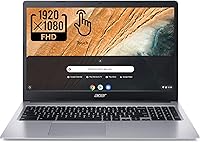
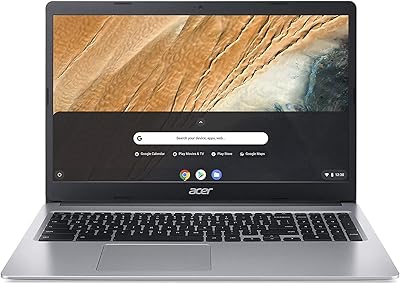
  • Screen Size: Features a 15.6-inch IPS LED-backlit display with full HD resolution of 1920x1080 pixels and multi-touch support.
  • Processor: Powered by an Intel Celeron N4020 dual-core processor with a base clock of 1.1GHz and a burst speed up to 2.8GHz.
  • RAM: Comes with 4GB of DDR4 LPDDR4 RAM soldered to the board, which is not user-upgradeable.
  • Storage: Includes 64GB of eMMC flash storage, a solid-state format optimized for fast boot times and low power consumption.
  • Operating System: Runs Chrome OS, Google's cloud-first operating system designed for browser-based and Google Workspace workflows.
  • Battery Life: Rated for up to 12.5 hours of mixed use on a single charge under standard brightness and workload conditions.
  • Weight: Weighs 2.76 pounds, making it one of the lighter options in the 15-inch laptop category.
  • Dimensions: Measures 13.6 x 9.6 x 0.7 inches, keeping the chassis slim despite the larger screen footprint.
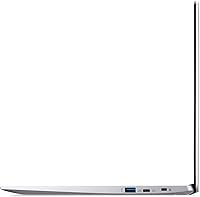
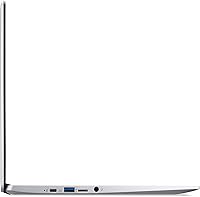
  • USB-C Ports: Equipped with two USB 3.1 Gen 1 Type-C ports that support data transfer up to 5Gbps and DisplayPort output.
  • USB-A Ports: Includes two USB 3.0 Type-A ports for connecting standard peripherals such as mice, flash drives, and external storage.
  • Wireless: Supports 802.11ac dual-band Wi-Fi for fast and stable wireless connectivity on both 2.4GHz and 5GHz bands.
  • Bluetooth: Bluetooth 4.0 is built in, enabling pairing with wireless keyboards, headphones, and other compatible accessories.
  • Webcam: Fitted with an HD webcam above the display, suitable for video calls and Google Meet sessions.
  • Graphics: Uses Intel HD Graphics 400 integrated graphics, which handles 1080p video playback and light visual tasks without a dedicated GPU.
  • Audio: Includes a single combination headphone output and microphone input jack for wired audio accessories.
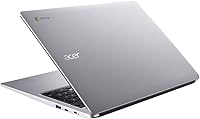
  • Color: Available in Silver with a plastic build designed to keep the overall weight and cost manageable.
  • Stylus Support: Officially supports stylus input on the touchscreen, though a stylus is not included in the box.
  • Google Classroom: Fully certified as Google Classroom compatible, meeting all requirements for managed educational deployments.

Related Reviews

Acer Chromebook 315 15.6-inch Laptop
72%
83%
Value for Money
79%
Battery Life
81%
Display Size & Usability
51%
Display Sharpness
58%
Performance
More
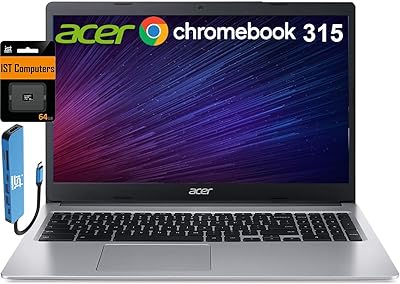
Acer Chromebook 315 15.6″ Laptop, AMD A12-9720P, 4GB RAM, 32GB eMMC, Chrome OS
80%
88%
Value for Money
92%
Battery Life
84%
Performance for Everyday Tasks
90%
Portability
65%
Display Quality
More
Acer Chromebook 315 15.6-inch Laptop
68%
83%
Value for Money
81%
Display Quality
79%
Battery Life
58%
Performance
51%
RAM & Memory
More
Acer Chromebook 15 CB3-532-C42P, Intel Celeron N3060, 15.6″, 4GB RAM, 16GB eMMC
82%
90%
Value for Money
85%
Performance for Everyday Tasks
92%
Battery Life
87%
Portability
80%
Display Quality
More
Acer Chromebook Plus 515 15.6-inch
84%
94%
Display Quality
88%
Battery Life
86%
Performance (Intel Core i3)
83%
Usability & Ergonomics
89%
Connectivity (Wi-Fi 6E)
More
Acer Aspire 3 A315-24PT-R0UX 15.6″ Laptop 16GB 512GB SSD
86%
91%
Performance
87%
Battery Life
88%
Display Quality
93%
Portability
82%
Build Quality
More
Acer Aspire 3 Ryzen 3 7330U 15.6″ 256GB
69%
88%
Value for Money
76%
Performance for Daily Tasks
83%
Display Quality
86%
RAM & Multitasking
51%
Storage Capacity
More
Acer Aspire 1 15.6-inch Laptop
70%
83%
Value for Money
78%
Display Quality
54%
Processing Performance
61%
Battery Life
63%
Build Quality
More
Acer Aspire 3 Laptop | AMD Ryzen 5 7430U | 64GB RAM | 1TB SSD | 15.6″ FHD
84%
89%
Performance
91%
Display Quality
87%
Multitasking Capability
78%
Build Quality
82%
Keyboard Comfort
More
Acer Nitro V 15 ANV15-51 (i5-13420H, RTX 4050, 8GB, 512GB)
67%
84%
Gaming Performance
81%
Display Quality
86%
Value for Money
57%
Thermal Management
53%
RAM & Multitasking
More

FAQ

No, traditional Windows software cannot be installed on Chrome OS. That said, Microsoft 365 has a web version that works well through the browser, and many users find it covers most of their Word, Excel, and PowerPoint needs without any installation required.

For light to moderate use — browsing, streaming, Google Docs, and video calls — 4GB holds up reasonably well on Chrome OS, which is leaner than Windows. Where it starts to show strain is when you have many tabs open simultaneously alongside a video call or heavy web app. If you tend to multitask heavily, you may occasionally notice slowdowns.

Chrome OS itself takes up a portion of that space, leaving you roughly 50 to 55GB for local files. For most Chromebook users, this is workable because Chrome OS is built around cloud storage — Google Drive gives you 15GB free, and files like documents and photos are typically stored there rather than locally. If you need more local space, an external drive or USB stick is an easy workaround.

It works reliably for everyday touch interactions — scrolling, tapping links, pinching to zoom, and navigating apps. It's not a high-sensitivity stylus display designed for drawing, but for general use it's a genuine convenience, especially when you're watching content or flipping through presentations.

Some Chrome OS apps, including Google Docs and Gmail, can be set up for offline use, but most of the Chrome OS experience is designed around a live internet connection. If you frequently work in areas with poor or no Wi-Fi, this is worth factoring into your decision.

The Acer Chromebook 315 15.6″ Laptop tends to offer better build consistency, longer battery life, and a more secure, low-maintenance experience than most Windows machines in the same price bracket. The trade-off is software flexibility — Chrome OS simply cannot run desktop Windows applications. If your workflow is browser-based, the Chromebook often wins on reliability and day-to-day usability.

Yes, both USB-C ports support DisplayPort output, so you can connect to an external monitor or projector using a compatible USB-C to HDMI or USB-C to DisplayPort cable. Keep in mind the integrated graphics won't push 4K content smoothly, but 1080p external displays work without issue.

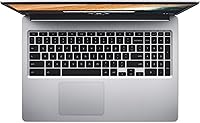
No, the Acer 315 does not have a backlit keyboard, which is a common omission at this price point. If you frequently type in low-light environments, this is worth noting before you buy.

In real-world testing and user reports, most people get between 9 and 11 hours of practical use — slightly below the advertised 12.5-hour figure, but still solid enough to get through a full school day or work day without charging. Brightness level and the number of active apps affect this noticeably.

It's actually one of the better choices for that scenario. Chrome OS is straightforward, updates itself automatically, and is far less susceptible to viruses and bloatware than Windows. The large 15.6-inch screen helps with visibility, and the setup process is minimal — just a Google account and you're ready to go. For someone mainly browsing, video calling family, and watching YouTube, this budget laptop handles all of it without complications.