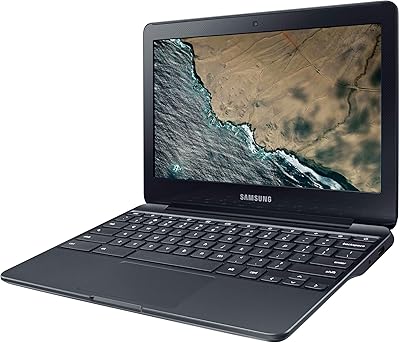
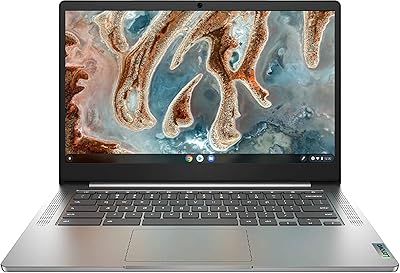
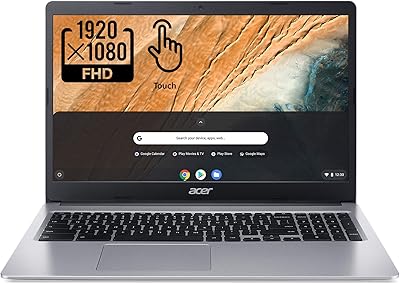
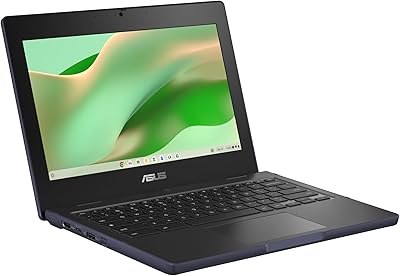
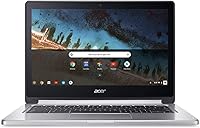
Acer Chromebook R 13 Convertible CB5-312T-K40U, 13.3-inch, 64GB eMMC, 4GB RAM
Acer Chromebook R 13 Convertible CB5-312T-K40U, 13.3-inch, 64GB eMMC, 4GB RAM — image 1
Acer Chromebook R 13 Convertible CB5-312T-K40U, 13.3-inch, 64GB eMMC, 4GB RAM — image 2
Acer Chromebook R 13 Convertible CB5-312T-K40U, 13.3-inch, 64GB eMMC, 4GB RAM — image 3
Acer Chromebook R 13 Convertible CB5-312T-K40U, 13.3-inch, 64GB eMMC, 4GB RAM — image 4
Acer Chromebook R 13 Convertible CB5-312T-K40U, 13.3-inch, 64GB eMMC, 4GB RAM — image 5
Acer Chromebook R 13 Convertible CB5-312T-K40U, 13.3-inch, 64GB eMMC, 4GB RAM — image 6
Acer Chromebook R 13 Convertible CB5-312T-K40U, 13.3-inch, 64GB eMMC, 4GB RAM — image 7
Acer Chromebook R 13 Convertible CB5-312T-K40U, 13.3-inch, 64GB eMMC, 4GB RAM — image 8
Acer Chromebook R 13 Convertible CB5-312T-K40U, 13.3-inch, 64GB eMMC, 4GB RAM — image 9
Acer Chromebook R 13 Convertible CB5-312T-K40U, 13.3-inch, 64GB eMMC, 4GB RAM — image 10
80%
20%

Overview

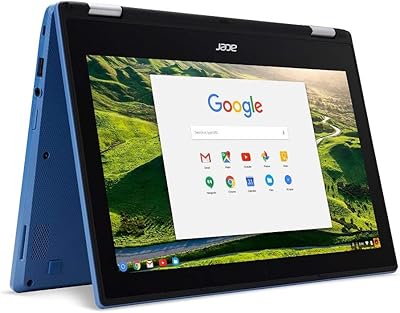
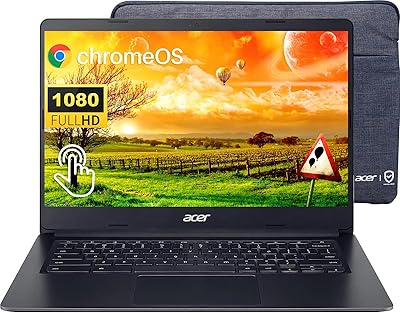
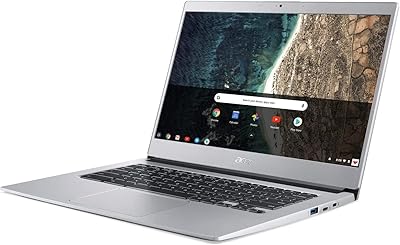
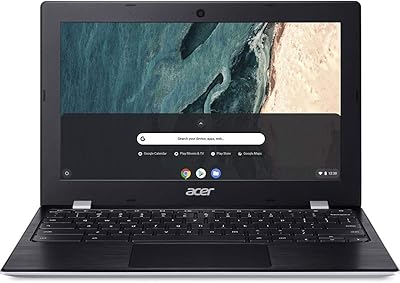
The Acer Chromebook R 13 Convertible CB5-312T-K40U, 13.3-inch, 64GB eMMC, 4GB RAM, offers a compact, versatile design with a 13.3-inch Full HD touchscreen. Powered by the MediaTek MT8173C processor and 4GB of RAM, this convertible laptop delivers reliable performance for everyday tasks. With 64GB of eMMC storage and up to 12 hours of battery life, it’s designed to keep up with light productivity needs and entertainment on the go. Running on Chrome OS, it’s tailored for users who rely on web-based apps and cloud storage, offering a streamlined experience without unnecessary complexity.

Features & Benefits

The Acer Chromebook R 13 features a 13.3-inch Full HD IPS touchscreen that provides crisp, vibrant visuals, making it an ideal option for streaming and browsing. The 4GB of RAM ensures smooth multitasking for light work or casual use, while the 64GB eMMC storage is complemented by 100GB of free Google Drive space. Chrome OS brings automatic updates, built-in virus protection, and a user-friendly interface that’s perfect for those who need a simple, secure platform. Additionally, with up to 12 hours of battery life, it’s built to last throughout the day, whether at home or in class.

Best For

This Acer Chromebook is best suited for students and professionals who need a lightweight, portable device for tasks like web browsing, document editing, and media consumption. Casual users will also appreciate its straightforward interface, ideal for those who mostly use Google apps or engage with cloud-based services. Additionally, those looking for an affordable and versatile convertible laptop will find value in this model, as it works well for both productivity and entertainment. Its compact form and long battery life make it perfect for on-the-go use, but it may not meet the needs of power users.

User Feedback

Users have generally praised this Acer Chromebook for its solid build quality and portability, with many mentioning its ease of use and fast boot times. Its 13.3-inch display is also appreciated for its vibrant colors and sharp resolution, enhancing the browsing and media experience. However, some users have expressed concerns about its limited storage, especially for those who store large files or use resource-heavy applications. While it handles basic tasks well, this convertible laptop is not ideal for heavy-duty gaming or professional software, which may leave more demanding users looking for additional power.

Pros

  • The 13.3-inch Full HD touchscreen delivers sharp and vibrant visuals, ideal for casual browsing and media consumption.
  • Long battery life of up to 12 hours makes this device perfect for all-day use without frequent charging.
  • The lightweight and portable design is great for students and professionals who need a device for on-the-go tasks.
  • Chrome OS offers seamless updates and built-in virus protection, ensuring a secure and efficient user experience.
  • The 100GB of free Google Drive space provides a practical cloud storage option for users who need extra space.
  • Fast boot times enhance productivity by quickly getting you into your tasks without waiting.

Cons

  • Limited 64GB eMMC storage may feel restrictive for users with more demanding file storage needs.
  • The 4GB of RAM may struggle with multitasking or running more resource-intensive applications.
  • This device isn't suitable for heavy gaming or using graphics-intensive software, limiting its appeal for power users.
  • Some users report the build quality feeling a bit plasticky, especially compared to higher-end models.
  • The screen size may not be large enough for users who prefer a bigger display for multitasking or detailed work.
  • The performance may not meet the needs of users who require more processing power for professional tasks.

Ratings

After analyzing verified user reviews worldwide across multiple platforms and languages, the ratings for the Acer Chromebook R 13 Convertible CB5-312T-K40U, 13.3-inch, 64GB eMMC, 4GB RAM reflect both its strengths and areas for improvement. We filtered out spam, bot, incentivized, and off-topic reviews to ensure that only authentic, high-quality feedback informed the results. While this device excels in areas like portability and battery life, users have also pointed out limitations in storage capacity and performance for more demanding tasks.

Portability & Weight
91%
Many users love how lightweight and portable this device is, making it perfect for daily commuting or travel. At just 3.3 lbs, it’s easy to carry around without feeling burdened, especially for students and professionals who need a laptop that’s hassle-free to take anywhere.
Some users note that the lightweight design may feel a bit flimsy when handling it. The overall build could feel less premium compared to other more expensive, sturdier models, which may be a concern for those looking for a more rugged laptop.
Battery Life
89%
The long-lasting battery of up to 12 hours is one of the standout features, especially for students and workers who need a full day of use without needing to recharge. Many users find that they can comfortably use this Chromebook throughout the day for browsing, note-taking, and light productivity tasks without worrying about running out of power.
While the battery life is generally strong, some users report that heavy usage, such as running multiple applications or streaming high-definition video, can drain the battery faster than expected. For those with more demanding tasks, battery longevity may be more limited.
Display Quality
88%
The 13.3-inch Full HD IPS touchscreen delivers sharp and vibrant visuals that users enjoy, whether watching videos, browsing the web, or using productivity apps. Many find that the screen's color accuracy and brightness are impressive for the price range, offering good value for casual use.
Some users wish the screen had higher brightness or better visibility in direct sunlight, as it can be challenging to view in brightly lit environments. Additionally, the screen may not meet the expectations of those who require exceptional color reproduction for more detailed work like photo editing.
Performance for Basic Tasks
80%
20%
With 4GB of RAM and the MediaTek MT8173C processor, this device provides adequate performance for everyday tasks like browsing, email, and word processing. Users find it suitable for light multitasking and running simple applications without noticeable lag or delays, making it great for students or casual use.
For users looking to run more resource-intensive applications or multitask heavily, the 4GB of RAM can feel limiting. Performance can slow down when multiple tabs are open or when heavier apps are used, which may be frustrating for those who need more processing power.
Storage Capacity
60%
40%
The 64GB eMMC storage, combined with 100GB of free Google Drive space, is a practical option for users who rely on cloud-based storage and primarily use web-based apps. For many, the storage space is adequate for basic documents, photos, and files, with the added benefit of seamless cloud integration.
However, the storage capacity is a major drawback for users who require large amounts of local storage for media or applications. With only 64GB available, many users quickly run out of space, especially when dealing with larger files, which can be inconvenient without external storage or cloud solutions.
Value for Money
85%
At this price point, this laptop offers impressive value with its versatile convertible design, decent performance for basic tasks, and long battery life. Users who are looking for an affordable Chromebook for everyday web-based tasks find that it provides great functionality without breaking the bank.
Some users feel that the value might be compromised by its limited storage and performance for heavier tasks. While it’s a solid device for casual use, those needing more robust performance for intensive apps or more storage space may not find it quite as worth the price.
Build Quality
90%
Many users praise the solid build quality, appreciating its sturdy yet lightweight construction. The overall feel is reliable and durable for daily use, with users reporting that the hinge mechanism works well in convertible mode, offering smooth transitions between laptop and tablet use.
However, a few reviewers mention that while the build is solid for the price, it can feel less premium compared to higher-end devices. The plastic construction might not be as durable or scratch-resistant as some users would prefer, especially over time with frequent handling.
Operating System Experience (Chrome OS)
92%
Chrome OS provides a streamlined and intuitive experience, especially for those who mainly use web-based applications. Users enjoy the automatic updates and built-in virus protection, which offers a secure and worry-free experience for daily browsing and productivity.
While Chrome OS is excellent for web-based tasks, it may feel limiting for those used to more feature-rich operating systems like Windows or macOS. Certain applications or programs may not be available, which could be a downside for power users or those who need specific software for their workflow.
Ease of Use
87%
The device is highly praised for its ease of use, with many users noting that it boots up quickly and requires minimal setup. Its intuitive interface, combined with the straightforward nature of Chrome OS, makes it a great choice for beginners or those who just need a no-fuss laptop for web browsing and light productivity.
Some users feel that the simplicity of Chrome OS can be a limitation for more advanced users. Those accustomed to the full features of Windows or macOS may find Chrome OS a bit too basic for more complex tasks or specialized software.
Multitasking Capability
75%
25%
For basic tasks like browsing and working with simple documents, this laptop can handle moderate multitasking without significant slowdowns. Users report that switching between apps is smooth enough for light, everyday use.
However, users who attempt to run multiple demanding apps at once may experience lag or delays. With only 4GB of RAM, multitasking capabilities are limited, especially when working with more than a few tabs or applications simultaneously.
Gaming & High-Performance Apps
45%
55%
The device is suitable for light games and casual entertainment, and users who expect minimal gaming functionality can still enjoy basic titles without issues. It handles simple games well without overheating or performance degradation.
Unfortunately, this laptop is not suited for gaming or running high-performance apps. Users trying to run more demanding games or resource-intensive software find that it struggles, with significant lag and poor frame rates, which makes it unsuitable for heavy gaming or professional-grade tasks.
Customer Support
80%
20%
Several users have shared positive experiences with the manufacturer's customer support, particularly when it comes to troubleshooting and warranty claims. The support team is generally responsive and helpful, offering assistance through various channels.
Some customers, however, report mixed experiences with response times or finding solutions to specific technical issues. While support is generally good, occasional delays or less thorough solutions can be frustrating for users in need of immediate help.

Suitable for:

The Acer Chromebook R 13 Convertible CB5-312T-K40U is ideal for students, professionals, and casual users who prioritize portability and ease of use. Its lightweight design and long battery life make it perfect for daily commuting, allowing users to work or browse the web on the go without worrying about charging frequently. This device is a solid choice for those who mainly use web-based applications, such as Google Docs or email, and don't need extensive local storage. Its versatility as a convertible laptop also makes it a great option for users who occasionally want to switch between laptop and tablet modes for entertainment or productivity tasks.

Not suitable for:

While this Chromebook offers great value for basic tasks, it's not well-suited for users who need high performance or large storage capacity. With only 64GB of internal storage and 4GB of RAM, it may struggle with demanding applications or multitasking, making it unsuitable for heavy users or those who require resource-intensive software. Additionally, gamers and professionals in fields such as video editing or graphic design will find its performance lacking. If you're looking for a device to handle more complex workloads or need more local storage for media files, this laptop may not meet your needs.

Specifications

  • Display: 13.3-inch Full HD IPS touchscreen with a resolution of 1920×1080 pixels, offering vibrant visuals and wide viewing angles.
  • Processor: Powered by a MediaTek MT8173C quad-core processor, delivering efficient performance for web-based tasks.
  • RAM: Equipped with 4GB of RAM, providing smooth multitasking for everyday tasks like browsing and document editing.
  • Storage: Includes 64GB of eMMC storage, with 100GB of free Google Drive space for cloud storage.
  • Operating System: Runs on Chrome OS, designed for web-based tasks with automatic updates and built-in virus protection.
  • Battery Life: Offers up to 12 hours of battery life, making it suitable for all-day use without frequent recharging.
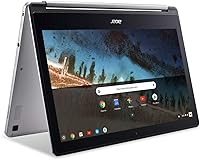
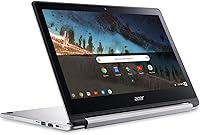
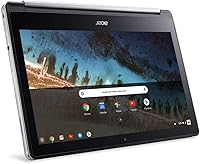
  • Convertible Design: Features a convertible design, allowing the device to be used in both laptop and tablet modes.
  • Weight: Weighs 3.3 lbs, offering a lightweight and portable form factor for users on the go.
  • Wi-Fi Connectivity: Supports Wi-Fi 802.11ac for fast and reliable internet connectivity.
  • Bluetooth: Includes Bluetooth 4.2 for wireless connections to peripherals like headphones and mice.
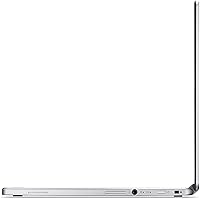
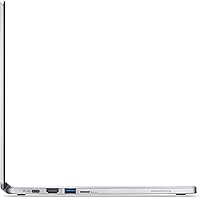
  • Ports: Features two USB Type-C ports, one USB 3.0 port, and a microSD card reader for expandable storage.
  • Camera: Equipped with a 720p HD front-facing camera for video calls and conferencing.
  • Audio: Dual stereo speakers with Dolby Audio provide clear sound for multimedia consumption.
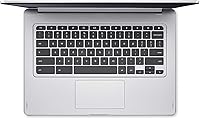
  • Keyboard: Backlit keyboard for comfortable typing, especially in low-light conditions.
  • Security: Built-in virus protection and automatic security updates via Chrome OS ensure a secure user experience.
  • Performance: Ideal for light multitasking and web-based applications, but not suited for demanding software or heavy gaming.
  • Display Features: The IPS display provides consistent color accuracy and wide viewing angles from various positions.
  • Expansion: Supports external storage expansion via the microSD card slot.
  • Charging: Supports USB Type-C charging, allowing for quick recharges and compatibility with many modern chargers.

FAQ

Setting up this device is simple. Just power it on, connect to Wi-Fi, and sign in with your Google account. Chrome OS will guide you through the initial setup process, including syncing with Google services and ensuring your device is up-to-date.

The battery life on this laptop can last up to 12 hours, depending on usage. It's ideal for users who need an all-day device for tasks like browsing the web, word processing, or streaming videos without worrying about recharging.

Yes, you can install apps from the Chrome Web Store and use Android apps via the Google Play Store. However, it does not support traditional desktop apps like those available on Windows or macOS, so it's best suited for web-based applications.

For most casual users who primarily use web-based apps, 64GB of storage should be sufficient. However, if you plan on storing large files or installing many apps, the storage could fill up quickly. You also get 100GB of free Google Drive space, which can help with cloud storage.

Chrome OS is designed for lightweight tasks, offering fast boot times and seamless integration with Google services. It's not as feature-rich as Windows or macOS for advanced computing needs, but it's great for web browsing, document editing, and cloud-based tasks.

This device isn't suitable for heavy gaming, as it doesn't have a dedicated graphics card and is powered by a MediaTek processor. It can handle basic games available on the web or Android games, but more demanding titles won't run smoothly.

This Chromebook is quite portable, weighing just 3.3 lbs and featuring a convertible design that allows you to use it as a laptop or tablet. It's a great option for students and professionals who need something lightweight and easy to carry.

The 13.3-inch screen provides decent space for multitasking, though it may feel cramped for those who often work with multiple windows open. For users who need larger displays for complex workflows, this may not be the best option.

Yes, this device is ideal for students and professionals who need a lightweight, affordable laptop for basic tasks like word processing, research, and web browsing. The long battery life and portability make it a good option for on-the-go use.

With 4GB of RAM, this Chromebook is good for light multitasking, such as browsing, using Google apps, and watching videos. However, it may struggle with more demanding tasks like running multiple heavy apps or editing large files simultaneously.