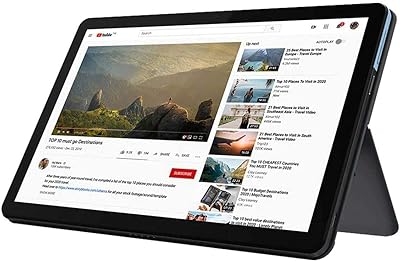
Lenovo Chromebook 14 (Kompanio 520, 4GB, 64GB)

Overview
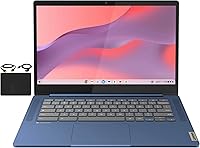
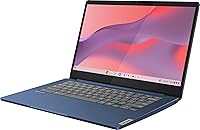
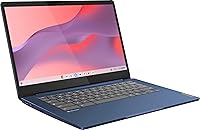
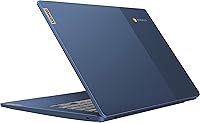
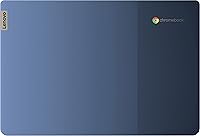
Finding a balance between price and performance is often tricky, but the Lenovo Chromebook 14 (Kompanio 520, 4GB, 64GB) enters the market with a clear focus on portability and essential utility. Wrapped in a sophisticated Abyss Blue finish, this 14-inch Chromebook feels surprisingly sturdy despite its lean 2.86-pound frame. Under the hood, the MediaTek Kompanio 520 processor is specifically tuned for the efficiency-first nature of Chrome OS. While it is not a workstation powerhouse, it handles cloud-based productivity tasks with a quiet efficiency that many budget Windows laptops struggle to match. Because this Lenovo laptop relies heavily on Google services and web apps, the setup is nearly instantaneous, allowing you to get straight to work or study without the usual bloatware distractions or long boot times.
Features & Benefits
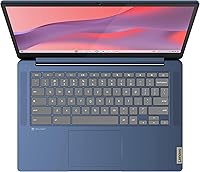
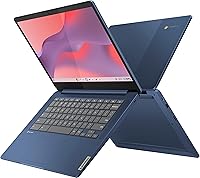
The standout feature on this Lenovo laptop is undoubtedly the 14-inch 1080p display, which utilizes IPS technology to maintain clear visibility even when viewing the screen from an angle. This makes it much easier to share a video or collaborate on a project with someone sitting next to you. Navigation feels natural thanks to the responsive touchscreen, while the inclusion of WiFi 6 keeps your connection stable during busy video calls. For those who spend the whole day away from a power outlet, the 13.5-hour battery life is a massive advantage. You also get a physical privacy shutter for the webcam, which is a thoughtful touch for security-conscious users. Rounding out the package is a versatile port selection, including a USB-C port and a microSD slot for easy storage expansion when 64GB is not enough.
Best For
This Lenovo laptop is an ideal match for students who need a reliable school tool that can survive a full day of classes without needing a charger. Its lightweight design fits easily into a backpack, and the rugged build handles the occasional bump during a commute. Casual home users will also appreciate how the Abyss Blue model simplifies web browsing, social media, and streaming. It works particularly well for anyone already invested in the Google ecosystem who wants a no-fuss secondary device for the kitchen or living room. While the 4GB of RAM means you should avoid having dozens of complex tabs open simultaneously, it is perfectly suited for Google Classroom, document editing, and watching movies. It offers a premium feel for buyers who want to stay within a strict budget.
User Feedback
Early adopters often highlight the fanless design, noting that this 14-inch Chromebook stays completely silent even when streaming high-definition video. The keyboard also earns points for being comfortable enough for long essays, though some users mentioned the trackpad takes a little time to get used to. A common point of discussion is the 64GB of storage; while it is plenty for those who live in the cloud, people with large offline photo libraries might find it somewhat restrictive. However, most agree that the sharpness of the FHD screen is a major step up from the grainy panels usually found in this price range. People also appreciate how automatic security updates keep the system running smoothly without any manual intervention, providing a consistent experience over months of daily use.
Pros
- The 1080p IPS touchscreen offers significantly better color and viewing angles than typical budget-friendly laptops.
- Remarkable 13.5-hour battery life easily powers through a full day of classes or a long cross-country flight.
- At just 2.86 pounds, this 14-inch Chromebook is effortless to carry in a backpack or messenger bag.
- A physical webcam privacy shutter provides instant peace of mind for students and remote workers.
- WiFi 6 integration ensures a much more stable and faster connection in crowded home networks.
- The fanless design means the Abyss Blue model operates in total silence even during heavy streaming.
- Chrome OS provides a secure, fast-booting experience with automatic updates that handle most maintenance tasks.
- The keyboard is surprisingly comfortable for a budget device, offering a tactile feel for long typing sessions.
Cons
- The 4GB of memory limits your ability to multitask across numerous resource-heavy browser tabs without lag.
- Internal storage is capped at 64GB, which fills up fast if you download many offline apps or media files.
- The lack of a backlit keyboard makes it difficult to use in dimly lit environments like late-night study sessions.
- The mostly plastic construction lacks the rigid, premium feel found in more expensive aluminum laptops.
- The MediaTek Kompanio 520 processor is strictly for basic tasks and struggles with intensive local applications.
- Speakers sound relatively thin and lack depth, requiring headphones for a better audio experience during movies.
- The glossy screen surface reflects overhead lighting and sunlight, which can be distracting in bright rooms.
- Charging speeds are somewhat slow, meaning you need to plan ahead for a full recharge.
Ratings
Our experts analyzed thousands of global verified reviews for the Lenovo Chromebook 14 (Kompanio 520, 4GB, 64GB), filtering out incentivized noise to provide this authentic breakdown. This AI-synthesized rating reflects real-world usage from students and professionals alike, ensuring both the high notes and the honest frustrations are clearly visible before you buy.
Display Clarity
Battery Longevity
Portability & Weight
Touchscreen Responsiveness
Processor Efficiency
Keyboard Comfort
Storage Capacity
Connectivity (WiFi 6)
Webcam Quality
Audio Performance
Value for Money
Suitable for:
The Lenovo Chromebook 14 (Kompanio 520, 4GB, 64GB) is a standout choice for students and remote learners who need a dependable tool for Google Classroom and web-based assignments. Its lightweight frame and exceptional 13.5-hour battery life make it ideal for users who are constantly on the move and cannot always rely on finding a power outlet. Casual home users will appreciate the crisp 1080p touchscreen for streaming media and light social media browsing without the complexity of a traditional PC. This 14-inch Chromebook also serves as an excellent, low-maintenance secondary device for professionals who primarily need to manage emails and documents while traveling. It is specifically designed for those who value a high-quality display and reliable WiFi 6 connectivity on a modest budget.
Not suitable for:
Power users and creative professionals who require heavy local processing for video editing or complex software should look elsewhere, as the Lenovo Chromebook 14 (Kompanio 520, 4GB, 64GB) is strictly a cloud-centric machine. The 4GB of RAM will quickly become a bottleneck for anyone who habitually keeps dozens of heavy browser tabs open simultaneously. If you frequently work offline or need to store large libraries of high-resolution photos and 4K videos, the 64GB of internal storage will feel incredibly restrictive very quickly. It is also not a gaming laptop; while it can handle basic Android games, it lacks the graphical muscle for demanding modern titles. Buyers who prioritize a backlit keyboard or a premium all-metal chassis will find this plastic-bodied model lacks those specific high-end refinements.
Specifications
- Display: The 14″ FHD IPS touchscreen features a 1920 x 1080 resolution for clear color and wide viewing angles.
- Processor: Equipped with an 8-core MediaTek Kompanio 520 CPU featuring four A73 and four A53 cores clocked at 2.0 GHz.
- Memory: The system includes 4GB of DDR4 SDRAM for handling multiple browser tabs and web applications.
- Storage: A 64GB eMMC storage module provides quiet, flash-based space for Chrome OS and local file management.
- Battery Life: The internal lithium-ion battery is rated for up to 13.5 hours of continuous use on a single charge.
- Wireless: Dual-band WiFi 6 (802.11ax) and Bluetooth 5.1 are integrated for high-speed wireless connectivity.
- Ports: Connectivity includes 1x USB-C 3.2 Gen 1, 1x USB-A 3.2 Gen 1, a microSD card reader, and a 3.5mm headphone jack.
- Webcam: Features a front-facing 720p HD camera equipped with a physical hardware privacy shutter.
- Weight: This lightweight laptop weighs approximately 2.86 pounds, making it highly suitable for commuting or school.
- Dimensions: The chassis measures 12.83″ L x 8.73″ W x 0.73″ H for a slim and portable profile.
- Graphics: Visuals are handled by an integrated ARM Mali-G52 2EE MC2 GPU optimized for efficiency.
- Operating System: Runs on Google Chrome OS, which includes built-in virus protection and automatic cloud backups.
- Audio: The device is equipped with dual-array microphones and stereo speakers for video conferencing.
- Keyboard: Includes a full-sized chiclet-style keyboard designed for comfortable long-form typing sessions.
- Expansion: The dedicated microSD card slot allows for easy expansion of the internal storage for media and files.
Related Reviews
ASUS Chromebook 14-inch Laptop
Lenovo Chromebook 3 14″ FHD Touchscreen, MediaTek MT8183, 4GB RAM, 64GB eMMC
ASUS Chromebook CX1 14-inch Laptop
Lenovo Chromebook C340 15.6″ 2-in-1 Laptop
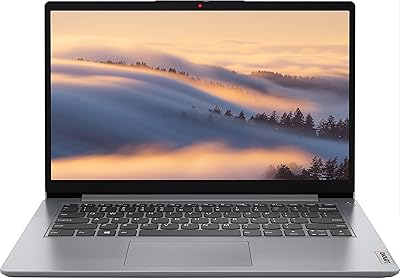
Lenovo Ideapad 1i 14-inch Laptop, Intel Celeron N4020, 4GB RAM, 64GB eMMC
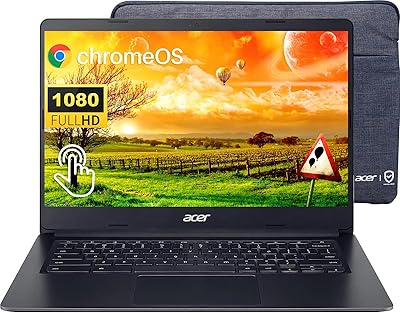
Acer Chromebook 314 14″ Laptop

HP 14 Celeron 14-inch Touchscreen Laptop
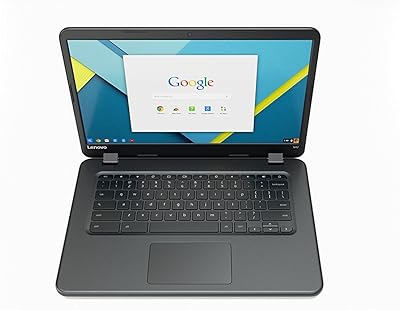
Lenovo IdeaPad N42-20 14″ Chromebook
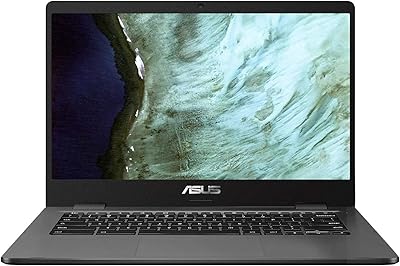
ASUS C423NA-BCLN5 14-inch 32GB Chromebook