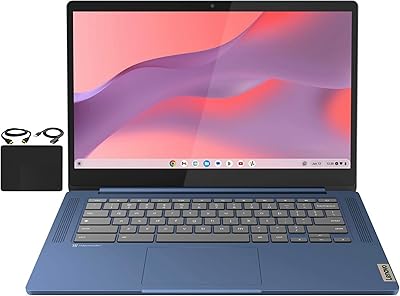
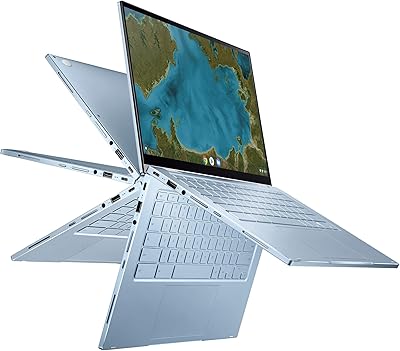
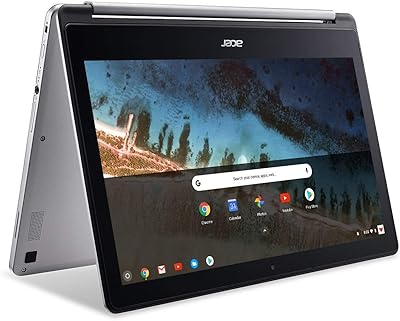
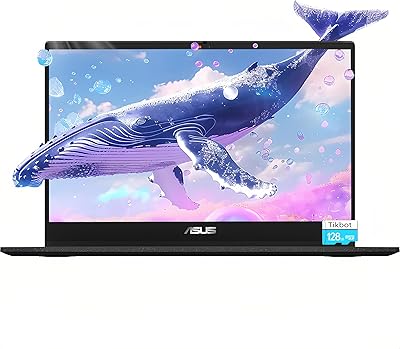
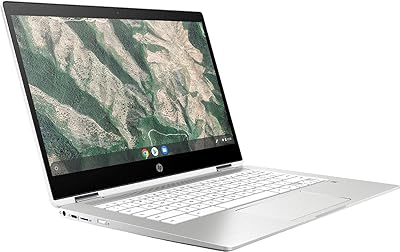
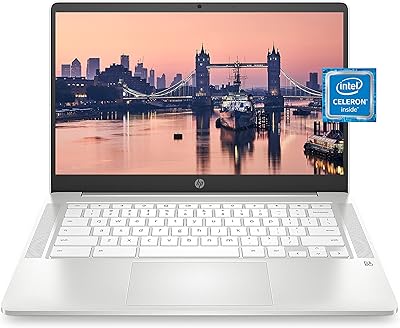
Lenovo Chromebook 3 14″ FHD Touchscreen, MediaTek MT8183, 4GB RAM, 64GB eMMC
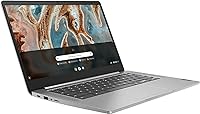
Lenovo Chromebook 3 14″ FHD Touchscreen, MediaTek MT8183, 4GB RAM, 64GB eMMC — image 1
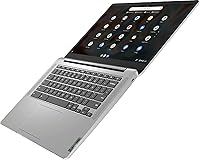
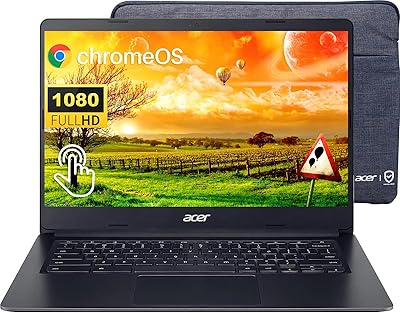
Lenovo Chromebook 3 14″ FHD Touchscreen, MediaTek MT8183, 4GB RAM, 64GB eMMC — image 2
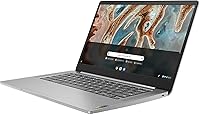
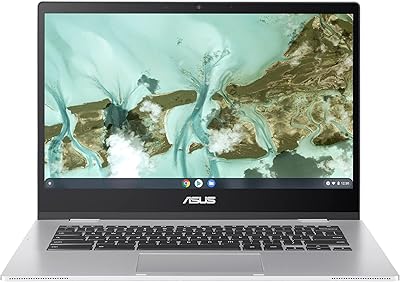
Lenovo Chromebook 3 14″ FHD Touchscreen, MediaTek MT8183, 4GB RAM, 64GB eMMC — image 3
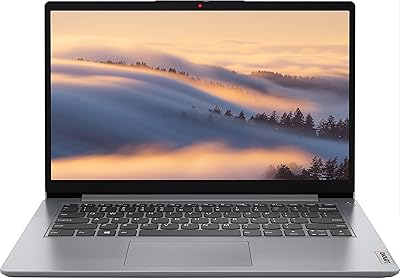
Lenovo Chromebook 3 14″ FHD Touchscreen, MediaTek MT8183, 4GB RAM, 64GB eMMC — image 4
Lenovo Chromebook 3 14″ FHD Touchscreen, MediaTek MT8183, 4GB RAM, 64GB eMMC — image 5
82%
18%

Overview

The Lenovo Chromebook 3 14″ FHD Touchscreen, MediaTek MT8183, 4GB RAM, 64GB eMMC offers a balanced mix of portability and performance. This 14-inch Chromebook delivers a clear Full HD display, making it suitable for both work and play. The device is powered by a MediaTek MT8183 processor and includes 4GB of RAM with 64GB of eMMC storage. With Chrome OS, it provides a smooth, cloud-centric computing experience. Lightweight and compact, this touchscreen laptop is ideal for those who prioritize ease of use and portability, offering a convenient solution for daily tasks.

Features & Benefits

This Lenovo Chromebook stands out for its Full HD touchscreen, offering sharp visuals and responsive touch capabilities. With up to 10 hours of battery life, users can easily get through a full workday without needing to recharge. The dual-core MediaTek processor ensures smooth performance for most everyday tasks, including web browsing and document editing. Its slim design and lightweight construction, weighing just 2.9 pounds, make it highly portable, whether for students, professionals, or casual users. Additionally, the 64GB eMMC storage is sufficient for cloud-based applications and light local storage needs.

Best For

This Lenovo Chromebook is best suited for students and individuals who need a reliable, affordable laptop for basic tasks. It's a great choice for anyone who spends most of their time in web browsers, uses cloud-based apps, or watches online content. The lightweight design also makes it ideal for those constantly on the go, such as commuters or digital nomads. If you’re looking for a hassle-free laptop that runs efficiently without the complexity of traditional operating systems, this is a solid option. Users who favor the simplicity and speed of Chrome OS will appreciate this device’s seamless performance.

User Feedback

Overall, users praise the smooth performance of this Chromebook for everyday tasks like browsing, watching videos, and document editing. The display quality and touchscreen functionality are frequently highlighted as key positives, especially given the price. However, some users note that the 4GB RAM can be limiting for multitasking, and heavier applications can cause occasional lag. The 64GB storage also falls short for those who need to store large files locally. Despite these drawbacks, many appreciate the Chromebook's portability and long battery life, which make it a good value for basic computing needs.

Pros

  • The 14-inch FHD touchscreen offers clear and vibrant visuals, making it ideal for casual browsing and media consumption.
  • Its lightweight design (weighing just 2.9 pounds) makes it easy to carry, perfect for students or professionals on the go.
  • The MediaTek MT8183 processor delivers smooth performance for everyday tasks like web browsing and document editing.
  • With up to 10 hours of battery life, this device is great for all-day use without needing to recharge.
  • Chrome OS provides a simple and fast user experience, especially for those familiar with Google’s ecosystem and cloud-based apps.
  • The affordable price point makes it a great option for budget-conscious buyers who need a reliable laptop for basic tasks.

Cons

  • The 4GB of RAM and 64GB of storage may limit multitasking and the ability to store large files or applications.
  • Performance may lag when handling more resource-intensive tasks, such as video editing or gaming.
  • Some users have reported occasional slowdowns when running multiple tabs or programs simultaneously.
  • Limited ports (only one USB 2.0, one USB 3.0, and one HDMI) may not be enough for users with extensive connectivity needs.
  • The eMMC storage is slower compared to SSDs, resulting in slower file transfers and boot times.
  • While its display is good for everyday use, it may not be bright enough for outdoor use or under direct sunlight.

Ratings

After analyzing verified user feedback from multiple platforms and languages, including international reviews, we found a range of insights on the Lenovo Chromebook 3 14″ FHD Touchscreen, MediaTek MT8183, 4GB RAM, 64GB eMMC. Both positive and critical feedback were carefully considered, filtering out spam, bot-driven, and exaggerated reviews. The scores reflect the general consensus on this device's strengths and weaknesses, offering an honest evaluation of its performance, build, and usability across diverse use cases.

Value for Money
90%
Many users find this laptop offers excellent value, especially for students or casual users who need a reliable device for everyday tasks. The balance between affordability and solid performance makes it a smart choice for those on a budget, providing features like an FHD touchscreen and long battery life without breaking the bank.
Some buyers feel that the low storage capacity and basic multitasking performance limit the overall value, especially for power users or those with larger storage needs. Despite its competitive price, a few would have preferred additional features like more RAM or faster storage options for a smoother experience during more demanding tasks.
Display Quality
85%
The 14-inch Full HD display provides clear and vibrant visuals, making it ideal for browsing, watching videos, and light photo editing. Many users appreciate the touchscreen functionality, which enhances navigation and interaction with apps, offering a seamless experience for casual use.
While the display is generally praised for its clarity, some users note that it lacks the deep contrast and brightness levels found in higher-end models. This can be especially noticeable when using the Chromebook in bright environments or for tasks that require color precision.
Battery Life
87%
The impressive battery life, lasting up to 10 hours on a single charge, is one of the standout features for many users. Whether it's for work or school, this laptop offers all-day use without the need for frequent recharging, which is highly appreciated by people on the go.
A few users mention that the battery life doesn't always meet expectations during intensive tasks like video streaming or gaming. While it lasts well for basic use, power-hungry applications may drain the battery faster than advertised, which could be a downside for more demanding users.
Portability
93%
At just 2.9 pounds, this laptop's lightweight design makes it a perfect travel companion. Users love how easy it is to carry around, whether commuting, heading to class, or working in different locations. The slim profile adds to its portability, making it a great option for anyone in need of a compact device.
Although the lightweight design is a positive for most, some users feel the build quality could be sturdier. The lightweight plastic construction might not feel as premium or durable as other laptops, raising concerns about long-term durability, especially when traveling frequently.
Performance for Basic Tasks
88%
The MediaTek MT8183 processor, paired with 4GB of RAM, provides smooth performance for everyday tasks like browsing, document editing, and video streaming. Users are generally satisfied with how this Chromebook handles basic workloads, making it an excellent choice for casual users or students who don’t require heavy multitasking capabilities.
While the laptop performs well for everyday tasks, some users experience lag or slower performance when running multiple applications simultaneously. Those looking for a laptop capable of more intensive workloads or multitasking may find this Chromebook's performance a bit limiting.
Storage Capacity
63%
37%
The 64GB eMMC storage is sufficient for users who primarily rely on cloud-based storage or light apps. For basic web browsing, streaming, and document editing, this amount of storage is usually adequate, and the Chrome OS ecosystem encourages users to keep files online, minimizing local storage needs.
Many users express frustration with the limited storage, especially when trying to store larger files or install multiple applications. For users who require substantial local storage for media files or offline work, the 64GB may not be enough, leading to frequent reliance on external storage options.
Multitasking Performance
60%
40%
While this Chromebook handles basic tasks well, some users find it suitable for light multitasking. Tasks like switching between browser tabs or handling a few apps simultaneously are manageable, which meets the needs of many students and casual users.
Users who attempt more demanding multitasking, such as running multiple apps or using resource-heavy programs, may notice significant lag or slowdowns. The 4GB of RAM and MediaTek MT8183 processor struggle under heavier loads, making this laptop less ideal for those who need to juggle multiple tasks at once.
Build Quality
80%
20%
The slim, lightweight design is complemented by a fairly sturdy build that holds up well to regular use. Users appreciate the portability without sacrificing too much on durability, making it a good option for students or workers who need a reliable laptop for daily carry.
Despite the lightweight nature, some users point out that the plastic construction feels less premium compared to other laptops in the same price range. A few mention that the device can feel flimsy when pressed or handled roughly, raising concerns about potential long-term wear and tear.
Touchscreen Responsiveness
89%
The touchscreen is responsive and smooth, making it easy to interact with apps and navigate through web pages. Many users find it intuitive, particularly for those who prefer touch interactions over a traditional trackpad or mouse.
A few users report occasional glitches or delayed responses when using the touchscreen, especially with heavy use or multi-finger gestures. Though these issues aren't widespread, they can be frustrating for those who rely heavily on touchscreen functionality for tasks like drawing or photo editing.
Operating System (Chrome OS)
91%
Chrome OS offers a simple, fast, and secure environment, which many users enjoy. It’s particularly suited for users who rely on cloud-based services and need a hassle-free operating system. The speed and simplicity of the OS enhance productivity and streamline the user experience.
While many users love Chrome OS for its speed and simplicity, some feel limited by its app ecosystem, especially for users accustomed to Windows or macOS. Certain specialized software applications are not available, which can be a barrier for those who need full desktop programs for work or creative tasks.
Customer Support
74%
26%
When users do reach out, Lenovo's customer support team is generally responsive and helpful, providing solutions for common technical issues or setup questions. Many customers note that response times have improved over time, especially through online support channels.
However, some customers have expressed dissatisfaction with Lenovo's support, mentioning long wait times and difficulty reaching a knowledgeable representative for more complex problems. A few reviews mention that they were left waiting for extended periods, which can be frustrating when dealing with hardware or software issues.
Connectivity Options
79%
21%
The laptop includes essential connectivity options such as Wi-Fi 5 and Bluetooth 4.2, allowing users to connect to various devices and networks. The inclusion of HDMI and USB ports adds to its versatility, making it easy to connect to external monitors or accessories.
A few users wish for more advanced connectivity options, such as Wi-Fi 6 or additional USB-C ports, for faster connections and more flexible device integration. While the provided options are functional, some feel they limit the laptop’s compatibility with modern, high-speed peripherals.

Suitable for:

The Lenovo Chromebook 3 14″ FHD Touchscreen, MediaTek MT8183, 4GB RAM, 64GB eMMC is ideal for students and casual users seeking a reliable, budget-friendly device for everyday tasks. Its light weight and long battery life make it perfect for those on the go, such as students attending classes or professionals working remotely. The smooth performance for basic tasks like browsing, streaming, and document editing, along with the simplicity of Chrome OS, offers a user-friendly experience for anyone looking for a no-fuss laptop. Its affordability and compact design also make it suitable for those who prioritize portability without compromising on essential features like an HD touchscreen and solid battery performance.

Not suitable for:

This Chromebook may not be the best choice for users who need more powerful performance or storage. With only 4GB of RAM and 64GB of eMMC storage, it's not suited for heavy multitasking or running resource-intensive applications. Power users who rely on demanding software for tasks like photo editing, gaming, or video production might find the performance lagging. Additionally, its limited local storage could be problematic for users who require extensive file storage or frequent offline access to large files. While it's a good fit for basic tasks, those seeking a versatile laptop for a broader range of professional or creative work may want to consider other options with better specs.

Specifications

  • Display: 14-inch Full HD (1920 x 1080 pixels) touchscreen display for clear visuals and responsive touch input.
  • Processor: Powered by a MediaTek MT8183 processor with a dual-core architecture, designed for efficient everyday computing.
  • RAM: 4GB DDR4 RAM provides smooth performance for basic tasks like browsing, streaming, and document editing.
  • Storage: 64GB eMMC storage offers space for essential files, with cloud-based storage integration for additional capacity.
  • Operating System: Runs Chrome OS, providing a fast and cloud-based computing experience with seamless Google account integration.
  • Battery Life: Up to 10 hours of battery life on a full charge, offering all-day use for students or casual users.
  • Weight: Weighs just 2.9 pounds, making it easy to carry for students, commuters, or travelers.
  • Dimensions: Measures 12.8 x 8.5 x 0.7 inches, offering a compact and portable form factor for on-the-go use.
  • Connectivity: Includes Wi-Fi 5 (802.11ac) and Bluetooth 4.2 for reliable wireless connectivity to networks and peripherals.
  • Ports: Equipped with 1 x USB 2.0, 1 x USB 3.0, and 1 x HDMI for versatile connectivity to external devices.
  • Graphics: Integrated NVIDIA graphics support basic graphics tasks and video playback, suitable for general usage.
  • Color: Available in Arctic Grey, offering a sleek and modern appearance.
  • Speakers: Dual stereo speakers provide adequate sound quality for video calls, media playback, and casual listening.
  • Camera: Built-in HD webcam for video conferencing and online meetings.
  • Audio: Supports stereo sound with built-in microphones for clear audio during video chats and media consumption.
  • External Storage: Supports external storage expansion via the USB ports or microSD card slot for additional storage options.
  • Software: Pre-installed with Chrome OS, supporting web-based apps and Android apps from the Google Play Store.

FAQ

This device features a 14-inch Full HD touchscreen, powered by the MediaTek MT8183 processor, with 4GB of RAM and 64GB of eMMC storage. It runs Chrome OS for fast, cloud-based performance, and is designed to be lightweight and portable, making it ideal for everyday tasks like web browsing and document editing.

Setting up this Chromebook is easy. Simply power it on, connect to Wi-Fi, and sign in with your Google account. Chrome OS will automatically sync your settings, apps, and files from your Google account, so you're ready to start using it right away.

This laptop doesn't run traditional desktop software like Microsoft Office. However, you can use cloud-based versions of Office apps or install Android apps from the Google Play Store, including Microsoft Word and Excel, for a similar experience.

The Lenovo Chromebook 3 offers up to 10 hours of battery life, depending on usage. This is ideal for students, remote workers, or anyone who needs an all-day laptop for browsing, streaming, and light productivity tasks without needing to recharge.

This laptop is not designed for high-end gaming or intensive multitasking. The MediaTek MT8183 processor and 4GB of RAM are sufficient for everyday tasks like browsing and document editing, but performance may lag when handling more demanding applications.

Yes, this device is great for work or school, especially for users who rely on cloud-based applications like Google Docs, Google Sheets, and other online tools. It's ideal for students or professionals who need a portable and affordable device for writing, research, and light media editing.

The Lenovo Chromebook 3 comes with 64GB of eMMC storage, which is suitable for basic tasks and cloud-based apps. However, it may feel limited if you need to store a large amount of data. You can expand storage by using an SD card or external USB drive, or rely on cloud storage for your files.

The Full HD display of this Chromebook provides clear visuals, but it may not be bright enough for comfortable use in direct sunlight. It’s best used indoors or in shaded areas for optimal viewing, especially if you plan to use it for extended periods.

The Lenovo Chromebook 3 has a lightweight and slim design, which is convenient for portability. While it is built to be durable for everyday use, it may not be as rugged as higher-end models, so it's best suited for lighter, on-the-go use rather than for heavy-duty environments.

Yes, the 14-inch display is a touchscreen, offering responsive navigation for tasks like scrolling, zooming, and interacting with apps. Many users find it convenient for web browsing, media consumption, and using cloud-based apps where touch input is helpful.